The Best AI Voice Generator in 2026: Top 6 Recommendations
Being behind major reports like The Mother of All Breaches and RockYou2024, our in-house cybersecurity experts and journalists provide unbiased, real-world testing and in-depth analysis.
We maintain complete transparency by openly sharing our testing methodologies with our audience.
Learn more

AI voice generators use machine learning models to mimic human speech. Though text-to-speech technology has been around for decades, AI voice generators have only recently gained popularity. Advancements in deep learning help the best AI voice generators produce natural-sounding voices indistinguishable from natural human speech.
These tools open a new era for content creators, marketers, and businesses to produce video narrations, enhance learning materials, and simplify voiceovers. Together with the Cybernews research team, we worked to give you an in-depth look into the top 6 AI voice generators to help you pick the right one for your needs.
Our list of 6 best AI voice generators
- Speechify – best AI voice generator overall
- Eleven Labs – best for ultra-realistic voice synthesis
- Murf.ai – top choice for professional-grade voiceovers
- Lovo AI – all-in-one tool for voice generation
- Synthesia – best for lifelike AI avatars
- Altered.ai – advanced creative voice morphing
What is a good AI voice generator in 2026?
To find the best AI voice generator on the market in 2026, I have personally tested the most used tools, and in this review, I will explain the specific features I’ve evaluated. These features include realism, controls, audio quality, and voice libraries. Here are the criteria I’ve prioritized when reviewing my top 6 contenders.
- Realism. I believe voices should mimic natural speech patterns, ideally including appropriate pauses and tonal shifts. Poor models will sound too robotic and unnatural.
- Controls. It’s important to be able to fine-tune pronunciation and pacing, adjusting it to your specific needs.
- Audio quality. Crisp, high-quality audio that is distortion-free will help create professional-grade results. This is critical for business use.
- Voice libraries. A wide range of voices, including accents and languages, are features that top-tier AI voice generators should include.
- Extras. I always look for extra perks with top-class tools. In this case, features such as voice cloning and real-time morphing add significant value for all users.
Drawing from my experience as a technology expert, I also considered aspects like the tool's ease of use, the company behind the product, and how well it integrates into other technology ecosystems. Overall, I strived to choose top-tier systems that offer all these factors.
Best AI voice generators – our detailed review
In this section, you will find a deep dive into the top six AI voice generators that I’ve chosen based on my experience. Each review begins with at-a-glance information about price, versions, and features, followed by a detailed description that explores the key aspects. At the end of each review, you will find the tool’s pros and cons.
1. Speechify – best overall AI voice generator for reading and content creation
| Starting price: | ~$11.58/month (annual) |
| Free version: | ✅ Yes |
| Voice changing: | ✅ Yes |
| Languages: | 60+ |
| Best for: | Students, professionals, creators who consume and produce a lot of written content |
Speechify is ranked first in this 2026 list because it works well for both content creators and everyday users. It started as a tool to help people with dyslexia and ADHD listen to text more easily, but now it’s a strong platform for audiobooks, educational content, and voiceover production. You can use it on the web, in mobile apps, and with browser extensions.
Standout features
Speechify stands out because it quickly turns almost any text into natural-sounding audio. You can listen to PDFs, Google Docs, web pages, and other documents at different speeds. For creators, Speechify’s Studio has many premium voices, including exclusive celebrity voices like Snoop Dogg and Gwyneth Paltrow, which help your content stand out. There are also many high-quality AI voices for education, marketing, and social media.
Pricing
Speechify offers a free tier that lets you try its reading and voice quality for 7 days. If you want more features, Speechify Premium usually costs about $11.58/month when billed yearly (about $139/year), and it’s more expensive if you pay monthly. Premium gives you access to over 1000 high-quality voices, faster listening speeds, offline use, and celebrity voices in certain plans.
Who it is for
Speechify is great for people who read a lot but would rather listen. Students and researchers can turn textbooks, papers, and notes into audio and listen faster to save time. Professionals can listen to reports, contracts, and emails while commuting or multitasking. Content creators, marketers, and educators can use Studio to make polished voiceovers quickly, and the celebrity voices help their content stand out.
Use cases and applications
People use Speechify as a personal reading assistant and a tool for making audio content. You can listen to long articles, ebooks, PDFs, and learning materials on your phone or computer. Creators use it for YouTube videos, online courses, explainer videos, and ads, often using celebrity voices like Snoop Dogg and Gwyneth Paltrow to make their content unique. Businesses and educators can turn training and onboarding materials into audio, making them more accessible and engaging for people who learn better by listening.
User feedback
Reviews often praise Speechify for its natural voices, wide selection of tones, and the way it increases reading productivity and comprehension, especially for people who struggle with traditional reading.
Customer support
Speechify offers support through an online help center and email. They also give advice on subscriptions and managing your plan. The documentation explains the differences between listening, Studio, and Voice Over plans, and clearly shows how monthly and yearly billing work.
API support
For developers and businesses, Speechify offers programmatic access through its voice and Studio-related products, enabling integration of high-quality text-to-speech and voiceover generation into apps, learning platforms, and internal tools. With usage-based pricing for higher tiers and access to the same voice library (including premium and celebrity voices in appropriate licenses), it can serve both small projects and larger-scale deployments that require scalable AI audio generation.
2. Eleven Labs – best for super-realistic voice synthesis
| Starting price: | $4.17/month |
| Free version: | ✅ Yes |
| Voice changing: | ✅ Yes |
| Languages: | 70+ |
| Best for: | Solopreneurs, content creators, businesses requiring multilingual voiceovers |
Eleven Labs has firmly secured its place in AI voice technology. Founded in 2022 and led by former Google and Palantir experts, the company offers advanced voice synthesis tools accessible to creators and businesses globally.
Eleven Labs excels at voice cloning and multilingual features designed for worldwide audiences. I noticed it’s best suited for podcasts, audiobooks, and marketing content.
Standout features
The features I liked the most during testing Eleven Labs were text-to-speech, voice cloning, and contextual adjustments. Eleven Labs also offers expert dubbing tools, Voice Isolator, and Voice Design with just a few audio samples. The unique tool that surprised me the most was the text-to-SFX feature – you can turn any written prompt into a realistic sound effect. It supports over 70 languages (29 in Dubbing Studio) – a selection that no other tool could match, making it ideal for worldwide audiences.
Pricing
Eleven Labs offers a free tier that includes 10,000 credits of voice generation monthly. Paid plans start at just $4.17/month and extend to $1320.00/month (billed monthly), if you use high-quality audio, APIs, and long-form audio creation.
Who it is for
After testing the tool for a few days and exploring all of its features, I believe Eleven Labs shines for small-scale creators, freelancers, and businesses looking for high-quality voiceovers. Its localization abilities make it particularly appealing for projects aimed at global markets.
Use cases and applications
Eleven Labs can be scaled across a wide spectrum, from gaming and audiobook narration to marketing and accessibility. Its voice cloning is great for creative experimentation, and I think the professional-grade outputs are a nice touch.
User feedback
Feedback from users points to its highly impressive quality and easy-to-navigate interface, often comparing it favorably to some competitors. However, some say that the technology did not correctly capture specific accents or tones.
Customer support
As for customer support, there’s an AI chatbot and an inquiry form in the Help Center. Also, there’s an active Discord community for discussions and peer insights.
API support
I liked that Eleven Labs API integrates high-quality, low-latency AI audio into applications. It has enterprise-grade security and support for formats like PCM and uLaw.
3. Murf.ai – best AI voice generator for customization

| Starting price: | $19.00/month |
| Free version: | ✅ Yes |
| Voice changing: | ✅ Yes |
| Languages: | 20+ |
| Best for: | Businesses seeking cost-effective voiceovers, educators, content creators |
Among all the tools I’ve tested, Murf AI is fantastic for customization. It’s trusted by over 300 Forbes 2000 enterprises and individual creators alike. Though it comes in second, I think it outperforms Eleven Labs in customization options.
Murf provides voiceovers with over 200 voices in 20+ languages, meeting the needs of diverse audiences. It’s ideal for eLearning, marketing campaigns, audiobooks, or corporate training content.
Standout features
Murf’s standout features include a built-in video editor (for integrating voiceovers with visual content) and adjustability for pitch, speed, and pauses. I liked its Say It My Way feature, which lets you personalize voiceovers by mirroring your unique intonation and style.
Murf also supports AI translation for seamless multilingual content localization (an Enterprise add-on). Its Murf Studio seems practical for syncing voiceovers with videos and presentations.
Pricing
Murf offers a free tier that includes 10 minutes of voice generation monthly (comparable to Eleven Labs’ 10,000 credits). Murf’s paid plans start at $19.00/month for individuals and extend to $66.00/month or more for businesses, providing tools like unlimited downloads, collaboration features, and enhanced voice customization options. I like that the free tier lets you try everything in the Business plan.
Who it is for
With pitch, speed, emphasis adjustments, and the Say It My Way feature, I think Murf is great for educators, businesses, and creators.
Use cases and applications
Murf can be scaled in various ways. These include audiobooks and explainer videos, as well as marketing, IVR systems, podcasts, and training content.
User feedback
User feedback revealed the tool’s ability to save time and costs compared to traditional voiceover methods. However, some users said its AI-generated nature doesn’t always sound human and requires manual tweaking.
Customer support
The customer support options include live chat, email assistance, and a detailed Help Center, which I found more than sufficient when I ran into features I didn’t understand straight away. Murf.ai also walks you through the features in a detailed Academy section.
API support
Developers will appreciate the Murf API, which integrates AI audio into apps and supports formats like MP3, WAV, FLAC, ALAW, and uLaw. It also meets enterprise-grade security standards with SOC2 and ISO 27001 and is GDPR compliant.
4. LOVO AI – best AI voice generator for diverse multimedia content

| Starting price: | $24.00/month |
| Free version: | ✅ Yes |
| Voice changing: | ✅ Yes |
| Languages: | 100+ |
| Best for: | Businesses requiring all-in-one solutions, educators, marketers |
LOVO AI, ranking third in my list, is a powerful AI voice generator that combines voiceover creation with video editing. With over 500 hyper-realistic voices in 100+ languages, LOVO is trusted by millions of users, including professionals at Forbes and BBC Radio 4.
Standout features
LOVO’s standout tool, Genny, integrates voice generation, scriptwriting, and video editing in one place. I think the platform excels in producing marketing content, training materials, and explainer videos. You can create voiceovers in a variety of styles and tones, including 25+ emotional variations, and clone voices for a personalized touch. While its voice cloning supports only English, it’s a nice option for content creators who want unique branding or storytelling voices.
Pricing
LOVO offers a 14-day free trial of its Basic plan, but regular pricing starts at $24.00/month (billed monthly). You can also upgrade to Pro+ ($75.00/month) if you need unlimited voice cloning, collaboration features, and several hours of voice generation.
Who it is for
The platform is great for educators, marketers, and businesses creating training videos, audiobooks, and social media content. It seamlessly integrates text-to-speech and video editing tools.
Use cases and applications
The platform is widely used for audiobooks, podcasts, and eLearning projects. It’s also handy for social media content, corporate training, and more. I’ve noticed a unique use case of virtual customer service.
User feedback
Users generally praise its natural-sounding voices and ease of use, though some note occasional pronunciation issues. There’s also feedback that voice cloning, while impressive, is limited to English.
Customer support
LOVO’s support options include detailed FAQs, email assistance, and an active Discord community where users can share insights and tips.
API support
Developers can make use of LOVO’s API to integrate its text-to-speech technology into their applications, supporting enterprise-level scalability.
5. Synthesia – best AI voice generator with avatars

| Starting price: | $18.00/month |
| Free version: | ✅ Yes |
| Voice changing: | ✅ Yes |
| Languages: | 140+ |
| Best for: | Training, corporate, global marketing campaigns |
Fourth on my list is an advanced AI voice generator and video platform called Synthesia. It’s designed for professional-grade content and offers over 1000 voice variations in 140+ languages. Its tools simplify video production by pairing high-quality AI voices with lifelike avatars that are useful for global marketing and training projects.
Standout features
Synthesia’s standout feature is its seamless integration of AI voiceovers with avatars. I also found its 1-click translation into 140+ languages is great for creating localized content quickly. Its voice cloning feature, along with the platform’s customizable templates, AI script generator, and natural lip-syncing, are useful extra tools to add to your workspace.
Pricing
Synthesia offers a free plan to get started, with regular plans starting at $18.00/month (billed yearly) and going up to $64.00/month (billed yearly). The Enterprise plan includes features like branded avatars, SAML SSO, and priority support.
Who it is for
Synthesia is best for corporate teams, educators, and marketers who need to produce engaging multilingual content. Its translation features and video adaptability will benefit global campaigns and eLearning.
Use cases and applications
Synthesia is widely used for corporate training, eLearning modules, and global marketing campaigns. It also excels in creating instructional videos for customer support or product onboarding.
User feedback
I read that users liked Synthesia’s ability to streamline video creation and the quality of its AI voices. However, some noted that pairing avatars with the right voice can take time, and there were occasional pronunciation issues with certain words.
Customer support
You get customer support through Synthesia’s Help Center, Synthesia Academy, live chat, email, and dedicated Customer Success Managers for enterprise accounts. This is quite extensive compared to other tools, even though it comes at a similar cost.
API support
Developers can integrate Synthesia into their workflows, such as learning management systems. They can create personalized videos at scale and automate workflows. It adheres to enterprise-grade security standards, including SOC2 and GDPR compliance.
6. Altered.ai – best AI voice generator for advanced voice morphing
| Starting price: | $30.00/month |
| Free version: | ✅ Yes |
| Voice changing: | ✅ Yes |
| Languages: | 100+ |
| Best for: | Real-time voice morphing, audio editing, content creation |
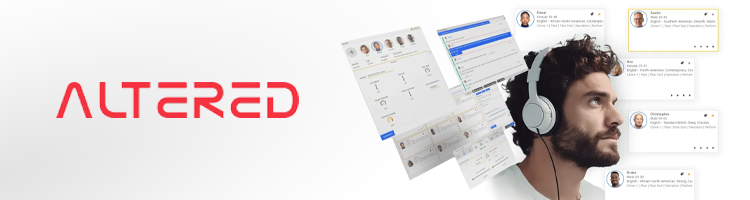
Altered is an innovative AI-powered voice generator and editor designed to transform voiceovers and live audio experiences. From real-time voice morphing to studio-quality speech synthesis, you can create diverse, high-quality audio content for gaming, podcasts, eLearning, and more.
Standout features
Altered’s real-time voice morphing technology impressed me. You can disguise your voice in live settings with ultra-low latency. Altered also offers advanced voice cloning, producing tailored voices from just 5 seconds of audio. The audio editor comes packed with tools like noise removal, mixing, DSP effects, transcription, and translation in 75+ languages. It also offers extras like age and gender-shifting options.
Pricing
Altered has a free plan with 10K AI tokens and limited features. Paid plans start at $30.00/month and can go up to $90.00/month for a more advanced plan, offering unlimited real-time morphing, up to 180 minutes of post-production voice morphing, and advanced features like accent morphing and high-quality audio output.
Who it is for
I recommend Altered for content creators, gamers (real-time voice customization), and businesses, as well as those who need character voices for video games or to maintain privacy during online chats.
Use cases and applications
In my opinion, Altered excels at post-production voice editing, real-time gaming, eLearning modules, and multilingual voiceovers. It also supports audio-to-audio morphing, where you can reimagine your recorded audio with professional-quality voices.
User feedback
From what I’ve researched, users liked how Altered preserves the emotion and nuance of the original audio. Some called it a great option for gaming, podcasts, and experimentation. However, some said that certain voices sound artificial, especially when not used with high-quality recordings. Others found the enterprise pricing high and wished for broader access to features like rapid voice cloning.
Customer support
You can reach Altered customer support via the Help Center or email. It prioritizes ethical use through digital signatures and synthetic content detection. Dedicated support is exclusive to Enterprise plans.
API support
Enterprise customers can access Altered.ai’s API for seamless integration with other tools. This enables scalable voice morphing, speech synthesis, and transcription solutions.
How we tested and ranked AI voice generator tools
Together with our research team, I used a systematic approach to gather my top AI voice generation tools with factors like accuracy, performance, ethics, user experience, value for money, features, and security taken into account. I aimed to recommend AI voice generators for various budgets, industries, and needs. Here’s a breakdown of what I assessed, based on our AI tool testing methodology:
- Accuracy (25%). We highlighted tools that deliver natural and realistic human voices, replicating human-like pauses, intonation, and tonal shifts. I tried to steer clear of tools that real-world users found too robotic-sounding (though users are often critical about this regardless of brand).
- Performance (15%). I assessed the tools' ability to handle heavy workloads and complex tasks like voice cloning and real-time morphing. Good speed, low latency, and stability were a plus.
- Features (15%). A rich feature set is essential for top-tier AI voice generation. I considered elements like extensive voice libraries, real-time morphing, multilingual support, and solid enterprise options.
- Security (15%). Security measures are critical for tools handling sensitive data, particularly for content-creating businesses that need to comply with regulations. I checked compliance with standards like SOC2, ISO 27001, and GDPR, ensuring privacy and data protection.
- Ethics (10%). Ethical development was another priority for me, and most of these brands fulfilled this requirement. I looked for content detection for synthetic voices and compliance with the GDPR to ensure responsible AI use.
- User experience (10%). Without real-world feedback, I can’t really judge a product, so I evaluated how intuitive the interfaces were, how easy it was to set up projects, and the quality of customer support. Tools with simple workflows scored higher.
- Value for money (10%). My chosen tools were ranked based on the features provided at each price tier. I appreciated options that offered flexibility for different budgets and use cases while delivering solid long-term value.
Is it illegal to use AI voice?
No, it's not illegal to use AI voices, but there are caveats. AI voices are generally legal to use, but the deciding factors are how you use this technology and whether proper permission was obtained.
For example, you can safely use an AI voice for your own personal or creative projects. However, using content generated by AI voice generators for commercial purposes or where a license or permission is required (like publishing content on online platforms or for business purposes) may be illegal, depending on the licensing terms of each tool.
Voice cloning can also carry risks. For instance, bad actors often use this for malicious purposes like voice phishing scams, identity theft, and spreading misinformation. This is illegal and unethical.
For these reasons, AI voice generation platforms protect themselves with safeguards like embedding digital watermarks or offering tools to detect synthetic (not human) content. Most of my top contenders adhere to strict privacy laws such as the EU’s GDPR and several international digital security standards.
How does generative voice AI work?
Generative AI voice generators are trained on gigantic datasets, usually packed with real-world audio from audiobooks or casual conversations. This helps them figure out how people naturally speak, like when your voice rises at the end of a question or when you pause dramatically.
After all that training (or deep learning), the AI takes a block of text (or voice recordings, in some cases, and turns it into speech. But these tools go much deeper than that, attempting to figure out the context of what you’re saying. Should it sound relaxed or sarcastic? Whatever the input may be, they try to nail the tone so the result is human or close.
Most of these tools let you fine-tune the final audio, fixing pitch and pacing. By the end, it should be polished enough for a podcast, a video, or whatever you’re working on.
Who would need an AI voice generator?
AI voice generators are beneficial to several groups of people and make financial sense for organizations. With neural text-to-speech and voice cloning, it’s easy to make tons of realistic and accurate content fast, and at a low cost – impractical for a human narrator.
Many professionals and companies now know that AI voice generators provide them with a consistent brand tone on large volumes of content. For example, you can produce multilingual content, accelerate A/B campaign testing, and manage usage rights with greater ease.
Podcasters and content creators
Narration is common with YouTubers and podcasters, but hiring a professional actor takes time and money. With AI voice generators, these groups can try different styles – like formal or friendly – make quick edits without re-recording, and make multilingual episodes for new audiences. This results in more content, less risk of inconsistency, and a wider reach.
Authors and audiobook publishers
In audiobooks and publishing, production is time-consuming and expensive, while AI can quickly craft multiple test recordings and updates after edits. Although real narrators are preferred for big releases, AI is valuable for niche genres – and when your catalog needs to grow quickly.
Marketers and social media campaigns
Speed and a consistent tone are musts for marketing, and these traits are AI voice generators’ strongest areas. For example, a marketing team can use AI narration to push out ad variations, test different tones, and create multilingual content. Also, a social media team can update their scripts and put out new versions of content fast, keeping campaigns relevant without any extra time in a recording studio.
Developers and businesses
Enterprises and developers around the world use AI voice generation to cut costs, keep messages precisely targeted, and stay compliant. For example, with an AI voice API, developers can make engaging product tours, professional tutorials, and support prompts that speak to several markets.
What to consider before using AI voice cloning tools: data privacy and ethics
There are some serious aspects of using AI voice tools you must keep in mind – particularly the privacy and ethical questions. Before you start using these platforms, understand what happens to your voice data, who owns the output, and what responsibilities you take on by publishing synthetic voices.
How your data is stored
When you upload a voice recording or audio sample, you’re sending data to the company that generates AI voices for you. It may delete that data, or decide to keep it. It’s common practice for these companies to use customer data to improve their AI models. However, any data retention practices should be explicitly stated in the privacy policy for customer transparency. The takeaway is that if you work with unpublished material or upload sensitive internal data – like your customer's private information or confidential recordings – use a tool that either guarantees data deletion or lets you opt out of model training.
Data ownership
Not every service lets you legally own data you generated, even if you created it and downloaded it. The platform’s terms will tell you if – and how – you can sell voices, use them in ads, or distribute them commercially. If this is unclear in the platform’s terms and privacy policy, look for another more transparent one.
Deepfakes and misuse
When synthetic voice technology advanced enough to sound very natural, scammers and criminals started using it to impersonate, defraud, and mislead people. A responsible service will use watermarked files or require consent before voice cloning. Make sure you use voices you have the full rights to and produce trustworthy content.
Legal and copyright responsibilities
In many countries, voice rights are legally protected. Privacy and copyright laws mean that using a celebrity, employee, or a private individual’s likeness without consent could get you in legal trouble. And if you’re a business, it’s smart to get your commercial rights on paper and abide by local laws.
Tips to produce best sounding voice quality
Producing the best sounding voice quality from your AI voice generators won’t happen without some content preparation and refinement on your end. Approaching this in a structured manner is key.
Write well to sound natural
Punctuation and formatting affect how AI voices sound. How you use commas and periods – to signal pauses – and write concise, targeted sentences makes a big difference, as opposed to long, messy paragraphs that sound rushed and unprofessional. On top of that, vary sentence lengths and use expressive elements like exclamation or question marks to add more realism and emotion to the output.
Edit and refine your output
The first voice output is rarely a polished result. On most platforms, you can play specific sentences again, as well as replay, trim, or re-generate them. For example, a phrase may sound flat or unnatural, so you want to try to adjust your script's punctuation, and even reword it slightly, and then listen to the new output. The key is: listen to your results carefully for awkward phrasing or unnatural moments.
Try various voices
Today’s AI voice generation tools give you many different styles and tones to choose from. This can range from energetic and upbeat to formal and authoritative. For example, if you’re creating a voice for your sports brand ad, an attention-grabbing, energetic style will work best. On the other hand, it’s best to use a formal, steady tone for tutorials. Sometimes, a slight change in accent or pitch will make your output shine.
Realism vs cost
The most realistic voices are typically premium items, and platforms will usually put these behind a paywall or add usage fees. For example, a premium voice may mimic studio-grade voice quality, unlike a standard option. Some platforms also offer premium voice cloning features like speech-to-speech conversion and removal of background noise. An efficient strategy is to mix levels of quality – with premium voices for customer-facing assets, and standard voices for training material or internal communication.
Conclusion
AI voice generators are great for creating voiceovers without the hassles of traditional vocal production. These modern tools make personal creation and business easier and more lucrative for millions of people worldwide.
Exploring top-quality platforms like Speechify will help you find the right AI voice generator for your needs. Make sure you prioritize intuitive controls and natural-sounding voices when choosing a tool.
Ultimately, AI voice generators are here to stay. With these tools, it has never been easier to deliver high-quality content.
FAQ
What is the most realistic-sounding AI voice?
Speechify has one of the most realistic-sounding AI voices. It excels in natural intonation and emotion. However, other options like Murf.ai and LOVO AI offer similar quality, while each brand offers unique features.
Is it safe to use AI dubbing?
Yes, as long as you use licensed tools and respect copyright regulations. Reputable platforms like Eleven Labs and Synthesia follow strict security and privacy protocols. Therefore, using a legitimate platform with professional business practices will ensure safe usage for personal or professional projects.
What is the best celebrity AI voice generator?
Speechify and Eleven Labs are the best at celebrity voice cloning (legendary voices from TV, film, and literature). However, these are not the only options out there. You can try other options like Altered.ai, VoxBox, and Musicfy, among others.
Is there a free voice AI generator?
Yes, many AI voice generator brands offer a free tier or a limited-day trial that unlocks premium features. Very few AI voice generators offer a free tier. Testing a free tier is essential before you invest in a premium or professional plan.
Can I use AI-generated content commercially?
Yes, you can use AI-generated content commercially. However, ensure the platform you use grants commercial rights before doing so. Some premium plans from companies like Eleven Labs or Synthesia include licenses for commercial use. Never use AI-generated content commercially without proper permission to do so.