Best CRM software in 2026
Being behind major reports like The Mother of All Breaches and RockYou2024, our in-house cybersecurity experts and journalists provide unbiased, real-world testing and in-depth analysis.
We maintain complete transparency by openly sharing our testing methodologies with our audience.
Learn more
The best CRM software in 2026 is the one your team will actually open every morning. Choose well, and no lead slips through the cracks. Choose badly, and you’ve bought an expensive contact list nobody updates.
CRM (customer relationship management) software keeps your contacts, deals, and follow-ups in one place, so you always know who to call next and what is likely to close. Seats range from $4.00 to $175.00 a month, so the right pick depends on your budget, team size, and sales process.
Together with a research team, I compared 5 of the most popular CRM tools, including monday CRM and Hubspot. Below you’ll find a quick shortlist, a side-by-side comparison, detailed reviews, and a guide to choosing between free and paid CRM software.
Best CRM software: our shortlist
- monday CRM – overall best CRM software in 2026
- HubSpot – best free CRM software with unlimited users
- Pipedrive – best CRM software for simple pipeline management
- Zoho CRM – CRM software with best value for money
- Salesforce – best CRM software for enterprise and complex sales
CRM software compared
Before checking out my detailed CRM software reviews, you’ll find a quick comparison of our recommended AI tools below. monday CRM leads this lineup due to its flexible, no-code workflows and budget-friendly pricing.
| Best CRM software | Best use case | Free plan or trial | Paid pricing (annual, per user/month) | Sales automation | Marketing features | AI features | Integrations |
| monday CRM | Teams that want to customize workflows without code | 14-day trial, no free plan | From $12.00 /seat/month | No-code workflow automation from Standard; email sequences on Pro; monthly automation limits vary by plan | Mass email and email tracking on Pro; broader email marketing available through the separate monday campaigns product | AI email drafting, meeting notes and deal summaries; agents for lead sourcing, qualification and follow-ups | Pre-built connections to email, communication and accounting tools; marketplace apps and an open API for custom integrations |
| HubSpot | Teams that want sales and marketing in one place | Free CRM (no time limit), 14-day trial on paid tiers | From $7.00/seat/month | Basic task and email automation on Starter; customizable, multi-step workflows from Professional | Forms, marketing email, landing pages and ad tools; advanced campaigns and marketing automation require paid Marketing Hub plans | Breeze Assistant for email drafting, CRM summaries and meeting preparation; prospecting agent for account research and personalized outreach | Marketplace with 2,000+ apps and web services connecting sales, marketing, support and other business tools |
| Pipedrive | Small sales teams that live in their pipeline | 30-day trial, no free plan | From $4.00/seat/month | Sales workflow automation from Growth, including triggered emails, follow-ups and activity creation | Email marketing through the paid Campaigns add-on; marketing features are separate from core sales tools | AI email writing and thread summaries on Premium and above; Sales Assistant for CRM insights, with availability restrictions | Marketplace integrations for lead generation, marketing, accounting and contracts; additional connections through Zapier and an API |
| Zoho CRM | Budget-conscious teams, especially Zoho users | Free for up to 3 users; 15-day trial | From $14.00/seat/month | Rule-based workflows and follow-up cadences; advanced process controls and approvals vary by edition | Built-in mass email, customer segmentation and campaign tracking; expanded email marketing through Zoho Campaigns | Zia assistant for email drafting, record summaries, sales predictions and recommendations; capabilities vary by edition | Integrates with the wider Zoho suite, plus third-party tools through Zoho Marketplace and custom developer integrations |
| Salesforce | Mid-size and enterprise teams with complex processes | Free Suite (2 users); 30-day trial | From $25.00/seat/month | Customizable workflows with Flow Builder; advanced approvals and process automation vary by edition | Email marketing and campaign tools in Starter and Pro Suites; broader marketing capabilities through Marketing Cloud products | Einstein for predictions, insights and content generation; Agentforce for AI assistants and agents that qualify leads, book meetings and update CRM records | AppExchange with thousands of apps and integrations; custom connections for specialized business systems |

5 best CRM tools reviewed: detailed list
The right CRM software depends on how your team works, which features you need, and what you can afford. The detailed reviews below explore each tool’s strengths, limitations, and pricing to help you decide which fits your business.
1. monday CRM – best CRM software with no-code workflows overall

| Overall rating: | |
| Standout feature: | No-code customization |
| Starting price: | From $12.00 /seat/month |
monday CRM suits sales teams and small businesses that want to shape their CRM around the way they work, rather than adapt to a fixed process. For teams already using monday for project management, it can also feel like a natural extension of a familiar platform.
Its main draw is flexibility. Customizable, no-code boards and visual pipelines let you organize deals your way, while automations handle tasks such as lead assignment, follow-ups, and status changes. AI tools support lead scoring, forecasting, and routine work, while dashboards help you track pipeline health and revenue. Depending on your plan, you can also access email sync, activity tracking, quotes, and invoices.
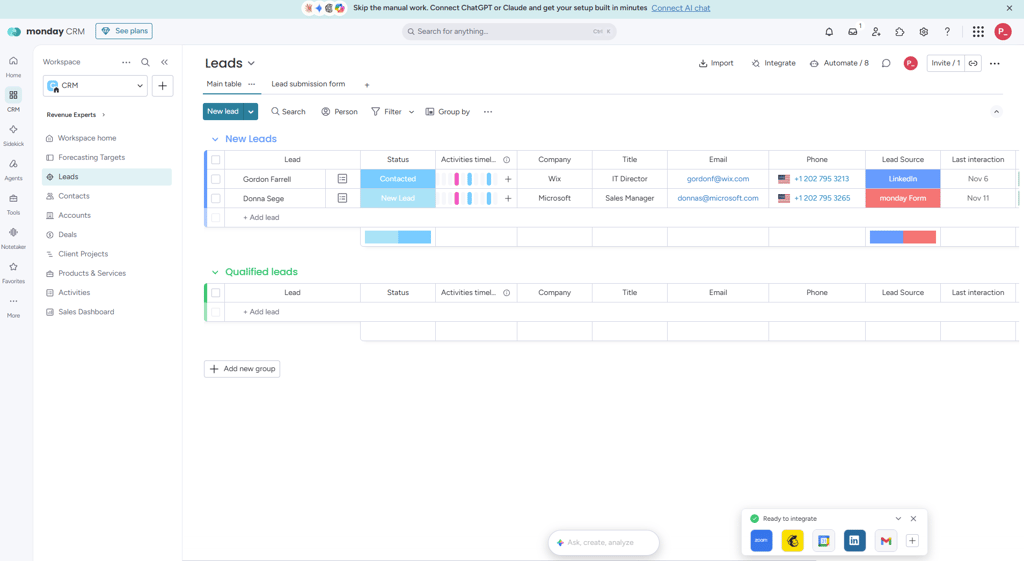
That flexibility comes with a few trade-offs. Getting everything set up may take more time than it would with a simpler, ready-to-use CRM. Plan selection matters, too: email sync starts on Standard, while more advanced sales tools require higher tiers. There’s no ongoing free plan, so the 14-day trial is your opportunity to test whether it fits your team. Check out our monday CRM review to learn more.
Pricing starts at $12.00 /seat/month for Basic, rising to $17.00 for Standard and $28.00 for Pro when billed annually. Paid plans require at least 3 seats, with seats sold in set bundles, so a 4-person team may need to pay for 5 – something worth factoring into your budget.
2. HubSpot – free CRM with unlimited users
| Overall rating: | |
| Standout feature: | A broad connected suite of marketing, sales and service tools built around one customer database |
| Starting price: | From $7.00/seat/month |
HubSpot is a good fit for startups and growing small businesses that want to manage contacts, marketing, and sales in one place. Its free CRM offers a starting point, with contact management, a deal pipeline, email tracking, and basic reporting. As your needs grow, you can add more tools without moving your customer data to a different platform.
Its main appeal is how those tools work together. Forms, email campaigns and landing pages connect directly to your CRM data, helping marketing and sales teams work from the same customer information. Paid Sales Hub plans add capabilities such as sequences, forecasting, and lead scoring, while Breeze AI supports writing, summarizing, and prospecting. A large app marketplace also helps you connect HubSpot with the other software your business uses.
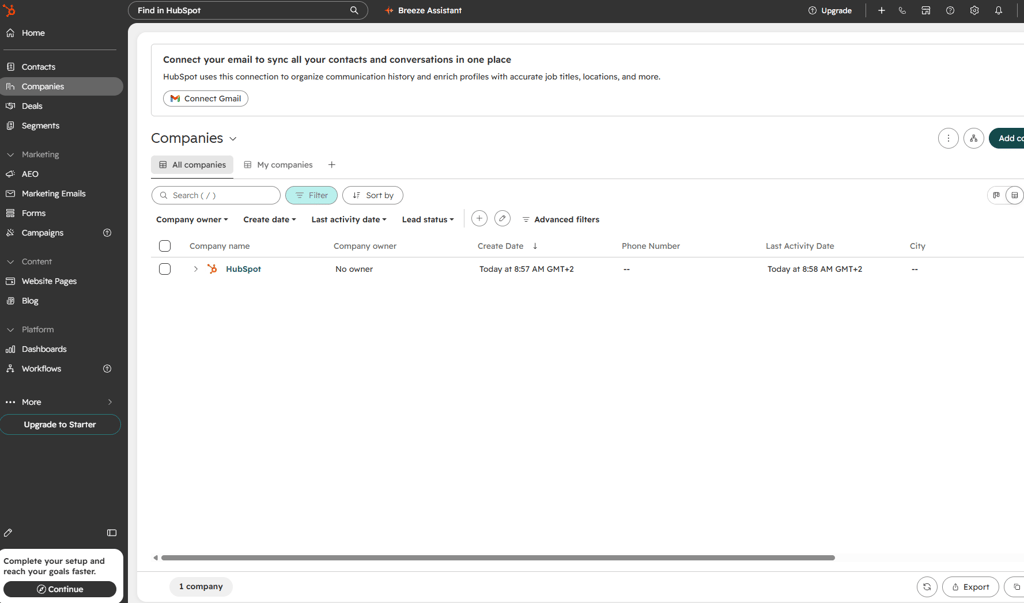
The biggest consideration is cost as you grow. Moving from Starter to Professional comes with a significant price increase, and Professional plans typically require a one-time onboarding fee. Pricing also varies across Hubs, combining per-seat charges with platform fees in some cases. Adding users, marketing contacts, and extra Hubs can make the total significantly higher than the entry-level price suggests, particularly when you need advanced automation or AI.
HubSpot’s free CRM tools have no time limit. Starting pricing is around $7.00/seat/month before annual discounts or promotional offers. HubSpot changes its packaging regularly, so check the current pricing and included features before committing.
3. Pipedrive – CRM tool for simple pipeline management

| Overall rating: | |
| Standout feature: | Visual drag-and-drop sales pipeline |
| Starting price: | From $4.00/seat/month |
Pipedrive suits small and mid-size sales teams that want a clear view of their pipeline without the complexity of a broader marketing or customer service platform. Its visual, drag-and-drop layout makes it easy to see where deals stand, and customizable stages let you adapt the pipeline to your sales process.
The focus is on keeping deals moving. The Growth plan adds email sync and automations to help reduce manual work, while activity reminders keep follow-ups on your radar. Reporting dashboards and sales forecasting help you track performance, and AI tools support tasks such as writing emails and finding insights in your sales data. Mobile apps and a broad integrations marketplace make it easier to work on the go and connect your existing tools.
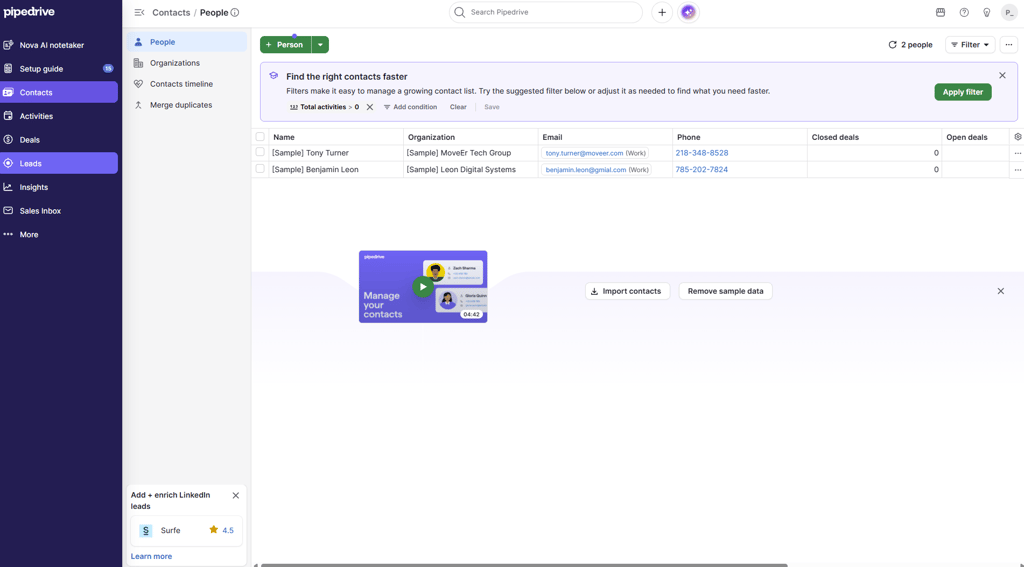
That sales-first approach also has its limits. Marketing capabilities are relatively limited, with Campaigns and similar tools available as paid add-ons. Teams looking for a broader platform to manage customer service or project delivery should check whether integrations or additional products will cover their needs. The cheapest plan also lacks email sync and automation, making Growth the more practical starting point if those features matter to your team.
Pipedrive has no free plan, but it offers a 14-day trial. With annual billing, Micro costs $4.00/seat/month. But it’s more for simple sales tracking. If you want a more organized pipeline, Lite costs $14/00/seat/month.
4. Zoho CRM – CRM tool with great value for money

| Overall rating: | |
| Standout feature: | Enterprise depth plus Zia AI at SMB prices |
| Starting price: | From $14.00/seat/month |
Zoho CRM suits cost-conscious small and mid-size businesses that want room to grow without starting with a large software bill. It is also a natural option for teams already using Zoho Campaigns, Books or Desk, since the CRM fits into the wider Zoho ecosystem. A free edition for up to three users gives smaller teams a way to get started before committing to a paid plan.
The platform combines lead and deal management with workflow automation, scoring rules and reporting. Customization options and multiple pipelines let you adapt it to different sales processes, while the Zia AI assistant provides lead and deal insights, with more advanced capabilities available on higher editions. Connections to other Zoho apps and third-party tools help extend the CRM beyond sales.
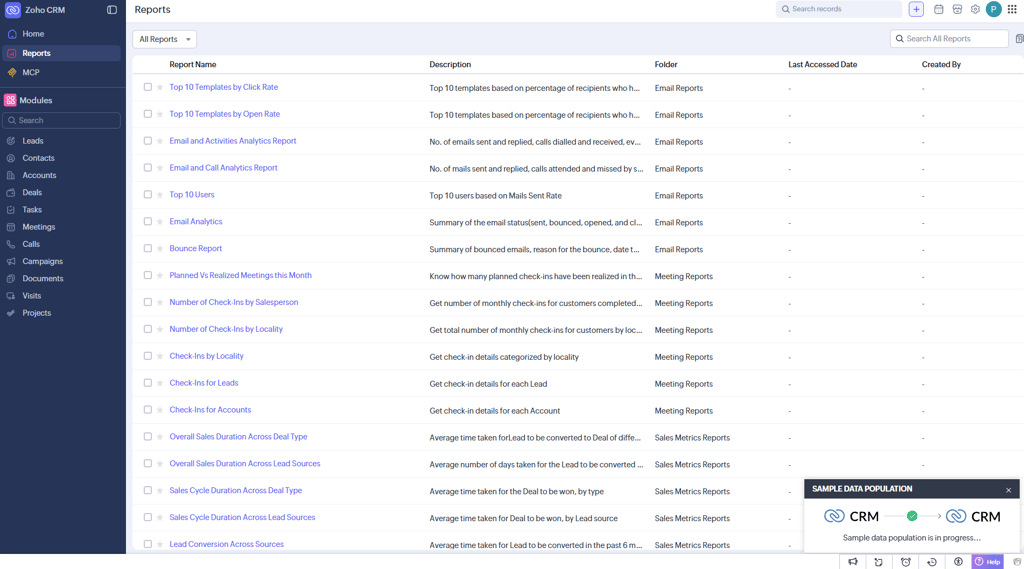
The trade-off is complexity. The number of features can make the interface feel busy, and getting the most from its customization options may take some setup. Advanced AI and customization also require higher tiers, where per-user costs become more significant across a larger team. Support is another consideration: user reports describe varying experiences with quality and response times, so it is worth checking what your chosen plan includes.
Zoho CRM is free for up to 3 users. With annual billing, Standard costs $14.00/seat/month.
5. Salesforce – CRM for enterprises

| Overall rating: | |
| Standout feature: | Enterprise AI tools (Einstein, Agentforce, Data Cloud) |
| Starting price: | From $25.00/seat/month |
Salesforce suits mid-size and large organizations with complex sales processes, multiple teams, and the resources to configure a platform around their needs. Smaller businesses can start with Starter or Pro Suite, but its broader capabilities are most relevant to teams that need extensive customization and room to grow.
Salesforce combines extensive customization, automation, and reporting with connected sales, service, and marketing tools and an AppExchange marketplace. Einstein and Agentforce add predictive insights, content generation and AI agents for sales tasks, while sandbox environments let teams test changes safely. Features and AI usage limits vary by edition, with some requiring paid add-ons.
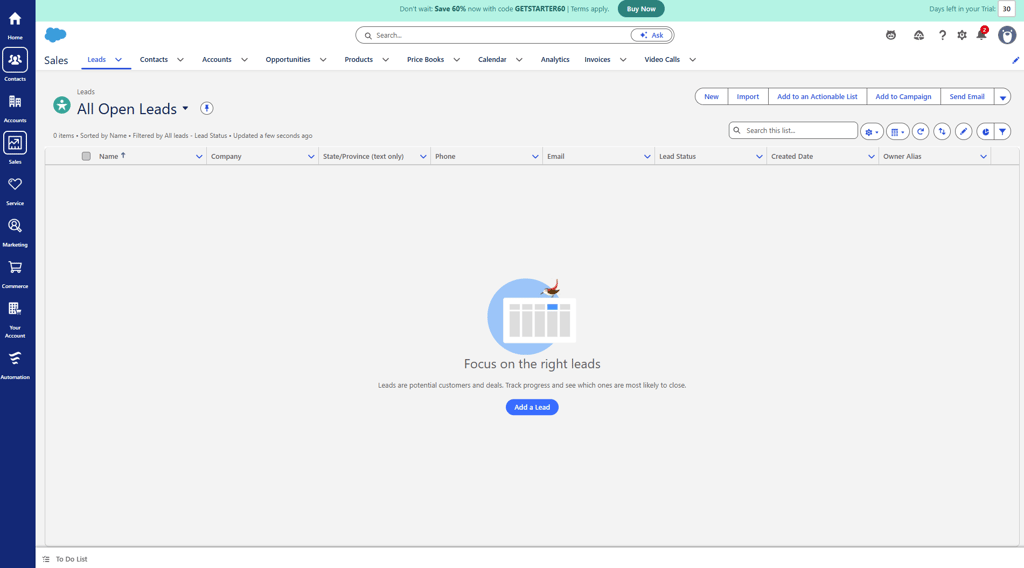
That flexibility comes with complexity. Organizations should budget for setup, training, and ongoing administration – not just licenses. For a small team with a straightforward pipeline, Salesforce may introduce more configuration and expense than the business needs, particularly once upgrades and add-ons enter the picture.
Salesforce’s paid plans start at $25.00/seat/month. But it offers a free plan for up to 2 users and a 30-day trial.
What is CRM software, and how does it work?
CRM software is a system that stores every interaction with leads and customers in one place. Instead of scattered spreadsheets and inboxes, you get a shared record of who each person is, what was discussed, and what happens next.
In practice, a CRM works like this:
- Capture. Leads arrive from web forms, email, calls, or imports and become contact records.
- Organization. Contacts are grouped into companies, deals, and pipeline stages.
- Automation. Reminders, email sequences and lead assignments run on rules you set.
- Analysis. Dashboards and forecasts show conversion rates, team activity and expected revenue.
Most CRM systems fall into 3 types: operational (automating sales, marketing and service tasks), analytical (turning customer data into insight), and collaborative (sharing customer information across teams). Most modern platforms blend all three.
Today nearly every CRM is cloud CRM software: it is hosted by the vendor, accessed through a browser or app, and paid for by subscription. That means no servers to maintain, automatic updates, and access from anywhere.
How to choose the best CRM software for your business
Start with the problem you need to solve, then match features to it. These 4 areas separate most CRM tools:
- Sales features. Look for contact management, customizable pipelines, automations, forecasting, and reporting. Pipedrive and monday CRM focus on the pipeline experience, while Salesforce offers deeper automation and Zoho provides broad sales tools at a lower price.
- Marketing features. If marketing and sales work from the same leads, check for email campaigns, forms, landing pages, segmentation, and lead scoring. HubSpot is the strongest all-in-one option, while Zoho pairs well with its Campaigns app; Pipedrive and monday CRM may rely more on add-ons or integrations.
- AI features. AI can help with email drafting, call summaries, lead scoring, forecasting, and automated follow-ups. Check what is included in each plan, whether it needs credits or add-ons, and whether it has enough customer data to be genuinely useful.
- Ease of use and growth. Choose a CRM your team will actually use, with native integrations for the tools you rely on. Also check future pricing, seat minimums, contact limits, and onboarding fees so the platform can scale without forcing a costly migration.
Best CRM software for small businesses
The best CRM software for small business depends on how much you can spend and how much setup you can handle. Here is how I would match the reviewed tools to common situations.
- Team that wants to design its own workflows: monday CRM. A strong choice if you have 3 or more people and like to customize. Its no-code boards, customizable pipelines, and automations make it especially useful for teams that want to tailor lead management, follow-ups, and reporting to their own workflow. I’d recommend it if you value flexibility and want a CRM that can evolve with your sales process, rather than having to work around a system that was designed for someone else. Budget for the three-seat minimum.
- Tight budget or solo founder: HubSpot or Zoho CRM. Both have free plans (HubSpot with unlimited users, Zoho for up to three), so you can start without paying.
- Small sales team with a clear process: Pipedrive. It is quick to set up and keeps the focus on moving deals through stages. Plan on the Growth tier for email sync and automation.
- Sales and marketing on one platform: HubSpot. Start free, then add paid tiers as marketing needs grow, watching for the price jump at Professional.
- Planning to scale fast or sell to larger accounts: Salesforce Starter or Pro Suite. Costs more, but you will not outgrow it.
- Little time for setup: Pipedrive or HubSpot. Both are widely seen as easier to adopt than Salesforce or heavily customized Zoho setups.
If you are comparing the best CRM for small businesses on price alone, remember that total cost includes onboarding, add-ons and the plan you will actually need, not just the cheapest tier.
Free vs paid CRM software
Free CRM software usually covers the basics: contact and company records, a simple deal pipeline, email and call logging, and basic reports. HubSpot’s free CRM supports up to 2 users and includes tools such as email tracking and forms, Zoho’s free edition covers up to 3 users, and Salesforce offers a Free Suite for up to 2 users.
The trade-offs of free CRM software are limits on users, automation, reporting, storage, and support.
Upgrade to a paid CRM tier when you need workflow automation, sequences or lead scoring, more users than the free plan allows, forecasting or custom reports, integrations, or support beyond the free tier. It may also be time to upgrade if your contact volume or marketing sends approach plan limits.
Conclusion: which CRM software should you choose?
For me, monday CRM is the best overall choice for small and growing sales teams. It offers enough flexibility to adapt the CRM to your own sales process, while remaining easy to set up and use without technical expertise. Its visual pipelines, no-code customization, and simple automations make it a practical option for teams that want a CRM that works the way they do.
Pricing is also a meaningful advantage. With plans starting at $12.00 /seat/month on annual billing, monday CRM is more affordable than many alternatives, though its 3-seat minimum is worth considering for very small teams. If you want a customizable, user-friendly CRM that can grow with your team without the complexity or cost of an enterprise platform, monday CRM is the option I would choose.
FAQ
What is the best CRM software for beginners?
monday CRM is a strong middle ground for beginners. Its visual, board-style layout feels familiar, and it’s flexible enough to match your workflow without enterprise-level complexity. HubSpot’s free CRM is easy to learn, and Pipedrive’s visual pipeline is simple to set up, but monday CRM lets you start simple and add automations and integrations as you grow.
What is the best free CRM software for small businesses?
HubSpot offers the most generous free CRM, with unlimited users and no time limit. Zoho CRM’s free edition suits teams of up to three. monday CRM is worth a look if you want a customizable, board-style workspace, and you can try it before you commit to a paid plan. Each lets you manage contacts and deals before you pay for automation, marketing tools, or advanced reporting.
What is cloud CRM software?
Cloud CRM software is hosted by the vendor on the internet rather than installed on your own servers. You log in through a browser or mobile app, pay a subscription, and get updates automatically. All 5 CRMs in this guide, including monday CRM, are cloud-based.
Can you use CRM software for sales and marketing?
Yes. Many CRM tools combine sales and marketing so lead data, campaigns, and deals live in one system. For example, monday CRM does this with customizable boards and built-in automations for everyday sales and marketing tracking, plus integrations for larger campaigns.
How do you choose a CRM for real estate?
Look for lead capture from web forms and property portals, automated follow-up sequences, a pipeline that mirrors the buying and selling stages, mobile access for agents on the move, and integrations with email, calendars, and e-signature tools. monday CRM is a good fit here because its boards are easy to customize to your own buying and selling stages.