ProWritingAid review – does it truly elevate your writing and editing skills?
Being behind major reports like The Mother of All Breaches and RockYou2024, our in-house cybersecurity experts and journalists provide unbiased, real-world testing and in-depth analysis.
We maintain complete transparency by openly sharing our testing methodologies with our audience.
Learn more
While tools like Grammarly were making their presence known, ProWritingAid has been taking over the writing world from the shadows. This is not just another grammar checker or rephrasing tool, but a well-rounded writing assistant.
While it’s more of a tool for authors, it can also be used in the process of writing in general. In my ProWritingAid review, I will shed some light on the software and highlight its pros and cons.
With ProWritingAid, AI-powered suggestions are presented in an educational way, helping you upgrade your writing skills rather than purely relying on the tool forever. In this article, I share some interesting findings and break down what I’ve learned about ProWritingAid.
What is ProWritingAid?
In a nutshell, ProWritingAid is an AI-powered writing assistant, grammar checker, and style editor. It has been on the market since 2012, when a real-life author created it to help his peers bring their stories to life. It serves as a real-time writing mentor with valuable tips and suggestions to make each sentence stand out.
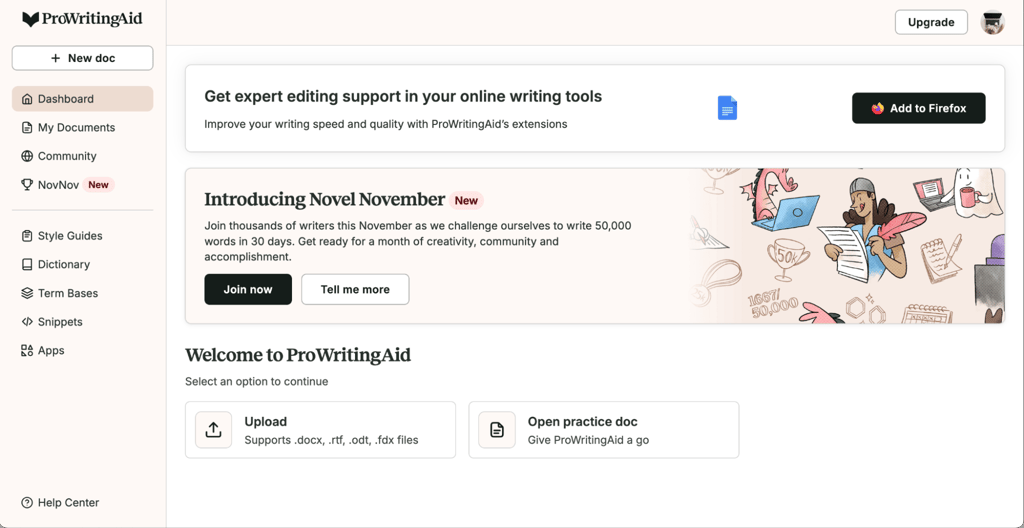
ProWritingAid helps you maintain the meaning while adding that extra flair as the final piece to your writing puzzle. Its primary purpose is to improve drafts and manuscripts before the human editorial process begins. Plus, it uses bank-grade security to protect your drafts and scripts at all times.
Key features and functionality
I’ve seen numerous ProWritingAid reviews stating that it’s not just another grammar checker and error correction tool. It’s designed to improve the flow of your writing and help you fine-tune your style to perfection.
While this all sounds great on paper, I wanted to see if it lives up to expectations by reviewing its key features.
Real-time writing assistance
Despite the decent ratings that this tool has received from authors across various platforms, I kept seeing the same question: Is ProWritingAid worth it?
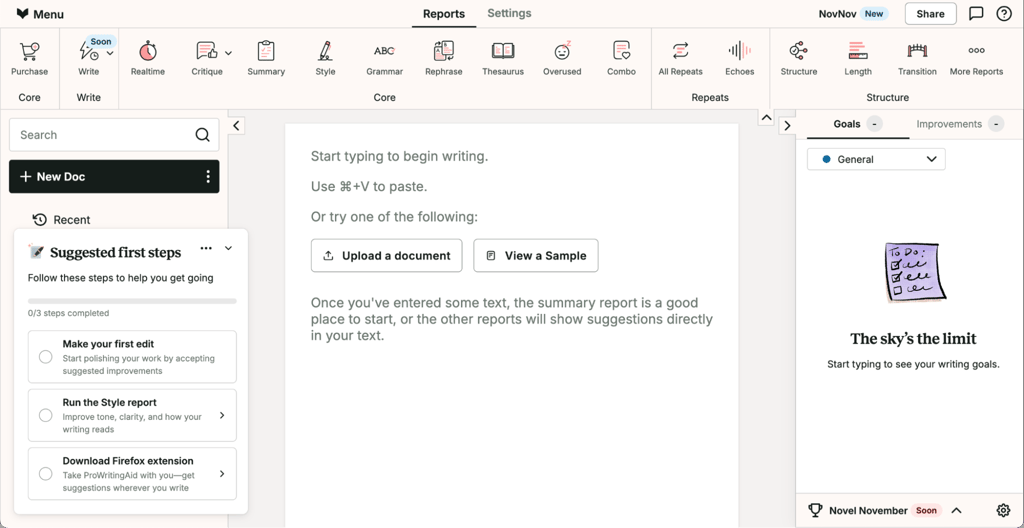
The way I see it, you can figure out the answer yourself by taking a glance at its key feature: real-time writing assistance. As you write, the tool highlights certain text sections in different colors, including alerts on the following:
- Grammar-related errors. What I especially liked is how ProWritingAid handles grammatical errors. It doesn’t disrupt your flow while writing, but rather highlights issues like subject-verb agreement and more complex mistakes, so that you can fix them as you go.
- Spelling mistakes. Similar to Grammarly and other tools, ProWritingAid highlights spelling mistakes, but it goes a step further with contextual spelling clues.
- Punctuation. From missing commas to apostrophes and incorrect punctuation, ProWritingAid alerts you to it all.
- Redundancy. I also liked how the tool handles redundancies by helping you rephrase segments with repetitive meaning.
- Passive voice usage. I found this one is particularly helpful when you’re trying to make your writing more engaging with minimal usage of passive voice.
- Overused words and awkward phrasing. Finally, the tool identifies words and phrases you rely on too often and helps you reduce their usage.
Writing style reports
Reports give you a comprehensive analysis and feedback on your writing, which I find particularly useful for future improvement. While crafting this ProWritingAid review, I noticed the seemingly overwhelming range of writing reports. There are more than 25 of them, so I decided to give you brief overviews of the most crucial ones:
- Style. The overall writing style report is the most comprehensive of the bunch, as it gives you real-time insights into overused adverbs, repeated sentence beginnings, passive voice usage, and grammar mistakes.
- Readability. The readability report is rather handy for writers, as it does way more than tools like Grammarly or the Hemingway app. It highlights awkward phrases, complex sentences that could benefit from being broken up, and confusing structures that might turn readers away. Plus, I liked the 0 to 100 readability scale, which helps you steer away from overly formal, academic, or jargon-packed writing.
- Sentence Structure. The tool also helps you vary the length of your sentences to keep the reader's interest at its peak. It’s particularly effective in breaking the monotony that we all sometimes bring about by using similar constructions and sentences.
- Pacing. The pacing tool had me hooked as it hits the spot for creative writers. Instead of just tracking readability, this one analyzes your sentences by length, dialogue density, and even choice of words.
- Word Explorer. This helps you keep your writing engaging with just the right amount of articles, prepositions, and conjunctions. Plus, you can check the density of multisyllabic words and get alternative recommendations in situations where simpler wording is more effective.
- Diction. Another feature I liked is the diction report, which is mainly used in business-style writing with a focus on clarity, as it helps you avoid unnecessary complexity.
- Alliteration. This report highlights the repetition of consonant sounds and structures that might sound distracting to readers.
- Summary. This report provides a thorough analysis of the entire document or draft, integrating findings from other reports. It’s like a checklist or a roadmap showing you how to improve your writing with a focus on critique reports, dialog tags, transitions, pronoun usage, acronym reports, and others.
Paraphrasing tool
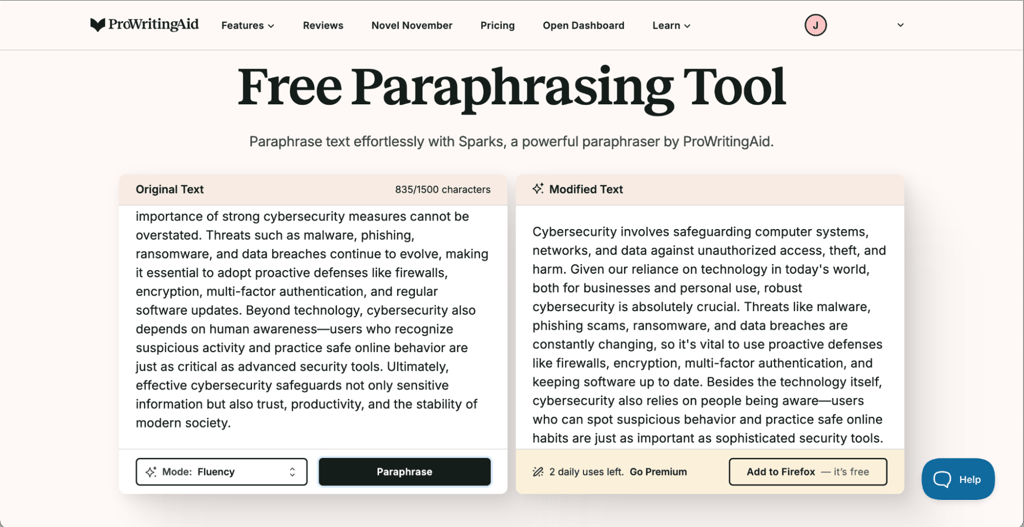
The paraphrasing tool is similar to Grammarly's, but it offers more comprehensive and meaningful coverage. It highlights sections that could be phrased differently depending on your preferred level of formality.
You can get suggestions for casual blog writing or strictly formal ones for business communication. This one is a game-changer for those situations when you know what you want to say but don’t quite know how to put it, with on-point phrasing for every writing style.
Customization features
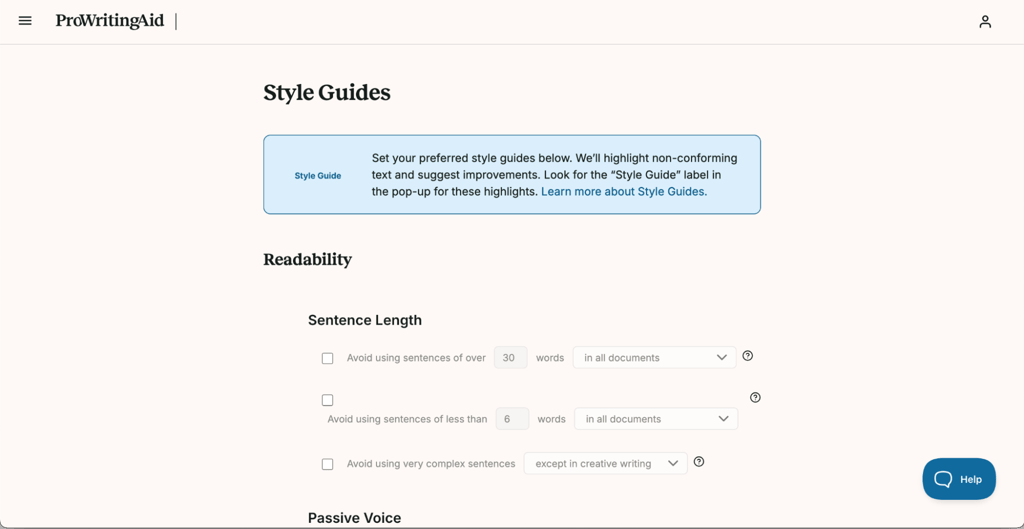
I’ve read many ProWritingAid reviews praising the tool’s range of customization features. You can use the Custom Style Guides toolkit to set up preferred spellings, constructions, and other details to match the suggestions with your intended style.
This also affects the way other features, like the rephrasing tool, work. Besides choosing a custom writing style, you can also select your preferred English variant or save commonly used phrases as snippets.
Writing styles
While ProWritingAid is primarily intended for authors, its flexibility allows for a wide range of applications. That’s where the writing styles come in handy, and you can choose from these options:
- General. Great for everyday and blog-style writing with balanced suggestions.
- Business. Perfect for setting up a professional tone of communication that emphasizes clarity.
- Academic. Formal setting, appropriate for writing academic papers and scholarly articles.
- Creative. Flexible setting for writing novels, fiction, and simply letting your imagination and creativity run wild.
- Technical. Precise writing style for narrow content specialization.
- Script. Perfect for screenwriting, with a focus on dialogue.
- Web. Great for crafting SEO-savvy content that resonates with online readers and boosts SERP rankings.
Advantages of ProWritingAid
The biggest advantage of ProWritingAid is its comprehensive writing analysis supported by over 25 reports. It also provides educational value to help writers perfect their style and get the most out of it.
I’d also point out its versatility, as you can see from the optional writing styles listed above, and the tool’s heavily customizable rephrase option.
It delivers excellent value for money, too. I like that there’s a Free plan for basic writing suggestions. For a premium service, a lifetime purchase option is available, ranging from $399.00 for Premium to $699.00 for Premium Pro. I also find it affordable in terms of monthly plans, given all the features you get. Monthly subscriptions range from $30.00 for Premium to $36.00 for Premium Pro, or $10.00/month and $12.00/month, respectively, with the annual subscription.
Limitations of ProWritingAid
Although ProWritingAid seems like the perfect fit for academic, business, and professional writers, it has its share of limitations. Here are the main drawbacks I’ve found:
- Steep learning curve. Dozens of features and real-time reports usually lead to longer adjustment periods.
- Limited free plan. The free edition only gives you a glimpse of what the tool can do, as the 500-word limit isn’t suitable for long-form writing.
- Contextual understanding. The self-learning AI model used by ProWritingAid isn’t flawless, which might lead to some unnecessary suggestions requiring your input.
- Plagiarism checker. If you’d like to also use the tool for plagiarism scanning, you’ll face extra costs.
- Mobile optimization. Without an official ProWritingAid app, mobile integration is limited.
Integrations and compatibility
ProWritingAid is compatible with different writing environments. It offers real-time checks and reports when used on platforms like Google Docs, WordPress, and even on social media.
You can also add it as a browser extension to have it by your side at all times. Plus, it’s directly integrated with Microsoft’s suite of products, as well as Gmail, GDrive, Scrivener, Rich Text, and Open Office.
I especially liked the standalone desktop app, suitable for those working in offline versions of Microsoft Word, for example. On the flip side, I’ve seen reports of potential glitches with large documents (mainly over 50,000 words).
How to use ProWritingAid effectively
Now that you have a basic understanding of ProWritingAid, here are some tips on how to use it:
- Consider your options. To scan your writing with ProWritingAid, you can either paste your text or upload files. You can also rely on it in real time as you write, via Google Docs and web integration.
- Run grammar and spell checks first. To avoid overcomplicating things, you should start with the basics like grammar and spell checks. From there, you can run plagiarism checks along with 25 detailed reports.
- Run reports one at a time. Sometimes, the tool can be overwhelming with all the reports and results popping up. To handle this more easily, sharpen your focus and go through each report individually.
- Learn to disagree. It’s also important to note that the AI behind the tool is still learning, so occasional glitches and inaccurate suggestions might still occur.
- Understand color-coded suggestions. ProWritingAid highlights different findings and suggestions in distinct colors. Learning what they mean can help you manage all those reports more efficiently.
Is ProWritingAid the right tool for you?
After all the research I’ve done for this review, I can confidently say that ProWritingAid comes impressively close to perfection, although not flawless. It’s way more comprehensive than options like Grammarly, making it a much better fit for academic, business, or fiction writing.
The AI features don’t seem overly robotic, and you’d be surprised by how human-like your writing can sound, depending on your customization preferences. With an educational approach, 25 detailed reports, and impressive cost-effectiveness, it is a very decent writing companion.
FAQ
Is ProWritingAid worth it?
Yes, ProWritingAid is worth the investment as it’s an affordable, AI-powered writing assistant with an educational approach and deep writing analysis, catering to different writing styles.
Is ProWritingAid better than Grammarly?
Yes, ProWritingAid is generally better than Grammarly as a writing assistance tool overall, due to its comprehensive features and over 25 writing reports.
Is ProWritingAid free?
Yes, there’s a free plan with a 500-word limit for a test run. The full ProWritingAid package isn’t free for long-form writing, with prices starting at 10.00/month.
Is ProWritingAid good for academic writing?
Yes, ProWritingAid is suitable for academic writing, thanks to its educational approach. Plus, there’s an option to tailor your writing style to match academic requirements.
How much does ProWritingAid cost?
ProWritingAid costs from $10.00/month for the Premium and $12.00/month for the Premium Pro plan if you subscribe annually. Monthly subscriptions cost more. There’s also an option to get a lifetime subscription.
Is ProWritingAid free to use forever?
No, ProWritingAid is not free to use forever, as it comes with daily report and rephrasing limits, as well as a 500-word limit.
Does ProWritingAid work offline?
Yes, ProWritingAid has a desktop app for offline writing suggestions.
Does ProWritingAid support multiple languages?
No, ProWritingAid only supports English, but you can choose from different dialects, including British, American, Australian, and Canadian English.