Cast AI review (2026): testing AI-driven cloud cost optimization
Being behind major reports like The Mother of All Breaches and RockYou2024, our in-house cybersecurity experts and journalists provide unbiased, real-world testing and in-depth analysis.
We maintain complete transparency by openly sharing our testing methodologies with our audience.
Learn more

Cast AI is an AI-fueled platform that helps companies cut cloud infrastructure costs on AWS, Azure, and GCP. By automating Kubernetes optimization, it eliminates resource waste through intelligent scaling and scheduling – all while maintaining smooth application performance. While this sounds promising in theory, I was curious whether the platform really delivers. That’s why I decided to write this Cast AI review.
As a Cybernews expert, I evaluated whether Cast AI’s claimed 50–60% cost savings are realistic, how effectively it manages Kubernetes environments, and whether these optimizations affect performance. Hopefully, my findings will give you a clear picture of its practical value for cloud-driven businesses.
Overview of Cast AI
| Rating | |
| Best for | Automated Kubernetes optimization and cloud cost reduction |
| Key features | Autoscaling, cost optimization, multi‑cloud, monitoring, spot management |
| Free version | ✅ Yes |
| Starting price | $200.00/month |
What problem does Cast AI solve? Cloud costs, explained simply
What I like about Cast AI is that it addresses one of the most common cloud problems: rapidly growing cloud costs. As companies scale in the cloud, Kubernetes clusters are often overprovisioned, leading to massive waste and skyrocketing cloud bills. To fix this problem, companies often assign their engineers to constantly tweak settings, monitor usage, and firefight, which wastes significant resources and time.
However, choosing Cast AI can be a better option. The tool helps automate the use of cloud resources, so companies only pay for what they actually need. It continuously adjusts compute capacity in real time, adding resources when demand spikes and scaling them down when they’re no longer needed. All of this happens automatically, so engineers don’t have to spend time micromanaging the infrastructure.
In short, Cast AI helps reduce waste, lower costs, and stabilize application performance. Cloud management can become a predictable, efficient process without sacrificing application quality or reliability.
How Cast AI works at a high level
Cast AI’s work principle is optimizing Kubernetes workloads with AI-driven insights and automated cloud operations. This results not only in cost-cutting, but also better performance – applications can run smoothly while making the most of cloud resources.
On a deeper level, Cast AI continuously monitors Kubernetes clusters, analyzes workloads, resource usage, and traffic patterns. Then, it identifies inefficiencies and areas for improvement. Based on these insights, the platform adjusts compute resources through rightsizing and dynamic scaling, so nodes match the actual workload needs without overprovisioning.
A huge plus is that if you’re using one of the major cloud providers like AWS, Azure, or Google Cloud, you can easily integrate it with Cast AI. This way, you can optimize clusters across multiple environments. The tool adapts to changes in workloads, infrastructure, and cloud pricing, maintaining optimal performance and cost efficiency over time, instead of relying on one-time tuning.
Core features that drive cloud cost savings
While testing Cast AI, I found many useful features that can help you eliminate resource waste and supercharge application performance. Below, you can read more about these features and what sets them apart from similar automation tools.
Kubernetes cost optimization
One of Cast AI’s main features is Kubernetes cost optimization. It continuously adjusts how clusters and workloads use cloud resources in real time. While other tools often rely on static configurations, Cast AI monitors actual usage and automatically scales compute capacity up or down based on demand. This way, it eliminates overprovisioned nodes that increase cloud bills without adding much value.
Looking at the cluster level, Cast AI optimizes node selection, workload placement, and instance types to ensure applications run on the most cost-effective infrastructure available. When better pricing or capacity options appear, the tool rebalances workloads, including the intelligent use of Spot or preemptible instances where appropriate.
To put it simply, it automates many time-consuming processes, so engineers no longer need to manually tune resource limits or constantly monitor use. Cast AI handles these adjustments behind the scenes, reducing waste while keeping applications stable and responsive. This is especially useful for teams with complex Kubernetes environments, as it translates into lower costs, greater efficiency, and reduced operational overhead.
Automated scaling and rightsizing
Another feature I like is automated scaling and rightsizing, which match compute resources to actual application demand. Cast AI monitors workload behavior in real time and adjusts CPU, memory, and node capacity as usage changes.
For instance, when demand increases, the tool scales resources up to maintain performance and stability. On the other hand, when usage drops, they scale back down to avoid paying for unused capacity. Thanks to this feature, you can avoid both underprovisioning, which can hurt performance, and overprovisioning, which drives unnecessary cloud costs.
In short, Cast AI can remove much of the grey zones from capacity planning. Not only does it eliminate the need to constantly finetune configurations or react to traffic spikes, but it also maintains the company’s infrastructure more efficient and predictable.
Multi-cloud support (AWS, Azure, GCP)
Companies rarely operate in a single cloud anymore, so multi-cloud support for major providers is crucial. It’s useful for many reasons – redundancy, regional coverage, pricing flexibility, and avoiding vendor lock-in. I like that Cast AI offers multi-cloud support across three major cloud platforms – AWS, Azure, and GCP.
No matter where your company runs, you can consistently optimize your Kubernetes workloads. This simplifies operations, improves visibility, and helps ensure cost efficiency remains consistent across clouds. All in all, if your company scales globally or runs hybrid setups, multi-cloud support means more flexibility, better resilience, and fewer surprises on the cloud bill.
Performance and reliability safeguards
Some platforms might make you choose between lower costs and better performance. Fortunately, that’s not the case with Cast AI, as you can both reduce cloud costs and maintain reliable application performance. Continuously monitoring and adjusting workload helps ensure applications always have the capacity they need to run smoothly.
I noticed that the platform prioritizes stability. It scales resources gradually, respecting Kubernetes best practices like workload constraints and availability requirements. If demand spikes or conditions change, Cast AI can quickly scale infrastructure back up to prevent slowdowns or outages.
In a nutshell, Cast AI automates optimization with safeguards in place. This means that it avoids the common trade-off between cost savings and performance. So you get leaner infrastructure while maintaining uptime, responsiveness, and predictable application behavior across the clusters.
Real-world impact: can Cast AI really cut cloud costs by 50–60%?
Cast AI boldly claims to save cloud costs in the 50–60% range. To find how realistic it is in real-world environments, I researched its case studies and customer feedback on Trustpilot, G2, and Reddit. I found that both numbers are achievable, though it’s highly dependent on each use case and, unfortunately, not guaranteed.
Based on my research, companies that report the biggest savings typically run large or rapidly changing Kubernetes workloads that were previously overprovisioned. In these setups, Cast AI helped to automate scaling and rebalance workloads, while eliminating a significant amount of unused capacity. Many reviews highlight noticeable reductions in compute spend shortly after deployment, especially where manual optimization was limited or inconsistent.
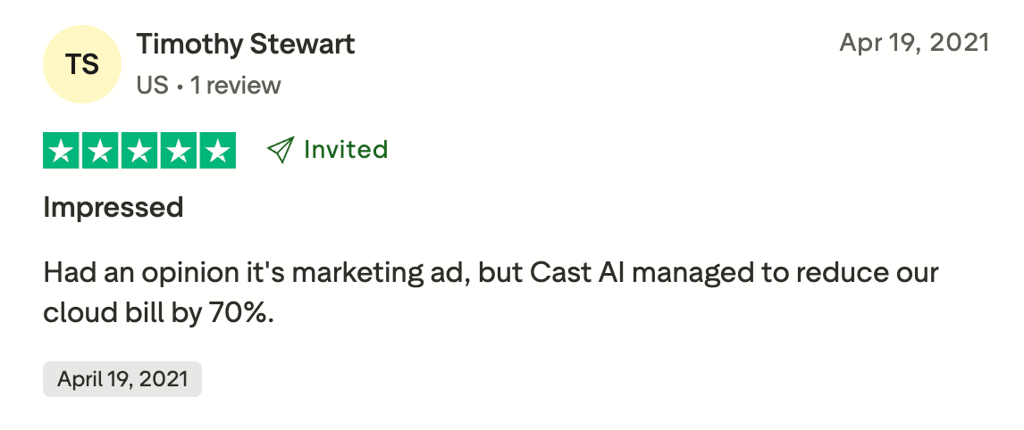
However, savings vary widely. Teams already following strong FinOps practices or aggressively optimizing resources might see lower but still meaningful improvements, often in the 20–40% range. Similarly, stable workloads with predictable demand leave less room for automation to cut waste, which naturally limits upside. Factors like cloud provider pricing, Spot instance availability, and regional capacity also influence results.
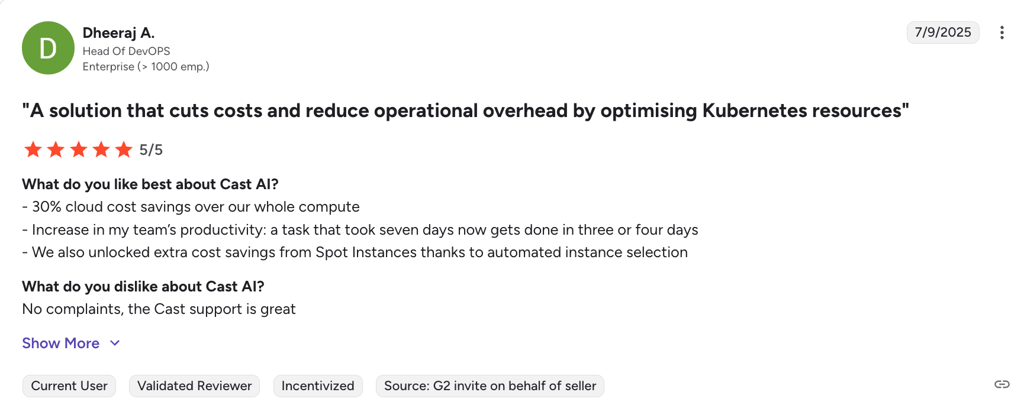
What matters most is the starting point. Cast AI delivers the greatest impact when infrastructure grows faster than governance, a common scenario in scaling companies. Rather than promising universal savings, the platform works best as a continuous optimization layer, which adapts as workloads evolve and cloud prices change.
To sum up, savings of 50–60% are realistic for some organizations, particularly those with complex or inefficient Kubernetes environments. For others, the value lies less in headline numbers and more in consistent, automated cost control that doesn't sacrifice performance or reliability.
Pricing model and ROI considerations
In terms of pricing, Cast AI typically charges based on usage or value, often taking a percentage of the cloud cost savings it delivers. You pay more only when you actually save more. Compared to its competitors, this sounds like a very lucrative offer, since most charge fixed monthly or per-cluster pricing that isn't tied to results.
When evaluating ROI, companies generally compare the reduction in cloud spend achieved through automation (rightsizing, bin-packing, or Spot instance use) against the platform fees. If the savings significantly outweigh costs, the ROI is positive. Reviews suggest teams often see both cost reductions and reduced manual ops effort, which together improve ROI beyond pure bill savings.
Because Cast AI’s pricing is tied to savings and actual usage, it aligns well with FinOps goals by rewarding efficient cloud use rather than fixed commitments. The trade-off is less predictable costs, as monthly fees can change depending on the level of optimization and savings achieved.
Cast AI vs competing cloud optimization tools
To understand how Cast AI stacks up against competitors, I put it side by side with popular solutions like Kubecost and Spot.io. Let’s see how they compare:
| Tool | Automation level | Kubernetes depth | AI-driven decision-making | Ease of implementation | Target customer size |
| Cast AI | Full autoscaling, bin-packing, Spot orchestration, rightsizing | Deep, built for Kubernetes cost and performance automation | Yes, AI-powered instance selection and scaling | Moderate, agent install and policy setup | Mid-large Kubernetes teams that need deep cost automation |
| Kubecost | Provides insights and recommendations, not full automation | Moderate, strong cost visibility and allocation | Limited, mostly analytics, not autonomous decisions | Easy, Helm/agent install | Teams looking for cost reporting and manual optimization |
| Spot.io | Automated Spot management and scaling | Moderate, optimized for Spot, works with Kubernetes | Some automation, less broad AI | Moderate, integrates with clusters | Teams focused on Spot savings and large-scale workloads |
| PerfectScale | Automated rightsizing and scaling recommendations | Deep, workload and cluster visibility | Context-aware automation | Moderate, agent install | Organizations needing cost and performance insights |
| ScaleOps | Real-time rightsizing, smart scheduling, workload optimization | Deep, real-time pod-level resource management | Emerging AI/automation | Moderate | Enterprise Kubernetes with performance and reliability focus |
| Komodor | Focused automation with rightsizing and troubleshooting | Broad Kubernetes context (more than cost) | AI for SRE and reliability | Moderate | Large organizations needing reliability and optimization |

Who should use Cast AI?
I found Cast AI best suited for larger companies looking to improve their efficiency, reduce waste, and maintain application performance across AWS, Azure, and GCP. Here’s who would benefit the most from this tool:
- Mid-to-large companies running Kubernetes. As these companies often have complex, multi-cluster environments, Cast AI can help automate scaling and resource management, simplifying their daily operations.
- Teams struggling with high cloud bills. The platform identifies waste and automatically right-sizes workloads, so teams can cut costs without compromising performance.
- Organizations focused on FinOps and efficiency. If your company prioritizes financial governance and operational efficiency, you can benefit from real-time visibility, automated optimization, and actionable insights with Cast AI.
On the other hand, some users might find better value elsewhere. Such examples include:
- Very small teams with simple cloud setups. For companies with minimal infrastructure, Cast AI’s automation might be too advanced, and savings might not justify the cost or the learning curve.
- Non-Kubernetes environments. This tool is specifically developed for Kubernetes, so companies running traditional or serverless architecture won’t see the same benefits.
Final verdict
Cast AI is a capable cloud automation platform that reduces cloud costs through automation rather than manual tuning. I found it the most valuable for dynamic or multi-cloud environments, where features like real-time autoscaling, rightsizing, and Spot instance optimization can mean considerable savings without hurting performance.
The biggest advantages include deep Kubernetes-native automation, reduced engineering effort, and reported cost reductions across real-world deployments. On the downside, there’s a learning curve during setup, and cost reporting isn’t as granular as some dedicated visibility tools. Overall, I recommend Cast AI for mid-to-large organizations focused on efficiency and long-term cost control, but it might be unnecessary for small or simple setups.
FAQ
What does Cast AI do?
Cast AI is a cloud infrastructure automation platform that uses intelligent Kubernetes-native automation to continuously optimize resource allocation, autoscale workloads, and cut cloud costs without manual intervention.
Does Cast AI affect application performance?
Yes, Cast AI can affect application performance, but typically in a positive way by automatically optimizing Kubernetes resources in real time. Its autoscaling and workload rebalancing help maintain stability and responsiveness while reducing overprovisioning and cloud waste.
Is Cast AI compatible with AWS, Azure, and GCP?
Yes, Cast AI is compatible with the three major cloud platforms – AWS, Azure, and GCP. You can easily connect and optimize Kubernetes clusters on those environments. It’s also expanding support to additional clouds and on-premises Kubernetes deployments, meaning you can automate resource scaling and cost optimization across a broader set of infrastructure.
How does Cast AI compare to Kubecost?
Cast AI and Kubecost both address Kubernetes costs, but Kubecost focuses on providing visibility, reporting, and manual optimization recommendations. Cast AI goes further by automating real‑time workload scaling, bin‑packing, and cost reduction, actively optimizing clusters without requiring manual intervention.