Best AI for data analysis in 2026
Being behind major reports like The Mother of All Breaches and RockYou2024, our in-house cybersecurity experts and journalists provide unbiased, real-world testing and in-depth analysis.
We maintain complete transparency by openly sharing our testing methodologies with our audience.
Learn more

My research shows that best AI for data analysis is Tableau – its no-code interface enables advanced analysis, and its rich integration library connects to 100+ data sources. AI for data analysis means tools that help clean, explore, and analyze datasets, automatically creating charts and explaining results in plain language.
Many businesses want to speed up data analysis but are hesitant to adopt AI due to the steep learning curve and low accuracy. To help you find reliable solutions, I tested these tools together with the Cybernews research team, using consistent datasets and the same set of tasks to compare accuracy, usability, and value.
My research identified the best tools for each of the following categories: best across all aspects, no-code data analysis, SQL and Python coding, budget-friendly pricing, and perfect for beginners. This is what else you’ll find in this review:
- Detailed hands-on overview of each AI data analysis tool
- Key features to look out for to find the best-fitting AI platform
- Common pitfalls in the implementation of AI tools and tips for their safe, efficient use

Best AI for data analysis – shortlist
- Tableau – best overall AI for data analysis and reporting
- Polymer – best for beginners
- nexos.ai – best all-in-one tool for analyzing huge datasets
- Julius AI – best for budget-friendly Python, R, SQL, and spreadsheets
- Qlik Sense – best for on-premises and private-cloud hosting
- Akkio – best for no-code data analysis
The best AI for data analysis compared
| Overall rating | Standout feature | Integrations | Starting price (billed annually) | Starting price (billed monthly) | Trial | Best for | |
| Tableau | 4.8 | Tableau Pulse automatically analyzes data and sends insights via Slack and email | 100+ | $75.00/month | $75.00/month | ✅ Yes, 14-day free trial | Data analysis via a drag-and-drop interface and powerful agentic AI features |
| Polymer | 4.7 | AI-based dashboard creation and visualizations with explanations | 11+ | $25.00/month | $50.00/month | ✅ Yes, 7-day free trial | Dashboard-based data analysis for beginners |
| nexos.ai | 4.8 | Integrates with Google Drive, Slack, SharePoint, Jira, Confluence, Notion, and more | 20+ | ~$23.27/month/user | ~$29.10/month/user | ✅ Yes, 7-day free trial | Best for centralizing data analysis, automating reporting workflows, and combining internal business data with AI-powered insights in one platform |
| Julius AI | 4.8 | Chatting to your data on Slack and Python, R, and SQL coding | 12 | $16.00/month | $20.00/month | ✅ Free version available | Using coding and non-coding techniques for reproducible and verifiable data analysis |
| Qlik Sense | 4.5 | Associative Engine highlights both related and unrelated values for missed insights | 162 | Custom | Custom | ❌ No | On-premises and private cloud hosting for highly secure environments |
| Akkio | 4.5 | AI builds reports autonomously based on the defined goal | 15 | Custom | Custom | ❌ No | Marketing agencies that need to build predictive models for lead scoring and campaign forecasting without coding |

6 Best AI for data analysis – our detailed list
1. Tableau – overall best for data analysis and reporting

| Overall rating: | 4.8 |
| Standout feature: | Tableau Pulse automatically aggregates and researches data to present it as business insights and trends |
| Starting price (billed monthly): | $75.00/month per user |
| Best for: | Business data analysis and reporting |
Tableau is a business analytics platform owned by Salesforce. It helps users explore, visualize, and analyze data without coding. Tableau connects to 100+ platforms and data sources, including cloud data warehouses, databases, spreadsheets, and Salesforce systems.
Ease of use
I liked how easy it was to build visualizations and dashboards by simply dragging and dropping fields and selecting chart types – it’s a great advantage for non-technical users. Here, you can blend data from multiple sources into a single analytical view, e.g., combine both marketing and sales reports over months and years.
Features
I found that AI is embedded into every Tableau feature. For example, Tableau Agent helps users create high-quality visualizations, write calculations, and suggest data preparation steps based on natural language prompts. You can also always ask it to clarify specific aspects of the datasets. The best thing is that there’s no need to manually verify every AI-generated point, because all the insights have direct citations.
One of the users’ favourites is Tableau Pulse, which generates personalized metrics and trends and automatically sends them to Slack or any other convenient channel. Recently, the company released Tableau Next for users who mostly use agentic AI capabilities for data analysis. Along with the tools above, it offers autonomous AI agents that can monitor data trends, send alerts for anomalies or threshold crossings, and build semantic models.
Pricing
Tableau offers a fully hosted cloud platform and a self-hosted solution, both sold separately. The products require signing an annual contract with monthly billing. The Standard plans cost $75.00/month per user, while the Enterprise plans start at $115.00/month per user. Additional licenses with lower or the same level of access can be purchased separately. All the plans have a 14-day free trial. Tableau Next has custom pricing, so you must contact sales to learn how much it’ll cost in your case.
2. Polymer – best for beginners in data analysis
| Overall rating: | 4.7 |
| Standout feature: | Automatic creation of dashboards with analyzed and visualized data |
| Starting price (billed annually): | $25.00/month |
| Best for: | Simple data analysis for beginners |
Polymer is an analytics tool that turns all your data into clear dashboards. It can work both as your personal platform and as a white-label API for embedded analytics, integrated into your user-facing apps.
Ease of use
I liked that Polymer is very simple to use. Its AI automatically builds dashboards with clear visualization and provides explanations for every chart and graphic. Moreover, it has 20+ templates for the data from Shopify sales, Facebook ads, GA4 reports, or all of them in one dashboard.
Features
Polymer has an AI agent that can answer any questions about your data. For example, it can show your ROAS over the last 40 days or your top-performing ads, present it in a graph, and add it as a widget to your dashboard. Moreover, AI can give you suggestions on the most effective dashboard configurations.
Polymer uses AES-256 encryption for data at rest and TLS encryption for data in transit. It updates your data every hour from 11+ integrations, including Google Analytics, Shopify, Zendesk, and Airtable. You can also download XLS or CSV files and integrate Polymer with third-party ETL tools like Windsor.ai for more advanced data workflows.
Pricing
Polymer has a 7-day free trial, but no money-back guarantee. Here's its pricing breakdown with the main features:
| Plan | Pricing | What it includes |
| Starter | $25.00/month |
|
| Pro | $50.00/month |
|
| Teams | $125.00/month |
|
3. nexos.ai – best all-in-one platform for analyzing datasets in seconds

| Overall rating: | 4.8 |
| Standout feature: | Multi-model AI workspace with AI agents, integrations, and enterprise AI orchestration for quick data analysis |
| Starting price (billed annually): | ~$23.27/month/user |
| Best for: | Centralizing data analysis |
nexos.ai is an AI workspace platform that helps teams analyze business data, automate tasks, and keep information from different tools in one place. Besides dashboards, it combines AI chat, AI agents, integrations, and document analysis to make business workflows easier and more centralized.
Ease of use
During testing, I found nexos.ai especially useful for organizing business data and AI workflows in one place. Instead of constantly switching between tools like Slack, Google Drive, or Notion, I could connect everything into a single AI workspace and analyze information much faster.
What stood out to me most was that the platform goes beyond simple dashboards. It combines AI chat, AI agents, document analysis, and integrations into one workflow. This made reporting, research, and data analysis feel much more centralized and easier to manage during testing. I also liked that it supports multiple AI models in one interface, making it easier to compare outputs depending on the task.
Features
nexos.ai includes AI agents that can automate repetitive analysis and reporting tasks. For example, teams can summarize internal reports, compare business trends, analyze uploaded documents, or generate structured insights from connected tools. The platform can also combine external web information with internal company knowledge, making outputs feel more context-aware and business-specific.
Another strong point is the number of integrations. nexos.ai supports 20+ integrations with tools like Google Drive, Slack, SharePoint, Jira, Confluence, GitHub, Outlook, and Microsoft Teams. This allows teams to centralize scattered company data and analyze it through one AI-powered workspace instead of moving between separate platforms.
The platform also focuses heavily on enterprise AI management. It includes collaboration tools, project workspaces, observability features, permissions management, and AI governance controls. In my experience, this makes it more suitable for business teams and operational workflows than lightweight AI chat tools.
Pricing
Paid plans are priced from ~$23.27/month per user and unlock additional AI usage, integrations, and enterprise collaboration features.
4. Julius AI – best for Python, R, SQL, and spreadsheets

| Overall rating: | 4.8 |
| Standout feature: | Talking to your data via Slack messages |
| Starting price (billed annually): | $16.00/month |
| Best for: | Combining coding and non-coding features for transparent data analysis |
Julius AI is a data analysis tool perfect for teams and enterprises – it’s compliant with SOC 2 Type 2, GDPR, and TX-Ramp. My research shows that you can use it just as efficiently as a no-code tool or to create reproducible analyses in R, Python, and SQL.
Ease of use
In Julius AI, the analysis workflows are called Notebooks. They work very straightforwardly: you download reports or connect Julius with data sources, prompt AI to analyze them, and refine the output with additional prompts. You may also add your own code or copy and paste Julius AI’s code that you liked for repeatable results.
Features
You can see the code and reasoning behind every calculation – this way, you can guarantee correct, reliable insights. For now, Julius offers 12 data connectors, including MySQL, OneDrive, Meta Ads, and BigQuery. You can also request that the platform add other data sources if needed.
Collaborative features are the best in Julius. You can use ready-made templates and collaborate in real-time with your teammates when creating data analysis workflows. If you have a Team plan, you can chat with Julius on Slack: any employee can ask questions regarding your business data, tag Julius, and get insights in the same channel. Here, you can also create AI agents that automatically build charts for monthly metrics, test new employees on understanding database schemas, or catch fluctuations in your Meta Ads performance.
Pricing
Julius’s free version is enough for simple spreadsheet analysis. It includes 5 messages with Julius AI per month, CSV, XLSX, and SAV file imports, and integrations with Google Drive, OneDrive, and SharePoint. Plus starts at $16.00/month and includes 250 messages with Julius AI, PNG and JPG file import, and access to OpenAI GPT-5 and Claude Sonnet 4.5 AI models. Pro starts at $37.00/month and offers unlimited messages, integration with Google Drive, OneDrive, SharePoint, Snowflake, BigQuery, and Postgres, and shared workspaces and files. The Business plan starts at $375.00/month and offers a custom AI agent and Julius in Slack. There’s also an Enterprise plan with custom settings and pricing.
5. Qlik Sense – best for enterprises in highly-regulated environments
| Overall rating: | 4.5 |
| Standout feature: | Associative Engine that highlights unrelated values for missed insights, like what ads didn’t work or the least popular products |
| Starting price (billed monthly): | Custom |
| Best for: | Deep analytical insights for enterprises in highly-regulated environments |
Qlik is a business intelligence and visual analytics platform that uses agentic, generative, and predictive AI. Qlik Sense is its self-service model for secure, highly-regulated environments that can be deployed on-premises, in the private cloud, in Qlik’s hosted cloud, or as a hybrid combination. It integrates with 162 data sources and real-time connectors, including SAPs, OpenAI, Google Analytics, and Oracle.
Ease of use
My tests showed that complex ETL pipelines require a data analyst to write scripts, but the standard interface is drag and drop, so most business users can build their first interactive dashboard without writing code. Once built, every element on the dashboard is fully interactive and can be updated to show the latest data. I especially liked the Direct Query feature, which lets specific widgets pull in the latest data from databases in real time without waiting for the scheduled reload.
Features
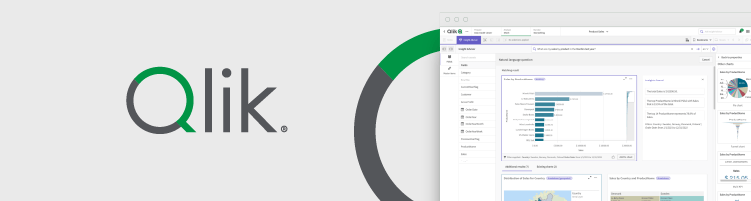
Here, technical and non-technical users can access both deep analytical insights and standard operational reports. For example, Qlik’s generative AI tool answers data-related questions and generates summaries with natural language prompts. One of the best things about Qlik is its Associative Engine. While traditional tools hide unrelated data, Qlik highlights related values in green and unrelated values in gray. This helps users spot missed insights, like which products didn't sell during a promotion.
I like that Qlik Sense allows you to automate workflows with AI agents and AutoML (machine learning). For example, you can set up agents to monitor data changes, send alerts, and automatically perform actions. Also, your team can use the Qlik Sense mobile app to monitor analytics and get push notifications for changes, depending on their access level.
Pricing
Qlik Sense doesn’t have a free version, and to learn the cost, you need to contact sales. However, Qlik Cloud Analytics (the same platform but deployed on Qlik’s hosted cloud) costs from $200.00/month to $2750.00/month.
6. Akkio – best for fully no-code data analysis with presentation-ready outputs
| Overall rating: | 4.5 |
| Standout feature: | AI creates reports and dashboards based on the described goal |
| Starting price (billed monthly): | Custom |
| Best for: | Media and marketing agencies that need clear insights from campaign data, including segmentation, forecasting, and client reporting |
Akkio is a no-code AI platform for data analysis, visualization, and automation. Akkio is SOC 2 Type 2, HIPAA, and GDPR-compliant, which confirms the platform’s robust security and encryption measures. It’s a go-to choice for marketing agencies thanks to the platform’s lead scoring and forecasting capabilities.
Ease of use
Akkio is very easy to use because it runs on GPT-4, so all tasks can be completed through chat with the AI. Once you connect Akkio to all the necessary data sources, you can simply define the goal of your report, like qualifying incoming leads, and Akkio automatically collects and analyzes the necessary data.
Features
AI here can also build and run propensity and attribution models, media plans, and performance dashboards without writing any code. The AI-generated insights and visualizations can be added to reports with one click. These reports are white-label, so you can customize them with your company's style before sharing them with clients.
The great thing is that Akkio also works as an embedded solution that can be deployed in your private cloud. So, you can let your customers use Akkio’s AI features and predictive analytics in your own apps. The platform offers 15 native data integrations, including MongoDB, HubSpot, Google Analytics, and Zapier, which can pull data from thousands of other apps.
Pricing
The tool’s downside is that Akkio’s pricing is custom, so you'll need to connect with sales to learn the product's cost. However, it’s a great chance to get a fully custom solution with advanced predictive analytics.
What is AI data analysis?
AI data analysis platforms are software that automatically convert messy, raw data into clean, structured insights. It doesn’t fully replace a human analyst but only speeds up the repetitive, pattern-spotting parts of the job. So, instead of you manually inspecting everything, AI can:
- Understand your datasets, e.g., detect column types, spot missing values, and flag formatting issues
- Clean and prepare your data, e.g., remove duplicates, fill nulls, standardize categories, and detect outliers
- Perform exploratory analysis, e.g., generate summary statistics, show linear and non-linear correlations between variables, build cohorts, and suggest user segments
- Perform predictive analysis, e.g., forecast trends, detect anomalies, and suggest churn and conversion rates
- Visualize your data, e.g., auto-generate relevant charts and build graphs that highlight trends
- Make reports, e.g., turn metrics into simple text explanations, create slides or briefs with relevant visualization, and summarize key findings
No AI platform guarantees absolute reliability. You still have to manually verify generated insights, reports, and visualizations. It’s especially important when your source data was ambiguous – in such cases, AI is more prone to hallucinations. However, some tools make verification easier by showing you code, explanations, and citations.
If you provide AI with incorrect data, it’ll analyze exactly this. Make sure your columns’ names are clear, your events are tracked correctly, and you apply decent data governance techniques.
How AI tools can change and benefit the research process
AI can analyze thousands of data points within a few seconds, spotting non-linear connections and hidden patterns, and creating complex visualizations. Even though some of the generated materials require manual refinement and verification, using AI saves a lot of time and cognitive effort.
Faster exploration and better first drafts
AI tools are great for the early phase of data research, when you don’t know where to start. They can suggest which data dimensions to explore first, generate quick EDA summaries and charts, or flag potential hypotheses for why trends may have changed. Basically, they can help you get a rough understanding of the data quickly before digging deeper.
Making analysis accessible to non-technical teams
AI allows people who don’t know coding languages to understand data, too. Most AI tools have built-in chatbots that answer data questions via natural-language prompts. So, product, marketing, and ops teams can get quick answers to questions such as “Show churn by plan over the last 6 months” without waiting for the technical team. Analysts, in turn, spend less time on explanations, repetitive requests like breaking down data by region, or manually generating reports on last week’s insights.
More consistent communication of findings
I personally like that, thanks to reusable templates, prompts, and dashboards, AI tools make reporting easier to standardize, even when handled by a few teams. Moreover, it can help convey data insights more clearly. For example, AI tools can generate short, precise takeaways for workers who don’t read full reports. Also, it can add explanations and caveats to every visual. Overall, it can help make data transparent to all stakeholders, without leaving room for guesswork.
Key features to look for in an AI data analysis tool
Throughout my research, I noted a few features that the best AI data analysis tools have.
Data access and compatibility
The most important thing is to ensure the platform supports the data formats your team uses. This is what to check for before buying a subscription:
- CSV and XLSX import quality. Make sure it can handle large files, correctly reads encodings, lets you choose delimiters and separators, and doesn’t automatically change formats, e.g., dates into text.
- SQL database and warehouse connectors. Make sure the platform connects with Snowflake, BigQuery, Redshift, Postgres, or MySQL, and supports live connections and scheduled syncs.
- API and integration ecosystem. A good AI platform doesn’t have a huge library of integrations, but just those that can pull in your data.
- Export options. You’ll probably need to share reports and insights with others, so check whether the platform supports convenient exports to CSV, SQL, PDF, and PowerPoint.
Trust and verification tools
AI can hallucinate, and without explanations and visible reasoning, you’ll spend hours verifying the produced results. Make sure the AI platform:
- Shows source queries and transformations like filters applied, aggregations, and joins
- Cites the rows, fields, and direct data slices used to achieve the result
- Has reproducible steps, i.e., audit trail, that lets you see what was done and in what order
- Allows you to rerun the same analysis on the same data so that you can confirm results don’t randomly change
- Shows confidence indicators and warnings like small sample size, high variance, or missing values detected
Analysis depth that matches your needs
In my experience, a tool may claim to be for AI analytics but stop at basic charts and filter reports. However, not every team needs advanced modeling, so match the tool to your level:
- Basic. You probably need a no-code AI platform that can generate reports and answer quick business questions. It should create summary statistics and pivot-style breakdowns, and show trends over time.
- Intermediate. Your AI platform should be capable of diagnostic analysis. It includes correlations, cohorts (analyzing behavior over time), segmentation (grouping similar users and products), and funnels (analyzing where users drop off).
- Advanced. The platform should offer agentic, predictive, and statistical capabilities. It includes data monitoring, forecasting, anomaly detection, model suggestions, and A/B test analysis.
Visualization and reporting quality
AI platforms bring little benefit without clear data visualization and reports. To assess this, you can look out for:
- Chart variety and customization options. Check if the platform offers the needed charts like bars, lines, scatter plots, heatmaps, and funnels. It should also give you control to manually modify them.
- Correct chart recommendations. AI should suggest appropriate visualization types, not pie charts for time series.
- Team sharing and permissions. Make sure you can share dashboards, create shared templates, and control who can edit and view them safely.
- Presentable exports. It’s better if AI dashboards, images, or slides don’t need substantial redesign before sharing them with others.
Security and admin controls
It’s especially important for teams that handle sensitive data. Check if your AI platform has:
- Single sign-on (SSO), role-based access, and dataset-level permissions
- Data retention controls over who can delete data and how long it’s stored
- Straightforward privacy policy stating that the vendor doesn’t train their AI models with your data
- Compliance with SOC 2 Type 2, GDPR, HIPAA, or other industry-specific regulations
Challenges and useful tips for implementation
I understand why businesses tend to jump back to manual data handling – just to avoid compromising their data. The biggest risks in AI data analysis are accuracy, privacy, and a too steep learning curve. However, AI isn’t as dangerous as it seems, considering that you aren’t eliminating a human from the data loop completely.
Accuracy pitfalls and how to reduce them
AI tends to confuse things, but the biggest reason for it is the unclear datasets you feed it. Here are the tips to maximize AI’s reliability:
Tip 1: start with a clear question and define metrics. If your question is vague, like “Analyze revenue,” your AI will fill in the gaps itself, which may result in an incorrect answer. Instead, specify the time range, revenue definition, customer segments, and other details you’d like to see in the report.
Tip 2: ask for the exact calculation formula. When the tool reports a metric, ask it to show you the formula it used. This can ensure that AI’s calculations are logical and reproducible.
Tip 3: ask the tool to show steps or queries. High-quality tools show the specific steps they took in analysis, including the joins, filters, and aggregations. If this information is missing, you have the right to treat the result as a suggestion rather than a grounded decision.
Tip 4: cross-check with pivots or SQL for important decisions. Run a basic pivot table or a direct SQL query to validate the results. This catches the moments when AI makes unsupported guesses or makes up connections that aren’t really there.
Tip 5: use holdout samples for predictive outputs. When using AI for forecasting or prediction, set aside a portion of your data that the model doesn’t see during analysis – it’s your holdout data. For time-based forecasts, it’s often the most recent period, e.g., the last month. After the AI generates predictions, compare them against the holdout sample to measure accuracy and assess whether the model makes good predictions or simply repeats past trends.
Data privacy and compliance concerns
Many tools have powerful AI features, but they compromise your privacy. Here are a few tips on how to safeguard your data:
Tip 1: check where your data is stored and for how long. Some platforms keep the inputs, outputs, or prompts you send to the AI. It can be for various reasons, including enhancing its services or training AI models. You should find the specific clause in the privacy policy that explicitly states those conditions, and whether your data can be permanently deleted on demand. Also, ask whether data processing is done within approved geographic regions.
Tip 2: admin controls for enterprise teams. Ensure your tool supports centralized admin governance, role-based access, approval workflows for new datasets, and usage analytics. It’s important to keep data safe not only from AI but from internal data leakage.
Tip 3: special features for sensitive datasets. Check whether the tool supports anonymization, such as stripping PII before analysis. When compliance requirements are strict, consider on-premises or private cloud deployment options instead of standard SaaS hosting.
Adoption and workflow integration
Many businesses drop AI tools because it’s difficult to integrate them into their workflows. Here are a few tips to improve adoption:
Tip 1: start with one high-impact reporting workflow. Choose a measurable, repetitive use case like a weekly retention report, and integrate AI into this process first. Once your team learns the effective ways to use it, you can implement the platform into other workflows.
Tip 2: create a library of prompts, templates, and definitions. It’s crucial for teams to have standardized report templates, a glossary with definitions, and prompts at hand so everyone gets consistent output. This way, they won’t waste time on learning how to communicate with the tool, only to get frustrated.
Tip 3: assign review ownership. Define who is responsible for validating insights before they’re shared externally. This way, you’ll be sure AI-assisted or generated reports are always verified by humans.
The future of AI data analysis
AI is already capable of many things, so the main development will be that advanced capabilities available only in a few tools today become the norm. For example, AI will take on more agentic capabilities. Even now, the best analytics tools can be triggered by data changes and perform autonomous actions accordingly. Most probably, they’ll be able to run longer analysis workflows on their own, like detecting a metric anomaly, breaking it down by key segments, checking related metrics, and generating a short explanation before a human even opens the dashboard.
Also, due to so much bias toward AI, these tools are moving toward much bigger transparency. It means that more and more tools will show the exact SQL queries and transformations applied, together with step-by-step audit logs. It’s likely that AI tools will be able to analyze multiple data formats at once. For example, merging tables, charts, dashboards, logs, and support tickets into one comprehensive report.
Final verdict: which AI for data analysis should you choose?
In my research, I identified winners across the following categories:
- Overall best AI is Tableau, as it caters to a wide range of users for simple and advanced AI-driven analysis
- Best AI for beginners is Polymer, thanks to its AI that builds dashboards itself based on simple natural language prompts
- Best all-in-one AI tool is nexos.ai, as it combines AI chat, document analysis, integrations, and AI agents into one workspace
- Best budget-friendly AI for data analysts is Julius AI, as it has a generous free tier and allows for advanced R, SQL, and Python coding
- Best AI for enterprises is Qlik Sense because it can be deployed on premises and in the private cloud
- Best AI for presentation-ready outputs is Akkio, as it’s fully no-code, while its white-label reports are of high quality
Here’s also my quick decision guide:
- If your data lives in spreadsheets, choose tools with strong XLSX and CSV import and export options
- If you need reproducible steps, choose tools that show code or SQL queries and provide a full audit trail
- If security is critical, choose tools compliant with industry standards, have role-based access, and clear retention policies
- If you need automation, choose tools with agentic AI capabilities, scheduling, and monitoring
FAQ
What is the best AI for data analysis for beginners?
The best AI for data analysis for beginners is Polymer. It doesn’t require coding or deep statistical knowledge and has an easy-to-use interface. You may also try out Julius AI, which has a free plan for basic no-code analysis.
Can AI data analysis tools connect directly to SQL databases or warehouses?
Yes, many AI data analysis tools connect directly to SQL databases and cloud warehouses. Most platforms offer connectors for PostgreSQL, MySQL, Snowflake, Google BigQuery, Amazon Redshift, and Microsoft SQL Server.
How do I verify AI-generated insights are correct?
High-quality tools often provide audit trails with detailed logs so you can retrace how an insight was generated. You can also run the same analysis with a pivot table, SQL query, or spreadsheet. For predictions, you may use holdout samples to compare forecasts with unseen data and assess how well they match reality.
Are AI data analysis tools safe for sensitive datasets?
Yes, AI data analysis tools are generally safe when deployed on-premises or in your private cloud. In other cases, it may not deliver 100% security, as it’s going to work online. No method of online connection guarantees absolute data safety.
What’s the difference between AI data analysis tools and BI dashboards?
AI data analysis tools help users explore, explain, analyze, and predict data. BI dashboards, on the other hand, focus on monitoring and reporting metrics through predefined charts and visualizations that teams build and maintain themselves. They’re great for tracking KPIs, but they don’t explain changes. Modern AI platforms combine the features of both, and this is where the confusion stems from.