Pipedream vs Zapier
Being behind major reports like The Mother of All Breaches and RockYou2024, our in-house cybersecurity experts and journalists provide unbiased, real-world testing and in-depth analysis.
We maintain complete transparency by openly sharing our testing methodologies with our audience.
Learn more

Choosing the right automation platform can determine how quickly workflows ship today and how well they scale tomorrow. Many users need automations that run reliably without constant monitoring. Others want flexibility beyond basic triggers and actions.
Zapier is a no-code, app-first automation platform built for speed that uses prebuilt triggers and actions to connect thousands of tools quickly. It offers the fastest way to ship working automations with minimal setup.
Meanwhile, Pipedream is a workflow automation platform designed for builders, centered on APIs, events, and optional code for precise logic. It proves stronger as a long-term system for complex, event-driven workflows that demand customization.
For this review, I tested both Pipedream and Zapier with the Cybernews research team to evaluate real-world performance, limits, and maintenance overhead. Hopefully, this will help you determine which tool will allow you to focus on reliability, flexibility, security, and cost efficiency under sustained use.
Pipedream vs Zapier overview
Here’s a concise breakdown of Pipedream and Zapier before we dive deeper into their features:
| Tool | Zapier | Pipedream |
| Rating | ||
| Key features | Multi-step automations from a single trigger, workflow branching for different automation scenarios within one workflow, integration with 8000 apps, AI agents that serve as independent workers | Event-driven workflows, integrations, full code control, and multi-language support |
| Who it’s for | Solopreneurs and small-to-medium-sized businesses that use only linear workflows | Developers who want to automate workflows, integrate APIs, and run code without being server-dependent |
| Free trial | ✅ Yes, 14 days for the Premium plan | ✅ Yes, Advanced and Business plan only and only by request |
| Free version | ✅ Yes | ✅ Yes |
| Starting price | $19.99/month | $29.00/month |


Pipedream pros and cons
Zapier pros and cons
Pipedream vs Zapier: side-by-side features comparison
Review the key differences between Zapier and Pipedream’s list of features in this overview table:
| Feature | Pipedream | Zapier |
| Platform focus | Developer-centric workflow automation platform with API, event, and code support | No-code automation and AI orchestration platform that connects apps into workflows called Zaps |
| Target audience | Developers and technical teams that need deep control and API flexibility | Non-technical teams and general business users that need rapid no-code automation |
| Workflow customization | Full code control in Node.js, Python, Go, Bash; API-first custom logic | Customization via visual builder and Code by Zapier steps; no general code editor for full logic |
| Triggers and webhooks | Supports event triggers and API-based flows; webhook support implied via API integration tooling | Built-in webhook triggers and actions for HTTP events |
| Visual editor | Visual workflow builder for easier building | Intuitive drag-and-drop visual builder for Zaps and automations |
| Integrations | 3000+ APIs with expansion via Pipedream Connect | 8000+ app integrations |
| AI capabilities | String AI assistant for workflows and agents | Zapier Copilot builds workflows, agents, chatbots, and multi-product automation |
| Scalability | Serverless design scales with real-time, event-driven architecture | Cloud-based, handles fluctuating workflow volume; enterprise plans add governance and monitoring |
| Hosting and deployment | Serverless workflows hosted by the platform; no self-hosting option | Fully cloud-hosted, AWS infrastructure |
| Data handling | Private serverless execution environments; compliance-ready data practices | Enterprise-grade encryption, audit trails, observability, and controls |
| Compliance | SOC 2 Type II, GDPR, HIPAA | SOC 2 Type II, SOC 3, GDPR, CCPA |
Choosing a workflow tool for you and your team should be based on your project’s workflow complexity and automation goals.
Choose Pipedream if you’re a developer or technical team needing full code control and API-level flexibility. If you require event-driven, serverless workflows that scale automatically. Or if you want to build custom AI agents, complex workflows, or integrate with APIs beyond standard no-code limits. For more information, check out our full Pipedream review.
Choose Zapier if you need quick, no-code automations that work reliably out of the box. If you want access to thousands of prebuilt app integrations with minimal setup. Or if you prefer a low learning curve with drag-and-drop workflow building and AI-assisted automation. Head to our comprehensive Zapier review to learn more.
Integrations and ecosystem: how Pipedream and Zapier connect to your stack
Integrations determine whether your workflows can link to the tools you already use. Both Pipedream and Zapier support popular apps such as Google Drive, Notion, Slack, HubSpot, Mailchimp, ActiveCampaign, and Facebook Lead Ads. However, they differ in approach, depth, and maintenance.
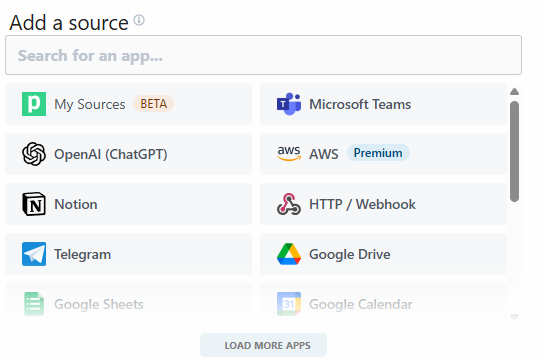
Pipedream excels at custom connectivity and API-first workflows. Users can connect niche tools via authentication, pagination, and webhooks. Some connectors require coding to unlock multi-step triggers, but the platform provides detailed logs for troubleshooting. As such, Pipedream is best for developers and teams comfortable managing technical integrations.
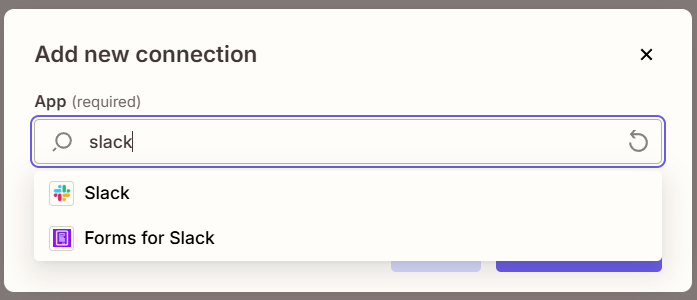
Meanwhile, Zapier covers a broader range of mainstream apps with fully usable multi-step triggers and actions. Its prebuilt templates allow for faster adoption, and no-code workflows handle most business automation out-of-the-box. Maintenance is easier, with automated auth refresh, built-in rate-limit handling, and simplified error tracking, making it a good choice for non-technical teams and small businesses.
Overall, Zapier tends to cover more mainstream business apps out of the box. On the other hand, Pipedream tends to handle custom integrations and API-first workflows more naturally.
Security, compliance and data handling
Let’s take a look at the differences in how Zapier and Pipedream handle security and compliance.
When it comes to data in transit and at rest, Zapier uses TLS 1.2 to encrypt data in transit and AES-256 to encrypt data at rest. Pipedream implements encryption of data at rest using AWS KMS with AES‑256, and encrypts data in transit via TLS/HTTPS.
As for access and permissions, both Pipedream and Zapier support two-factor authentication (2FA) and single sign-on (SSO) for secure logins. Pipedream offers Owner and Member roles, with Members restricted from managing projects, GitHub Sync, or other users. Zapier provides Member, Admin, Super Admin, and Owner roles, giving granular control over workflows, billing, security, and account administration.
In terms of compliance, Zapier holds SOC 2 Type II and SOC 3 certifications, and is compliant with GDPR, and CCPA standards. Pipedream has demonstrated GDPR, HIPAA, and SOC 2 compliance and can provide a SOC 2 Type II report on request.
Neither Pipedream nor Zapier offers true self‑hosting: Pipedream runs serverlessly with control via VPC options in some tiers, while Zapier is fully cloud-hosted.
For sensitive information, I recommend following these best practices:
- Use separate connections/workspaces. Keep credentials and workflow access isolated to reduce the risk of accidental data exposure between projects or teams.
- Minimize payloads in logs. Log only essential information to prevent sensitive fields from appearing in execution histories or debug outputs.
- Avoid sending full records to every step. Limit the data each workflow step receives to only what is necessary, reducing exposure and simplifying compliance.
Performance: how fast and reliable are Pipedream and Zapier?
Simple single-API automations trigger quickly on both platforms. Neither tool showed widespread timeouts in common scenarios, and most slowdowns traced back to third-party API limits rather than the automation layer itself.
Pipedream feels faster and more predictable for event-driven and complex workflows. Triggers fire immediately because executions run on event sources such as HTTP/webhooks or app events. Multi-step workflows with branching and loops completed smoothly once running, and I could adjust memory, CPU, and concurrency to improve throughput.
Zapier’s performance depends on trigger type and plan level. Instant triggers feel responsive, but polling-based triggers can introduce delays, especially on the free plan. Zapier’s instant triggers are delivered via webhooks; however, heavier workflows can slow down as steps increase.

Everyday usability and learning curve
For non-developers, both tools look approachable at first, but the experience diverges quickly. Zapier feels immediately usable with a click-based editor, guided setup, and templates that cover common business tasks end to end. Pipedream’s visual builder helps, but workflows start to feel intimidating once custom logic, events, or APIs enter the picture.
For developers, Pipedream feels natural and flexible to use, thanks to its code steps, event-driven triggers, and fine-grained control. Zapier can be pushed with conditional logic and Code steps, but it starts to feel limiting when workflows require custom APIs, advanced branching, or reusable components. Pipedream also fits better with developer tooling such as Git-style versioning, API clients, and structured debugging.
When it comes to maintenance overhead, I found debugging is faster in Pipedream due to detailed logs and replayable runs. On the other hand, Zapier makes old workflows easier to understand for non-technical users. Credential health is simpler to manage in Zapier, while Pipedream offers more control but requires more oversight.
Community, docs, and real-world help
Both Pipedream and Zapier provide documentation, templates, community support, and learning resources. However, their focus and accessibility differ.
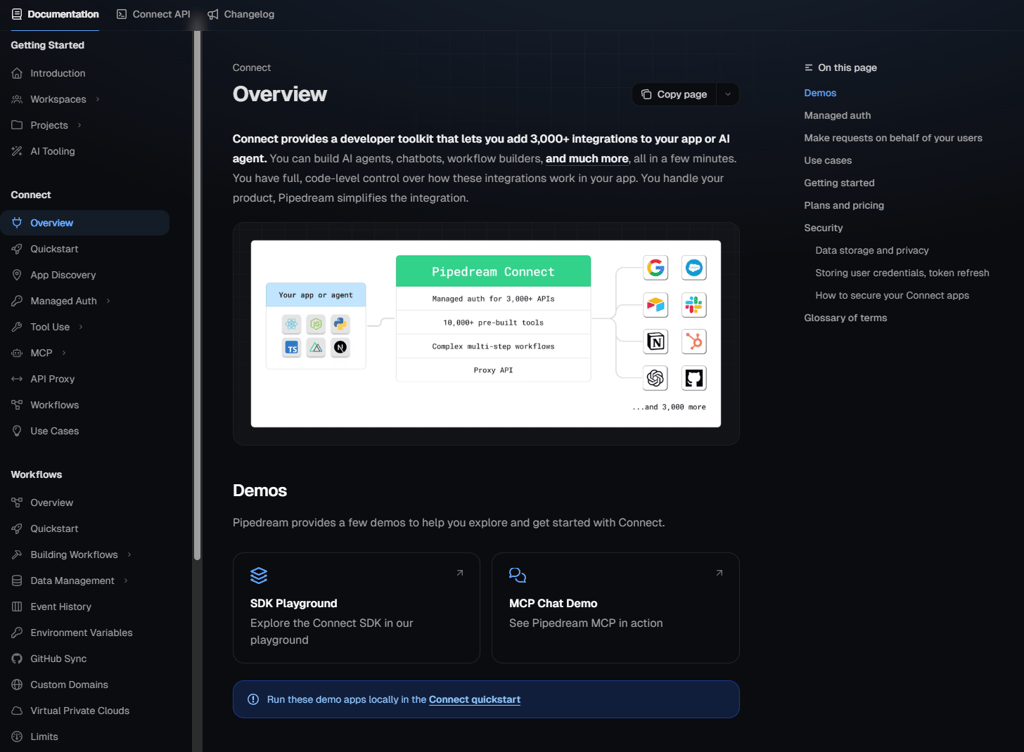
Pipedream’s documentation is thorough but geared towards developers: it covers setup, API references, and edge cases. Templates are code-based and flexible, though they require technical knowledge to adapt. Community support includes active Slack channels, forums, and shared event-driven workflows.
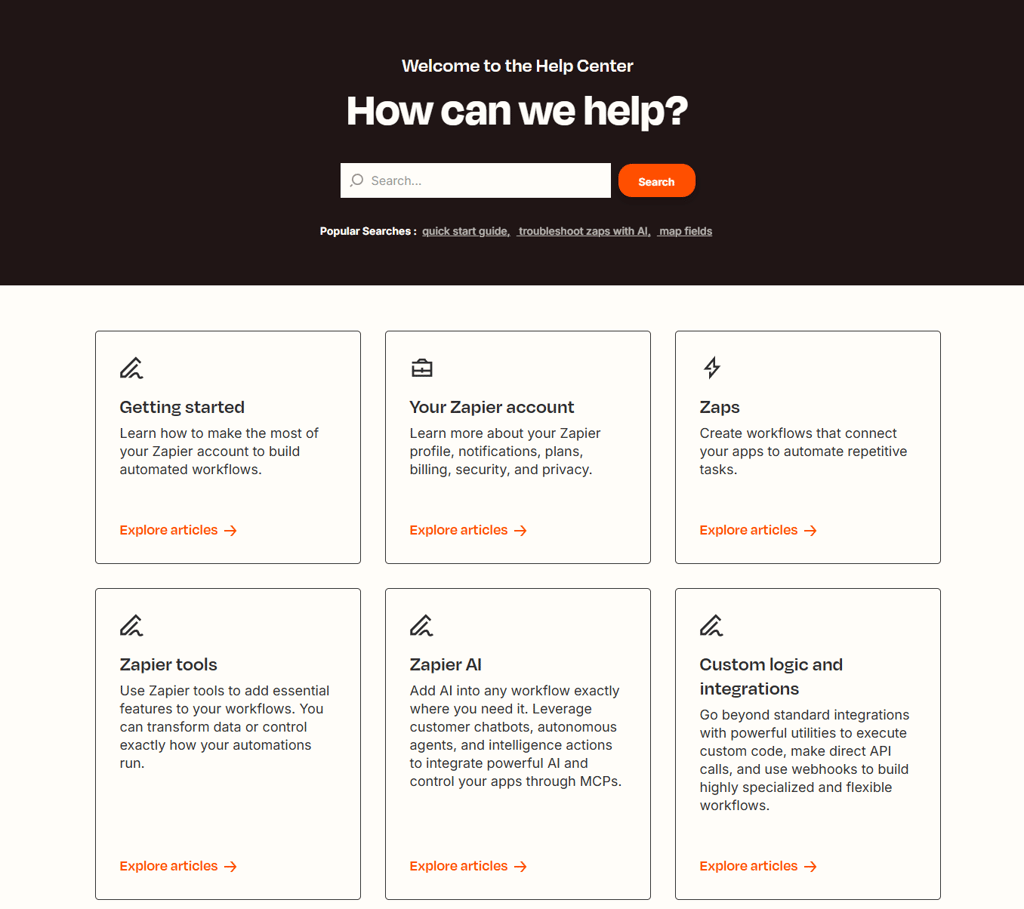
Zapier offers extensive and beginner-friendly guides, curated templates, and step-by-step examples that simplify troubleshooting. Its community forums, public snippets, and video tutorials make learning fast and accessible. Templates are easy to adapt, and onboarding resources help users resolve issues efficiently without deep technical expertise.
Pricing breakdown and hidden costs
Pipedream and Zapier use different pricing models, with Pipedream based on credits and workflow usage and Zapier based on tasks per month and tiered subscriptions.
To compare the two providers, let’s first review Pipedream’s plans:
| Pipedream plan | Starting price | Main limitations | Key features | Best for |
| Pipedream Free | Free | 100 credits, 1 million AI tokens, 3 active workflows | Unlimited testing | Developers prototyping workflows or learning automation at no cost |
| Pipedream Basic | $29.00/month | 2000 credits, 20 million AI tokens, 10 active workflows | No usage cap on included credits | Solo builders or small projects needing more credits and workflows |
| Pipedream Advanced | $49.00/month | 2000 credits, 50 million AI tokens, unlimited workflows | Premium app access, GitHub Sync | Teams running production or complex automation workloads |
| Pipedream Connect | $99.00/month | 10,000 credits, 50 million AI tokens, unlimited workflows | Full workflow automation suite | DevOps engineers, SaaS product teams |
| Pipedream Business | Custom pricing | Limitations are customizable, depending on the price | Enterprise-grade security | Compliance-heavy organizations, and regulated industries |
Now, let’s look at Zapier’s subscription options:
| Zapier plan | Starting price | Main limitations | Key features | Best for |
| Zapier Free | Free | 100 tasks/month, two-step Zaps, single user | Unlimited Zaps (within task limit), tables, forms, Copilot | Beginners and low-volume automation |
| Zapier Professional | $19.99/month | 750+ tasks, one user, unlimited Premium apps | Multi-step Zaps, premium apps, filters/paths, 2‑minute polling | Individuals/small teams automating complex tasks |
| Zapier Teams | $69.00/month | 2000+ tasks, 25 users, Premier support | Shared workspaces, unlimited users, advanced permissions, 1‑minute polling | Growing teams needing collaboration |
| Zapier Enterprise | Custom pricing | Unlimited users | Technical Account Manager, advanced admin permissions and app controls | Mid-to-large enterprises with complex, high-stakes automation needs |
Choosing the right plan depends on your workflow volume, project complexity, and how frequently automations run. Here’s a quick rundown of what size businesses are most likely to benefit from different plans:
- Small businesses that only need a few workflows will find that the Zapier Free or Professional plan will keep costs predictable with defined task limits and no unexpected compute charges
- Startups with API-heavy workflows and frequent events may suit Pipedream’s credit model, as it can offer cost savings for compute-intensive tasks and real-time event responsiveness
- Larger teams with thousands of runs per day should look into Zapier Team for predictable task billing
Before committing to a long-term plan, consider Zapier and Pipedream’s free versions and free trials. While testing, look out for possible hidden charges for multi-step workflows, premium/gated features, engineering time for maintaining API-heavy or custom workflows, and task or credit overage charges.
Use cases and examples
These use cases show how I would choose between Pipedream and Zapier based on workflow complexity, technical requirements, and long-term reliability:
- Marketing and sales automations. I’d pick Zapier because it connects thousands of mainstream apps with multi-step Zaps, templates, and predictable task handling. Zapier will allow for the deployment of campaigns quickly without coding.
- Engineering-driven backend automations and event pipelines. I recommend Pipedream for its serverless, code-first workflows. Pipedream can handle API logic, event streams, and branching, which Zapier struggles with.
- Internal tools that need a mix of no-code and custom API calls. I’d choose based on complexity. If most steps are standard SaaS actions, I’d use Zapier. If I need plenty of custom API calls, I’d go with Pipedream.
- Prototyping for long-term workflows. I would choose Zapier for fast prototypes and low-maintenance flows. For high-volume, mission-critical workflows requiring advanced logging, retry logic, or full API control, I’d select Pipedream.
Pipedream vs Zapier: user reviews
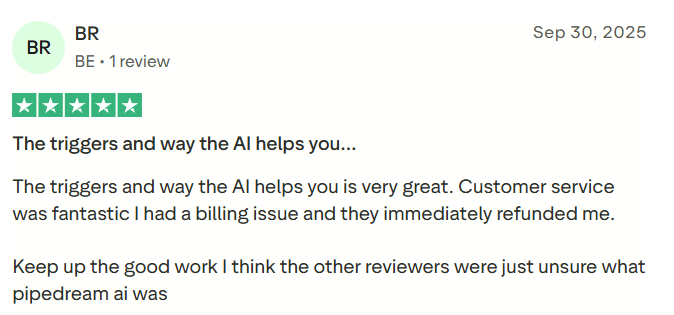
In general, Zapier has more user reviews than Pipedream, owing to its 15 years of development. Many user comments and reviews praise Zapier for its wide integration and for excelling at simple automations and workflows. Many reviewers, however, struggle with using Zapier for complex systems.

Pipedream is a newer competitor in the workflow tool space, but it already has good reviews from long-term users. Many enjoy Pipedream’s no-code approach to workflow building. Negative reviews largely have to do with customer service; however, some users praise it. I guess it’s a gamble when it comes to customer support.
Final word
Your choice of workflow tool should depend on your project, its scope, and its automations. You should also consider the technical knowledge of the team that will be handling workflows.
Use Pipedream if you have developers who are comfortable writing and maintaining code and work heavily with APIs, events, and custom or internal integrations. It’s also a great option if you care about fine-grained control over execution, data flow, and logic or need more power and customization as automation volume and complexity grow.
On the other hand, use Zapier if you want non-technical teams to own and maintain automations without developer help. It’s a great choice if you mostly connect popular SaaS tools like CRMs, marketing platforms, and support systems. And if you prefer a polished visual builder with templates and guided setup.
Best alternative: nexos.ai
If neither Pipedream nor Zapier fits your organization’s needs, consider nexos.ai – an AI-first automation alternative that functions as an operational AI workspace rather than your classic automation tool. Plus, its pricing model doesn’t revolve around tasks or credits.
As detailed in our full nexos.ai review, this tool basically operates as a workflow orchestration platform, whose built-in AI agents focus on intent-based workflows. Basically, you simply need to share your goal, and the AI executes tasks across all tools.
While Pipedream leads in terms of raw developer extensibility and Zapier is known for massive integration ecosystems, nexos.ai serves as a streamlined operational layer. I found that teams usually find getting started with nexos.ai much easier, and automation results are delivered without the need to manage every trigger, step, or API detail.
FAQ
Is Pipedream easier or harder to use than Zapier for non-developers?
No, Pipedream is generally harder for non-developers because it relies on code, APIs, and technical workflow setup. Zapier introduces a no-code, drag-and-drop interface that is faster and more intuitive for casual users.
Can I replace all my Zaps with Pipedream workflows?
Yes, but only if you are comfortable with code. Pipedream can replicate most Zaps, but non-technical users may struggle to rebuild multi-step automations without developer support.
Which platform is better for high-volume, API-driven automations?
Pipedream is better for high-volume, API-heavy workflows. Its serverless, event-driven design handles frequent triggers and complex logic more efficiently than Zapier’s task-based, polling-dependent system.
How do Pipedream and Zapier handle sensitive customer data?
Both Pipedream and Zapier use encryption, access controls, and compliance measures like SOC 2 and GDPR. Zapier adds enterprise admin tools, while Pipedream supports private serverless environments for advanced control.
Which one is cheaper in the long run for a growing team?
It depends. Zapier offers predictable task-based pricing for scaling teams, while Pipedream may save costs for compute-heavy, code-driven workflows if credits are managed efficiently.