Best AI for business intelligence
Being behind major reports like The Mother of All Breaches and RockYou2024, our in-house cybersecurity experts and journalists provide unbiased, real-world testing and in-depth analysis.
We maintain complete transparency by openly sharing our testing methodologies with our audience.
Learn more
Nearly 40% of enterprises are using AI technologies. Yet choosing the right AI tool for business is harder than ever, as the market is crowded with new platforms that promise smarter and faster insights.
To bring clarity to the crowded and often confusing business intelligence (BI) market, together with the Cybernews research team, I tested and reviewed leading AI-enabled BI tools, including Holistics, Trendos, Power BI, Looker, Sigma Computing, Tableau, and Zenlytic.
I examine whether AI can actually help your team understand data faster or if it is simply another passing trend. I also evaluate which tools fit different data stacks and team skill levels, how reliable AI-generated insights are compared to traditional dashboards, and what costs you should expect as your usage scales.
I’ll walk through everything, from what BI tools are and how they work, to how AI is transforming them, their benefits and limitations, key features, and even implementation.
Let’s start with what AI-powered BI actually means.

Best AI for business intelligence – shortlist
- Holistics – for teams needing AI-powered data insights
- Trendos – for AI search visibility and competitor benchmarking
- nexos.ai – AI tool for report automation and research
- Power BI – BI tool for dashboards and AI insights
- Looker – for consistent, enterprise-wide AI insights
- Sigma Computing – for spreadsheet-style BI with AI-powered analytics
- Tableau – for visual analytics enhanced by AI
- Zenlytic – for conversational, AI-assisted data analysis
The best AI tools for business intelligence compared
Before diving into detailed reviews, here’s a quick look at how these BI platforms differ in pricing models, AI depth, and ideal user profiles:
| Tool | Rating | Key feature | Starting price | Free/trial | Best for |
| Holistics | Ensures consistent numbers across teams using a shared “dictionary” of data terms | $800.00/month | Free demo available | Teams frustrated by mismatched reports | |
| Trendos | Tracks brand visibility and citations across AI-generated search results | $169.00/month | Free plan available | Marketing teams tracking AI search visibility and brand perception | |
| nexos.ai | No-code AI agents, company-data search, and workflow automation | ~$11,07/month | Free trial available | Teams that want faster research, report prep, and internal analysis without coding | |
| Power BI | AI assistant (Copilot) inside Microsoft tools for quick charts and answers | $14.00/user/month | Free version | Microsoft Office users wanting built-in AI | |
| Looker | AI enhances rules (LookML) for reliable insights on Google Cloud | Custom | Free demo available | Developers on Google Cloud needing trustworthy AI | |
| Sigma Computing | Excel-like interface for live cloud queries with AI shortcuts | Custom | Free trial | Spreadsheet users analyzing large databases | |
| Tableau | AI automatically generates visuals and stories from drag-and-drop data | $15.00/user/month | Free trial | Large teams creating polished dashboards | |
| Zenlytic | Ask questions in plain English, AI retrieves and analyzes data instantly | Custom | Free demo available | Users who prefer asking for data naturally over coding |
8 Best AI tools for business intelligence – our detailed list
To help you choose confidently, I’ve reviewed each AI-powered business intelligence tool in detail. Below, you’ll find what stood out, where each platform performs best, its limitations, and which teams it’s realistically built for.
1. Holistics – best for AI-driven insights on structured data
| Tool: | Modeling-first, self-service BI platform with explainable AI insights |
| Overall rating: | |
| Standout feature: | AI on top of a strong semantic modeling layer |
| Starting price: | $800.00/month |
| Best for: | SQL-driven data teams prioritizing metric consistency |
Holistics is a BI tool that makes working with data much easier. Instead of scrambling to figure out which numbers are right, all it takes is setting up metrics and models once, and everything else builds on that. It’s the kind of platform where business teams can explore data themselves without constantly asking the data team for help.
At its core, the platform uses analytics as code and a semantic layer. You define metrics, dimensions, and reports in one place, and they automatically apply everywhere. I also liked that non-technical users can ask questions in natural language, and the AI shows the steps behind its answers instead of spitting out blankets of jargon without explanation.
Pricing starts at $800.00/month for the basic plan, $1000.00/month for the full-featured standard plan, and $2000.00/month for the enterprise-level security plan. Upper tiers add extras, such as add-ons for each user, extra reports, and a full support team, with onboarding calls, thorough docs, video guides, a dedicated Slack channel, and direct access to product engineers.
Overall, Holistics works best if you care about consistency and want to give your team self-service analytics that are actually understandable without a data degree. It’s less flashy than some other tools but makes managing and exploring data much smoother.
2. Trendos – best for AI search visibility and brand monitoring
| Tool: | AI search visibility platform for tracking brand and content performance across AI systems |
| Overall rating: | |
| Standout feature: | Tracks how your brand appears inside AI-generated answers across major LLMs |
| Starting price: | $169.00/month |
| Best for: | Marketing teams that want visibility into how AI platforms represent their brand6 |
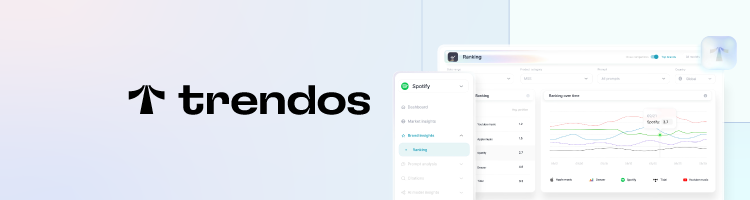
Trendos is one of the most important tools on this list for marketing teams navigating the shift to AI-driven search. It tracks how your brand appears inside AI-generated answers across ChatGPT, Gemini, Claude, and other major models, giving you a clear picture of how AI systems describe and reference your brand over time.
The Competitor benchmark feature stood out most. You see not just how your brand performs, but also how it compares to others in your market across AI search results. The source-tracking feature identifies which citations shape AI's understanding of your brand, giving you something actionable to work with.
Pricing starts at $169.00/month, making it more accessible than many enterprise-focused analytics tools. Trendos also offers a generous free plan suitable for small businesses, including 100 custom prompts and access to 5 LLMs. The setup is straightforward – you enter your brand name, connect your domain, and start seeing data almost immediately. Historical visibility data is available from day one, so you’re not starting from scratch.
That said, Trendos focuses entirely on external AI visibility. Unlike the other tools on this list, it excludes internal reporting, dashboards, and data modeling, so it works best alongside your existing BI stack rather than as a replacement.
3. nexos.ai – best for AI-assisted research and internal reporting workflows

| Tool: | AI workspace for research, summaries, and workflow automation |
| Overall rating: | |
| Standout feature: | No-code AI agents with access to company tools and multiple AI models |
| Starting price: | ~$11,07/month |
| Best for: | Teams that want faster answers from internal data without building complex systems |
nexos.ai is an AI platform that helps teams cut down manual work by connecting their company tools and automating everyday tasks. Instead of switching between apps or doing things by hand, teams can use it to write content, summarize documents, prepare reports, draft emails, and handle routine work across marketing, sales, HR, support, and operations.
It works with your own company data by pulling information from tools like Slack, Google Drive, SharePoint, and Confluence, so outputs are based on internal context holistically. This eliminates the need to constantly feed new data, saving a ton of time.
What really stands out about nexos.ai is the no-code AI agent builder. Teams can set up workflows like writing outreach emails, summarizing CRM notes, or preparing campaign briefs without needing support from a data or engineering team. You can use plain language to define tasks, and the agents carry them out as instructed.
nexos.ai pricing starts at around $11,07/month, which is very cheap compared to some of the AI tools on my list. Plans include unlimited AI agents, 1,000 monthly credits, integrations, and access to multiple AI models. There is also a free 7-day trial with no credit card required, which makes it easy to test before committing.
4. Power BI – best for dashboards with built-in AI features
| Tool: | Enterprise analytics and reporting platform with built-in AI features |
| Overall rating: | |
| Standout feature: | Copilot AI integrated with Microsoft Fabric |
| Starting price: | From $10.00/user/month (Pro) |
| Best for: | Organizations are already invested in Microsoft tools |
Power BI is Microsoft’s business intelligence tool that turns data into reports and dashboards. It works both in the classic sense of building charts and tables, and with AI features like Copilot, which can suggest visuals or explain data patterns in plain language.
What impressed me was how Copilot AI accelerates report creation and summarization. Instead of manually building visuals, you can use AI; it can suggest charts, write formulas, or explain any trend within data in plain language.
It connects to many data sources, from Excel and SQL databases to cloud services, allowing teams to work with all their data in one place. Reports can be shared securely within the organization, so everyone sees the same numbers.
Power BI even has a free version for personal light use or overall testing and learning. The Pro plan costs $14.00/user/month and lets you share and publish reports with your team. Premium is $24.00/user/month, offering larger data models, faster refreshes, and advanced features.
You can also embed dashboards for external users, with support available through Microsoft’s documentation, forums, and help channels. Overall, it’s designed for people who want to explore data without writing complex queries, while also supporting advanced analysis when needed.
5. Looker – best for consistent AI insights across large teams
| Tool: | Semantic-layer-driven analytics and embedded data platform |
| Overall rating: | |
| Standout feature: | AI over-governed LookML models |
| Starting price: | Custom pricing |
| Best for: | Google Cloud teams prioritizing controlled metrics |
Looker helps companies avoid the classic problem of different teams reporting different numbers. Instead of letting every team define metrics their own way, it makes you to model your data properly from the start using LookML. That might sound technical, but the result is simple: revenue is consistent everywhere.
Its AI layer, powered by Gemini, adds natural language querying on top of that structured foundation. You can ask questions in plain English, and Looker generates SQL and visualizations automatically. What I liked is that it doesn’t just give you a vague text answer, it shows how the query was built.
Looker works especially well if you're already in Google Cloud. The integration with BigQuery is smooth, and permissions tie directly into Google’s IAM system. But that’s also its limitation. It makes the most sense for teams already committed to that ecosystem.
It’s also not the easiest tool for non-technical teams. You need someone comfortable with data modeling to set it up properly. And pricing isn’t very small business-oriented, it’s meant for larger enterprises and tied to custom annual contracts with usage-based AI tokens.
However, if your company has issues with metric consistency and you want AI layered on top, Looker is one of the best options in this lineup.
6. Sigma Computing – best for spreadsheet-style analytics with AI support
| Tool: | Cloud-based spreadsheet-style data analysis and exploration |
| Overall rating: | |
| Standout feature: | Spreadsheet-style BI with AI over warehouse data |
| Starting price: | Custom pricing |
| Best for: | Business teams working directly in cloud warehouses |
Sigma Computing is a BI tool that runs directly on your cloud data warehouse. Instead of copying data into a separate BI database, it queries live data where it already sits. You type or click, Sigma sends live queries to Snowflake, BigQuery, or Redshift, and the results you see are always up to date.
The platform blends three things: a spreadsheet-style editor, natural-language prompts, and a builder. You can explore sales or inventory, prototype a forecasting app, then add write-back so teams can tweak inputs and run scenarios in place.
That said, Sigma assumes you already have clean data in your warehouse. It does not provide the same depth of semantic modeling as Looker or Holistics. Pricing is also custom, and these typically are higher than simpler BI tools, though demos and trials are available.
For data teams already invested in cloud warehouses such as Snowflake, BigQuery, or Databricks, Sigma delivers a flexible way to explore and act on data. If you need deeper semantic layers or simpler conversational AI, other tools might feel smoother to start with.
7. Tableau – interactive visual analytics enhanced by AI

| Tool: | Visual analytics and interactive dashboard platform with AI assistance |
| Overall rating: | |
| Standout feature: | Generative AI embedded into visual analytics |
| Starting price: | From $75.00/user/month |
| Best for: | Enterprises prioritizing advanced visual storytelling |
Tableau is one of the strongest platforms for turning complex datasets into dashboards that executives actually use. It has been around long enough that most data teams have at least considered it.
A big part of its appeal is how intuitive it is to explore data visually. You set up your sources, drag fields onto a canvas, and patterns start to surface quickly.
Tableau has built-in tools to help clean and organize your data, plus generative features branded as Tableau AI and Tableau Agent. These can suggest calculations, highlight patterns, and even write summaries that explain your data in plain language.
Some AI capabilities, such as enhanced QnA and deeper integration with Salesforce data and predictions, become more powerful when you connect Tableau to a Salesforce org, although core Tableau AI and Pulse features can be used in Tableau Cloud without Salesforce.
While it does have a lot of AI features, you still build dashboards the traditional way, define metrics, and manage your data model yourself. The AI assists you inside that existing setup. It doesn’t replace it with a fully conversational flow.
The plan most teams actually start with is the Creator licence at $75.00 per user per month, billed annually. It includes Tableau Desktop, Prep Builder, and access to Tableau Cloud or Server, which is enough to build dashboards, model data, and use built-in AI features like Pulse.
8. Zenlytic – best for conversational AI analytics
| Tool: | AI-powered data analyst for instant insights and natural language queries |
| Overall rating: | |
| Standout feature: | Natural language AI analytics assistant |
| Starting price: | Custom pricing |
| Best for: | Teams wanting conversational AI-driven data exploration |
Zenlytic centers everything around Zoë, its built-in analytics AI agent. Instead of starting with dashboards, you start with a question. Zoë responds with charts, tables, and explanations, and also shows how the answer was generated. You can trace the SQL logic and see how metrics are defined.
Zenlytic connects your questions to a defined data model, so answers use the same agreed metrics company-wide. If something is missing, it can create dynamic measures on the fly, which data teams can later review and formalize.
It integrates with tools like Slack and Teams, maintains a clear log trail so teams retain control over definitions and logic, and connects to major data warehouses such as Snowflake and BigQuery with detailed documentation and guided setup.
Like Looker and Sigma Computing, pricing is not publicly listed. You need to book a demo and get a custom quote, based on user count and data setup. That makes it harder to estimate costs upfront compared to tools with clear per-user plans.
Overall, Zenlytic focuses heavily on conversational analytics. It does that well, but it does not offer the same depth of dashboarding, ecosystem reach, or flexible pricing transparency as some larger BI platforms, like Holistics.
What are business intelligence (BI) tools, and why do businesses need them?
Business intelligence tools help companies turn data into actionable insights. They pull information from databases, cloud warehouses, or SaaS apps, organize it, and display it in dashboards, charts, or reports. That makes it easier to track KPIs, compare performance across segments, spot trends, and catch problems before they grow.
In my experience, they act like a central hub for all inside data, pulling information from different databases and apps, so I don’t have to constantly chase numbers. When you look at the dashboards or reports, it gives clarity of what’s happening across the entire business, where things are slipping, and which areas are growing. It saves time and cuts down the back-and-forth.
Even without AI, BI tools are essential. They save teams from repetitive data work, create shared visibility across departments, and let decision-making actually happen based on facts. Once that foundation is in place, AI can layer with predictive insights.
How do BI tools work?
BI tools follow a simple pipeline that turns raw data into decisions:
- Pull data from sources like databases, cloud warehouses, or connected SaaS tools
- Apply calculations, either inside the warehouse or within the BI tool
- Organize metrics, dimensions, and relationships in a data model so numbers stay consistent
- Build dashboards, reports, and visualizations that reflect those standardized metrics
From my experience, visuals are the easy part. The harder, quieter work is getting data models right and defining metrics so the same number means the same thing to everyone.
The semantic layer is where definitions live once and can be reused, which saves headaches and keeps teams aligned. Once that’s in place, sharing insights or even layering in AI features becomes much more reliable.
How AI is transforming business intelligence
Once you have a solid BI setup, AI can make exploring your data faster and more intuitive. It lets you ask questions in natural language, highlights unusual trends, and suggests why certain metrics changed. Instead of manually scanning dashboards or writing SQL queries, you can get explanations and visualizations almost instantly.
In practice, the biggest wins I’ve seen are faster exploration and clearer explanations. Instead of manually hunting through dashboards, you can ask in plain language and see the results immediately, even see how answers were calculated. However, it does not replace the work of preparing clean data or defining metrics. If your data model is messy, AI will surface messy answers.
Always review AI-generated insights carefully, validate key results, and rely on a well-maintained semantic model. Strong governance keeps the AI focused on useful, trustworthy information your team can act on confidently.
Benefits of using AI in business intelligence
Across the 8 tools I worked with, the benefits became clear pretty quickly. AI did not magically replace dashboards or analysts, but it made everyday analysis faster and easier to use across teams.
Faster insight discovery
AI can scan large datasets and quickly point out the most important factors. It highlights fast-growing segments, sudden drops, unusual spikes, or even changes in customer behavior.
This is especially helpful when opening a new dashboard or exploring data for the first time. Instead of manually digging through dozens of charts, you start with clear signals about where to look.
Lower barrier for non-technical users
People no longer need to know SQL or advanced filters to ask questions. They can just use plain language and type exactly what they want to get a full and complete answer. This gives sales, marketing, and operations teams actual direct access to data and reduces the need for constant small requests to analysts.
Better context and explanations
Without explanation, numbers alone can be confusing, especially for a non-technical user. AI can add short explanations that clarify why something changed.
For example, it may show that revenue increased because of stronger sales in one region and higher repeat purchases from a specific customer group. That added context makes reports much easier to understand, even for professionals.
Proactive monitoring and anomaly detection
AI can monitor your key metrics continuously, not just when someone opens a dashboard. If revenue dips unexpectedly, customer activity drops, conversion rates shift, or expenses rise beyond normal patterns, a properly set up AI system can flag it immediately.
Instead of relying on someone to manually notice that something looks off, you get an alert when numbers move outside their usual range. This helps teams react earlier, whether that means fixing a broken campaign, investigating a product issue, or addressing an operational problem before it grows.
More experimentation and “what-if” analysis
It becomes much easier to test ideas by quickly changing priorities, such as switching from overall revenue to revenue by product or region. Quick shifts like these make it much easier to test assumptions made during meetings, rather than delaying analysis. More small experiments are conducted, and decisions are based on observed results rather than intuition.
Implementing AI for business intelligence strategically (step-by-step)
The following steps show how to introduce AI into business intelligence in a practical, easy-to-follow way.
Step 1 – clarify decisions and metrics that matter
Before turning on any AI features, decide what you actually want help with. Is it understanding why sales dropped, improving profit margins, tracking customer acquisition costs, or spotting where people abandon your funnel?
For starters, pick a small set of core metrics. No need to overwhelm yourself or your team from the start, but clear goals are needed. Without them, you just get random insights that won’t help you decide anything.
Step 2 – strengthen your data foundation
Make sure reports pull from up-to-date sources. Clean up duplicate records. Agree on what each metric means and define it in one data center so everyone uses the same version. Clear naming and consistent definitions make AI outputs far more trustworthy.
AI itself won’t fix bad data. If numbers are outdated, duplicated, or defined differently across teams, the results will be unreliable.
Step 3 – choose AI-enabled BI tools that fit your stack
Check where your data is stored and pick a tool that works well with that environment. If you use Microsoft tools heavily, Power BI will be a natural fit. If your data sits in BigQuery, Looker often integrates smoothly. Cloud warehouse users may prefer tools like Sigma Computing that connect directly.
Step 4 – start with pilot teams and narrow use cases
Begin with one or two teams, such as sales or product, and give them reports that show the key metrics they need. Keep the scope narrow so it’s easy to see what works and gather useful feedback. Once the reports deliver real insights, gradually expand AI to other teams and data sets.
Step 5 – build an AI data culture, not just features
Train teams to ask questions that are specific and easy to measure, and always check insights before using them to make decisions. Double-check anything that could affect strategy, budgets, or big initiatives.
Keep a simple note with all the insights on which AI suggestions are reliable and which need a closer look. Overall, treat AI as a helpful assistant, not a replacement for human judgment.
Practical application of AI in business intelligence (examples)
AI in business intelligence shows its real value when it turns raw data into insights you can act on quickly. Here are some practical ways businesses use it.
Example 1: Revenue and sales performance analysisAI can highlight which products, regions, or sales channels are driving growth or falling behind. It points out sudden shifts and explains what caused them, like a promotion or a new customer segment. When data is organized well, these insights are easy to compare across dashboards.
Example 2: Customer behavior and churn analysisAI can detect which customer groups might stop buying or behave differently than usual. It flags patterns that predict loyalty, helping teams take action before problems grow. Combining sales, product, and support data makes these alerts useful in real situations.
Example 3: Operations and supply chain monitoringAI notices unusual inventory changes, shipping delays, or supplier issues early. Teams can adjust orders, reroute shipments, or prevent stockouts faster than relying on manual checks.
Example 4: Marketing campaign effectivenessAI can show which campaigns and audience groups are performing well and which are not. Teams can quickly shift budgets or messaging based on results, rather than guessing.
Example 5: Executive summaries and board reportingAI creates short, clear reports on key metrics and trends. Leaders can see wins, risks, and recommended actions without digging into spreadsheets. Accurate, well-structured data makes these summaries reliable and actionable.
Features to look for in an AI business intelligence tool
After working with AI BI platforms, here’s what are the main features to look for:
- Data connectivity and modeling. AI BI tool needs reliable connections to your warehouse, databases, or core SaaS apps. Equally important is a semantic layer or modeling system that defines metrics once and reuses them everywhere. Without that, you spend more time arguing over numbers than actually using them.
- AI-assisted querying and exploration. Natural language queries are only useful if the AI understands follow-up questions and can suggest meaningful breakdowns or comparisons. Tools that guide exploration without forcing SQL on every user make teams more self-sufficient.
- Insight generation and explanations. Automated highlights, anomaly detection, and plain-language explanations help understand what’s happening without staring at raw numbers.
- Governance, security, and access control. Role-based permissions and audit tracking keep data accurate and compliant as more people explore it.
- Collaboration and sharing. Look for simple ways to share dashboards, comment on reports, or schedule them. Integrations with Slack, Teams, or email help insights reach the right people without extra steps.
- Performance and scalability. Query speed and caching matter as data grows. Slow tools can kill adoption fast.
Pricing and licensing fit. Whether per-user, per-capacity, or hybrid, pricing should scale with your team and data. Expensive surprises or rigid models can limit adoption and slow ROI.
The future of business intelligence
From what I’ve seen, BI is shifting from static dashboards toward interactive, AI-assisted analysis that you can actually understand as a non-technical person. Teams receive alerts when something unusual happens, get explanations for those changes, and guidance on what to focus on next.
According to Eurostat data, in 2025 up to around 40% percent of enterprises in some EU countries were already using AI technologies in business processes, showing how quickly AI is becoming a core part of how companies work with data.
Reliable data and clear rules for managing it are essential as AI takes on more work analyzing data, spotting patterns, and explaining results. Without a solid foundation, the insights it provides can be confusing or even misleading.
Looking ahead, BI will serve as a shared decision-making layer across teams, with AI integrated from the ground up rather than added on later. The smartest organizations will use this setup to turn data into faster, more confident decisions without overloading analysts.
Which AI business intelligence tool should you pick?
When picking an AI business intelligence tool, I base the choice on how teams work and what they need to actually achieve:
Choose Holistics if:
- Your team is comfortable with SQL and structured data work
- You want to define your metrics once and make sure every report uses the same numbers
- Governance, repeatability, and predictable metric lineage matter more than aesthetic visuals
Choose Trendos if:
- You want to track how your brand appears in AI-generated search results
- You need competitor benchmarking across AI platforms like ChatGPT, Gemini, and Claude
- You’re looking for an external data layer to complement your BI tools, not replace them
Choose nexos.ai if:
- You want to automate writing, reporting, and routine work
- You need no-code workflows for marketing, sales, HR, or ops
- You want AI that uses your company data from tools like Slack and Google Drive
Choose Power BI if:
- You already use Microsoft tools like Excel, Teams, or Azure
- You want traditional dashboards with AI-assisted suggestions
- Cost-effective entry tiers matter to your team
Choose Looker if:
- Integration with Google Cloud services matters
- You’re building on a semantic-layer-first workflow with LookML
- You want to ask questions in plain English and see exactly how the answers were calculated
Choose Sigma Computing if:
- You want to work directly in your cloud warehouse without copying data
- Real-time, live queries on Snowflake, BigQuery, or Redshift are important
- Flexibility to explore, prototype, and run scenarios without heavy IT involvement is needed
Choose Tableau if:
- You want strong cross-platform integration, especially if you work with Salesforce
- You need Tableau AI and Tableau Pulse, which suggest calculations and summarize trends automatically
- You prioritize enterprise scalability for large teams with complex datasets
Choose Zenlytic if:
- You want an AI that creates and improves your semantic model as you ask questions
- You want dynamic measures generated on demand when your model lacks definitions
- You want a data tool that lets non‑technical users explore deeply without SQL
Quick decision guide:
- Microsoft-first teams → Power BI
- Semantic layer + strict governance → Looker / Holistics
- AI search visibility and brand monitoring → Trendos
- Warehouse-native, spreadsheet UX → Sigma
- Visual storytelling and exploration → Tableau
- Conversation-driven, AI-led BI → Zenlytic
Overall, the best AI BI tool always comes down to your existing tech stack, your team’s skills, and how much control you need over data.
FAQ
What is the difference between traditional BI tools and AI-powered BI tools?
Traditional BI tools show what happened through manually built dashboards and reports, while AI-powered BI tools go further by explaining why it happened, spotting patterns, predicting what might happen next, and answering questions in plain English.
Do I need a data warehouse before using AI for business intelligence?
You don’t need a data warehouse for small tests or simple setups. But for serious, scalable AI-driven BI, it’s strongly recommended. A warehouse keeps data clean, consistent, and centralized, and prevents heavy AI queries from slowing down your day-to-day systems.
Can AI BI tools replace data analysts and data teams?
No, AI BI tools won’t replace data teams. They automate repetitive tasks like reporting and basic analysis, but humans are still needed for context, validation, and decision-making. In practice, AI boosts productivity, while analysts focus more on strategy and interpreting results.
Which AI BI tools are best for small teams vs large enterprises?
For small teams, tools like nexos.ai, Power BI, or Tableau offer affordable plans and easy setup. Large enterprises benefit from Holistics, Looker, or Sigma, which provide strong governance, scalable analytics, and AI features suited for complex data and multiple users.
How do I make sure AI-generated insights in BI are accurate and reliable?
Maintain clean, up-to-date data with strong governance, use a trusted semantic layer, ground AI in internal sources, and have human oversight to verify results and catch errors or misleading outputs.