Best proxy for YouTube in 2026

Some YouTube videos are blocked because of regional rules or local network restrictions at places like offices or schools. A proxy helps you get around that by routing your traffic through a different server, masking your real IP, and making it look like you’re browsing from elsewhere.
People use YouTube proxies for a few main reasons: unblocking geo-restricted videos, accessing the platform from restricted networks, scraping content for research, or even running multiple accounts and scheduling posts.
I tested the top proxy providers and shortlisted 6 best YouTube proxies in 2026.
Best YouTube proxy providers – shortlist
- Oxylabs – best for large-scale scraping and precise geo-targeting.
- Decodo (formerly Smartproxy) – top choice for versatility, offering YouTube-specific tools.
- Webshare – best budget-friendly proxies for multi-account management.
- SOAX – high anonymity mobile proxies for bypassing strict anti-bot systems.
- Bright data – best enterprise-grade ISP proxies that provide long-session stability.




We take proxy testing seriously – every service is put through real-world scenarios, benchmark checks, and hands-on feature evaluations. Our in-house team collects the data, and experts review and verify the results. Take a look at how we test proxies and what truly stands behind their performance.
Why do you need proxies for YouTube?
Some YouTube videos are blocked by region, workplaces often restrict streaming, and running multiple accounts from one IP can trigger limits. Here is how proxies can help::
- Unblocking content. Access videos and features restricted by region, workplace, or schools.
- Protecting your privacy. Hide your real IP to stay anonymous when browsing or managing accounts.
- Automating safely. Run bots, schedule uploads, or manage multiple accounts with lower risk of bans.
- Gathering insights. Collect data like video stats, comments, and trends for research or growth.
Best YouTube proxy providers – detailed list
Each provider in this list was carefully evaluated based on key factors like proxy type variety, performance, and value for money. Whether you need residential IPs for scraping, mobile proxies for anonymity, or ISP proxies for stable multi-account sessions, these options cover a wide range of YouTube use cases.
1. Oxylabs – best for large-scale scraping tasks

| Main proxy types: | Residential, datacenter, ISP (static), and mobile |
| IP pool size: | Over 175 million IPs |
| Price: | From $3.49/GB |
| Free trial: | Enterprise-only 7-day trial |
| Customer support: | 24/7 chat or email, a dedicated account manager for larger plans |
Oxylabs is a reputable proxy provider with a massive network and stable infrastructure, making it ideal for large-scale scraping, managing multiple YouTube accounts, or accessing region-restricted content. For YouTube, the datacenter and ISP proxies proved most useful, offering city-level targeting, IP rotation, and sticky sessions.
Oxylabs offers residential, datacenter, ISP, and mobile proxies, but I found the datacenter and ISP options the most useful for YouTube. Oxylabs has over 175 million IPs in 195 locations, supports IP rotation, sticky sessions, and city-level targeting. During my tests, the average response time was 2.575s, and the success rate was 100%, which is perfect for unblocking content, scheduling uploads, or basic automation.
The user experience is pretty smooth once set up. The dashboard is intuitive, the Proxy Manager browser extension simplifies management, and detailed documentation helps with configuration. I appreciate that customer support is available 24/7 via live chat and email, and there’s an extensive help center with most commonly asked questions. When I sent a question to support, live chat connected me to a human agent in just a few minutes.
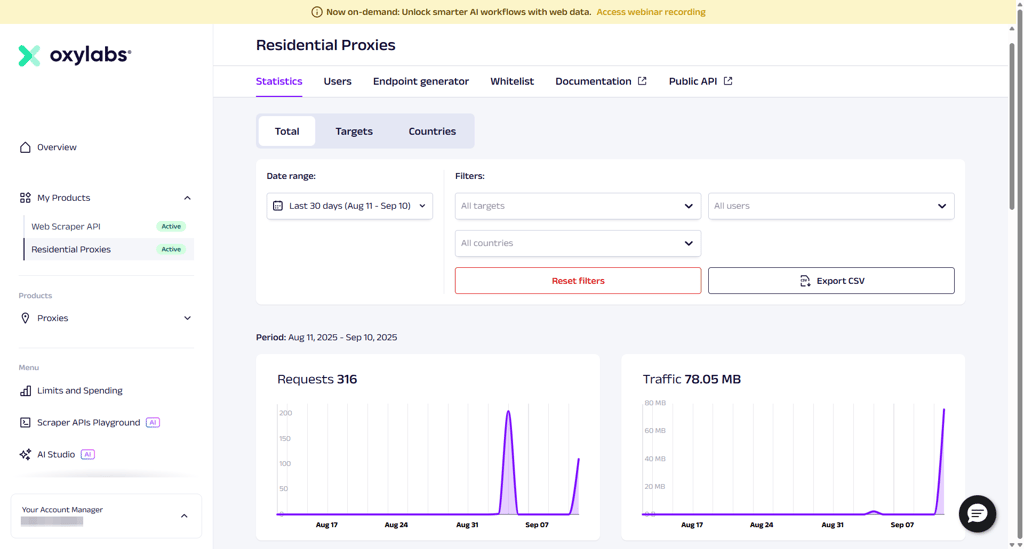
Oxylabs uses both subscription and pay-as-you-go models. Its datacenter proxies start at $2.25 per IP per month, with a purchase of a minimum of 3 IPs, while residential proxies begin at $3.49/month with discounts for larger plans. There’s a 3-day money-back guarantee and a 7-day free trial for companies. The costs add up if you need a lot of IPs, but its plans let you start with just a few and expand later.
2. Decodo (formerly Smartproxy) – top choice for versatile proxy options

| Main proxy types: | Residential, ISP (static), datacenter, and mobile |
| IP pool size: | Over 125 million IPs |
| Price: | From $3.00/GB |
| Free trial: | 3-day free trial |
| Customer support: | 24/7 chat or email, a dedicated account manager for larger plans |
Decodo, previously known as Smartproxy, is at the top of this list. It combines one of the largest IP pools with excellent performance and flexible pricing, making it a solid choice for everything from unblocking regional restrictions to managing multiple YouTube accounts. What sets it apart is that you get premium features at a relatively affordable price, compared to premium providers.
Decodo offers residential, ISP, datacenter, and mobile proxy types. It has over 125 million residential IPs and 10 million mobile IPs, and city-level targeting. Decodo offers features like automatic rotation and customizable sessions, which make it effortless to avoid bans or CAPTCHAs. Its performance tests showed high uptime and a 100% success rate. For YouTube tasks like streaming, uploading, or account management, the connections stayed stable and dependable.
The setup process was straightforward for a beginner user. The dashboard is clean, and I generated endpoints and got them running in minutes. For more advanced use, there are extra features, such as the proxy generator and browser extension, which saved me time when managing accounts. Whenever I had a question, live chat connected me to an agent within minutes, and the responses were actually helpful.
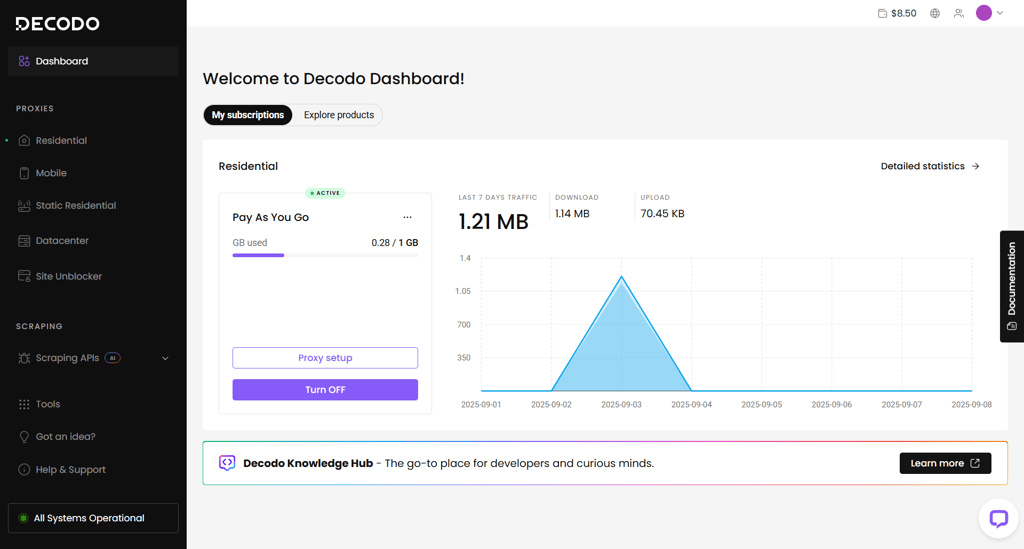
Decodo also has flexible pricing and easily scalable plans. Datacenter proxies start at $0.026 per IP, and residential proxies start at $3.00/month. You also get a 3-day free trial and a 14-day money-back guarantee, so there’s an option to test before committing to a longer period. From my hands-on use, Decodo gave me the smoothest overall experience, which is why it’s number one on this list.
3. Webshare – budget-friendly and stable multi-account proxies

| Main proxy types: | Datacenter, ISP (static), and rotating residential |
| IP pool size: | Over 80 million IPs |
| Price: | From $1.19/GB |
| Free trial: | Free plan with 10 IPs and 1 GB/month |
| Customer support: | 24/7 live chat, email, chatbot, forum, Discord |
Webshare is a solid choice if you need fast, flexible proxies for YouTube, particularly for high-volume tasks. During our tests, it worked well for unblocking regional content, managing multiple accounts, and handling automations. It’s less convenient if you only need a few IPs, since Webshare has a 20 IP minimum purchase.
Webshare provides residential, datacenter, static, and ISP proxies. The setup is flexible and allows you to use automatic rotation, sticky sessions, and both HTTP and SOCKS5 protocols. It has an IP pool of over 80 million IPs, a 98% success rate, and solid uptime. Features like a Chrome extension and full API access make it easier to manage proxies and integrate with automation tools.
Using Webshare is straightforward, but the dashboard can take a bit of getting used to if you’re new to proxies. I liked the real-time analytics for bandwidth, errors, and performance, which helped me keep track of multiple accounts. Support is available via 24/7 live chat and email, and higher-tier plans can get a dedicated account manager. I experienced some slower live chat responses, yet they still managed to be helpful.
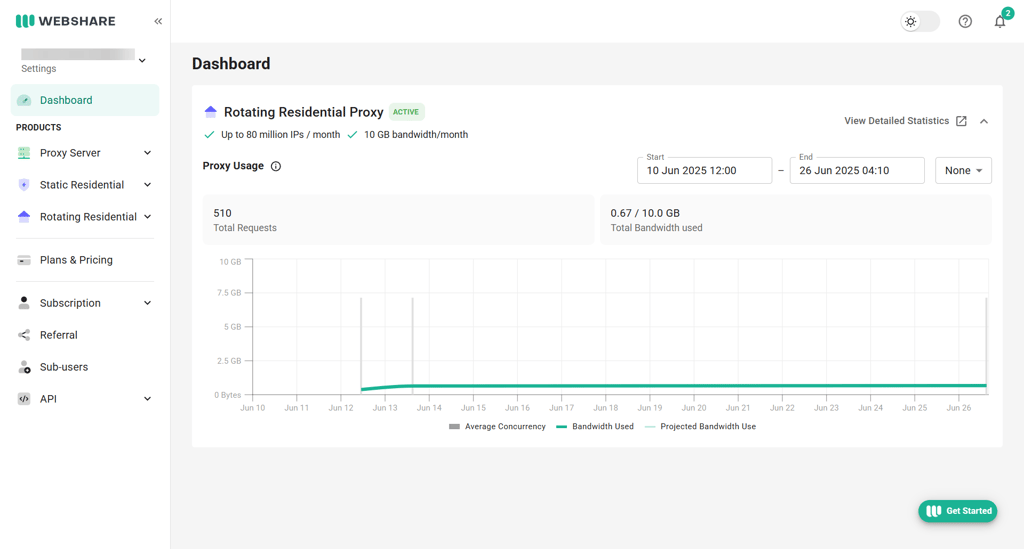
As for pricing, private proxies start at $18.52/month for 25 IPs, and dedicated proxies begin at $26.60/month for 20 IPs. There’s also a free plan offering 10 proxies with 1GB/month to test without a credit card. While the minimum IP requirements make it less ideal for occasional or low-volume users, Webshare’s speed, customization, and affordable bulk options make it a reliable choice.
4. SOAX – mobile proxies with high anonymity

| Main proxy types: | Residential, ISP (static), datacenter, and mobile |
| IP pool size: | Over 191 million IPs |
| Price: | From $2.00/GB |
| Free trial: | 3-day 400MB trial for $1.99 |
| Customer support: | Chatbot, live chat (business hours), email, knowledge base |
SOAX excels at mobile proxies, offering high anonymity for YouTube tasks. Mobile IPs are dynamically assigned, hard to trace, and ideal for bypassing anti-bot systems. In my tests, I could rotate IPs, avoid CAPTCHAs, and manage multiple accounts securely. SOAX also provides residential, ISP, and datacenter proxies for other use cases, but mobile proxies are its standout feature.
SOAX global IP pool includes over 191 million ethically sourced IPs. It has features like automatic IP rotation, sticky sessions, and support for both HTTP(S) and SOCKS5, making it easy to keep accounts safe from bans. During SOAX testing, residential and ISP proxies stayed mostly stable during long YouTube sessions, while datacenter proxies offered fast and consistent speeds for uploading videos or managing multiple channels.
The dashboard is clean and easy to navigate, so setting up proxies, rotating IPs, or applying geo-targeting took me just a few minutes. API access is well-documented and straightforward, which makes integrating proxies into automation scripts simple. Support is available via live chat during business hours, but there is a clear knowledge base where I was able to find all the most relevant questions.
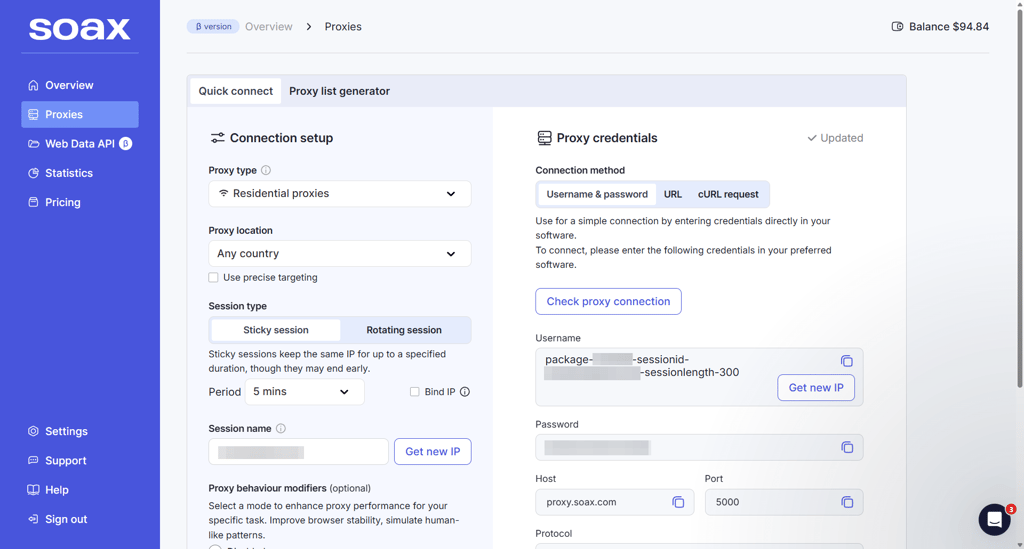
SOAX’s pricing is mid-tier, with datacenter proxies starting at $0.62/GB, ISP proxies from $3.00/GB, and residential and mobile proxies from $2.00/GB. There’s also a pay-as-you-go option starting at $4.00/GB and a trial credit to test before committing. Overall, SOAX proved to be consistent and practical for YouTube tasks.
5. Bright Data – best enterprise-grade ISP proxies

| Main proxy types: | Residential, ISP (static), datacenter, and mobile |
| IP pool size: | Over 150 million IPs |
| Price: | From $2.50/GB |
| Free trial: | Free credit via email verification |
| Customer support: | Email support (business hours), 24/7 for premium users |
Bright Data is the go-to provider for enterprise-grade ISP proxies, which are ideal for large-scale YouTube projects. Its static, reliable IPs make managing multiple accounts, scraping data, and running long automation sessions straightforward. While it also offers residential, mobile, and datacenter proxies, ISP options stand out in terms of stability, speed, and enterprise control.
Bright Data offers over 150 million IPs worldwide. For YouTube, you can rotate IPs per request or keep sticky sessions for account stability, and target by country, city, ZIP, carrier, or ASN. In my testing, residential and mobile proxies handled streaming, uploads, and multi-account management well, while datacenter proxies were fast for bulk operations. The connections were stable and maintained uptime even during long sessions.
When I first opened the dashboard, it did feel complex, but the setup was manageable once I got used to it. I liked the Proxy Manager feature, as it simplified rotating IPs, setting up sessions, and integrating APIs. As for support, the options depend on your plan: premium users get 24/7 assistance, and standard plans rely on email responses during business hours. The knowledge base is detailed and helped me find answers to most questions without needing support.
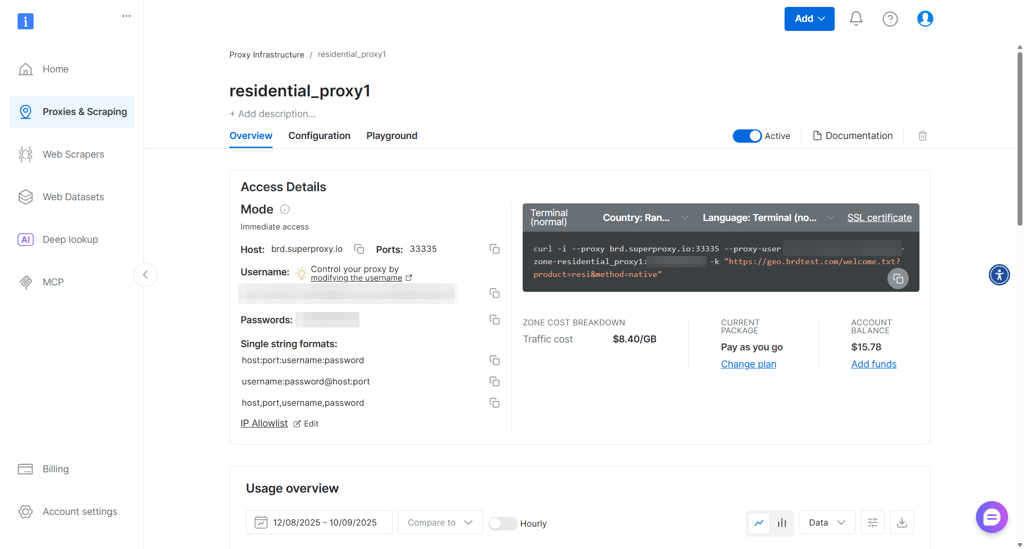
Pricing is on the higher side and varies by proxy type. Residential proxies start at $2.50/month, mobile at $5.00/GB, ISP at $1.30/IP, and datacenter at $0.90/IP. There’s a 3-day free trial via email verification, but no refunds are possible once you add funds to your account.
6. Nimbleway – AI-powered scraping and automation proxies

| Main proxy types: | Residential |
| IP pool size: | Undisclosed |
| Price: | From $5.30/GB |
| Free trial: | 7-day free trial |
| Customer support: | Social media, chat, 24/7 email |
Nimbleway focuses on residential proxies and AI-powered tools, making it well-suited for YouTube scraping and automation. Its core strength is simplifying large-scale tasks with fast, reliable IPs and precise geo-targeting. This makes it a strong choice for users managing multiple accounts, running automations, or collecting data without interruptions.
Nimbleway offers mainly residential proxies with some ISP options. Users can select a country, city, or ZIP code for precise testing locations. During testing, proxies showed a 100% success rate and quick response times, keeping YouTube streams smooth and automation scripts reliable. Features like automatic IP rotation and sticky sessions add extra reliability for long sessions or multi-account workflows.
The dashboard is intuitive, making it easy to generate proxies without complex setup. Documentation is clear and comprehensive, guiding users through configuration and integration. Support is available via email or Slack, and during testing, responses were timely and helpful.
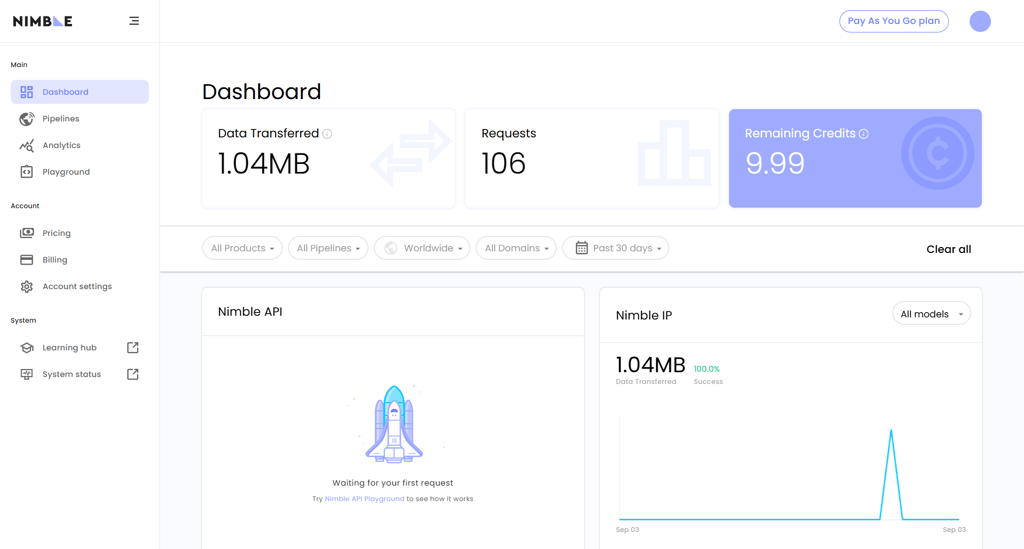
Pricing starts at $5.30/GB on subscription or $8.00/GB for pay-as-you-go plans. A 7-day free trial allows users to test the service before committing. While pricing is higher than some competitors, it is suitable for advanced users or teams running large-scale scraping or automation projects.
Comparison of the best YouTube proxies
| Provider | Proxy types | IP pool size | Locations | IP rotation | Success rate | Anonymity and security | Starting price |
| Oxylabs | Residential, datacenter, ISP (static), and mobile | 175+ million | 195 | ✅ Yes | 100% | Masks IP address, uses encryption and rotating IPs | From $3.49/GB |
| Decodo | Residential, ISP (static), datacenter, and mobile | 125+ million | 195 | ✅ Yes | 100% | Provides encrypted connections, rotating IPs, and IP masking | From $3.00/GB |
| Webshare | Datacenter, ISP (static), and rotating residential | 80+ million | 195 | ✅ Yes | 98% | IP masking, HTTPS & SOCKS5 support, rotating IPs | From $1.19/GB |
| SOAX | Residential, ISP (static), datacenter, and mobile | 191+ million | 195 | ✅ Yes | 98% | Rotating IPs, IP masking, and secure encrypted connections | From $2.00/GB |
| Bright Data | Residential, ISP (static), datacenter, and mobile | 150+ million | 195 | ✅ Yes | 98% | Enterprise-grade security, IP masking, encrypted traffic | From $2.50/GB |
| Nimbleway | Residential | Undisclosed | Global | ✅ Yes | 100% | AI-driven unblocking, IP masking, encrypted connections | From $5.30/GB |

How we tested YouTube proxies
During our in-house testing process, we focused on several key factors that provide the most value to the user. These include proxy types, performance, ease of use, pricing, and support. Let’s take a closer look at the aspects we prioritized, so you can better understand how we ranked the top providers:
- Proxy type and flexibility (25%). We examined the types of proxies each provider offers. A wider range of proxy types gives users more flexibility, allowing them to choose a plan that best suits their needs.
- IP pool size (20%). We evaluated the size of the IP pool each provider offers and its locations. A large pool with good geo-targeting helps users access YouTube content from different countries or cities more reliably.
- Speed (20%). We tested the connection speed and request success rates when accessing and streaming YouTube content. Faster, more stable proxies reduce buffering and lower the risk of getting flagged or blocked.
- Ease of use (15%). We evaluated how easy it is to set up and manage each provider’s proxies for YouTube. We evaluated how intuitive the dashboard is, if the documentation is clear, and how quickly it integrates with other tools.
- Pricing and trial options (15%). We compared subscription plans, pay-as-you-go options, and whether providers offer free trials or refunds. The best-value proxies balance between performance and cost, offering affordable yet practical solutions.
- Support and extra features(5%). We reviewed the quality of customer support and any additional tools useful for YouTube, like automated IP rotation or CAPTCHA bypassing. Responsive support is especially important if you manage multiple accounts or campaigns.
Which proxies work best for YouTube?
The best proxies for YouTube depend on your goals, whether that's for scraping data, managing multiple accounts, or getting around restrictions. Below, I explain the most common types.
Residential proxies are usually the go-to choice for YouTube, because their requests look like authentic user traffic, as they come from real households. It’s also why they’re effective at bypassing geo-blocks and CAPTCHA checks. Providers like Oxylabs and SOAX have large rotating IP pools with geo-targeting, which makes them useful for large-scale scraping and content localization. However, they can be slower and more expensive than datacenter proxies.
Mobile proxies offer the most anonymity for YouTube, routing traffic through 3G, 4G, and 5G connections, which platforms usually don’t block. As mobile IPs are often shared among multiple users, they’re difficult to trace. Providers like SOAX and Decodo offer global carrier coverage and rotation, but their speeds can vary, and they're usually more expensive than residential proxies.
ISP proxies use residential IPs hosted on datacenter infrastructure. They provide a fast and stable connection, while also looking like a regular user. They’re usually static, which makes them good for tasks like managing multiple accounts, or running long sessions. Providers such as Bright Data and Webshare offer reliable ISP proxy networks, but their geographic range is smaller than residential or mobile IP pools.
From our testing, residential proxies are the most reliable if you need to scrape large amounts of data. ISP proxies offer solid speed and consistency for managing multiple accounts or keeping long sessions stable. And when bypassing strict anti-bot systems or replicating mobile behavior, mobile proxies provide the highest level of anonymity.
How to use a YouTube proxy
Using a YouTube proxy is simple and helps you browse, watch restricted content, or run automation tools without revealing your real IP. Here’s how to do it:
- Choose a proxy provider. My top recommendations for YouTube are Decodo and Oxylabs, depending on whether you need residential, mobile, or ISP proxies.
- Get your proxy details. After signing up, you’ll receive an IP address, port, and login credentials.
- Add the proxy to your browser or tool. Enter the details in your browser’s proxy settings, use a proxy extension, or paste them into your scraping/automation tool.
- Start using YouTube. Once the proxy is active, your connection will appear as coming from the proxy IP, letting you browse safely and bypass restrictions.
Final thoughts
Proxies are handy for YouTube as they can help manage multiple accounts, bypass geo-blocks, and avoid CAPTCHAs. They let you simulate real users from different locations, while keeping your account safe from bans or blocks.
However, each proxy type has trade-offs. Residential and mobile proxies offer high anonymity and reliability but are slower and more expensive. ISP and datacenter proxies are faster and cheaper but are easier to detect, which may limit long sessions or large-scale automation.
When it comes to YouTube proxies, Oxylabs is the top choice for its vast IP pool and precise geo-targeting. Decodo is also a solid option, with versatile proxies and YouTube-focused tools. That said, the best provider depends on your specific needs, so pick the proxy type and provider that meets your requirements.
FAQ
What is the best YouTube proxy?
Residential, mobile, or ISP proxies depending on your task. Residential proxies from Oxylabs are great for scraping and geo-targeting, ISP proxies from Bright Data or Webshare work well for multi-account management, and mobile proxies from Decodo or SOAX offer maximum anonymity.
Does YouTube detect proxies?
Yes, some proxies can be detected. Cheap or public proxies are easier for YouTube to spot, while high-quality residential, mobile, or ISP proxies with rotation reduce the risk of being blocked.
Are proxies legal to use on YouTube?
Proxies are legal in most countries, but they shouldn’t be used to violate YouTube’s terms, such as for automated view manipulation or unauthorized access.
Can I use free proxies for YouTube?
We don’t recommend free proxies. They tend to be slow, unreliable, and easy to detect, so paid proxies offer better performance, anonymity, and stability.