Best VPNs for Netflix in 2026 October
Our in-house cybersecurity experts and journalists, renowned for major reports like The Mother of All Breaches, conduct transparent, unbiased VPN testing and in-depth analysis.
With 750+ articles crafted based on real-world research, we empower readers to make informed purchasing decisions through first-hand expertise.
Learn more

Although Netflix is widely available worldwide, the platform has different libraries for each region. For example, the UK has its own exclusive shows, Iceland tops the list as the country with the most titles in its Netflix library, while South Korea and Japan have plenty of locally made movies and series unavailable anywhere else. So, while a Netflix account costs pretty much the same everywhere, access to shows and movies hugely depends on your location.
Fortunately, a reliable streaming VPN can help you get the most out of your Netflix subscription. With a VPN, you can connect to a server in any Netflix library country and access shows and movies available in that location exclusively with your usual account.
However, not all VPNs work with Netflix, so to save you the trouble, I tested numerous VPN providers and compiled a list of the top 3 best Netflix VPNs that work seamlessly with the platform.
My top 3 VPNs to watch Netflix with
Below, I share my top 3 VPNs to watch Netflix that I picked after testing 41 providers. These top picks offer the most distinct benefits, including strong content unblocking, good value, and fast speeds. However, if you’d like more options, check out the VPNs that didn’t make my top 3 list.
- NordVPN – fastest VPN for Netflix in 2026, with reliable unblocking across every region tested
- Surfshark – best budget pick, with unlimited simultaneous connections to cover the whole household
- IPVanish – solid Netflix VPN with decent speeds and unlimited simultaneous devices




We spare no effort to test the products & their features. All information is gathered by our in-house research team & fact-checked by our team of experts. Discover the ins and outs of our testing procedures.
Our testing process
To compile the list of the best Netflix VPNs, our research team and I tested 41 VPNs over a two-week period across 10 different Netflix libraries, including the US, the UK, Japan, Canada, South Korea, Germany, France, Spain, Brazil, and Australia.
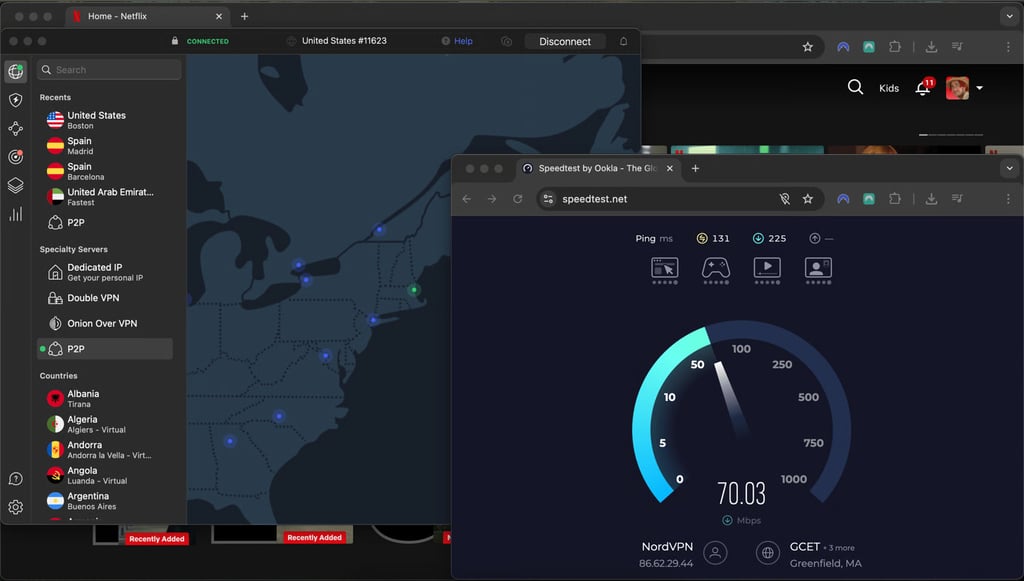
All tests were run on a MacBook Air (M1, 8GB RAM) running macOS 26.5, iPhone 16 Pro on iOS 26.5, and Apple TV tvOS 26.5. Speed performance was measured by comparing baseline speed without the VPN and the speed while connected to the previously mentioned countries using the Ookla speed test tool. The results were then combined with hands-on streaming tests. For a deeper breakdown of how we test and rank VPNs, you can also check our full VPN testing methodology.
We test Netflix VPNs every quarter to keep the lineup up to date, accounting for new provider features and changes to Netflix’s detection tools. The latest testing was carried out in September 2026, considering the following criteria:
- Streaming performance and reliability (35%). For each VPN, I tested library access to each region, time-to-bypass detection after a server flag, and streaming stability during 30+ minutes of continuous playback. Additionally, I also tested VPNs’ ability to unblock other popular platforms, such as Hulu, Amazon Prime Video, and BBC iPlayer.
- Speed and 4K playback quality (20%). To assess the speeds, I combined Ookla speed test results with real-world testing to ensure that the VPNs could maintain stable 4K HDR streams without buffering on both nearby and long-distance servers.
- Netflix-specific features (15%). I checked for features, such as Smart DNS support, split tunneling for Netflix traffic, and availability of dedicated streaming-optimized servers.
- App and device experience (10%). I tested the apps across most popular OSes, including Windows, macOS, iOS, Android, and smart TVs (Apple TV and Fire TV). I evaluated the complexity of setup, the reliability of autoconnection, and how easily users could switch regions.
- Security and privacy (10%). I checked whether the VPNs use AES-256 encryption, adhere to an independently audited no-logs policy, and include a working kill switch.
- Price and overall value (5%). I compared subscription costs and the features offered at each price to find VPNs that justify their price for streaming use specifically.
- Customer support (5%). Lastly, I evaluated each VPN’s customer support availability, response times, and the helpfulness of its agents when streaming-related issues arose.
Detailed look at the best VPNs for Netflix
While many VPNs claim to work with Netflix, actual reliability varies widely. In our latest testing, the following 3 best VPNs for Netflix showed the most consistent uptime, avoided proxy errors, and reliably unlocked regional Netflix libraries.
1. NordVPN – fastest and most reliable VPN for Netflix

| Rating: | |
| Servers/countries: | Thousands of servers in 225 locations |
| Pricing: | From $3.49/month |
| Current deal: | Get 75% OFF NordVPN + 3 months free |
NordVPN is our top recommendation for Netflix VPN in 2026 as it delivered the highest speeds for HD and 4K streaming. It also showed reliable bypassing capabilities across all our tested regions.
Streaming-focused features at a glance:
- SmartPlay technology (optimized performance for streaming)
- NordLynx protocol (WireGuard-based, optimized for speed)
- Thousands of servers in 225+ locations
- Works on Fire TV Stick, smart TVs, consoles, and routers
- Up to 10 simultaneous connections
- Dedicated apps for all major platforms
When I was testing NordVPN hands-on, it consistently unblocked Netflix without triggering proxy errors. The US, the UK, Japan, and the rest of the tested libraries all loaded correctly, and video quality stayed high across regions. Switching locations was quick, and once connected, streams played smoothly without buffering – even at 4K resolution. What’s more, the feature that stood out the most was SmartPlay, which kicks in automatically the moment you connect to any server. That makes it particularly useful on smart TVs that don’t have dedicated VPN apps.
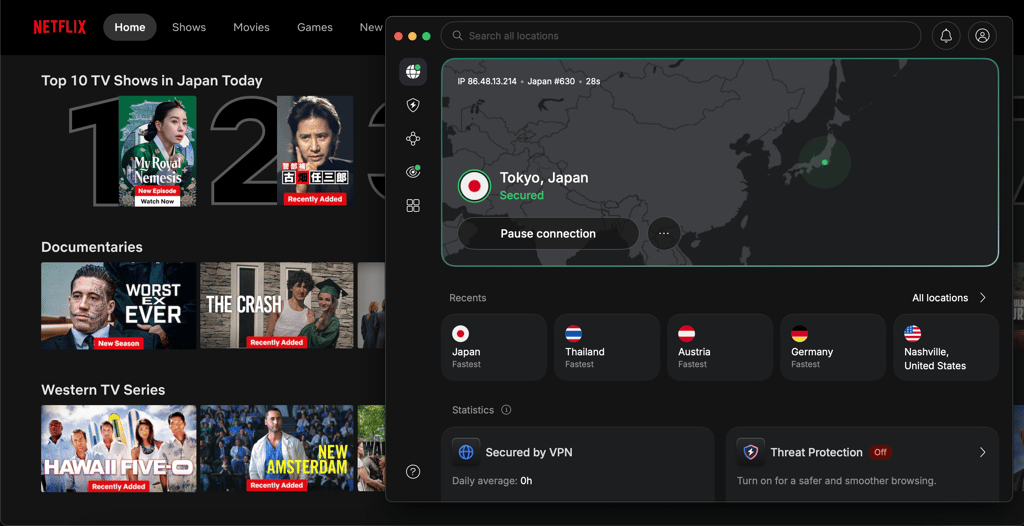
Speed is another reason why I ranked NordVPN first. Its proprietary NordLynx protocol, which is built on WireGuard, held up really well across regions in our testing. From a 940Mbps baseline, NordVPN retained 88% on UK servers (833Mbps), 85% on US servers (799Mbps), 60% on Australian servers (568Mbps), and 70% on Japanese servers (662Mbps). Even on long-distance servers in Australia, that's still around 40 times Netflix's 15 Mbps requirement for 4K, leaving you with plenty of headroom for stable streaming.
NordVPN’s Basic plan starts at $3.49/month with a 2-year subscription and supports up to 10 devices at once. It also comes with a 30-day money-back guarantee and a 3-day free trial for Android users.
2. Surfshark – most affordable Netflix VPN with unlimited simultaneous connections

| Rating: | |
| Servers/countries: | 4,500 servers in 100 countries |
| Pricing: | From $2.49/month |
| Current deal: | Now up to 85% OFF Surfshark + 3 months FREE |
Surfshark earns its spot as the second-best VPN for Netflix because it delivers strong streaming performance and supports unlimited connections at a much lower price than most competitors. It’s especially appealing if you want reliable Netflix access without paying premium VPN prices.
Streaming-focused features:
- Unlimited simultaneous connections
- WireGuard protocol for fast, stable streaming
- Works on Fire TV Stick, smart TVs, consoles, and browsers
- CleanWeb (ad and tracker blocking)
- MultiHop (double VPN encryption)
- Alternative ID for extra privacy
During our tests, Surfshark had no trouble accessing Netflix and avoided proxy errors altogether. Every library we tested loaded without any issues, with smooth playback and consistent quality – even in 4K. Server changes were fast, and streams remained stable with no noticeable buffering, even during extended viewing sessions.
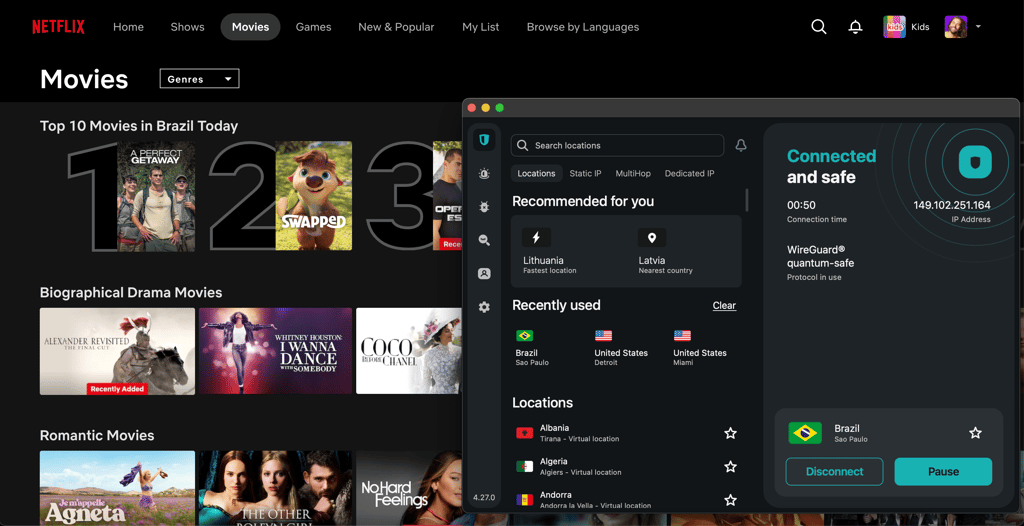
During the speed test, Surfshark performed very well. With a baseline speed of 940Mbps, Surfshark retained 89% on UK servers (839Mbps), 83% on US servers (778Mbps), 64% on Australian servers (603Mbps), and 61% on Japanese servers (578Mbps). While on the long-distance servers, Surfshark fell slightly behind NordVPN, its speed was more than enough for stable 4K streaming.
The setup was very easy, and the app felt intuitive across both desktop and browser extensions. One small drawback is the lack of a world map for server selection – you have to scroll or search for locations manually. Still, the interface is clean and well organized, so finding the right server didn’t feel frustrating.
It’s worth noting that as of 2026, Surfshark has discontinued SmartDNS support, so if you want to stream Netflix on devices without a dedicated VPN app, I would suggest NordVPN instead. This is another shortcoming of Surfshark compared to NordVPN, after its slower speeds on distant servers.
The Surfshark’s Starter plan that costs $2.49/month is completely enough if you want to watch Netflix. There’s also a 7-day free trial available on Android and iOS, while all plans are backed up by a 30-day money-back guarantee.
3. IPVanish – Netflix VPN with top-tier security

| Rating: | |
| Servers/countries: | 3,400 servers in 112 countries |
| Pricing: | From $2.39/month |
| Current deal: | Now up to 84% OFF IPVanish |
IPVanish earns its #3 place on this list as a reliable Netflix VPN that demonstrated solid results during my testing. Its speeds were fast enough for 4K streaming without buffering. Also, like Surfshark, it supports unlimited device connections, so with a single subscription, you can cover all the devices in your household. Yet, where it pulls slightly ahead of Surfshark is its monthly subscription price ($14.99/month vs Surfshark’s $16.45/month), making it a better pick if you prefer paying month-to-month rather than committing to a yearly plan. Additionally, it includes a convenient Connect On Demand feature that automatically activates VPN whenever you open Netflix.
Streaming-focused features:
- Unlimited simultaneous connections
- Connect On Demand (auto-connects when opening Netflix)
- Built-in ad and tracker blocker
- Strong encryption and shared IP addresses
- Works on Fire TV Stick, mobile devices, desktops, and routers
As I reviewed IPVanish, the app seemed pretty easy to me. One feature I particularly liked was Connect On Demand. This means that when I set IPVanish to turn on automatically when opening Netflix, it reconnects to my last-used server. Switching between Wi-Fi and mobile data didn’t disrupt the connection either.
In testing, IPVanish provided a good streaming experience. I connected, refreshed Netflix, and started watching almost immediately. In the countries we tested, libraries generally worked well, and video quality remained consistently high across regions. There was one instance where a US server triggered a Netflix error (m71111-1101), likely due to a temporary network issue, but reconnecting resolved it.
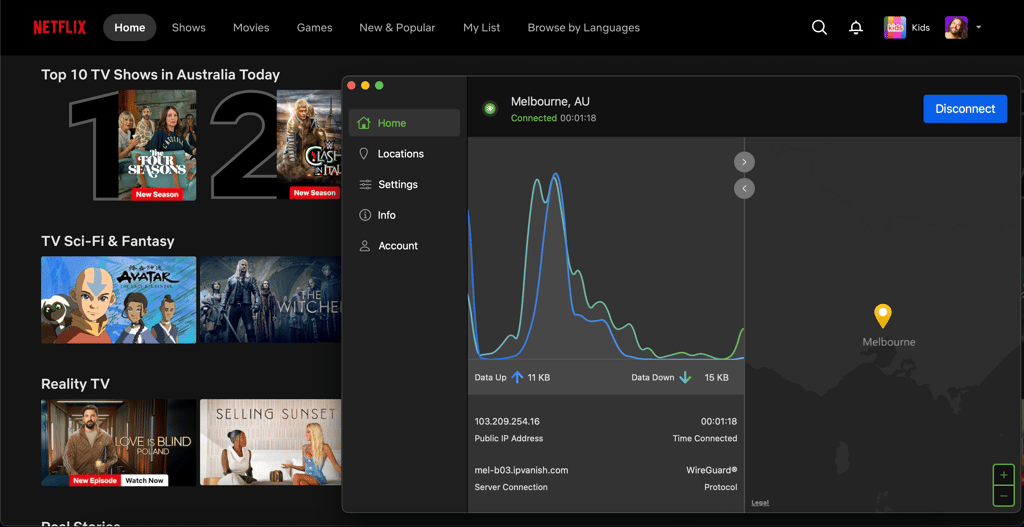
Speed results were also solid. At the baseline speed of 940Mbps, IPVanish retained 82% on UK servers (778Mbps), 71% on US servers (676Mbps), 62% on Australian servers (584Mbps), and 31% on Japanese servers (303Mbps). All in all, if streaming Netflix is your main concern, IPVanish delivers solid speeds that are more than enough for smooth HD and 4K streaming.
The entry price for IPVanish is $2.39/month if subscribing for a 2-year term. The monthly plan costs $14.99/month and includes support for unlimited devices and an eSIM. In comparison, Surfshark’s monthly plans start at $16.45/month, and NordVPN at the same rate ($14.99/month). Additionally, IPVanish backs up its plans with a 30-day money-back guarantee.
Netflix VPNs that didn’t make our Top 3
Below, I share 3 more VPNs that are good enough for streaming Netflix, but because they lacked speed and Netflix-specific features, didn’t make the cut for our top 3 list.
ExpressVPN
ExpressVPN is a capable Netflix VPN. Like NordVPN, it bundles MediaStreamer, a built-in Smart DNS that works on smart TVs and gaming consoles where a native VPN app isn't available. Subscriptions start at $2.99/month, and plans include a 30-day money-back guarantee.
It didn't make our top 3 because its speed retention lagged behind NordVPN, Surfshark, and IPVanish across every region we tested, particularly on long-distance servers. Also, if Smart DNS is your main reason for picking ExpressVPN, NordVPN is the better alternative, since SmartPlay offers the same functionality at higher speeds and a lower price.
Proton VPN
Proton VPN is a solid Netflix VPN if privacy is your top priority. It's built around a strict no-logs policy, strong encryption, and Secure Core servers that route your traffic through privacy-friendly countries for an extra layer of protection.
It didn't make our top 3 because when I tested its Secure Core servers, the main privacy feature, speeds dropped dramatically, making Netflix streaming a frustrating experience. On top of that, its plans are noticeably more expensive than both Surfshark and IPVanish on equivalent terms. Also, Proton VPN costs from $2.99/month, which places it among the more expensive providers, given its limited Netflix VPN capabilities.
If privacy is what's drawing you to Proton VPN, NordVPN is a better alternative in my opinion. It matches Proton's privacy credentials with a strict no-logs policy and independent audits, but delivers significantly faster speeds across all servers and offers better overall.
CyberGhost
CyberGhost is a capable Netflix VPN with solid country coverage and dedicated streaming-optimized servers labeled for specific platforms (including Netflix US, UK, Japan, and others). Subscriptions start at $2.19/month on the 2-year plan with an industry-leading 45-day money-back guarantee, the longest on this list, and ideal if you only need a VPN for Netflix temporarily.
It didn't make our top 3 because while its streaming-optimized servers technically work, they didn't deliver a noticeably better Netflix experience than NordVPN, Surfshark, or IPVanish, and speeds showed minor lag on long-distance connections during our testing. Any of our top 3 are stronger alternatives: NordVPN for overall reliability, Surfshark for budget-conscious households, or IPVanish for unlimited device support.
Comparison of top Netflix VPNs
The table below gives a quick side-by-side look at the best VPNs for Netflix, comparing price, device limits, server networks, and streaming support to help you choose faster.
| Provider | Best monthly price | Max devices | Server count | Netflix support | Streaming-optimized servers |
| NordVPN | $3.49/month | 10 | Thousands of servers | US, UK, JP | ✅ Yes |
| Surfshark | $2.49/month | Unlimited | 4,500+ | US, UK, JP | ✅ Yes |
| CyberGhost | $2.19/month | 7 | 9,800+ | US, UK, JP | ✅ Yes |
| Proton VPN | $2.99/month | 10 | 20,700+ | US, UK, JP (paid) | ✅ Yes |
| ExpressVPN | $2.99/month | 14 | Undisclosed | US, UK, JP | ✅ Yes |
| IPVanish | $2.39/month | Unlimited | 3,400+ | US, UK, JP | ❌ No |
VPNs I don’t recommend for Netflix
Not every VPN can keep up with Netflix’s blocking systems. Based on our latest VPN tests, the providers below tend to struggle with Netflix access, especially on free or basic plans.
VPNs that often fail to unblock Netflix:
- TunnelBear. Frequently blocked by Netflix, with very limited success even on paid plans. It’s better suited for basic privacy than streaming.
- Windscribe (free/basic tiers). Users report inconsistent Netflix access unless using specific paid streaming servers.
- Hotspot Shield (free version). Commonly fails to load Netflix or triggers proxy errors.
The pattern is clear: free tiers and smaller providers are the first to get blocked. If Netflix access matters, a VPN with streaming-optimized servers and active IP address rotation is usually the safer bet.
How to change your region on Netflix with a VPN
Changing your Netflix region using a VPN is fairly simple. But it only works reliably if you follow the steps in the right order. Netflix uses your IP address and stored location data to decide which library you see, so skipping small steps (like clearing cookies) can cause proxy errors or show the wrong catalog. Here are the steps:
- Subscribe to a VPN that works with Netflix. I suggest trying NordVPN, now 75% OFF
-
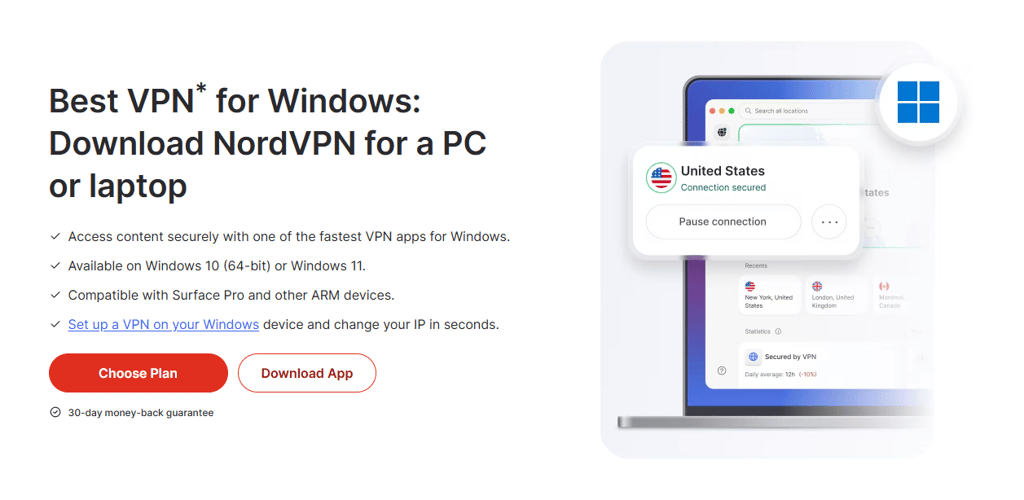
Download and install the VPN app on your device
-
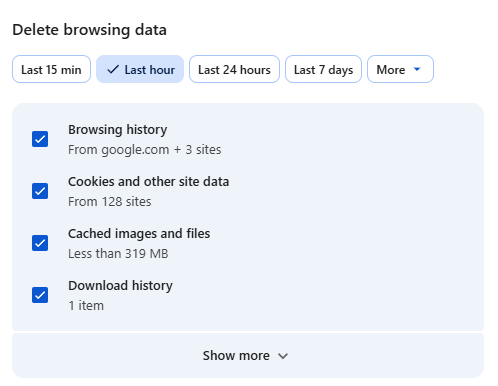
Clear your browser cache and cookies to remove old location data
-
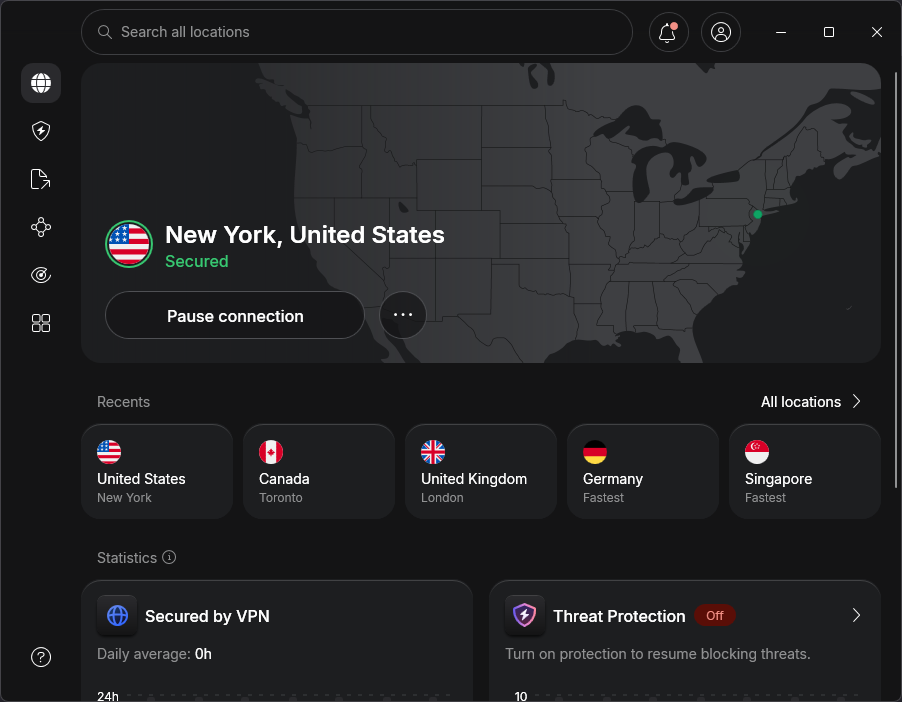
Connect to a server in the country you want to access
- Log in to Netflix and start streaming
Wrapping up
From my own experience, using a VPN is well worth it. It doesn’t just let you unlock more content by switching regions – it also adds an extra layer of online privacy. I usually keep my VPN enabled not only for streaming, but for everyday browsing as well.
Most VPNs on this list support multiple devices at once, so you can protect your phone, laptop, smart TV, and your family’s devices under a single plan. NordVPN stands out here as the best VPN for Netflix, due to its reliable access to regional libraries and smooth HD and 4K streaming across devices. However, if you’d like a more budget-friendly Netflix VPN, Surfshark is a great option, while IPVanish is a good middle ground between the two in terms of performance and pricing.
FAQ
Is it illegal to change my Netflix region?
No, changing your Netflix region isn’t illegal in most countries. Using a VPN itself is legal in the majority of regions, and there are no laws that make accessing another Netflix library a crime.
Can you use free VPNs to unblock Netflix?
Yes, you can use a free VPN to unblock Netflix, but they aren’t reliable. Because there are only a limited number of servers available on free plans, Netflix quickly detects and blocks free VPNs.
Is it legal to use a VPN with Netflix?
Using a VPN is legal in most countries, though laws vary by location. However, using a VPN to access Netflix content outside your licensed region may violate Netflix’s terms of use and can result in content restrictions or Netflix banning your account.
Can Netflix detect VPN usage?
Yes, Netflix can detect VPN usage. It actively blocks known VPN IP addresses, which can trigger a proxy error or limit available content, but it doesn’t penalize user accounts.