How to get the NordVPN 3-year plan
Our in-house cybersecurity experts and journalists, renowned for major reports like The Mother of All Breaches, conduct transparent, unbiased VPN testing and in-depth analysis.
With 750+ articles crafted based on real-world research, we empower readers to make informed purchasing decisions through first-hand expertise.
Learn more

Even though the NordVPN 3-year plan is the most sought-after offer, it’s currently unavailable.
On the plus side, you can get the even-cheaper 2-year plan instead! The 3-year plan used to cost $99 in total the last time it was available, but the current 2-year plan costs $94.23 in total or just $3.49/month per month, so you can still save money.
Keep reading to find out more about the expired 3-year NordVPN plan and how to reduce spendings with the 2-year plan.
How to get the NordVPN 3-year plan?
Even though the NordVPN 3-year plan was available in the past, you’ll see that such an option no longer exists.The good news is that you can still save money with the NordVPN 2-year plan, the longest subscription currently available. The 2-year plan will help you save 75%. That said, for only $3.49 per month, you will get more than 8,000 servers, next-level AES-256 encryption, lightning-fast speeds, and top-tier features!Here are the steps to follow to get the money-saving 2-year NordVPN plan:
- Head to the NordVPN website.
- Choose the 2-year price plan.
- Fill in your details and create an account.
- Download the NordVPN app and start using the service.
What can I get with a 2-year NordVPN plan?
NordVPN is the total package. It's one of (if not the) best VPN. It stays ahead of its competitors with an enviable selection of premium features, speed, and security.
Let’s take a look at the benefits you can expect when you use NordVPN:
- Global servers. NordVPN boasts over 8,000 servers in 149 countries. So you have thousands of options when you need to connect to a new location for a new IP address. If you prefer a stable personal address, you can also add a Dedicated IP – now available directly in the NordVPN browser extension for even more convenient browsing.
- Access geo-restricted content. NordVPN easily unblocks geo-blocked websites and major streaming platforms like Netflix, HBO Max, BBC iPlayer, Hulu, and ESPN. Use its servers to change your IP address, and you’ll instantly upgrade your entertainment options, as well as access all the information you want without any restrictions.
- Speed. If you use NordVPN to unblock region-restricted content, you’ll also want good speeds to keep your streams smooth and buffer-free. NordVPN uses the exclusive NordLynx protocol to keep your connection as fast as possible.
- Threat Protection. NordVPN takes it to the next level and offers a security solution that will protect you from malware, trackers, and many other online threats.
- Onion Over VPN. NordVPN allows you to combine VPN security with the Tor browser. It's an advanced feature that will send your traffic through layers of encryption at every connection, hiding where the traffic comes from.
- Privacy and security. NordVPN shields your identity and data with a suite of security features. Next-level AES-256 encryption protects your traffic from snoops and hackers, while a kill switch ensures you’re never compromised if your connection suddenly drops. On top of that, new scam-protection tools like Call Protection (Android), Scam Checker, and Dark Web Monitor Pro, help boost security even further.
- Connect up to 10 devices. With 10 simultaneous connections allowed as part of your subscription, you can connect a solid range of your devices to NordVPN on just one price plan.
Why should I pay for a 2-year NordVPN plan?
If you opt to pay for NordVPN monthly instead of a long-term subscription, your costs will be considerably higher. Sure, it’s less of a commitment, but since most people use a VPN for a lengthy period of time, paying monthly is not so practical.
And since a monthly subscription will end up costing more than $223 over 2 years, choosing the 2-year plan will save you a lot of money. In fact, the 2-year plan costs just $94.23 in total – a saving of over $100!
Aside from the cost, here are some of the plus points of using NordVPN:
- 8,000 servers in 149 countries
- Unblocks Netflix, Hulu, BBC iPlayer, Max, and more
- Super fast NordLynx tunneling protocol
- AES-256 encryption
- Multi-factor authentication
- SmartPlay
- No-logs policy
- 24/7 support
- 30-day money-back guarantee
Getting NordVPN 2-year for the best price
Keen to snap up NordVPN for the best price? Take a look at the following detailed instructions, and you’ll be able to get the NordVPN 2-year plan in moments:
-
Follow our special link and click on the Get NordVPN button.
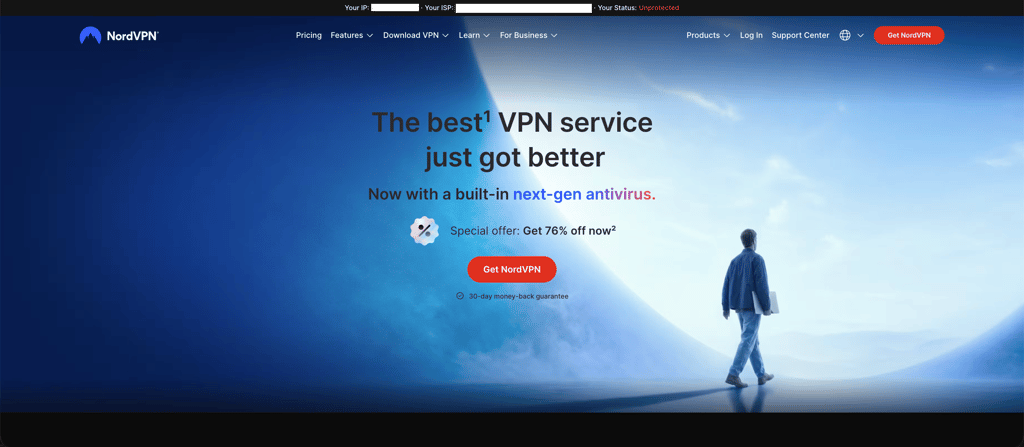
-
Choose the 2-year price plan and click through to the payment screen.
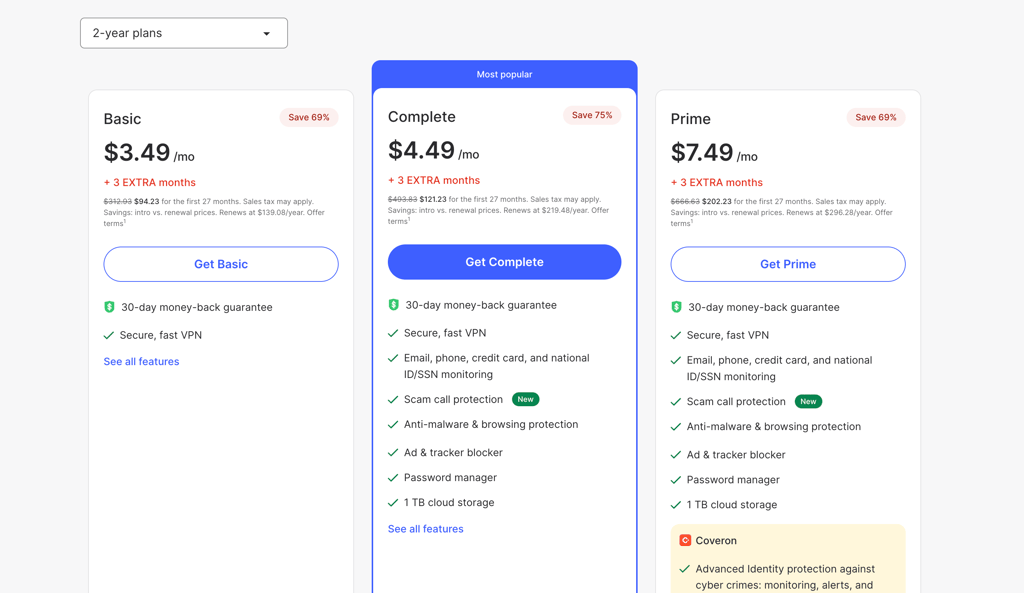
-
Fill out your details and finish the payment with your preferred method.
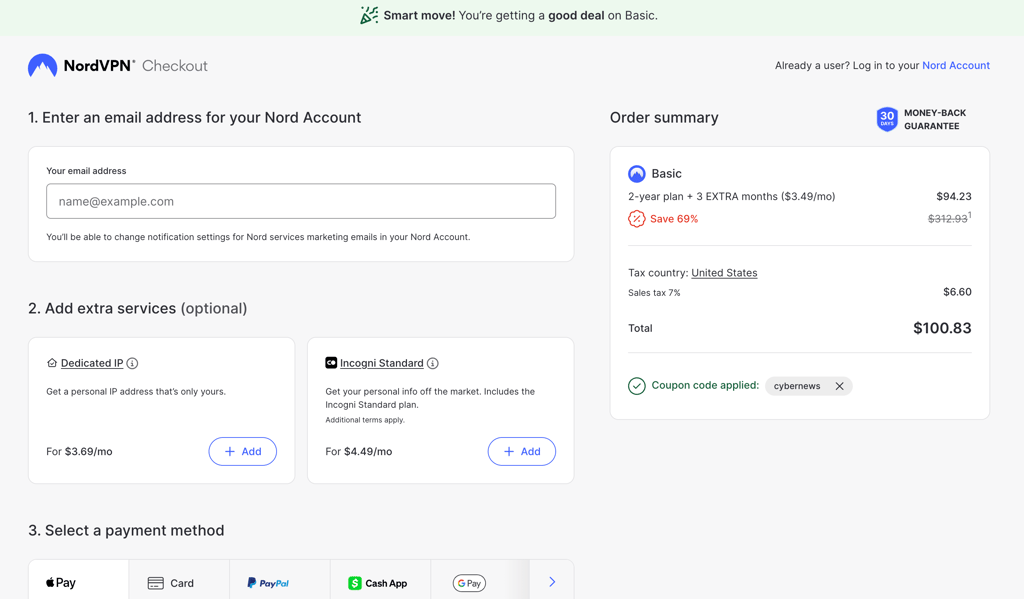
- Download the app, launch it, and complete the setup process according to the automatic system prompts.
-
Now you’re all set to enjoy NordVPN on its 2-year plan!
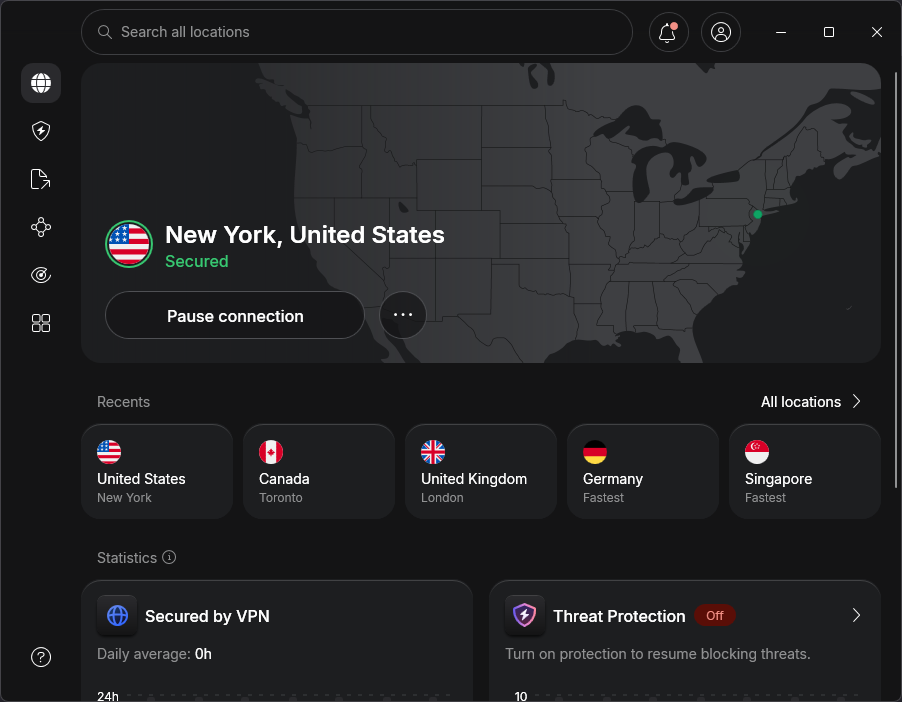
Just so you know, you’ll pay for the entire subscription upfront when you choose the 2-year price plan. That may seem like a big outlay compared to paying monthly but remember, you’ll save a significant amount of money in the long run.
Also, if you decide you don’t want to continue using NordVPN during the first month of use, you can claim a hassle-free refund thanks to the 30-day money-back guarantee. So you really have nothing to lose by signing up!
How can I cancel a NordVPN 2-year subscription?
When you sign up for NordVPN’s 2-year plan, you have a full 30-day money-back guarantee in case you change your mind. This gives you an entire month’s worth of free use to try out NordVPN’s features, apps, and security.
If you approach the end of the trial period and decide you’d like to cancel your subscription, getting a refund is simple and hassle-free. Just follow these quick steps:
- Head to the NordVPN site and sign in to your account.
- Launch the live chat support option.
- Speak to a member of the support team and request a refund.
- They'll confirm the refund, and you should get your money back within 10 days.
If you’d prefer, you can even request your refund via email. Just ping the support team a note saying you’d like to claim the refund, and they will take care of everything.
If you already have a subscription and want to cancel it so that it doesn’t renew at the end of the 2 years, the method is slightly different. Here’s what you need to do:
- Go to your NordVPN account and log in.
- Click on the Billing section.
- Now open Subscriptions.
- Look for Auto-Renewal and hit the Manage button.
- Select Cancel auto-renewal.
- All sorted.
Is the NordVPN 2-year plan worth it?
Yes, NordVPN's 2-year subscription is definitely worth it as you can save a significant amount when compared to the monthly plan. In fact, you will pay over $100 less!
For only $3.49 per month, you’ll get access to 8,000+ international servers, the NordLynx tunneling protocol, useful features like SmartPlay, and ideal speeds for HD streaming. You’ll also enjoy data protection, a kill switch, MFA, DNS leak protection, and more important security features.
So don’t miss out on this limited-time deal and sign up for the NordVPN 2-year plan today.
FAQ
Does NordVPN offer a 3-year plan?
No, NordVPN no longer offers a 3-year plan. However, you can now opt for 1-month, 1-year, and 2-year plans. The 2-year subscription will save you even more than the 3-year one, costing only $3.49 per month.
Is NordVPN's 2-year plan the longest subscription?
Yes, the NordVPN 2-year plan is this provider’s longest subscription. It also works out as its cheapest. You’ll enjoy all the security and features that NordVPN is famed for at a price that works out to about $150 cheaper than its monthly price plan.
What’s the price for a NordVPN 2-year subscription?
The NordVPN 2-year plan costs $3.49 per month, which totals $94.23 for the full 2-year subscription. Choose this over the 1-month subscription plan (which comes to $223.83 over 2 years), and you’ll save more than $100!
Does NordVPN offer a lifetime subscription?
No, there is no lifetime subscription available. The longest subscription NordVPN offers is the 2-year plan. It’s also the cheapest price plan, and it works out much cheaper than if you opt for a shorter-term subscription.