StarVPN review
Our in-house cybersecurity experts and journalists, renowned for major reports like The Mother of All Breaches, conduct transparent, unbiased VPN testing and in-depth analysis.
With 750+ articles crafted based on real-world research, we empower readers to make informed purchasing decisions through first-hand expertise.
Learn more

StarVPN is a Canadian virtual private network (VPN) solution, which was developed in 2011. However, you shouldn’t confuse it with Star VPN, which is a totally separate product. So, let me provide you with some insights.
One of the main features that makes StarVPN stand out is the residential IPs it offers, which provide the highest level of anonymity. Plus, you’ll also get DNS, IPv6, and WebRTC leak protection.
I wanted to help you make the best decision, which is why I spent a lot of time reviewing and testing StarVPN. With the help of my Cybernews research team, I managed to compile this detailed StarVPN review, revealing its key features, pros, cons, and everything else you need to know. So, keep reading this guide if you want to learn more about it.
StarVPN overview
| Rating: | 4.1★★★★ |
| No logs policy: | No logs |
| Price: | From $8.00/month + Free version available |
| Servers: | 800+ servers in 50+ countries |
| Streaming services: | Netflix, Hulu, BBC iPlayer, and more |
StarVPN pros and cons




We spare no effort to test the products & their features. All information is gathered by our in-house research team & fact-checked by our team of experts. Discover the ins and outs of our testing procedures.
How much does StarVPN cost?
One of the things I liked the most about StarVPN is that you can use it for free. However, if you’re like me and you like to enjoy your service fully, then you can get the premium version for as low as $8.00/month or $1.00/GB. As all subscriptions are monthly, let’s break them down and see what they offer:
| Subscription: | Price: |
| Enterprise Proxies | $1.00/GB |
| Datacenter VPN | $8.00/month |
| Business Residential | $20.00/month |
| Premium Residential | $45.00/month |
The first thing I really liked is that regardless of the plan you choose, you’ll be able to benefit from features like DNS changer, VPN obfuscation, kill switch, VPN protocols, start on boot, WebRTC and UDP, smart streamer, IPv6 leak protection, and split tunnelling. However, aside from the price, other things make each StarVPN subscription different.
The Datacenter VPN and Business Residential plans are pretty similar. What’s different is that they cost $8.00/month and $20.00/month, respectively. Also, with the Datacenter VPN, you’ll get worldwide locations and 500 IP updates per month, while the Business Residential offers coverage in up to 5 countries and 20 static IP updates per month.
Overall, they provide you with the same features, and they both lack rotating residential IP and mobile IP.
On the other hand, the Premium Residential plan includes all available features, plus 500 sticky IP updates per month, so it’s perfect if you’re looking for an upgrade from the two previous subscriptions. You can get this subscription for $45.00/month.
The most different offer is the Enterprise Proxies. Not only do you pay $1.00/GB, but you’ll also get unlimited IP updates, no speed limits, a dedicated account manager, and customizable rotating timers, among all the other features.
Hands-on experience with StarVPN
To provide you with an accurate and unbiased StarVPN review, me and the Cybernews research team got things into our own hands. We conducted streaming and gaming tests on multiple devices, such as laptops and smartphones, to simulate real-life scenarios. Let’s see how StarVPN performed.
Streaming
I’m a huge TV show fan, so if you’re like me, then you’re probably mostly interested in the streaming abilities of StarVPN. Overall, I must say that this service surprised me.
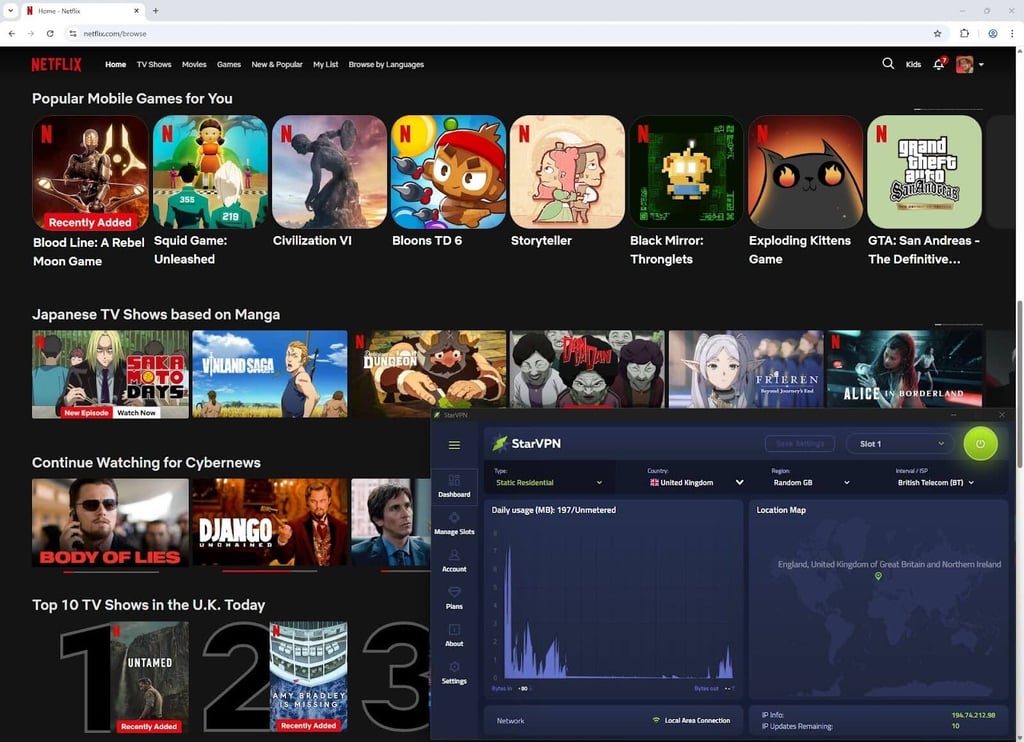
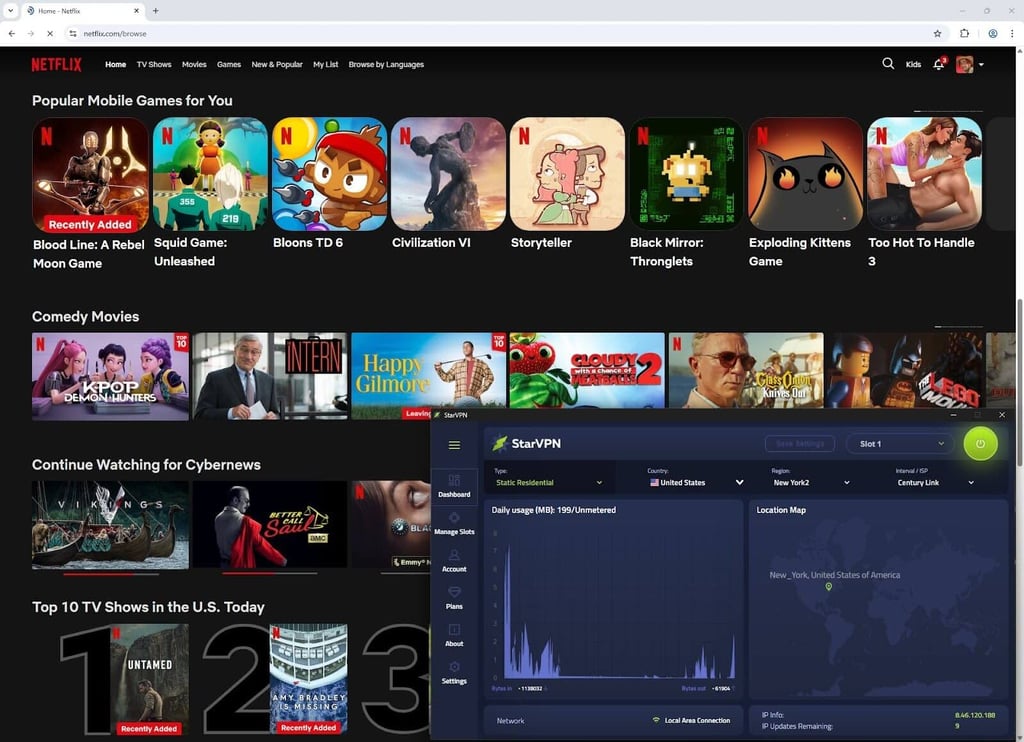
I began by trying to access Netflix US, and it worked immediately. Then, I moved on to Netflix UK, which StarVPN also unblocked. I even managed to watch a full episode of Grey’s Anatomy without any lag or buffering.
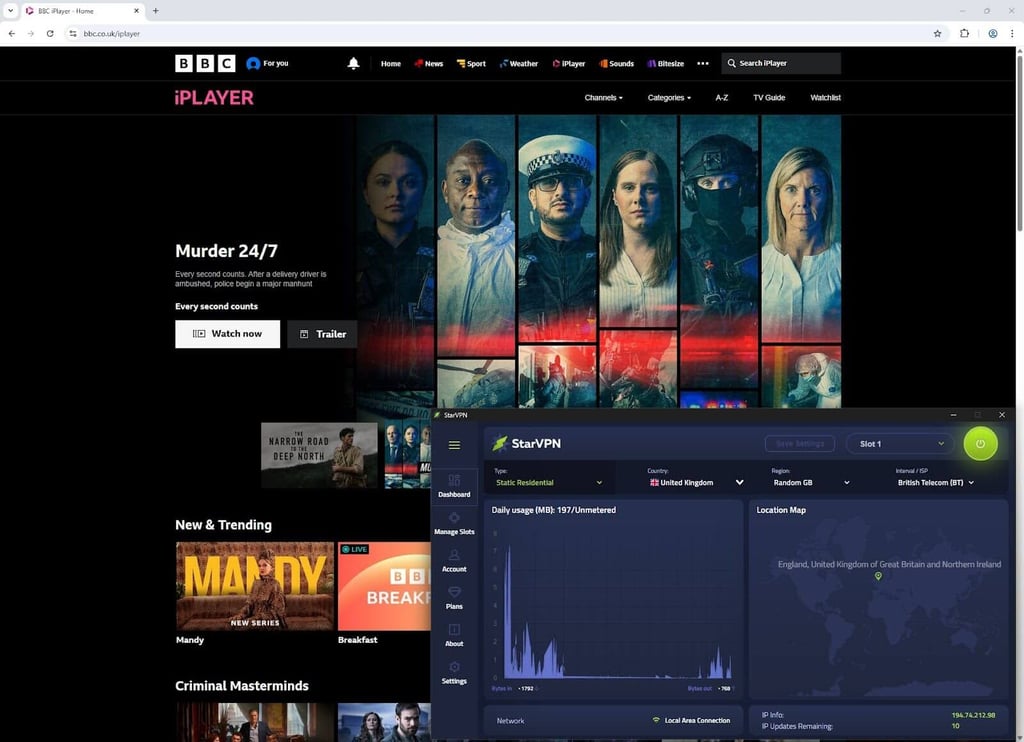
But the real test was when I tried to access BBC iPlayer, which works only in the UK, due to licensing agreements. Again, I was able to use the platform right away.
The same goes for Peacock. I tried playing the Americas, and I didn’t face any issues. No slowdowns, no error messages.
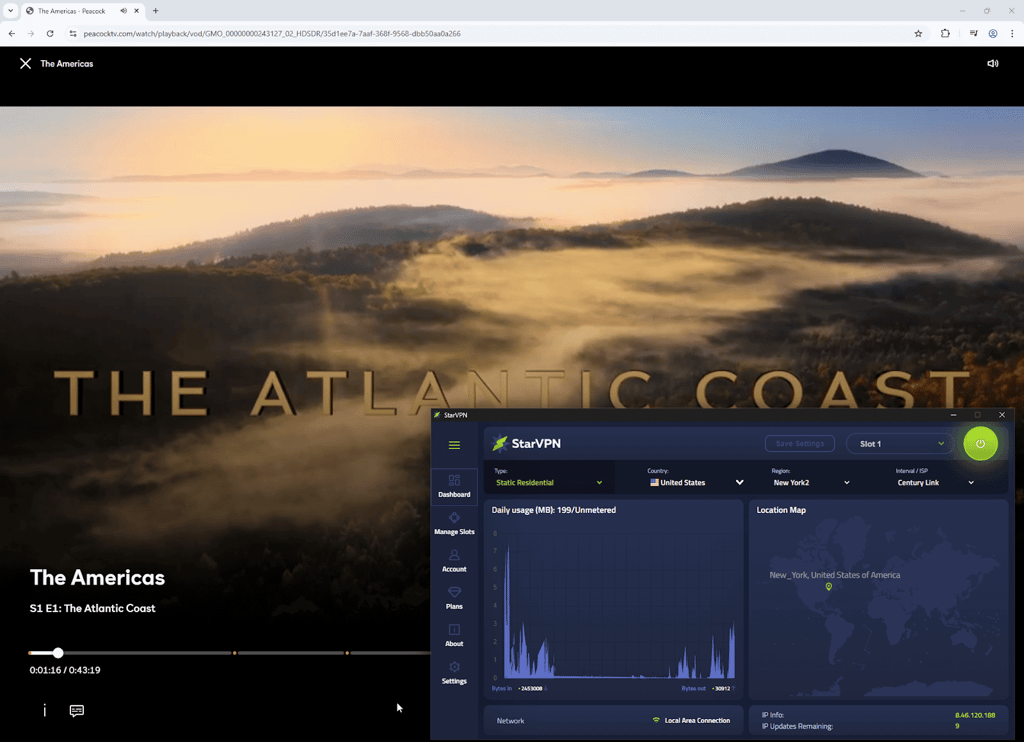
The only minor disadvantage was when I activated StarVPN and launched Hulu. In order to stream via Hulu, you need to use only a static residential IP. Otherwise, the platform detects StarVPN and displays the classic error stating that a VPN is in use.
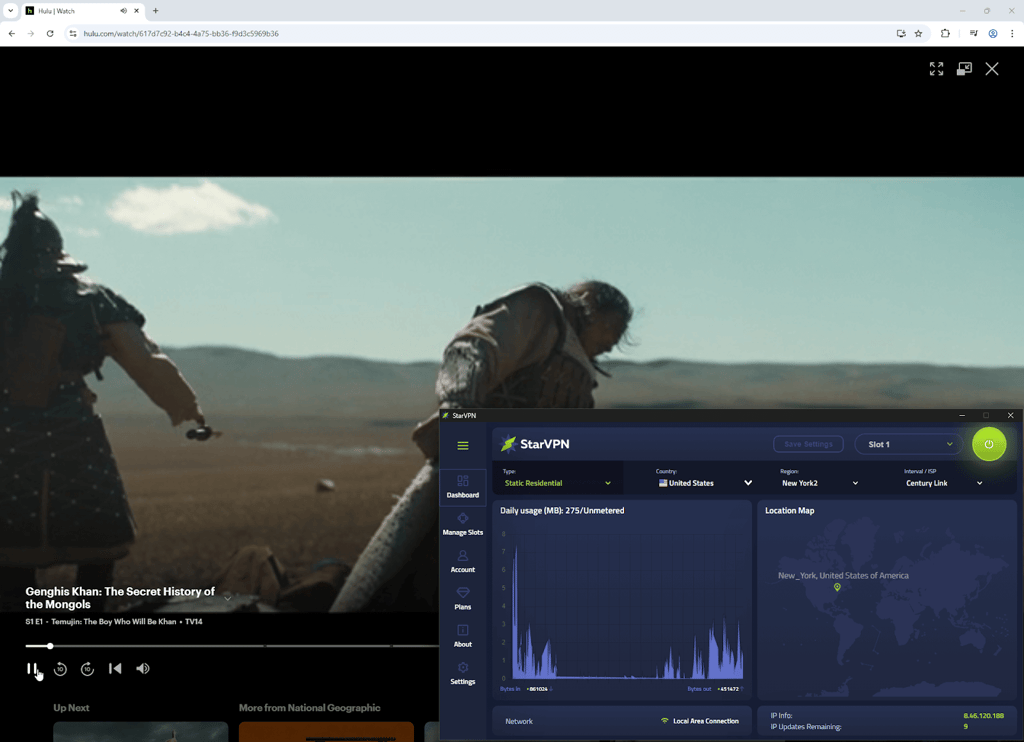
What’s important to note is that I conducted all of these tests with CloudFlare DNS addresses and the Smart Streamer feature disabled.
I don’t recommend using the Smart Streamer feature (which enables Smart DNS technology and, in theory, should help to access geo-restricted streaming services), as it automatically switches back from CloudFlare, Google, Quad9, or ISP DNS addresses.
As a result, it displays your DNS addresses in Germany, and, at times, even in Israel, causing even more issues with geo-restricted website access.
Gaming
In terms of gaming, StarVPN works pretty well. I managed to play both Counter-Strike: Global Offensive and Valorant. Due to personal issues with the internet connection, my experience with CS:GO encountered a few minor glitches. However, once the connection improved, I was surprised how everything went smoothly.
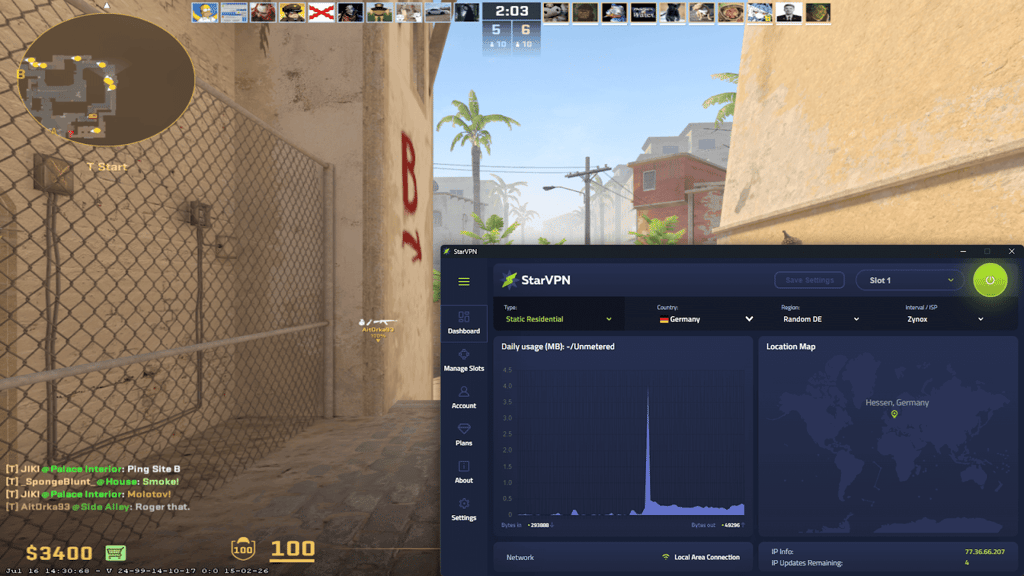
I had an even better experience with Valorant. StarVPN enabled me to enjoy it for a while without lag or buffering, which is something that any gaming enthusiast appreciates.
Is StarVPN secure?
StarVPN is a pretty secure VPN on the market. One of the most unique security practices it offers is the ISP DNS, which no other VPN offers for absolute anonymity. Plus, this VPN supports AmneziaWG, which is the most secure DPI-effective solution on the market now.
However, as StarVPN is based in Ontario, Canada, it raises concerns about privacy. This is because Canada is a core member of the Five Eyes Alliance, meaning Canadian authorities may potentially share the data collected from the VPN providers.
Luckily, due to the lack of data retention requirements for VPN services in Canada, this does not affect the provider’s no-logs policy. Even in the case of a warrant for user data, StarVPN may have nothing to provide.
What’s more, the provider claims it offers an independently audited, strict no-logs policy. However, there is no evidence that they have ever undergone such an audit. They do not name an auditing firm or provide any public reports to support their claims.
But to enhance your security and reduce the concerns you may have, StarVPN uses AES-256 encryption, which is a current industry standard. It also supports the standard VPN protocols like OpenVPN and WireGuard, along with the additional protocol, AmneziaWG, which is built on the WireGuard base and designed to protect against deep packet inspection systems.
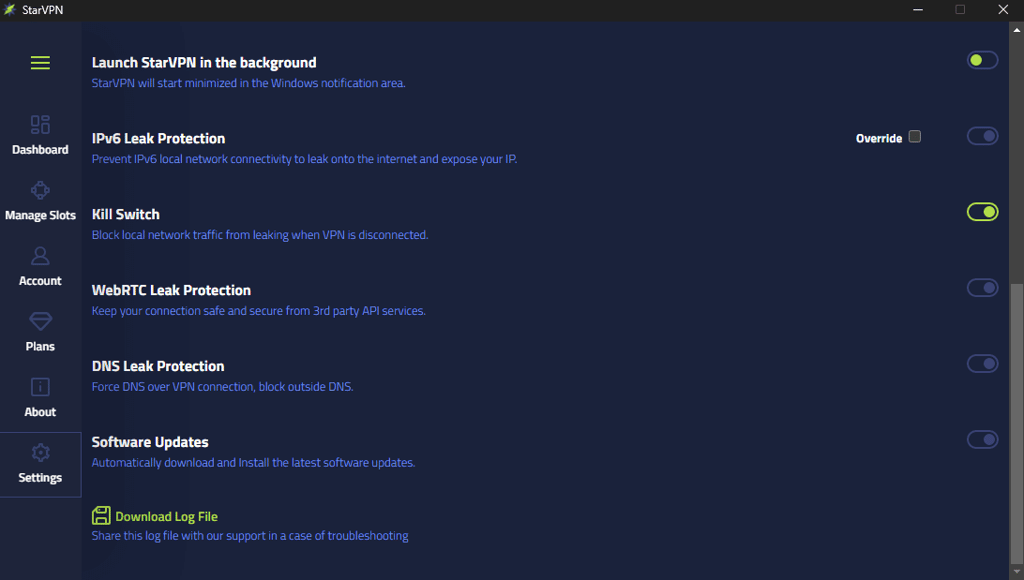
Moreover, I liked that StarVPN features necessary security measures such as a kill switch, DNS, IPv6, and WebRTC leak protection. However, I wanted to put these features to the ultimate test and see whether they really work.
During the tests, StarVPN's kill switch didn’t function completely. While it protected my IP address, the internet connection remained active and displayed my real location along with the IP and DNS addresses after forcefully stopping the VPN app.
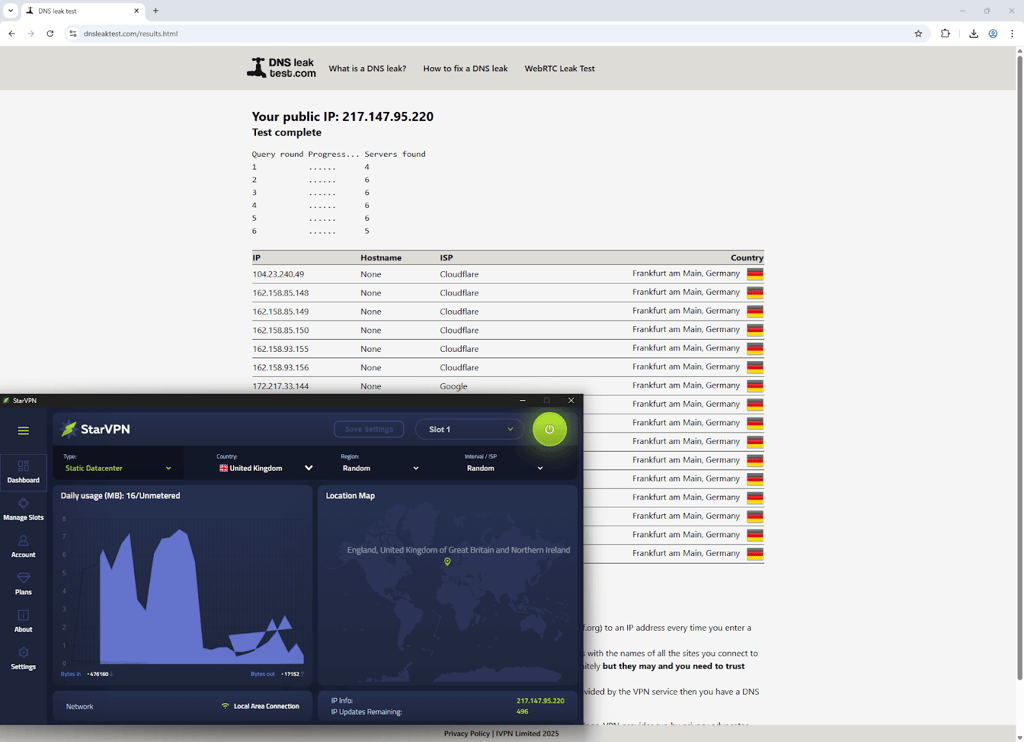
Also, I ran a leak test. At first, the DNS leak test still displayed my DNS addresses in Germany and Israel. Luckily, StarVPN always lets you find a solution and solve such a problem.
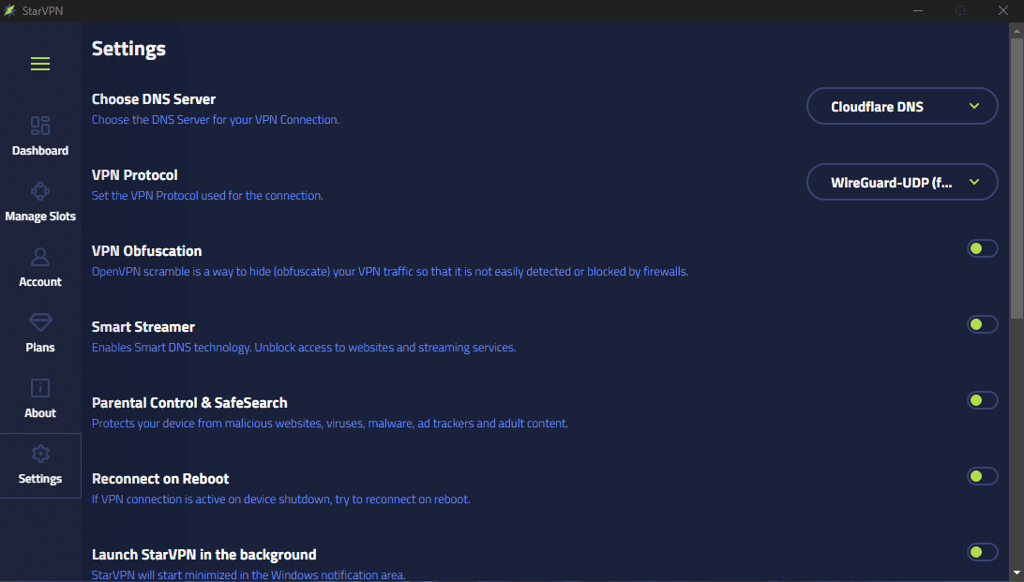
I easily resolved it by going to Settings > Choose DNS Server, and changing from Default DNS to CloudFlare, Google, or your chosen ISP DNS (for example, BT (British Telecom) DNS if you're connected to the United Kingdom).
Standout features of StarVPN
StarVPN also has some additional standout features worth mentioning. It’s not just the security aspect. So, let me guide you through them briefly.
Residential VPN servers
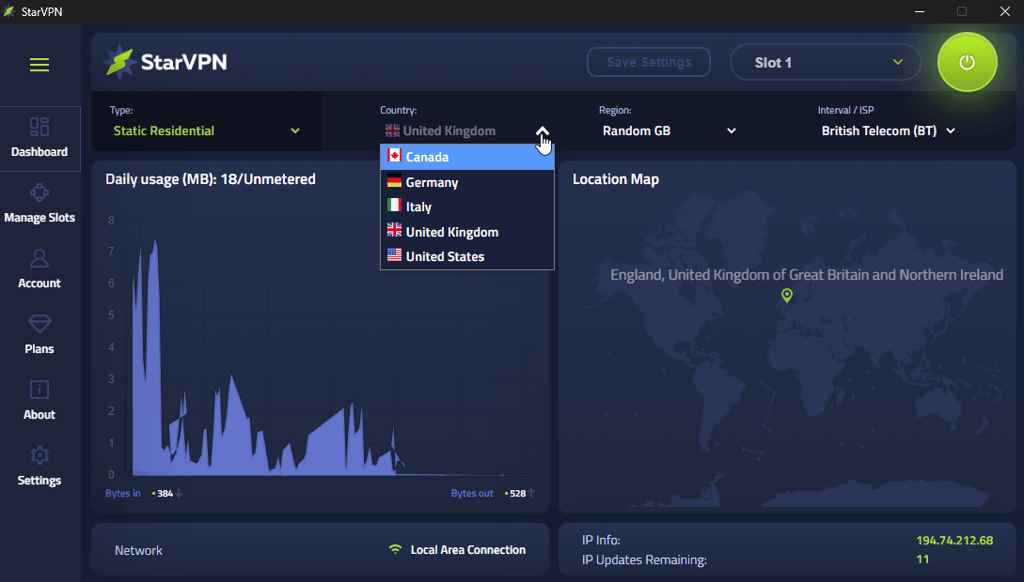
StarVPN’s primary value is its range of IP address types, including static residential, rotating residential, mobile, and datacenter IPs.
The residential IPs as marketed as providing the highest level of anonymity with the clean reputation of a residential address from genuine ISPs.
StarVPN claims that their rotating residential IPs are ethically sourced from home user networks, offering over 3 million IPs worldwide.
Smart streamer
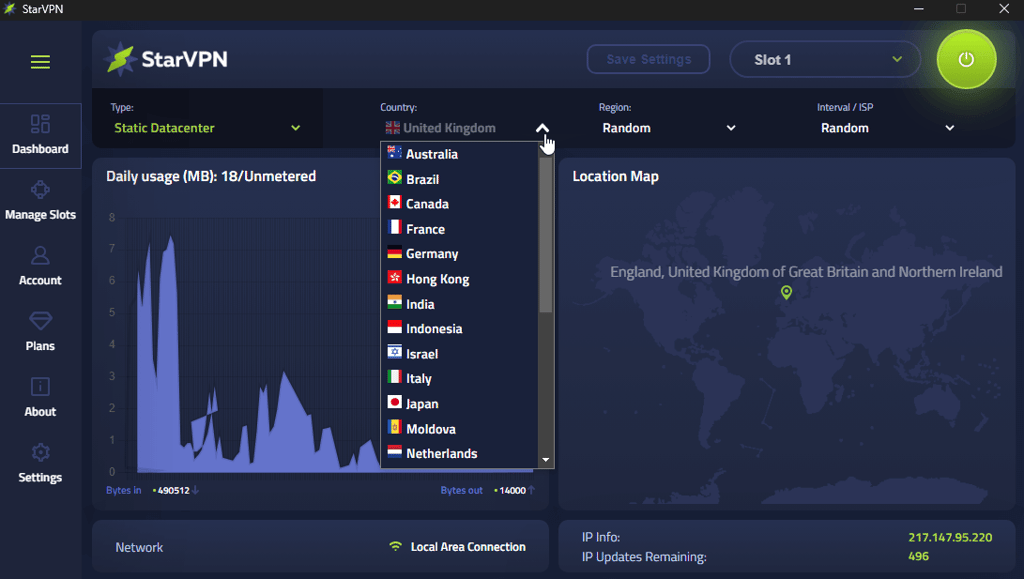
Another great feature is StarVPN’s smart streamer. This DNS technology lets you stream from any of the available server locations in no time. However, to use it, you need to have the Datacenter VPN plan.
VPN obfuscation
You can also get an additional encryption layer. This is possible due to StarVPN’s obfuscation, which adds an extra layer to bypass even the most advanced great firewalls and unblock any website in a secure way.
StarVPN offers fast and stable connection speeds
One of the things that got my attention the most and made me believe that StarVPN is worth it was the speeds. I tested it with the office internet, which is not the most stable. Thus, the baseline connection speed was 289.63Mbps download, 270.31Mbps upload, and 5ms ping. However, as this is our limitation, it has nothing to do directly with the speeds StarVPN provides.
Since StarVPN has multiple different IP types (Static Datacenter, Static Residential, Mobile Wireless 4G, Rotating/Sticky Residential), I tested all of them (some IP types have very limited countries, for example, Static Residential with Germany, UK, US, Canada, and Italy or Mobile Wireless 4G with 10 countries, so chose a couple of locations that each IP type has).
Germany
- Static Datacenter: 260.54 Mbps download, 261.14 Mbps upload, 36ms ping
- Static Residential: 235.00 Mbps download, 265.46 Mbps upload, 96ms ping
- Mobile Wireless: 4G: 9.66 Mbps download, 10.35 Mbps upload, 113ms ping
- Rotating/Sticky Residential:10.43 Mbps download, 10.71 Mbps upload, 105ms ping
UK
- Static Datacenter: 248.79 Mbps download, 117.24 Mbps upload, 53ms ping
- Static Residential: 119.47 Mbps download, 86.24 Mbps upload, 64ms ping
- Mobile Wireless 4G: 7.88 Mbps download, 10.19 Mbps upload, 165ms ping
- Rotating/Sticky Residential: 10.55 Mbps download, 10.72 Mbps upload, 106ms ping
US
- Static Datacenter: 259.97 Mbps download, 210.44 Mbps upload, 111ms ping
- Static Residential: 135.16 Mbps download, 255.05 Mbps upload, 149ms ping
- Mobile Wireless 4G: 10.55 Mbps download, 12.40 Mbps upload, 183ms ping
- Rotating/Sticky Residential: 10.50 Mbps download, 10.60 Mbps upload, 203ms ping
StarVPN’s compatibility and ease of use
To evaluate StarVPN’s interface and ease of use, I installed it and used it on various devices – Windows, macOS, Android, iOS, and Apple TV. On both desktop and mobile devices, I paid close attention to how easy it was to install the app and how intuitive its interface and navigation are. Here’s what I discovered.
Desktop apps
StarVPN’s app setup was standard and didn’t take too long. The initial setup process of the paid app version required me to complete just four simple steps, and I was in.
As soon as I entered the app, I couldn’t help but notice that the interface was visually well-organized. All of the menus I needed were on the left side of the screen, which allowed me to navigate easily and find everything I was looking for.
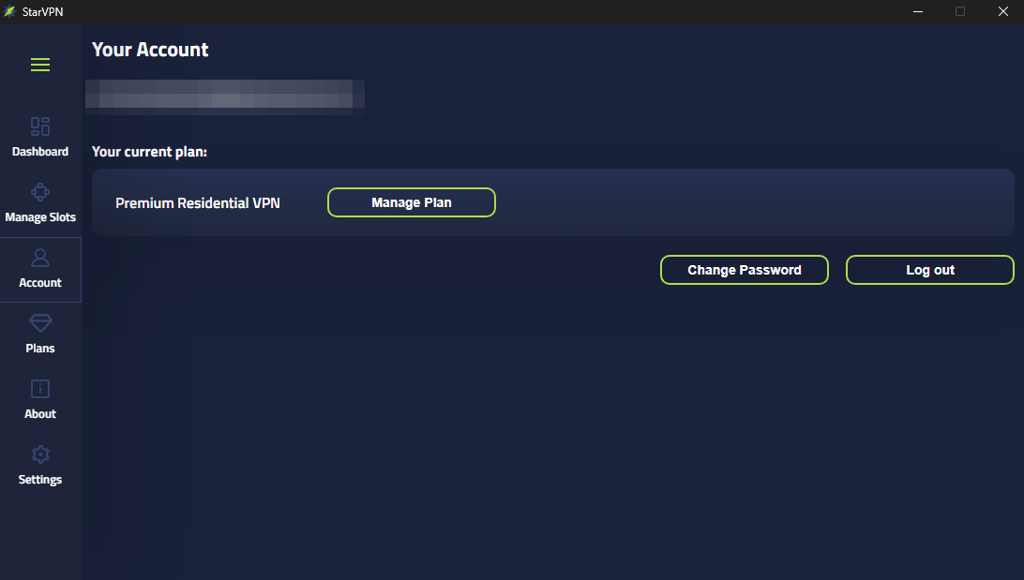
Additionally, Premium StarVPN users can perform multiple actions via the dashboard on the website, such as accessing the API information/creating an API command, checking data usage, as well as configuring manual VPN connections and downloading WireGuard/OpenVPN/AmneziaWG configuration files.
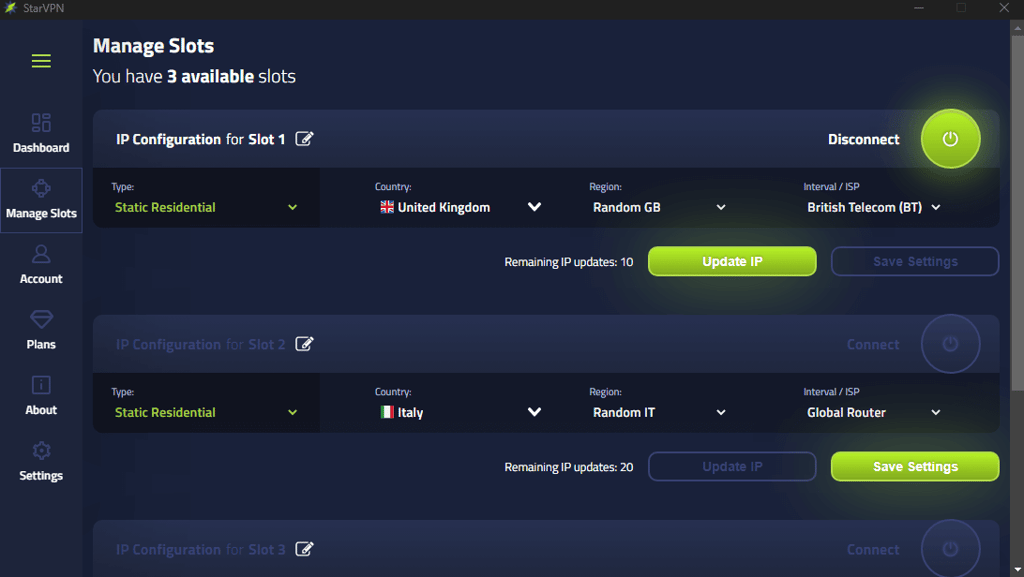
But what I really liked was that I was even able to manage and configure slots/IP configurations without any issues.
All of this makes StarVPN perfect for beginners, which means that you can quickly figure out how to use it even if you’re not very tech-savvy.
During my testing, the only differences that I noticed between the iOS and Windows devices were that Windows doesn’t have the resizing of the StarVPN app. All other things work pretty much the same.
Mobile apps
The iOS app is even more modern, clean, and user-friendly than the Windows counterpart, but is quite limited - it lacks certain tools.
For example, the iOS version does not have a kill switch toggle, OpenVPN (both UDP and TCP) protocols, or a DNS leak protection feature available in the app settings.
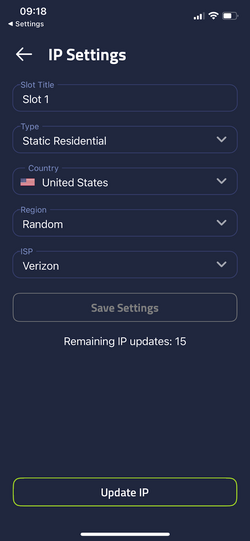
The initial app setup is very swift, as you only need to download the VPN from the Play Store, log in to the account, and add StarVPN to VPN configurations when prompted before you are able to fully connect.

StarVPN free version
As soon as I saw that StarVPN offers a free version with entirely anonymous access and no login required, I knew I had to mention it. Before I delve into what you’ll enjoy, you should know that getting started is a breeze. All you have to do is:
- Download the Android App or the Windows App.
- Launch the app and select “Guest Login” (on Android), or connect directly (on Windows).
- Enjoy 100GB of fast, encrypted browsing per month.
But the best part is that, unlike many so-called “free” VPNs, StarVPN Free provides powerful capabilities normally locked behind paywalls.
First of all, you’ll enjoy 100GB of monthly data, which is more than enough for browsing, email, social media, and even moderate streaming. Plus, you get tier 1 server access, allowing you to select a server in the US, Canada, the UK, Germany, and Australia.
Furthermore, you can use StarVPN Free on your mobile device or desktop, with a smooth and intuitive app experience. Regardless of the device you’re using, you’ll be able to benefit from the free Smart DNS (Smart Streamer) and unblock regional websites and services.
In terms of privacy, StarVPN enforces a strict no-log policy. This means it doesn’t store or share your session data, even in the free tier. And I also really liked that the free app includes IPv6 leak prevention and WebRTC-safe IP routing, keeping your real identity hidden.
Last but not least, if you’re like me, you probably don’t like ads that restrict your experience. Well, although StarVPN’s free version has them, they’re non-intrusive and never compromise your user experience.
Based on all of this, the StarVPN free can be your go-to option if you’re:
- A student who wants to access blocked websites at school.
- A traveler needing fast, private connections in airports and hotels.
- Trying to test the VPN before upgrading.
- Seeking anonymous access without giving away personal data.
Summary: StarVPN Free VPN at a glance
| Feature | Free Tier |
| Data Limit | ✅ 100 GB/month |
| Tier 1 Servers | ✅ US, CA, UK, DE, AU |
| Registration Required | ❌ None |
| Smart DNS Access | ✅ Included |
| Ads | ✅ Non-disruptive |
| Logs Kept | ❌ Strict no-log policy |
| IPv6 / WebRTC Protection | ✅ Included |
| Platforms | ✅ Android & Windows |
Customer support
While StarVPN advertises 24/7 support, this only refers to email queries. Unfortunately, they’re still working on their live chat function, so the only way to get in touch with an agent is through email or the ticketing service.
As for the response time, I waited for around 15 minutes, but some responses took longer. Overall, the agents were brief yet knowledgeable.
You can also browse the FAQ section, which is pretty well-organized and has answers to some of the most common issues.
Conclusion
StarVPN has a solid track record and has been providing reliable VPN services for years. It offers standout features like residential IPs and VPN obfuscation, which are particularly useful for certain business needs.
All of this makes it a dependable solution for maintaining anonymity and bypassing geo-blocks. I highly recommend StarVPN for businesses that require residential IPs for specific tasks, as it can effectively meet those needs while keeping your online activities secure and private.
FAQ
Who owns StarVPN?
StarVPN Inc., a private Canadian company, owns StarVPN. It was established back in 2011.
Is StarVPN free?
While StarVPN isn’t entirely free, you can still use the free version. You’ll get a 100GB monthly data allowance and access to its tier 1 countries (US, CA, GB, DE, AU).
Does StarVPN keep logs?
No, StarVPN doesn’t keep logs. Although there's no trace of any independent audits, users haven't shared a negative experience regarding this.