Best Brazil VPN in 2026
Our in-house cybersecurity experts and journalists, renowned for major reports like The Mother of All Breaches, conduct transparent, unbiased VPN testing and in-depth analysis.
With 750+ articles crafted based on real-world research, we empower readers to make informed purchasing decisions through first-hand expertise.
Learn more
-
NordVPN is our top VPN pick for Brazil, with Brazilian servers, fast connections, and strong privacy features
-
A Brazil VPN helps protect your connection on public Wi-Fi and access location-specific services from home
-
Choose a Brazilian server for local browsing or an overseas server for a different country’s IP address
A Brazil VPN gives you more control over your online privacy and location, whether you live in the country or are visiting. It encrypts your connection on shared networks and lets you choose a Brazilian or international IP address for browsing, streaming, and accessing services from home.
For English-speaking residents, expats, and travelers, the right server depends on what you need. A nearby Brazilian server is a practical choice for everyday browsing, while a server in your home country may help you access location-specific websites and streaming services. Brazilian servers are also useful when you leave the country and need a local IP address abroad.
NordVPN is our best VPN for Brazil, followed by ExpressVPN, Surfshark, CyberGhost, and Proton VPN. Below, we compare these providers and explain how to choose a server and set up your VPN.
| NordVPN | ExpressVPN | Surfshark VPN | |
| ⭐ Rating: | |||
| 🥇 Overall rank: | #1 out of #41 | #4 out of #41 | #2 out of #41 |
| 🖥️ Servers: | Thousands of servers in 225 locations | 3,000+ servers in 113 countries | 4,500+ servers in 100 countries |
| 📖 No logs policy: | No logs | No logs | No logs |
| 💵 Price: | From $3.49/month | From $2.99/month | From $2.49/month |
| 🔥 Coupons: | NordVPN coupon 75% OFF | ExpressVPN coupon 80% OFF | Surfshark coupon 85% OFF |
| 🔒 VPN protocols: | OpenVPN, NordLynx, NordWhisper | OpenVPN, WireGuard, Lightway | OpenVPN, WireGuard, IKEv2, Dausos |
| 🍿 Streaming services: | Netflix, Hulu, BBC iPlayer, Disney+, and more | Netflix, Hulu, BBC iPlayer, Disney+, and more | Netflix, Disney+, Amazon Prime Video, Hulu, and more |
| 🖥️ Platforms: | Windows, macOS, Linux, Android, iOS | Windows, macOS, Linux, Android, iOS | Windows, macOS, Linux, Android, iOS |
| 📥 Simultaneous connections: | 10 | 14 | Unlimited |
| 💁🏻 Support: | Knowledge base, email, 24/7 live chat | Knowledge base, email, 24/7 live chat | Knowledge base, email, 24/7 live chat |


We spare no effort to test the products & their features. All information is gathered by our in-house research team & fact-checked by our team of experts. Discover the ins and outs of our testing procedures.
What to look for in a VPN for Brazil
The best VPN for Brazil should offer the locations, privacy features, and device support you actually need. Here’s what to compare before choosing a subscription:
- Brazilian and international servers. Choose a provider with a Brazil location for local browsing and servers in your home country for location-specific services
- Connection performance. Nearby servers are a useful starting point for everyday browsing. If you regularly connect to the US or Europe, look for performance results on those longer-distance routes
- Privacy features. Prioritize modern encryption, a kill switch, leak protection, and a clearly documented no-logs policy
- Device compatibility. Check app availability for your phone, computer, and streaming devices, plus the number of simultaneous connections included
- Streaming support. Look for recent results for the platforms you use, rather than assuming every server will work with every service
- Subscription cost. Compare the upfront payment, subscription length, and renewal price. A long-term discount may not be the right fit for a short visit
Best VPNs for Brazil: detailed comparison
Our recommended VPNs for Brazil offer Brazilian IP addresses alongside international server locations. The right choice depends on whether you prioritize everyday privacy, straightforward apps, multiple devices, or more advanced settings.
- NordVPN – best overall VPN for Brazil in 2026
- ExpressVPN – straightforward VPN for Brazil apps for everyday use
- Surfshark – a practical Brazil VPN choice for unlimited simultaneous connections
- CyberGhost – convenient settings for automatic Brazil VPN connections
- Proton VPN – privacy-focused VPN for Brazil features with free and paid plans
1. NordVPN – overall best VPN for Brazil in 2026

| Servers/countries: | 8,000+ servers in 149 countries |
| Streaming sites: | Netflix, Hulu, BBC iPlayer, Disney+, and more |
| Compatible with: | Windows, macOS, Linux, Android, iOS |
| Coupons: | Get 75% OFF NordVPN + 3 months free |
NordVPN is our top pick for Brazil, combining Brazilian servers with international locations and the NordLynx protocol. It suits everyday browsing within the country as well as connections to services from home. You can choose a Brazilian server when you want to keep a local IP location or connect overseas when you need another country’s IP address.
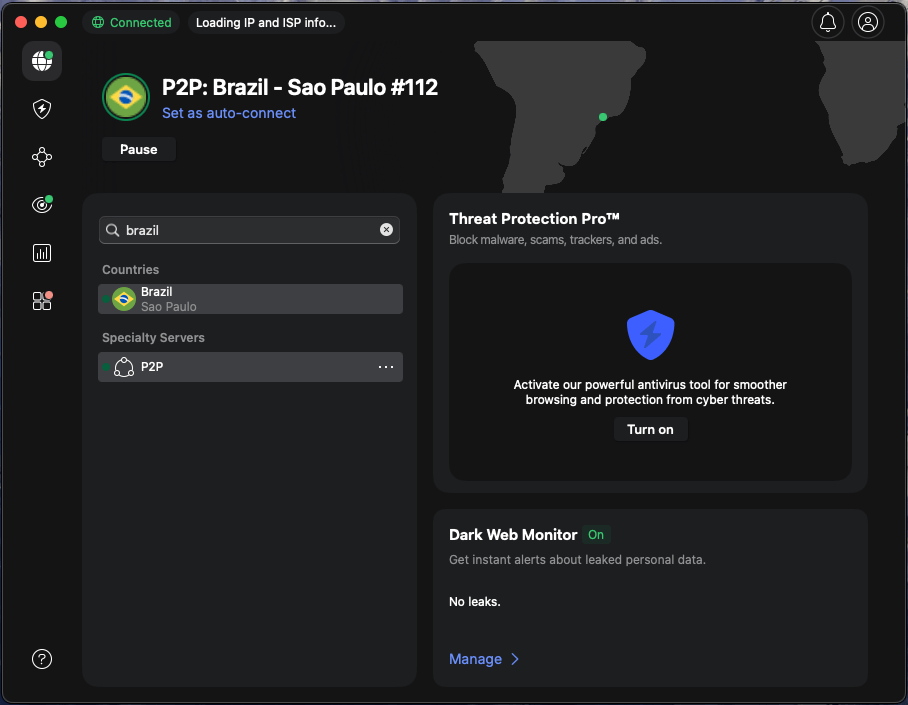
Security and privacy. Of all the VPNs on the market, NordVPN is one of the most secure. It uses AES-256 data encryption, which is currently considered the best there is. And it operates a strict, audited no-logs policy, so your data is never stored.
Servers and apps. NordVPN has a huge fleet of over 8,000 servers in 149 countries, including more than 20 in Brazil. And it has a simple, intuitive app that works on iOS, Android, macOS, and Windows.
Features. NordVPN’s NordLynx protocol keeps speeds stable for HD streaming, video calls, and gaming, even on busy networks. The kill switch helps prevent data leaks if the connection drops, while Threat Protection blocks malicious sites, ads, and trackers that are common on risky public Wi-Fi in cafes, hotels, and airports. You can also use obfuscated servers and Double VPN for extra privacy on restrictive networks or when you want a bit more anonymity online.
Unblocking capabilities. Thanks to its obfuscated servers, NordVPN has no trouble unblocking region-restricted platforms like Netflix, BBC iPlayer, and Disney+, as well as Brazilian services such as Globo TV and Globoplay. It can even help you stay connected if apps like WhatsApp face new restrictions in Brazil.
Price. NordVPN plans start from $3.49 a month for 10 simultaneous connections. The price differs depending on the plan and its duration, so I would recommend reading our NordVPN pricing article for more information. For your selected plan, you can pay with a range of cryptocurrencies, as well as standard methods. All long-term plans come with a 30-day money-back guarantee and a 3-day free trial on Android.
To learn more, read our in-depth NordVPN review.
2. ExpressVPN – fast and secure VPN for Brazil

| Servers/countries: | Undisclosed number of servers in 113 countries |
| Streaming sites: | Netflix, Hulu, BBC iPlayer, Disney+, and more |
| Compatible with: | Windows, macOS, Linux, Android, iOS |
| Coupons: | Now up to 80% OFF ExpressVPN + 4 months FREE |
ExpressVPN is a practical VPN for Brazil if you prefer straightforward apps. Its Brazilian and international server locations let you switch between local browsing and connections abroad. The Lightway protocol and apps for major devices make it an option for users who want a simple setup for their phone, laptop, and other supported devices.
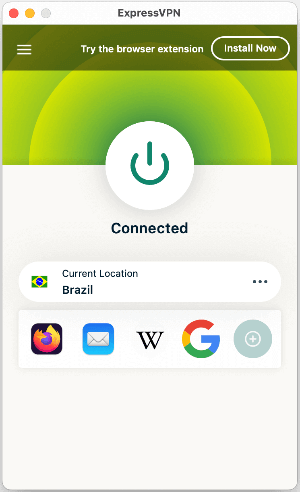
Security and privacy. ExpressVPN uses AES-256 encryption, a strict no-logs policy that has been independently audited, and a privacy-friendly British Virgin Islands jurisdiction. You also get RAM-only TrustedServer tech, a Network Lock kill switch, and strong leak protection, plus, similarly to NordVPN, Threat Manager to block trackers and malicious domains when you go online in Brazil.
Servers and apps. ExpressVPN has servers in 113 countries and holds up well for streaming, torrenting, gaming, and public Wi-Fi use. Unfortunately, the exact number of servers is not disclosed. The apps are available for Windows, macOS, Linux, Android, iOS, Apple TV, and other streaming devices, and now support up to 14 simultaneous connections, depending on your plan, which is plenty for most households.
Features. For everyday use in Brazil, Lightway protocol keeps connections fast and responsive, while split tunneling lets you route only chosen apps through the VPN. Core tools include Network Lock, Threat Manager, and TrustedNetwork Services, plus extras like the ExpressVPN Keys password manager, ShuffleIP for rotating IPs, and optional router hardware for whole-home protection with manual connection. It also offers an app for Aircove routers.
Unblocking capabilities. In streaming tests, ExpressVPN reliably unblocked platforms such as Netflix, Hulu, Amazon Prime Video, BBC iPlayer, and Disney Plus. MediaStreamer (Smart DNS) is handy if you want foreign or Brazilian content on devices that do not support VPN apps, like some smart TVs or consoles.
Price. ExpressVPN used to be on the premium side, but its updated pricing makes it more flexible, with Basic, Advanced, and Pro tiers starting from $2.99/month. All plans also come with a 30-day money-back guarantee and a 3-day free trial for mobile devices. You can check out the difference between plans in our ExpressVPN cost overview.
If you would like to learn more about ExpressVPN, read our ExpressVPN review.
3. Surfshark – budget-friendly and fast Brazil VPN

| Servers/countries: | 4,500+ servers in 100 countries |
| Streaming sites: | Netflix, Disney+, Amazon Prime Video, Hulu, and more |
| Compatible with: | Windows, macOS, Linux, Android, iOS |
| Current deal: | Now up to 85% OFF Surfshark + 3 months FREE |
Surfshark stands out for unlimited simultaneous connections, making it useful for households or travelers with several devices. Its Brazilian servers provide a local IP address, while international locations give you options for accessing services from home. One subscription can cover your supported phones, computers, and tablets throughout your stay.
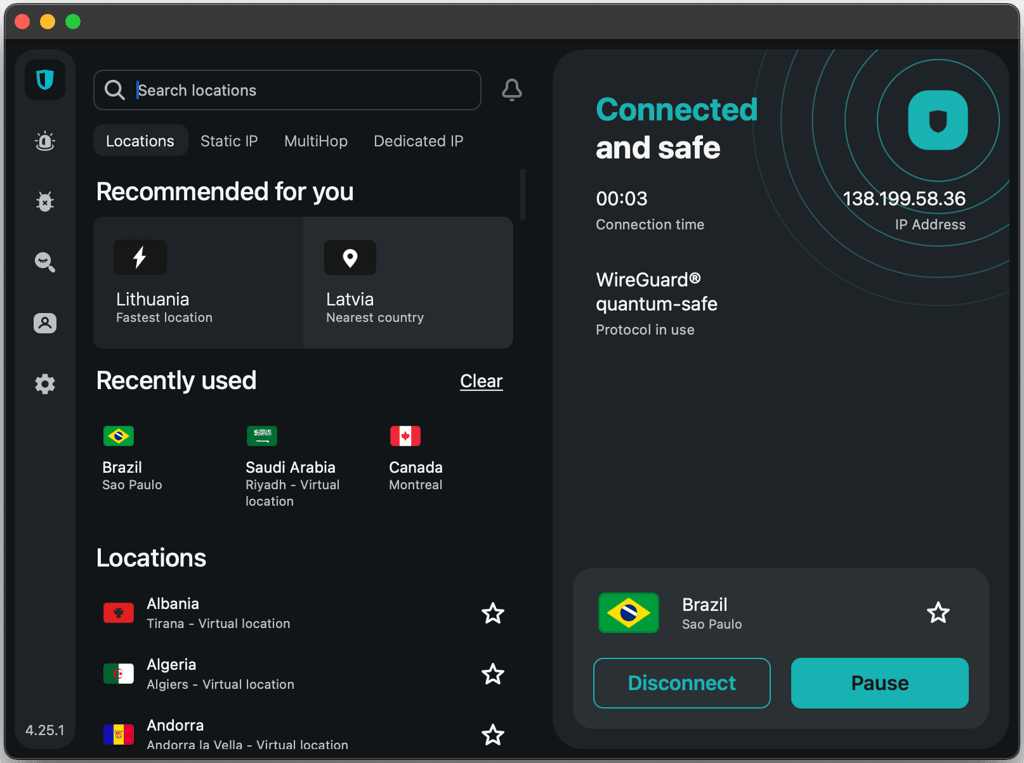
Security and privacy. Despite its low monthly cost, Surfshark doesn’t skimp on security. It uses market-leading AES-256 encryption, in addition to DNS leak protection, a kill switch, and a no-logs policy to keep your data completely hidden.
Servers and apps. Surfshark has over 4,500 servers in 100 countries, including options in Brazil, so it’s ideal if you’re traveling. And it has an easy-to-use app that works on Macs, PCs, and smartphones.
Features. Surfshark is packed with useful tools for everyday use in Brazil, including Camouflage Mode and NoBorders to help your VPN traffic blend in on restrictive networks, Rotating IP to regularly change your IP without dropping the connection, and CleanWeb to block ads, trackers, and malicious links. In fact, Surfshark’s antivirus is as advanced as a dedicated security software.
Unblocking capabilities. Just like obfuscated servers, Surfshark’s Camouflage Mode is used to disguise your VPN traffic as regular Iinternet traffic. This means it can unblock pretty much any location-restricted content you could think of, such as Amazon Prime Video, Hulu, and Netflix.
Price. All of Surfshark’s features start from as little as $2.49/month with a 30-day money-back guarantee applied. You can use cryptocurrency via CoinGate or CoinPayments to pay for your subscription, as well as more traditional methods. If you want to compare Surfshark’s plans, read our article on Surfshark’s price. You can also use a 7-day free trial on a Mac, iOS, or Android device before you commit to a long-term payment.
Explore our Surfshark VPN review for a more thorough evaluation.
4. CyberGhost – affordable and user-friendly VPN for Brazil

| Servers/countries: | Servers in 100 countries |
| Streaming sites: | Netflix, Hulu, BBC iPlayer, Disney+ |
| Compatible with: | Windows, macOS, Linux, Android, iOS |
| Coupons: | Watch Live Sports Securely, now with 83% OFF CyberGhost + 2 months FREE |
CyberGhost is a useful Brazil VPN for users who want to automate their connections. Its Smart Rules settings let you customize how the app behaves on supported devices, including when joining Wi-Fi networks. Brazilian and international locations give you options for local browsing and accessing services tied to another country.
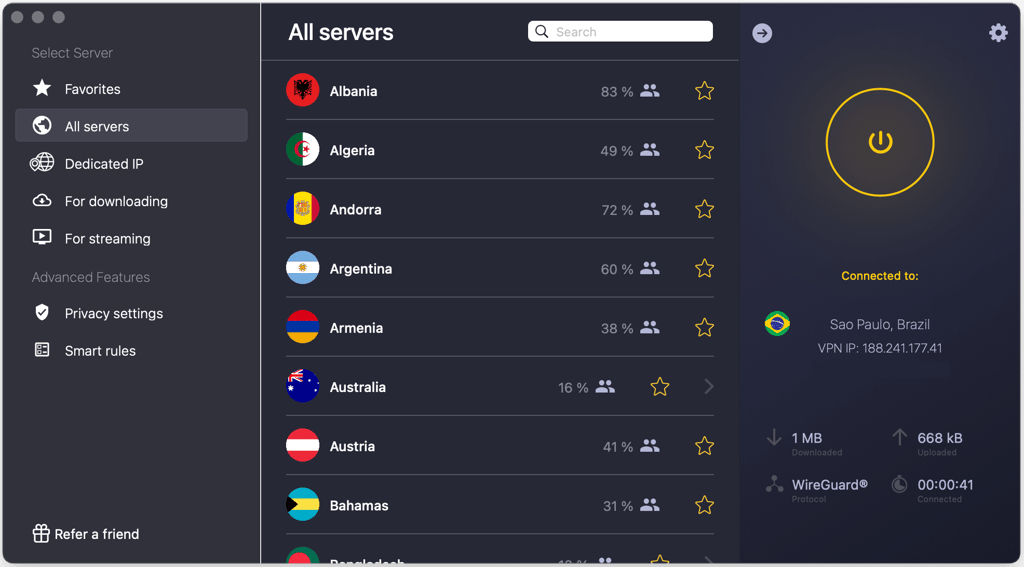
Security and privacy. CyberGhost uses AES-256 encryption, a strict no-logs policy that has been audited twice, an automatic kill switch, and leak protection to keep your data secure. There is also a malicious content blocker and NoSpy servers hosted in privacy-friendly Romania for an extra layer of security on home or public Wi-Fi.
Servers and apps. CyberGhost runs an undisclosed number of servers in over 100 countries, with specialized options for streaming, torrenting, and gaming. Its apps are straightforward on Windows, macOS, iOS, and Android, with a command line app for Linux. You and your friends or family can also connect up to 7 devices at the same time.
Features. CyberGhost adds useful extras like MultiHop (double VPN), Smart rules to automate connections on certain Wi-Fi networks or app launches, an optional dedicated IP, and a built-in ad blocker that works with the WireGuard protocol.
Unblocking capabilities. In streaming tests, CyberGhost successfully unblocked Netflix and Hulu in multiple regions and kept playback smooth and buffer-free. It was less consistent with Disney+ and BBC iPlayer, which only worked reliably on specific optimized servers, so it is not the strongest option if those platforms are your priority.
Price. CyberGhost is competitively priced, with plans starting from $2.19/month on the long 28-month subscription, plus 1-month and 6-month options at higher rates. You get free trials that range from 24 hours on desktop to up to 7 days on mobile, and there is a 14-day money-back guarantee on the monthly plan or 45 days on the longer ones. Payments are available via credit card, PayPal, Amazon Pay, and Bitcoin.
If you’re interested in this provider or would like to learn more about specialty servers, read our detailed CyberGhost review.
5. Proton VPN – privacy-focused Brazil VPN with a free version

| Servers/countries: | 20,700+ servers in 149 countries |
| Streaming sites: | Netflix, BBC iPlayer, YouTube, HBO Max, Disney+ |
| Compatible with: | Windows, macOS, Linux, Android, iOS |
| Coupons: | Get up to 70% OFF Proton VPN |
Proton VPN offers free and paid options for users in Brazil. The free plan is worth considering for basic browsing, while a paid subscription offers greater control over server selection, including Brazilian locations. If you need a specific country’s IP address for your usual services, check the plan’s location options before choosing.
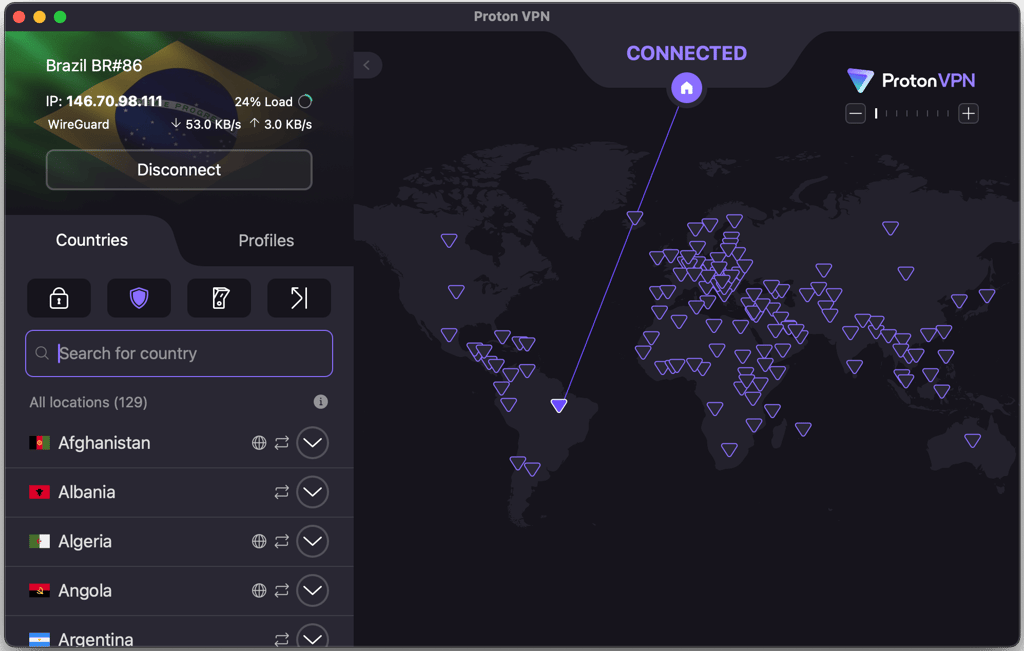
Security and privacy. Proton VPN employs AES-256 encryption to ensure your data stays completely secure. It also has a kill switch, along with DNS leak protection to keep your true IP address hidden at all times.
Servers and apps. This provider has more than 20,700 servers in 149 countries, but the free version only gives you access to servers in 10 locations. Even so, it has a straightforward app that works on Windows, Android, iOS, and macOS.
Features. Proton VPN features depend on whether you’re getting a free or paid plan. The free plan gives you unlimited data, strong encryption, and access to 10 locations for basic secure browsing, but it leaves out most advanced tools. On paid plans, you unlock Secure Core routing through privacy-friendly servers, NetShield ad and tracker blocking, Tor over VPN, and speed-boosting extras like WireGuard support and VPN Accelerator, which help keep streaming and gaming smoother in Brazil.
Unblocking capabilities. As it's a secure VPN, you can use ProtonVPN to unblock all sorts of sites and services from around the world. Having said that, the free version can only bypass geo-blocks in the US, Japan, Romania, Poland, Norway, Switzerland, Singapore, Mexico, Canada, and the Netherlands.
Free vs paid. If you’re happy enough with using servers in only 10 locations, excluding Brazil, the free version could be perfect for you. But if you want access to servers in Brazil, the paid Proton VPN version starts at $2.99/month. It comes with a 30-day money-back guarantee and accepts cryptocurrency payments. If you’re not sure which option has a better value, I recommend checking out our article on Proton VPN pricing.
To find out more about this service in general, see our comprehensive ProtonVPN review.
Why do you need a VPN in Brazil?
A VPN is useful for more than changing your online location. It can add privacy to everyday browsing and help you access location-specific services while living or traveling in Brazil.
Protect your connection on public Wi-Fi
Hotels, airports, cafés, and coworking spaces often mean using networks you don’t control. A VPN encrypts traffic between your device and its server, adding a layer of privacy when browsing or checking personal accounts.
Access services from home
Some websites and streaming platforms change their availability based on your IP location. Connecting to a server in your home country may help you access familiar services while in Brazil. Availability depends on the platform, your account, and the VPN server.
Keep a Brazilian IP address while browsing privately
You don’t have to connect overseas to use a VPN. A Brazilian server lets you keep a local IP location while encrypting your connection. Choose a nearby server as a starting point when you don’t need an IP address from another country.
Get a Brazilian IP address abroad
If you leave Brazil, a VPN’s Brazil location can provide a Brazilian IP address. This may help with location-sensitive Brazilian websites and services you continue using while away.
Best Brazil VPNs compared
Compare our recommended Brazil VPNs by their features, device support, and subscription costs. Consider both Brazilian server availability and the international locations you need for your usual websites and services.
| Brand | Rating | Streaming services | Logging | Servers | Simultaneous connections | Price |
| NordVPN | Netflix, Hulu, BBC iPlayer, Disney+, and more | No logs, independently audited 6 times, lately by Deloitte | 8,000+ servers in 149 countries | 10 | $3.49/month | |
| ExpressVPN | Netflix, Hulu, BBC iPlayer, Disney+, and more | No logs, KPMG audited 3 times | Undisclosed number of servers in 113 countries | 14 | $2.99/month | |
| Surfshark | Netflix, Disney+, Amazon Prime Video, Hulu, and more | No logs, independently audite by Cure 53 | 4,500+ servers in 100 countries | Unlimited | $2.49/month | |
| CyberGhost | Netflix, Hulu, BBC iPlayer, Disney+ | No logs, audited twice by Deloitte | Undisclosed number of servers in 100 countries | 7 | $2.19/month | |
| Proton VPN | Netflix, BBC iPlayer, YouTube, HBO Max, Disney+ | No logs, independently audited by security experts | 20,700+ servers in 149 countries | 10 | $2.99/month |

How to use a VPN in Brazil
Setting up a VPN in Brazil takes just a few steps. Choose your server location based on whether you want to browse locally or use an IP address from another country.
- Choose a VPN. NordVPN at 75% OFF is our top recommendation for Brazil. Check that your provider also offers the international locations you need
- Install the app. Download it from the provider’s official website or your device’s app store, then sign in
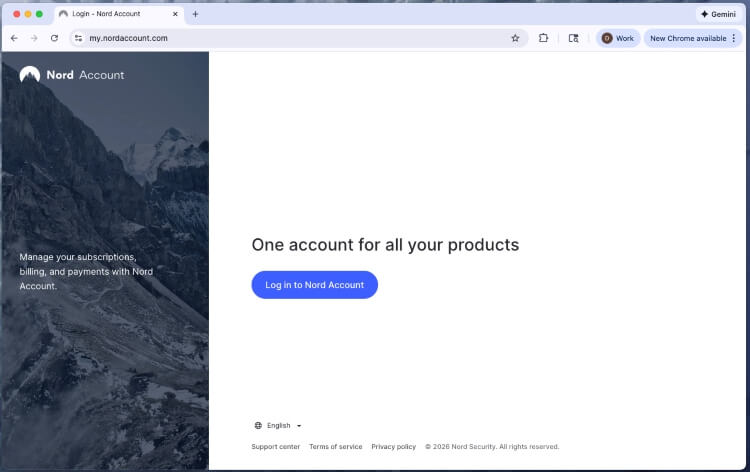
- Enable the kill switch. Review the available privacy settings to help prevent unprotected traffic if the VPN disconnects
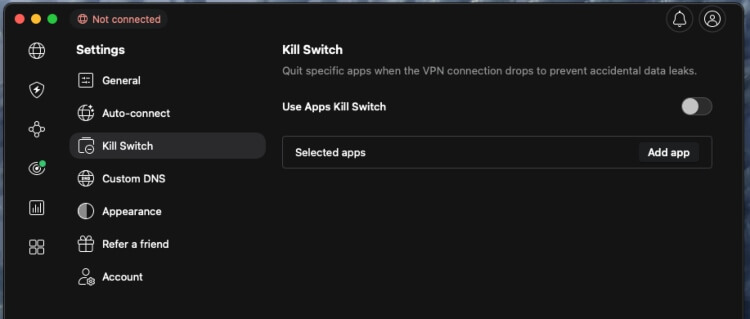
- Select a server. Choose a nearby Brazilian server for local browsing or a server in your home country for location-specific services
- Check the connection. Confirm your IP location, then open the website or app you want to use
To get a Brazilian IP address while abroad, follow the same steps and select Brazil from the server list.
Which VPN server should you choose in Brazil?
The right VPN location depends on the IP address you need. For everyday browsing, start with a nearby server. Switch countries when a website or service requires a different location.
| Your goal | Server location to choose |
| Browse privately with a Brazilian IP address | A nearby Brazilian server |
| Access location-specific services from home | A server in your home country |
| Get a Brazilian IP address while abroad | A Brazil location |
| Troubleshoot a slow VPN connection | Another nearby server |
Brazilian servers for everyday browsing
A Brazilian server is a practical choice when you want to keep a local IP location. Physical distance can affect performance, so compare nearby options before choosing a server farther away.
International servers for services from home
Select a server in the country associated with the service you want to access. For example, choose a US location when you need a US IP address. Long-distance connections can increase latency, so try another location in the same country if performance is poor.
Troubleshooting VPN connections in Brazil
On hotel or airport Wi-Fi, complete the network’s sign-in page before connecting your VPN. If the VPN fails to connect, try another server or a different protocol available in the app.
If a particular website rejects your connection, try another server in the same country and reopen the site. For a trusted app that needs a direct connection, split tunneling may help if your VPN and operating system support it.
Can I use a free VPN in Brazil?
Yes, a free VPN can be useful for basic browsing in Brazil. Before choosing one, check its privacy policy, data allowance, and server-selection options.
Using a free VPN in Brazil is different from getting a free Brazilian IP address. A free plan may connect you automatically to another country or restrict which locations you can select. That matters if you need a Brazilian IP or access through your home country.
A paid VPN is worth considering when you need specific server locations, multiple simultaneous connections, or streaming support. Compare the total subscription cost with the length of your stay before committing to a plan.
Summary
The best Brazil VPN should fit your everyday browsing needs and offer the server locations you use most. A Brazilian server is useful for keeping a local IP address, while international servers give residents and visitors more options for accessing services from home.
NordVPN is our top pick for Brazil. ExpressVPN is an alternative for straightforward apps, Surfshark suits users with multiple devices, and CyberGhost and Proton VPN offer additional options for connection management and privacy.
Choose a subscription that covers your devices and preferred locations, with a total cost that makes sense for your stay.
FAQs
What is the best VPN for Brazil?
NordVPN is our top pick for Brazil thanks to its Brazilian servers, international locations, and NordLynx protocol. ExpressVPN, Surfshark, CyberGhost, and Proton VPN are alternatives depending on your devices, budget, and preferred features.
Which VPNs work in Brazil?
NordVPN, ExpressVPN, Surfshark, CyberGhost, and Proton VPN offer options for users in Brazil. Check your chosen plan for the server locations and device support you need.
Should I connect to a Brazilian or US VPN server?
Choose a Brazilian server for local browsing when you want to keep a Brazilian IP address. Choose a US server when you specifically need a US IP location. Longer-distance connections can add latency, so compare available servers if performance is slow.
Can I access services from home with a VPN in Brazil?
A VPN may help by providing an IP address from your home country. Connect to a server there before opening the service. Access depends on the platform, your subscription, and whether it accepts VPN connections.
How do I get a Brazilian IP address abroad?
Install a VPN that includes a Brazil location, sign in, and connect to that location. Websites will then see the VPN’s Brazilian IP address instead of your usual public IP address.
Should I install a VPN before traveling to Brazil?
Yes, setting up your VPN before departure gives you time to sign in, test connections, and check the settings. Install it on the devices you plan to bring and familiarize yourself with server selection and the kill switch.