GoDaddy vs Hostinger vs Namecheap 2026
Our in-house experts conduct internal independent, hands-on testing and transparent reviews of web hosting providers by using custom-built tools or utilizing industry-recognized tools and methods to ensure impartial and evidence-based assessments.
Using the same criteria for all services, we share our detailed methodologies and practices to help customers make informed hosting decisions.
Learn more

GoDaddy, Hostinger, and Namecheap are three popular hosting providers on the market. With differences between hosting providers often nuanced, it may be hard to choose the best one. That’s why in this GoDaddy vs Hostinger vs Namecheap comparison, I will break down the pricing, features, performance, security, and customer support, giving you the information you need to choose the right hosting provider.
GoDaddy vs Hostinger vs Namecheap 2026: the verdict
Picking the winner in this comparison was hard, as each has shown strengths and some weaknesses. Hostinger is my winner, due to a combination of affordability and usability. However, Namecheap is an excellent budget pick, offering the lowest price at $1.88/month, while GoDaddy should be your go-to if you’re all about performance, as it showed the best combination of speed and reliability in our performance tests.
| Hostinger | Namecheap | GoDaddy hosting | |
| ⭐ Rating: | |||
| 💵 Price: | From $2.24/month | From $1.81/month | From $4.99/month |
| 📑 Uptime guarantee: | 99.9% | 100% | 99.9% |
| 🔥 Coupons: | Hostinger coupon 83% OFF | Namecheap coupon 71% OFF | GoDaddy coupon 66% OFF |
| Storage space (from): | 20GB SSD | 20 GB SSD | 25GB SSD |
| ✂️ Free domain (first year): | Yes | Yes | Yes |
| 💾 Automated backups: | Free (weekly) | 2 times/week (without auto backups) | Yes (daily) |
| 💰 Money-back guarantee: | 30-day | 30-day | 30-day |
Pricing comparison
When looking for a hosting provider, pricing is one of the key aspects you have to consider. Here’s a comparison of pricing between GoDaddy, Hostinger, and Namecheap:

Performance testing
To compare the performance of the three providers, I set up WordPress test websites with the Cybernews research team's help. I used the three mid-range plans from the providers: Hostinger Business, Namecheap Stellar, and GoDaddy Deluxe to perform the tests. All tests were performed on a default WordPress website with the Twenty Twenty Four theme.

Ease of use: setup, migration, and more
I tested each provider to see how easy to use they are. Here are the results:
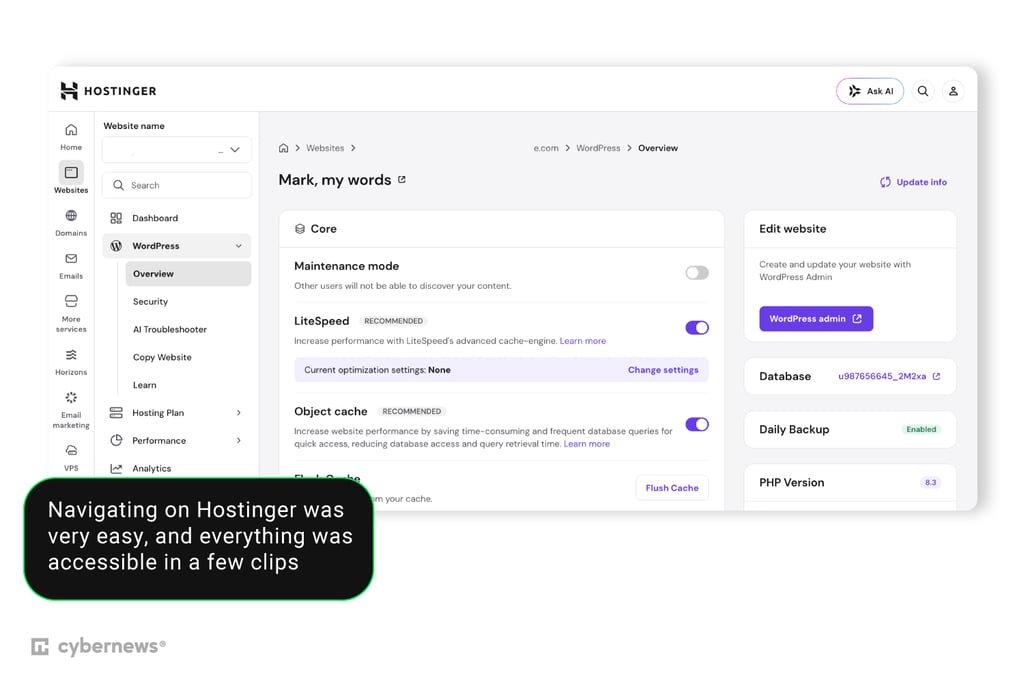
Hostinger’s ease of use is one of its main selling points for me. Setting up my website, including subdomains, was extremely easy. The interface is intuitive, with each functionality clearly divided into categories. Connecting my domain and setting up an email account was also easy.
To test Hostinger’s installation process, I decided to see how it handles installing a simple WordPress site. The entire setup process took only a few clicks. All I needed to do was head to Hostinger’s app installer, fill out my site’s basic details, and confirm, and I was able to use my website within a few minutes. Once the website was launched, I wasn’t satisfied with WordPress’ default editor. After a few minutes of chatting with Kodee, the AI recommended I switch to Elementor and explained the entire process of installing the plugin.
Hostinger uses an automated tool to perform its migrations. The migration itself is quite easy, although, unlike some migrations done by specialists, it does require you to transfer certain things, like DNS records, manually.
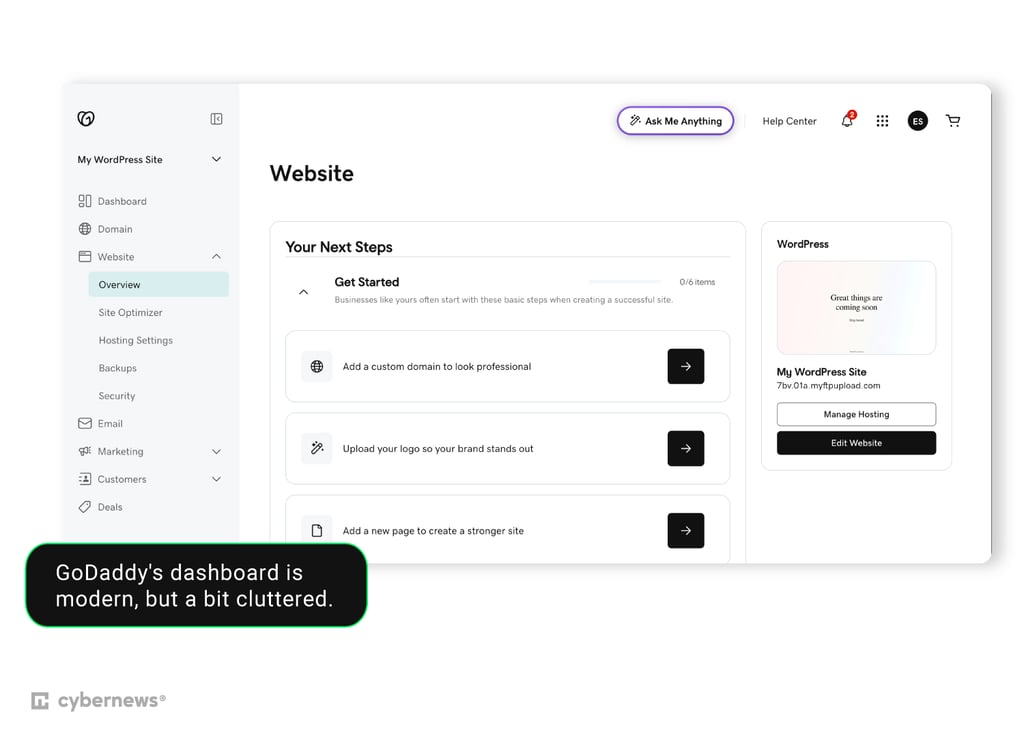
GoDaddy's modern dashboard feels a bit too cluttered. There’s a lot of upselling around the interface, and it’s not always clear whether it’s a new service or an existing product. This was quite frustrating, especially when I was starting to learn the interface.
Installing WordPress on a standard shared hosting plan was easy. I used the Installatron Applications Browser to set up WordPress and filled out the initial details, and after that, the website was ready to go. The whole process only took minutes. Once installed, I saw that GoDaddy’s WordPress installer added a few useful plugins, like the Gutenberg block editor, GoDaddy email marketing tool, and Poynt – a payment gateway for WooCommerce.
GoDaddy offers multiple migration options – managed migration, automated cPanel migration, or automatic WordPress migration. The managed migration server will have GoDaddy’s experts transfer your website to GoDaddy. This can take up to 14 days, but if your website is a simple WordPress installation, you can skip the wait with automated tools.
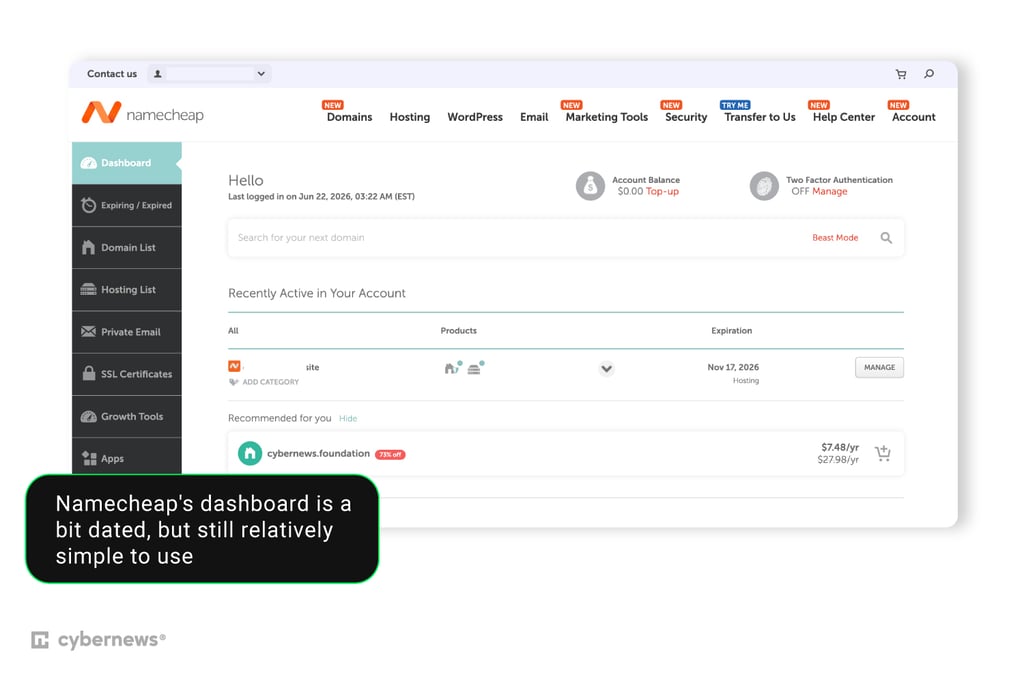
Namecheap’s dashboard is definitely the most dated in our comparison. While I had no trouble accessing various functionalities, it took a bit longer to set up a website than with GoDaddy and Hostinger.
WordPress and other similar apps can be installed using the Softaculous app installer. It took a few more clicks to get through the interface than in Hostinger’s case, but once I got to it, the installation process was simple. All I had to do was fill out my basic information, and my website was ready in a few minutes. Like GoDaddy, Softaculous also preinstalls a few useful plugins, such as a cookie consent banner or a form builder.
The migration process left something to be desired. With no automated migration options, I was forced to contact the Namecheap team and wait for them to complete the migration manually. Compared to Hostinger and GoDaddy, the process was difficult and time-consuming.

Security
Security is crucial for maintaining a website. Here are some of the top security features offered by each provider. Let’s start with the security features all providers share:
- Free SSL certificates are included to encrypt data across all platforms.
- Web Application Firewalls (WAFs) protect sites from malicious web traffic and exploits.
- Malware scanning tools look for and detect harmful code or files.
- Automated backups are provided to help restore files and databases if needed.
- Automatic WordPress updates keep the core software secure across their specialized WordPress plans.
- DDoS protection helps mitigate traffic spikes designed to take websites offline.
GoDaddy adds a few unique features of its own:
- AutoSSL renewal automatically handles certificate extensions specifically for cPanel sites.
- Patchstack vulnerability mitigation identifies and patches security gaps in WordPress plugins and themes.
- Norton Small Business Cybersecurity trials are bundled into supported hosting packages.
Here’s Hostinger’s unique security offer
- Secure Access Manager allows users to grant account permissions to others safely.
- Unlimited SSL certificates are provided to cover all domains and subdomains.
- Hostinger WordPress Malware Scanner runs automated checks specifically optimized for the WordPress environment.
And here’s what Namecheap offers:
- Imunify360 security suite provides machine-learning firewalls, intrusion prevention, and protection against zero-day threats.
- Supersonic CDN provides an integrated content delivery network paired with DDoS defense.
- HackGuardian and MalwareGuardian Autoclean Protection provide automated cleanup tools on premium EasyWP plans.
Customer support
Customer support can be a crucial aspect of hosting. A good support agent can help you solve serious problems in minutes, while a bad one may make fixing the issue almost impossible. That’s why I looked at the quality of each provider’s support process.
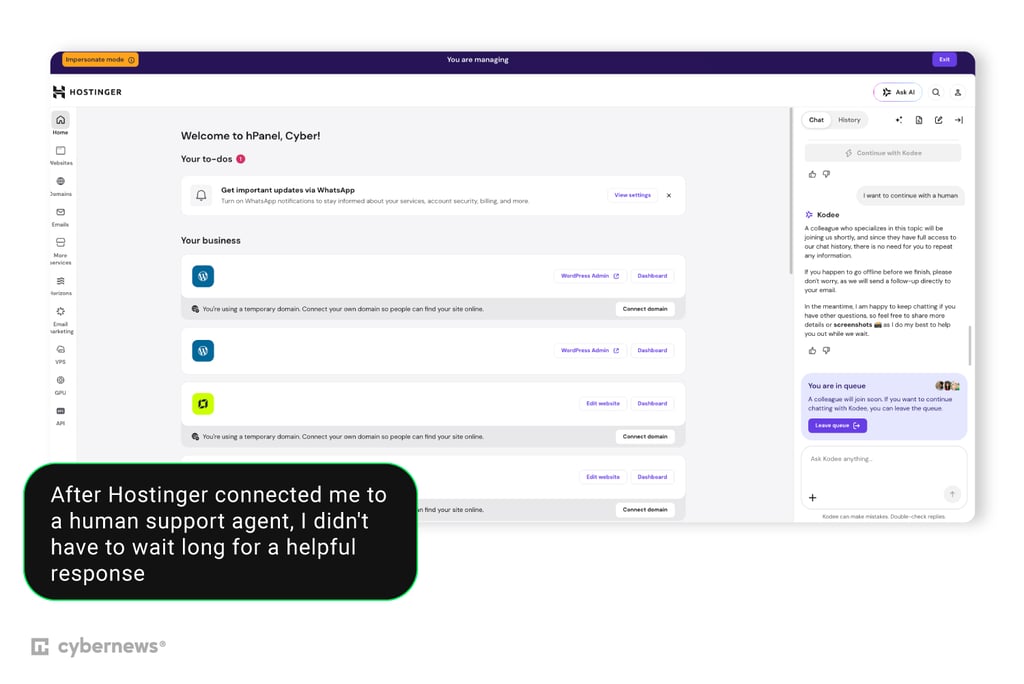
I contacted Hostinger’s support team through live chat, asking a few questions about installing SSL and enabling CDN. At first, Hostinger’s Kodee AI assistant came up with the answers. However, after prompting it to hand me over to a human agent, I was quickly connected to one.
The wait time was only around a minute, and the agent helped me with both my prompts, thoroughly answering my questions. Although I must admit that Kodee did as good a job answering technical prompts. Overall, I had a very good experience. If I had to point to one drawback, it’s that Hostinger doesn’t offer phone support.
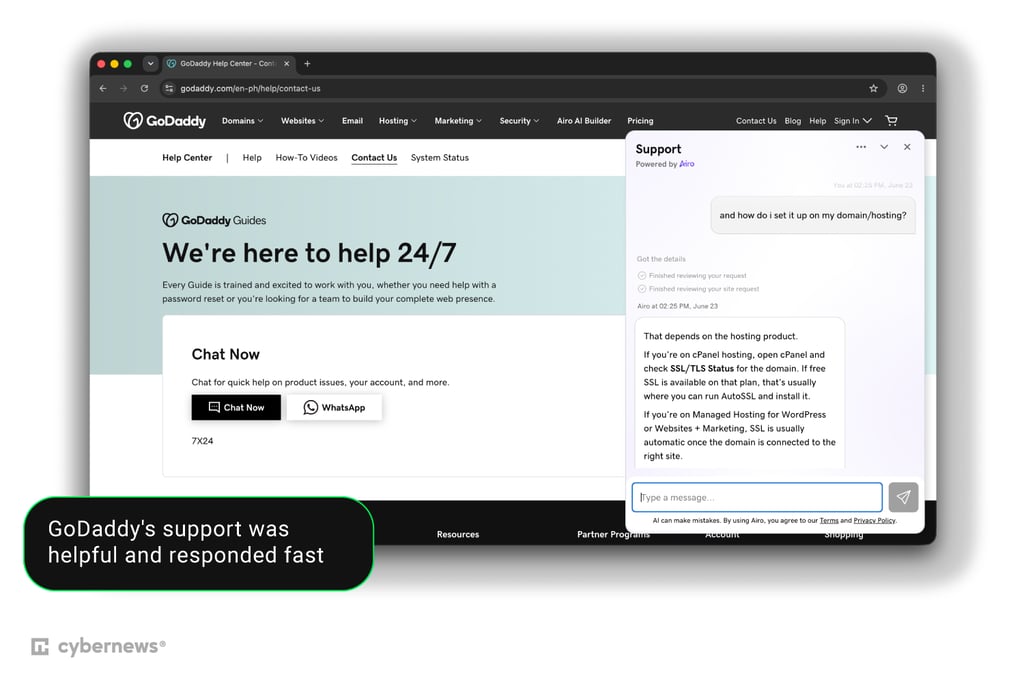
For GoDaddy, I also asked the support chat about SSL and enabling CDN. At first, I was answered by GoDaddy’s Airo AI. The answer was pretty thorough, but just to make sure, I contacted a human support agent.
I only had to wait around a minute for a response. The agent was polite and helpful and confirmed Airo’s answers regarding SSL and CDN. Overall, the whole experience was very pleasant and didn’t take long. I also appreciated that GoDaddy offered 24/7 phone support in addition to the chat option.
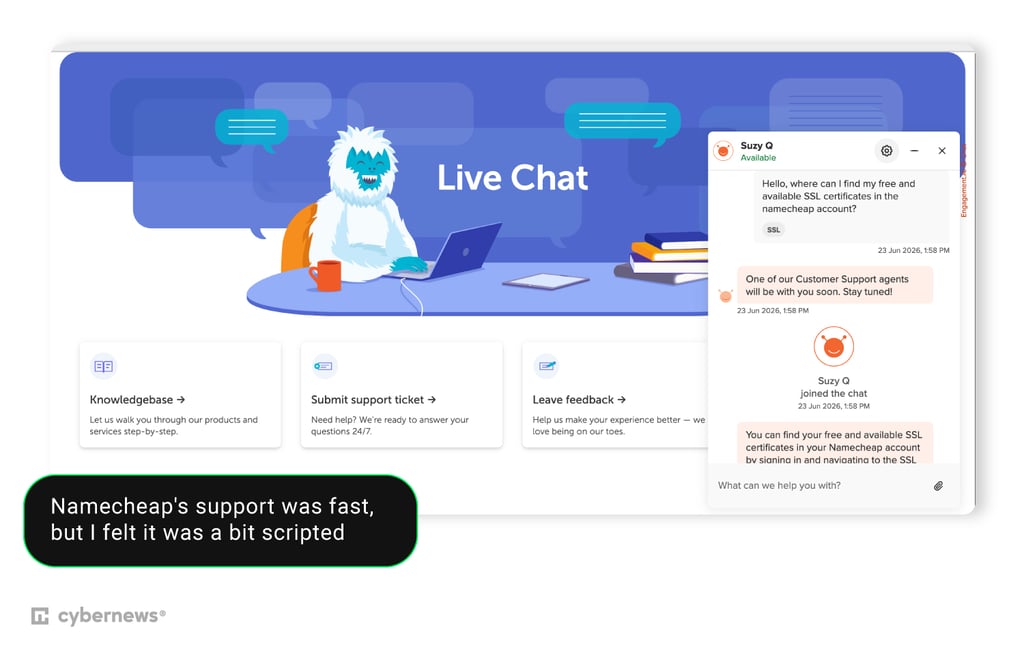
I also asked Namecheap’s support about SSL and CDN. Unlike GoDaddy and Hostinger, Namecheap doesn’t have an AI assistant serving as the first point of contact. Instead, my message was routed to a human agent immediately.
It only took around 2 minutes for a response. In both cases, the agent was polite, though I felt the answers were a bit more scripted and copy-pasted than those from Hostinger and GoDaddy. That said, the answers were still accurate and satisfactory. Unfortunately, Namecheap doesn’t offer live phone support.
Final thoughts
There really isn’t much to separate between Hostinger, Namecheap, and GoDaddy. Each product has its pros and cons, and which one you choose will depend on what you value in a hosting provider. I believe that overall, Hostinger is the best choice due to its excellent usability and consistent performance in most of our categories. However, different providers may be better or worse depending on your exact needs:
- Pick Hostinger if you’re looking for an easy-to-use provider with a modern interface, excellent security, and a helpful AI assistant.
- Pick GoDaddy if you’re looking for strong performance and top-tier support, and don’t mind the higher price.
- Pick Namecheap if your main concern is price, and you don’t mind a slightly outdated interface.