How to fix “this item isn't available in your country” on Android
Our in-house cybersecurity experts and journalists, renowned for major reports like The Mother of All Breaches, conduct transparent, unbiased VPN testing and in-depth analysis.
With 750+ articles crafted based on real-world research, we empower readers to make informed purchasing decisions through first-hand expertise.
Learn more

Encountering an error message when trying to download an app from the Google Play Store can be frustrating. Often, this happens because certain apps are only available in specific countries, leading to messages like “this item isn’t available in your country” during your search.
Fortunately, a reliable VPN can help you bypass these restrictions though you will likely also need to change your Play country, payment profile, and account region. By connecting to a server in a different country and updating these settings, you can access and download the apps you want from anywhere. Keep reading to learn how to resolve the “this item isn’t available in your country” message and get the apps you want.
How to fix “this item isn't available in your country” with a VPN

- Download and install a reliable VPN
- Connect to a server in a location where your desired app is available
- Open the Play Store app
- Click on your profile, select Settings > General > Account and device preferences > Country and profiles, and click on the country you want to switch to
- Complete the required steps and update your payment method
- Search for the app you want and download it
A VPN can help when an app is restricted by your location, but it can't bypass all Google Play account, billing, or developer restrictions.
How a VPN can help fix the “this item isn't available in your country” error?
When you get the “this item isn’t available in your country” error, it is due to the fact that your chosen app is geo-restricted to specific locations only.
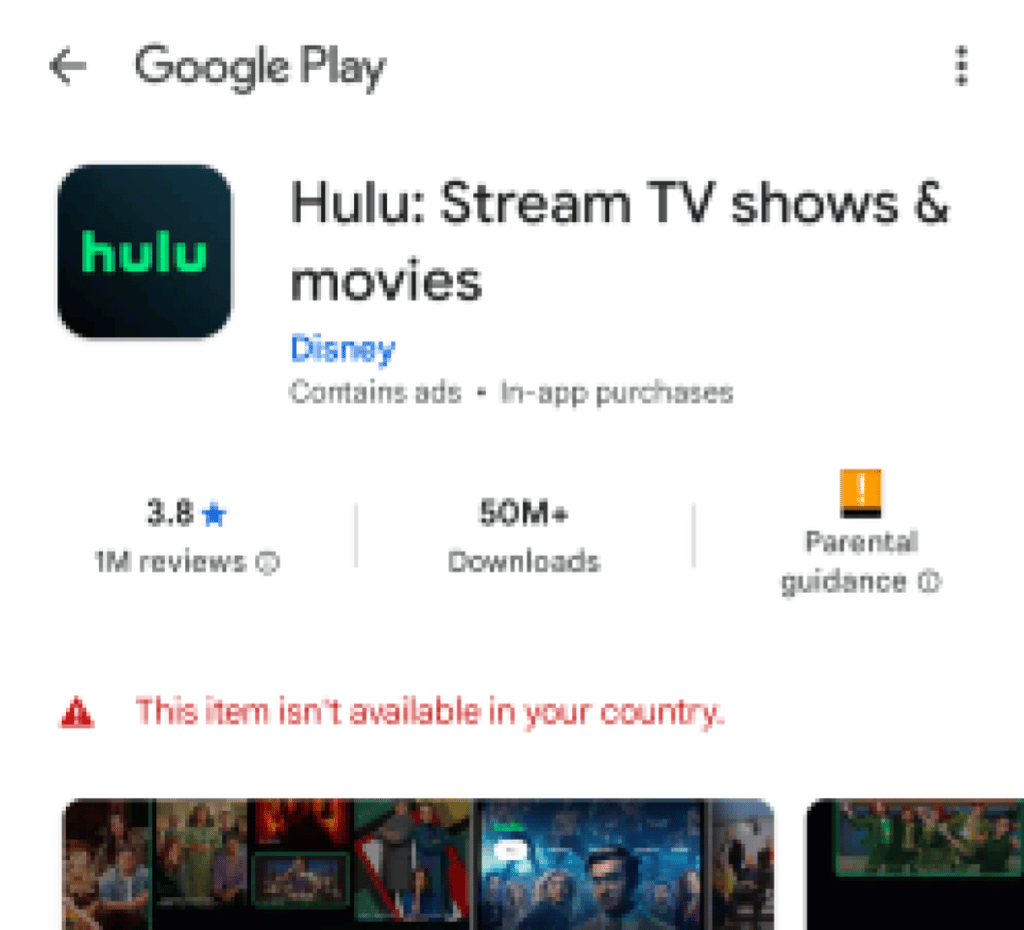
To solve the issue you can either physically change your location by traveling or choose a cheaper and faster option – a VPN. However, there are other requirements. For example, in some cases, you won’t succeed with a VPN alone and will need to spoof your mobile location to access foreign apps. This is often the case with apps for gambling, but it can affect any app using strict geo-blocking software or those uploaded to foreign app stores specifically.
| What you need to download the app | What it requires | Can a VPN help? |
| Access from a supported country | An IP address from a country where the app is available | ✅ Yes (if the restriction is IP-based) |
| Google Play country | A Google Play country that matches where the app is available | ❌ No |
| Google Payments profile | A payment profile associated with the correct country (where required) | ❌ No |
| Payment method | A payment method accepted in the selected Google Play country (where required) | ❌ No |
| Compatible device | A device that meets the app's compatibility requirements | ❌ No |
| GPS location | Required only for apps that verify your physical location (such as some betting or banking apps) | ❌ No |
After changing your Google account settings and combined with a reputable VPN, you will be able to mask your real IP address and connect to a server in a location where your chosen app is available. My top VPN recommendations offer thousands of servers worldwide, providing you with a wide range of options to choose from.
Remember that you can change your Google account's region only once every 12 months. Instead, you can try to set up a new Google Play Store account in the country you want.
Best VPNs to fix “this item isn't available in your country” error
- NordVPN – best VPN VPN for bypassing location restrictions
- Surfshark – cheap and fast VPN for accessing geo-restricted items
- IPVanish – feature-rich VPN for fixing the error
Conclusion
Using a VPN helps you to fix the “this item isn’t available in your country” error in conjunction with changing your Google account region, but a VPN alone usually does not change your Google Play country.
With over 8,600 server locations to choose from and a very attractive subscription price, you can confidently choose NordVPN to help you navigate around the geo-restrictions holding you back. Not only will NordVPN help you get restricted apps in the Play Store, but it will keep all your online activity encrypted and private.
FAQs
How can I buy something not available in my country in the Play Store?
To buy something not available in your country from the Play Store, you’ll need to change your current location with the help of a reputable VPN, like NordVPN. In addition, you may need to change your Google account location and payment information. First, choose a VPN server in the country that you need, then change your country in the Google profile, and proceed to download the app from the Play Store.
Why do I get an “item is not available in your country” error in the Play Store?
You get the “item is not available in your country” error in the Play Store because the app is geo-restricted to a location other than the one you are in. This is often the case with streaming platforms, since they deal with licensing, broadcasting, and copyright issues in different countries. Depending on the country you live in, the app you want to download might not yet be available to you without a VPN.
Can I change my location in the Google Play Store?
Yes, you can change your location in the Google Play Store. However, you are only allowed to do this once a year. Keep in mind that your payment information needs a billing address in the location you want to switch to, and you may need to additionally change your IP address with a VPN to access apps in other countries.