Does Alexa spy on you? Take these 5 steps to protect your privacy
Being behind major reports like The Mother of All Breaches and RockYou2024, our in-house cybersecurity experts and journalists provide unbiased, real-world testing and in-depth analysis.
We maintain complete transparency by openly sharing our testing methodologies with our audience.
Learn more
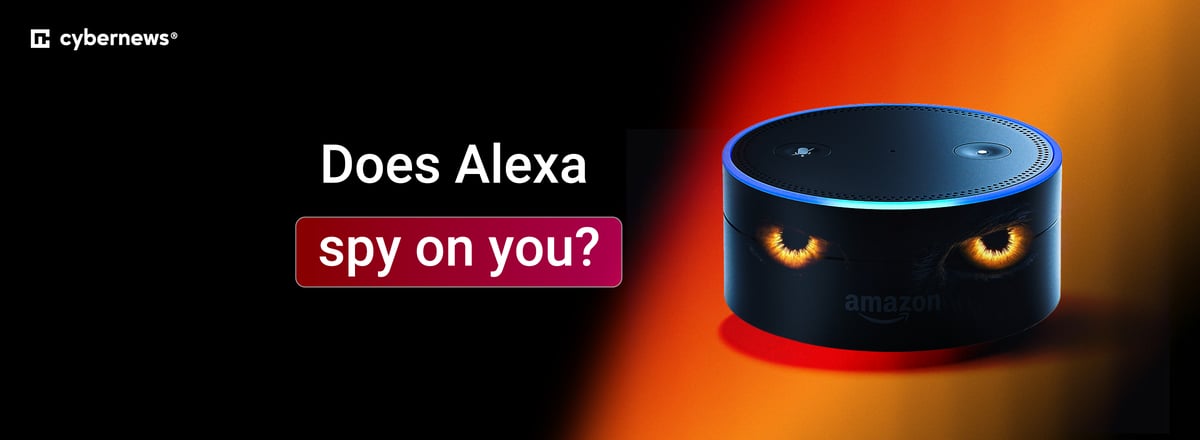
Alexa is basically a microphone in your house that's connected to the internet 24/7. But that doesn't automatically mean Amazon is spying on your kitchen conversations. That said, Alexa makes mistakes. It can listen when it shouldn't and occasionally send bits of your private life to the cloud.
Read on to learn about the reality of what happens to your voice data, times this technology has gone wrong, and an action plan to reduce these risks.
The alarming examples of Alexa invading someone’s privacy
It’s official: Alexa is always listening. But there's an important distinction between two types of listening: active listening with recording on, and passive listening to catch wake words. The official line is that Alexa only records when you say one of the wake words – “alexa,” “echo,” or “ziggy.”
To catch those wake words, Alexa has to listen constantly – that's the passive mode. It's not recording or sending data to any cloud servers just yet. Only when it hears the wake word does it start uploading audio to Amazon's servers. A detailed study from 2020 found no evidence that Alexa may intentionally spy on conversations.
But here's the issue: it does make mistakes. Alexa may mishear words like “election,” “unacceptable,” or “a Lexus” as its name, because phonetically they’re quite similar. When that happens, Alexa starts recording immediately.
One such example happened in 2018 to a couple in Oregon. In the middle of a kitchen conversation, the husband received a message from one of his contacts: “Unplug your Alexa devices right now. You're being hacked.” He had just received an audio file of their private conversation about hardwood floors.
Only, it wasn't a hack. Alexa misheard some words as “alexa.” Then it misheard the conversation as a command to “send message.” Then it misheard a name in their contacts. It was a chain of glitches – rather than some conspiracy – that broadcast their privacy to someone else.
And there are more alarming instances of Amazon walking on a thin edge of surveillance:
- In 2019, Bloomberg broke the story that Amazon employed thousands of human reviewers to transcribe recordings. They didn't just hear commands. They heard people singing off-key in the shower. Screaming matches. Even what sounded like sexual assaults.
- As of March 2025, Amazon removed the “do not send voice recordings” option for many newer devices (like the Echo Dot 4th Gen and Echo Show 10/15). To support new generative AI features, Amazon decided it needs to process everything in the cloud. You can no longer force these devices to process your voice locally.
- One research suggests that smart speaker interactions (like Alexa) can increase ad bids by up to 30x. Essentially, your conversations with Alexa are used to target you with ads across the web – turning a simple request for coffee into a Facebook ad.
Amazon was even fined $30 million for multiple privacy violations, including keeping Alexa recordings of children's voices.
A 5-step action plan to protect your privacy (from Alexa)
If you aren't going to stop using the device altogether (which is the only 100% secure option), you need to lock it down. Don't just trust the default settings.
Here's a 5-step action plan to reduce those privacy risks. Just keep in mind – for as long as you're using Alexa, some level of risk remains.
1. Kill the human review
Do not let Amazon use your voice to train its AI:
- Open the Alexa app
- Navigate to More → Settings → Alexa privacy
- Select Manage your Alexa data
- Turn off the setting for Help improve Alexa (sometimes also labelled as “use of voice recordings”)
2. Mute the microphone
Software buttons are trust-based; hardware buttons are physics-based.
- Every Echo has a microphone off button (usually a circle with a line through it).
- When you press it, the light turns red – this physically disconnects the circuit to the microphone. If you are having a sensitive conversation, press the button.
3. Set up auto-deletion
Since the 2025 update, you can't stop the uploads of your recordings to Amazon’s cloud for processing, but you can stop the storage:
- Open the Alexa app
- Navigate to More → Settings → Alexa privacy
- Select Manage your Alexa data
- You can select Don't save recordings or have them deleted automatically after 3 months or 18 months.
4. Delete your voice history
You can see everything Alexa has recorded and delete individual entries or your entire history:
- Open the Alexa app
- Navigate to More → Settings → Alexa privacy
- Select Review voice history
- Here you can view, listen to, and delete recordings
5. Change the wake word
If your name is Alex or Alexis, or you say “election” a lot, your device is probably triggering constantly. Change the wake word to “ziggy” – a word you're far less likely to say in casual conversation. For now, you can only choose from a predefined list of wake words, with no option for custom ones.
- Open the Alexa app
- Navigate to Devices → [your device] → Device settings
- Select Echo & Alexa, then select your specific device
- Select Wake word
- Choose your preferred wake word from the list and tap OK
There are high-risk and low-risk wake words. High risk: “alexa” (similar to “Alexis,” “Alex,” “election,” “unacceptable,” “Lexus,” and more). Low risk: “ziggy” or “echo” (phonetically distinct sounds are less likely to trigger accidents).
Alexa isn’t the only thing eavesdropping on your moves
Alexa listens by mistake, but data brokers track you on purpose. They make billions selling your private info – like your name, address, and family details – to scammers and advertisers.
Luckily, there's a fix for that, too – a data removal service. Tools like DeleteMe, Onerep, or Incogni scan these databases and make sure all your data gets erased.
I personally use Incogni because it covers a wide range of brokers without breaking the bank – pricing starts at $7.99/month. And if you want serious protection, its top-tier plan even includes identity theft insurance. It's a simple, affordable way to take your privacy back.
Summing it all up
Alexa doesn't spy on you in the traditional sense – it's not secretly recording your conversations and selling them to advertisers. But it is a microphone that's always on, listening for wake words 24/7. And it makes mistakes, tuning into conversations you never meant to share.
You can try to prevent this, but there's no bulletproof solution. It's a trade-off only you can weigh: the comfort of a voice assistant versus the risk of private moments ending up in the cloud.
FAQ
Does Alexa spy on conversations?
No, but it may listen by accident. Alexa isn't a wiretap, but it frequently mishears regular words as its wake word. When this false trigger happens, it records your private conversation and uploads it to the cloud.
Is it safe to have Alexa in the bedroom?
No, the bedroom is a high-risk location for Alexa. This device has a microphone (and often a camera) connected to the internet 24/7. Apart from tuning on by accident, Alexa also has a drop-in feature that lets trusted contacts listen to your room like an intercom. If you keep Alexa in the bedroom, use the mute button (red light) whenever you want guaranteed privacy.
Can Alexa record conversations without you knowing?
Yes. The blue light ring supposedly indicates when it's recording, but you won't see it if you're asleep, in another room, or have your back turned. If the device thinks it heard “alexa” or any other wake word, it records until it realizes you aren't talking to it.
How do I stop Amazon employees from listening to my recordings?
You can opt out of the human review program. In the Alexa app, go to Settings → Alexa privacy → Manage your Alexa data and turn off the Help improve Alexa feature.