Best one-handed gaming keyboard (2026 guide)


A one-handed gaming keyboard is a specialized keypad with only the essential gaming keys, including WASD and numbers, for single-hand use. There are many reasons why players want such a keyboard.
For one, it saves space, provides faster mouse control, and has macro capability. But if you’re like me and look for ultimate comfort, then the ergonomics may buy you.
That’s why I decided to review the best one-handed gaming keyboard options with my Cybernews research team. Together, we compiled a list of the top 6 keyboards, but you’ll also learn about the key features, pros/cons, and how to make the right choice.
Best one-handed gaming keyboard – shortlist
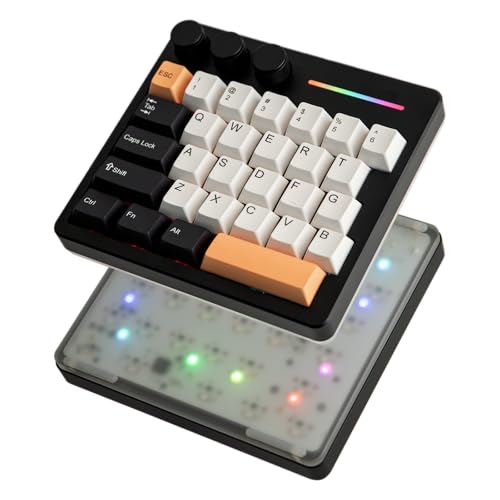
- KiiBoom Cybrix 29 – the overall best one-handed gaming keyboard
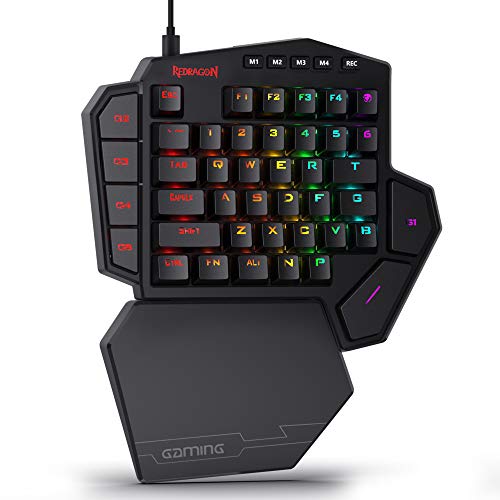
- Redragon K585 WIRED – best one-handed keyboard with 42 keys
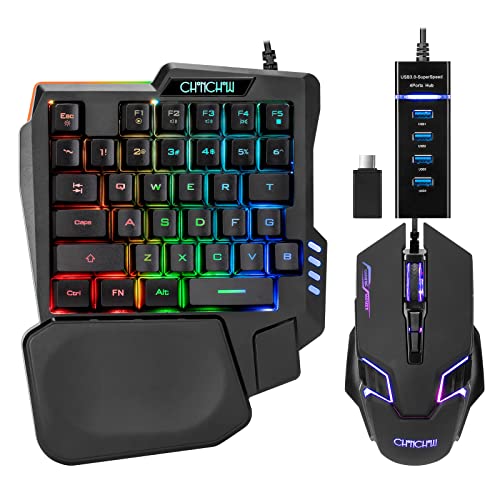
- CHONCHOW One Handed Half Keyboard – best all-in-one one-handed keyboard
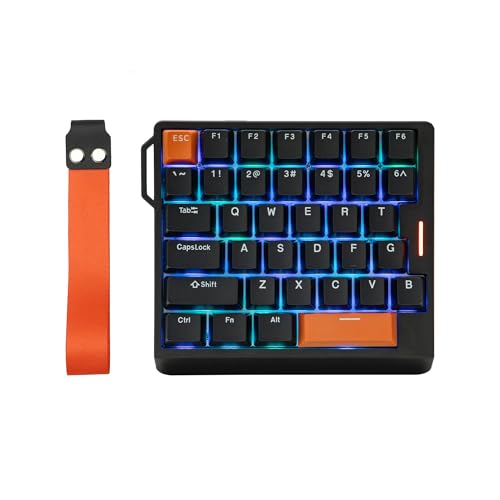
- EPOMAKER HE30 – best left-handed keyboard for multiple uses
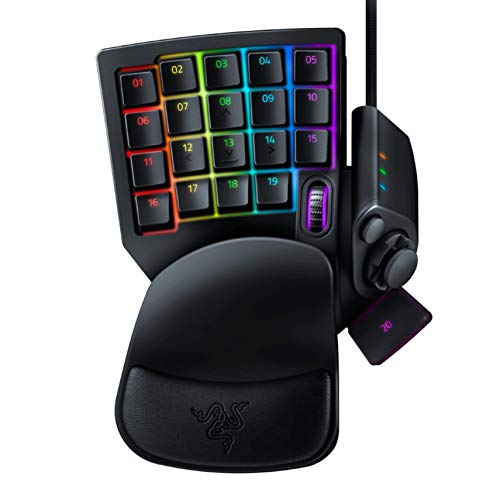
- Razer RZ07-02270100-R3U1 – best one-handed gaming keyboard for multiplayer online games
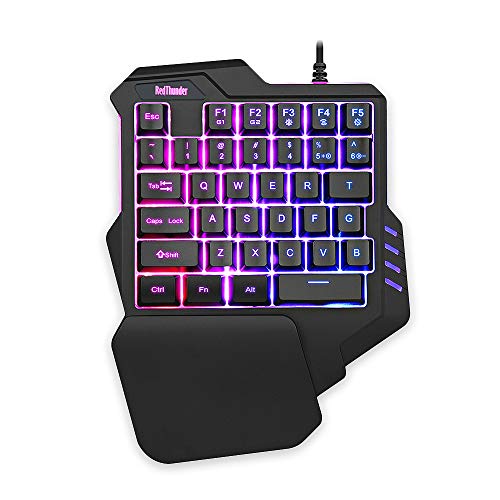
- RedThunder G30 – best one hand gaming keyboard with macro recording keys
- Redragon K585RGB-PRO – best half keyboard with programmable keys
- CHONCHOW T10A – best one hand keyboard with diverse compatibility
- MageGee MK-Axe – best gaming half keyboard with ergonomic design
9 best one-handed gaming keyboard compared
I know you must be impatient to learn more about the six best one-handed gaming keyboards, but before I dive into the individual reviews, let’s see how they compare side by side. In the table below, you can learn more about their differences in features:
|
|
|
|
|
|
|
|
|
|
| Title | KiiBoom Cybrix 29 | Redragon K585 WIRED | CHONCHOW One Handed Half Keyboard | EPOMAKER HE30 | Razer RZ07-02270100-R3U1 | RedThunder G30 | Redragon K585RGB-PRO | CHONCHOW T10A | MageGee MK-Axe |
| Price | $89.99 | $32.99 $36.99 -11% | $24.69 $25.99 -5% | $42.49 $49.99 -15% | $74.95 $79.99 -6% | $23.99 | $42.99 | $17.09 $17.99 -5% | $22.79 $23.99 -5% |
| Number of Keys | 29 | 42 | 35 | 36 | 32 | 35 | 42 | 35 | 35 |
| Backlighting | Yes | Yes | Yes | Yes | Yes | Yes | Yes | Yes | Yes |
| Connectivity | Wired | Wired | Wired | Wired | Wired | Wired | Wireless | Wired | Wired |
| Portable | Yes | Yes | Yes | Yes | Yes | Yes | Yes | Yes | Yes |
| Wrist rest | Yes | Yes | Yes | Yes | Yes | Yes | |||
| More info | Buy on Amazon Details | Buy on Amazon Details | Buy on Amazon Details | Buy on Amazon Details | Buy on Amazon Details | Buy on Amazon Details | Buy on Amazon Details | Buy on Amazon Details | Buy on Amazon Details |
9 best one-handed gaming keyboard – our detailed list
As you’re now a little bit more familiar with my top picks, it’s time to delve deeper into what they offer and why I picked each one of them.
1. KiiBoom Cybrix 29 – the overall best one-handed gaming keyboard
My top pick is the KiiBoom Cybrix 29 one-handed keyboard. Thanks to the 29 keys and 3 reprogrammable knobs, it’s perfect for gaming. Plus, it transmits inputs extremely fast, and comes with snap key (SOCD) and dynamic keystroke (DKS) for timely execution of your movements in games.
Thanks to all of this, the Cybrix 29 keyboard boasts an 8,000Hz polling rate, transmitting inputs 8x faster than standard 1,000Hz keyboards. Thus, it reduces lag almost entirely, making it perfect for split-second reactions in FPS or MOBA battles. On top of this, it’s paired with hall effect magnetic switches, delivering adjustable actuation points down to 0.01mm accuracy.
However, the only drawback is that it doesn’t come with a wrist rest, which can be an issue for longer gaming sessions.
2. Redragon K585 WIRED – best multi-keys one hand keyboard gaming solution
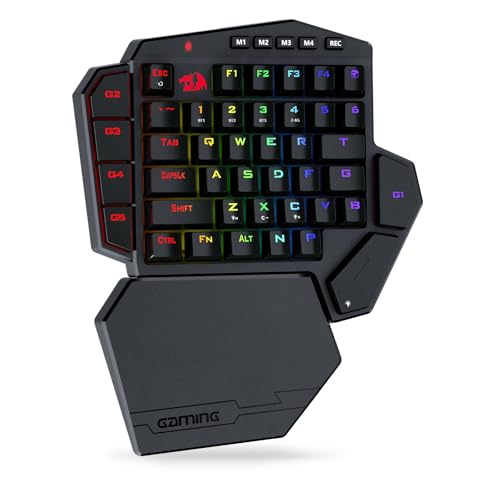
In second place is the Redragon K585 Wired keypad, which comes with 42 keys, seven macro keys, five-mode RGB lighting, and detachable wrist rest. As this keyboard is mechanical, you’ll be able to enjoy highly-responsive clicks.
As soon as I reviewed this option, I knew that it would be perfect for budget-conscious users, MMOs and FPS gamers, and macro-heavy players.
The only thing I didn’t like is that some users report basic software with connectivity issues.
3. CHONCHOW One Handed Half Keyboard – best one-handed keyboard for wide compatibility
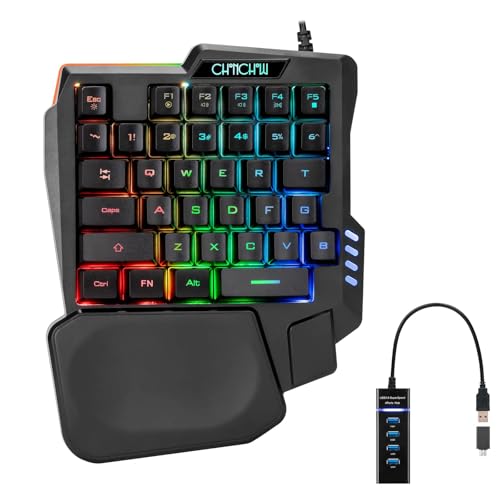
I also picked the CHONCHOW One Handed Half Keyboard due to its ergonomic mouse and 4 port USB splitter with USB A to C adapter. Thus, you can use it for almost all gaming devices. It also has four levels of speed (1200/2400/4800/7200), which meet the needs of different scenarios.
Therefore, you can use this keyboard for FPS, MMOs, and any other multiplayer game that requires fast action and high accuracy. Plus, the left-handed layout makes it great for lefties.
Still, some users report stiff keys, which make some movements a bit difficult.
4. EPOMAKER HE30 – best one-handed keyboard for different use cases
In fourth place is the EPOMAKER HE30 one-handed keyboard, which I picked due to its 36 keys, ergonomic design, anti-ghosting, and programmable keys. But what got my attention was the dynamic keystroke (DKS) and mod tap (MT) functionality.
Due to this, you can use the keyboard for formidable actions in FPS, MOBA, Rhythm, and leisure games. Each keystroke is consistent and smooth, with factory-lubed magnetic switch, for swift delivery of action from fingertip to screen.
The only minor drawback is the full plastic build, which can lower its durability.
5. Razer RZ07-02270100-R3U1 – best for MMOs and FPS
The Razer RZ07-02270100-R3U1 is another great one-handed gaming keyboard because of its 32 programmable keys, Razer Mecha-Membrane switches for soft tactile feel, an eight-way thumbpad, Chroma RGB lighting, and detachable palm rest.
All of these features make it ideal if you prefer massively multiplayer online games (MMOs), competitive first-person shooters (FPS). Thanks to its design, the keyboard is also great if you’re left-handed or a macro-heavy gamer.
However, some of its drawbacks are the thumbpad durability issues, and the unsuitable size for smaller hands.
6. RedThunder G30 – best one handed keyboard gaming option with macro recording keys
If you want another worthy one-handed keyboard, then you should definitely check out the RedThunder G30. This keyboard has 35 membrane keys and 2 macro recording keys, including FN+F1/F2. You can also pick seven different colors and modes of RGB backlighting and enjoy the ergonomic wrist rest.
Based on what this one-handed gaming keyboard offers, you can use it if you’re a FPS or MMOs gamer, seek casual one-handed setups, or prefer portability over some premium features.
The only thing that can be a drawback is the use of membrane keys. Due to this, the keypad lacks mechanical tactility.
7. Redragon K585RGB-PRO – best wireless one handed keyboard
With 42 mechanical keys, seven programmable macros, a wrist rest that you can detach at any time, and RGB lighting, the Redragon K585RGB-PRO is another perfect keyboard for single-hand use. However, the thing that really got my attention was the responsive switches that provide incredible flexibility.
Each of the features I mentioned makes this keyboard ideal for everyone, especially if you’re a laptop gamer who wants to save space on their desk. Of course, you can also use it for FPS and MMOs.
While this Redragon one-handed keyboard is ergonomic, I found out that you may encounter minor sliding on slick surfaces.
8. CHONCHOW T10A – best one-handed keyboard with extensive compatibility
The CHONCHOW T10A one-handed keyboard comes with 35 membrane keys with rainbow LED backlighting. There’s also an ergonomic wrist rest, anti-ghosting, and you can even take the keyboard with you when you’re on the go.
The ideal users for this keyboard model are all casual gamers, FPS beginners, or players who want portable ergonomic setups.
Unfortunately, the membrane switches are quite softer than the mechanical ones, which is why the gaming feedback may not be the best.
9. MageGee MK-Axe – best best half keyboard for gaming with excellent comfort
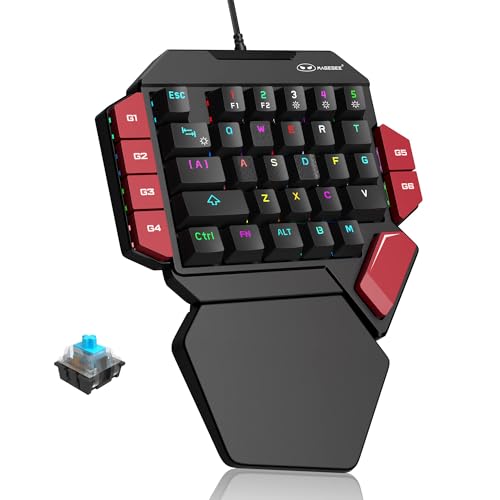
In last place I put the MageGee MK-Axe keyboard. As one of the best half keyboards for gaming, you can expect 35 keys with tactile switches, RGB backlighting with multiple modes, ergonomic wrist rest, and a plug-and-play USB connectivity. And although an affordable solution, the mechanical functionality is pretty crisp.
Based on all of this, I recommend this one-handed gaming keyboard for entry-level gamers in FPS or MMOs or budget-conscious users who want mechanical upgrades for casual competitive play.
While everything seems good, you should be aware that the MageGee MK-Axe keyboard has a bit of a plasticky feel when it comes to the build quality.
What is a one-handed gaming keyboard?
As the name implies, a one-handed gaming keyboard is a specialized keyboard that’s designed specifically for the core gaming functions. More precisely, these keypads usually have the left-hand keys (WASD), which you use for any movement and other essential actions.
Compared to full-size keyboards, the one-handed ones are much more compact, focus on the essential keys that your hand covers when gaming, and they’re built with higher programmability in mind. In fact, you can find easily accessible keys for programming complex action sequences, also known as macros.
On top of this, one-handed keyboards can often have a thumbstick for precise movement, or a thumbpad, which offers mouse-like cursor control.
While there are different types of one-handed keyboards, the most common ones are the mini keypad, ergonomic, and gaming keypad. The mini has only 20 essential keys, whereas the gaming keypad may come with around 40 keys for different actions. As for the ergonomic ones, they’re ideal for reducing wrist pain, enabling you longer gaming sessions.
Pros & cons of using a one-handed keyboard for gaming
Key features to look for in one-handed gaming keyboard
In order to pick the best one-handed gaming keyboard, you should explore whether the product has the necessary features. Here’s a brief guidance that will help you evaluate the most important features, such as:
- Number of keys/key layout/macros. You should always focus on the keyboard layouts, keys, and macros because it impacts your whole gaming experience. More precisely, you should check how many programmable keys you’ll get, whether the layout suits your game type (FPS, MMO, etc.), how easy you can reach the core actions, and whether the keyboard supports multiple macros.
- Switch type responsiveness. As this affects the speed and accuracy of the keyboard, you need to make sure whether it uses mechanical, optical, or membrane switches. Also, explore the actuation point and force and input latency, especially if you’re into competitive and fast-paced games.
- Ergonomics. The better the ergonomics, the longer you’ll be able to play without any discomfort. Therefore, check the hand positioning, tilt options, thumb reach, as well as whether there’s a wrist rest and is it detachable.
- Customizability and software. These features will determine how well the keyboard adapts to your gaming style. So, don’t forget to look out for key remapping, macros, and even profile switching. The software should be reliable and easy to use.
- Connectivity and portability. If you want more flexibility and smooth setup, keep an eye on the connectivity and portability of the one-handed keypad. Check whether it’s wired or wireless, and explore the dimensions if you plan to travel with it.
- Additional controls. If you want more versatility or replace some movement inputs, keep an eye out for extra controls, like thumbstick, D-pad, scroll wheel, or extra buttons. Explore the placement, responsiveness, and whether the controls are analog or digital.
- Backlighting/RGB/visibility. Last but not least, the backlighting improves the gaming ambience and also helps with key visibility. That said, you should look for adjustable brightness, multiple RGB modes, or even an option to turn off the light if it distracts you while gaming.
How to choose the right one-handed gaming keyboard for you
When comparing keyboards, you need to know what to consider so that you can decide on the best pick based on your gaming style, desk space, budget, and comfort. Here’s a checklist I prepared for you that should guide you through the process:
- If you play fast-paced games, like FPS, and need quick reflexes → choose a compact keyboard with mechanical switches and wired connectivity.
- If you play MMO games → select a one-handed keyboard with multiple programmable keys, strong macro support, and thumb controls.
- If you play long sessions → choose a keypad with ergonomic layout, angled keys, and comfortable wrist rest.
- If you have limited desk space → choose a compact one-handed keyboard with essential controls.
- If you want portability → go for a wireless keyboard with stable connectivity and long-lasting battery life.
- If you play in low-light conditions or at night → pick a keyboard with different RGB modes and adjustable backlighting.
- If you want to save money → select a one-handed keyboard with fewer keys, basic macros programming, and no unnecessary extra features.
Tips for getting used to a one-handed keyboard
Since one-handed keypads often involve a learning curve, I came up with a list of a few helpful tips that will help you get used to them. Here’s what I recommend:
- Stick to gradual transition. I highly recommend you take things slowly. More precisely, you can practice in simpler games, remap macros slowly, or even start by playing mouse-heavy games first.
- Keep an eye on ergonomic practices. Always make sure that the one-handed keyboard comes with a comfortable wrist rest, your hand maintains a correct posture, and you take regular breaks in between gaming sessions.
- Maintain a regular full-size keyboard. If you also do typing or any other non-gaming tasks, I suggest you keep a regular keyboard, as one-handed ones aren’t very suitable for these activities.
Conclusion
One-handed keyboards are a niche but powerful tool. They come with multiple benefits, such as opening more space on your desk, ultimate comfort, better latency, and customizability. However, they do require some tradeoffs.
Therefore, I encourage you to weigh the pros and cons of my top six picks, so you can pick the best one-handed gaming keyboard based on your gaming style and needs. Keep in mind that you can expect much more ergonomic designs in the future.
FAQ
Are one-handed gaming keyboards actually better for gaming?
While one-handed keyboards have a lot of benefits, such as enabling you to react faster, freeing up desk space, and allowing macro programming, it’s pretty subjective whether they’re better for gaming. This mainly depends on your gaming needs and style.
Can you use a one-handed gaming keyboard for everyday typing?
No, you can’t use a one-handed gaming keyboard for everyday typing. This is because these keypads come with the essential gaming keys and controls, meaning they’re not suitable for regular activities.
Are one-handed gaming keyboards good for FPS games?
Yes, one-handed gaming keyboards are good for FPS games. They offer ergonomic comfort, customizable macros, and more mouse space. Thus, you can rely on faster reflexes, which are crucial in these games.
Is a one-handed keyboard worth it for MMO or MOBA games?
Yes, a one-handed keyboard is worth it for MMO or MOBA games. The availability of macros makes using more complex commands a breeze. Plus, you’ll have more desk space for an even more expansive mouse movement.
Do one-handed gaming keyboards work on consoles like PS5 or Xbox?
Yes, one-handed gaming keyboards work on consoles like PS5 and Xbox. Usually, this is possible through USB connectivity, but it still depends on the keypad model you choose.