How to watch Independent Lens: Seeds
Our in-house cybersecurity experts and journalists, renowned for major reports like The Mother of All Breaches, conduct transparent, unbiased VPN testing and in-depth analysis.
With 750+ articles crafted based on real-world research, we empower readers to make informed purchasing decisions through first-hand expertise.
Learn more
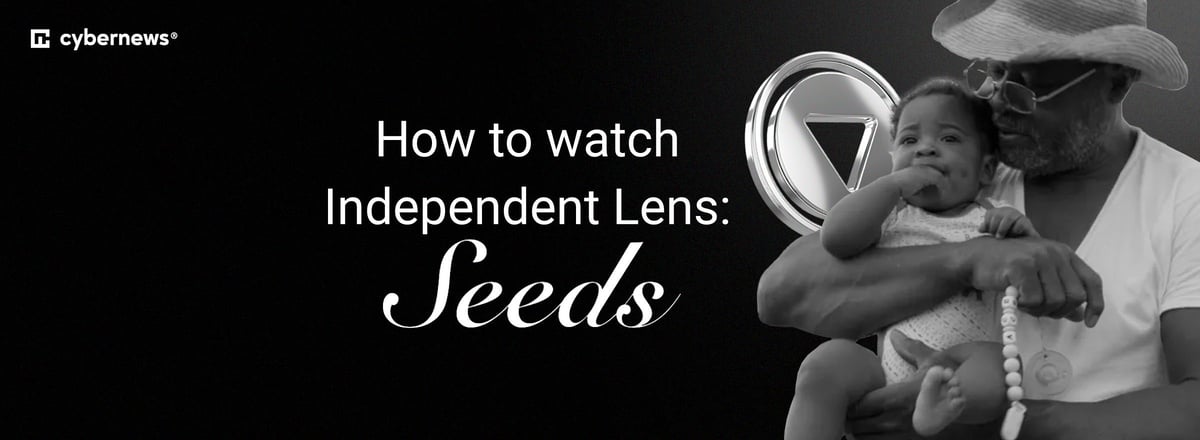
Independent Lens: Seeds is a feature documentary from director Brittany Shyne that explores the lives of Black farmers in the American South and the enduring importance of land ownership across generations. The film follows three farmers and examines the challenges facing family farms.
The 1-hour, 56-minute documentary premieres on Monday, October 26th, 2026, as Independent Lens Season 28, Episode 3. You can watch it on PBS in the US, including through the PBS app. The PBS episode page lists its streaming window through January 24th, 2027, although local broadcast times can vary by station.
US viewers traveling abroad may find that PBS streaming is unavailable outside the country. In that case, a VPN can help you securely access the PBS service you normally use at home, subject to the platform’s terms and applicable laws.
Where to watch Independent Lens: Seeds
| Country | Streaming service | Price | Notes |
| United States | PBS | Free | Premieres October 26th, 2026. Available through the PBS app, subject to the episode’s availability window and local PBS station schedule |
| United States | PBS Documentaries YouTube Channel | Not confirmed | ITVS confirms the film will be available through the channel, but specific availability terms and timing should be checked on the channel |
| United Kingdom | No official platform confirmed | — | No verified UK streaming service was confirmed at publication |
| Canada | No official platform confirmed | — | No verified Canadian streaming service was confirmed at publication |
| Australia | No official platform confirmed | — | No verified Australian streaming service was confirmed at publication |
PBS states that Seeds will stream through the PBS app after its October 26th premiere. ITVS also confirms availability through the PBS Documentaries YouTube Channel.
How to watch Independent Lens: Seeds in the US for free
The main way to watch Independent Lens: Seeds in the US is through PBS. The documentary premieres on October 26th, 2026, and the official PBS page lists it as available until January 24th, 2027. Check your local PBS station listings if you want to watch the linear TV broadcast.
You can also use the free PBS app to stream on-demand programs and content from your local station. The app is available for web browsers, iOS, Android, Roku, Apple TV, Amazon Fire TV, Android TV, and Samsung Smart TV.
How to watch Independent Lens: Seeds from abroad with a VPN
PBS content can be geo-restricted outside the US. If you are a US viewer traveling abroad, a VPN can help you connect securely to a US server and access the PBS service you usually use at home. It does not guarantee access, and you should always follow PBS’s terms of use and the laws that apply where you are.
We recommend NordVPN for streaming because it has thousands of servers across 225 locations and retained an average of 84% of baseline download speed in our tests using its NordLynx protocol. That combination can help support stable playback when you are away from home.
- Choose NordVPN. Sign up for NordVPN and install the app on the device you plan to use. Plans start at $3.49/month on the two-year Basic plan.
- Download and sign in to the app. NordVPN supports Windows, macOS, Linux, iOS, Android, Android TV, and Amazon Fire TV. It also offers Smart DNS for compatible devices that do not support native VPN apps.
- Connect to a US server. Open NordVPN, select the United States from the server list, and connect. For an explanation of how this works, see our guide to changing your location with a VPN.
- Open PBS. Visit PBS in your browser or open the PBS app, then search for Independent Lens: Seeds.
- Start watching. Keep the VPN connected while streaming. If the episode does not load, try another US server, refresh the app, or clear your browser cookies and cache. PBS lists the episode’s availability through January 24th, 2027.
Best VPNs to watch Independent Lens: Seeds
These providers offer US server options and apps for major streaming devices. A VPN may help you access your regular PBS service while traveling, but platforms can change their geo-restriction systems at any time.
- NordVPN - best overall for streaming. NordVPN starts at $3.49/month and has thousands of servers across 225 locations. In our tests, its NordLynx protocol retained an average of 84% of baseline download speeds. It supports 10 simultaneous devices and includes Smart DNS for devices that cannot run the full app, making it a strong choice for streaming PBS abroad. Read our full NordVPN review.
- Surfshark - best value for households. Surfshark starts at $2.49/month and provides 4,500+ servers in 100 countries. It allows unlimited simultaneous connections, which is useful for households with several devices. In our testing, Surfshark retained 747.7Mbps from a 940Mbps baseline with WireGuard, or roughly 80% speed retention. Its apps support major desktop, mobile, and TV platforms. See our Surfshark review.
- Proton VPN - best for privacy-focused viewers. Proton VPN starts at $2.99/month and operates 20,700+ servers in 149 countries. Based in Switzerland, it offers open-source apps, independently audited privacy features, and a free plan with unlimited data. Premium plans add streaming support and access to the full server network, while paid subscriptions cover up to 10 devices. Read our Proton VPN review.
Devices you can use to watch Independent Lens: Seeds
The PBS app supports several popular devices. You can watch Seeds through a web browser, smartphone, tablet, or compatible streaming device once it is available on PBS.
- Mobile devices: PBS supports iOS and Android phones and tablets.
- Streaming devices: PBS lists Roku, Apple TV, Amazon Fire TV, Android TV, and Samsung Smart TV as compatible platforms.
- Computers: You can stream through the PBS website in a compatible browser.
- Smart TVs without VPN apps: NordVPN’s Smart DNS may be an option for compatible devices, while router-level VPN setup can cover more devices on the same network.
FAQ
Is Independent Lens: Seeds free to watch?
PBS is the primary free US viewing option for Independent Lens: Seeds. The documentary premieres on PBS on October 26th, 2026, and its official PBS episode page lists availability through January 24th, 2027.
When does Independent Lens: Seeds premiere?
Independent Lens: Seeds premieres on PBS’s Independent Lens on Monday, October 26th, 2026. Check local PBS listings for your station’s specific broadcast time.
Can I watch Independent Lens: Seeds on the PBS app?
Yes, ITVS confirms that Independent Lens: Seeds will stream through the PBS app, which is available on mobile devices, browsers, Roku, Apple TV, Amazon Fire TV, Android TV, and Samsung Smart TVs.
Can I watch Independent Lens: Seeds outside the US?
No official international platform was confirmed for the UK, Canada, or Australia at the time of publication. US viewers who are traveling may be able to access their usual PBS service with a VPN, subject to PBS terms and local laws.
Which VPN should I use to watch PBS abroad?
NordVPN is our top recommendation because it combines a large server network, strong tested download speeds, and broad device support. See our guide to the best VPNs for streaming for more options.