How to watch NASCAR Championship 4 online from anywhere
Our in-house cybersecurity experts and journalists, renowned for major reports like The Mother of All Breaches, conduct transparent, unbiased VPN testing and in-depth analysis.
With 750+ articles crafted based on real-world research, we empower readers to make informed purchasing decisions through first-hand expertise.
Learn more
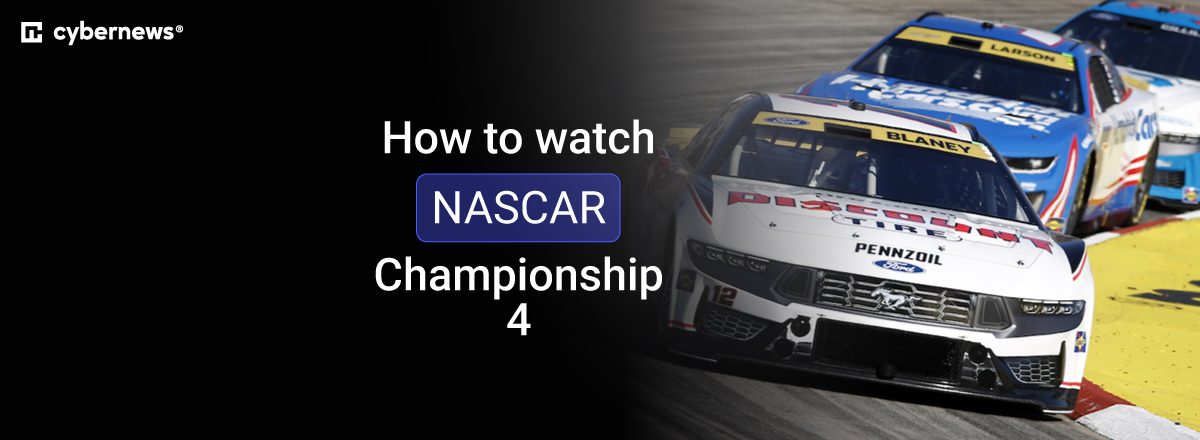
The 2026 NASCAR Cup Series Championship Race takes place on Sunday, November 8, at 3:00 p.m. ET at Homestead-Miami Speedway in Florida. It is the season finale, where the NASCAR Cup Series champion will be crowned. NBC will broadcast the race live in the US, while Peacock offers a streaming option.
Fans in Canada can watch on TSN, and viewers in the UK and Ireland can use Premier Sports. New Zealand viewers have a legal free option through ThreeNow. If you are traveling outside the country where your usual broadcaster is available, a VPN may help you access your eligible home streaming service.
Quick answer: Watch the NASCAR Championship 4 on NBC or Peacock in the US, TSN in Canada, Premier Sports in the UK and Ireland, or free on ThreeNow in New Zealand.
Where to watch NASCAR Championship 4
The NASCAR Championship 4 race starts at 3:00 p.m. ET on Sunday, November 8. That is 12:00 p.m. PT, 8:00 p.m. GMT, 7:00 a.m. AEDT on Monday, and 9:00 a.m. NZDT on Monday.
| Country or region | Streaming service | How to watch | Start time |
| United States | NBC | Live TV broadcast | 3:00 p.m. ET |
| United States | Peacock | Live streaming with an eligible plan | 3:00 p.m. ET |
| Canada | TSN | Live TV coverage | 3:00 p.m. ET |
| United Kingdom and Ireland | Premier Sports | Subscription coverage | 8:00 p.m. GMT |
| New Zealand | ThreeNow | Free live coverage via ThreeNow Sport | 9:00 a.m. NZDT on Monday |
NBC confirms that the final race of the 2026 Cup Series will air live on its network. Peacock also lists the NASCAR Cup Series Championship among its available sports streams.
In Canada, TSN’s schedule lists the NASCAR Cup Series Championship on November 8 at 3:00 p.m. ET. Premier Sports identifies the Homestead-Miami finale as the race that decides the NASCAR Cup title for UK and Irish viewers.
How to watch NASCAR Championship 4 from abroad with a VPN
ThreeNow offers free NASCAR Cup Series streaming in New Zealand, directing viewers to ThreeNow Sport for live race-day coverage. If you are outside New Zealand, or traveling outside the country covered by your home broadcaster, a VPN can change your virtual location to the relevant country.
- Choose a VPN. We recommend NordVPN because it has New Zealand server locations, supports up to 10 devices, and includes Smart DNS for compatible devices that cannot run a VPN app directly. This makes it a practical choice for watching live motorsport on a laptop, phone, tablet, or supported TV device.
- Install the VPN app. Download NordVPN on the device you plan to use. It supports common streaming devices, while Smart DNS can be useful for devices such as some older smart TVs.
- Connect to the right country. Connect to a New Zealand server for ThreeNow, or connect to your home country if you are trying to use an eligible NBC, Peacock, TSN, or Premier Sports account while traveling. NordVPN lists Auckland as an available New Zealand location.
- Open the official broadcaster. Visit ThreeNow and open the live ThreeNow Sport stream on race day. You may need to sign in or create a free account. ThreeNow provides both live and on-demand viewing.
- Start watching the race. Keep the VPN connected while you stream. If the video does not load, refresh the page in a private browser window, clear cookies, or try another server in the same country.
A VPN does not replace a valid subscription, account, or any broadcaster requirements. Streaming availability and platform rules can change, so use the service in line with its terms.
Why you need a VPN to watch it
Broadcast rights for NASCAR vary by territory. That means a platform available in one country may not offer the same live race in another. NBC has US coverage, TSN carries the Championship Race in Canada, Premier Sports serves the UK and Ireland, and ThreeNow provides free NASCAR Cup Series streaming in New Zealand.
A VPN is most useful when you are away from home and want to access a service for which you already have an eligible account. For example, a US Peacock subscriber traveling abroad may be unable to access their usual service, while a New Zealand viewer abroad may find ThreeNow unavailable outside its home territory.
It can also help when using a legitimate regional free stream, such as ThreeNow. However, a VPN does not give you a paid subscription, create an account for you, or guarantee access to a broadcaster. For a broader comparison, see our guide to the best VPNs for streaming.
Best VPNs to watch NASCAR Championship 4
The VPNs below are suitable for watching live sports while traveling because they offer broad device support and country-server choices. Your streaming service, account status, and local platform rules still apply.
- NordVPN – best overall VPN. NordVPN supports up to 10 devices and has a New Zealand server location, making it a strong choice for accessing an eligible ThreeNow stream or your usual broadcaster while abroad. Its NordLynx protocol is designed for fast connections, and Smart DNS can help on some devices that lack native VPN apps. Read our full NordVPN review.
- Surfshark – best budget VPN. Surfshark’s long-term Starter plan currently begins at $2.49/month, although promotions and taxes can change the final price. It allows unlimited simultaneous connections, which is useful for households that want to watch NASCAR across several devices. Its WireGuard support and broad device coverage make it a practical lower-cost option for live sports streaming. Read our full Surfshark review.
- Proton VPN – best VPN for privacy. Proton VPN has a free plan with no data cap, but streaming is only available on its paid plans. Its VPN Plus plan currently starts at $2.49/month on a two-year offer, and it supports up to 10 streaming devices or browsers at once. It is a good option for viewers who prioritize privacy alongside live-streaming access. Read our full Proton VPN review.
Can you watch NASCAR Championship 4 for free?
Yes, New Zealand viewers can watch NASCAR Cup Series coverage for free on ThreeNow. ThreeNow states that NASCAR Cup Series races are free to stream and directs live viewers to ThreeNow Sport on race days.
The stream is intended for viewers in New Zealand, and availability may depend on location and account requirements. ThreeNow has a sign-up option and supports live and on-demand viewing, but the exact Championship Race listing should be checked in its live guide close to the race.
Avoid unofficial NASCAR streams. They can be unreliable, unsafe, and may violate copyright rules.
How to watch NASCAR Championship 4 on different devices
You can watch NASCAR Championship 4 on a web browser, phone, tablet, Apple TV, Chromecast, and supported smart TVs through the relevant broadcaster. ThreeNow specifically supports PC, Mac, Apple TV, mobile devices, Chromecast, tablets, and smart TVs.
| Device | ThreeNow | Peacock | NordVPN setup |
| Web browser on desktop | Web | Web | Native app |
| Mobile browser | Web | Web | Native app |
| iPhone and iPad | App or Web | App or Web | Native app |
| Android phone and tablet | App or Web | App or Web | Native app |
| Apple TV | App | App | Native app or Smart DNS |
| Chromecast | Cast | Cast | Cast from a VPN-connected device |
| Smart TV | App on supported models | App on supported models | Smart DNS or router VPN |
| Roku, PlayStation, and Xbox | Varies by app availability | Varies by app availability | Router VPN or Smart DNS where supported |
A web browser is usually the simplest option when you are abroad. Connect to the required VPN server, open the official broadcaster’s website, and use a private window if the site remembers a previous location.
For iPhone, iPad, and Apple TV, a VPN changes your IP address but does not change your App Store country. If a broadcaster app is unavailable in your regional store, use the web browser version where possible. For smart TVs, Roku, PlayStation, and Xbox, a VPN for routers or Smart DNS can be more practical than a native app.
FAQ
Can I watch NASCAR Championship 4 for free?
Yes, if you are in New Zealand, ThreeNow offers free NASCAR Cup Series streaming. Go to ThreeNow Sport on race day and check the live guide for the Championship Race listing.
Can I watch NASCAR Championship 4 while traveling abroad?
Yes, if you have an eligible account with your home broadcaster. Connect to a VPN server in the country where your normal service is available, then sign in as usual. A VPN does not replace a required subscription or broadcaster account.
Which VPN is best for watching NASCAR Championship 4 abroad?
NordVPN is the best overall choice for watching NASCAR Championship 4 abroad because it supports multiple devices, has New Zealand server availability, and includes Smart DNS support for some TV devices.
What time does NASCAR Championship 4 start?
The race starts at 3:00 p.m. ET on Sunday, November 8, 2026. It starts at 12:00 p.m. PT, 8:00 p.m. GMT, 7:00 a.m. AEDT on Monday, and 9:00 a.m. NZDT on Monday.
Can I watch NASCAR Championship 4 on my phone or smart TV?
Yes, you can watch on a phone, tablet, browser, Apple TV, Chromecast, or supported smart TV. ThreeNow lists mobile devices, Apple TV, Chromecast, tablets, PCs, Macs, and smart TVs among its supported viewing options.