How to watch The Hundred 2026
Our in-house cybersecurity experts and journalists, renowned for major reports like The Mother of All Breaches, conduct transparent, unbiased VPN testing and in-depth analysis.
With 750+ articles crafted based on real-world research, we empower readers to make informed purchasing decisions through first-hand expertise.
Learn more
The Hundred is back for its sixth edition, and the 2026 tournament arrives with a fresh look – new team names, record-breaking player salaries, and the first-ever combined men's and women's trophy. MI London and Sunrisers Leeds open the competition at The Kia Oval on Tuesday, July 21st, 2026, with defending champions from both sides looking to start their campaigns strong. The men's final follows on Sunday, August 16th at Lord's, capping nearly four weeks of 100-ball cricket across England.
All 68 matches stream live on Sky Sports in the UK, while BBC Two and BBC iPlayer carry 16 matches free, including the opening doubleheader and both finals. For international fans, Willow TV covers the tournament in the US and Canada, and Kayo Sports streams every match in Australia. If you're traveling abroad or want to access the free BBC coverage from outside the UK, a VPN connected to a UK server unlocks BBC iPlayer from anywhere.
Where to watch The Hundred 2026
Below is a complete overview of where to watch The Hundred across major markets and when matches typically start in your time zone.
| Country | Streaming service | Price | Notes |
| United Kingdom | Sky Sports / BBC iPlayer | Sky Sports from £35/month; BBC iPlayer Free | Sky Sports shows all 68 matches live; BBC iPlayer carries 16 matches free (8 doubleheaders including opening day and finals) |
| United States | Willow TV | From $9.99/month | All matches live; also available as Sling TV add-on for $10/month |
| Canada | Willow TV | From $9.99/month | All matches live; same service as US |
| Australia | Kayo Sports | Kayo Standard AU$29.99/month, Premium AU$45.99/month | All matches via Fox Cricket; Premium includes 4K where available |
| India | Sony Sports Network | Via SonyLIV subscription | Coverage on Sony Sports 1 and Sony Sports 3 |
How to watch The Hundred for free
BBC iPlayer carries 16 Hundred matches completely free, including the opening doubleheader and both finals. The service is geo-blocked outside the UK, so international viewers need a VPN connected to a UK server to access the stream. Here's how to set it up.
- Choose a VPN with strong UK server coverage. We recommend NordVPN for reliable BBC iPlayer unblocking and fast HD streaming.
- Install the VPN app on your watching device (phone, tablet, laptop, or streaming stick).
- Connect to a UK server – pick any UK location from the server list.
- Go to BBC iPlayer and create a free BBC account if you don't already have one. You'll need a valid email address.
- Find The Hundred coverage under the Sport section or search for "The Hundred" in the iPlayer search bar. The BBC schedule lists which 16 matches air on BBC Two and iPlayer.
- Start streaming – keep the VPN active for the entire match. If the stream buffers or blocks, disconnect and reconnect to a different UK server.
For the remaining 52 matches not on BBC, Sky Sports is the only UK option. Sky Sports subscribers traveling abroad face the same geo-block and can use the VPN method above (connect to a UK server, then log in to Sky Go or the Sky Sports app with your existing credentials).
How to watch The Hundred in the US, UK, Canada, and Australia
How to watch in the United States
Willow TV holds exclusive rights to The Hundred in the US. The standalone subscription costs $9.99/month via willow.tv or through the Willow by Cricbuzz app on iOS and Android. If you already subscribe to Sling TV, you can add Willow as a $10/month channel add-on without needing a separate app. All 68 matches stream live with English commentary, and replays are available on-demand for subscribers. Willow works on phones, tablets, laptops, Fire TV, Roku, and Apple TV.
How to watch in the United Kingdom
Sky Sports is the primary broadcaster, showing all 68 matches across its dedicated cricket channels. Packages start at £35 per month for existing Sky TV customers, while new subscribers may pay more. For a contract-free option, NOW offers a Sports Day Membership for £14.99 or a Sports Month Membership for £34.99, both of which include access to all Sky Sports channels and full coverage of The Hundred.
BBC Two and BBC iPlayer carry 16 matches free, including both opening-day games (MI London vs Sunrisers Leeds on July 21st) and both finals on August 16th. The full BBC schedule lists the other 14 doubleheaders airing free. You need a TV licence to watch live BBC broadcasts in the UK, but creating a free BBC iPlayer account takes only a few minutes.
How to watch in Canada
Willow TV covers The Hundred in Canada with the same $9.99/month subscription as the US. All matches stream live via willow.tv or the Willow by Cricbuzz app. Canadian subscribers get English commentary and full on-demand replays. The service works on major streaming devices including Fire TV, Roku, and Apple TV.
How to watch in Australia
Kayo Sports streams every Hundred match live via Fox Cricket. Kayo Standard costs AU$29.99/month (1 stream, Full HD) and Kayo Premium runs AU$45.99/month (2 streams, 4K where available). Both plans have no lock-in contracts – cancel anytime. The Kayo app is available on iOS, Android, Apple TV, Android TV, Fire TV, Samsung Smart TVs, and LG Smart TVs, and you can also stream via kayosports.com.au in a browser.
Matches air early morning Australian time due to the time difference – women's games start around 11:30 PM AEST the night before (technically the following day), and men's matches kick off around 3:00 AM AEST.
How to watch The Hundred with a VPN – detailed guide
If you're a Sky Sports, Willow TV, or Kayo Sports subscriber traveling abroad, or if you want to watch the 16 free BBC matches from outside the UK, follow these steps to stream The Hundred from anywhere.
Step 1: Choose a VPN with servers in your target country
Pick a VPN provider with strong server coverage in the country where your broadcaster operates. For BBC iPlayer, you need UK servers. For Willow TV, you need US or Canada servers. For Kayo Sports, you need Australian servers. We recommend starting with one of the best VPNs for streaming that reliably unblocks sports broadcasters.

Step 2: Install the VPN app on your watching device
Download the VPN app on whichever device you plan to watch on – phone, tablet, laptop, Fire TV, Apple TV, or streaming stick. Most major VPNs publish native apps for iOS, Android, Windows, macOS, Fire TV, and Apple TV. If you're watching on a smart TV without a native VPN app (Samsung, LG), you'll need to either install the VPN on your router or use the VPN's Smart DNS feature if available.
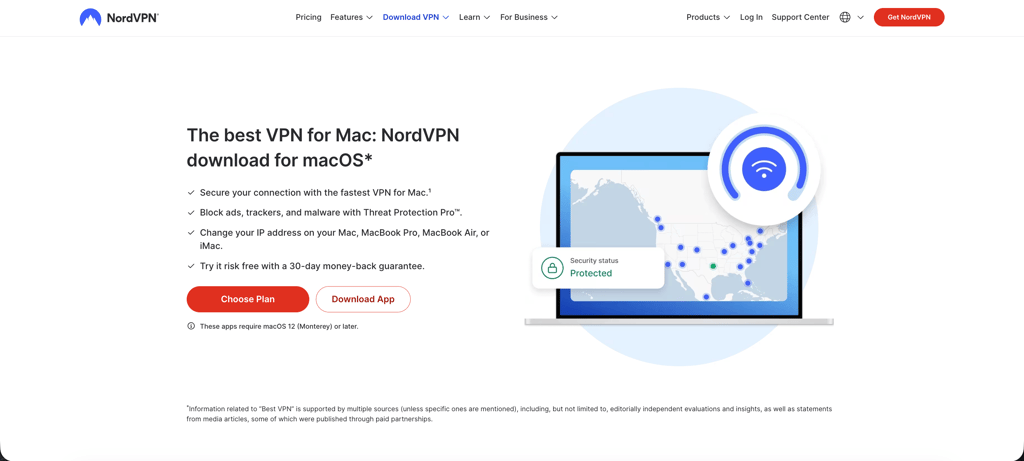
Step 3: Connect to a server in the broadcaster's country
Open the VPN app and connect to a server in the right country. For BBC iPlayer, pick any UK server. For Willow TV, connect to a US or Canadian server. For Kayo Sports, pick an Australian server. The VPN masks your real location and makes it appear you're streaming from that country.
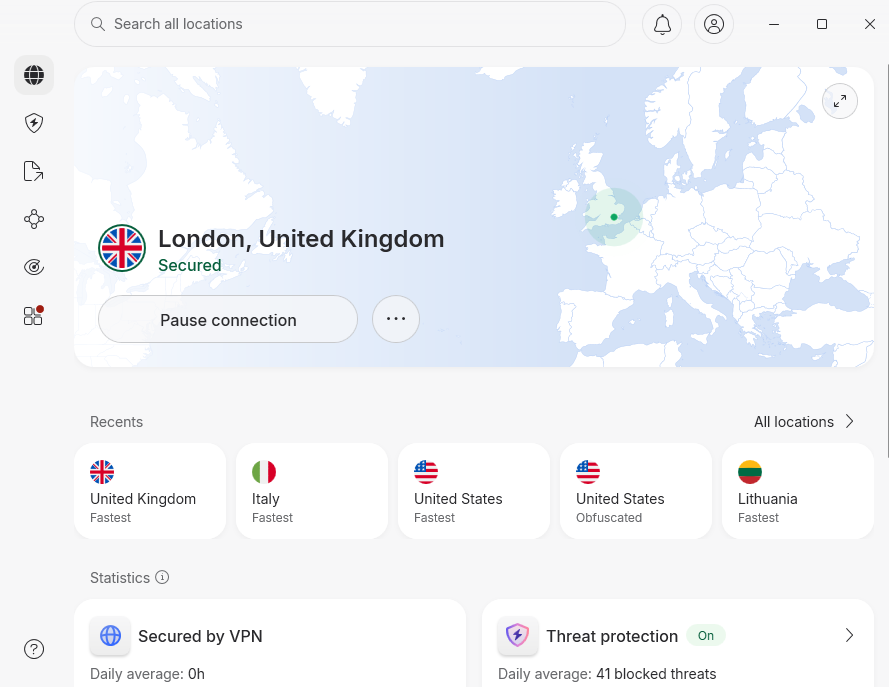
Step 4: Log in to your streaming service
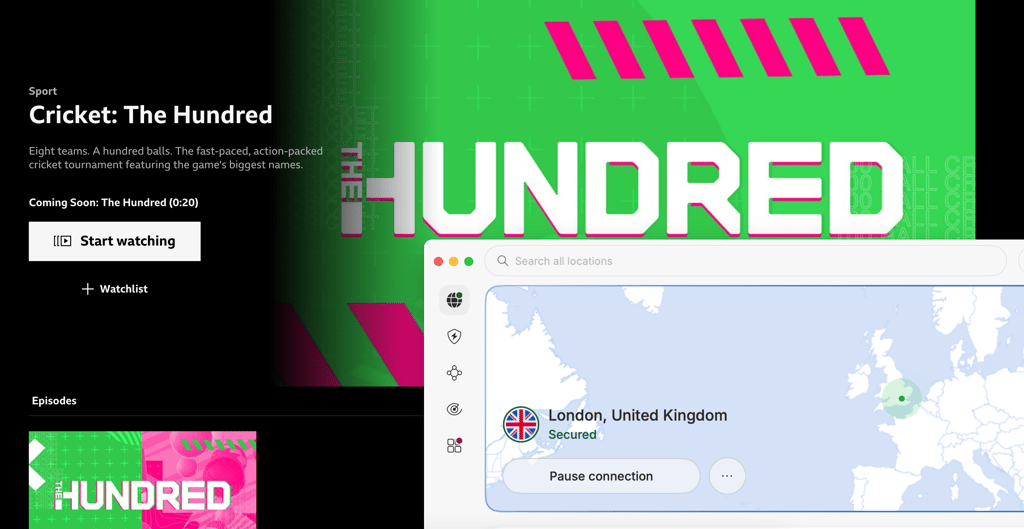
Go to the broadcaster's website or app and log in with your existing account. If you're using BBC iPlayer for the first time, you'll need to create a free account – just provide a valid email address and UK postcode (any valid UK postcode works for account creation). If you're accessing Sky Go, Willow TV, or Kayo Sports, use your normal subscription credentials.

Step 5: Find The Hundred coverage and start streaming
Navigate to the live match or upcoming fixture in the app or website. On BBC iPlayer, check the Sport section or search "The Hundred." On Sky Go, find Sky Sports Cricket in the live channels menu. On Willow and Kayo, The Hundred appears in the cricket or live sports section. Click play and keep the VPN connected for the entire match.
Step 6: Troubleshooting if the stream blocks or buffers
If the stream won't start or shows a geo-block error even with the VPN active, disconnect and reconnect to a different server in the same country. Broadcasters sometimes block specific VPN server IP addresses, so switching servers usually fixes it. If buffering is the issue, try connecting to a server closer to your physical location within the target country – for example, a London server instead of Edinburgh if you're in mainland Europe accessing BBC iPlayer.
Tournament status and competing teams
The Hundred 2026 kicks off today, Tuesday, July 21st, with the opening doubleheader at The Kia Oval. The tournament runs through August 16th, when both finals take place at Lord's. Eight men's and eight women's teams are competing, with three squads carrying new identities following private investment deals finalized in early 2026.
MI London (formerly Oval Invincibles) are the defending men's champions chasing a fourth consecutive title – they won in 2023, 2024, and 2025. Sunrisers Leeds (formerly Northern Superchargers) are the defending women's champions. The third rebrand is Manchester Super Giants (formerly Manchester Originals). The remaining five teams – Birmingham Phoenix, London Spirit, Southern Brave, Trent Rockets, and Welsh Fire – retain their original names.
What devices can I use to watch The Hundred?
Mobile (iPhone and Android)
Sky Sports, BBC iPlayer, Willow TV, and Kayo Sports all publish native apps on the iOS App Store and Google Play Store. Download the app in your home country's store, install your VPN app alongside it, connect the VPN to the right server, then open the broadcaster app and log in. Both NordVPN and Surfshark have strong mobile apps for iPhone and Android with fast streaming performance.
If you're trying to access a geo-restricted app that's not available in your local app store (for example, downloading BBC iPlayer on an iPhone outside the UK), you'll need to change your Apple ID region or create a second Apple ID set to the UK. Our guide on how to change your Apple App Store country walks through the steps. On Android, the process is simpler – just change your Google Play Store country in the account settings.
Desktop and laptop (Windows and Mac)
Stream The Hundred directly in your browser at the broadcaster's website – bbc.co.uk/iplayer, skysports.com, willow.tv, or kayosports.com.au. Install the VPN app on your computer, connect to the target server, then open the website in Chrome, Firefox, or Safari and log in. Desktop VPNs typically deliver the fastest speeds for HD streaming, and you don't have to worry about app store restrictions.
Smart TVs (Samsung, LG, Google TV, Android TV)
Google TV and Android TV smart TVs support native VPN apps from NordVPN, Surfshark, and Proton VPN directly from the Play Store. Install the VPN, connect to the right server, then download the broadcaster app (Sky Sports, BBC iPlayer, Kayo, Willow).
Samsung Tizen and LG webOS smart TVs do not support native VPN apps. Your best options are:
- Install the VPN on your home router so all devices on the network route through it. Both NordVPN and Surfshark publish router setup guides.
- Use the VPN's Smart DNS feature (available with NordVPN and Surfshark). Smart DNS doesn't encrypt your traffic, but it does change your apparent location, which is enough to unblock geo-restricted streams. Configure Smart DNS in your TV's network settings.
- Cast from your phone or laptop with the VPN active. Open the broadcaster app on your phone (VPN connected), then cast to your smart TV via Chromecast or AirPlay.
Streaming sticks (Fire TV, Roku, Apple TV, Chromecast)
Amazon Fire TV and Fire Stick support native VPN apps from NordVPN, Surfshark, and Proton VPN via the Amazon Appstore. Install the VPN, connect to the server, then download the broadcaster app. Sky Sports, BBC iPlayer, and Kayo all publish Fire TV apps in their home regions.
Apple TV (tvOS) supports native VPN apps for NordVPN, Surfshark, and Proton VPN. Install the VPN from the tvOS App Store, connect to the right server, then download the broadcaster app. The Apple TV App Store is region-locked to your Apple ID country, so you may need to create a secondary Apple ID set to the UK to download BBC iPlayer or switch your existing Apple ID region.
Roku does not support VPN apps and heavily restricts sideloading. The only practical path for Roku is to install the VPN on your router or use Smart DNS.
Chromecast with Google TV runs Android TV and supports native VPN apps from the Play Store. Older Chromecast models rely on casting from your phone – activate the VPN on your phone, open the broadcaster app, then cast to the Chromecast.
Game consoles (PlayStation and Xbox)
Neither PlayStation nor Xbox supports native VPN apps. Your only option is to install the VPN on your home router so all console traffic routes through the VPN. Check our guide on the best VPNs for routers for setup instructions. Sky Sports and Kayo publish console apps in their home markets, but BBC iPlayer and Willow TV have limited console presence – you're better off watching on a Fire TV stick, phone, or laptop instead.
Top 3 VPNs for streaming The Hundred 2026
- NordVPN – best overall for streaming. NordVPN starts at $3.49/month and runs servers across 149 countries, with NordLynx delivering around 83% of our tested baseline speeds. Strong UK, US, and Australian server coverage reliably unblocks BBC iPlayer, Willow TV, and Kayo Sports for The Hundred. Smart DNS support works on devices without native VPN apps, and 24/7 live chat support helps troubleshoot any connection issues. Read our full NordVPN review for details.
- Surfshark – best budget option. Surfshark starts at $2.49/month with unlimited simultaneous connections and servers across 100 countries. The WireGuard protocol holds around 82% of baseline speeds in our tests, which is enough for smooth HD cricket streaming. UK, US, and Australian servers unblock all major Hundred broadcasters, and the unlimited device policy means you can watch on your phone, laptop, and Fire TV at the same time with one subscription. See our Surfshark review for the full breakdown.
- Proton VPN – best for privacy-focused users. Proton VPN starts at $2.99/month and operates servers from Switzerland's strict privacy jurisdiction. A solid free plan (with limited server selection) and reliable streaming performance make it a good fit for fans who want extra privacy while watching The Hundred abroad. Our Proton VPN review covers the technical detail.
Frequently asked questions about The Hundred 2026
Where can I watch The Hundred 2026?
Sky Sports shows all 68 matches live in the UK, while BBC iPlayer carries 16 matches free. In the US and Canada, Willow TV holds exclusive rights, and Kayo Sports streams every match in Australia via Fox Cricket. India's coverage runs on Sony Sports Network. Check the where-to-watch table above for streaming service links and pricing in your country.
What time does The Hundred start?
The tournament opens on Tuesday, July 21st, 2026 at The Kia Oval in London with a doubleheader – MI London vs Sunrisers Leeds in the women's match starting at 14:45 BST (9:45 AM ET, 11:45 PM AEST), followed by the men's match at 18:30 BST (1:30 PM ET, 3:30 AM AEST the next day). The finals take place on Sunday, August 16th at Lord's, with the women's final at 14:15 BST and the men's final at 18:00 BST.
How can I watch The Hundred from abroad with my home subscription?
Paid services like Sky Sports, Willow TV, and Kayo Sports geo-block their live streams when you log in from outside the home country, even though you're paying for the subscription. A VPN solves this by setting your virtual location back to your home country so the broadcaster sees a local connection. Connect to a server in the UK for Sky Sports, a US or Canadian server for Willow TV, or an Australian server for Kayo Sports, then log in with your normal credentials. The stream unblocks immediately. This is a legitimate use case for travelers and expats who already pay for the service. For more on VPNs and streaming, see our guide to the best VPNs for streaming.
Can I watch The Hundred for free?
Yes. BBC iPlayer carries 16 Hundred matches completely free, including the opening doubleheader on July 21st and both finals on August 16th. The service is free for UK viewers with a TV licence, and international viewers can access it by connecting to a UK VPN server and creating a free BBC iPlayer account. Sky Sports is the only broadcaster for the remaining 52 matches in the UK, and no free international broadcasters carry The Hundred outside the UK.
Where can I watch The Hundred highlights and replays?
Sky Sports subscribers get full match replays on-demand through Sky Go and the Sky Sports app. BBC iPlayer typically posts highlights and replays for the 16 matches it broadcasts live. Willow TV and Kayo Sports subscribers can watch on-demand replays of every match shortly after the live stream ends. For short highlights, check The Hundred's official YouTube channel and the ECB (England and Wales Cricket Board) YouTube channel – both post match clips and highlights throughout the tournament. All on-demand content is geo-restricted to the same countries as the live streams, so use a VPN if watching from abroad.
Which teams are playing in The Hundred 2026?
Eight men's and eight women's teams compete: Birmingham Phoenix, London Spirit, Manchester Super Giants, MI London, Southern Brave, Sunrisers Leeds, Trent Rockets, and Welsh Fire. Three teams rebranded for 2026 following private investment – MI London (formerly Oval Invincibles), Sunrisers Leeds (formerly Northern Superchargers), and Manchester Super Giants (formerly Manchester Originals). MI London are the defending men's champions chasing a fourth consecutive title, while Sunrisers Leeds are the defending women's champions.
Is The Hundred on ESPN+ or Peacock in the US?
No. Willow TV holds exclusive US rights to The Hundred. The tournament does not stream on ESPN+, Peacock, Hulu, YouTube TV, or any other major US sports streaming service. You need a Willow TV subscription at $9.99/month via willow.tv or the Willow by Cricbuzz app, or add Willow as a $10/month channel to Sling TV if you already subscribe to that service.
How does The Hundred format work?
The Hundred uses a 100-ball format – each team bats for 100 balls, with bowlers delivering in sets of five or ten balls instead of traditional six-ball overs. A 25-ball powerplay (fielding restrictions) applies at the start of each innings. In the group stage, all eight teams play eight matches, facing six opponents once and their local rival twice. The top team advances directly to the final at Lord's on August 16th. Second and third place meet in an Eliminator on August 14th at The Kia Oval, with the winner joining the top team in the final. The format is designed to fit matches into a two-and-a-half-hour window, making it faster than traditional T20 cricket.