9 best OpenRouter alternatives in 2026
Being behind major reports like The Mother of All Breaches and RockYou2024, our in-house cybersecurity experts and journalists provide unbiased, real-world testing and in-depth analysis.
We maintain complete transparency by openly sharing our testing methodologies with our audience.
Learn more

OpenRouter alternatives can give you more ways to access AI models, compare providers, and manage API costs. While OpenRouter makes it easy to connect to multiple AI models through a single API, it might not be the best fit for everyone.
Depending on what exactly you need, whether that’s lower prices, more model choices, better performance, or greater control over your AI infrastructure, there are alternatives available. In this guide, I'll cover the 9 best OpenRouter alternatives and explain what each one offers, including its main features, pricing, and limitations.
What is OpenRouter?
OpenRouter is a unified API and model marketplace that gives you access to a range of AI models through a single platform. Instead of signing up for multiple services, you can use OpenRouter to find and connect to models from providers like OpenAI, Anthropic, Google, and Meta.
OpenRouter works as a middleman between you and these AI models, handling your requests and sending them to the selected provider. You can compare available models, check their prices, and choose one that best fits your needs. OpenRouter also provides a single API, which means developers can use the same connection to work with different AI models without setting up a separate integration for each one.
Why teams look for OpenRouter alternatives
OpenRouter solves a real issue of fragmentation caused by working with multiple AI models. So, you might think, why would anyone even look for OpenRouter alternatives? Well, as teams grow and their needs change, they may start looking for platforms that offer more than access to different AI models. Here are a few reasons:
- Need for a different deployment model. Some organizations prefer to host AI models on their own infrastructure or use private cloud environments to maintain greater control over their systems and data.
- Closer integration with existing infrastructure. Teams already invested in cloud ecosystems like AWS, Microsoft Azure, or Google Cloud may prefer AI platforms that integrate directly with their existing tools and services.
- More specialized AI workflows. As teams move beyond experimenting with individual models, they may need platforms focused on specific tasks, such as AI agent development, workflow automation, model evaluation, or application orchestration.
- Direct relationships with AI providers. Some businesses prefer to work directly with model providers to negotiate contracts, manage capacity, and establish dedicated support arrangements.
- Different pricing and infrastructure needs. Organizations with substantial AI workloads may want to compare dedicated infrastructure, usage-based pricing, volume discounts, and other commercial arrangements to find the best fit.
How to choose an OpenRouter alternative
The right OpenRouter alternative depends on how your team uses AI models and what you need from an AI gateway. If you’re unsure how to choose the platform, reconsider the following:
- Model availability and flexibility. Check whether the platform supports the models your team already uses and gives you access to different providers. Quick test: Find three models your team relies on and check whether you can access all of them through a single API.
- Routing and failover. Look for automatic routing, load balancing, and fallback options that help keep applications running when a model or provider becomes unavailable. Quick test: Configure a fallback model and simulate a failed request to see whether the platform automatically switches providers.
- Centralized management. If several developers or teams use AI models, check whether you can manage API keys, users, projects, and permissions from one place. Quick test: Create two separate projects or user accounts and check whether you can assign different access permissions and monitor their usage.
- Cost management. Compare how the platform tracks token consumption, spending, and usage across different models and teams. Quick test: Send the same prompts to two different models and check whether you can compare their costs and set spending limits.
- Monitoring and analytics. Look for detailed logs, usage reports, and performance metrics that help you understand how your AI applications perform. Quick test: Send several API requests and check whether you can view latency, token usage, errors, and request history in one dashboard.
- Security and compliance. Check how the provider handles API keys, data retention, access controls, and compliance requirements relevant to your organization. Quick test: Review the provider's security documentation and check whether it supports features such as role-based access control, audit logs, and data retention policies.
- Integration and ease of use. Make sure the platform fits your existing development workflow and doesn't require extensive changes to your applications. Quick test: Connect it to an existing project using its API or SDK and see how much code you need to change.
Don't choose an alternative based on its feature list alone. Test it with your actual workloads, compare the results, and check whether it solves your team's current needs without adding unnecessary complexity.
OpenRouter alternatives in 2026 at a glance
Below, I compare alternatives to OpenRouter AI side by side. If you want a deeper dive into each provider's offerings, keep on reading.
| Platform | Type | Deployment | Best for |
| OpenRouter | Model marketplace with unified API | Managed | Quick access to many models |
| nexos.ai | AI gateway plus team AI workspace | Managed | Company-wide governed AI access |
| LiteLLM | Open-source LLM proxy | Self-hosted or enterprise | Teams that want to run their own gateway |
| PRISMA AIRS AI Gateway | AI gateway with observability | Managed or open-source gateway | Production monitoring and guardrails |
| Requesty | LLM router | Managed | Managed routing across providers |
| Cloudflare AI Gateway | Edge AI gateway | Managed on Cloudflare | Apps already on Cloudflare |
| Vercel AI Gateway | Platform-native AI gateway | Managed on Vercel | Apps built on Vercel |
| Kong AI Gateway | API gateway with AI plugins | Self-hosted or cloud | Teams using Kong API management |
| TrueFoundry | AI gateway within an MLOps platform | Your cloud or on-prem | ML platform teams |
| Together AI | Inference host for open-weight models | Managed | Running open models at scale |
What are the best alternatives to OpenRouter?
The OpenRouter alternatives on this list cover several types of products, including AI gateways, self-hosted proxies, platform-native gateways, inference hosts, and all-in-one AI platforms. That's because the right alternative depends on what you're looking for, whether it's centralized management, more control over infrastructure, or access to a complete AI development platform.
1. nexos.ai – best OpenRouter alternative for governed, company-wide AI access
| Free trial/version: | ❌ No |
| Features: | Unified API, smart routing, access controls |
| Best for: | Governed company-wide AI access |
nexos.ai is an all-in-one AI platform designed to help businesses adopt AI across their organizations without losing control over security, usage, or costs. Unlike OpenRouter, which primarily focuses on unified API access to multiple LLM providers, nexos.ai combines an AI Gateway with a shared AI Workspace. This gives technical teams centralized model access and management while allowing employees to use leading AI models, create AI agents, and automate workflows from one platform. It's a strong choice for companies that need organization-wide AI access with built-in governance and visibility.
nexos.ai key features
Here are the key nexos.ai features:
- Access 200+ AI models through one API endpoint
- Set role-based permissions, company-wide AI policies, and usage budgets
- Monitor prompts, responses, model performance, and spending across teams
- Use smart routing, prompt caching, and automatic fallbacks to optimize costs and reliability
- Provide employees with a shared AI Workspace for chatting with models and building no-code AI agents
- Benefit from EU hosting, SSO/SAML, and enterprise-grade security controls
nexos.ai pricing
nexos.ai offers custom Enterprise pricing based on company size, AI usage, and requirements. Enterprise plans include unified API access, governance controls, observability, cost management, and dedicated support. Companies can contact the nexos.ai sales team for a tailored quote.
2. LiteLLM – OpenRouter alternative for a self-hosted, open-source proxy
| Free trial/version: | ✅ Yes, self-hosted |
| Features: | Model routing, fallbacks, spend tracking |
| Best for: | Self-hosted AI gateway |
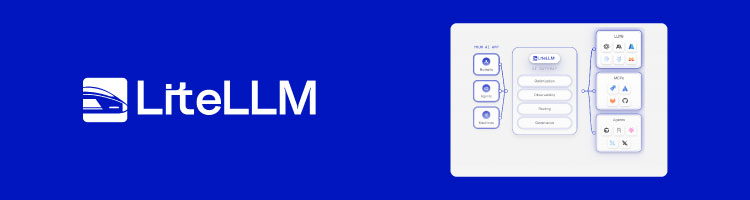
LiteLLM is an open-source AI gateway and proxy that lets businesses connect to multiple LLM providers through a single API. It provides an OpenAI-compatible interface, so developers can switch between models without rewriting their integrations. Unlike managed platforms, LiteLLM can be self-hosted, giving teams more control over their infrastructure, data flow, and model access. It's a good OpenRouter alternative for organizations that want to manage their own AI infrastructure rather than rely on a third-party aggregator.
LiteLLM key features
Here’s what LiteLLM brings to the table:
- Unified API for 100+ LLM providers and models
- Self-hosted deployment for greater control over data and infrastructure
- Load balancing, automatic fallbacks, and retries
- Budget limits, usage tracking, and spend management
- Role-based access controls and virtual keys for managing teams
LiteLLM pricing
LiteLLM's open-source version is free to self-host, with no licensing fees. Businesses can also choose the paid Enterprise plan, which adds features like SSO, SCIM, audit logs, advanced access controls, and dedicated support. Enterprise pricing is custom and depends on deployment size and usage.
3. PRISMA AIRS AI Gateway (formely Portkey) – alternative to OpenRouter for production observability
| Free trial/version: | ❌ No |
| Features: | Observability, automatic fallbacks, caching |
| Best for: | Production observability |
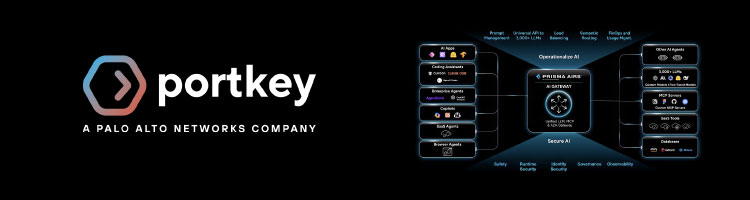
PRISMA AIRS AI Gateway (formerly Portkey) is an AI gateway designed to help teams monitor, debug, and optimize LLM applications in production. It provides a unified API for accessing 3,000+ LLMs, alongside detailed observability tools for tracking model performance, costs, and reliability.
PRISMA AIRS AI Gateway key features
Some of the main features of PRISMA AIRS AI are:
- Connects to 3,000+ LLMs, MCP servers, and tools through a single API
- Tracks AI activity across applications, models, and agents
- Monitors token consumption, request volume, and spending across teams
- Provides visibility into AI expenses and helps identify opportunities to reduce spending
- Tracks response times and helps identify performance bottlenecks
- Records failed requests and breaks down errors by provider, model, and workspace
PRISMA AIRS AI Gateway pricing
PRISMA AIRS AI Gateway is available through Palo Alto Networks' enterprise licensing. Pricing isn't publicly listed, so teams need to contact sales for a quote.
4. Requesty – best for managed LLM routing
| Free trial/version: | ✅ Yes, 200 requests/day |
| Features: | Intelligent routing, automatic fallbacks, cost tracking |
| Best for: | Managed LLM routing |
Requesty is an AI gateway designed to simplify managed LLM routing for production applications. It provides access to 600+ AI models from 30+ providers through a single API, allowing teams to manage model selection, traffic distribution, and provider failures from one dashboard.
Requesty supports automatic failover, load balancing, and latency-based routing, helping applications maintain reliable performance without custom retry logic. It also offers centralized spend management, caching, and observability, making it a good choice for businesses that need more control over their AI infrastructure.
Requesty key features
Requesty comes with several useful features, including:
- Configure failover chains, weighted load balancing, and latency-based routing across multiple models
- Access 600+ models through one OpenAI-compatible API
- Set budget limits per organization, team, user, or API key
- Track token usage, costs, latency, and errors across providers
- Manage model access, enforce regional data residency, and apply security guardrails
Requesty pricing
Requesty offers a free plan with access to free models and up to 200 requests per day. Its pay-as-you-go plan adds a 5% markup to model costs, with no per-seat fees or minimum spending requirements. You can also bring your own API keys to avoid the markup. Enterprise pricing is available on request, with additional features like SSO, RBAC, and custom SLAs.
5. Cloudflare AI Gateway – alternative for edge caching
| Free trial/version: | ✅ Yes, core features |
| Features: | Edge caching, rate limiting, usage analytics |
| Best for: | Edge caching and traffic management |
Cloudflare AI Gateway is an AI infrastructure platform that helps developers optimize AI API requests through edge caching. It routes requests to multiple AI providers, including OpenAI, Anthropic, and Google, through a single endpoint. Its caching feature stores responses across Cloudflare's global network and serves identical requests from the cache instead of sending them to the original model provider. This reduces response times and API costs, making it a practical OpenRouter alternative for applications with frequent, repetitive queries.
Cloudflare AI Gateway key features:
Let’s take a closer look at Cloudflare AI Gateway main features:
- Cache identical text and image responses to reduce latency and avoid repeated API calls
- Configure cache duration (TTL), use custom cache keys, and bypass caching for specific requests
- Connect to multiple AI providers through a unified API
- Monitor request volume, token usage, latency, errors, and API costs
- Control request volume and prevent API abuse
Cloudflare AI Gateway pricing
Cloudflare AI Gateway's core features, including caching, analytics, and rate limiting, are free on all Cloudflare plans. It also offers pay-as-you-go billing with a 5% fee on credit purchases. Alternatively, you can use Bring Your Own Keys (BYOK) and pay model providers directly.
6. Vercel AI Gateway – OpenRouter alternative for apps built on Vercel
| Free trial/version: | ✅ Yes, $5 monthly credits |
| Features: | Unified API, automatic fallbacks, usage tracking |
| Best for: | Apps built on Vercel |
Vercel AI Gateway is an AI model routing solution designed for developers building and deploying AI-powered applications on Vercel. It provides a single API endpoint to access hundreds of models from providers like OpenAI, Anthropic, Google, and Meta. Integrated with the Vercel AI SDK, it makes switching between models easier without managing separate provider integrations. It's particularly useful for teams that want to manage AI infrastructure, routing, and usage directly within their existing Vercel workflow.
Vercel AI Gateway key features
The main capabilities of Vercel AI Gateway include:
- Connect to hundreds of AI models through one API key and endpoint
- Route requests to alternative providers when a model or provider experiences downtime
- Track token consumption, latency, requests, and spending through the Vercel dashboard
- Optimize model selection based on cost, availability, and latency
Vercel AI Gateway pricing
Vercel AI Gateway includes $5.00 in monthly free credits after your first request. Paid usage follows provider list prices with no additional token markup. You can also bring your own API keys without gateway fees.
7. Kong AI Gateway – best for teams on Kong API management
| Free trial/version: | ✅ Yes, 30-day free trial |
| Features: | LLM routing, semantic caching, rate limiting |
| Best for: | Teams using Kong API management |
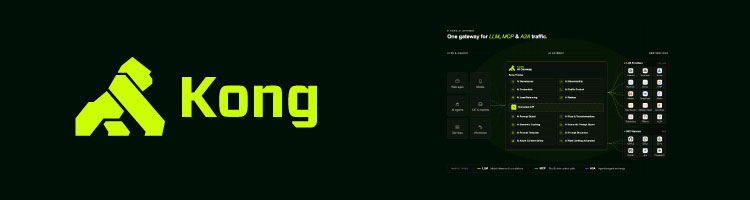
Kong AI Gateway is an AI infrastructure solution that helps teams manage, secure, and monitor LLM traffic through a unified API layer. It's a strong OpenRouter alternative for organizations already using Kong API management, as it extends existing API infrastructure to support AI applications without introducing a separate platform. Teams can connect multiple LLM providers, manage access, and apply consistent governance policies across their AI workloads.
Kong AI Gateway key features
Here’s what you can do with Kong AI Gateway:
- Connect to providers like OpenAI, Anthropic, Amazon Bedrock, Azure AI, and Gemini through a unified API
- Use load balancing, retries, and failover to improve reliability across model providers
- Apply authentication, access controls, PII sanitization, and prompt guardrails
- Track token consumption, set usage quotas, and reduce costs with semantic caching
- Monitor token usage, latency, errors, and AI spending
Kong AI Gateway pricing
Kong AI Gateway's Plus plan starts at $25.00/month plus usage and includes a 30-day free trial. Enterprise pricing is custom and billed annually. Some advanced AI Gateway plugins and additional usage come at extra costs.
8. TrueFoundry – alternative to OpenRouter for gateway access within an MLOps platform
| Free trial/version: | ✅ Yes, up to 3 users |
| Features: | Model routing, guardrails, observability |
| Best for: | AI access within an MLOps platform |
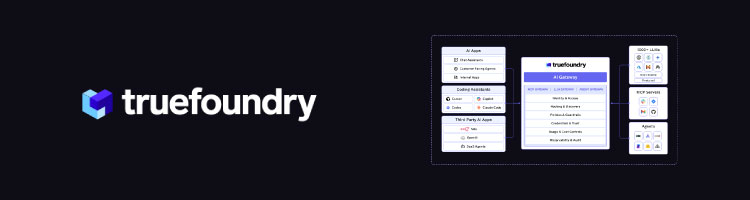
TrueFoundry is an AI gateway built into an MLOps platform, making it a good OpenRouter alternative for teams that want to manage model access alongside their AI infrastructure. It provides a unified API for connecting to multiple LLM providers and self-hosted models. Teams can route requests, configure automatic fallbacks, and manage model usage from one platform. TrueFoundry also supports deployment in private cloud environments, VPCs, and on-premises infrastructure, giving organizations more control over their data and AI workloads.
TrueFoundry key features
TrueFoundry’s feature set includes:
- Unified API access to multiple LLM providers and self-hosted models
- Intelligent routing, load balancing, and automatic fallbacks
- Usage tracking, cost monitoring, and budget controls
- Role-based access control, rate limits, and security guardrails
- Deployment across cloud, VPC, and on-premises environments
TrueFoundry pricing
TrueFoundry offers a free Developer plan for up to 3 users. The Pro plan starts at $25.00/user/month, while Enterprise pricing is custom. Additional gateway usage costs $20 per 100,000 requests on the Pro plan.
9. Together AI – alternative for hosted open-weight models
| Free trial/version: | ❌ No |
| Features: | Open-weight models, serverless inference, fine-tuning |
| Best for: | Hosted open-weight models |
Together AI is an AI inference platform that gives developers access to a wide range of hosted open-weight models through a unified API. It’s a strong OpenRouter alternative for teams that want to run models like Llama, DeepSeek, and Qwen without managing their own infrastructure. Together AI provides serverless inference, allowing developers to integrate models into applications and scale usage without provisioning GPUs. It also supports dedicated deployments for workloads that need more control over performance and resources.
Together AI key features
Among Together AI most notable features are:
- Access to hundreds of open-weight models through a single API
- Serverless inference with automatic scaling and no infrastructure management
- Dedicated endpoints for predictable performance and greater control
- Support for fine-tuning, custom model deployment, and GPU clusters
- OpenAI-compatible API for easier integration
Together AI pricing
Together AI uses usage-based pricing, with costs varying by model and token consumption. Dedicated deployments and GPU clusters have separate pricing based on hardware and usage. A free starting credit may be available for new accounts.
OpenRouter pricing comparison alternatives
OpenRouter alternatives use different pricing models, depending on whether you pay for model usage, platform features, or infrastructure. Here are the main models to understand:
- Pass-through pricing plus a platform or credit fee. You pay the underlying model's API costs plus an additional platform fee, credit markup, or transaction fee.
- Free open-source software plus your own infrastructure. The software is free to use, but you cover hosting, maintenance, infrastructure, and model API costs.
- Subscription or plan tiers. You pay a recurring fee for access to specific features, usage limits, or team management tools.
- Per-token inference pricing. You pay based on the number of input and output tokens processed, with rates usually varying by AI model.
Here’s how the OpenRouter alternative pricing compares.
| Platform | Pricing model | Free plan or trial |
| OpenRouter | Model provider rates plus a 5.5% Standard or 8% Business fee on credit purchases | ✅ Yes, 50 requests/day |
| nexos.ai | Custom pricing | ❌ No |
| LiteLLM | Free self-hosted open-source version; custom pricing | ✅ Yes, self-hosted |
| PRISMA AIRS AI Gateway | Custom pricing | ❌ No |
| Requesty | Free tier; pay-as-you-go with a 5% markup; custom pricing | ✅ Yes, 200 requests/day |
| Cloudflare AI Gateway | Free tier; optional 5% fee on prepaid Unified Billing credits; BYOK | ✅ Yes, core features |
| Vercel AI Gateway | Free tier; pay-as-you-go based on model usage | ✅ Yes, $5 monthly credits |
| Kong AI Gateway | Subscription starting at $25.00/month, plus usage-based charges; custom pricing | ✅ Yes, 30-day free trial |
| TrueFoundry | Free Developer tier; $25.00/user/month Pro tier; custom pricing | ✅ Yes, up to 3 users |
| Together AI | Per-token pricing for serverless inference; hourly pricing for dedicated deployments | ❌ No |
- Note: pricing checked in November 2026
Percentage-based platform fees can make a noticeable difference as your AI usage grows. For example, OpenRouter charges a 5.5% fee on Standard credit purchases and an 8% fee on Business credit purchases. Here's what that looks like at different spending levels:
| Monthly credits purchased | Standard (5.5%) | Business (8%) |
| $1,000 | $55 fee | $80 fee |
| $20,000 | $1,100 fee | $1,600 fee |
These fees are charged when purchasing credits, on top of the credit amount. So, a $20,000 credit purchase costs $21,100 on Standard or $21,600 on Business, before any applicable taxes.
Keep in mind: Self-hosting open-source alternatives like LiteLLM can eliminate platform fees, but it doesn't eliminate costs. Instead, you take on infrastructure, hosting, maintenance, and engineering time to deploy and manage the software yourself.
Cheaper alternatives to OpenRouter
The cheapest AI API providers aren't necessarily the ones with the lowest prices per token. Your actual costs depend on how much you use each model, the type of tasks you run, and how you manage API requests. Instead of switching platforms just to get a lower rate, you can reduce costs in a few ways:
- Use smaller models for routine tasks. Simple tasks like text classification, summarization, and basic questions don't always need powerful models. Routing these requests to smaller, cheaper models can lower your overall costs.
- Cache frequent responses. If your application receives the same requests repeatedly, caching lets you reuse previous responses instead of paying for new API calls.
- Set budgets and rate limits per team. Give each team its own spending limit and control how many requests it can make. This helps prevent unexpected usage and keeps costs under control.
- Go directly to a provider for single-model workloads. If you only use one AI model, connecting directly to its provider may help you avoid additional platform or routing fees.
- Use open-weight models through an inference host. Open-weight models can offer another pricing option. You can run them through an inference host and pay for the computing resources needed to process requests.
Free OpenRouter alternatives for testing
If you're looking for the best free alternatives to OpenRouter, there are several options worth considering. Some provide free software you can host yourself, while others offer free credits or limited API access to test different models. Here are some free LLM API alternatives to OpenRouter to consider:
- LiteLLM is free, open-source software that you can self-host to route requests across multiple LLM providers. The software itself is free, but you'll need to pay for your own hosting and infrastructure.
- Cloudflare AI Gateway offers core AI Gateway features, including request logging, analytics, and caching, on its free plan. This makes it useful for monitoring and testing AI API requests.
- Vercel AI Gateway provides monthly free credits for AI Gateway usage, allowing you to experiment with different models before paying for additional usage.
- Groq offers a free API tier with access to supported models. It's useful for testing inference speed and integrating models without an initial API spend.
- Google AI Studio provides a free API tier for supported Gemini models, making it an option for experimenting with Google's models through an API.
Open-source alternatives to OpenRouter
Using open-source software to build your own AI gateway, rather than relying on a hosted platform, is also an option. This approach gives you more control over how requests are handled and where your data goes, but it also means taking responsibility for maintaining the infrastructure.
Self-hosting gives you:
- Control over data flow. You decide how API requests are routed, processed, and stored, and which infrastructure handles them.
- No platform fee. Open-source software is generally free to use, so you don't pay an additional gateway fee. However, you still pay for hosting, infrastructure, and model inference.
Self-hosting requires you to manage:
- Hosting and infrastructure. You need servers and, depending on the setup, a database to run the gateway.
- Scaling. You are responsible for handling increased traffic and allocating resources as usage grows.
- Maintenance and security. You need to manage software updates, apply security patches, and monitor the infrastructure.
For example, LiteLLM is an open-source option that provides a unified API for connecting to multiple LLM providers. You can deploy it on your own infrastructure and configure model routing, access controls, and usage tracking.
The main trade-off is that you exchange some platform convenience for greater control and responsibility over the infrastructure.
Which OpenRouter alternative fits your team?
The right OpenRouter alternative depends on how your team builds, deploys, and manages AI applications. Some teams need more control over infrastructure, while others prioritize monitoring, centralized governance, or integration with their existing cloud platforms. Use the table below to narrow down your options based on your main requirements.
| Your main need | Options to shortlist |
| Governed AI access for developers and business teams | nexos.ai |
| Running your own open-source gateway | LiteLLM |
| Deep production monitoring | PRISMA AIRS AI Gateway |
| Managed multi-provider routing | Requesty, nexos.ai |
| Edge caching on existing Cloudflare setup | Cloudflare AI Gateway |
| Apps deployed on Vercel | Vercel AI Gateway |
| Existing Kong API management | Kong AI Gateway |
| Gateway plus model deployment and fine-tuning | TrueFoundry |
| Standardizing on open-weight models | Together AI |
Choosing the right OpenRouter alternative
There’s no single best OpenRouter alternative for every team. The right choice depends on who uses AI in your organization, what features they need, and how much infrastructure you want to manage yourself. Developers may prefer a self-hosted gateway, while larger teams might need centralized access, monitoring, and governance tools.
If your team needs a comprehensive solution that combines governed model access, model comparison, and AI agents in one workspace, nexos.ai is worth considering. You can explore its features or contact the sales team to arrange a demo.
FAQ
What is an LLM API aggregator?
An LLM API aggregator is a service that provides access to multiple AI model providers through a single API, often with a single account and a single bill. Unlike a self-hosted proxy, which you manage and maintain on your own infrastructure, an aggregator handles the infrastructure and integrations for you.
Do you need an AI gateway if you only use one model provider?
Not necessarily. Connecting directly to your model provider is usually simpler if you only use one service and don't need additional management features. However, an AI gateway becomes useful when you need automatic fallbacks, team-level cost tracking, guardrails, or the flexibility to switch models later.
What does BYOK mean for AI gateways?
BYOK stands for "bring your own key." It lets you connect your own provider API keys to an AI gateway, so the provider bills you directly for model usage while the gateway handles routing, logging, and other management features. Keep in mind that some platforms charge additional fees for BYOK usage above certain volumes.
Are free LLM APIs suitable for business use?
Free LLM APIs can be useful for testing and development, but they come with rate limits, availability restrictions, and different data-use terms. Before using a free API for business purposes, review its terms and privacy policies, especially if you plan to send company or customer data.
Does an AI gateway add latency?
Yes, an AI gateway can introduce some additional latency because requests pass through an extra layer before reaching the model provider. The overhead depends on the platform, server location, and routing setup. Features like caching can help reduce response times for repeated requests, but it's best to measure latency using your own traffic patterns.