Fieldy AI vs Plaud AI (2026): side-by-side wearable AI note-taking comparison
Being behind major reports like The Mother of All Breaches and RockYou2024, our in-house cybersecurity experts and journalists provide unbiased, real-world testing and in-depth analysis.
We maintain complete transparency by openly sharing our testing methodologies with our audience.
Learn more

Wearable AI note-takers like Fieldy AI and Plaud AI are redefining how we capture, transcribe, and summarize real-world conversations in 2026. Fieldy AI is a tiny necklace-style recorder that logs your day, turning spoken moments into searchable notes, summaries, and reminders. Plaud AI’s NotePin line, on the other hand, focuses on flexible wear styles and powerful multi-language transcription with rich, role-based summaries.
For this review, I personally tested both devices and evaluated them on accuracy, ease of use, summaries, hardware experience, and overall value for everyday knowledge workers and creators. Let’s see which one best suits your needs.
What are Fieldy AI and Plaud AI? Quick overview
When you stack Fieldy AI against Plaud AI, you’re really choosing between a companion that remembers everything from your day and a more polished, meeting-focused AI notetaker. Here’s a quick side-by-side breakdown.
| Category | Plaud AI | Fieldy AI |
| Rating | ||
| Key features | Clip-on/pin wearable, meeting-focused capture, multi-language transcription, structured summaries (action items, decisions, highlights), strong app experience | Always-on wearable recorder, automatic transcription, timeline-style conversation log, quick highlights and summaries, mobile app with searchable history |
| Pros | Polished hardware, excellent meeting and interview summaries, strong accuracy, and easier to use in professional settings | Very lightweight and discreet, great for capturing your whole day, simple app, strong memory feel |
| Cons | More focused on meetings than casual life-logging, hardware feels less invisible in super casual use, best features often tied to subscription | Less “formal” structure for business notes, occasional background noise pickup, ecosystem still maturing |
| Price | Higher device cost, subscription needed for full AI summaries and cloud features | Typically cheaper upfront, subscription needed for advanced AI and storage |
| Best for | Professionals who want a meeting and interview notetaker | Individuals who want an everyday lifelogging memory assistant |

Head-to-head: transcription accuracy and summaries
When it comes to transcription and summaries, Fieldy AI and Plaud AI take noticeably different approaches. Fieldy’s strength is passive, always-on capture that works well for everyday life-logging, especially in quieter environments and casual conversations. On the other hand, Plaud behaves more like a professional meeting assistant, prioritizing accuracy, structure, and long-form recordings.
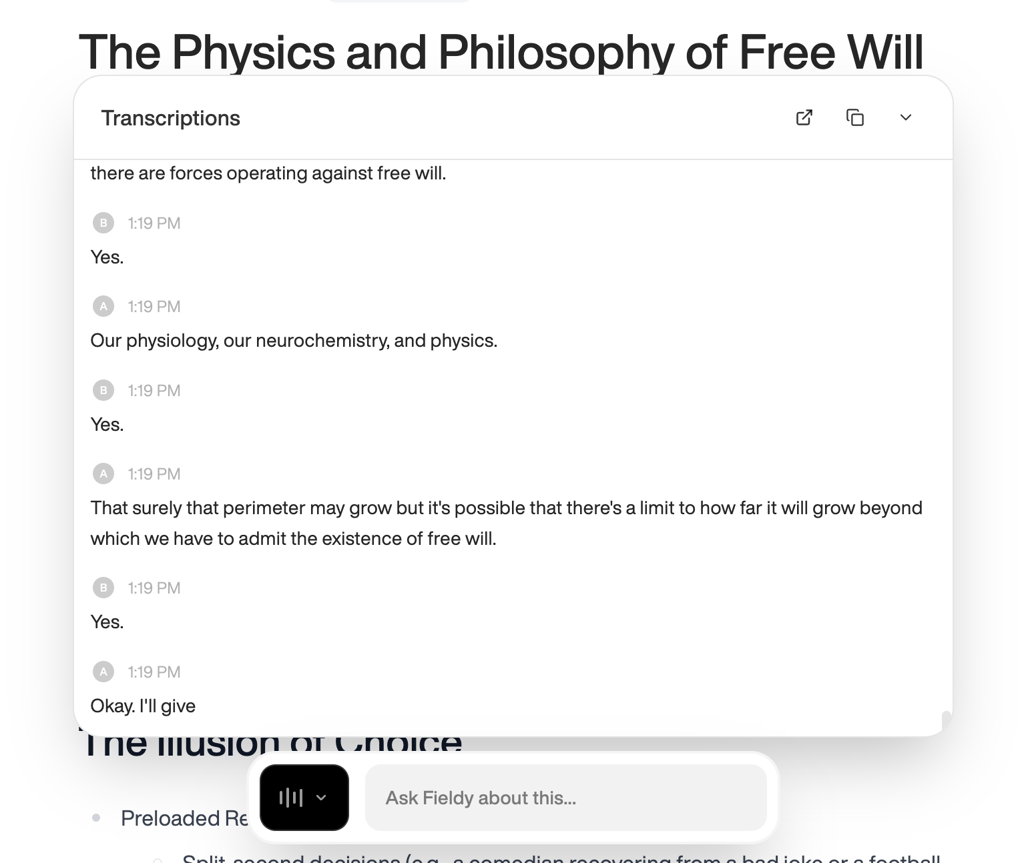
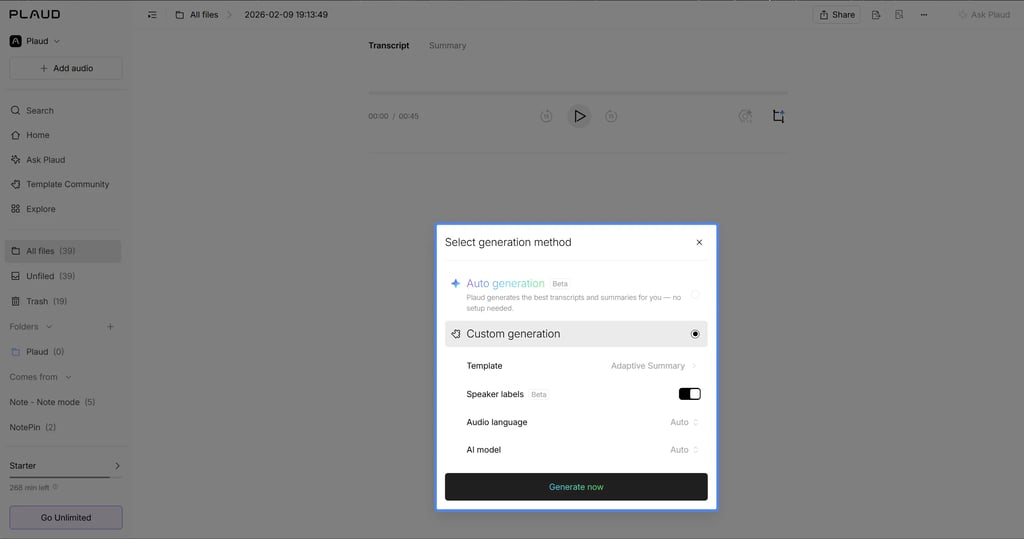
Here’s a quick overview of how they both handle speaker differentiation, noise, and long and short audio sessions.
| Plaud AI | Fieldy AI | |
| Speaker differentiation | Excellent. It offers advanced Diarization, reliably labeling speakers even in larger rooms and boardroom-style meetings. | Poor. It often mixes multiple people into a single speaker label or accidentally splits a single person into two separate speakers. |
| Noise handling | Superior. It uses dual MEMS microphones and AI beamforming to isolate voices, staying effective even when the speaker is up to around 16 feet away. | Average. It usually catches most speech in noisy settings, but can mishear context-specific words (for example, confusing “Lego” with “Lago”) and is effectively unable to transcribe singing. |
| Long vs short audio sessions | Optimized for long-form (60+ minutes and beyond), though syncing long sessions to the app can feel slow. | Performs well in both cases, with consistent quality and sometimes even better summaries on longer recordings as the AI gains more context. |
Many users also report that Fieldy AI’s mobile app can be unreliable, with complaints about syncing issues, setup friction, and the app occasionally not working as expected. In addition, there are recurring mentions of slow support and shipping issues, which can make the overall experience feel less beginner-friendly than with Plaud AI, which makes the latter the ultimate winner in this category.
Wearable experience and hardware evaluation
On the hardware side, Fieldy AI and Plaud AI feel very different in everyday use. Fieldy is designed as a small pendant or clip for passive, all-day listening, while Plaud is closer to a sleek, card-sized recorder or a pin that attaches magnetically to clothing or accessories for more intentional capture.

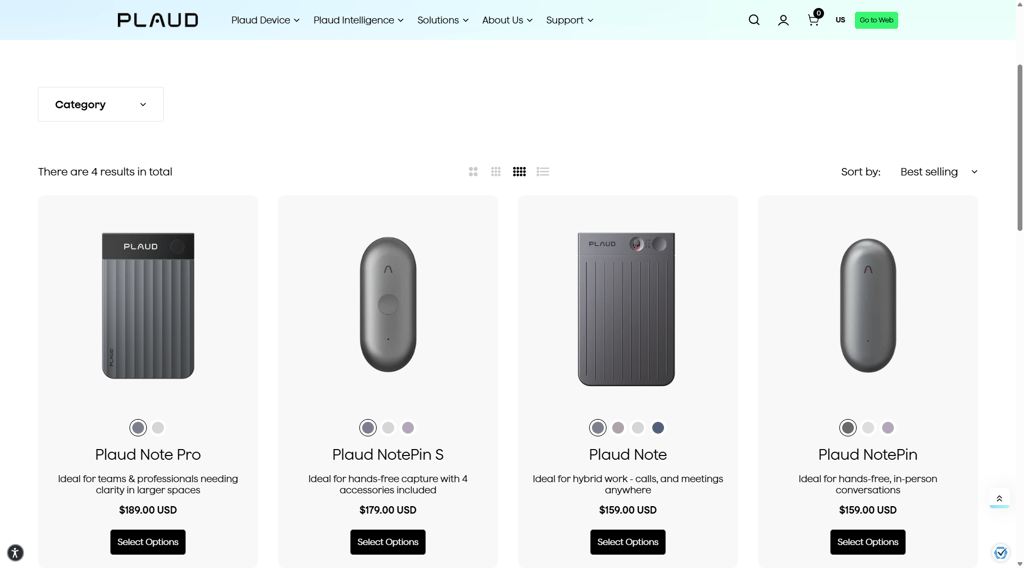
Here’s my quick hardware comfort overview.
| Category | Plaud AI | Fieldy AI |
| Design and comfort | A slim, card-like device with magnetic attachment, it looks more like a pro gadget and blends well in office or meeting settings. | Lightweight pendant/clip that can be worn around the neck or on a shirt, very discreet for casual, everyday wear. |
| Battery and charging | Optimized for long recording sessions. Its battery comfortably covers multiple long meetings, with a more robust charging case or dock experience in some bundles. | Geared toward all‑day passive use. It can usually last through a normal workday, but may need nightly charging and occasional top‑ups on heavy days. |
| Ease of use | More guided setup, clearer on-device controls, and a polished app make it easier to start recording, review notes, and adjust settings. | Setup and app experience can feel less beginner-friendly, with occasional friction around pairing, app stability, and understanding all features. |
As mentioned in our Fieldy AI review, it feels better if you want something you can put on and forget about, treating it like a passive memory pendant rather than a device you constantly manage. However, Plaud AI delivers a more refined hardware experience overall: the magnetic design feels premium, the controls are straightforward, and the charging and storage ecosystem better supports heavy meeting use.
Smart features and workflow power
Smart features are where both Fieldy AI and Plaud AI try to move beyond basic recording into real workflow assistants, but they target slightly different users. Fieldy leans into personal memory, tasks, and simple integrations, while Plaud pushes harder into team and enterprise use with deeper structure and APIs. Here’s a quick breakdown of how their smart features compare.
| Feature | Plaud AI | Fieldy AI |
| Integrations | Leans into enterprise workflows, with a full SDK/API for embedding its intelligence into CRMs, EHRs, and custom apps. | Fieldy AI offers webhook documentation, AI-suggested tasks with reminders, and speaker profiles. |
| AI Chat | "Ask Plaud" has multi-file reasoning, so you can ask what a specific client or investor said across several meetings and get answers with direct audio citations, which is extremely powerful in professional environments. | Fieldy AI provides an AI chatbot called “fieldy,” which lets you ask questions about your transcripts, generate weekly decision reports, and generally treat your recordings as a searchable memory layer, which is great for solo knowledge workers. |
| Speaker profile | Collaborative. Auto-speaker labeling learns recurring speakers across your entire contact list over time. | When setting up an account, you can create your own voice profile. This helps Fieldy better recognize your own voice and frequent collaborators over time. |
| Tasks and workflow | Knowledge Extraction. Generates Mind Maps, structured tables, and AutoFlow for professional follow-ups. | Within the task section, there are AI-suggested tasks based on transcriptions. Users can then edit any suggested tasks and add reminders. |
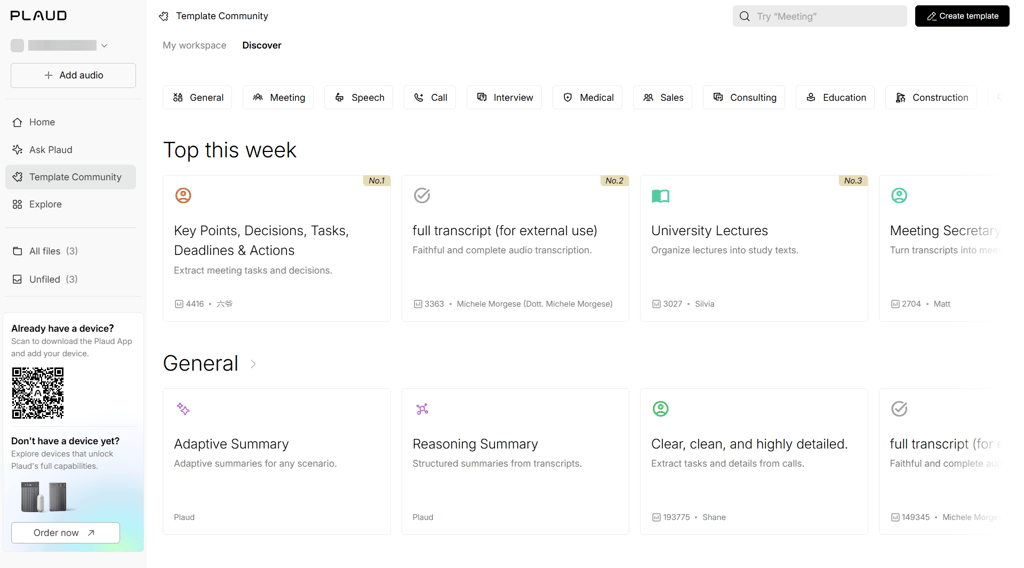
Overall, Fieldy AI is the better choice if you want a personal second-brain assistant that automatically surfaces tasks, reminders, and ad hoc insights from your recordings with minimal setup or tweaking. Plaud AI still stands out for its structured summaries, multi-file reasoning, and professional-grade integrations. However, these strengths mainly benefit teams and complex, meeting-heavy workflows rather than everyday personal productivity.

Pricing, subscriptions, and value for money
Fieldy AI and Plaud AI sit in different price brackets, but long‑term value flips once you factor in subscriptions. Let’s take a look.
| Feature | Plaud AI | Fieldy AI |
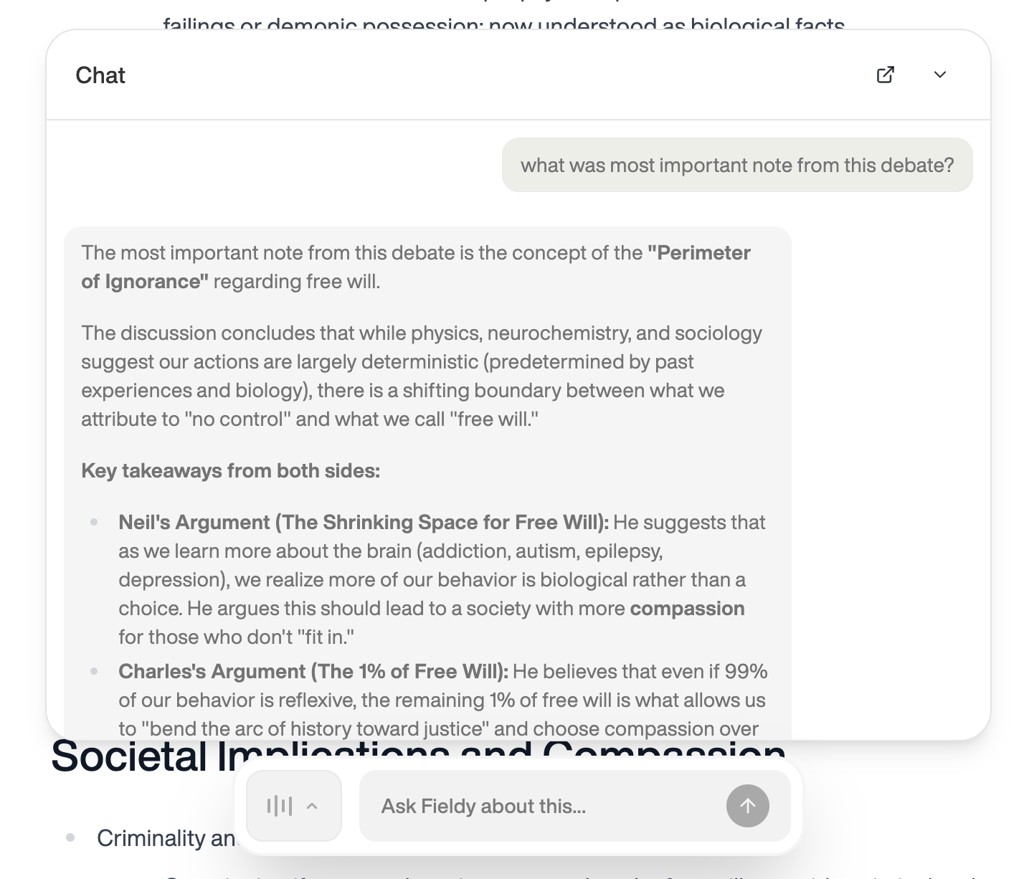
| Hardware cost | $159.00–189.00 (Note/NotePin/NotePin S/NotePro) | $99.00 |
| Free tier | 300mins/month (Starter) | 150mins/month |
| Pro/Plus plan | $8.33/month ($99.96/year) (1200mins) | $9.99/month ($119.88/year) (1440mins) |
| Unlimited plan | $19.99/month ($239.88/year) | $15.99/month ($191.88/year) |
| AI Models | GPT-5.2, Claude Sonnet 4.5, Gemini 3 Pro | Standard LLMs |
| Security | HIPAA, SOC2, GDPR, ISO 27001 | Standard encryption |
As you can see, Fieldy AI’s hardware is cheaper at around $99.00, leaning into a low-entry device with higher ongoing membership costs. You get 150 minutes/month on the free tier and can upgrade to a Plus plan for $9.99/month with 1440 minutes and smarter summaries.
Subscriptions emphasize unlimited transcription, calendar syncing, and its ADHD‑friendly workflow that auto-extracts tasks and pushes them to your calendar or Apple Watch. However, pricing can feel confusing because hardware discounts vary based on the number of months you commit to up front.
Plaud AI’s devices cost more from the get-go, starting at $159.00, but they ship with a Starter plan that includes 300 minutes per month for free. Paid tiers start at about $8.33/month annually for 1200 minutes, and the subscription unlocks premium AI models (GPT‑5.2, Claude Sonnet 4.5, Gemini 3 Pro), advanced templates, and stronger security (HIPAA, SOC2, GDPR, ISO 27001), which is attractive for professionals.
It’s important to note that hardware quality also differs: Fieldy feels like an entry-level plastic pendant that’s fairly priced if you catch a yearly discount, while Plaud uses more premium materials, extra storage, and clever touches like a physical call‑recording switch on Plaud Note or auto mode‑switching on Note Pro.
From my perspective, pricing transparency is also better with Plaud: you pay one clear price for the device and one for the app, whereas Fieldy’s shifting hardware discounts can be harder to parse. Over more than a year of steady use, Plaud usually works out cheaper and more straightforward, so Plaud AI offers better long‑term value for most users.
Use-case guide: who should choose which tool
Both Fieldy AI and Plaud AI can boost your note-taking, but they favor very different lifestyles and workflows. The simplest way to decide is to ask yourself whether you mostly need a personal memory backup or a professional-grade meeting recorder.
Best for Fieldy AI
Fieldy AI is better suited to individuals who want help remembering life as it happens, not just formal meetings.
- Best for students, busy parents, and neurodivergent users who benefit from passive capture, memory support, and gentle task reminders pulled from casual conversations.
- Ideal if you want an ADHD-friendly memory assistant that turns offhand commitments (“I’ll send that on Friday”) into tasks and reminders.
Many reviewers describe Fieldy as a game-changer for everyday functioning and productivity, though some are lukewarm about the app’s polish, certain features, and support responsiveness.
Best for Plaud AI
Plaud AI is the stronger choice for professionals who live in meetings and need robust, compliant documentation.
- Best for professionals such as consultants, healthcare workers, and lawyers who need high-fidelity transcripts, strong security compliance (HIPAA/SOC2-level), and structured summaries for meetings and interviews.
- Creators and journalists also benefit from its accurate long-form capture, language flexibility, and templates that turn recordings into usable outlines or drafts.
Reviews frequently highlight the premium hardware feel, intuitive operation, and very responsive customer service, which together make Plaud particularly attractive for high-stakes professional use, despite some complaints about subscription costs and occasional syncing friction for power users.
Final verdict
After testing Fieldy AI and Plaud AI across key categories, here’s how they stack up head-to-head for the final verdict.
| Category | Winner | Reasoning |
| Transcription accuracy and summaries | Plaud AI | Plaud wins on technical precision. Its hardware features internal audio processors and Dual-Mic beamforming that filter background noise more effectively. It also offers 30+ professional templates (SOAP, Legal, etc.) and superior speaker diarization, whereas Fieldy often struggles with speaker differentiation and can hallucinate words in noisy environments. |
| Smart features and workflow power | Fieldy AI | Fieldy wins for active productivity. Its unique passive-listening approach automatically extracts reminders and syncs them to your Apple Watch or Calendar without you pressing a button. While Plaud has a Second Brain chat feature, it is more of a static archive; Fieldy acts as a proactive personal assistant for daily habits and ADHD support. |
| Pricing | Plaud AI | Plaud offers better long-term value. Its Free Tier (300 mins) is double Fieldy's (150 mins), and its $8.33/month yearly Pro plan is cheaper than both Fieldy’s monthly and yearly options. Additionally, Plaud’s hardware is made of premium aluminum and includes specialized sensors for phone recording, justifying the higher upfront cost. |
| User reviews | Plaud AI | Plaud has a significantly better reputation among customers (4.7/5 rating with 1220 reviews on Trustpilot, compared to Fieldy’s 4.0 rating with 413 reviews) due to its premium hardware build and responsive customer service. Fieldy has a loyal fan base but suffers from frequent complaints regarding Bluetooth dropouts and a cheaper, plasticky hardware feel. |
As you can see, Plaud AI takes the overall win with superior accuracy, pricing value, and customer satisfaction, though Fieldy remains a compelling choice for personal, hands-off productivity.
FAQ
What’s the difference between Fieldy AI and Plaud AI?
Fieldy AI and Plaud AI differ mainly in focus: Fieldy emphasizes passive, all-day personal memory capture via a lightweight pendant, while Plaud prioritizes professional meeting transcription with premium card-sized devices. Fieldy extracts casual tasks and reminders, and Plaud offers structured templates and HIPAA-compliant enterprise integrations.
Which has better transcription accuracy?
Plaud AI leads in transcription accuracy thanks to dual-mic beamforming, superior speaker diarization, and reliable performance in noisy or multi-speaker settings up to 16 feet away. Fieldy AI handles quiet environments well but struggles with speaker separation and occasionally introduces word errors in noisy environments.
Can these tools replace manual note-taking?
Yes, both effectively replace manual note-taking for most users by automatically transcribing conversations, summarizing action items, and generating searchable insights. Plaud excels in professional templates for meetings, while Fieldy works best for everyday task reminders, though neither is perfect in very chaotic or specialized scenarios.
Do these work in noisy environments?
Yes. Plaud AI performs better in noise with AI beamforming and voice isolation, maintaining clarity even at a distance. Fieldy AI is average, capturing most speech but prone to context errors, such as mishearing specific words.