Base44 vs Replit – which AI app builder should you choose?
Being behind major reports like The Mother of All Breaches and RockYou2024, our in-house cybersecurity experts and journalists provide unbiased, real-world testing and in-depth analysis.
We maintain complete transparency by openly sharing our testing methodologies with our audience.
Learn more

For as long as I can remember, my friends and I have been building apps, skipping Friday night outs just to finish a single feature. But the AI revolution changed how we work, 180 degrees. Now with a single prompt, anyone can spin up a polished, working app.
AI tools made to simplify app development are everywhere. Yet two platforms keep popping up in every conversation: Base44 and Replit. Both promise to make app development faster and smarter with AI, but they're wildly different in how they approach it.
Base44 positions itself as the AI-first, low-code solution. It's all about automating workflows and letting AI handle the heavy lifting while you focus on the big picture. Replit, on the other hand, stays true to its coding roots. It's a developer playground enhanced with AI, not replaced by it.
I spent weeks testing both platforms side by side. I built the same apps, tried the same workflows, and hit the same roadblocks. The results were eye-opening. One platform consistently delivered on promises while the other left me frustrated more often than I'd like to admit.
This comparison covers everything you need to make the right choice. We'll explore features, pricing, real-world performance, and hidden gotchas that only surface when you're deep in a project. By the end, you'll know exactly which platform fits your workflow and goals.
Base44 vs Replit: quick overview
Before we dig into the details, here's what you need to know about each platform in context.
Both tools emerged from the same trend: developers wanting AI assistance without sacrificing control. But they took completely different paths to get there.
| Feature | Base44 | Replit |
| ⭐ Target audience: | Founders, product managers, low-code builders | Developers, coding teams, computer science students |
| 💻 Coding approach: | AI-generated workflows with visual builders | Traditional coding with AI assistance |
| 🤖 AI workflow automation: | Core feature, handles entire processes | Coding suggestions and debugging help |
| 👥 Collaboration tools: | Real-time editing, comment system | Live coding, pair programming features |
| 🚀 Deployment options: | One-click deployment, managed hosting | Multiple deployment targets, custom domains |
| 🔤 Supported languages: | Limited to workflow templates | 50+ programming languages |
| 💵 Pricing: | Free Tier, $20/month Starter, $100/month Pro | Free tier, $20/month Enhanced features |
| 🔗 Integrations: | 200+ pre-built connectors | GitHub, package managers, external APIs |
| 🌟 Unique strength: | Automates entire business processes | Full development environment in browser |
Winner: Depends on your background. Base44 wins for non-technical founders. Replit dominates for developers who want to actually code.
Key similarities and differences
Understanding where these platforms overlap and diverge can help you pick the right tool for your specific needs. The similarities might surprise you, and the differences definitely will.
Similarities
Here’s where Base44 and Replit actually align, despite their different philosophies:
- AI-powered development. Both platforms use AI to speed up app creation, though in very different ways. Base44 leans on AI to automate workflows, while Replit uses AI for coding suggestions and debugging.
- Cloud-based everything. No local installs or messy setups. Both run in the browser, so you can work anywhere with a stable internet connection.
- Rapid prototyping focus. Each excels at moving from idea to prototype quickly, making them solid for testing concepts before investing heavily.
- Built-in collaboration. Real-time editing and sharing features are present in both, reducing friction when working with teams.
- Deployment included. Both platforms can take your project live without needing you to configure servers manually.
- Template libraries. They both offer starter templates to avoid starting from scratch, though Base44’s are workflow-heavy while Replit’s are more code-centric.
Differences
The differences reveal each platform’s core philosophy and target market:
- Philosophy. Base44 abstracts code entirely through AI and workflows; Replit keeps coding central, adding AI as an enhancer.
- Customization depth. Base44 allows edits through its visual editor, Discuss Mode, and code access, but keeps logic guided. Replit offers full control of the codebase with 50+ supported languages.
- Learning curve. Base44 can be picked up by non-technical users in hours. Replit requires programming knowledge or a willingness to learn.
- Target use cases. Base44 shines in business process automation and fast app delivery. Replit excels at teaching, experimenting, and building complex apps.
- Pricing model. Base44 uses subscriptions + credits; Replit is freemium with compute-based scaling.
- Integrations. Base44 auto-generates APIs and provides connectors; Replit requires manual coding but allows limitless integrations.
Feature comparison: Base44 vs Replit
I tested both platforms using three real-world scenarios: building a customer feedback app, creating a team dashboard, and automating a content workflow. Here's how they performed in each critical area.
The testing methodology was simple but thorough. It followed the same requirements, timeline, and evaluation criteria. And I documented every friction point, pleasant surprise, and moment of pure frustration.
App creation workflow
Getting started reveals a lot about a platform's priorities and user experience philosophy.
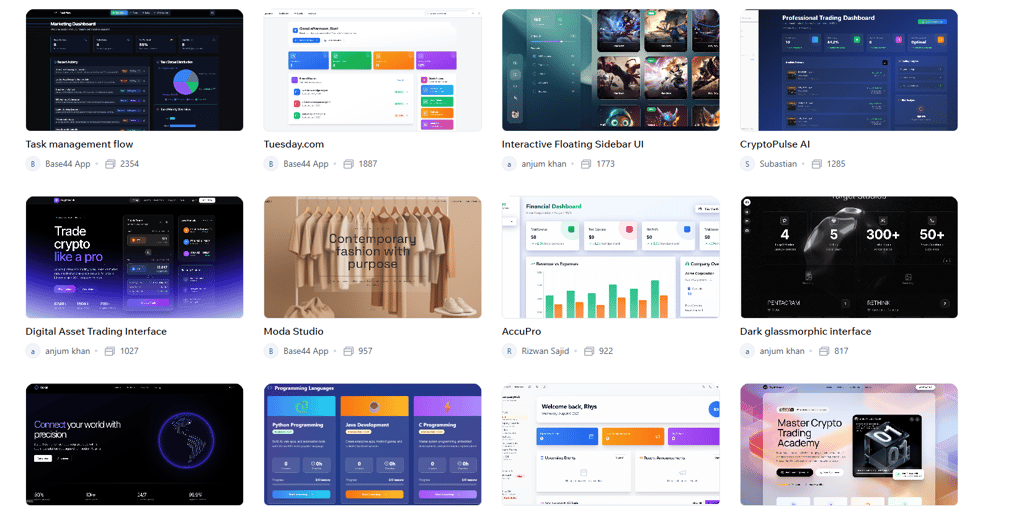
Base44's onboarding is slick and guided. The platform walks you through creating your first workflow with helpful tooltips and suggested next steps. You pick a template, customize it through visual forms, and watch AI generate the underlying logic. The whole process feels like filling out a smart survey rather than building software.
The main page is clean and focused. There are three main sections, including the app generator, templates, and my Apps. Everything has a purpose, and nothing feels overwhelming. New users can be productive during their first session.
Base44 is one of the best AI workflow builders thanks to it’s drag-and-drop editor. Once the Base44 produces your initial app you can move components, rearrange steps, and connect triggers visually.
Instead of worrying about syntax errors, you’re piecing together building blocks, which makes app creation feel more like managing a project board than writing code.
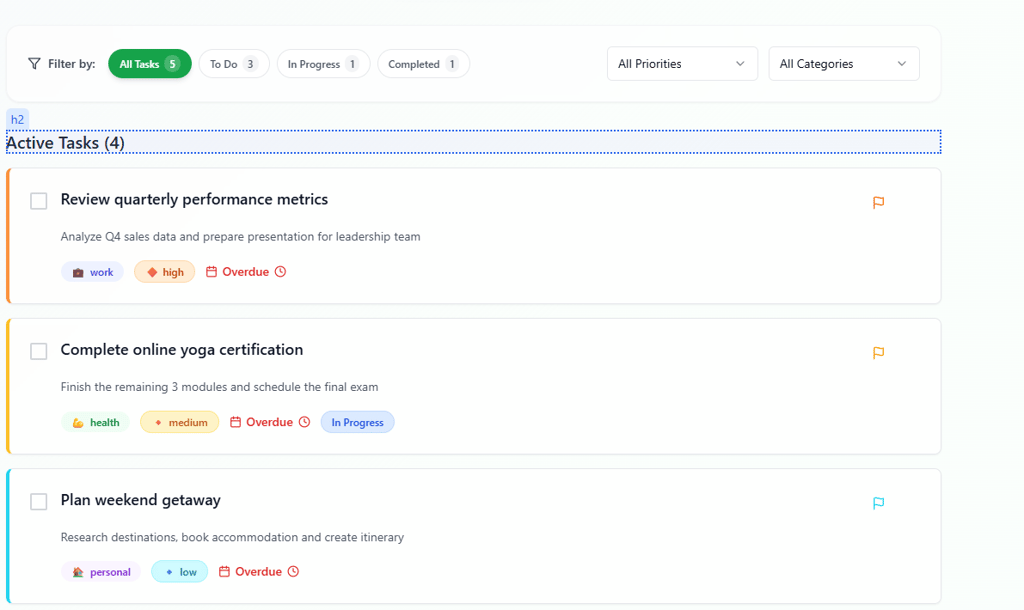
Replit, on the other hand, immediately asks what you want to build. You can type an idea in plain English or pick from quick-start categories like Web app, Data app, or 3D Game. From there, the platform spins up a project in seconds.
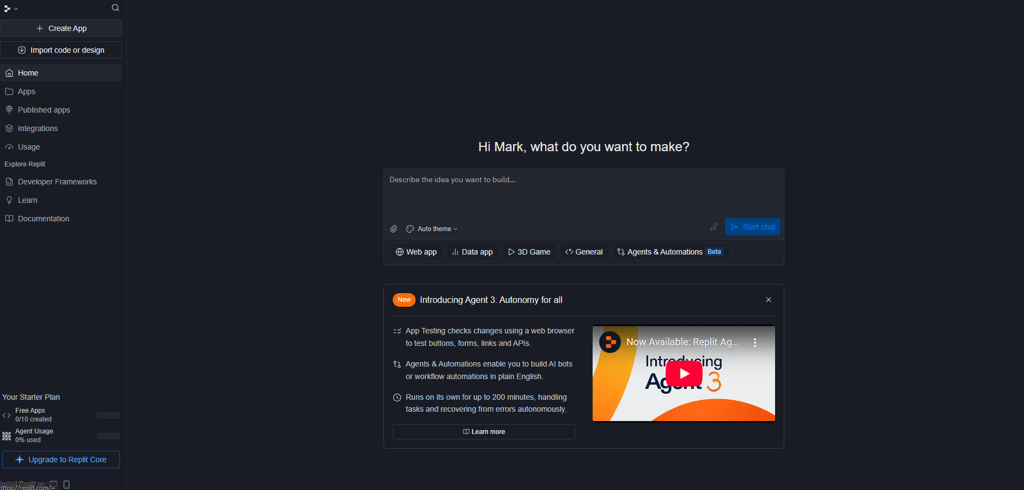
The interface drops you into a full development environment with a file explorer, terminal, and preview pane. It feels familiar to anyone who’s used VS Code, but with the benefit of being browser-based.
Replit also surfaces its AI features early. Ghostwriter provides inline completions as you type, while Agents & Automations can generate entire app structures. For example, when prompted to build a meme generator, Replit created an upload form, text customization controls, and download functionality in under five minutes. The left-hand panel even shows the AI’s decision log, documenting each change it makes.

The learning curve is steeper than Base44, you need some coding knowledge to move fast. But the payoff is complete flexibility, where you can adjust everything from your database schema to front-end UI without constraints.
Coding and customization
Here’s where the difference in design choices becomes most apparent.
Base44 goes beyond simple drag-and-drop. From a single natural language prompt, it generates a full-stack application (including front-end UI, backend functions, databases, APIs, and authentication). Users can refine apps in the visual editor or Discuss Mode, and advanced users can dive into the AI-generated code itself. With full code access and GitHub integration, teams can edit, manage versions, and run Base44 apps like any other software project.
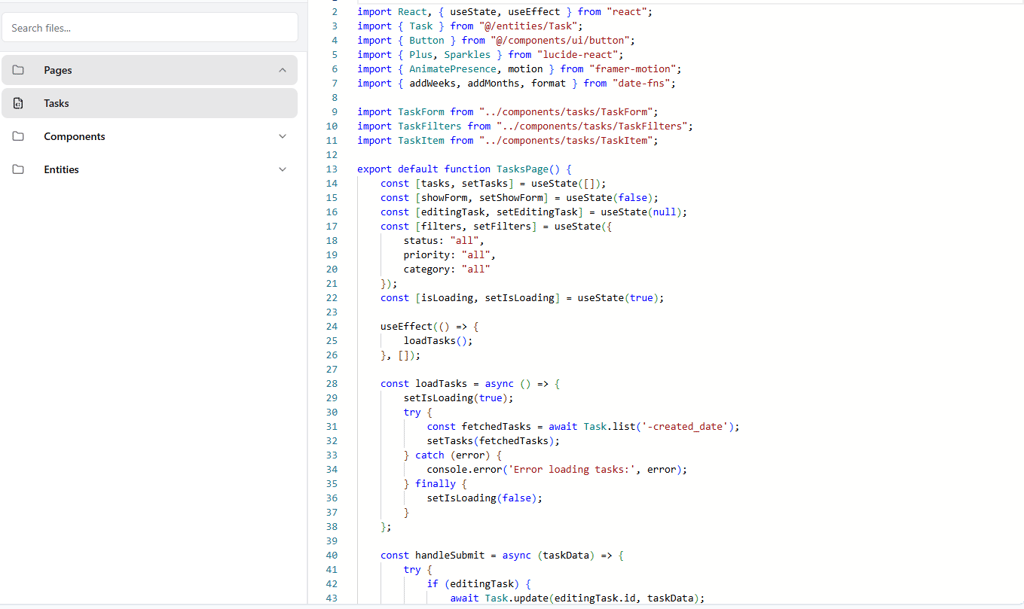
Pre-built templates cover most standard business apps, onboarding flows, e-commerce basics, and task automation. These are easy to set up, but the deeper you go, the more constrained you are.
Meanwhile, Replit allows full coding freedom with AI assistance layered on top. The editor supports 50+ languages with syntax highlighting, autocomplete, and real-time error detection. Ghostwriter can complete entire functions from a comment, while debugging tools (step-through, console logging, testing frameworks) match what you’d expect in a professional IDE.

Advanced users can import any library, connect external APIs, or build custom architectures. Replit doesn’t constrain your logic or design choices.
In practice, Base44 handled CRUD apps and process automation with ease. For example, form submissions and email triggers worked right away. But when testing API integrations or advanced validations, limitations became clear. Replit required more manual coding time, but succeeded in building everything we tested without restrictions.
Collaboration and sharing
Modern development is collaborative. Both Base44 and Replit recognize this, but they approach it in different ways.
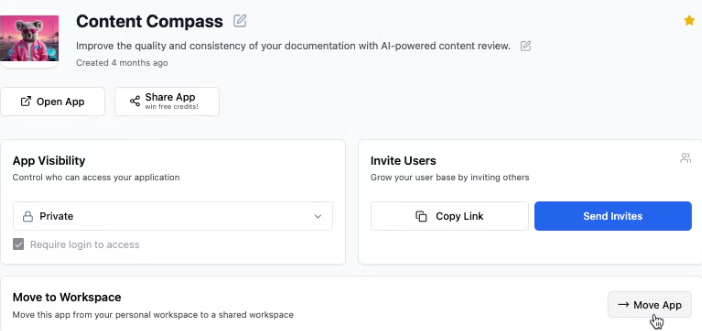
Base44 supports real-time editing with Google Docs-style commenting. Multiple users can edit a workflow simultaneously, and changes appear instantly. The system automatically resolves conflicts, making it smooth even when several people are active.
Permissions are simple. You can assign view, edit, or admin roles at the workspace level, and comments can be attached to specific workflow steps, so feedback is contextual and easy to act on. Sharing is also frictionless. You can generate a public link or embed code with one click, and external users don’t even need Base44 accounts to access published apps.
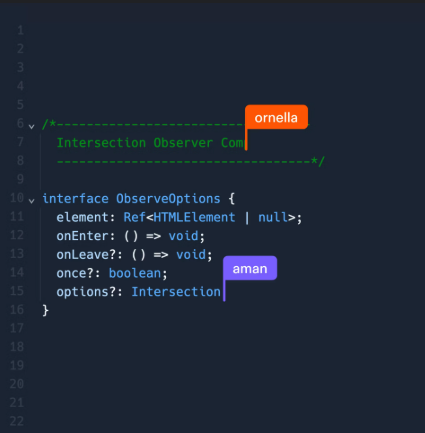
Replit leans into developer-first collaboration. You can run live coding sessions where multiple cursors are visible, and edits appear in real time. This makes pair programming and collaborative debugging fluid.
The platform also supports integrated chat and community tools. Teams can share projects via public repos, private team spaces, or even publish apps under a custom domain. Developers can comment directly on code and see others’ edits line by line.
In practice, Base44’s collaboration features worked best when involving non-technical stakeholders, managers and clients could easily review workflows and leave comments. Replit was ideal for developer teams working closely on code, but its complexity could overwhelm business users who only wanted to review outcomes.
Deployment and hosting
Getting your app from development to production is the ultimate test of each platform’s infrastructure maturity.
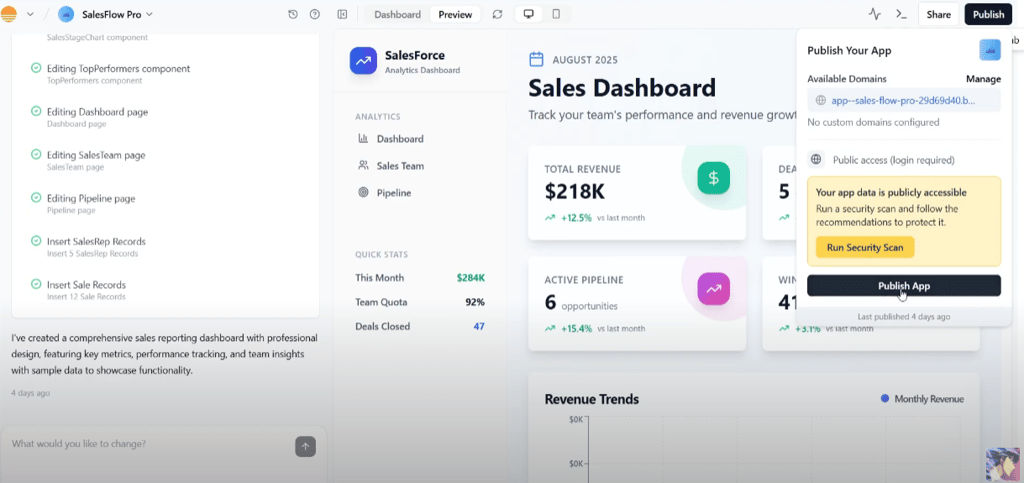
Base44’s deployment is one-click, but it sets itself apart even further with full-stack hosting. Every generated app goes live instantly, complete with front-end, backend, database, and APIs. SSL, scaling, and monitoring are included automatically. For enterprise users, rollback and version history provide added reliability, making deployment seamless yet production-ready.
Custom domains require a higher-tier plan, but the process is straightforward. Security updates and infrastructure monitoring happen behind the scenes, meaning you don’t need DevOps expertise to keep apps online.
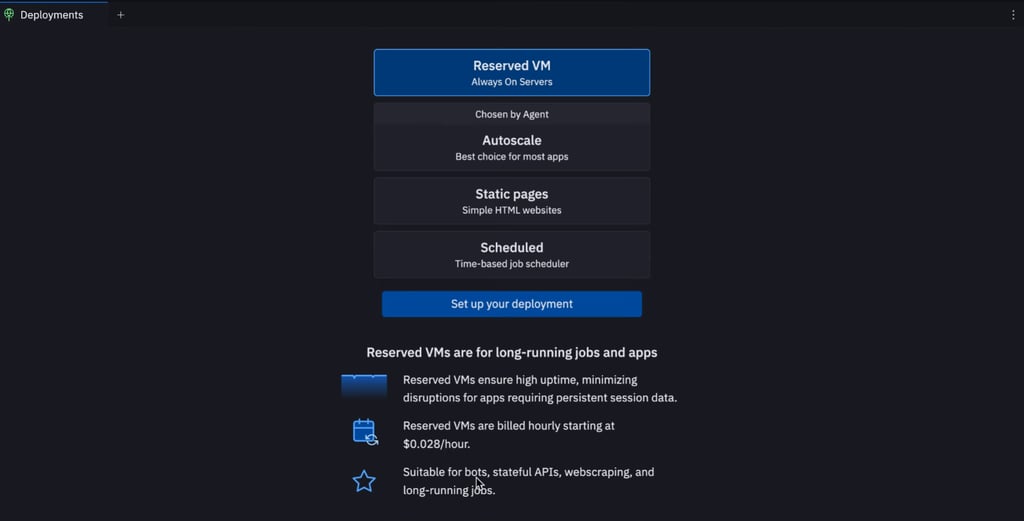
Replit gives developers more flexibility but more complexity. From the deployment menu, you can choose reserved VMs, autoscaling, or static hosting depending on workload. Advanced users can even hook into CI/CD pipelines and databases, or export to GitHub for external deployment.
Custom domains, environment variables, and scaling are all supported. But pricing scales with usage, which can make high-traffic projects more expensive than expected. For developers, though, the ability to fine-tune hosting makes Replit a true full-stack playground.
Pricing comparison
Pricing models reveal platform priorities and target markets. Both use different approaches that make direct comparison tricky.
Understanding the true cost means looking beyond the headline numbers. Hidden costs, usage limits, and feature restrictions can dramatically change your actual spend.
| Plan | Base44 | Replit |
| Free | $0 – Core features, database, analytics, auth, collaboration. Includes 25 message credits + 100 integration credits | Free – 10 dev apps (public only), limited build time, trial Replit Agent |
| Starter | $16/month (annual) – Unlimited apps, in-app edits, backend functions, free domain (1 yr), GitHub integration. 100 message credits + 2,000 integration credits | $20/month (annual) – Replit Core. Full Agent access, private + public apps, hosting, $25 monthly credits. Pay-as-you-go for extra usage |
| Builder / Teams | $40/month (annual) – All Starter features + 250 message credits + 10,000 integration credits, beta access | $35/month per user (annual) – Teams plan. All Core features + $40 usage credits, role-based access, private deployments |
| Pro | $80/month (annual) – Advanced tools, premium support. 500 message credits + 20,000 integration credits | N/A – Features split between Core/Teams/Enterprise |
Base44's value proposition: A hybrid model that combines fixed subscription tiers with usage-based credits. Plans start with a free tier, then it costs $20 for Starter, $50 for Builder, $100 for Pro, and $200 for Elite, plus enterprise options.
Each plan includes message credits (for building/editing) and integration credits (for API calls, AI model usage, or sending emails). This means Base44 is flexible, but understand that costs can rise if app usage spikes.
Replit's freemium approach: The generous free tier covers most learning and experimentation. It’s perfect for students, hobbyists, and early-stage projects.
The paid tiers focus on performance and team features rather than feature unlocks. You get faster execution, more storage, and always-on hosting. Usage spikes can push costs higher than expected.
Base44 charges extra for premium integrations and advanced AI features. Replit's compute costs can escalate quickly for resource-intensive applications. Also, Base44 offers better value for business process automation and simple applications. Replit provides better value for complex development.
Video review
Prefer a visual comparison? In our Cybernews video review, we build the same bicycle rental app in both Base44 and Replit.
We compare pricing, AI workflows, editing experience, and final app quality. The video also looks at which AI app builder makes development feel easier in practice – helping you choose the better platform in 2026.
Security and privacy
AI app builders often handle sensitive business logic and user data, making security a critical differentiator. Weaknesses in infrastructure, authentication, or data handling could expose customer information or intellectual property.
Because of this risk, it’s not enough to look at features. You also need to see what guarantees, certifications, and mitigations each platform offers.
Base44 emphasizes enterprise-grade security. It supports SSO integrations (Okta, Microsoft, Google), role-based access control, centralized user management, and audit logs for accountability.
The built-in Security Scan checks for exposed secrets, misconfigurations, or data access issues and offers “safe defaults” for quick fixes. Version history rollback further reduces risks in collaborative environments. Combined with managed hosting, automatic patches, and built-in authentication, these features make Base44 a secure choice for startups and enterprises alike.
On the Replit side, its security posture is stronger in many backend and infrastructure dimensions. Replit operates on Google Cloud Platform, using its mature encryption, network security, and compliance capabilities. The platform implements TLS encryption in transit and AES-256 at rest, and data is logically segregated between users and organizations.
Replit also supports pre-deployment security scanning (using tools like Semgrep) to detect vulnerabilities before you ship code. For enterprise-tier users, features like SSO, role-based access, and private deployments are available.
However, running code inside a browser environment always brings risk. Sandboxing helps, but for highly regulated industries, such as healthcare or finance, you might still need additional controls. Also, if you deploy your Replit app externally (e.g. exporting to another platform), your security depends partially on that external infrastructure, not just Replit’s defaults.
Final verdict: which should you choose?
After extensive testing, the choice ultimately depends on your technical background and project goals. Both platforms are strong, but they serve different needs.
Choose Base44 if you:
- Need to build production-ready, full-stack apps quickly
- Have limited coding experience but want powerful automation
- Prefer a hybrid subscription + credit model with enterprise-ready features
- Require enterprise security, SSO, and compliance tools
- Want collaboration that works for non-technical stakeholders
Choose Replit if you:
- Want to code directly with AI assistance
- Need total control over your technical stack and integrations
- Are building highly custom, complex software projects
- Already have coding experience or are focused on learning it
- Prefer usage-based compute that scales with technical demand.
The hybrid approach is real: many teams combine both, Base44 for fast, AI-driven full-stack prototyping and automation, Replit for custom development. My recommendation: start with the platform that best fits your skills today, and expand into the other as your needs grow.
Your choice today doesn't lock you in forever, but it will shape your development approach and team capabilities.
FAQ
Which platform is better for prototyping?
Base44 is stronger for business process prototypes and quick mockups. You can validate ideas and show stakeholders working versions in hours using its visual workflow builder. Replit is better for technical prototypes and proof-of-concepts, especially when testing complex algorithms, APIs, or libraries.
Which platform is more scalable?
Base44 scales operationally, letting you automate more processes without hiring engineers. Its infrastructure scales traffic automatically. Replit scales technically, supporting complex apps and custom architectures as your product grows. For most startups, technical scalability usually matters more in the long run.
Which is easier for absolute beginners?
Base44 is easier for absolute beginners by a wide margin. Its guided workflows let non-coders build apps with minimal effort. Replit requires coding fundamentals, but it’s only suitable if you have goals to deepen your programming skills.