Best AI tools for market research
Being behind major reports like The Mother of All Breaches and RockYou2024, our in-house cybersecurity experts and journalists provide unbiased, real-world testing and in-depth analysis.
We maintain complete transparency by openly sharing our testing methodologies with our audience.
Learn more

In this guide, I look at the best AI tools for market research to help you pinpoint the correct tool for your use case. I cover everything from early exploration to deep audience and competitor insights. Together with the Cybernews research team, I tested several AI tools, focusing on how well they actually surface useful insights, not just pretty dashboards.
I address key concerns users have: whether AI can replace traditional desk research, which tools work best for quick competitive overviews vs deeper audience data, how reliable outputs are compared with classic methods, and which tools are safer for internal or customer data.
This article covers what AI market research actually means in workflows, how these tools change research routines, and which key features enable trustworthy insights. By the end, you’ll know how to pick the right tool based on your team type, budget, and data needs.

Best AI tools for market research – shortlist
- nexos.ai – best AI tool for market research in 2026
- Perplexity – best AI tool for market research overall
- Trendos AI – best for catching emerging trends
- Conveo AI – best if you need an AI interviewer for customers
- Julius AI – best for answers and charts from your business data
- Standard Insights – best for fast consumer surveys and testing your concepts
- Brandwatch – best for tracking what people say about your brand
- GWI Spark – best if you need audience insights and media planning
The best AI tools for market research compared
Before you read my individual overviews, I’ve created a general overview table. Here, you’ll see the important differences in features, costs, and use cases.
| Tool | Overall rating | Standout feature(s) | Starting price (billed monthly) | Free/trial version | Best for |
| nexos.ai | No-code AI agents with multi-model workflows and internal tool integrations | Free or from € 20.00/month | 7-day free trial, all main features | Teams that want to use multiple models in one space | |
| Perplexity | Deep Research mode reports with citations | $20.00/month | Free plan, unlimited quick searches, limited Pro searches per day | Source-backed desk research | |
| Trendos AI | AI answer visibility and emerging trend tracking | $169.00/month | Free plan, 100 prompts, up to 10 brands, 5 LLMs | Brand visibility in AI answers and early trend discovery | |
| Conveo AI | AI-led async video/voice interviews, automated analysis | Quote-based | Not specified | Customer interviews at scale | |
| Julius AI | Chat with data, charts/reports, Slack, and scheduled reports | $45.00/month | Free plan, five messages/month | Answers and charts from business data | |
| Standard Insights | End-to-end consumer research with dashboards and exports | $99.00/month | Free plan, two active surveys, 200 responses, three users | Surveys, fast concept testing | |
| Brandwatch | Massive social data (historical plus real-time, AI assistant) | Quote-based | Not specified | Brand monitoring and sentiment tracking | |
| GWI Spark | Large-scale survey-based audience insights inside AI tools and workflows | $150.00/user/month | Free plan, 10 prompts/month | Audience insights and media planning |
7 best AI tools for market research – our detailed list
Below is my deep dive into the best six AI tools for market research. You’ll find mini-reviews for each of them, including my personal testing insights after testing each tool.
1. nexos.ai – best AI tool for market research overall
| Overall rating: | |
| Standout feature: | No-code AI agents with multi-model workflows and internal tool integrations |
| Starting price (billed monthly): | Free or from €20.00/month |
| Best for: | Teams that want to automate workflows, connect internal tools, and use multiple AI models in one workspace |
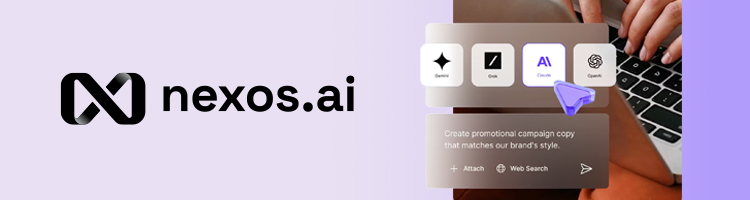
nexos.ai is an AI workspace platform designed for teams that need faster market research, competitor tracking, and workflow automation. I picked it because it combines multiple AI models with internal business data, making it easier to research competitors, analyze trends, and generate actionable insights without constantly switching tools.
One of the main reasons nexos.ai works well for market research is its ability to pull information from both external and internal sources in one workflow. Teams can connect tools like Google Drive, Slack, Notion, SharePoint, and GitHub, allowing the AI to combine public market information with internal reports, strategy documents, and past research.
It also includes ready-made templates, including a Market Researcher template, which helps teams quickly structure competitor analysis, trend research, and strategic reports. This makes the outputs feel more business-specific and useful for strategic planning.

The platform also supports multiple AI models in one interface, including OpenAI, Claude, and Gemini. That flexibility is useful for research-heavy workflows because different models often produce different levels of depth, speed, and reasoning. AI agents can automate repetitive research tasks too – for example, summarizing competitor updates, organizing findings, generating reports, or comparing trends across multiple sources.
During testing, I found the platform especially useful for keeping research workflows into one place. Instead of manually collecting competitor insights across several tools, nexos.ai made it easier to centralize information and generate structured outputs quickly. The interface is modern and feature-rich, although some advanced automation features may require a learning curve for first-time users.
2. Perplexity – best for teams that want cited competitive intelligence

| Overall rating: | |
| Standout feature: | Deep Research mode reports with citations |
| Starting price (billed monthly): | $20.00/month |
| Best for: | Teams that need cited competitive intelligence and internal file analysis in one workflow |
Perplexity is a versatile online platform providing AI-powered live web searches and research. I picked it because it outputs citations you can verify, which is critical for backing up your sources. According to the company, its AI is a dedicated research analyst for marketing teams who need trustworthy research.
With Search, you get real-time answers with cited sources. The Deep Research mode is for deeper analysis on a large source set, with autonomous reports analyzing hundreds of sources. That’s ideal for competitor analysis, strategic planning, and topic exploration. On the Pro tier, you can toggle modes (like Sonar Large or Claude) to balance speed vs depth.
From prompts, you can create more deliverable content with Perplexity Labs, like apps, files, dashboards, and documents. You can also interact with your files and add resources (like Google Docs) to keep answers business-relevant. Spaces and templates also help your team organize recurring research (like prospect or competitor briefs) for a searchable source of truth for positioning, value propositions, and past research.
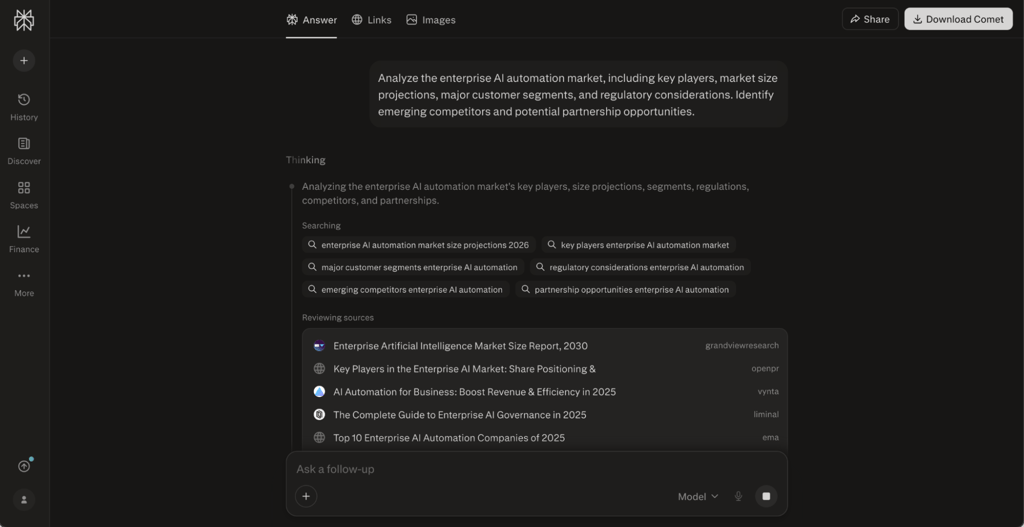
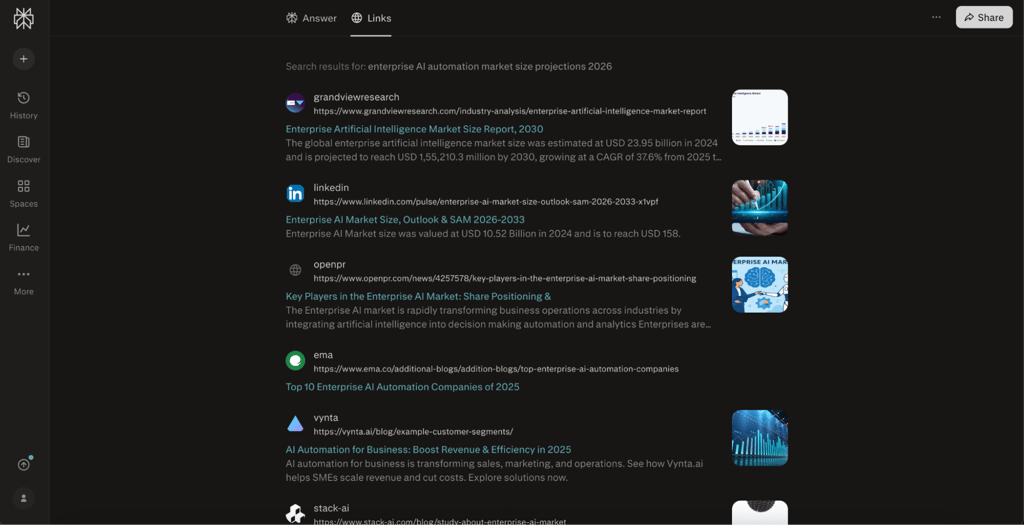
For me, Perplexity was immediately familiar. The UI is minimal, and I knew where to input prompts right away. It successfully pulled results and citations when I asked it to look up the enterprise AI automation market. Keep in mind that the Free tier runs out of Pro searches after just 5-10 queries per day.
3. Trendos AI – best for spotting emerging trends
| Overall rating: | |
| Standout feature: | AI-powered trend discovery from real-time social and search data |
| Starting price (billed monthly): | $169.00/month |
| Best for: | Teams that want to monitor brand visibility in AI-driven discovery and catch trends early |
Trendos AI is a market intelligence platform that helps you understand both how brands are represented in AI-generated answers and what trends are gaining momentum. I picked it because it goes beyond traditional research by focusing on AI-driven discovery and early signals simultaneously.
The platform analyzes outputs from AI tools to show which brands, products, and narratives are being mentioned. This gives you a clear view of your brand’s presence in AI-generated responses, including whether you’re being recommended, compared, or missed entirely.
At the same time, Trendos AI surfaces emerging trends by tracking patterns across search behavior, social signals, and AI outputs. Instead of relying only on historical data, it highlights what’s starting to gain traction, helping you act before trends become saturated.
You can also compare how competitors are positioned in both contexts. For example, which brands are consistently tied to certain trends or categories, and which ones dominate AI-generated recommendations. This makes it easier to refine your positioning, adjust messaging, and identify gaps in visibility.
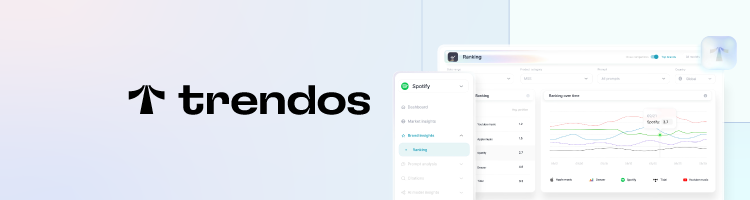
From my experience, the interface is built for quick discovery. You can explore trends, track brand mentions, and monitor shifts over time without digging through complex reports. It feels more like a real-time intelligence dashboard than a traditional research tool.
4. Conveo AI – best for teams that want an AI-moderated customer feedback workflow
| Overall rating: | |
| Standout feature: | AI-moderated asynchronous multimodal interviews with follow-ups |
| Starting price (billed monthly): | Quote-based |
| Best for: | Teams that want AI to talk to and learn about customers |
Conveo AI is a fully AI-powered video interview platform. In one place, it packs study design, AI interviews, recruitment, and insight sharing. I picked it because it’s built for teams that need optimized customer feedback. The platform “moderates conversations like a trained researcher would,” according to the company.
There’s a practical Study Assistant for details like quotas, sequencing, and questions. Conveo’s AI Moderator can conduct asynchronous interviews in global languages with potential customers. It considers your objectives and asks the target follow-up questions to fill gaps and extract more information. Conveo says 70% of final insights come from follow-ups.
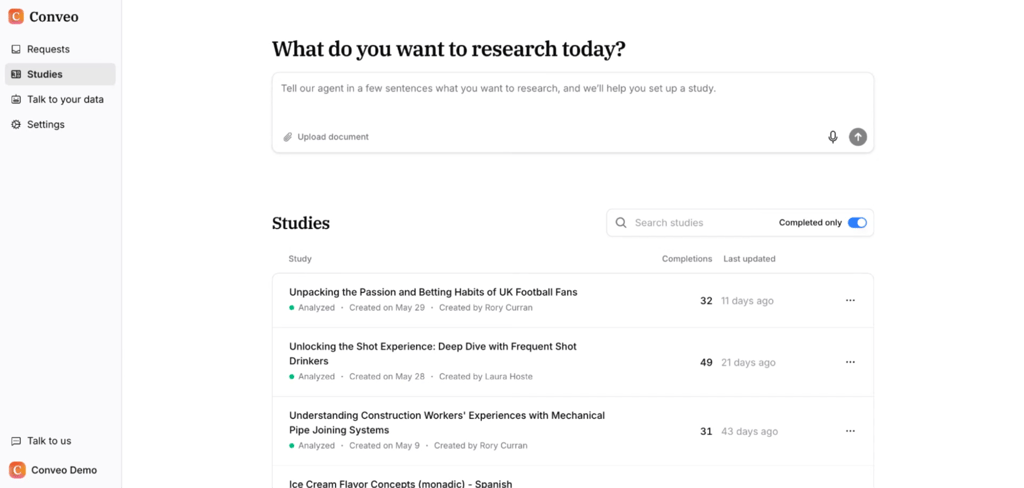
For recruitment, you can upload CSV lists, invite people via links, QR codes, or WhatsApp, and integrate panels like Respondent.io. Conveo also supports standard survey questions, supported by automated probing. Output-wise, it delivers results for stakeholders with themes and clustering, highlight reels, and charts. Insights are fully traceable back to source data, according to Conveo.
For enterprise, Conveo lists GDPR, SOC 2 Type II, and ISO 27001:2022 compliance, plus end-to-end encryption and deployment on Microsoft Azure and dedicated LLMs. It doesn’t train its AI models on client data.
Conveo is accessible only via demo. Based on the demo video, the workflow looks clear: build a discussion guide, choose question types, and set probing depth. Then, you can review outputs like themes and an executive summary. I liked the filtering and clickable quotes and snippets.
5. Julius AI – best for teams that want no-code analysis of spreadsheets, PDFs, and CRM data

| Overall rating: | |
| Standout feature: | Chat with spreadsheets, PDFs, and databases to generate charts, tables, or full reports |
| Starting price (billed monthly): | $45.00/month |
| Best for: | Teams that want quick analysis and visuals from company data without writing code |
Julius AI is marketed as an AI data analyst where you connect your data, ask questions in conversational language, and receive insights, all without the need for coding. I chose it because it helps with market research flows like survey exports, CRM snapshots, performance data, and product metrics.
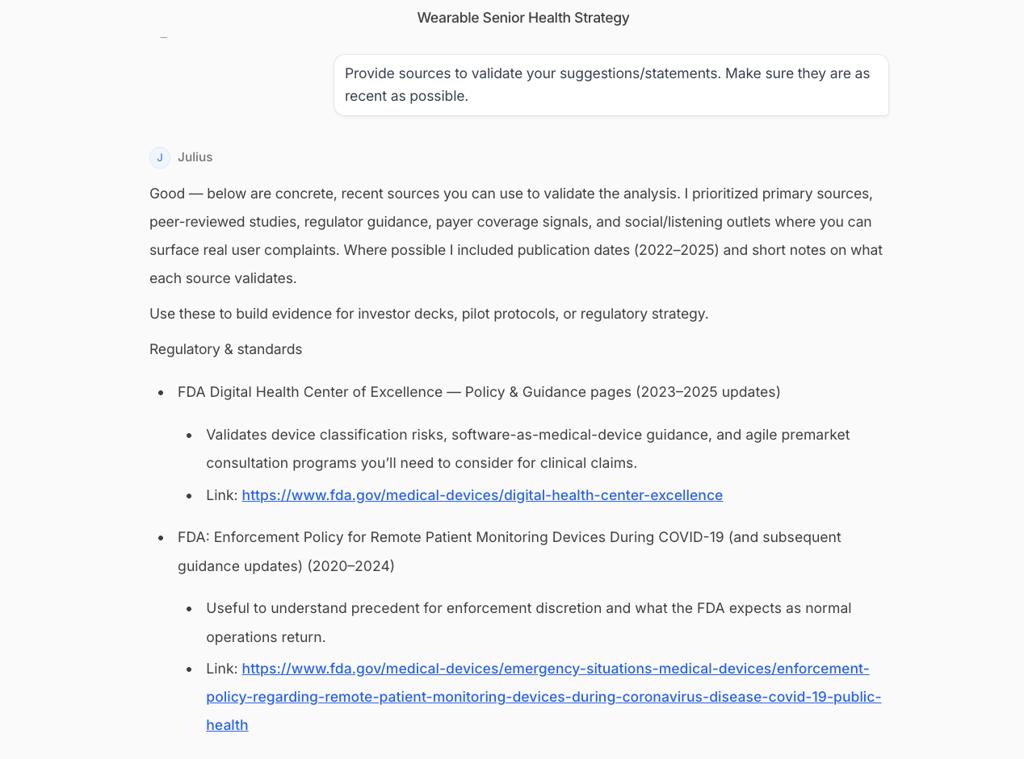
Workflow is simple: upload your files or connect your data sources and then ask for the type of analysis you need (charts, tables, or report-style writeups). Julius also supports switching into Python, R, or SQL.
I like that you can share results in Slack by tagging @Julius. Your reports arrive automatically via Slack or email. On higher-tier plans, it adds collaboration features, additional connectors (including Postgres, BigQuery, and Snowflake), and Scheduled Report Runs.
Julius is security and privacy conscious. The company says your data is not used to train AI systems, while Julius is SOC 2 Type II, TX-RAMP, and GDPR compliant.
Julius also provides enterprise controls such as a configurable data dictionary and connections to Notion and GitHub. Optionally, you can add SSO/SAML plus audit logs.
While testing, I found that Julius was like a familiar chatbot, so onboarding was fast. I connected my data source and asked for a large health-tech launch analysis. It gave me a long report with competitor, risk, and next step insights. The free plan supports just five messages per month.
6. Standard Insights – top AI-supported tool for teams that need consumer survey research
| Overall rating: | |
| Standout feature: | Full consumer workflow (design, collect, visualize and analyze, report) |
| Starting price (billed monthly): | $99.00/month |
| Best for: | Teams that need consumer surveys and results turned into shareable dashboards and reports |
Standard Insights is an end-to-end consumer research workspace with AI support at every step. It helps teams start research, collect data, and analyze results, according to the company. I chose it because of how it combines interactive dashboards with surveys, and you get access to workflows in over 150 languages.
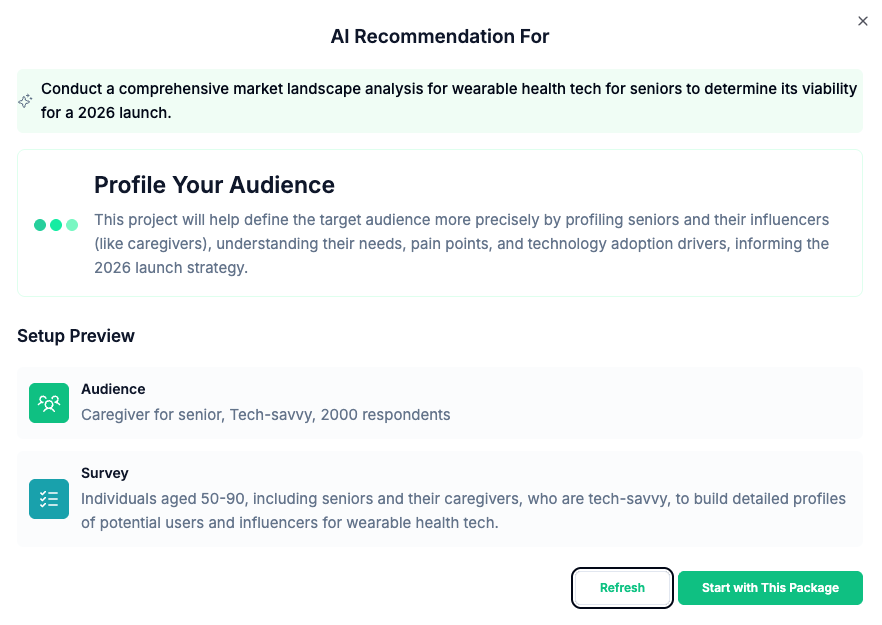
In the Design stage, pre-built scenarios help you launch faster. There’s AI survey creation (logic, branching, translations, and branded surveys). In Collect, you can gather responses from the company’s global audience or invite your own participants with a link. You get demographic and interest targeting, multi-source sampling, incidence rate estimates, and pricing.
Standard Insights says survey data (including imported results) is automatically transformed into interactive charts and dashboards, with filtering and segmentation tools available. It supports interactive branded reports, exporting to XLS, PPT, PDF, PNG, or SPSS.
AI supports every step: it detects patterns, analyzes responses, and surfaces insights. It runs over 12 quality checks on respondent behavior. Collaboration is available, where you can invite people and share projects with controlled access. The Enterprise tier is custom-priced and includes unlimited surveys, users, and responses, advanced panel targeting, custom AI enhancements, and offline survey mode.
During testing, I found that it was less a chatbot and more a research workspace (with guidance). It has a steeper learning curve than chatbot-style tools, but the workflow was methodical.
7. Brandwatch – great for teams that need large-scale consumer intelligence from online conversations

| Overall rating: | |
| Standout feature: | Consumer Research plus Iris AI assistant |
| Starting price (billed monthly): | Quote-based |
| Best for: | Teams that need competitor, brand, and category monitoring for market research |
Brandwatch markets its product as a consumer intelligence and social listening platform within a broader “social suite.” I included Brandwatch because it tracks online discussion, category trends, and campaign cycles, all of which are essential for market research. It can track launch reception, reputation shifts, and competitor discussions without running a new study every time.
The workflow begins with Search, which collects relevant posts, comments, and conversations. From there, Segment and Analyze help you pinpoint patterns over time and go deeper into trends. The company highlights its dataset depth, including 1.7 trillion historical conversations dating back to 2010.
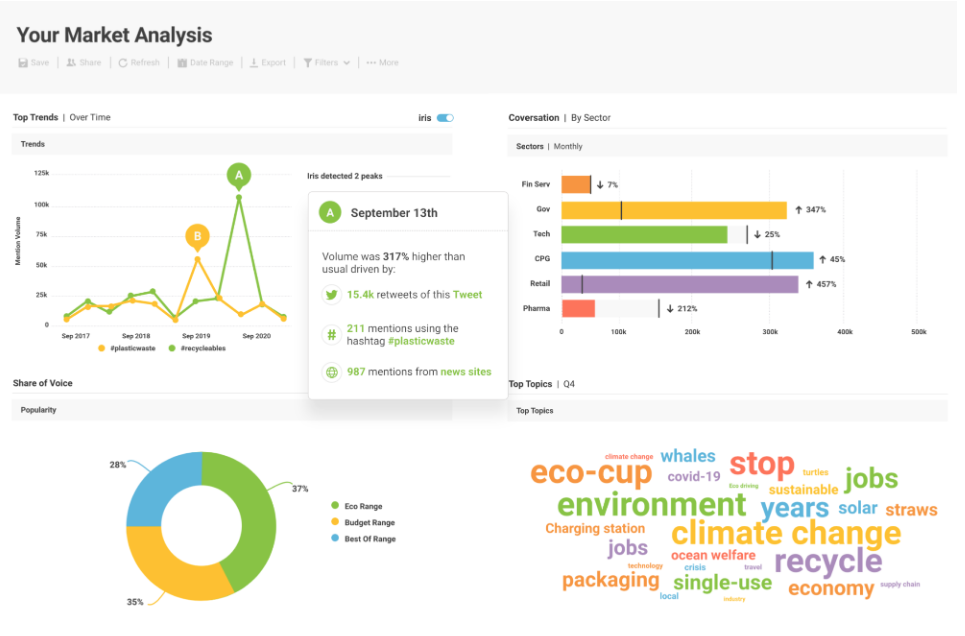
Its AI system, called Iris, quickly turns data into readable insights. Regarding AI capabilities, you also get autosegmentation and image analysis (objects, scenes, actions, and logos).
Reporting-wise, you can export to Excel, PPT, or PDF or use the Brandwatch API. You can also set up automated email alerts. Regarding enterprise features, Brandwatch highlights Vizia for sending live dashboards to screens and measuring how people engage with reports.
I unfortunately couldn’t test this product deeply since that requires a demo call. As such, I couldn’t evaluate query building, dashboards, or export quality, outside of what I saw in screenshots and what official documentation and user sentiment revealed.
8. GWI Spark – AI market research tool for teams that need trusted, ready-made audience data
| Overall rating: | |
| Standout feature: | Q&A system from over 1.4 million annual surveys and 35 billion data points |
| Starting price (billed monthly): | $150.00/user/month |
| Best for: | Teams that need instant quantitative audience insights |
Agent Spark is GWI’s insight analyst that gives teams instant answers directly from over 1.4 million annual surveys. The company says results are “100% grounded in human truth,” accessible directly inside the platform or in the AI tools you already use. On top of that, GWI says it leans on over 15 years of validated research across over 52 markets. The Core survey is refreshed quarterly across over 50 markets.
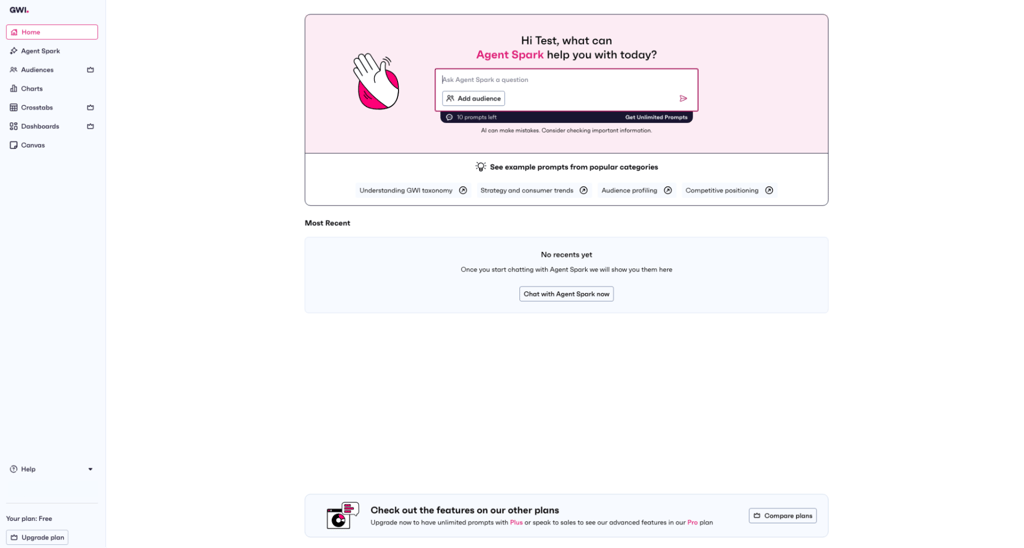
Workflow-wise, it’s a regular-language Q&A where Agent Spark (the AI) digests the survey dataset and answers your questions with analyst-style outputs (key takeaways, tables, and segmented breakdowns).
The website highlights GWI Canvas, an AI reporting feature for building shareable decks, like media planning and audience profiling decks, together with exportable charts. The Enterprise plan unlocks unlimited Agent Spark questions, plus research tools like crosstabs, charts, audience builders, and dashboards. There are also options like an API, custom datasets, and a dedicated account manager.
I couldn’t fully self-serve sign-up in every context. However, I saw that Agent Spark produced structured tables by segment and showed me the context for how it came to the answer. In essence, GWI Agent Spark is strong for when you need exact percentages rather than vague data, like an answer to “What % of urban millennials in Spain value sustainability?”
What is AI market research?
AI market research saves a lot of time and energy compared to classic desk research, helping you with the difficult task of researching large sets of sources and manually summarizing data, taking notes, or even having to write code.
You simply ask these tools questions in conversational language, and the AI extracts relevant sources and key points, quickly giving you organized information like quick takeaways, citations, and tables.
My chosen platforms use AI models and research tools together to collect, synthesize, and interpret information about audiences, markets, competitors, and trends for you. They can massively speed up surveys, data cleanup, analysis, and report generation. The caveat is that you, as the researcher, are responsible for giving them clear questions and verifying their output.
I found that there are three types of AI market research tools: AI-supported desk research (Perplexity), audience and social data platforms with AI layers (Brandwatch, GWI Spark), and more analytical, end-to-end tools that focus on campaign data (Standard Insights).
How AI is changing market research
AI speeds up the slowest part of classic research: collection, reading, and organization. Tools like Perplexity and Julius AI can summarize numerous sources, show you recurring themes, and turn findings into bullet points and tables, even providing you with citations. This means you can compare competitors and be up-to-date on trends quickly instead of manually tab-hopping and note-taking for days. You spend more time doing what matters, and it genuinely helped me see patterns I would have missed through manual work.
AI market research platforms also deepen audience and sentiment insights. Platforms like Brandwatch, GWI, and Standard Insights layer AI on top of survey, social, and panel data to analyze consumer data sources, behaviors, and sentiment across demographics, at scale. For example, you can slice by segment, identity language, or interest shifts, compare groups, and reveal emerging segments.
These tools also lower the barrier for non-researchers to be able to conduct “good enough” research. No matter if you’re a founder or marketer, you don’t need SQL or coding knowledge to produce results. You simply talk to the AI assistant to get inspired: concepts to test, messaging styles, draft tone, and the right follow-up questions. Still, all of this needs verification.
AI assists you with connecting research to decisions. Many tools export findings into briefings, slides, or lists. They can also suggest what you should test next (new audiences or messaging angles), and they make continuous research easier, not just one-off studies.
Features and benefits of AI tools for market research
I’ll break down the key features and benefits that the best AI tools for market research bring. I’ll also describe what outcomes they drive.
Data coverage and freshness
Tools like GWI Spark and Brandwatch have built-in datasets, like survey panels and social listening feeds. Others, like Perplexity, search the web or scan your files. Dataset-based methods stay consistent with stable samples.
Web-query tools excel at fast competitor scans. Update frequency and historical depth reveal trends, growth, and brand momentum over time.
Insight quality and transparency
Highly capable tools show evidence: real sources, the context behind a percentage, or sentiment-driving posts. They let you drill down from general charts into segments and then into insightful data points. Businesses need traceable claims and trust, and that’s when you can ask the AI, “explain your reasoning.” Citations are another invaluable trust item.
Segmentation and filtering power
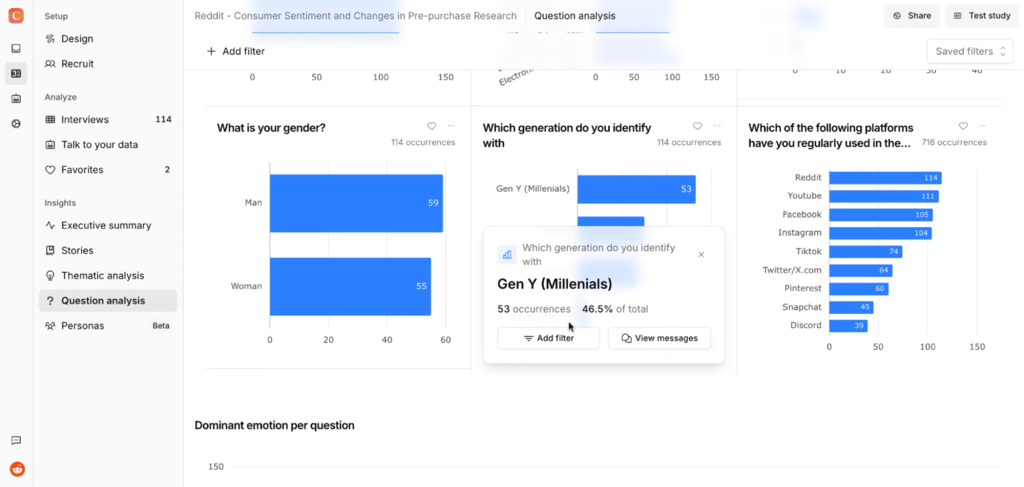
High-quality market research depends on segmentation precision: how much you can dissect demographics, interests, behaviors, and channels. High-performance tools support multi-dimensional filtering, such as Audience X in Region Y is interested in Z, on Channel W.
Visualization and reporting
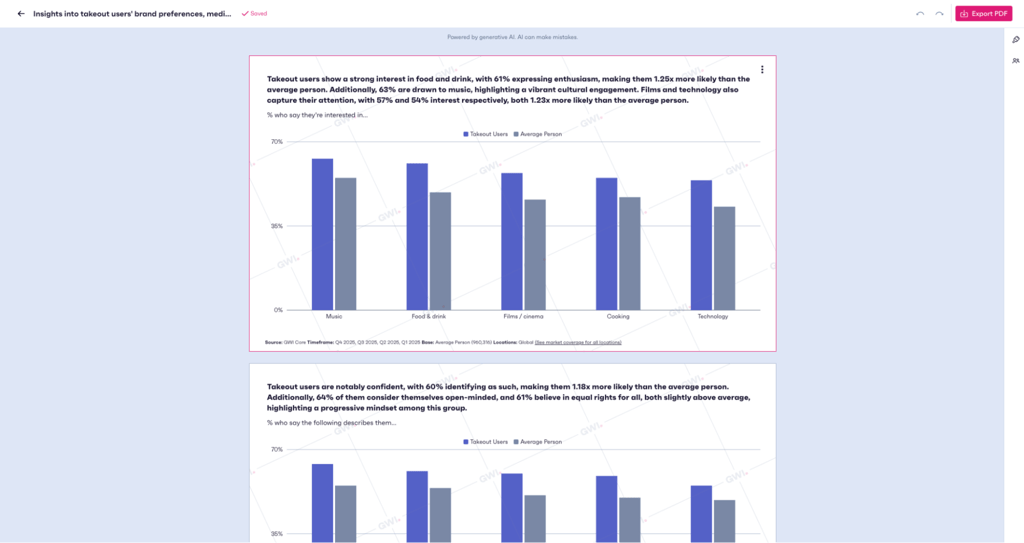
Another key item is chart quality and variety, meaning cross-tabs, share-of-voice, and time-series trends. For stakeholders, the best tools provide CSV, PPT, and PDF exports, plus built-in reporting templates.
Collaboration and repeatability
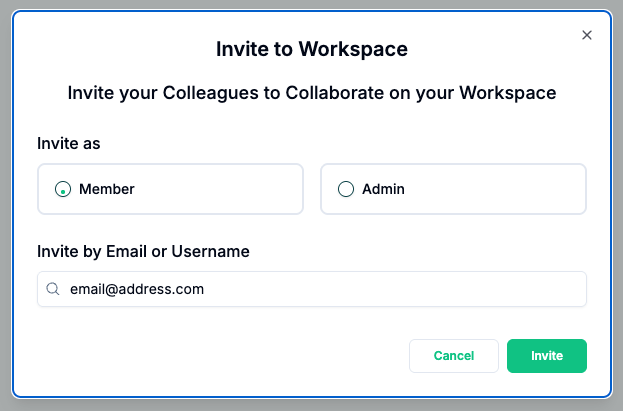
Teams thrive by easily sharing insights through links, adding comments, and controlling dashboard access. Repeatability is key for continuous research. Great tools save research recipes, dashboards, and queries, then schedule automatic updates for freshness or recurring reports (where supported).
How to choose the right AI tools for market research
Choosing the right AI tools for market research can be confusing. Below, I define the paths that matter most.
Start by defining your data reality
Ask yourself these questions:
- Do you need web research or internal data (surveys/CRM)?
- Do you need social listening?
- Do you need panel data for reliable statistics (GWI Spark)?
Match tools to team type
The tool you choose highly depends on what your team does:
- Research teams need granular segments and exportable data. Use audience or social data-focused platforms, plus analytics engines.
- Marketing teams need messaging and channels. Use AI-assisted desk research and audience platforms.
- Product/growth teams need user behavior and retention. Use first-party analytics plus internal data tools.
Budget, scale, and licensing
You should consider your team’s size and available budget:
- Individuals or small teams – choose something you can use weekly without strict limits.
- Medium-sized operations – get multiple seats and shared workspaces.
- Enterprise-level teams – you’ll need administrator controls.
Check if pricing is seat or usage-based (or both). Also, check how the cost flow changes if more people need access.
Integration and workflow fit
Consider the following:
- Does the tool connect to CRM or a data warehouse?
- Are manual exports required?
- Does the tool output to slides or dashboards?
Trust, compliance, and data sensitivity
Use public web AI (Perplexity) for trend research but prioritize controlled panels (GWI Spark) or first-party data (Julius AI) for sensitive insights. Check SOC 2/GDPR compliance and whether your data will be used for training.
NDAs protect your custom work, while good governance means audit trails and access limits. Always double-check AI answers against the raw data before sharing.
Challenges and ethical concerns of using AI for market research
AI definitely speeds up research, but you must be careful. Think of AI outputs as supplements to your thinking, not the final truth, especially when decisions directly affect money or people. Here are some key points:
- Bias and representativeness. AI insight quality depends on the data source and bias. Web data tools often bring forward loud or highly visible voices while under-representing quieter (or less digital) niche groups. Also, panel and social data have built-in demographic and behavioral biases, such as who opts in, who posts, and who responds. Ask “Who’s included, and who’s missing?” before trusting a result.
- Overconfidence in AI-generated findings. AI is sometimes overconfident even when it’s really wrong. Treat outputs as drafts. Cross-check results using other tools or traditional research. Humans should approve the final draft.
- Privacy and data protection. Feeding AI systems internal or customer data can unnecessarily expose information and erode trust. Confirm where the company stores data, how it’s processed, and if the company meets your compliance (GDPR, SOC 2).
- Ethical use of consumer insights. Use segmentation, targeting, and personalization responsibly, not to manipulate, exploit, or discriminate. Insights should improve experiences, not mislead customers. Ethical data fosters loyalty and credibility.
Which AI market research tool should you pick?
Here are my recommendations:
- Best all-in-one tool for market research – nexos.ai for its ready-made templates.
- Best for fast, source-backed desk research – Perplexity for its quick search and full citations.
- Best for social listening and brand tracking – Brandwatch for its built-in social data and sentiment/trend views.
- Best for spotting early trends and market opportunities – Trendos AI for identifying rising topics, products, and demand shifts before they go mainstream.
- Best for deep audience segmentation – GWI Spark for its panel-based demographics and group comparisons.
- Best for marketers on a budget – Perplexity for its free, fast desk research and citations.
- Best for teams with strong first-party data – Julius AI for its no-code analysis of data.
If you still can’t decide, check out this quick guide:
- If you mostly need quick landscape overviews, choose Perplexity (or Conveo AI for more guidance).
- If you want to understand how your brand shows up in AI answers and catch trends early, choose Trendos AI.
- If you need ongoing brand monitoring, choose Brandwatch.
- If you work with audience panels and demographics, choose GWI Spark.
- If you need everything in one place, choose nexos.ai.
FAQ
What is the best AI tool for market research if I’m just starting out?
nexos.ai is perfect for getting the hang of AI desk research, surveys, and idea generation. Standard Insights is a good choice if you need consumer panels.
Can AI tools fully replace traditional market research agencies?
No. Think of AI as an assistant that provides results you have to double-check/verify, since AI can make errors, become overconfident while wrong, or even hallucinate. AI is great for simple, routine tasks. Human teams are needed for human nuances and to understand complex human behaviors.
How reliable are AI-generated market insights compared to panel data?
Panel data is superior to AI-generated market insights because AI loses accuracy due to web biases. Use both for best results (AI for hypotheses, panels for validation).
Is it safe to upload internal or customer data into these tools?
It depends on whether the tool has full security and compliance features. For this, pick a tool with full GDPR/CCPA guarantees and check all policies. You can also anonymize data for added security.
How much should a small team realistically budget for AI market research tools?
A small team should budget $0.00–500.00/month for AI market research tools. That should cover capable free tools like Perplexity, plus a professional tool like Julius AI for deeper analysis and trends.