Google Antigravity review
Being behind major reports like The Mother of All Breaches and RockYou2024, our in-house cybersecurity experts and journalists provide unbiased, real-world testing and in-depth analysis.
We maintain complete transparency by openly sharing our testing methodologies with our audience.
Learn more

Antigravity feels like Google’s most serious attempt to reinvent how developers build software. It takes the familiar idea of an Integrated Development Environment (IDE) and turns it into a management center for independent AI agents that can plan, write, and test code. As a user, you operate at the management level instead of micromanaging every line.
When the preview was released, I wanted to see whether this was just clever branding or a genuine shift in how coding gets done. I spent some time with the app, exploring its features, and I ran a few tests. The result is a tool that already feels quite powerful, but also needs a lot of polish. I could see it becoming the future of development at some point, but now it’s still rough around the edges.
Continue reading my Google Antigravity review to get a better idea of its capabilities, pros, and cons.
| Key features | Writing, testing, and debugging code with the support of multiple AI agents that can work on several complex tasks independently |
| Pricing | Paid plans are expected to appear soon |
| Free plan | Yes |
| Best for | Curious learners, creative makers, and prototype builders |
The architecture
To really understand how Antigravity operates, you have to look at its three-surface system, which includes the Editor, the Agent Manager, and the Browser. I’ll break down how these elements work together, allowing Antigravity to write, manage, and test apps.
Editor view
The Editor view is the part of Antigravity that feels most like home if you’ve written code in a modern IDE before. It’s built on the basis of VS Code, with a familiar file explorer, similar tabs, and standard editing shortcuts. Even as a beginner, you likely won’t get lost. On top of that, you get AI-powered boosts like code suggestions and inline commands, facilitating your workflow.

Despite the automation, I don’t feel like I lose control over my work. I can step in and polish the implementation, or even ignore the agents entirely and just code the old-fashioned way. After all, AI can still make errors. The key is that Antigravity doesn’t trap you in full automation mode. You can always take over in the Editor and treat the AI as an assistant.
Agent Manager
The Agent Manager is where Antigravity stops feeling just like an AI-supported editor and gives the impression of something genuinely new. You can create clear tasks for AI agents. These can be anything, from building a simple app to fixing an error, or researching how to connect an API. Then, you just watch these agents go off and work on their own.
Each task gets its own section, so it feels less like talking to a bot and more like directing a small team. You can engage several agents in parallel. One can work on changing a component, another on writing tests, and the third one can be digging through the docs. You can leave them running in the background and focus on doing something else.

The Agent Manager becomes a control center used to delegate tasks. It’s where the platform feels truly different from the usual AI sidebar included in a typical IDE.
Built-in browser
In Antigravity, the built-in browser is where everything the agents do in the background becomes visible. When an agent opens up the browser to test your app, you see a distinct blue cursor glide around the page, indicating that the AI is in control. I was amazed to see this for the first time. AI can click buttons, fill forms, and scroll just like a human tester would. The AI checks whether key functionalities actually work.
Instead of you manually refreshing and clicking through every scenario, Antigravity can run these tests on your behalf. Agents can then fix issues or iterate on the element without you needing to micromanage every step. In essence, Antigravity allows you to delegate entire tasks, such as reproducing an issue, generating a test case, and implementing a fix.
Key features in action
For me, the most impressive thing about Antigravity is seeing its key features working together in the built-in browser.
Once an agent finishes creating the basic structure of an app, it can immediately open it inside Antigravity and start using it autonomously. Because the agent is in full control of the browser, it can do more than just peek at the UI. You can watch the blue AI cursor as it moves to fill out forms and submit them. The agent tries different inputs and checks whether everything behaves properly, from simple navigation to full signup or checkout flows.
That blue cursor is especially helpful for beginners, because it turns a difficult-to-understand test into something you can follow with your eyes. For new developers who sometimes get stuck on debugging or forget to test edge cases, having Antigravity automatically go through the app like this is one of its biggest advantages. I can imagine it feels like having a patient QA buddy built right into your IDE.
If manual testing or debugging is a time-consuming struggle, then Antigravity seems to be the perfect solution.
Where Antigravity shines
When it’s on a good run, the whole platform feels fast and capable. Below is an outline of what I consider Antigravity’s biggest strengths.
It makes bigger tasks less daunting
The Editor, Agent Manager, and built-in Browser work so smoothly that big tasks start to feel like simple requests rather than mini-projects you have to juggle yourself. It becomes natural to give an agent a big task, such as building a feature, cleaning up a layout, or debugging code.
Antigravity makes testing fast and easy
The automatic browser testing is where Antigravity’s power becomes evident, especially for newer developers. You can see the AI checking whether things work instead of just trusting a log. For beginners who struggle with debugging or forget to test thoroughly, having the agent poke at the UI and look for potential issues is a huge upgrade over doing everything manually.
It has great potential for experimentation
Antigravity also makes it easy to start new ideas thanks to its Playground area. You don’t have to think about folder structures or environments. You just describe what you want and let the agent set up a space where you can experiment freely. It’s a powerful tool for creative minds.

It’s not limited to just one AI
It’s worth highlighting that the platform isn’t constrained by a single AI model. It supports multiple AI models, not just Google’s, so you can swap between engines that are better at reasoning, code generation, or creative tasks. This flexibility turns Antigravity into a customizable workspace you can tune to the kind of projects you actually want to build.
In my experience, Antigravity is one of those tools that feels user-oriented rather than product-oriented, which is partially why it’s so appealing.
Where it falls short
Antigravity is exciting, but it’s very clearly a preview product, and that shows in day‑to‑day reliability. Tasks sometimes freeze mid‑run, agents can stall or stop halfway through a plan, and invisible token limits can cut off a session.
Strict token quotas are unfit for long-term use
According to Antigravity’s troubleshooting website, the quotas get renewed every 5 hours. However, if you’re at work, in the middle of an important task, then hitting a wall like this may be a dealbreaker. On the same website, Google stated that it is preparing a quota dashboard, so I hope the limits will be more transparent in the near future.
I believe that the number of tokens and the pricing for higher tiers will largely determine the success or failure of this tool.
It can be unreliable at times
Antigravity can let you down, with server overload and other errors occurring frequently enough that they interrupt workflow. These issues mean you often cannot treat Antigravity as a dependable primary tool for serious development, especially when working against deadlines or on critical projects.
Tasks can freeze mid-execution, and agents may stall or loop without completing their assignments. The instability makes it difficult to maintain smooth, continuous progress, requiring frequent restarts or switching between models to work around delays.
Reddit users also report issues
I wanted to get a wider perspective and see if others were having similar problems, so I looked around on Reddit. This additional research only confirmed ongoing problems and added new ones to the list. Other users frequently reported similar issues with task errors and the app itself crashing or becoming unresponsive. Some people mentioned extension compatibility issues, missing inline suggestions, and misunderstood user instructions. The list goes on, so as you can see, Antigravity’s developers clearly have a lot to polish.
It’s an experiment without a clear direction
Antigravity’s roughness is also visible in the overall feel of the platform. The three-surface design is clever, but the product still feels experimental and a bit unsure of its long‑term direction. This can be confusing if you’re a beginner expecting something as polished and predictable as a traditional editor.
The security and privacy concerns are a problem
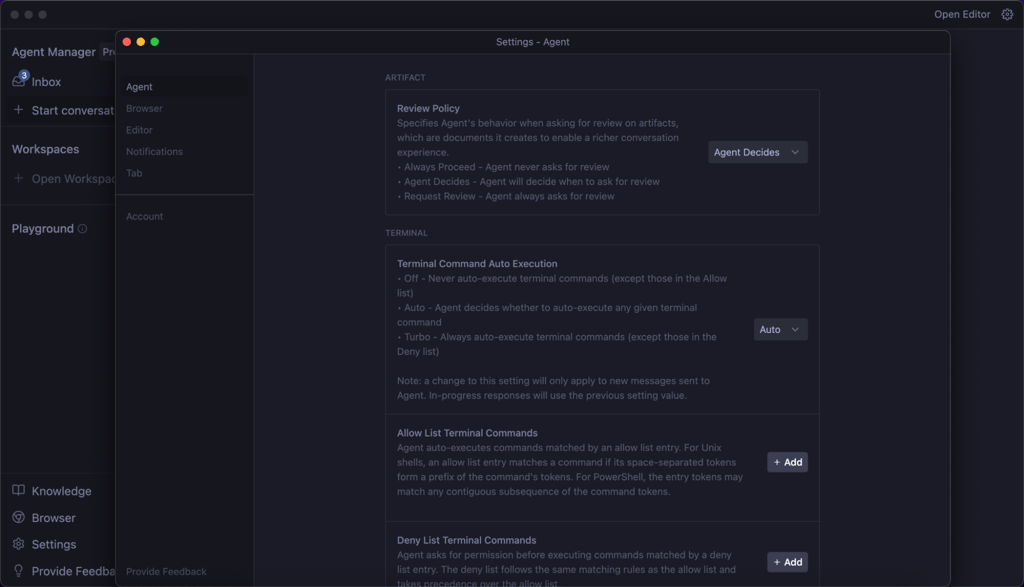
On top of the stability issues, there are notable security concerns to keep in mind. Because Antigravity’s agents can touch the editor, terminal, and browser, they effectively have access to your code, local files, and the things you open in your workspace. Google acknowledges that the preview has known security limitations. Agents can run unsafe commands, read sensitive files, or become affected by malicious prompt injections. Such risks exist with any agentic tool, but Antigravity’s wide access makes them more noticeable.
Its future is uncertain
There’s also a bigger strategic question hanging over all of this. Google has a long history of launching ambitious experimental products and then quietly sunsetting them a year or two later. Someone even created a website that lists short-lived Google projects. There’s always the risk that Antigravity, being an experiment itself, will share the same fate.
Antigravity could absolutely grow into a long‑term, well‑supported platform, but right now there’s no guarantee it won’t remain a flashy experiment that gets reshaped into something else or shut down entirely. If you’re thinking about building your core workflow around it, I would suggest having a backup plan in case the project is cancelled or changes to a significant degree.
Who should use Antigravity?
Antigravity is a great fit for anyone who likes to experiment, learn by practice, or start new project ideas without a lot of setup stress. As a beginner-level coder myself, I can say it actually makes learning fun. You get real feedback from the agents and can watch as the AI explores, tests, and fixes things in real-time.
Creative developers who love trying new things or prototyping new ideas may find it especially inspiring. It’s easy to hand off a task and let the system work while you focus on other areas. Hobbyists will appreciate the ability to build quick prototypes. Right now, Antigravity is more suited for lightweight, non-sensitive projects where you want to test ideas and see what’s possible, not for mission-critical systems or confidential business code.
At its best, it feels like a playground for digital invention. I don’t think it’s ready for professional dev teams, big organizations, or production software with high stakes. The platform’s reliability concerns and security limits mean it should be kept far away from anything with sensitive data.
For now, it’s perfect for curious learners, creative makers, and prototype builders.
Conclusion
Antigravity marks a big step into the future of coding, where AI agents do genuine work. The idea is ambitious. The agents can plan complex tasks, generate code, run automated tests, and verify outcomes. Even in its preview phase, Antigravity managed to amaze me with its capabilities more than once. Handing off a big task and watching the agents test it in real-time feels very advanced and helpful.
At the same time, it’s clear to me that Antigravity isn’t ready yet to replace a traditional Integrated Development Environment for serious or professional developers. Reliability, stability, and security limits are still an issue, and Google’s track record with experimental products means nothing is guaranteed long-term.
For now, I think Antigravity is best experienced as a sneak peek at what’s coming. It’s a fun, inspiring, and powerful workspace for hobbyists and creative thinkers, but it's still too unpolished for professional use or enterprise production.
FAQ
Is Google Antigravity free?
Yes, Google Antigravity is currently free for individual users during the public preview, but there are usage limits without a specified threshold, and Google has signaled that paid tiers will appear in the future. The pricing subsite is already up, suggesting a team and enterprise plan for the future.
Is Google Antigravity stable, or does it crash a lot?
No, Antigravity is not stable yet. Users experience crashes, freezing tasks, and server overload errors. Despite being released as a public preview, it should still be considered experimental rather than production-ready.
Does Google Antigravity work well with big projects and large codebases?
No, Antigravity can struggle with large or complex projects, mainly due to strict quota limitations and general unreliability. Right now, it performs best with smaller prototypes or simple apps.
How long does it take to feel comfortable and productive using Antigravity?
Beginners can feel comfortable and productive using Antigravity within a few hours, but mastering all the features may take a few days of active use.