You.com review 2026
Being behind major reports like The Mother of All Breaches and RockYou2024, our in-house cybersecurity experts and journalists provide unbiased, real-world testing and in-depth analysis.
We maintain complete transparency by openly sharing our testing methodologies with our audience.
Learn more-

-
Contribution by
Yelyzaveta Hunchenko



With so many AI-powered search engines available, it’s becoming harder to figure out which ones actually deliver the most value. Many users are looking for a faster, more focused search experience that combines traditional search with AI-generated answers in a practical manner.
You.com positions itself as that kind of solution: a hybrid search engine and AI assistant that brings web results, research, summarization, and drafting into a single workspace. Still, questions surrounding accuracy, privacy, and real-world usefulness make it worthwhile to take a closer look.
I, together with the Cybernews research team, tested and reviewed You.com to see how well it actually works, how safe it is, and whether it’s worth using compared to other AI search tools. In this You.com review, I break down what it does well, where it falls short, and who it’s best suited for if you’re looking for a more efficient alternative to traditional search.
Quick overview of You.com
| Best for: | Users who want an AI-powered search that delivers direct answers without switching between multiple AI search engines |
| Key features: | AI search and chat, summarized search results, coding assistance, customizable AI apps (YouApps), privacy-focused browsing |
| Free version: | ✅ Yes |
| Starting price: | From $15.00/month when billed annually |
| Overall rating: |
Pros and cons of You.com
You.com is a hybrid AI search engine and assistant that combines traditional web search with AI-powered answers, writing help, and image generation. It’s fast, intuitive, and privacy-focused, making it a solid choice for anyone looking to streamline research and content creation. While it’s easy to use and full of handy features, power users may find it a bit limited, while some AI-generated answers still require verification.

What You.com is (and what it replaces)
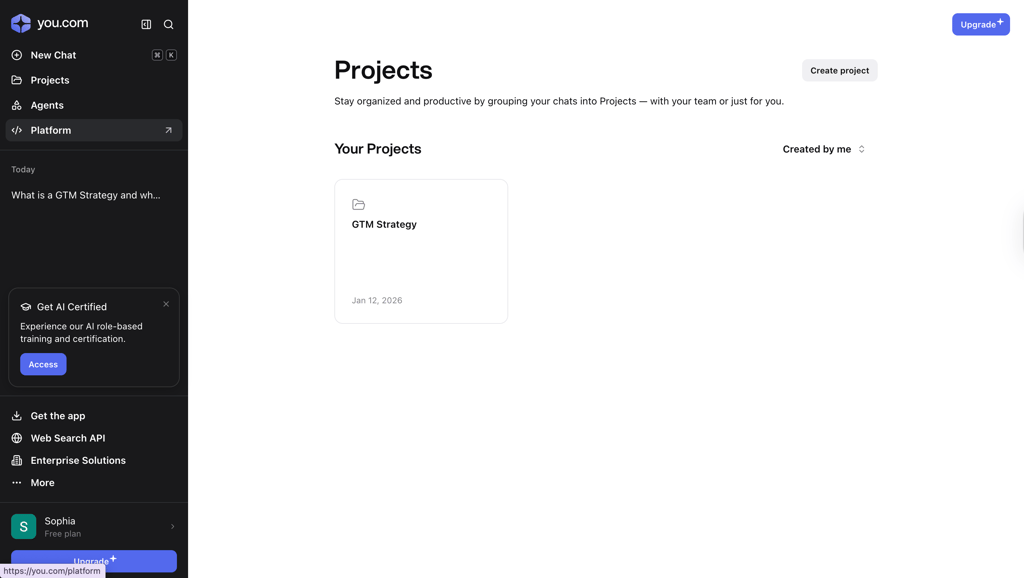
You.com is a hybrid tool that combines a search engine with an AI assistant. It lets you search the web like a traditional engine while also offering AI-powered research, summarization, and content drafting in the same workspace.
It’s not just a chatbot that gives answers without sources, and it’s not a traditional search engine where you have to open multiple links to get the information you need. You.com combines both, allowing you to search, summarize, and draft content more efficiently while keeping sources visible for verification.
Core features and capabilities
You.com offers a range of tools designed to make searching, researching, and creating content faster and more efficient. Below, I’ve summarized my experience with its main features.
YouChat (AI-integrated search)
You.com combines a traditional web search engine with an AI chat interface called YouChat. When I tested it, both the chat and search features were smooth and fast. The AI delivered thorough answers that were well formatted and easy to read, while also showing related links and sources in a clear, structured layout.
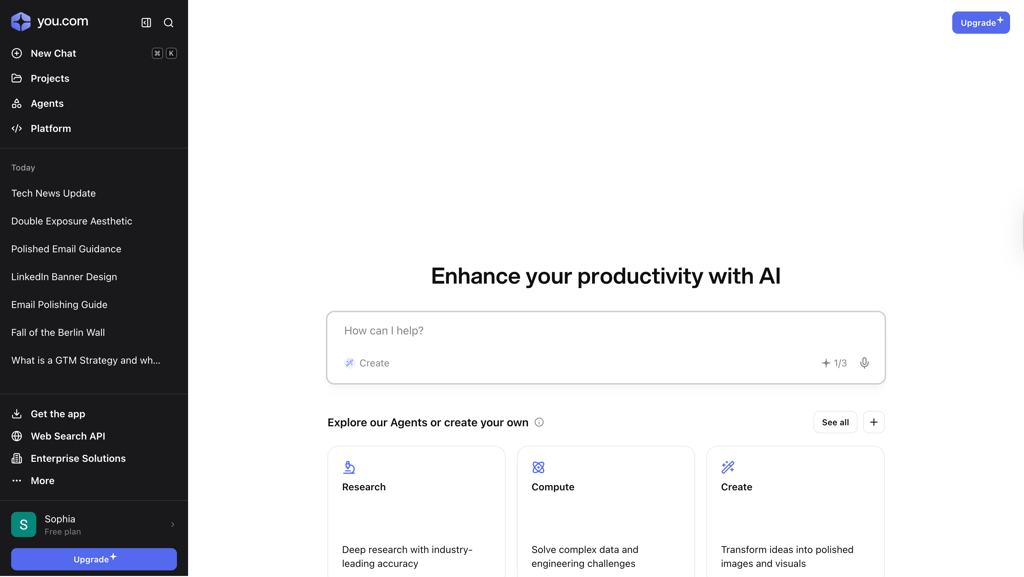
The interface itself is intuitive, showing recent chats, the main answer, and sources. This view makes fact-checking simple, and I found it much easier to verify information than on traditional search engines.
Overall, YouChat makes research more efficient by keeping all the relevant information in one place, thus reducing the need to switch between multiple tabs or tools.
YouWrite (AI writing assistance)
YouWrite is You.com’s built-in AI writing assistant that helps generate professional content quickly. I tested it using a rough email draft that needed tone correction, grammar fixes, and clearer structure. The AI polished the draft exactly as requested, maintaining the original message while refining it to make it professional and easy to read.
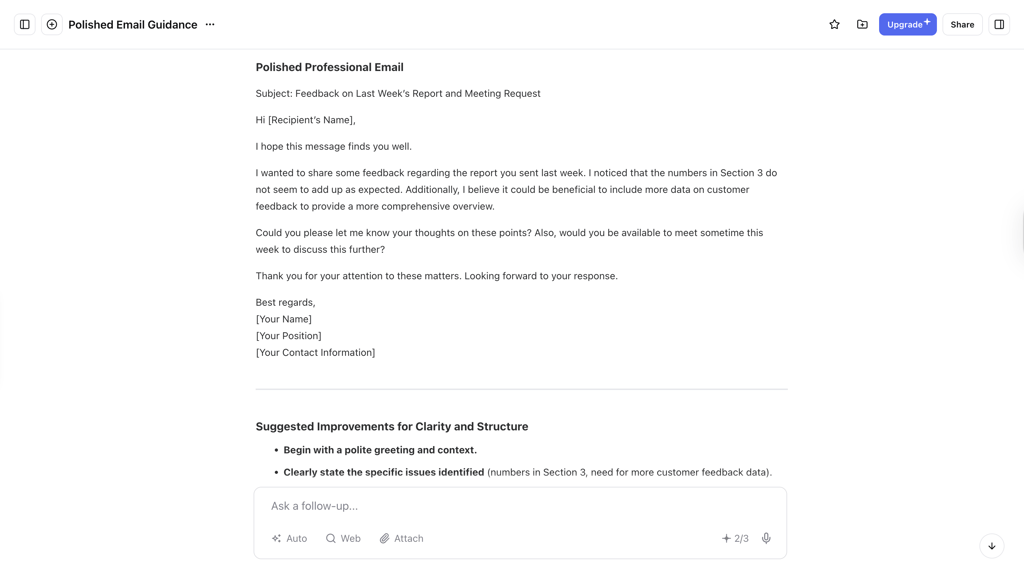
Unlike separate AI writing tools, YouWrite works seamlessly within the You.com workspace – this allowed me to move directly from research to drafting without switching apps. It’s a huge time-saver for emails, reports, or blog posts. However, note that free users face generation limits, with YouPro unlocking unlimited access.
YouWrite is also beneficial for teams, as it helps maintain consistency in tone and style across multiple documents, utilizing custom tone presets to ensure brand-aligned output on complex projects. This ultimately improves productivity and reduces errors in day-to-day writing tasks.
YouImagine (Image generation)
YouImagine allows users to create images from text prompts using AI. I tested it with a detailed prompt for a double exposure photograph, and the image was generated in under 30 seconds.
The AI accurately followed every instruction, capturing the silhouette, ocean waves, and lighthouse with high contrast and sharp edges. One of the best parts is that follow-up edits are simple. I could adjust the image with a new prompt without starting from scratch.


YouImagine is also useful for creating visuals for presentations, social media, or marketing materials. By keeping image generation within the same workspace as search and writing, You.com saves time and makes the creative process more seamless and integrated.
Multi-model and custom agent support
You.com lets users select from multiple large language models or rely on Smart Mode to choose the best one for the task. I found this particularly useful for research, drafting, and more technical tasks, such as coding or data analysis. Custom agents allow automating repetitive workflows, while Team Agents can be shared across a team to maintain consistency.
This flexibility makes You.com a productivity platform, not just a search engine. Teams can automate tasks, maintain style consistency, and streamline processes within a single workspace. It also allows individuals to experiment with different AI models to achieve better results, providing more control over outputs and personal preferences.
Citations, sourcing, and transparency
A standout feature of You.com is its emphasis on citations and transparency. Unlike some AI tools that provide answers without sources, YouChat clearly displays live web results and citations alongside responses. I found this incredibly useful when verifying facts during research.
Users can refine results further by using source controls or by uploading custom files. This helps ensure that the answers are reliable, relevant, and based on current data. For research-heavy workflows or team projects, the combination of AI answers and clear sources helps maintain accuracy and confidence in decision-making, which I found to be a major advantage over traditional AI chat tools.
Cross-format responses
You.com allows answers to be presented in multiple formats, including text, images, tables, code snippets, and graphics. While using it, I could summarize information, generate images with YouImagine, and create code snippets – all without leaving the same interface.
This makes it easier to handle diverse tasks, such as creating reports, presentations, or technical projects. For teams, this reduces the errors that often occur when switching between apps and ensures consistent outputs.
Cross-format responses improve workflow efficiency and demonstrate how You.com is more versatile than single-purpose AI tools or traditional search engines.
Privacy-focused search experience
You.com prioritizes user privacy in its search processing and data handling. Unlike traditional search engines that track user behavior for advertising purposes, You.com does not sell personal data and lets users control what is saved.
During testing, I appreciated the simple onboarding process and the option to enable private mode, which ensures that search history and chats are not stored. For individuals and teams handling sensitive research or internal content, this provides peace of mind.
The privacy-first approach makes You.com a safer and more trustworthy alternative to many traditional and AI search engines.
Practical You.com use cases and implementation
During testing, I explored how You.com could handle a variety of tasks beyond simple search. Here are the key workflows I tested:
- Content production. I experimented with topic research, outlining the main points, drafting text, and repurposing it for emails, social posts, and ad copy – all within the same platform.
- SEO workflows. I tested clustering keywords, creating content briefs, summarizing SERPs, and generating internal linking ideas to support planning and optimization.
- Client communications. I drafted proposal snippets, meeting notes, status updates, and FAQs to evaluate whether it could speed up routine tasks.
- Paid media. I tested multiple ad copy variations, landing-page sections, campaign angles, and audience ideas.
- Operations enablement. I used it to draft SOPs, onboarding documents, templates, and perform quick QA checks.
Being able to complete all of these tasks in one place saved time and helped me stay organized.
Pricing and plans
Below is a breakdown of You.com’s pricing, focusing on what you can actually do on each plan and who each tier is best for. For this review, I focused on You.com’s Chat pricing, not its API or Enterprise plans, as Chat is where most individual users and teams will spend their time.
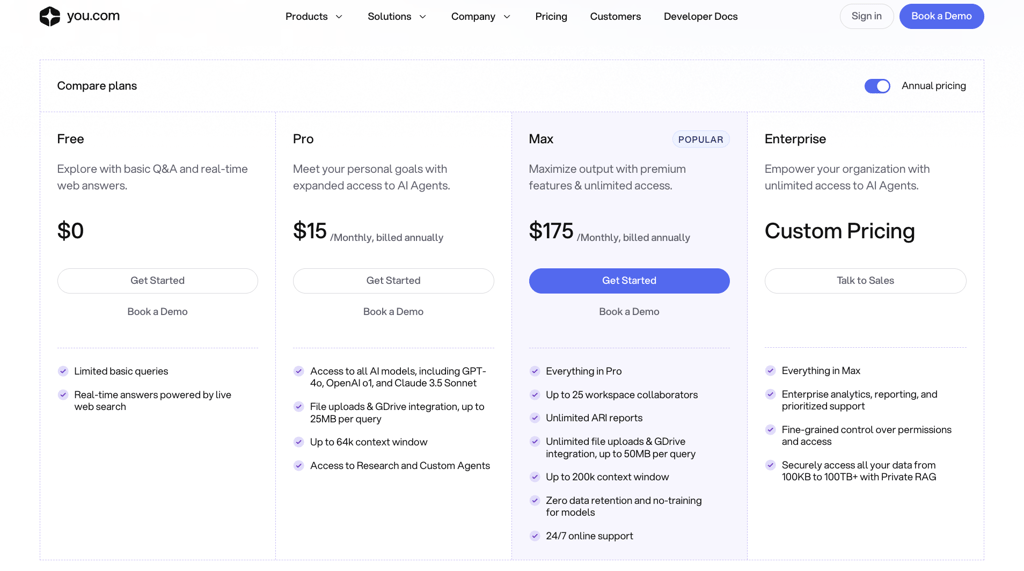
You.com’s Free plan is useful for basic AI search and short queries. You can ask questions, get AI-generated answers backed by live web results, and see sources alongside the response. It’s enough to test the interface, evaluate answer quality, and handle light research or simple writing tasks. However, limits become noticeable when working with longer prompts, files, or repeated queries, which makes the free tier better suited for occasional use rather than ongoing work.
The Pro plan costs $15.00/month on an annual subscription and provides access to all AI models, file uploads, larger context windows, and research or custom agents. This allows you to analyze longer documents, upload reference files, compare responses across models, and maintain context across related prompts, rather than starting from scratch each time.
The Max tier is priced at $175.00/month when billed annually. It unlocks unlimited generations across all tools, priority processing, and advanced custom agents with deeper integrations (e.g., API access or team sharing). You also get exclusive early access to new models and features. Power users benefit from having no caps on complex workflows, such as bulk content creation, multi-step research chains, or high-volume image outputs. As such, it is ideal for agencies or users that require heavy daily reliance.
You.com isn’t worth paying for if you only use AI for quick searches or occasional questions and don’t need citations, file uploads, or longer context. In those cases, a free chatbot or a traditional search engine will give you similar results without paying for a subscription.
Trust and accountability signals
You.com shows a mix of strong credibility markers and some user-reported concerns that warrant scrutiny before committing.
Credibility indicators:
- Strong public reputation on review platforms like G2, with users praising reliable outputs, unfiltered search results, and privacy focus over competitors.
- Consistent positive feedback for research accuracy, source transparency, and data security (for example, uses AES-256 encryption for data at rest).
- Transparent sourcing and citation features praised in reviews for building user trust in AI outputs.
Caution signals:
- Pricing complaints about Pro and Max tiers being too expensive for unlimited access, with some billing friction mentioned on upgrades.
- Occasional inconsistencies in free features and support responsiveness patterns in user reports.
- Complex tier structure is confusing for casual users, which results in implementation hurdles.
Getting started (your fastest path to a useful first session)
You.com features a clean interface and straightforward setup, similar to ChatGPT or Perplexity, allowing you to get up and running quickly.
Step 1: create a You.com account
Create your account by heading to You.com and signing up with your email or SSO, then complete the quick onboarding process to save your chats and settings.
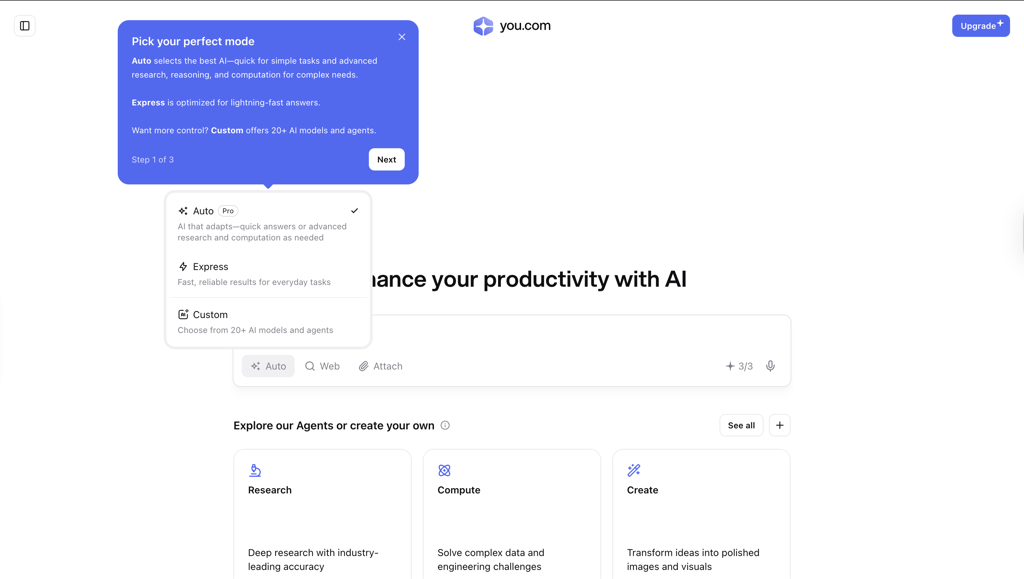
Step 2: choose mode (Search vs Chat)
Start in Search mode for quick answers with sources, and switch to Chat when you want deeper explanations, multi-step reasoning, or drafting help.
Step 3: type in a search query
For your first three prompts, you can try the following:
- Factual question you’d normally Google,
- Short content request (for example, “draft blog intro latest AI trends”)
- Research summary query on a topic you know well
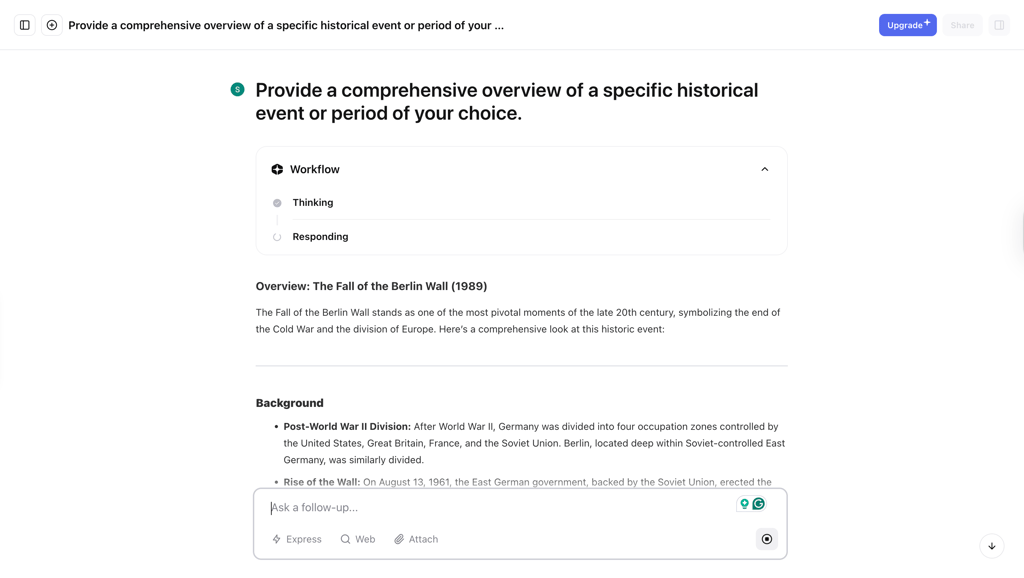
Step 4: quickly validate citations
You can quickly validate citations by skimming the listed sources, opening one or two links, and confirming that key claims and stats in the answer actually appear in those pages.
Step 5: switch tools when needed
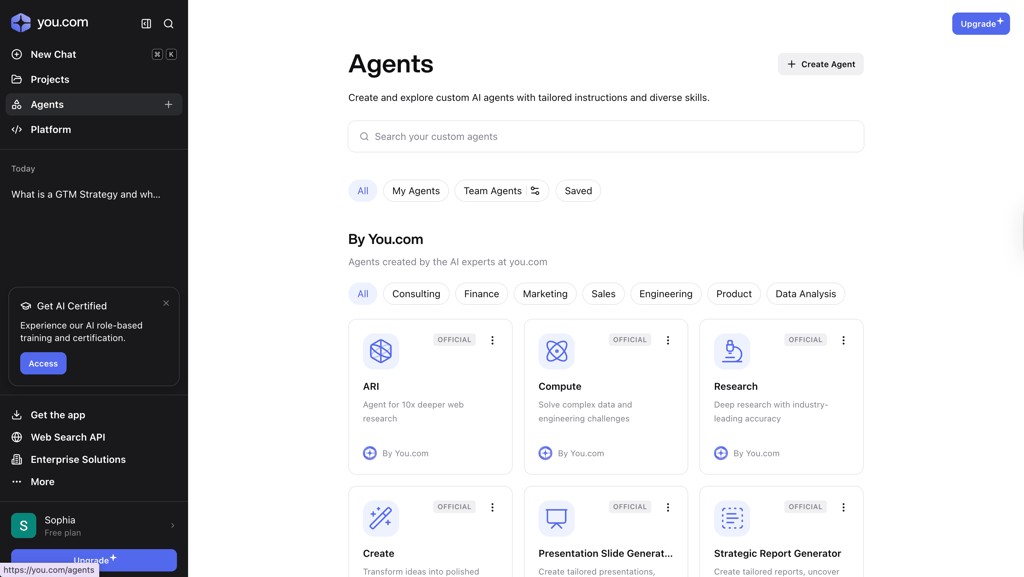
I recommend switching tools when you hit length, file, or accuracy limits. For example, you can use You.com’s specialized agents (such as a strategic report generator), and fall back to traditional search when you need an exhaustive, source-by-source review. Alternatively, you can create a custom agent to meet your project’s specific needs and required skills.
How You.com compares to other AI searching tools
I compiled a quick overview table to help you grasp the main differences between You.com and other popular AI search engines.
| Provider | Verifiable citations | Multimodal input | Multi-model support | Best for | Starting price |
| You.com | ✅ Yes | ✅ Yes (files and images) | ✅ Yes, 20+ models | Content creation workflows | Free, Pro tier from $15.00/month |
| nexos.ai | ✅ Yes (via integrated web search & RAG) | ✅ Yes (files, images, and mobile voice) | ✅ Yes, 200+ models (OpenAI, Anthropic, Gemini, etc.) | Centralized team AI workspaces, governance, and model switching | 7-day Free Trial, Pro tier from €20.00/month |
| Perplexity | ✅ Yes | ✅ Yes (files and images) | ✅ Yes, but limited | In-depth research, citations | Free, Pro tier from $17.00/month |
| Brave | ✅ Yes, but partial | ❌ No | ❌ No | Privacy-focused search | Free |
| Exa | ✅ Yes | ❌ No | ❌ No | Semantic document search | Free, Starter tier from $49.00/month |
As you can see, You.com stands out with its multi-model access and creative tools, but it stacks up differently against leaders like Perplexity, Brave Search, and Exa in terms of research depth and privacy. Still, while Perplexity leads in pure research accuracy, You.com wins on versatility and pricing for creators.
Best alternative: nexos.ai
If you're looking for an AI tool that's more action-oriented than search-focused, I recommend nexos.ai. Nexos.ai gives you access to over 200 LLMs, giving you not just their search capabilities, but also a library of over 100 templates for automated workflows. While it may not have the in-depth search features of You.com, nexos gives you and your team a wide array of options for creating no-code agentic workflows.
If you want more from your AI tool than just search, nexos.ai gives you access to all the features a traditional chatbot like ChatGPT or Gemini offers. On top of that, it will give your team the option to create AI-native, prompt-based workflows that don't require programming knowledge to set up. These can be an interface between various apps used in your org, coding assistants, or customer support agents.
Final verdict: should you use You.com?
My bottom line after testing with the Cybernews research team: You.com is worth using for content creators, marketers, and teams needing an all-in-one workspace for research, drafting, and image generation with strong citations throughout. However, if you're a pure researcher prioritizing maximum depth over creative tools or just want a privacy-focused search without AI extras, you can skip it.
You.com outperforms alternatives for workflows that span multiple stages of project development, all in one app, eliminating the chaos of tab switching. The Pro tier at $15.00/month unlocks unlimited generations and file handling that fragmented free tools can't match, making it a smart upgrade for daily productivity.
FAQ
Is You.com free, and what are the real limits?
Yes, You.com has a free plan, which you can use to ask questions, verify sources, and try summarization and drafting. It provides a limited number of queries per day, AI model options are restricted, file uploads aren’t supported, and context windows are smaller.
Can You.com replace Google for day-to-day search?
No, You.com complements Google rather than fully replacing it. It excels at AI-summarized answers and creative workflows but lacks Google's exhaustive index for niche or breaking news searches.
Does it cite sources reliably for research?
Yes, You.com reliably displays verifiable citations alongside AI answers, making fact-checking straightforward during tests. Its sources link directly to live web results, making it more transparent than many chatbots.
What’s the best plan for students/teams?
You.com’s Pro plan, at $15.00/month, is ideal for students, offering unlimited writing and image tools. The free version also works for light student use. Teams will benefit from its Max tier, at $175.00/month, with shared agents and API access.
Is You.com safe and legit?
Yes, You.com is legitimate, as it utilizes AES-256 encryption and offers Private mode options, with no major security incidents reported.