Best AI writing tools
Being behind major reports like The Mother of All Breaches and RockYou2024, our in-house cybersecurity experts and journalists provide unbiased, real-world testing and in-depth analysis.
We maintain complete transparency by openly sharing our testing methodologies with our audience.
Learn more-

-
Contribution by
Kamilė Bagdonaitė



AI has changed the game. What used to take hours at a keyboard can now be done in minutes and at no extra cost too. With the right tools, anyone, not just a professional content writer, can generate text for their personal projects or business needs.
But it’s not just about generating new content. AI writing tools can help brainstorm ideas, aid research, proofread and edit your text, and even provide SEO recommendations to make your content more visible online. Some can even serve as a personal AI blog writer for all of your content writing needs.
Still, a single tool can’t be good at all of these things. That’s why I compiled a list of the best AI writing tools based on weeks of hands-on testing.
Below, I share what works and what doesn’t and provide recommendations based on your personal/business needs and budget. From copywriting software to productivity apps, you’re sure to find a tool that fits.

Here’s how I chose these AI writing tools
Finding the best AI tools for writing meant sitting down and getting to work ourselves. I collaborated with our research team and reviewed dozens of AI tools to find the best ones for writing and handpicked the top 11 for further testing.
We used the tools for different steps of the writing process, including researching, brainstorming, polishing ideas, generating outlines and first drafts, adapting different tones and styles, and editing. We used similar prompts where possible and compared the results side by side. Here are the key aspects we evaluated following our AI testing methodology:
- Writing quality (30%). Does it produce high-quality text that sounds natural and requires minimal edits?
- Features (20%). Does it offer useful extras like SEO optimization, research tools, or collaboration options?
- Ease of use (20%). How quick is the setup, and does the tool really save time?
- Reliability (15%). Does the tool provide consistent results? How often does it hallucinate information or straight out lie?
- Plans and pricing (15%). Is the pricing reasonable? If it’s pricier, does it offer a good price-to-value ratio? Is the free version actually usable, or is it just a demo?
AI tools vs AI models: what’s the difference?
An AI model is the core of everything that an AI can do. It’s a program trained on multiple datasets to recognize patterns and make predictions. You usually need a lot of technical knowledge to work with AI models.
An AI tool is a user-friendly app designed to apply one or more AI models to perform a specific task, such as generating an image, summarizing research, or editing and writing text. It doesn’t require any technical knowledge and can be used by anyone.
A good example would be ChatGPT as an AI tool and Generative Pre-Trained Transformer (GPT) as the AI model. Every answer you get from ChatGPT comes from GPT. Simply put, all AI tools run on AI models, so everything that an AI tool produces comes from an AI model.
Below, you’ll find a list of AI tools specifically designed to help with writing and similar tasks.
The best AI writing tools in 2026 – my detailed list
I collaborated with our research team and tested dozens of AI writing tools to find the best for every type of writing need. Below, you’ll find a short overview of my selected AI writing tools and who I recommend them to.
1. nexos.ai – best for scaling content production with AI

| Best for: | Scaling content creation with AI, automating writing workflows, and marketing teams |
| Starting price: | €18.00 (~$21.04) |
| Free version: | ❌ No, only 7-day free trial |
| Integrations: | HiBob, SharePoint, Slack, Jira, Confluence, and Compass |
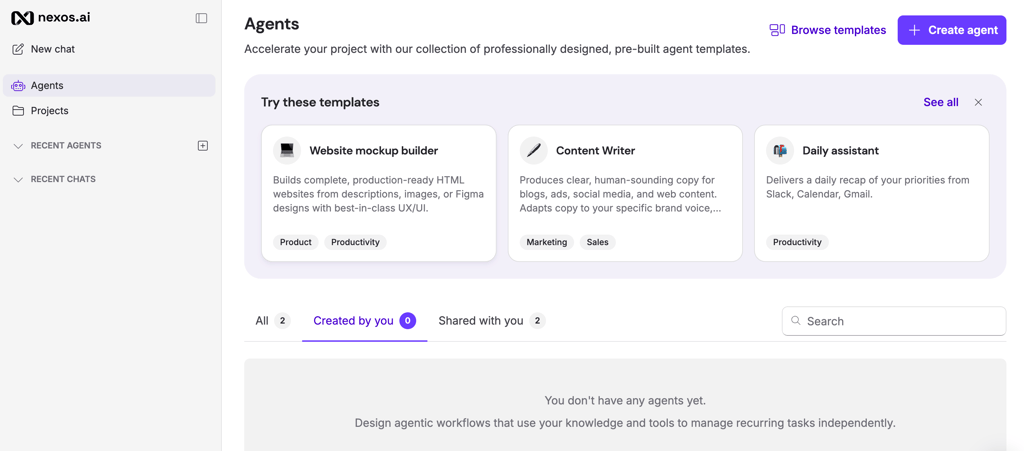
nexos.ai is my top pick among AI tools that go beyond writing. It combines content creation and workflow automation into a single platform built for execution, not just text generation. Instead of stopping at outputs, it connects AI directly to business processes, turning content into part of structured, automated workflows.
What makes nexos.ai different is its ability to build AI-powered workflows without coding. You can create automations that generate content, route tasks, trigger follow-ups, and standardize processes across teams. This makes it especially useful for SMBs looking to do more with fewer resources or automate repetitive work.
The platform also supports multiple AI models in one place, so you’re not locked into a single system. You can switch between models depending on the task, whether it’s content creation, research, or internal workflows.
From a usability perspective, this AI tool is relatively straightforward to start with, especially if you use pre-built templates. However, building more advanced workflows does take some initial setup and planning.
Another thing worth noting is that nexos.ai is built with teams in mind. You get features like role-based access and usage tracking, which are useful when multiple people work with AI across different tasks. It helps keep everything organized, so you don’t need to jump between separate tools that don’t really connect.
Overall, nexos.ai is the strongest choice on this list, not just because it writes well, but because it turns AI into a system for actually getting work done at scale. If you want to learn more about it, check out our nexos.ai review.
2. Grammarly – best for students and professionals

| Best for: | Proofreading, editing, and improving clarity |
| Starting price: | $12.00 |
| Free version: | ✅ Yes |
| Integrations: | Browser extensions, Windows and macOS apps, Android and iOS keyboard |
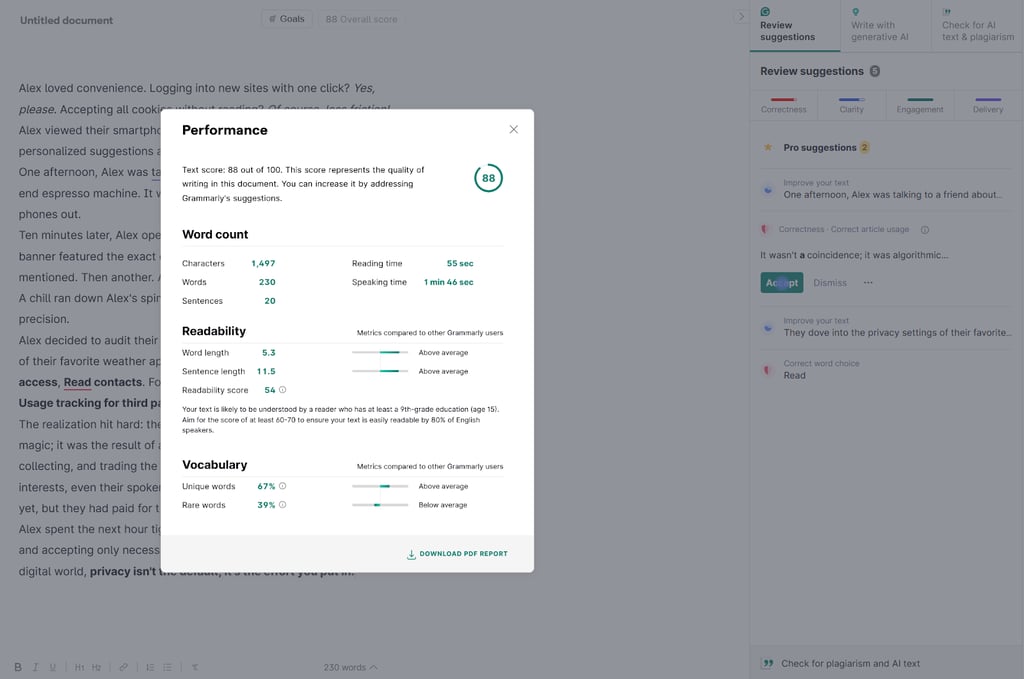
Grammarly is probably one of the most popular AI writing tools, and for good reason. It’s pretty straightforward and easy to use, making it a great addition to any writer. I like it because it’s more of a writing assistant designed to improve your text without taking away your personal style.
Grammarly stands out with comprehensive writing assistance for grammar, spelling, punctuation, clarity, and tone, which is what most people use it for. Its greatest strength is that it can integrate with over 500,000 apps and websites. This makes it super convenient to use, as you don’t have to copy/paste your text into the Grammarly app. As long as Grammarly is active, it’ll provide suggestions for your text.
There’s also generative AI to help you identify gaps and brainstorm for new ideas to enhance your text. It can even rewrite your entire text, but it takes a long while, so I’m not too impressed. Grammarly can also check for AI and plagiarism. Again, I didn’t find it accurate or reliable during my testing. Learn more about our testing results in our Grammarly review.
Grammarly is one of the cheapest AI writing tools you can get your hands on. Its starting price is just $12.00/month/user.
When it comes to data and privacy, Grammarly does pretty well. It doesn’t have any rights to your text. Even if you use Grammarly’s generative AI, you still retain full ownership.
As for training on your data, it’s a bit more complicated. For business accounts and users in the EU or UK, Grammarly doesn’t use your text to train its AI models. However, all other users are automatically opted in, but you can always opt out in your settings.
3. Jasper – best AI writing tool for marketing

| Best for: | Marketing, sales, and SEO teams, medium-to-large businesses, enterprises |
| Starting price: | $59.00 |
| Free version: | ❌ No, only 7-day free trial |
| Integrations: | Surfer, SEMrush |
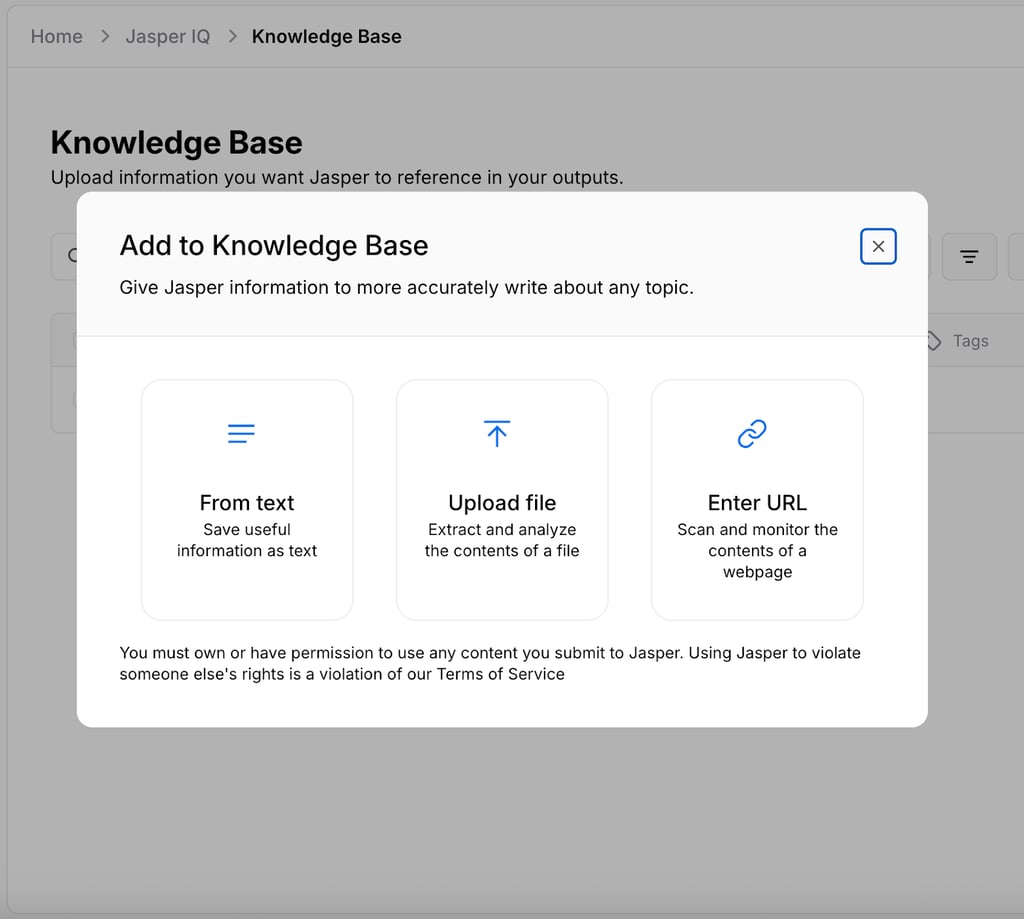
Jasper is my top pick for generating any marketing or sales-related content. It's best at SEO-optimized blog posts, email campaigns, social media posts, and ad copy. However, considering its higher price, I only recommend Jasper to medium-to-large businesses and enterprises that want to scale their content with AI. It’s built on four layers:
- Context Layer (Jasper IQ), which learns your business’ brand voice, style guidelines, and products
- Agentic Layer, which automates marketing workflows with a no-code builder
- Creation Layer, which lets you create content with a collaborative canvas, editor, chat, and image suite
- Trust Layer, which ensures enterprise-grade security
All of these layers work together to help your business generate relevant content that’s in line with your brand. You can learn more about it in our Jasper review.
Jasper has an intuitive interface, which makes it easy to navigate. While the editor itself is pretty straightforward, it can take a long time and hours of testing to master Jasper’s full set of features. Our team found that configuring Jasper IQ and creating custom workflows were particularly time consuming.
Since its target audience is businesses, Jasper has a strong privacy policy. It explicitly states that customer data is not used to train the AI language models and is encrypted at transit and at rest. Most importantly, all users retain full ownership of their generated content.
Compared to other AI tools, Jasper is quite pricey. Its starter plan costs $59.00/user/month and only gives you access to its core tools, which is quite disappointing. If you want the full set, including access to the Jasper API, advanced apps, agentic AI, IQ customization, and more, you’ll have to contact the sales team for a custom price on the Business plan.
4. ChatGPT – best general-purpose AI tool for writers

| Best for: | Research, brainstorming, creating an outline, polishing ideas |
| Starting price: | $20.00 |
| Free version: | ✅ Yes |
| Notable integrations: | GitHub, Gmail, Google Calendar, Google Contacts, and Google Drive |
Everyone knows ChatGPT and uses it for a number of different purposes. That’s the beauty of it, you can ask it to do anything, and it will deliver. This flexibility makes ChatGPT a great, all-round tool for any writing task.
Personally, I love it for diving deeper into topics, brainstorming, and summarizing research. It’s ideal for informational articles and long-form blog posts.
While it can do it, ChatGPT is not the best at proofreading or editing. Tools like Grammarly are way better since they suggest corrections in real time, while ChatGPT fixes the entire text, so you can’t see what changes it made at first glance. However, I like using it to get feedback on my text, as it provides clear and concise suggestions on how to improve and can even provide examples.
The free version is more than enough to do most tasks. However, if you want more advanced features, you can get ChatGPT Plus for $20.00/month. This will give you access to the latest AI models and let you create your own custom GPTs for specialized tasks. So, instead of relying on the free, general-purpose GPT that tries to be good at everything, you can set up your own parameters for more efficient writing.
There’s also Business ($25.00/month/user) and Enterprise (custom pricing) plans available, which include collaboration tools, advanced security, and priority support.
When it comes to data and privacy, ChatGPT does pretty well. Anything that Free and Plus users input may be used to train the AI models, but users can always opt out. OpenAI has a stricter policy for business plan users and does not use submitted data for training. API users are also excluded.

5. Claude – best for large projects

| Best for: | Large projects that rely on context, blogs, social media posts |
| Starting price: | $17.00 |
| Free version: | ✅ Yes |
| Notable integrations: | GitHub, Jira, Cloudflare, Canva, Figma, Notion (desktop and browser extensions) |
Claude is similar to ChatGPT in many ways. They’re both advanced AI chatbots that can make you work more efficiently. However, Claude stands out with a much wider context window, which is essential for deeper analysis. It helps Claude keep track of your tone, style, formatting, and structure across an entire draft instead of losing them after a few paragraphs.
Overall, it’s pretty easy to use. The only thing you’ll have to learn is how to create effective prompts, but that’s a given for most AI tools.
During my testing, I noticed that Claude generates more human-like text without too much prompting. I find it’s great for generating pieces that need to connect with the reader, like blog or social media posts.
In the sidebar, you’ll find the Projects tab, which is essentially a dedicated workspace for a specific task. I find it super useful for keeping everything – research, notes, drafts – organized for my articles.
However, if integrations are important for you, Claude may not be the best option, as it has quite a limited ecosystem, especially when compared to the likes of ChatGPT. You can still install plenty of plugins and integrate with a lot of platforms – just make sure the ones you need support Claude first.
You can use Claude for free, but you’ll have a limited number of prompts you can submit per day, which can be quite limiting for writing tasks. Its Max plan is relatively affordable, at just $17.00/month, and will give you access to more AI models, deep research tools, and Google Workspace integration.
Like ChatGPT, Claude defaults Free, Pro, and Max plan users to share their chats to improve Anthropic AI models. Users can opt out at any time, and I like that the choice is presented when you sign up as well, unlike with ChatGPT.

6. Quillbot – best for high-school students

| Best for: | Paraphrasing, summarizing, proofreading, and editing |
| Starting price: | $8.33 |
| Free version: | ✅ Yes |
| Notable integrations: | Google Chrome and Microsoft Edge extensions, Windows and macOS app, Android and iOS keyboard and app |
Quillbot is an AI-powered paraphrasing tool. It made my list because it offers a versatile set of AI tools for writing including a paraphraser, grammar checker, AI detector, plagiarism checker, and AI humanizer.
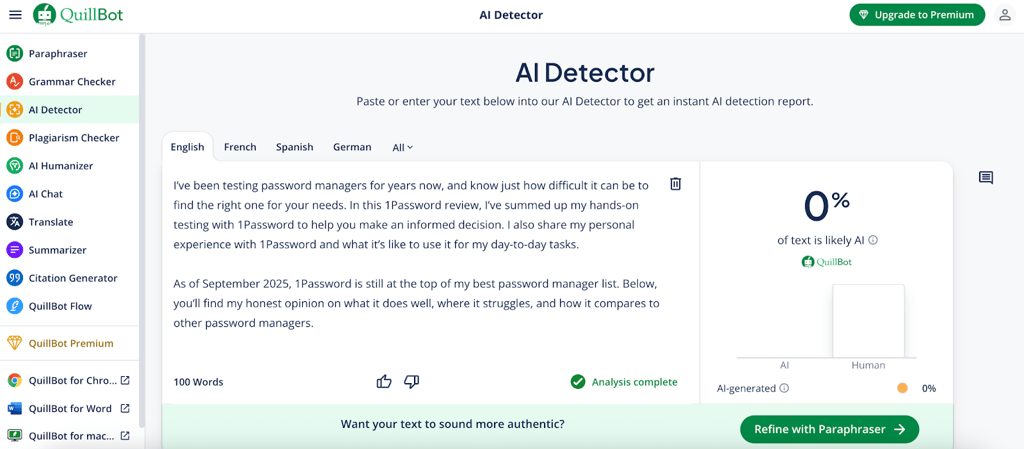
It has recently launched a chatbot feature as well. It's still in early stages, and I found most of its output pretty cliche and salesy, so I wouldn’t recommend it for writing in its current state, as it requires a lot of touching up. However, Quillbot’s AI Chat is fairly decent at summarizing research but tends to rely on slightly outdated information, so always double-check the sources.
Quillbot is easy to use – simply paste your text into one of the tools and watch the magic happen. Overall, it’s great at refining short-form text like blog posts, emails, and headlines, but it struggles to maintain high-quality content when the text is longer.
While Quillbot has a free version, it’s so limited that it’s basically unusable. So, if you’re looking for a free AI writing tool, you’ll be better off with ChatGPT or Claude. However, it doesn’t let users opt out of AI training on their submitted data.
Starting at just $8.33/month with our exclusive coupon code WR1TENOW2025, Quillbot is another affordable AI writing tool to add to your arsenal, especially as a student or freelancer, and is ideal for basic writing tasks.
7. Writesonic – best for marketing teams and SEO specialists

| Best for: | Social media posts, marketing copies, SEO-optimized content |
| Starting price: |
$39.00 |
| Free version: | ✅ Yes |
| Notable integrations: | Chrome extension, Gmail, Google Docs, WordPress |
Writesonic stood out as one of the more versatile AI tools for writing I tried. It’s built with marketers and content creators in mind, especially those focused on SEO. I liked the flexibility it offers, allowing me to choose between GPT-3.5 for speed and volume and GPT-4 when I needed better quality or more profound insights.
The AI Article Writer was my favorite feature, capable of producing SEO-optimized pieces of up to 5,000 words, supported by 80+ templates. There’s also Chatsonic, Writesonic’s built-in chatbot. Plus, the integration via Chrome extension for Gmail and Google Docs and direct publishing to WordPress made everything much smoother.
I found the learning curve very manageable thanks to the clean interface, though the number of features can be overwhelming at first. Writesonic also emphasizes data privacy, but I recommend clarifying its model-training policies if your organization has strict requirements.
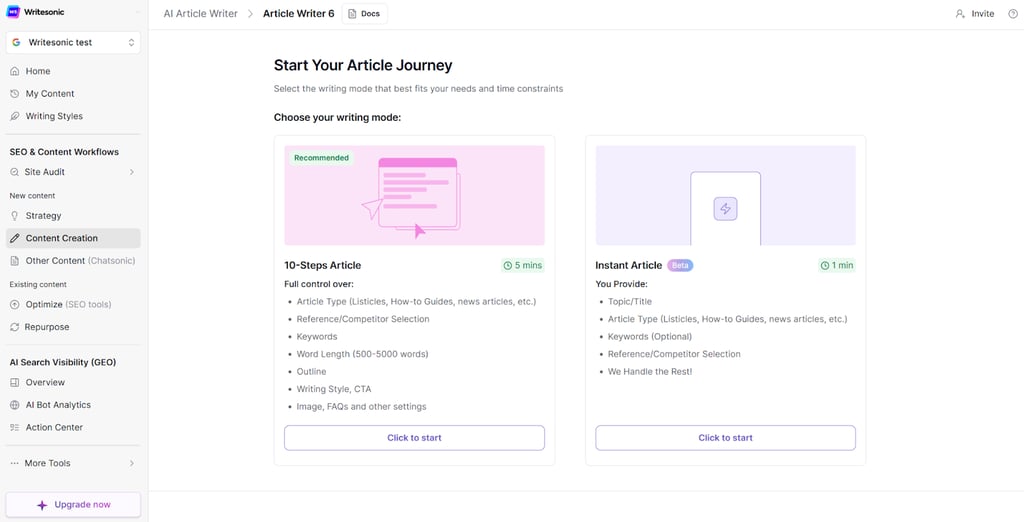
Pricing starts with a free trial, then scales by usage. The Lite plan begins at $39.00/month for 15 articles, while higher tiers like Professional ($199.00/month) and Advanced ($399.00/month) add more articles, seats, and advanced search tracking.
I believe Writesonic’s biggest strengths are its strong SEO focus, flexible model options, and range of templates. On the downside, content quality can be inconsistent and usually needs editing. I also found that the collaboration features aren’t the most extensive, so if you’re working with a team, that’s something to keep in mind.
8. Sudowrite – best story-writing AI for authors

| Best for: | Creative writing; writing books, novels, stories |
| Starting price: | $10.00 |
| Free version: | ✅ Yes |
| Notable integrations: | OpenAI, Anthropic |
Sudowrite is one of the best AI tools for creative writing. It’s an excellent tool for fiction and creative writing. Unlike general writing tools adapted for creative work, Sudowrite was built from the ground up for novelists, screenwriters, and storytellers.
Its main features really reflect that focus. The Story Bible helps track characters, plotlines, and lore across long manuscripts, while Describe adds rich sensory detail to prose. The Rewrite function includes a brilliant Show, not Tell mode, and Canvas provides visual outlining tools. Sudowrite also uses its proprietary Muse language model, made specifically for creative writing.
The learning curve is moderate – the interface is clean, but figuring out all the specialized tools takes time. I appreciated being able to choose between different AI models from OpenAI and Anthropic.
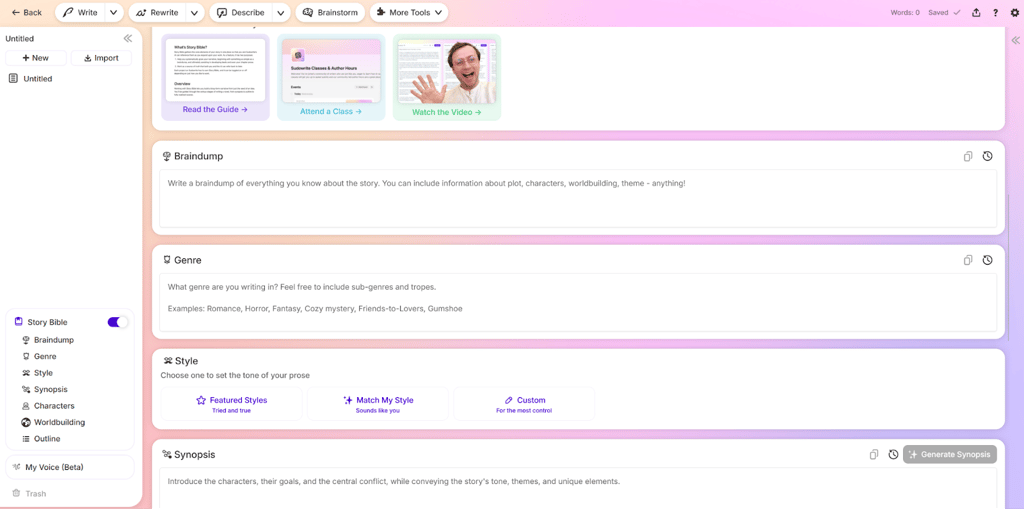
Privacy-wise, it's excellent for authors. You retain full copyright, and crucially, your writing isn't used to train AI models. The pricing starts at $10.00/month for the Hobby plan, $22.00/month for Professional, and $44.00/month for Max.
Sudowrite is one of the best creative writing AI tools, perfect for overcoming writer's block and enhancing creativity. However, I found that most outputs still need human editing.
9. Copy.ai – best AI writing assistant for freelancers and small businesses

| Best for: | Marketing copies, social media posts, email generation |
| Starting price: | $24.00 |
| Free version: | ✅ Yes |
| Notable integrations: | Zapier, n8n, WordPress, Slack, HubSpot |
Copy.ai is an exceptionally well-rounded AI helper for writing that strikes the perfect balance between functionality and accessibility. It's designed for freelancers, small businesses, and marketing teams who want powerful AI assistance without the complexity or cost of enterprise platforms.
What makes Copy.ai stand out is its versatility. With over 90 templates covering everything from social media posts to email campaigns, it handles most common business writing tasks effortlessly. The collaborative chat interface works well for teams, and I found the Brand Voice feature particularly useful for maintaining a consistent tone across projects. The Infobase lets you store company information for reuse, which saves time.
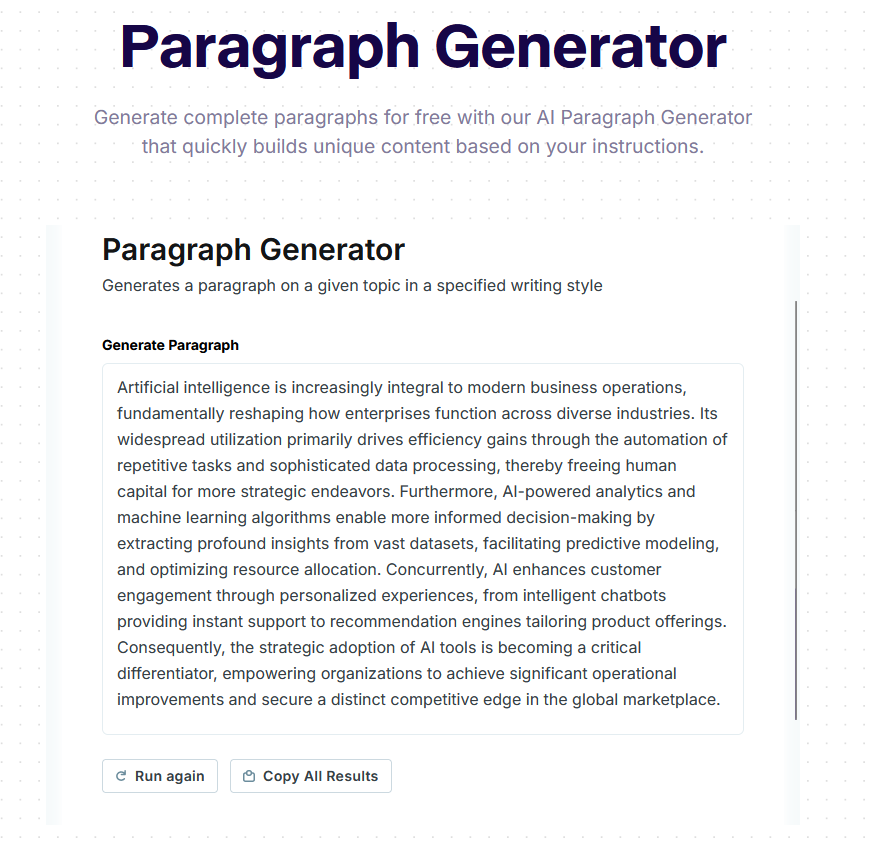
The learning curve is practically nonexistent – I was generating content within minutes thanks to the intuitive, template-driven approach. Copy.ai integrates smoothly with automation tools like Zapier and n8n, connecting to thousands of applications, including WordPress, Slack, and HubSpot.
Pricing is competitive, starting with a generous free plan offering 2,000 words monthly. The paid Chat plan begins at $24.00/month for five users with unlimited chat words, scaling up to enterprise levels from $211.00/month.
Copy.ai stands out for value, ease of use, and team collaboration. That being said, I find it tends to use marketing cliches, and it doesn’t work as well for deep strategy work or good long-form content. With regards to data privacy, the system trains its experience based on user interactions in order to provide better results.
10. EssayDone – best AI writing software for detection avoidance

| Best for: | Academic writing, avoiding AI detection, paraphrasing |
| Starting price: | $19.00 |
| Free version: | ✅ Yes |
| Notable integrations: | ChatGPT, DeepSeek, Claude |
EssayDone is a specialized academic writing platform that directly tackles the growing challenge of AI detection. It's designed for students and academic professionals who need efficient essay production while navigating modern AI detection systems. What sets it apart is its comprehensive approach to humanizing AI-generated content.
The main advantage of EssayDone is its specialized toolkit. WriterGPT generates topics and creates essays using a database of over 2 million academic resources. The Humanizer rewrites AI-generated content to avoid detection by tools like Originality.ai and GPTZero. Built-in detection tools check content authenticity before submission. Plus, it includes additional features like paraphrasing, summarizing, thesis creation, and AI Scholar to help you quickly find credible sources.
The main dashboard has a lot of information, which can feel overwhelming at first. However, the tools are easy to use and don't take long to learn. You can start writing with AI or editing content right away, though the finished result might need human revision.
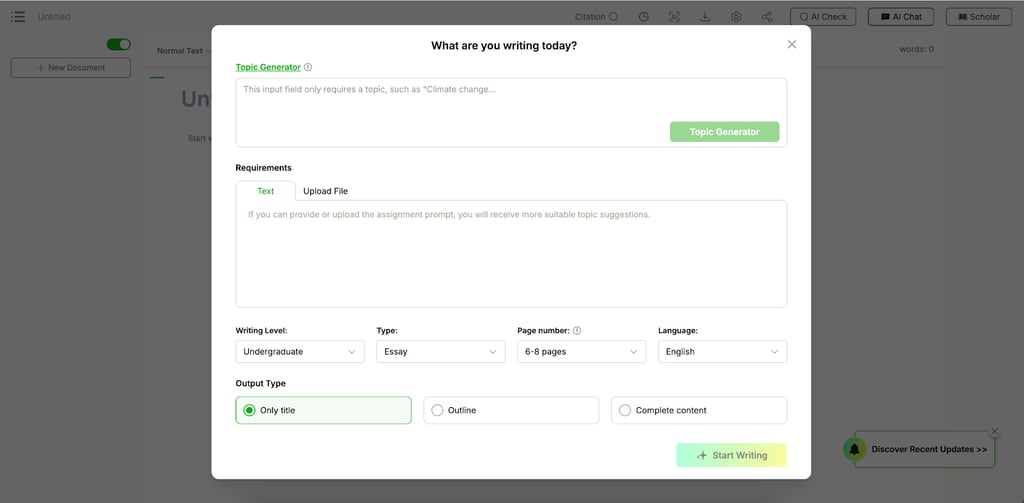
The pricing can be confusing because there are three different plans: Humanizer, AI Detector, and WriterGPT. WriterGPT includes both the Humanizer and AI Detector tools, but you get fewer words than if you bought those tools separately. The Humanizer plan costs $24.00/month, the AI Detector costs $9.00/month, and WriterGPT costs $19.00/month.
The platform is perfect for detection avoidance and academic writing. However, it lacks popular integrations and occasionally needs manual tweaking after humanization. Privacy-wise, EssayDone processes content without using it for AI training, which addresses academic confidentiality concerns.
11. Paperpal – best for academic research writing

| Best for: | Academic writing, scholarly research |
| Starting price: | $11.50 |
| Free version: | ✅ Yes |
| Notable integrations: | Microsoft Word, Google Docs, and Overleaf |
Paperpal is one of the best AI writing tools built specifically for academic writers, researchers, and students who need comprehensive support throughout the scholarly writing process. Unlike generalized writing tools, it's designed specifically for academic writing requirements.
What makes Paperpal different is its focus on scholarly writing. The AI is trained only on research papers and journals, so it gives you language suggestions that fit scholarly writing standards. I find the real-time grammar, style, and structure improvements especially helpful when I use AI to write. The platform handles your entire research workflow – from the first draft to final submission – with built-in plagiarism checking, access to over 250 million research sources for citations, and a unique Q&A feature that lets you ask questions about your PDF documents directly.
As for the learning curve, I found it moderate but manageable, especially for those familiar with academic writing. The interface is intuitive, though mastering advanced features like manuscript review takes some time.
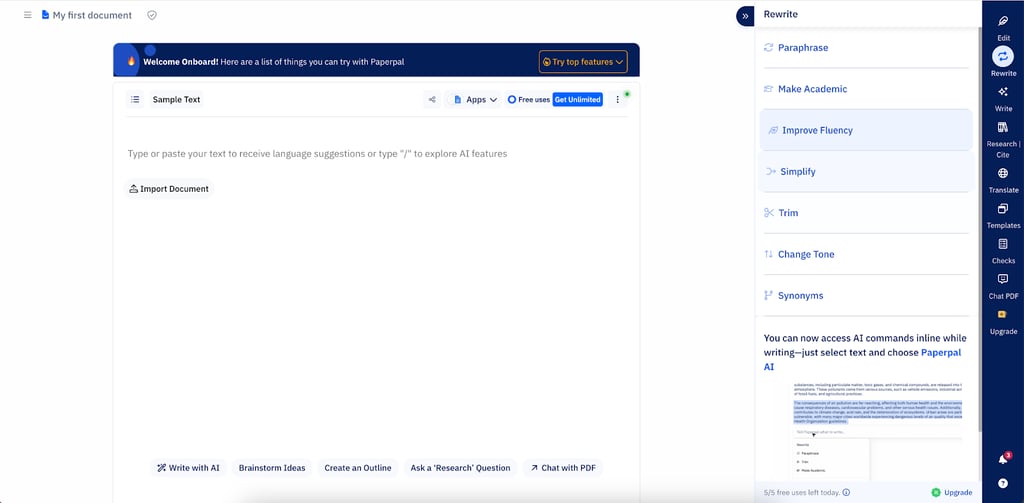
Paperpal allows you to try some tools for free, while the premium version costs $11.50/month annually for unlimited access to all features. The platform integrates seamlessly with Microsoft Word, Google Docs, and Overleaf, plus offers browser extensions and mobile apps.
Your data is kept secure with strong protection, full encryption, and GDPR compliance. The platform doesn't use your writing to train its AI, and you keep control of your work. Paperpal works great for research writing, but it's not the best choice for general writing tasks.
The best AI writing tools compared
Here’s a quick overview of my top AI writing tool picks side by side.
| Best for | Free version | Starting price | Standout features | Built-in SEO | Multilingual | Plagiarism checker | |
| nexos.ai | Marketing, sales, SEO, workflow automation, team content scaling | ❌ No, only 7-day free trial | €18.00 (~$21.04) | AI-powered workflow automation, no-code content systems, multi-model support, team collaboration tools, role-based access, usage tracking | ✅ Yes | ✅ Yes, multiple languages | ❌ No |
| Grammarly | Students and professionals | ✅ Yes | $12.00/user/month | Real-time grammar, spelling, punctuation, and clarity editing, style rules, tone detection | ✅ Yes | ✅ Yes, 5 languages. Plus a built-in translation tool | ✅ Yes |
| Jasper | Marketing, sales, SEO | ❌ No, only 7-day free trial | $59.00/user/month | Brand knowledge base, pre-made templates, team collaboration tools, doesn’t train on user data | ✅ Yes | ✅ Yes 80+ langugages | ✅ Yes |
| ChatGPT | Research and general writing needs | ✅ Yes | $20.00/month/user | Image generation, custom GPTs, massive plugin/integration ecosystem, project tab for organization | ❌ No | ✅ Yes, 50+ languages | ❌ No |
| Claude | Writers and researchers | ✅ Yes | $17.00/month | Large context windows, privacy-focused, human-like output, project tab for organization | ❌ No | ✅ Yes, 10+ languages | ❌ No |
| Quillbot | Paraphrasing, summarizing | ✅ Yes | $8.33/month with our exclusive coupon code WR1TENOW2025 | Paraphraser, grammar checker, AI detector, AI text humanizer, citation generator, summarizer | ✅ Yes, SEO meta tags and title generator | ✅ Yes, multiple languages and a built-in translation tool | ✅ Yes |
| Writesonic | SEO-optimized copywriting | ✅ Yes | $39.00/month | AI article writer, SEO checker, GPT-4/Claude/Gemini models, integrations | ✅ Yes | ✅ Yes, 30+ languages | ✅ Yes |
| Sudowrite | Writing stories, novels, books | ✅ Yes | $10.00/month | Plot tools, brainstorming, scene expansion, feedback, rewriting | ❌ No | ✅ Yes, multiple languages | ❌ No |
| Copy.ai | Writing copies, emails, articles | ✅ Yes | $24.00/month | Unlimited generation, 90+ templates, workflow automation | ✅ Yes | ✅ Yes, 30+ languages | ❌ No |
| EssayDone | Avoiding AI detection, paraphrasing | ✅ Yes | $19.00/month | Custom essay writer, SEO, grammar, paraphraser, multilingual, plagiarism | ❌ No | ✅ Yes, 100+ languages | ✅ Yes |
| Paperpal | Academic writing, research | ✅ Yes | $11.50/month | Advanced plagiarism checker, 30+ checks, AI peer review, citation gen | ❌ No | ✅ Yes, 50+ languages | ✅ Yes |
Pick or skip
Pick nexos.ai if you want more than an AI writing tool and need a system to scale content production with no-code workflows, multi-model support, and team automation. Skip nexos.ai if you only need a simple tool for quick, standalone writing or basic editing tasks.
Pick Grammarly if you need live editing and proofreading. Skip Grammarly if you’re looking for a generative AI tool for writing.
Pick Jasper if you run a marketing team for a medium or large business and need to scale your content. Skip Jasper if you’re looking for an affordable tool for researching, brainstorming, and general text.
Pick ChatGPT if you want a versatile tool for all types of tasks before writing – researching, brainstorming, and polishing ideas. Skip ChatGPT if you’re looking for a lightweight tool for editing, proofreading, and fact-checking.
Pick Claude if you’re writing long-form text. Skip Claude if you’re on a sales or marketing team and need it for advertising.
Pick Quillbot if you need quick rewrites, summaries, and plagiarism checks. Skip Quillbot if you need extensive research, brainstorming, or generating complex text.
Pick Writesonic if you’re looking for a writing tool for SEO and marketing. Skip Writesonic if you’re looking for an affordable solution or plan to work in teams.
Pick Sudowrite if you’re an author or storyteller looking for AI tools for creative writing. Skip Sudowrite if you’re looking to integrate third-party tools.
Pick Copy.ai if you’re a freelancer or a small business looking to write better marketing copy. Skip Copy.ai if you want to write long-form content or build an in-depth marketing strategy.
Pick EssayDone if you’re a student looking for a reliable AI tool for academic writing to avoid plagiarism or AI detection. Skip EssayDone if you’re looking to integrate the AI writer with third-party platforms.
Pick Paperpal if you’re a researcher or academic writer, looking for an AI that’s trained specifically for research. Skip Paperpal if you’re looking for AI tools for general writing.
Upcoming AI tools you should know
There are plenty of AI writing tools on the market. While the ones on my main list stood out as the best, a few others came close and are still worth considering. Here are some honorable mentions:
- Anyword – a strong choice for performance marketers. It scores your marketing copy from 0 to 100 based on how likely it is to perform in a specific scenario while also highlighting areas for improvement. Great for boosting engagement and driving sales.
- Wordtune – a good AI writing editor for polishing text. It offers several rephrasing options to improve clarity, adjust tone, or better express your ideas. It also has solid privacy protections and integrates smoothly with Google Docs and Microsoft Word.
- ParagraphAI – a versatile tool that helps you write and refine text in more than 40 languages. Useful for everyday communication, academic writing, or professional correspondence. It also comes with strong privacy features.
What is an AI writing tool?
AI writing tools are software powered by LLMs that generate text based on given instructions, known as prompts. They process language in small units called tokens, predicting the next word to create coherent sentences and ideas. These tools can assist with a wide range of tasks, including drafting articles, rewriting content, summarizing information, or brainstorming new ideas.
However, they come with limitations. AI models can produce hallucinations, where information sounds correct but is factually wrong, and they may struggle with deep research or nuanced expertise. This makes human editing essential to ensure accuracy, clarity, and proper tone. It’s also smart to avoid relying on AI tools in academic writing or when handing confidential information. Used thoughtfully, AI-assisted writing tools can boost productivity and creativity, but they can only complement human judgment.
AI writing tool types
AI writing apps are built for different purposes, and some work better for specific tasks than others. Some tools now combine multiple functions, but it’s still best to pick one that matches your main goal. Below are the main types you’ll come across:
- Copywriting tools create new content like blog posts, ads, product descriptions, or social captions. They’re ideal for quick drafts or inspiration and often include templates for SEO or persuasive writing. Jasper and Copy.ai are strong examples.
- Rewriting and paraphrasing tools reshape existing text for clarity, tone, or variety without changing meaning. This makes them helpful in repurposing content across platforms or adapting to different audiences. QuillBot is a popular choice.
- Grammar and style checkers catch errors in grammar, punctuation, and syntax while also suggesting smoother phrasing. They’re perfect for polishing professional documents and ensuring consistency. Grammarly is the leading option here.
- Plagiarism and AI detection tools verify originality by checking text against large databases. They’re also used to flag AI-written content in academic or professional settings. ZeroGPT is one example.
- Translation tools convert text between languages with more accuracy and nuance than basic translators. They support businesses, global teams, and multilingual communication. DeepL is a top choice.
- Creative content generation tools assist with larger projects like novels, scripts, or storytelling. They help brainstorm, develop characters, and build long-form narratives. Sudowrite is a good example here.
How to maximize your AI writing tool’s potential
AI writing software can save time and boost creativity, but its value depends on how you use it. Even the best AI writers won’t deliver results if prompts are vague or if you never tap into their full range of features. With the right approach, you can turn AI into a powerful writing partner instead of just a quick drafting tool.
Start by assigning a role to the AI, asking it to act as a social media manager, editor, or teacher, depending on your needs. Next, use structured prompts with clear instructions. Techniques like few-shot prompting, where you show examples of the output you want, can significantly improve results.
Here’s an example of a prompt for writing a newsletter:
You’re an expert newsletter writer. Write an engaging newsletter for Cybernews readers about the latest developments in AI. Keep the length under 300 words
and use a friendly yet informative tone.
Make sure the content is tailored for Cybernews’ audience, following the attached style guidelines (attach style guidelines). Use the provided examples as references for tone, flow, and structure (attach examples).
To maintain consistency, create a style guide or upload reference text so the AI mirrors your brand tone instead of producing generic writing. You should also set sourcing rules, such as requesting citations, limiting sources to reputable outlets, or asking for links, to ensure accuracy. Keep refining output with reviewer feedback, guiding the AI toward stronger drafts over time.
Even with all these strategies, it’s crucial to always review the content produced by AI. Here’s a quick checklist for editing AI-generated content:
- Verify all facts for accuracy
- Review structure to ensure clarity and logical flow
- Align content with your brand or style guidelines
- Confirm originality using plagiarism and AI detection tools
- Incorporate feedback from reviewers
- Check for potential biases
Finally, you can integrate with your Docs or CMS to streamline workflows, reduce copy-pasting, and publish faster. Using these strategies will help you unlock the full potential of your AI writing programs.
What's the best AI writing tool?
Using an AI writing tool can boost productivity, save time, and even help overcome writer’s block. The challenge is choosing the right one with so many options available.
Our extensive research shows that nexos.ai is the best all-around AI writing tool for teams thanks to its mix of content creation and workflow automation. Grammarly is great for editing, while Jasper is a strong option for scaling marketing content. Ultimately, the best choice depends on your needs.
FAQ
Which AI tool is best for writing a book?
Sudowrite is one of the best AI tools for writing a book. It includes features designed specifically for authors, such as the Story Bible, which helps maintain consistency in characters, plot, and world-building across long manuscripts.
Is Claude the best AI for writing?
Claude is a solid AI tool for writing. It includes a large context window and the ability to handle in-depth analysis. However, based on our research, ChatGPT performs better overall for most writing needs.
Is ChatGPT good for writing?
Yes, ChatGPT is a good option for writing. It’s highly versatile and offers a strong free version, making it great for general use. That said, for more specialized tasks like AI book writing, other tools may be a better fit.