How hackers target travelers: SIM swapping, fake networks, and how to stay safe
Our in-house expert researchers and journalists conduct independent, unbiased testing of eSIM services, assessing their real-life effectiveness and usability.
By staying current with industry developments and openly sharing our transparent testing methodologies, we ensure readers receive accurate, up-to-date insights so they can make informed choices about eSIM solutions.
Learn more
You’ve just landed after a 12-hour flight – jet-lagged, low on battery, and urgently hunting for a connection to book an Uber ride or message home. In that exact moment, most travelers think about guarding their luggage, not their data. But today’s biggest travel threat isn’t a pickpocket – it’s a digital one. Cybercriminals actively exploit exhausted travelers who let their guard down through SIM swapping attacks and fake public Wi-Fi networks set up in airports and cafés.
These traps are designed to look harmless, even helpful, while quietly harvesting personal data or taking over accounts. The good news? With the right travel cybersecurity tips and tools, staying protected is far easier than it sounds. In this guide, I’ll break down how these attacks work and how modern solutions like eSIMs are changing the game everywhere.
The vulnerable traveler: why you are a high-value target
Travel changes how you think, and hackers count on it. When you’re jet-lagged, figuring out directions in a foreign language, and just trying to get from the airport to your hotel, convenience wins over caution. That’s when people break their own rules: connecting to open, unverified networks, skipping security warnings, or rushing through prompts just to load Google Maps. Meanwhile, your phone is a goldmine.
Your device likely holds banking apps, saved passwords, passport scans, boarding passes, and full travel itineraries – everything a cybercriminal needs to profit quickly. This is why travelers are prime targets for attacks like SIM swapping and fake public Wi-Fi traps. And while VPNs help, they don’t fully protect against advanced threats like evil twin networks or telecom-level fraud. In short, travel lowers your guard at the exact moment your data becomes most valuable, making modern travel cybersecurity tips essential, not optional.




Our team of researchers thoroughly tests eSIM services using a clear and consistent process. We combine first-hand experience with expert analysis to evaluate features, performance, coverage, and pricing - so you can make confident decisions before your trip. Learn how we test eSIMs.
Threat #1: physical SIM kiosk scams and SIM swapping
First of all, that quick stop at an airport SIM kiosk can be riskier than it looks. Many travelers hand over their passports and unlocked phones to a stranger behind a generic counter, trusting them to “set things up.” In practice, this creates a window for data exposure. For example, your contacts, device info, and even account details can all be accessed when your phone is briefly out of sight. Your original SIM often gets popped out and taped to a scrap of paper, easy to misplace or quietly swap.
From there, the stakes climb. With your number in play, hackers can attempt SIM swapping attacks (also called port-out fraud), convincing a carrier to transfer your number to a new SIM they control. Once successful, they receive your SMS-based two-factor authentication codes and can reset passwords for banking, email, and more. Relying on a small piece of plastic as your mobile identity is becoming increasingly outdated. And when you’re abroad, it’s a vulnerability that’s easier to exploit than most people realize.
Threat #2: “Evil Twin” networks and preying on free Wi-Fi
Picture this: you’re at an airport café, your phone spots “Free_Airport_WiFi,” and you connect without a second thought. That’s exactly what attackers are counting on. With inexpensive tools like a Wi‑Fi Pineapple, anyone can set up a fake hotspot that looks identical to the real network. These are called “evil twin” networks, and they’re surprisingly effective because your device may even reconnect automatically if the name matches something you’ve used before.
Once you’re on that network, the attacker can sit quietly in the middle of your connection, capturing login details, reading unencrypted messages, or redirecting you to convincing phishing pages. It doesn’t matter if you’re in a well-known hotel or a busy café, as fake public Wi‑Fi blends in easily. The uncomfortable reality is that public Wi‑Fi is no longer a safe default for travelers. If your data matters, relying on secure cellular connectivity isn’t an extra anymore, but a basic requirement.
Threat #3: "juice jacking" at airport charging stations
Low battery, long layover, and a row of free USB ports – it feels like a lifesaver. But those same ports can be tampered with. “Juice jacking” refers to compromised charging stations that use the USB connection to push malware onto your phone or quietly harvest data while you power up. The issue is simple: a USB cable carries both electricity and data through the same connection, so plugging into an unknown port can open a channel you never intended to share.
In busy transit hubs, it doesn’t take much for someone to modify a station or slip in a malicious device. The fix is straightforward and cheap. Use a standard AC wall outlet with your own charger, or carry a USB data blocker. It’s a small adapter that disables the data pins and allows only power through. Treat public USB ports with caution, as plugging directly into one abroad can be as risky as trusting a stranger with your unlocked device.
Threat #4: unsolicited Bluetooth and NFC exploits
Not all attacks need a network. Sometimes, threats are literally right next to you. In crowded airports, trains, or tourist spots, leaving Bluetooth, AirDrop, or NFC switched on can quietly advertise your device to anyone scanning nearby. Attackers use radio-frequency spoofing tools to mimic legitimate devices, trigger connection requests, or slip malicious payloads into poorly secured channels. In some cases, they can intercept small data exchanges or push unwanted files that exploit known vulnerabilities. It’s subtle, fast, and easy to miss in a busy environment.
The safest approach is what security pros call “active denial”: keep sharing features off by default and only enable them for a specific action, like paying or sending a file. The moment you’re done, switch them off again. Think of it as keeping your phone “dark” to the surrounding noise. When you’re traveling, minimizing your device’s visibility to local signals is just as important as avoiding fake networks or unsafe connections.
How to bulletproof your travel connectivity (the action plan)
Now that the risks are clear, it’s time to lock things down. Treat your travel setup like a pre-flight checklist, not an afterthought. Eliminate weak points before you leave, and stick to a few non-negotiable rules once you’re on the move. From how you connect to the internet to how your phone handles identity and data, every choice matters. Our travel cybersecurity tips below are simple, practical, and designed to keep your connection secure wherever you land.
Step 1. Ditch the plastic for a pre-installed eSIM
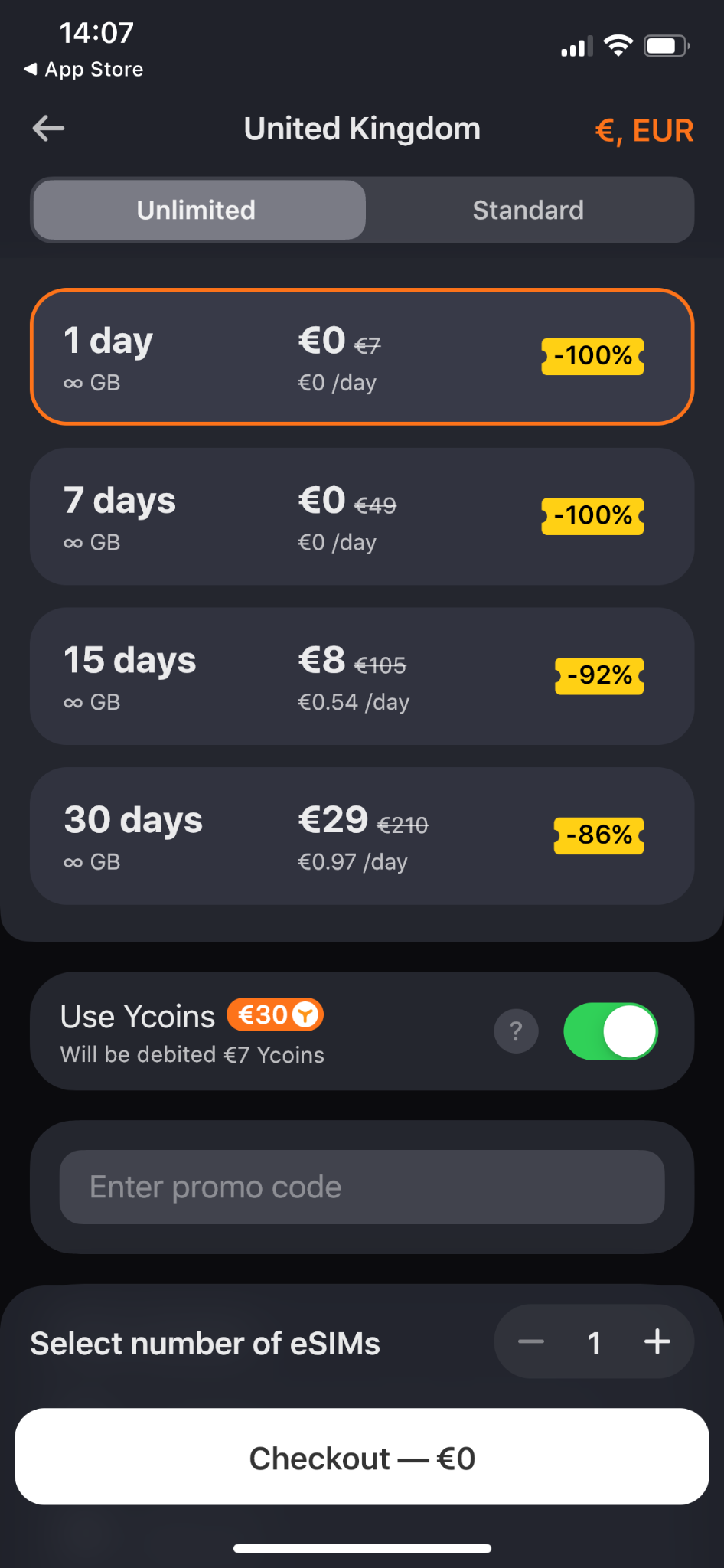
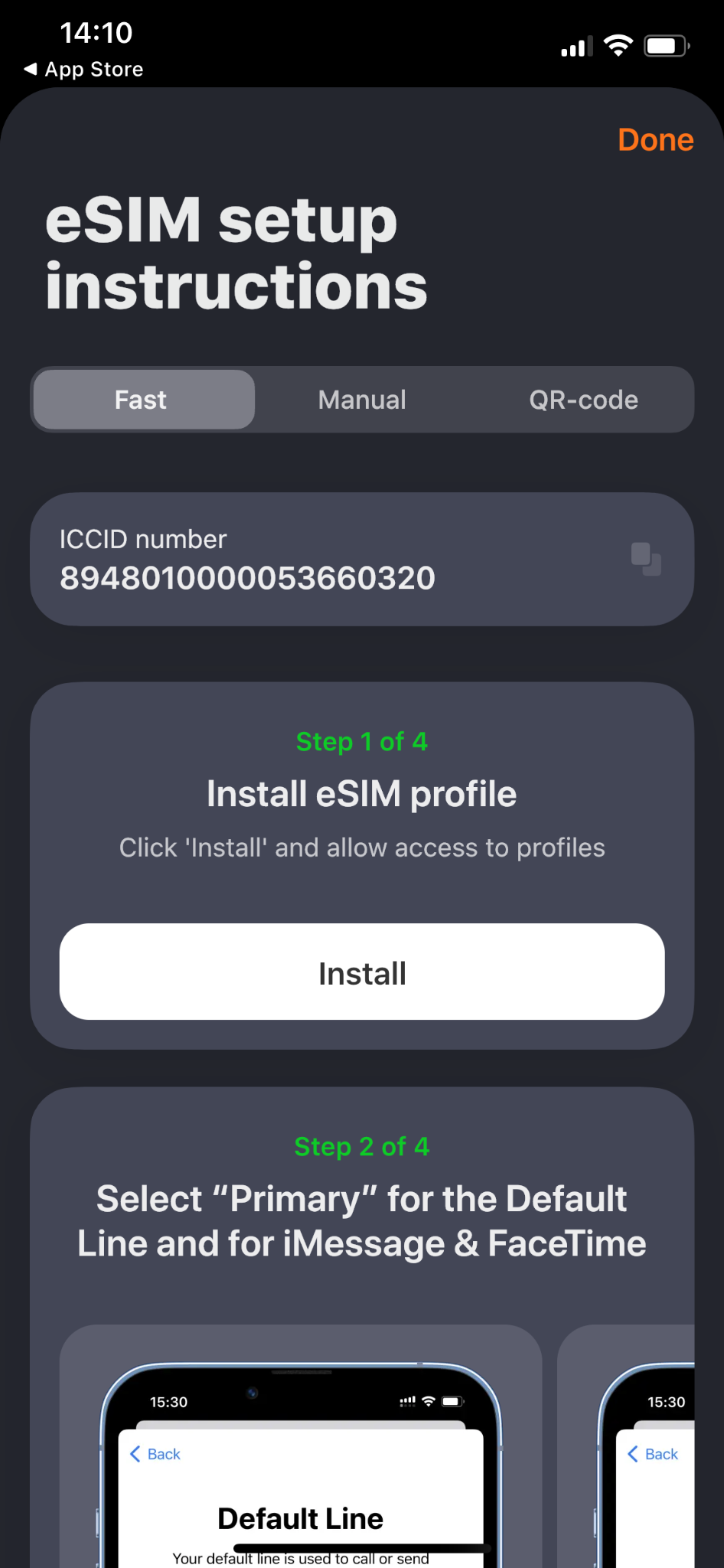
Start by removing the weakest link: your physical SIM. With the Yesim app, you can install an eSIM in under a minute before you even leave home, then land in any of its 200+ supported destinations with instant, secure 5G connectivity. No kiosks, no paperwork, no handing your unlocked phone to a stranger. More importantly, your original SIM never leaves your device, which shuts down the risk of physical theft, SIM swapping attacks, or losing that tiny card mid-trip.
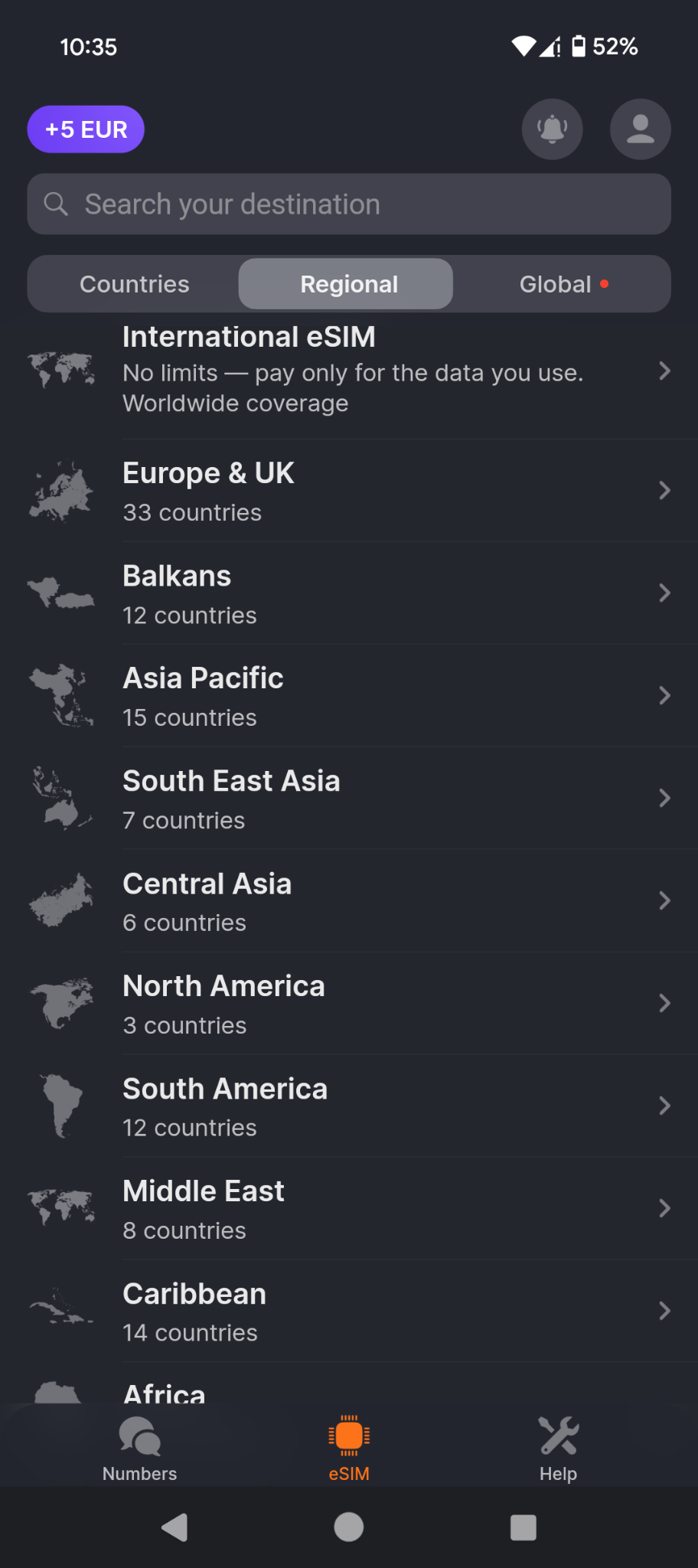
This also means you can skip risky public Wi-Fi entirely and rely on safe data roaming from the moment you land. In a practical travel eSIM vs. physical SIM comparison, the eSIM simply removes entire categories of risk. Add in clear pricing and the ability to activate plans on demand, and it feels less like a convenience and more like essential protection. For the price of a coffee, it’s a layer of travel cybersecurity most people don’t realize they’re missing.
Step 2. Transition to app-based 2FA
Next, cut your reliance on SMS codes. Text-based two-factor authentication is tied to your phone number, which makes it vulnerable to SIM swapping attacks and port-out fraud. These are the exact scenarios travelers face when their number is exposed or transferred. Switch to an authenticator app like Google Authenticator or Authy instead. These apps generate time-based codes directly on your device, so even if someone manages to hijack your SIM or intercept your cellular connection, they still can’t access your accounts without the physical phone in hand.
Setup takes a few minutes per account, but the payoff is there: banking apps, email, and cloud storage become far harder to breach. Pairing app-based 2FA with a secure connection strategy (like using an eSIM instead of a physical SIM) closes off two of the most common attack paths at once. It’s a simple, free upgrade that strengthens your travel security baseline significantly.
Step 3. Never access banking on hotel or cafe Wi-Fi
Draw a hard line for yourself here. Never log into banking apps, payment services, or work accounts over hotel or café Wi‑Fi. It doesn’t matter how reputable the venue looks – fake public Wi‑Fi and evil twin networks are designed to blend in, and you won’t be able to tell the difference. If you need to check your balance, confirm a booking, or access anything sensitive, turn Wi‑Fi off and switch to your cellular connection. Modern LTE and 5G networks use built-in encryption, making them far more resistant to interception than open hotspots.
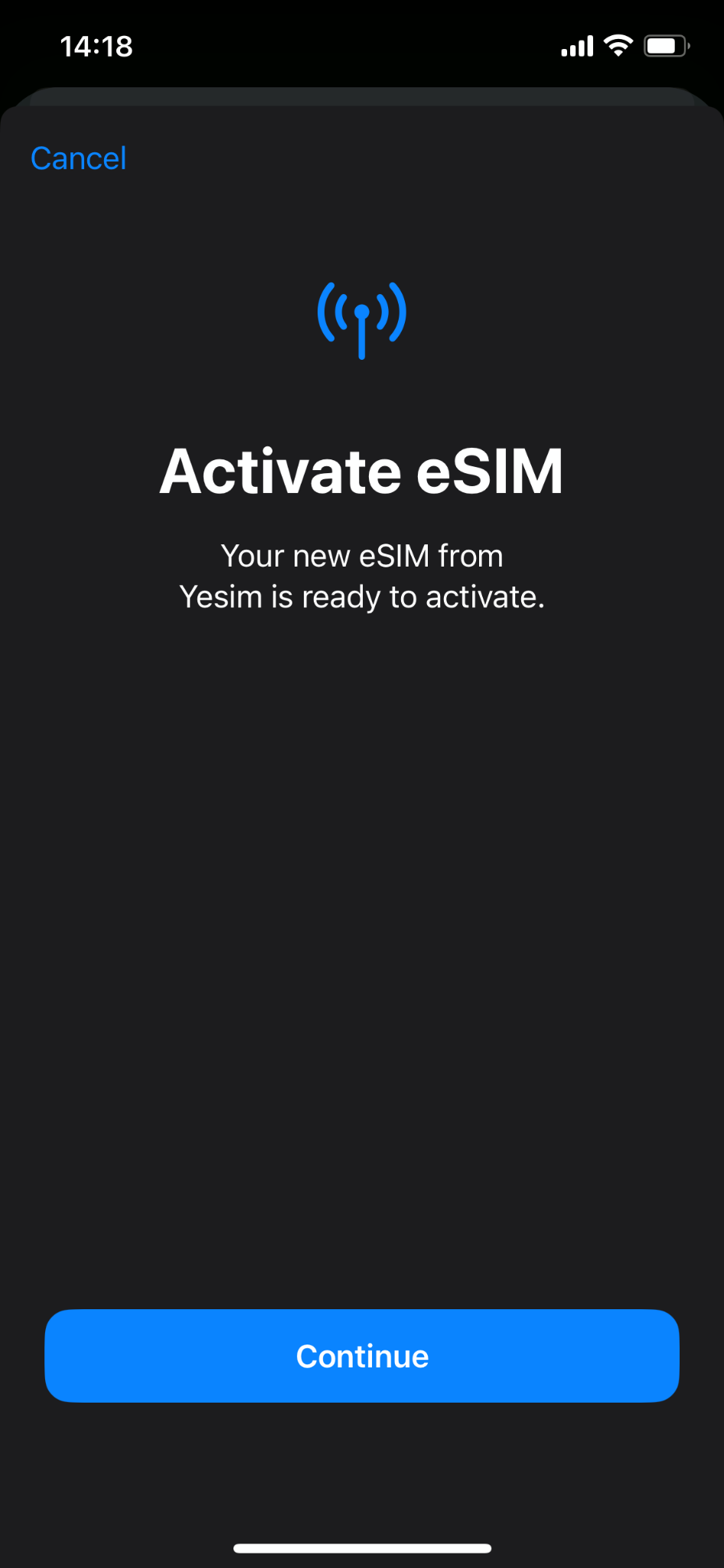
This is where a service like Yesim becomes more than just convenience. In essence, it acts as your private, secure data channel in environments full of untrusted networks. Instead of gambling on shared connections, you’re routing your activity through a controlled, encrypted path that isn’t exposed to everyone in the room. Treat your mobile data as your default for anything important, and leave public Wi‑Fi for low-risk browsing only.
Verdict: travel securely, not fearfully
Staying safe on the road doesn’t mean becoming paranoid. It just means changing your habits to be one step ahead of today’s cyberattacks. The old routine of swapping out your home SIM, connecting to free “guest” Wi‑Fi, and relying on SMS codes leaves too many gaps for cybercriminals to exploit. A prepared traveler takes a different approach: use an authenticator app for account security, treat public networks with caution, and rely on a secure cellular connection instead of whatever signal is closest.
That’s where progressive tools like the Yesim app come in, securing your whole travel experience. You land with instant data, avoid risky kiosks and fake hotspots, and keep your digital identity under your control. If you’re planning a trip, set this up before you go: download Yesim, install your eSIM, and activate a plan about a week before departure. It’s a small step that ensures you arrive connected, protected, and ready to focus on the trip itself.
FAQ
What is SIM swapping, and how does it happen?
SIM swapping is when a hacker tricks your carrier into transferring your phone number to a SIM card they control. This allows them to intercept your 2FA codes and access your bank accounts or other sensitive information.
Is it safe to use hotel Wi-Fi while traveling?
Generally, it is not safe to use hotel Wi-Fi during travel, especially for sensitive data. Hotel networks are prime targets for hackers who set up fake “Evil Twin” networks with the exact same name to steal your data.
How does an eSIM protect me from hackers?
An eSIM, like those provided by Yesim, allows you to keep your primary physical SIM safely locked inside your device. This prevents theft and gives you instant, secure cellular internet upon landing so you can avoid dangerous public Wi-Fi.
Is cellular data safer than public Wi-Fi?
Yes, a cellular data network is safer than public Wi-Fi. Cellular data uses robust encryption protocols managed by telecom providers, making it incredibly difficult for local attackers to intercept your traffic compared to a purely open, unprotected Wi-Fi network.
Can my phone be hacked just by keeping my Wi-Fi turned on?
Yes, your phone can be hacked if it’s set to auto-join networks. In this way, it can automatically connect to a hacker's maliciously spoofed network without you even realizing it. Turn off your Wi-Fi in airports and other high-traffic public hubs.