Best 1Password alternatives in 2026


In this guide, I’ll walk you through the best 1Password alternatives in 2026 based on hands-on testing, personal experience, and in-depth research. Together with our research team, we spent weeks evaluating multiple password managers to identify the strongest options for users who want a different fit from 1Password.
1Password is still a strong password manager, with a polished interface, solid security features, and broad customization options. But it may not suit everyone, especially if you’re looking for a free plan, a lower price, or a simpler way to manage your passwords across devices.
Below, you’ll find a quick review of each pick, plus a side-by-side comparison table to help you see how they stack up against 1Password at a glance.
My top 1Password alternatives in 2026
- NordPass – best 1Password alternative overall
- RoboForm – cheap 1Password alternative with cross-platform support
- Keeper – customizable 1Password alternative with robust dark web monitoring
- Proton Pass – privacy-first 1Password alternative with strong encryption
- Bitwarden – budget-friendly 1Password alternative that’s open source
Why look for a 1Password alternative?
1Password is one of the best password managers. It does most things right, but isn’t without its flaws. While the provider offers robust security features and a smooth user experience, a few disadvantages might make users consider other options. Here are a few flaws I found:
- No free version. 1Password doesn’t offer a free plan, which means users need to commit financially from the start. In contrast, many other password managers provide free versions, allowing potential users to test the service before making a purchase. Many people start by using free password managers and upgrade later if they enjoy using them.
- Expensive. 1Password is one of the most expensive password managers on the market. While it’s a solid password manager, 1Password’s price point is just too high for some people, so they’re looking for cheaper options.
- Limited customer support options. The support options for 1Password can feel inadequate, as it primarily relies on email and chatbot support. Competitors like NordPass offer 24/7 chat and email support, ensuring help is accessible whenever needed.
- Feature preference. 1Password has loads of features that go beyond simple password management. Still, it’s missing certain features that other providers offer, and for some users, that can be a deal breaker.
If you’re weighing your options, these factors may lead you to explore alternatives that provide free plans, more comprehensive customer support, and enhanced sharing capabilities.
Our top 1Password alternatives in 2026 – detailed list
Since 1Password is one of the best password managers overall, finding the perfect alternative to it requires careful consideration. After reviewing 20 providers, I've identified the best options that match 1Password's high standards while addressing some of its limitations.
Let’s explore the top password manager alternatives, focusing on security, features, and usability. Both free and paid options are included, so there’s something for everyone.
1. NordPass – best alternative to 1Password

| Cloud storage: | ✅ Yes, 3GB (with NordLocker app) |
| Free version: | ✅ Yes |
| Browser plugins: | Chrome, Edge, Firefox, Opera, Safari, Brave, Vivaldi |
| Coupons: | NordPass coupon codes |
| Current deal: | Get NordPass, now with 61% OFF |
Based on my hands-on experience, NordPass is the best alternative to 1Password for several reasons. Firstly, our NordPass review showed that it has an excellent free version, which is completely missing from 1Password’s feature list. It also includes a 30-day money-back guarantee, while 1Password only offers a 14-day free trial and no refunds for paid plans.
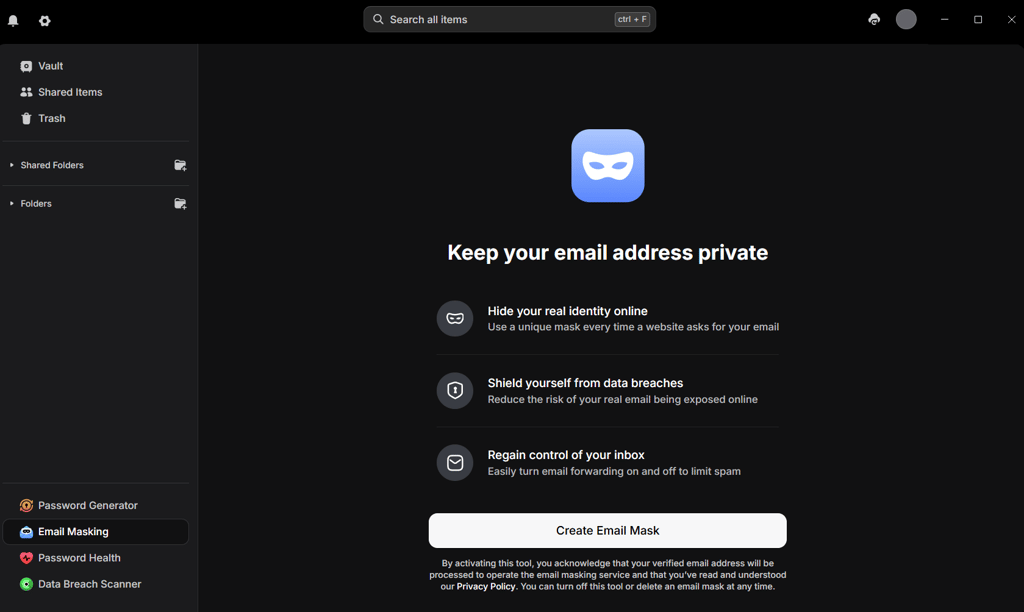
Another reason I prefer NordPass is its feature set. I love the built-in email masking, which helps protect your actual email address without relying on additional services. Its advanced breach scanning provides detailed breach info, including hashed passwords and credit card monitoring, offering a clearer view of your security status.
Moreover, NordPass also offers precise control over shared passwords, letting you set permissions and expiration times for temporary access. Unlike 1Password, where shared access remains until manually revoked, NordPass ensures more flexible and secure sharing, ideal for temporary use by family or friends.
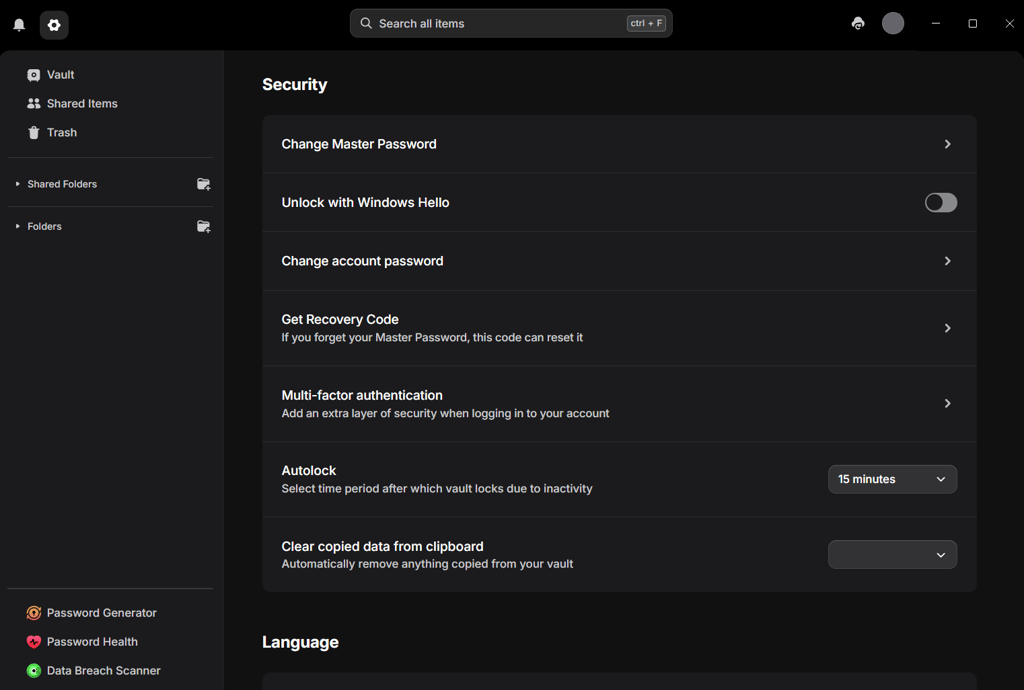
The NordPass interface is considerably more user-friendly than 1Password’s. Where 1Password is slightly clunky and troublesome, I found NordPass is modern, intuitive, and easy to navigate.
Lastly, NordPass is one of the few password managers that uses XChaCha20 encryption instead of the industry-standard AES-256. It’s actually a good thing. XChaCha20 is just as (if not more) secure as AES-256. On top of that, it is faster and more efficient. It’s definitely a plus in my book.
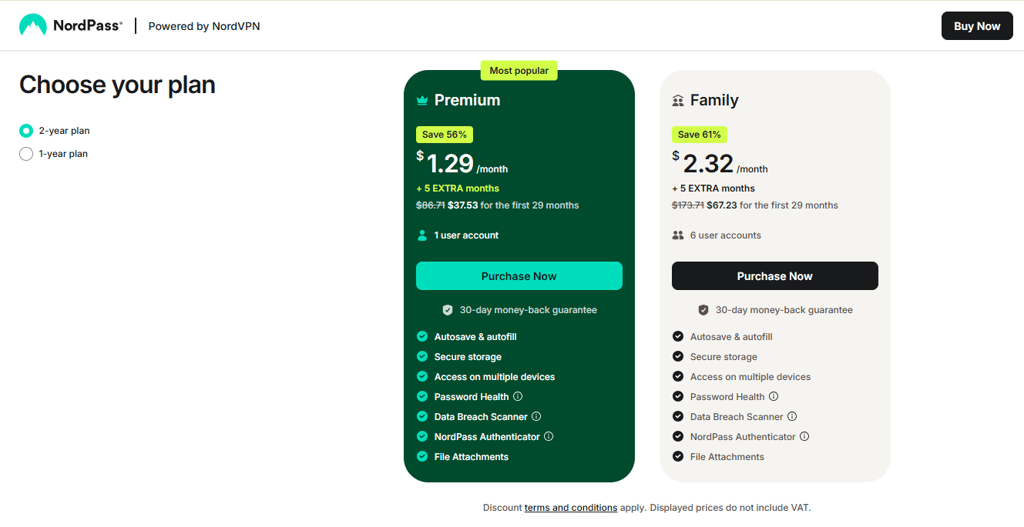
Pricing. You can get NordPass Premium for as little as $1.29/month, cheaper than 1Password’s asking price (from $2.99/month). And don’t forget that you can test the service using the free tier or the lengthy 30-day money-back guarantee.
Check out our full NordPass vs 1Password breakdown, where we compare both providers side by side.
2. RoboForm – budget-friendly alternative to 1Password

| Cloud storage: | ❌ No |
| Free version: | ✅ Yes |
| Browser plugins: | Chrome, Edge, Firefox, Opera |
| Coupons: | RoboForm discount codes |
| Current deal: | Get RoboForm, save up to 60% |
I chose RoboForm as our second alternative to 1Password because it's way cheaper and gets the job done just as well. Besides an excellent free version, its premium tier starts at only $0.99/month, one of the lowest price points in the password manager scene. Meanwhile, 1Password starts at $2.99/month. Plus, paying customers get 24/7 priority live chat support.
Our RoboForm review showed that, despite its low price, RoboForm has everything you need from a password manager. The offerings include Security Centre, Secure Sharing, Emergency Access, unlimited logins, and cloud backup. I was impressed to find local-only mode among RoboForm's features, which disables synchronization and only stores passwords on your device. Moreover, the strong password generator, standard among all password management solutions, has a staggering 512-character limit.
Overall, the autofill worked pretty well, with a few hiccups here or there, but that happens with every password manager. Based on my experience, I think it offers a great price-to-value ratio for basic password management needs.
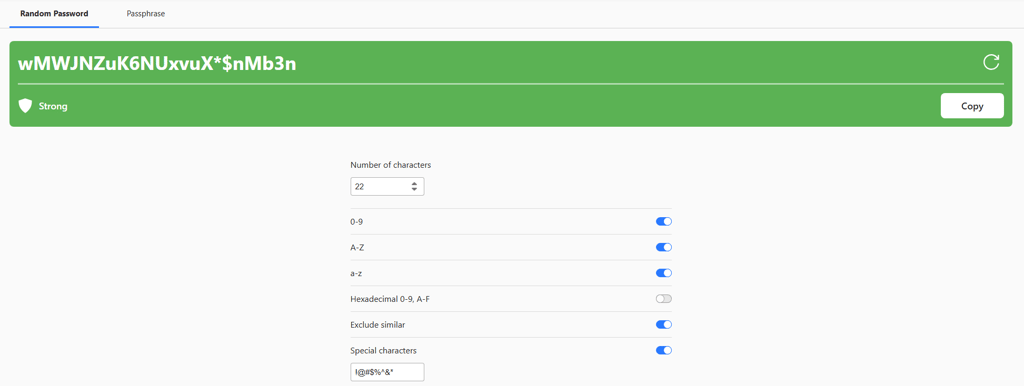
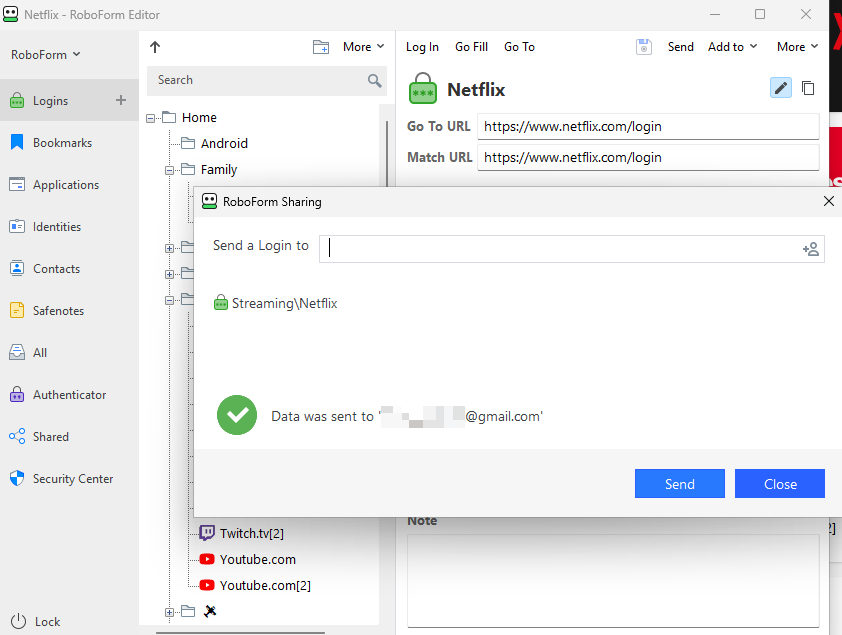
What I don’t like about RoboForm. RoboForm’s interface hasn’t changed much over the years, making it appear outdated compared to other 1Password alternatives. Still, it’s functional and gets the job done. Another unsurprising drawback is that free users don’t get 24/7 live chat support.
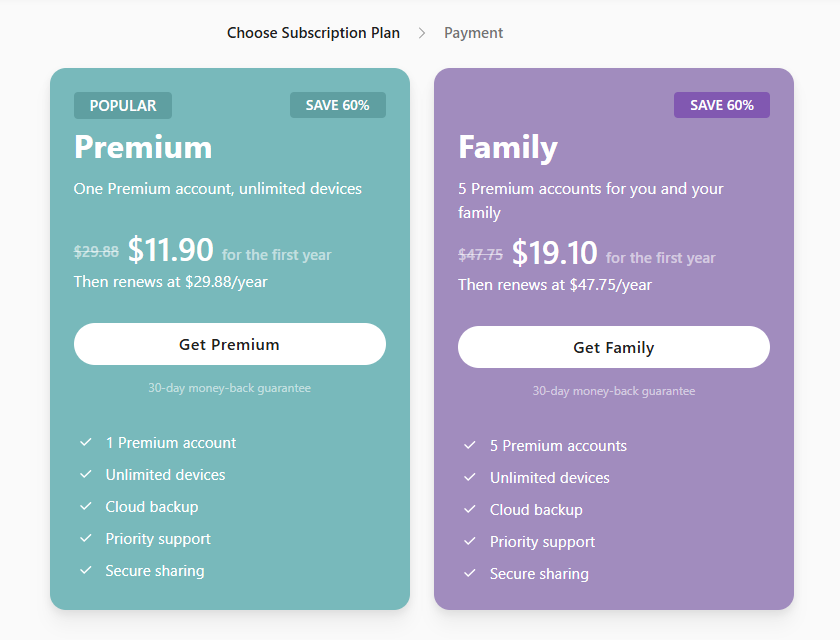
Pricing. Roboform premium plan costs $0.99/month and supports unlimited passwords for a single user. Meanwhile, the family plan, which supports up to 5 accounts, costs merely $1.59/month, which is still cheaper than 1Password’s starting price.
Compare these two providers side by side in our comprehensive RoboForm vs 1Password breakdown.
3. Keeper – highly customizable 1Password alternative with strong dark web monitoring

| Cloud storage: | ✅ Yes, 5GB |
| Free version: | ✅ Yes |
| Browser plugins: | Chrome, Firefox, Safari, Opera, Edge, Brave |
| Coupons: | Keeper coupon codes |
| Current deal: | Limited-Time offer! Get 50% OFF Keeper Personal and Family plans |
Keeper is a strong alternative to 1Password because it’s highly customizable and just as easy to use. If you like 1Password’s customizability, such as being able to create vaults and assign custom icons, tags, and fields, Keeper won’t disappoint.
Similar to 1Password, Keeper lets you create custom folders and assign records to said folders. I like it because it makes sharing multiple items so much easier. In addition, you can set up custom fields when creating records, allowing you to store the exact information you need.
Just like 1Password, Keeper has over 20 categories to choose from, including logins, payment details, contact information, address, bank account, ID, driver’s license, and many more. You can also use the general template to create your own.
Keeper is also a great choice if you’re looking for an excellent business password manager that has been thoroughly audited and complies with various certifications. More precisely, Keeper supports RBAC, 2FA, FIPS 140-2 encryption, HIPAA, FINRA, SOC, ITAR, and more.
Unlike 1Password, Keeper offers far more two-factor authentication methods, including SMS, Google, Microsoft Authenticator (TOTP), and YubiKey, while 1Password relies on Secret Key and standard 2FA. Moreover, Keeper allows sharing vault items with users who don’t have a Keeper account, a feature that’s absent from 1Password and even NordPass.
Another unique feature is KeeperChat. It’s a secure alternative to conventional messaging apps like Facebook Messenger. KeeperChat is end-to-end encrypted and supports self-destructing messages.
Our Keeper review revealed that ease of use is definitely one of its standout features. From its desktop and mobile apps to extensions, it’s clear that Keeper prioritizes simplicity, modern design, and usability. And, if you need urgent help, Keeper has 24/7 live chat support.
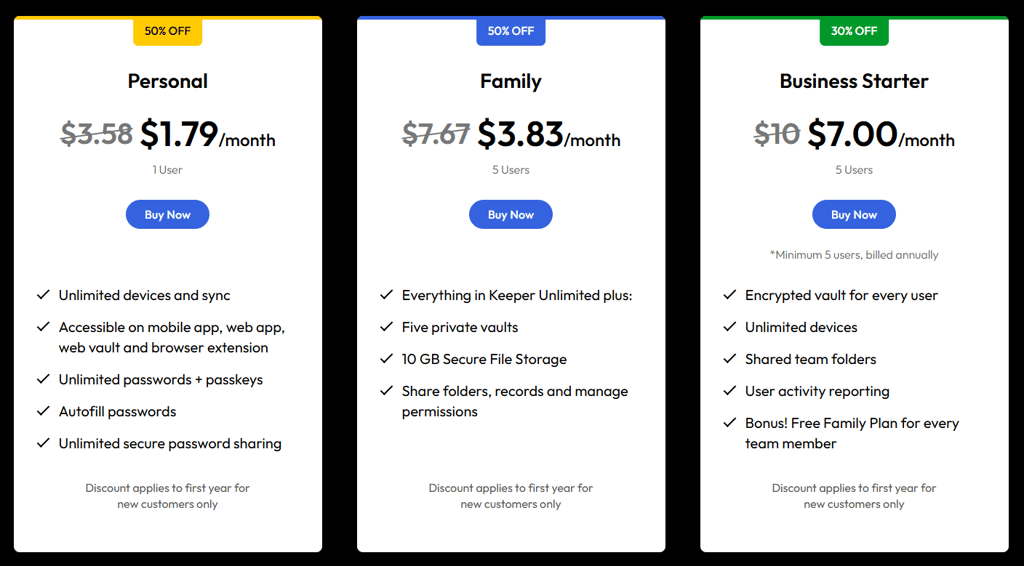
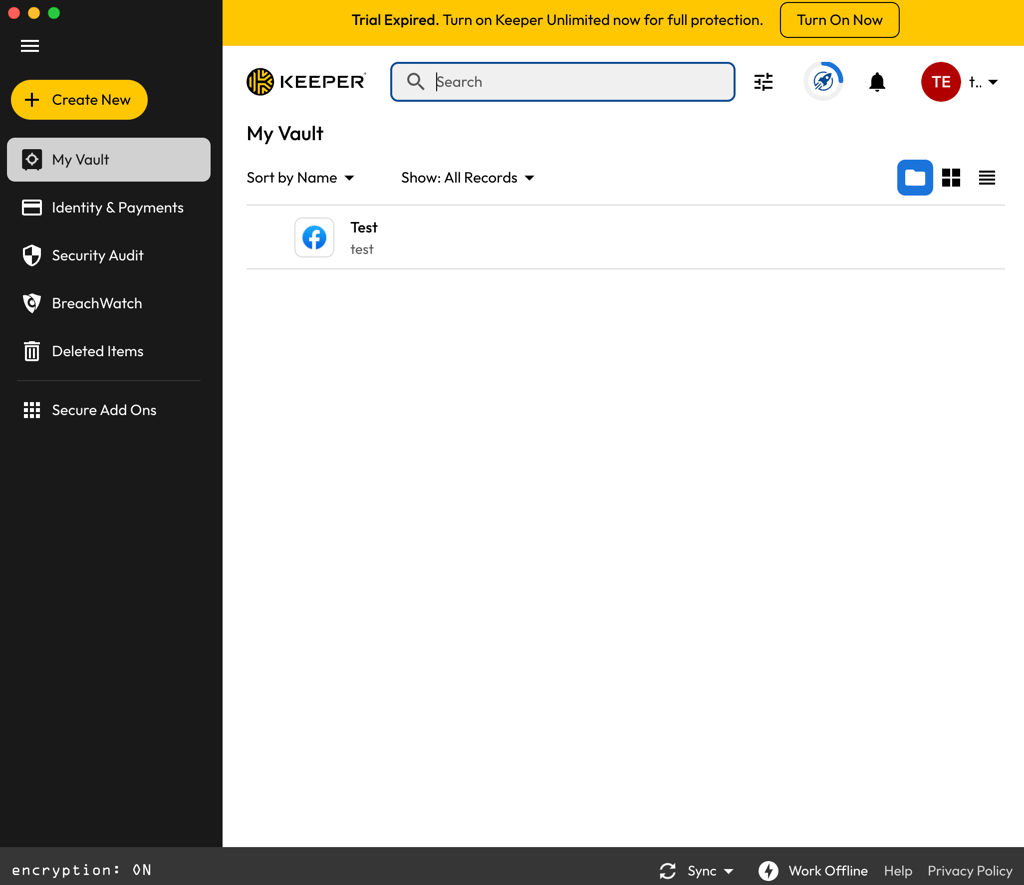
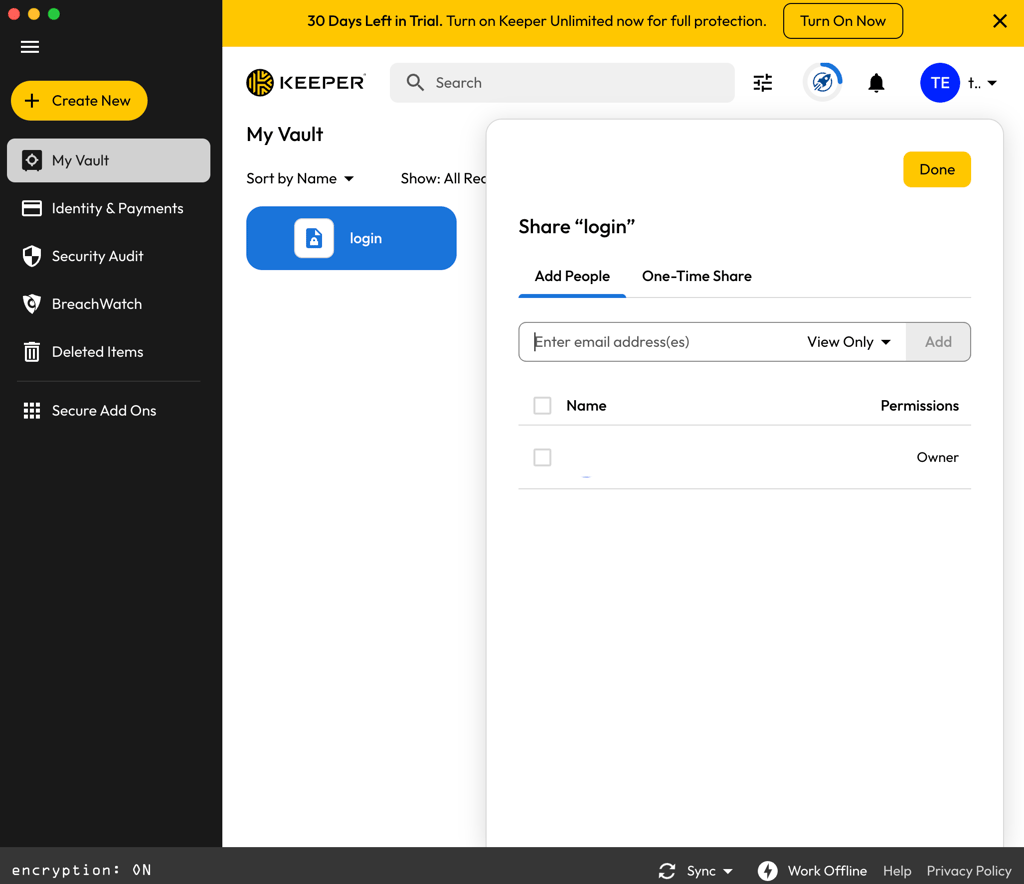
What I don’t like about Keeper. Although Keeper does offer a free version and wins against 1Password, it is much more limited compared to NordPass Free. Keeper’s free plan is restricted to one mobile device and 10 records, while NordPass’ free version offers unlimited password storage, autofill, and syncing on one active device. That means Keeper is fine for very basic use, but users who want more flexibility without paying will likely find NordPass more practical.
Pricing. Keeper’s budget-friendly pricing starts at only $1.79/month. It’s basically in the same pricing category as NordPass, making Keeper also cheaper than 1Password.
Check out our Keeper vs 1Password breakdown and compare them side by side.
4. Proton Pass – privacy-focused 1Password alternative with robust encryption

| Cloud storage: | ✅ Yes, from 10GB |
| Free version: | ✅ Yes |
| Browser plugins: | Chrome, Firefox, Safari, Edge, Opera |
| Coupons: | Password manager coupons |
| Current deal: | Get ProtonPass, now up to 50% OFF! |
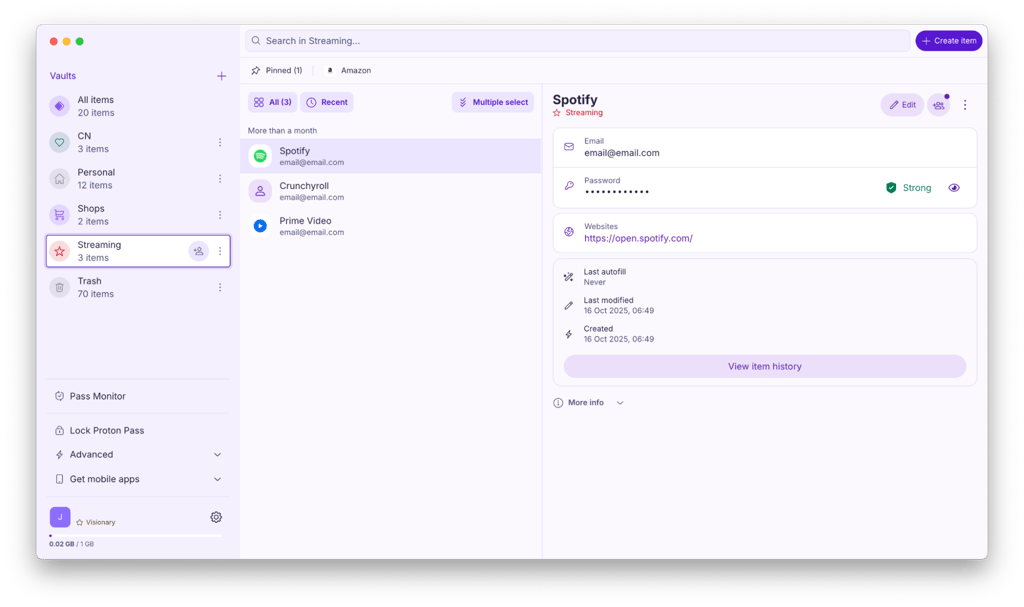
Proton Pass offers powerful end-to-end encryption, an open-source security foundation, and a clean, user-friendly interface that makes managing your passwords a breeze. It’s slightly more expensive than 1Password but has many unique functionalities, especially for privacy-conscious users.
I recommend Proton Pass if you’re looking for a free password manager that’s similar to 1Password. Proton Pass offers key security features even on its free tier, making it a great choice if you're looking for strong protection without any upfront cost. One feature that stood out in our Proton Pass review was Proton Sentinel, an added layer of security that protects your account even if your credentials are compromised.
Unlike 1Password, Proton Pass is open source, so its code is available for public review – a practice that users recognize as important for building trust and transparency. The app features a clean design and operates seamlessly on both desktop and mobile devices. The interface is intuitive, making it easy to manage and access your passwords. Plus, its help center and community forums are helpful when you need support.
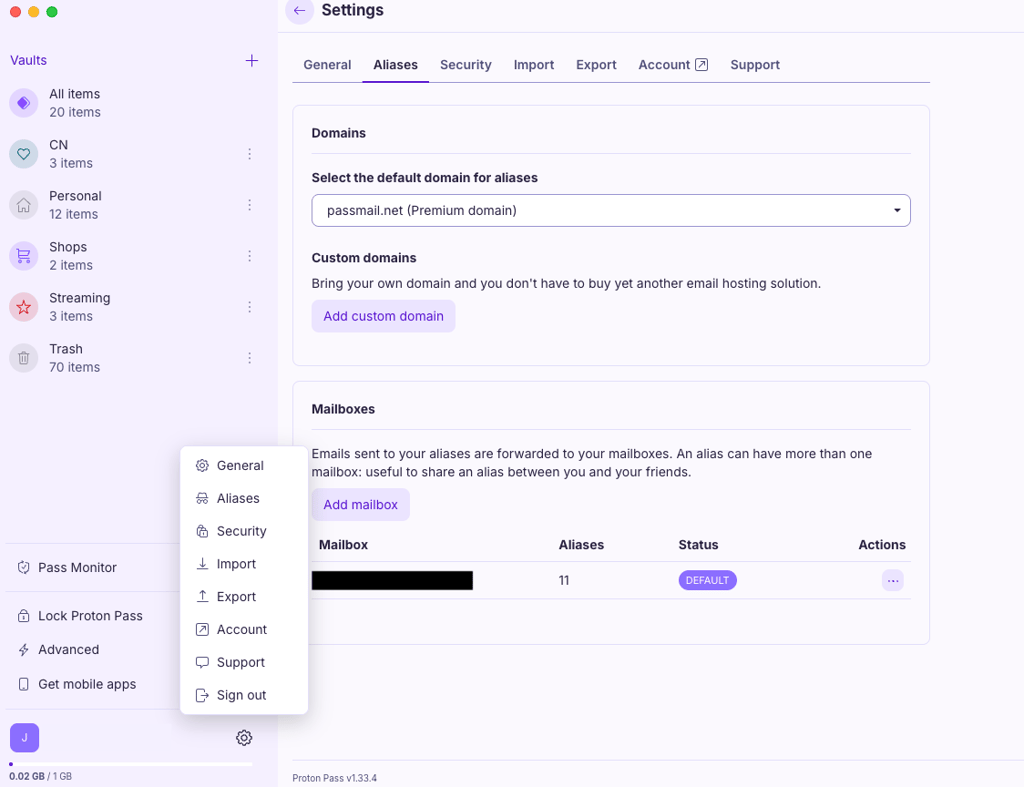
What I don’t like about Proton Pass. The free tier is appealing, but its integrations are mainly limited to the Proton ecosystem, which may restrict compatibility with other third-party services.
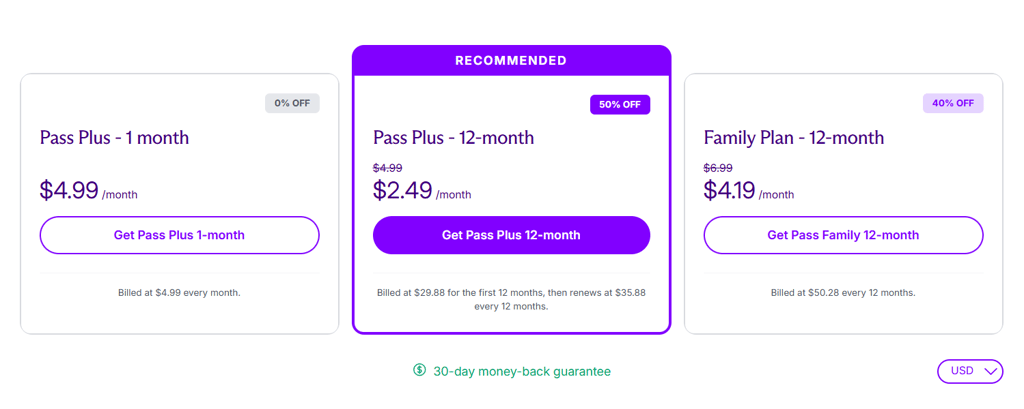
Pricing. Proton Pass pricing starts at $2.49/month and is a good alternative to 1Password with a 30-day money-back guarantee. While it lacks the extensive functionality of premium options like NordPass, it remains a solid choice for secure password management.
For a side-by-side look, read our in-depth Proton Pass vs 1Password comparison.
5. Bitwarden - cheap and open-source 1Password alternative

| Cloud storage: | ✅ Yes, 5GB |
| Free version: | ✅ Yes |
| Browser plugins: | Chrome, Firefox, Edge, Opera, Safari, Vivaldi, Brave, Tor, DuckDuckGo |
| Coupons: | Password manager coupons |
| Current deal: | Get Bitwarden for just $1.65/month |
Bitwarden is an excellent alternative to 1Password if you’re looking for a budget-friendly and open-source password manager. It’s just as secure as 1Password but is cheaper and is built on open source, so you can review the code behind the platform at any time. It’s great for anyone who’s particularly concerned about security or privacy, as the platform is super transparent about its security measures.
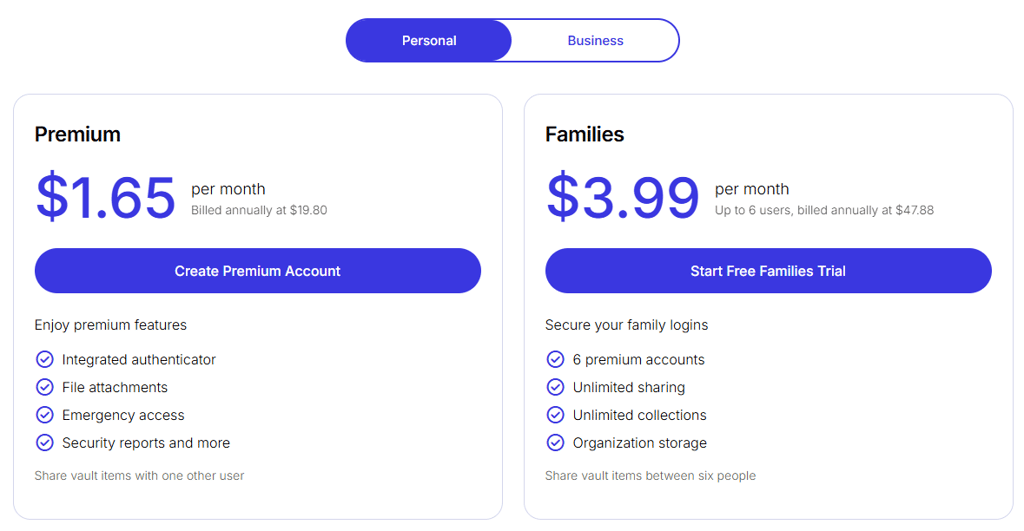
I noticed that Bitwarden is always recommended among users as one of the best free password managers, and I completely agree. Bitwarden makes a great option for basic password management needs (secure storage, autofill, password generator) at no cost. Upgrading is only necessary if you want advanced features like file attachments and data breach monitoring.
Read our Bitwarden review to find out more about its premium features.
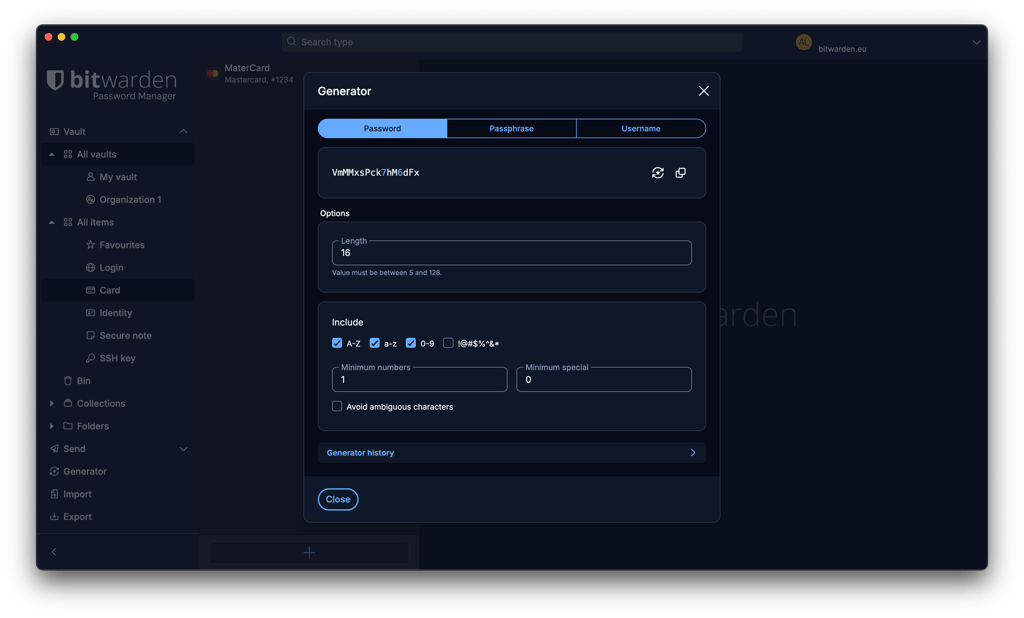
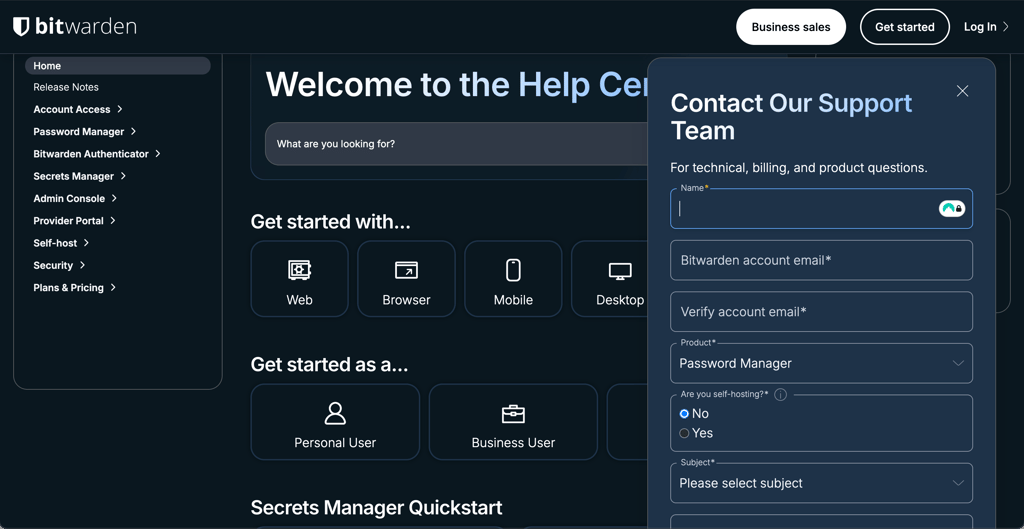
What I don’t like about Bitwarden. The main downside is the interface, which is nowhere near as user-friendly as 1Password’s, let alone NordPass’. Bitwarden’s apps and browser extensions look clean, but can be confusing even for those who have used password managers in the past. So, I wouldn’t recommend it for beginners or those less tech-savvy. If usability is an important factor, you’d be better off with NordPass or Proton Pass.
Pricing. Bitwarden is one of the cheapest password managers on the market. Starting at just $1.65/month, its premium plans are almost as cheap as NordPass’.
Check out our Bitwarden vs 1Password review and compare these password managers side by side.
6. Dashlane - 1Password alternative with a VPN included

| Cloud storage: | ✅ Yes, 1GB |
| Free version: | ❌ No, only a 14-day free trial |
| Browser plugins: | Chrome, Safari, Firefox, Edge, Brave, Opera, Vivaldi |
| Coupons: | Dashlane coupon codes |
| Current deal: | Get Dashlane, save up to 25% |
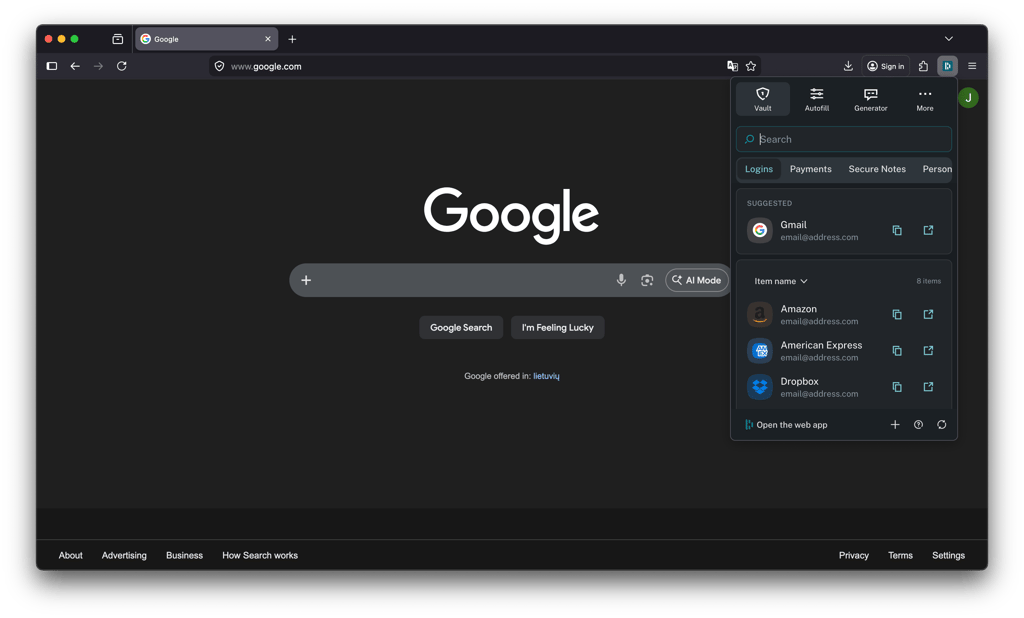
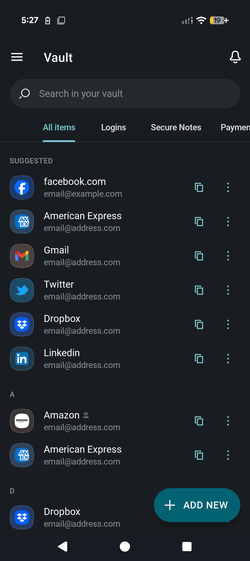
Dashlane is a solid alternative to 1Password for those who like 1Password’s polished look. It includes both basic and advanced password management features such as password health monitor, security audit, secure sharing, and form filling, all of which are comfortable to use.
I like Dashlane because it feels super smooth, no matter what you’re doing. During testing, I had no issues with its autofill feature and was able to log in with one click on most websites and apps.
However, Dashlane is a web-based password manager, which is both good and bad. Good because its interface on the web app is more polished and refined, bad because you don’t get a desktop app, which can be a dealbreaker for some.
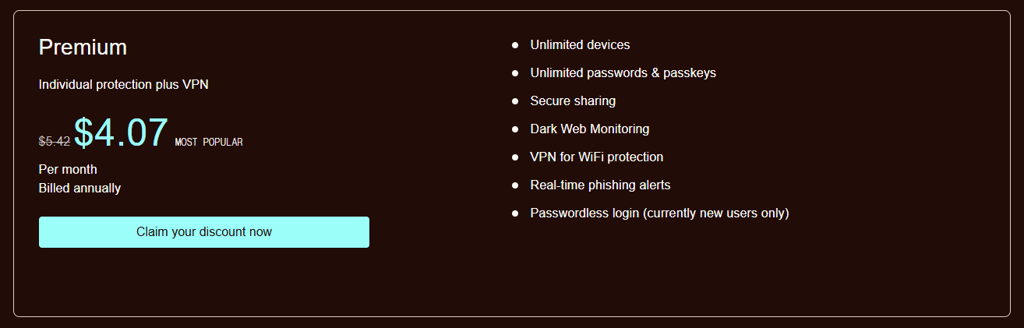
Its standout feature is a VPN, which is included in all plans. Dashlane provides access to Hotspot Shield VPN, which is a decent VPN, but I wouldn’t recommend it if you need a VPN for streaming. During our in-house tests, Hotspot Shield VPN wasn’t able to unblock a lot of geo-restricted content, which is the main reason why many people use a VPN in the first place.
Learn more about our testing in our comprehensive Dashlane review.
What I don’t like about Dashlane. The main downside of Dashlane is that it doesn’t offer a great price-to-value ratio like 1Password or even NordPass. It’s one of the most expensive password managers on the market, yet its feature set is not as expansive as NordPass or Keeper, both of which are significantly cheaper. While it does offer one unique feature, a VPN, I wasn’t too impressed with its capabilities, and would recommend getting a standalone service if a VPN is what you’re also looking for. What’s more, Dashlane used to offer a free version, but removed it on September 16th, 2025, which is quite disappointing, even if it was limited.
Pricing. Dashlane’s Premium plan starts at $4.06/month, which is quite steep, and is way more expensive than 1Password. So, if you’re looking for a 1Password alternative because it’s too pricey, Dashlane is not the right choice. But if price is not a problem, Dashlane can make a great alternative to 1Password.
Read our Dashlane vs 1Password comparison and see how these password managers weigh up side by side.
7. LastPass – versatile 1Password alternative

| Cloud storage: | ✅ Yes, 1GB |
| Free version: | ✅ Yes |
| Browser plugins: | Chrome, Firefox, Opera, Safari, Edge |
| Coupons: | LastPass coupon codes |
| Current deal: | Get LastPass for just $3.00/month |
LastPass serves as a strong alternative to 1Password, providing similar core functionalities with different pricing and security approaches.
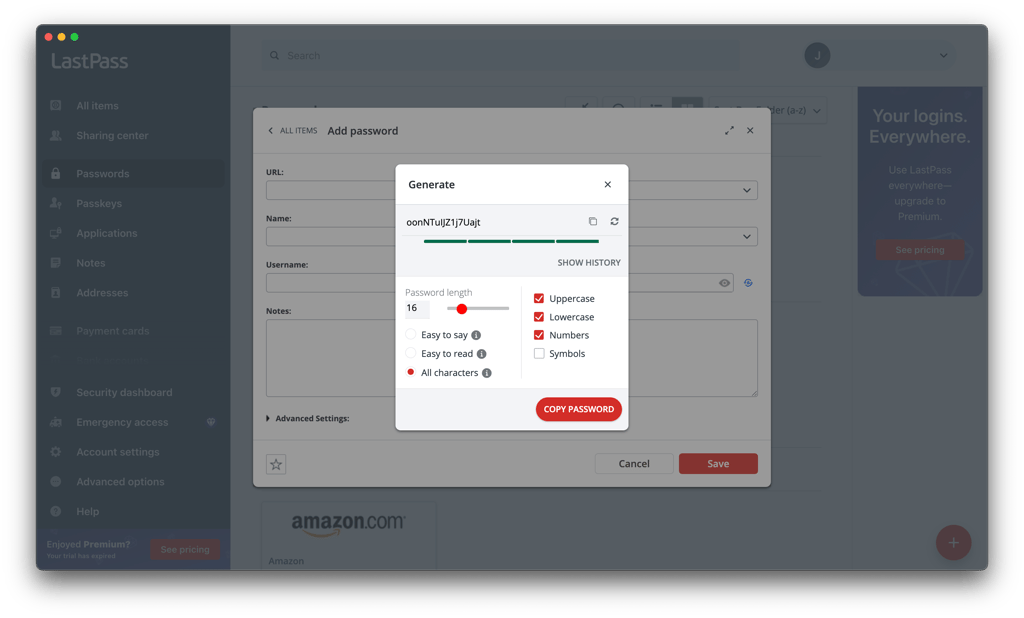
I like that LastPass’ free version provides essential password management features, while premium plans offer added benefits like dark web monitoring and a comprehensive security dashboard. A wide range of multi-factor authentication methods and seamless browser integration further enhance its practicality.
As mentioned in our LastPass review, it allows you to designate a trusted contact who can request access to your vault if something unexpected happens. You set a waiting period, and if you don’t deny the request in time, they get access, making it a rare but truly helpful feature.
It also provides one-time passwords (OTPs) for logging in on untrusted devices without entering your master password. If you’re worried about keyloggers or public computers, this adds a solid extra layer of security that 1Password lacks.
Additionally, unlike 1Password, LastPass offers a free version with basic password management features, making it accessible to users who may not be ready to invest in a paid service.
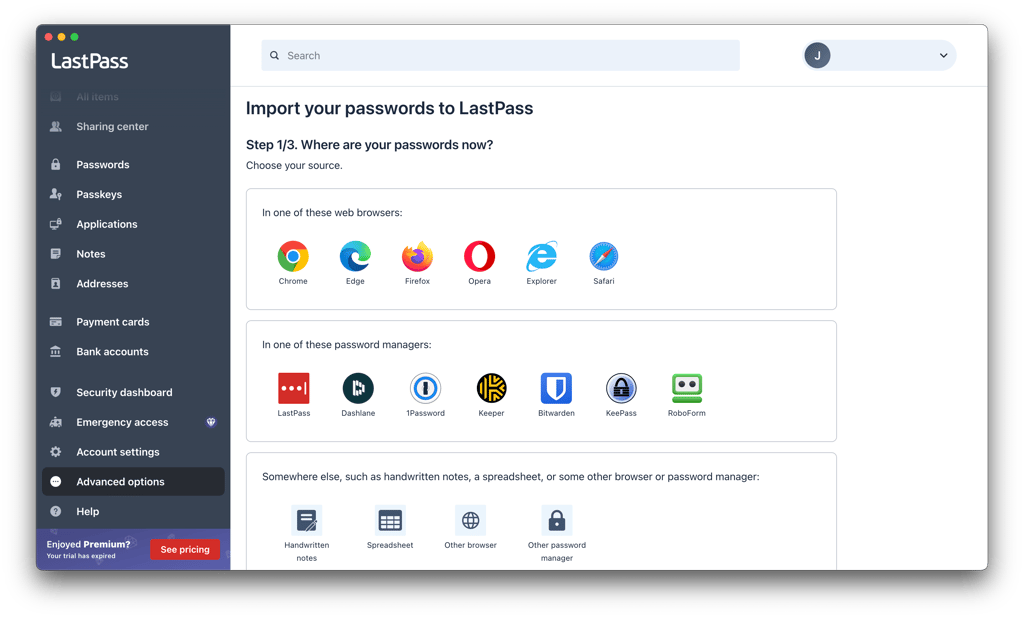
What I don’t like about LastPass. While the free version is excellent, it’s limited to one device, which I find to be inconvenient for users who want to sync across multiple devices. Additionally, the service has had some security incidents, most notably the 2022 LastPass data breach that compromised sensitive user information.
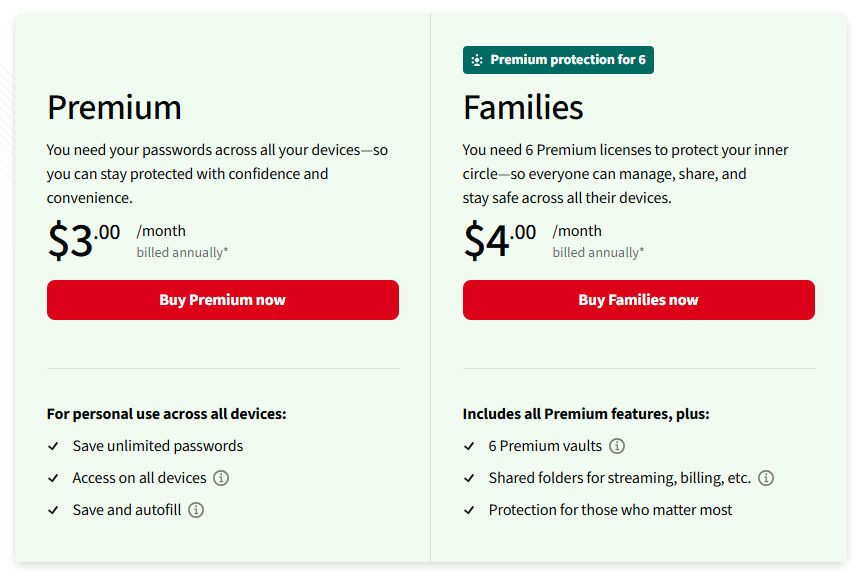
Pricing. LastPass Premium costs $3.00/month (billed annually) and comes with a 30-day free trial, allowing you to test its features before committing. However, unlike some competitors, it does not offer a money-back guarantee, so there are no refunds once you subscribe.
Learn more about LastPass and how it compares to 1Password in our comprehensive LastPass vs 1Password review.
1Password alternatives compared
| Brand | Rating | Free version | Advanced encryption | Multi-factor authentication | Unlimited password storage | Customer support |
| NordPass | ✅ Yes | XChaCha20 | ✅ Yes | ✅ Yes | 24/7 live chat support for all users, including free accounts | |
| RoboForm | ✅ Yes | AES-256 | Only in paid plans | ✅ Yes | Email support and an extensive knowledge base | |
| Keeper | ✅ Yes | AES-256 | ✅ Yes | ✅ Yes | 24/7 customer support through live chat and email | |
| Proton Pass | ✅ Yes | AES-256 | ✅ Yes | ✅ Yes | Email support and an extensive knowledge base | |
| Bitwarden | ✅ Yes | AES-256 | ✅ Yes | ✅ Yes | Email support, knowledge base, community forums | |
| Dashlane | ❌ No | AES-256 | ✅ Yes | ✅ Yes | 24/7 live chat, email support, phone line, and knowledge base | |
| LastPass | ✅ Yes | AES-256 | ✅ Yes | ✅ Yes | Limited (live chat for paid users only) |

All things considered, NordPass stands out as the top alternative to 1Password. It offers advanced XChaCha20 encryption across both free and paid plans, unlike other providers on this list that rely on the standard 256-bit AES encryption. NordPass also offers 24/7 live chat support for all users.
Best free 1Password alternative
NordPass is the best free alternative to 1Password. It excels in security, going beyond the typical 256-bit AES encryption by implementing the cutting-edge XChaCha20 protocol for both free and paid users. It also supports a wide range of MFA options.
The free plan is packed with essential features, including unlimited password storage, password importing, password health audits, and autofill functionality. You also get a 30-day free trial of the Premium plan to explore additional features.
With its combination of advanced security, robust features, and ease of use, NordPass is the best free password manager for individual users.
1Password business alternatives
NordPass is the best alternative to 1Password for businesses. It's significantly more affordable than 1Password's entry tier. While both platforms provide essential tools like encrypted sharing and breach alerts, NordPass includes free TOTP authentication and simpler team management.
NordPass also offers automated SCIM provisioning for faster onboarding, matching 1Password's cross-platform support and zero-knowledge security. This makes it ideal for small-to-mid-size businesses seeking enterprise-grade protection without the complexity. With automated migration tools and similar uptime, NordPass is an outstanding choice for teams transitioning from 1Password. For a detailed look at the top alternatives, we’ve compiled a list of the best business password managers in 2026.
How to export passwords from 1Password
If you’ve found a good 1Password alternative but are concerned about the migration process, don’t worry – it’s simple. Exporting your passwords from 1Password is straightforward. Just follow these steps:
- Open and sign in to your 1Password application
- Go to File > Export and select the account you wish to export
-
Enter your account password, choose either 1PUX or CSV format for the export, and click Export Data

- Select the file name and location, then click Save
- Open and sign in to your 1Password application
-
Click the three dots icon in the top sidebar, select Export, and choose the account to export

- Enter your account password, select 1PUX or CSV format, and click Export Data
- Choose the file name and location, then click Open
Best 1Password alternative: final verdict
While 1Password remains one of our top-rated password managers, it may not be the right choice for everyone. Based on my hands-on testing, NordPass is the best 1Password alternative for most users. It offers a polished app, strong password management features, and security tools such as password health monitoring and data breach scanning. NordPass also offers a free plan, while 1Password requires a paid subscription after its trial period.
If you’re looking for a more affordable password manager, RoboForm is another strong option. It combines a low-cost premium plan with convenient autofill, password storage, password auditing, and cross-platform support.
FAQ
Is there anything better than 1Password?
Yes, NordPass is the best alternative to 1Password. It boasts superior encryption, more robust features, a user-friendly interface, and more accessible customer support. Plus, it offers a free plan, making it an excellent choice for anyone looking to switch cost-free
What is the best business alternative to 1Password?
NordPass is an excellent business alternative to 1Password, offering team-specific features like centralized user management, SSO integration, shared folders, and advanced security tools like the Data Breach Scanner. Plans start at $3.59/month, with scalable options for growing teams.
What is the best free alternative to 1Password?
NordPass is the best free 1Password alternative. With its free version, you can store unlimited passwords, passkeys, and credit card information. You also get to enjoy full autofill and autosave functions. The downside is that you can only have the free version on one account. Fortunately, if you ever need to upgrade, the prices start from just $1.29/month.