Proton Pass vs Dashlane comparison (2026)


-
Proton Pass is the better choice for users who want an affordable, privacy-focused password manager with a generous free plan.
-
Dashlane is the stronger choice for users who want a premium password manager with built-in security extras and a more polished user experience.
Password managers have become essential tools for protecting online accounts. In this Proton Pass vs Dashlane 2026 comparison, I tested both password managers to see how they compare in security, features, pricing, ease of use, and overall value.
Proton Pass focuses on affordability, open-source development, and privacy features such as hide-my-email aliases. Dashlane, on the other hand, focuses on combining password security with additional protection tools, such as phishing alerts and a built-in Hotspot Shield VPN.
Keep reading for a full breakdown of the two providers to help you choose the better option.
What are the key differences between Proton Pass and Dashlane?
After testing Proton Pass and Dashlane side by side, I found that both password managers offer strong core features but target different types of users. Dashlane focuses on a more complete cybersecurity experience, while Proton Pass stands out for privacy, transparency, and value. Here is a quick overview:
| Proton Pass | Dashlane | |
| Pricing | From $2.49/month | From $4.06/month |
| Main purpose | Privacy-focused password manager with end-to-end encryption | Premium password manager with built-in security tools |
| Storage options | Unlimited passwords, passkeys, payment cards, notes, identities, and hide-my-email aliases | Unlimited passwords, passkeys, payment details, IDs, secure notes, and encrypted file storage |
| Standout tools | Hide-my-email aliases, Pass Monitor, Proton Sentinel, integrated 2FA authenticator, dark web monitoring | Password Health, Dark Web Monitoring, Hotspot Shield VPN, phishing alerts |
| Desktop apps | Windows, macOS, and Linux | Web-based desktop apps |
| Browser extensions | Chrome, Firefox, Edge, Brave, and Safari | Chrome, Firefox, Edge, Safari, Brave, and Opera |
| Free version | ✅ Yes | ❌ No (14-day trial) |
| Best for | Privacy-focused users looking for secure, open-source, and affordable password management | Users who want advanced password security with extra protection tools |

Pricing: winner – Proton Pass
Proton Pass wins in the pricing category because it not only costs less than Dashlane but also offers one of the best free password manager plans, unlike Dashlane Premium, which only offers a 14-day free trial. Here is how Dashlane and Proton Pass compare in pricing:
| Proton Pass | Dashlane | |
| Personal plan | $2.49/month | $4.06/month |
| Family option | $4.19/month, with up to 6 users | $8.12/month, with up to 10 users |
| Free plan | ✅ Yes | ❌ No, only 14-day trial |
| Money-back guarantee | ✅ Yes, 30 days | ✅ Yes, 30 days |
For individual users, Proton Pass Plus is cheaper, starting at $2.49/month when billed annually, compared to Dashlane’s starting price of $4.06/month. If you prefer not to commit to an annual subscription, Proton Pass also offers a monthly plan for $4.99/month. I prefer this flexibility, as it allows you to explore Proton Pass without committing to a long-term subscription, whereas Dashlane only offers annual billing.
One thing I like about Dashlane is that it offers a 14-day free trial that doesn’t require payment or credit card details upfront. After the trial ends, you’ll need to purchase an annual subscription to continue using the service. Proton Pass doesn’t offer a free trial because it offers a free plan for an unlimited time. Both providers include a 30-day money-back guarantee, so you can try both services with little risk.
Another advantage of Proton Pass is that it’s available as part of Proton Unlimited, which starts at $9.99/month. It includes Proton Mail, Proton Drive, Proton Calendar, Proton VPN, and Proton Wallet under a single subscription. I have used the Proton ecosystem for a while now and find it convenient to manage multiple tools from the same account. So if you already use any of Proton’s services or plan to, Proton Unlimited can offer better overall value than paying for each product separately.
Dashlane comes with additional security tools, such as a Hotspot Shield VPN, real-time phishing alerts, and Dark Web Monitoring. During my testing, these extra features made Dashlane feel more like an advanced cybersecurity package rather than only a password manager, so it’s a better choice if you want a bundle with more protection. Like Dashlane, Proton Pass also includes Dark Web Monitoring, but the rest of the Pass Plus plan can feel a bit thin. It's the Unlimited plan where the bundled features actually overtake Dashlane's, but the price jump is quite significant.
If you’re looking for a family password manager, Proton Family is the more affordable option at $4.19/month for up to 6 users, while Dashlane Friends & Family costs $8.12/month for up to 10 users.
Both plans give each member the full benefits of an individual subscription, but Proton Pass also includes a shared family vault alongside individual vaults, making it easier to organize and share passwords across the household. Dashlane gives each member their own vault and supports password sharing, but it doesn't include a shared family vault. Overall, Proton Pass offers better value and more flexible sharing for most families, while Dashlane may be the better fit for larger households that need support for up to 10 users.
Free version: winner – Proton Pass
Proton Pass is the clear winner if you’re looking for a free plan, as Dashlane discontinued its free tier in 2025. Proton Pass offers a generous free experience, with unlimited password storage, device syncing, and core security features included at no cost.
Below is a comparison of these providers and their free version offers.
| Proton Pass Free | Dashlane | |
| Free plan | ✅ Yes | ❌ No |
| Free trial | ❌ No | ✅ 14 days |
| Password storage | Unlimited | Unlimited during trial |
| Device support | Unlimited | Unlimited during trial |
| Passkeys | ✅ Yes | ✅ Yes (trial) |
| Password generator | ✅ Yes | ✅ Yes (trial) |
| Password health alerts | ✅ Yes | ✅ Yes (trial) |
| Hide-my-email aliases | ✅ 10 aliases | ❌ No |
| Dark Web Monitoring | ❌ No | ✅ Yes (trial) |
Even without paying for Proton Pass, you get unlimited logins, notes, and credit cards, unlimited device syncing, desktop and mobile apps, passkey support, password health alerts, easy password importing, and 10 hide-my-email aliases.
I tested Proton Pass' free plan on the Chrome browser, the Proton Pass desktop app for MacBook, and its iPhone app, all under the same free account, which has no device limit. After creating an account in Chrome, I saved the login for my Gmail account, and it synced to my iPhone in under 10 seconds. Autofill worked instantly in Safari the next time I logged into Gmail on mobile. It didn’t prompt me to upgrade to a paid plan during the process, which is where most competing free plans would have stopped me.
Features: winner – Dashlane
Both password managers include everything a password manager should have, such as password generation, autofill, passkeys, password sharing, and dark web monitoring. However, Dashlane, which has been in the password management space since 2009, has a few additional features that make it the winner in this category, such as a built-in VPN, real-time phishing alerts, and more advanced form-filling.
Below, I prepared a feature comparison of both providers:
| Proton Pass | Dashlane | |
| Core password management tools | ✅ Password generator, autosave, autofill, imports, secure notes, sharing, and passkeys | ✅ Password generator, autosave, autofill, imports, secure notes, sharing, and passkeys |
| Password health | ✅ Pass Monitor checks weak, reused, and compromised passwords and inactive 2FA | ✅ Password Health checks weak, reused, and compromised passwords |
| Dark web monitoring | ✅ Monitors Proton Mail addresses, hide-my-email aliases, and up to 10 personal email addresses | ✅ Monitors up to 5 email addresses |
| Secure storage | ✅ Secure notes | ✅ Secure notes with 1GB encrypted file storage |
| Email masking | ✅ Hide-my-email aliases | ❌ Not available |
| Integrated TOTP authenticator | ✅ Available | ✅ Available |
| VPN | ❌ Not available | ✅ Hotspot Shield VPN included |
| Real-time phishing alerts | ❌ Not available | ✅ Available |
| Advanced security | ✅ Proton Sentinel | ✅ Confidential SSO and Provisioning (Business) |
| Password sharing | ✅ Share individual items or entire vaults | ✅ Share individual credentials |
Password generation, autofill, passkey support, and secure password sharing worked well on both platforms in my tests. Importing my existing logins via a .csv file was also straightforward, and both password managers quickly identified weak or compromised passwords.
Dashlane offers a broader set of security tools than Proton Pass, including Password Health, phishing alerts, and a built-in Hotspot Shield VPN. Its Dark Web Monitoring also checks for exposed personal information, such as login credentials, Social Security numbers, credit cards, and bank accounts, helping detect signs of identity theft. Proton Pass’ dark web monitoring feature also monitors for data breaches, but its alerts mainly focus on your saved login credentials and email addresses rather than broader identity information.
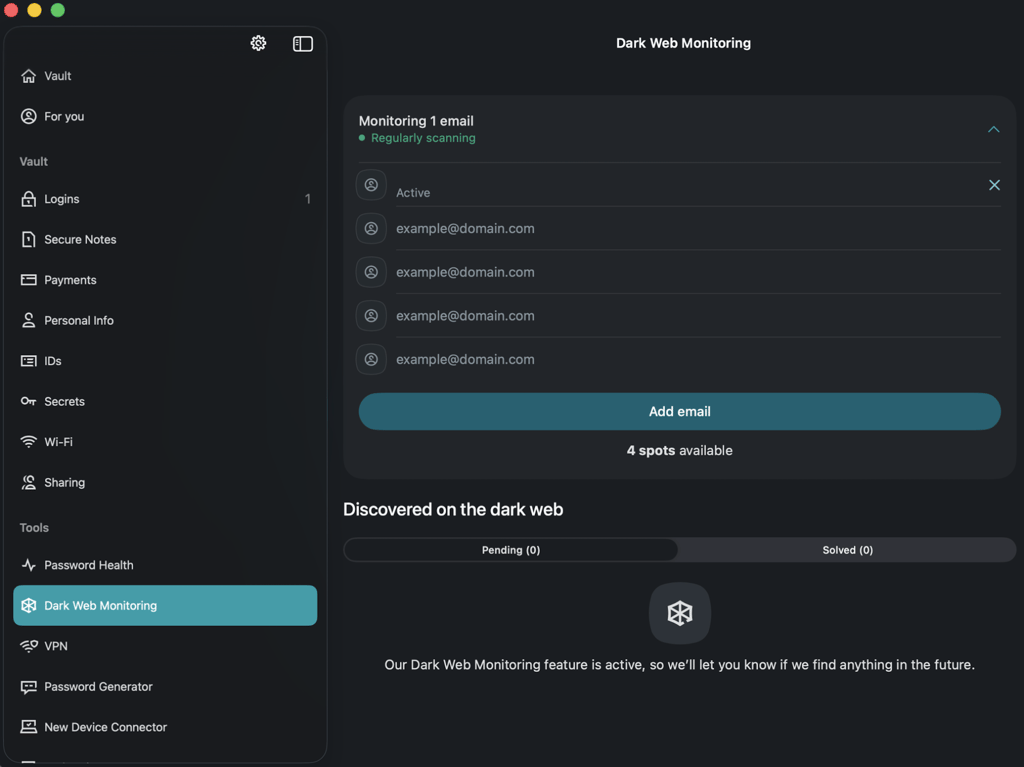
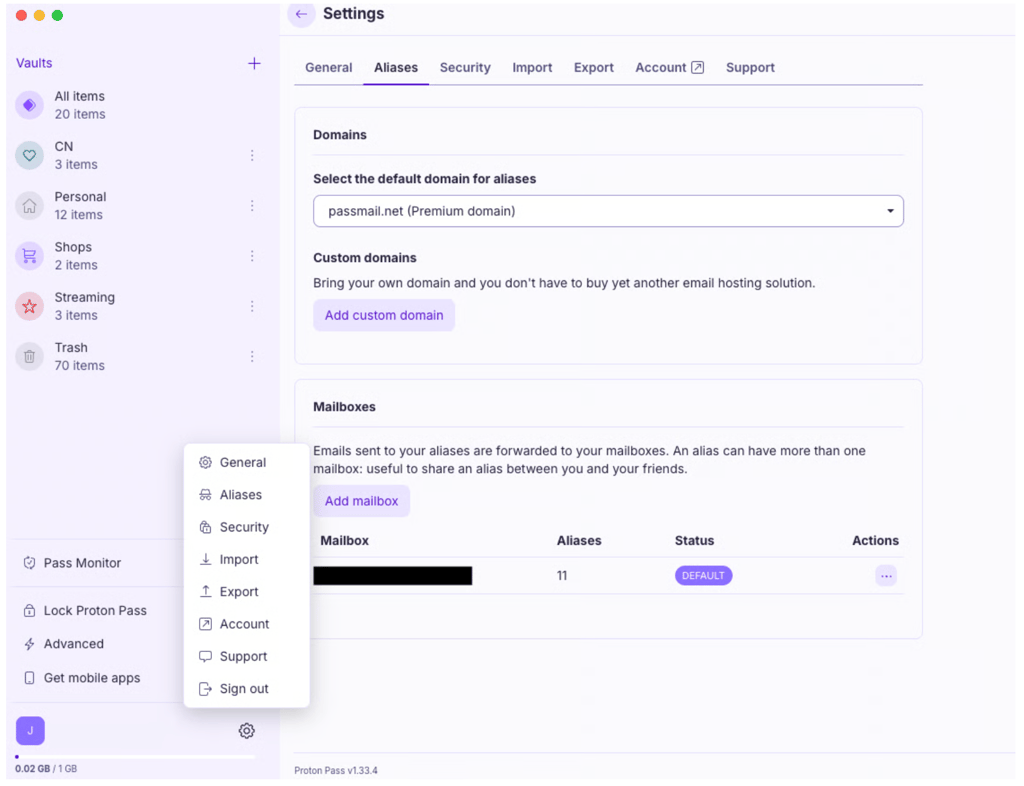
Proton Pass comes with its benefits as well, such as hide-my-email aliases, which are especially useful when creating new accounts because you can generate an alias without leaving the browser extension. I also liked that Proton Sentinel adds extra protection against suspicious login attempts and that Proton Pass lets you share entire vaults as well as individual credentials, making it convenient for families or teams. However, it lacks a built-in VPN and real-time phishing alerts, which gives Dashlane the win in this category.

Security and transparency: winner – Proton Pass
Both password managers use modern AES-256 encryption and a zero-knowledge architecture. However, based on my evaluation, Proton Pass’s open-source development, broader metadata encryption, and Swiss jurisdiction make it the stronger choice for privacy-conscious users.
Below is a table that compares their security in more detail.
| Proton Pass | Dashlane | |
| Encryption | ✅ AES-256, end-to-end encryption | ✅ AES-256, end-to-end encryption |
| Zero-knowledge architecture | ✅ Yes | ✅ Yes |
| Metadata encryption | ✅ Encrypts URLs, item names, and other metadata | ❌ Limited metadata encryption |
| Open source | ✅ Fully open source (GPLv3) | ❌ Proprietary |
| Independent audits | ✅ Cure53, Recurity Labs | ✅ SOC 2 Type II, ISO 27001 |
| Jurisdiction | Switzerland | United States |
| Passkeys | ✅ Yes | ✅ Yes |
| Biometric unlock | ✅ Yes | ✅ Yes |
| 2FA | ✅ Yes | ✅ Yes |
Both password managers follow security best practices, including support for biometric and two-factor authentication, as well as independent security reviews. They also support modern authentication standards such as FIDO2 and WebAuthn through passkeys, allowing users to sign in without relying solely on traditional passwords.
Proton Pass publishes its fully open-source code on GitHub, allowing anyone to inspect how the service works. It also encrypts more metadata than most competitors, including website URLs and item names, which adds another layer of privacy. Its security has been independently audited by Cure53 and Recurity Labs, with the 2026 Recurity Labs assessment describing Proton Pass' overall security as "well above par."
Dashlane’s closed-source proprietary software is backed by independent certifications, including SOC 2 Type II and ISO 27001. In 2026, Dashlane disclosed a targeted brute-force attack against its device registration process, which affected less than 20 users. While attackers accessed encrypted vault copies, they could not decrypt the data because vaults remained protected by users’ master passwords and Dashlane’s zero-knowledge architecture, and no internal systems were compromised. Proton Pass, meanwhile, has not reported any incidents involving bypassed device authentication, compromised servers, or exposed encrypted vaults.
Privacy is another area where Proton Pass has the advantage, as Proton AG is headquartered in Switzerland, outside the Fourteen Eyes intelligence alliance, while Dashlane Inc. is based in the United States. Switzerland is considered a stronger privacy jurisdiction because its laws provide stricter protections for personal data, while US companies can be subject to broader government data access requests through laws such as the CLOUD Act. Although neither provider can decrypt user vaults, Proton's stronger privacy jurisdiction and broader metadata encryption make it the better choice for privacy-conscious users.
If you are unfamiliar with password managers, understanding how password managers work can help you better evaluate the security features and privacy approaches different providers use.
Ease of use and design: winner – Dashlane
Both Proton Pass and Dashlane are easy to use, but Dashlane delivers a smoother day-to-day experience with easier navigation, more accessible tools, and reliable autofill. Here’s how both password managers compare in this category:
| Proton Pass | Dashlane | |
| Interface | Minimalist and clean | Modern and polished |
| Navigation | Easy to navigate | More intuitive, with key tools visible from the dashboard |
| Password organization | Well-organized vaults and folders | Well-organized vault with security insights |
| Password generator | Appears when creating a new item but not visible on the app | Easy to access from the app |
| Autofill | Reliable | More accurate and requires fewer manual corrections |
| Best for | Users who prefer simplicity | Users who want a guided, feature-rich experience |
Both Proton Pass and Dashlane offer clean and modern interfaces that are easy to navigate. I found it simple to create new entries and organize saved credentials, and both password managers automatically prompted me to save new passwords.
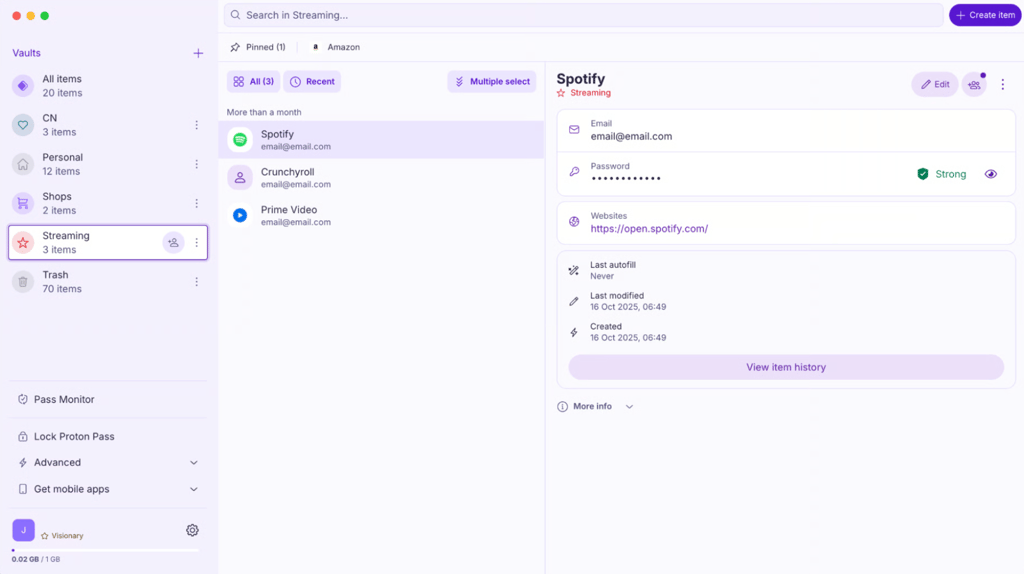
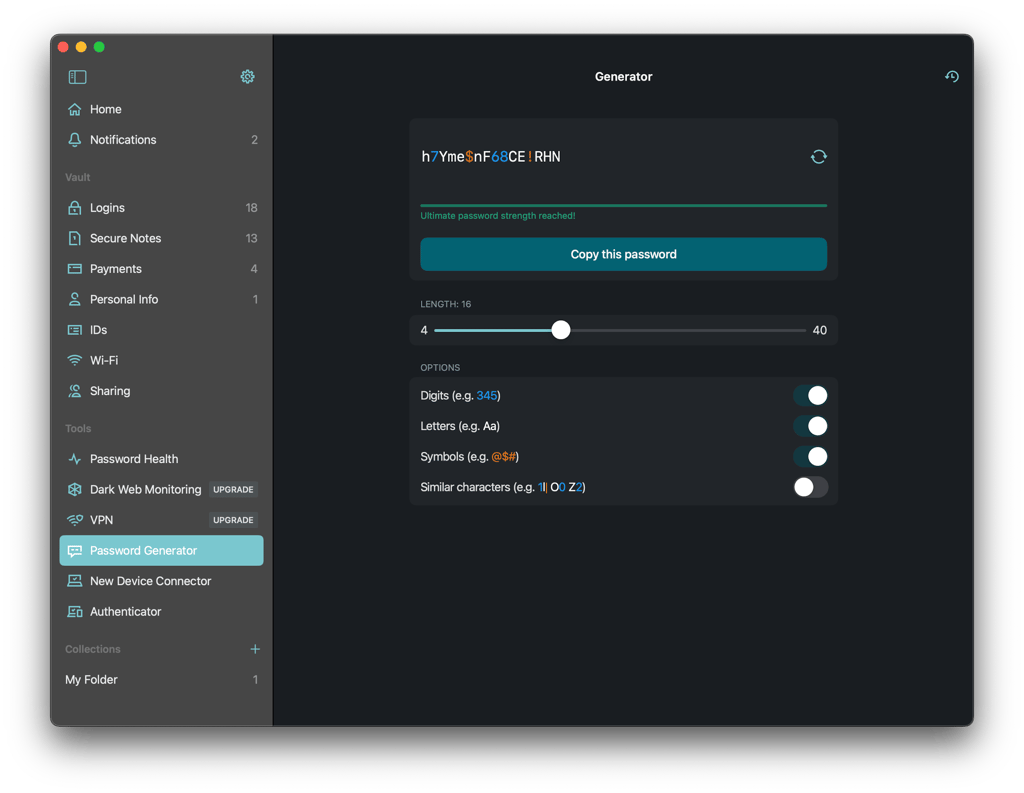
Proton Pass has a minimalist design, and its vault is clean and well organized, which makes it easy to find saved items. As I've used Proton VPN before, the interface felt immediately familiar, so existing Proton users will likely find it easy to navigate as well. However, for new users, some features are slightly less discoverable. For example, the password generator appears when creating a new item, but it’s not clearly displayed in the app itself. In comparison, Dashlane keeps its password generator consistently visible and easy to access across its desktop app, browser extension, and mobile app.
My experience with Dashlane was better, as all the main tools are clearly visible from the dashboard. From the home screen, I could immediately see my overall security status and quickly address weak or reused passwords. I also liked its autofill feature, which detected login fields more reliably and completed forms with no manual corrections needed. Proton Pass’ autofill worked well with credentials already stored in the vault, but it was slightly less consistent in recognizing login fields. As a result, Dashlane provided a smoother autofill experience for everyday browsing.
All in all, I found Dashlane easier to navigate because its key features were always easy to find, making it especially accessible for seniors, beginners, or less technical users.
Platforms and compatibility: winner – Proton Pass
Proton Pass wins this category because it offers native desktop apps, Linux support, and more ways to access your vault. Here's how they compare in compatibility:
| Proton Pass | Dashlane | |
| Desktop | Native apps for Windows, macOS, and Linux | Web-based desktop app for Windows and macOS |
| Mobile | iOS and Android | iOS and Android |
| Browser extensions | Chrome, Firefox, Edge, Safari, and Brave | Chrome, Firefox, Edge, Safari, Brave, and other Chromium browsers |
| Web app | ✅ Available | ✅ Available |
| Linux support | ✅ Yes | ❌ No |
| Ecosystem integration | Proton Mail, Drive, and VPN | Dashlane security tools |
Proton Pass and Dashlane both support macOS, Windows, iOS, and Android, along with browser extensions. Proton Pass offers native desktop apps for Windows, macOS, and Linux, as well as a web app that provides access to core features without requiring installation. Dashlane’s desktop app uses a web-based experience inside a dedicated application window rather than a traditional native app. I didn’t notice a major difference during everyday use, but users who prefer native desktop software may find Proton Pass a better fit.
Proton Pass also stands out with its Linux support and integration with the wider Proton ecosystem. Developed by Proton AG, which also operates services such as Proton Mail, Proton VPN, Proton Drive, Proton Calendar, and Proton Wallet, Proton Pass is intuitive to use for users who already rely on Proton's services. It also includes hide-my-email aliases through SimpleLogin, which Proton acquired in 2022, allowing users to create aliases that help protect their real email addresses when signing up for new accounts. Dashlane does not offer a similar ecosystem of connected privacy services and instead focuses primarily on password management alongside additional security features within its own platform.
Customer support: winner – Dashlane
Both Proton Pass and Dashlane provide reliable customer support, but Dashlane offers more ways to get assistance when you need it. Here's how their support options compare:
| Proton Pass | Dashlane | |
| Live chat | ✅ Yes | ✅ Yes |
| AI support assistant | ✅ Yes | ✅ Yes |
| Email support | ✅ Yes | ✅ Yes |
| Knowledge base and guides | ✅ Yes | ✅ Yes |
| Voice support | ⚠️ Only for Business plan users | ⚠️ Only for Business plan admins |
| Sales calls | ❌ No | ✅ Yes |
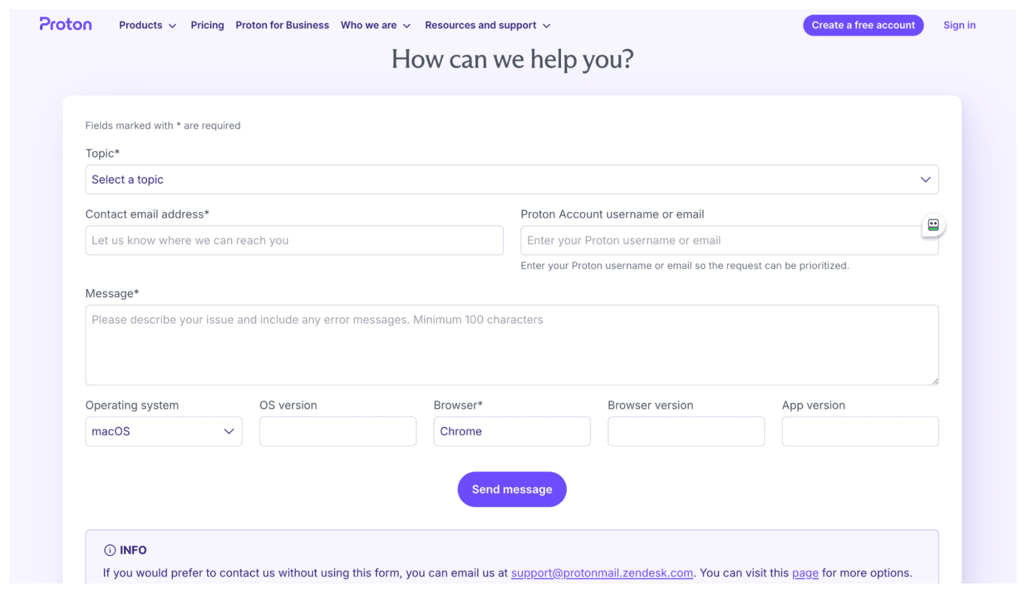
Proton Pass offers support through its Help Center, email, and an AI assistant available after signing in to your Proton Account. If the AI assistant cannot resolve your issue, it transfers the conversation to a human support advisor with the relevant details. It also has various help articles, which I found clear and easy to follow, although I mainly relied on email or the AI assistant for help.
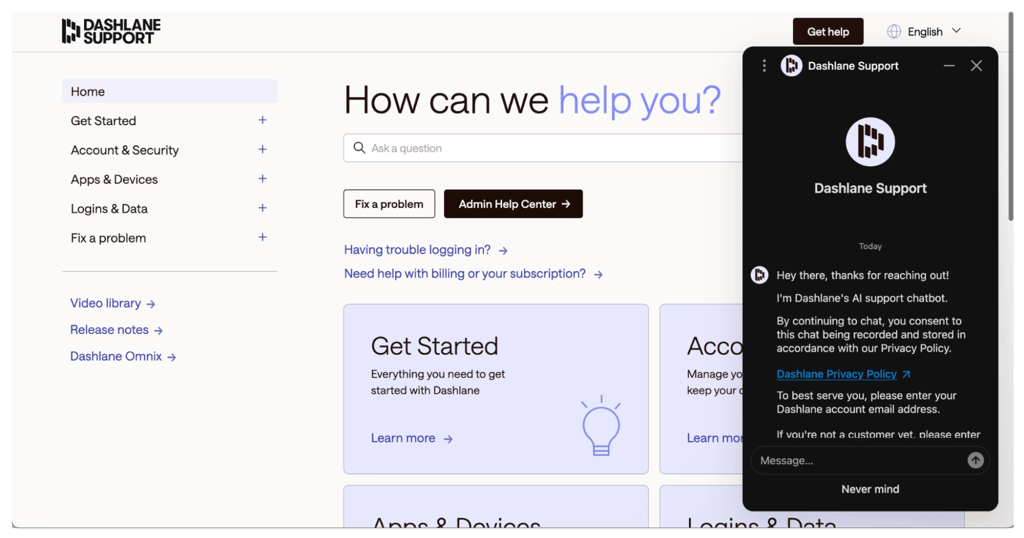
Dashlane provides a comprehensive knowledge base, email support, an AI support assistant, and live chat with human support agents during business hours. Business account admins can also access voice support through the Admin Console, while Proton Pass offers voice support to all Business plan users. Dashlane also lets businesses and prospective customers schedule sales calls for product guidance and onboarding. Compared to Proton Pass, I found Dashlane offered more ways to contact support directly, making it easier to get help quickly.
Proton Pass vs Dashlane: key similarities
During my testing, both Proton Pass and Dashlane reliably saved new logins, generated strong passwords, autofilled credentials, synchronized changes across devices, and helped identify unsafe passwords. Below, I compare their key similarities.
| Proton Pass | Dashlane | |
| Password storage, generation, autosave, autofill, and imports | ✅ Yes | ✅ Yes |
| Zero-knowledge architecture, passkeys, and two-factor authentication | ✅ Yes | ✅ Yes |
| Password sharing and cross-device sync | ✅ Yes | ✅ Yes |
| Secure notes, payment details, and identity storage | ✅ Yes | ✅ Yes |
| Mobile apps, browser extensions, and biometric unlock | ✅ Yes | ✅ Yes |
Password storage and autofill
Both password managers consistently detected new login credentials, prompted me to save them, and autofilled usernames and passwords on supported websites. Both also include password generators, passkey support, and secure password sharing, making it easy to manage accounts across multiple devices, although I did find Dashlane slightly easier to navigate and find the features.
Importing passwords was simple with both providers, with support for common formats such as CSV exports from other password managers. The process only took a couple of minutes. I also found that both kept my vault synchronized across devices without issues.
Vault security and password monitoring
Proton Pass and Dashlane both use zero-knowledge architecture, meaning neither provider can access the contents of your encrypted vault. They also monitor password health by identifying weak, reused, or compromised credentials and notifying you about potential risks. However, Proton Pass additionally monitors inactive 2FA, helping you identify accounts that could be better protected with an extra authentication layer.
In addition, both services include dark web monitoring and an integrated authenticator for generating two-factor authentication codes, allowing you to strengthen your online security without relying on additional authenticator apps, such as Google Authenticator or Microsoft Authenticator.
Secure storage and biometric access
Alongside login credentials, both providers let you securely save payment cards, identities, and notes, making it easy to keep important personal information in one encrypted vault.
On mobile devices, both Proton Pass and Dashlane support biometric authentication, allowing me to unlock my vault with Face ID, Touch ID, or Android biometrics instead of entering my account password every time.
Proton Pass or Dashlane: final verdict
After comparing both password managers across security, features, pricing, usability, and compatibility, my conclusion is that Proton Pass is the better choice for most users. It combines strong security, native desktop apps, Linux support, and one of the best free plans available, all at a lower price than Dashlane. If you want a password manager that delivers excellent value without sacrificing essential features, Proton Pass is my top recommendation.
Dashlane is still an excellent premium alternative, particularly for users who want extra security tools alongside password management. Its polished interface, built-in Hotspot Shield VPN, phishing alerts, and intuitive Password Health dashboard create a more comprehensive security experience, although you'll pay more for those additional features.
Here's the final category breakdown:
| Proton Pass | Dashlane | |
| Pricing | ✅ | ❌ |
| Free version | ✅ | ❌ |
| Features | ❌ | ✅ |
| Security and transparency | ✅ | ❌ |
| Ease of use | ❌ | ✅ |
| Platforms and compatibility | ✅ | ❌ |
| Customer support | ❌ | ✅ |

FAQ
Is Proton Pass better than Dashlane?
Yes, according to my research and testing, Proton Pass is the better option for most users. Thanks to its native apps, cheaper pricing, free plan option, and strong security, Proton Pass takes the lead among the two password managers.
Is Proton Pass or Dashlane more secure?
Proton Pass provides better security, as it has open-source development, stronger privacy protections, and Swiss jurisdiction. However, Dashlane is also a strong option regarding security, and its plan includes additional features such as a VPN and real-time phishing alerts.
Is Dashlane's built-in VPN worth it?
Yes, Dashlane's built-in VPN is worth it for casual users. Dashlane provides access to Hotspot Shield VPN with its Premium, Friends & Family, and Business accounts. However, it wouldn’t be my first choice for a VPN, especially for users with strict privacy requirements, given its US jurisdiction and the associated privacy implications.
Is Proton Pass' free plan better than Dashlane's?
Yes, Proton Pass' free plan is better than Dashlane's. Dashlane discontinued its free plan in 2025 and now offers only a 14-day free trial. Proton Pass, on the other hand, offers a generous free plan, which includes a password generator, unlimited logins, saving unlimited credit cards, and automatic sync across all devices.
Is Proton Pass worth paying for over Dashlane?
Yes, Proton Pass is worth paying for over Dashlane for most users. Proton Pass offers lower pricing, a generous free plan, native desktop apps, and stronger privacy protections while still including all the core password management features most people need. Dashlane is worth the extra cost if you specifically want built-in security extras like a VPN, phishing protection, and a more polished user experience, but Proton Pass provides better overall value.