Best Hulu VPNs in 2026: watch Hulu outside the US
Our in-house cybersecurity experts and journalists, renowned for major reports like The Mother of All Breaches, conduct transparent, unbiased VPN testing and in-depth analysis.
With 750+ articles crafted based on real-world research, we empower readers to make informed purchasing decisions through first-hand expertise.
Learn more-

-
Contribution by
Šarūnas Karbauskas



Hulu is a streaming service accessible only in the US. If you are outside the country, you won’t be able to access it normally. The usual way around this is by using a VPN, which replaces your real IP address with one based in the US. Once connected, Hulu sees you as a local user and lets you stream without restrictions.
On top of that, a VPN makes everyday browsing more private. It hides what you do online from your internet provider and helps reduce tracking. Some VPNs also include extras like ad and tracker blockers, which can make streaming and general browsing feel cleaner and less cluttered.
In this guide, I break down the best VPNs for Hulu based on real testing and everyday use. My top pick is NordVPN because it delivers consistent access, strong speeds, and a large US server network that makes unblocking Hulu simple and reliable.
5 best Hulu VPNs in 2026
- NordVPN – best VPN to unblock Hulu in 2026
- Surfshark – budget-friendly VPN for watching Hulu
- Proton VPN – Hulu VPN with a massive server fleet
- ExpressVPN – fast VPN to unblock Hulu anywhere
- CyberGhost – affordable Hulu VPN with streaming-optimized servers
If you already have a Hulu account and subscription, accessing Hulu outside the US with a VPN is easy – just connect to a VPN and start streaming. However, if you're trying to sign up for Hulu outside the US, there's a catch. Hulu requires a US-issued credit card for payment; without one, the transaction will be blocked. Fortunately, there’s a workaround: Hulu gift cards. These can be purchased separately from various online retailers and redeemed to subscribe to Hulu, making it possible to bypass the payment restriction and enjoy Hulu content anywhere.
Why do you need a VPN to watch Hulu?
Hulu is one of the leading movie and TV streaming services in the US. Due to strict geo-restrictions and licensing laws, internet users outside the US are locked out. To get around this issue, you need a VPN providing US IP addresses, such as NordVPN. Once you set it up and connect to a server in the US, you’re issued an American IP address and granted access to Hulu content.

A VPN ensures that if you want to watch content on Hulu, you can bypass the following notification:
Hulu is not available in your region, or you may be using a VPN
Hulu is only available in certain regions. Depending on where you are located, you may not be able to access Hulu.

It’s worth mentioning that not every VPN can do the job. You should pick a reliable VPN with plenty of US servers that can bypass Hulu's geographical restrictions.
Fortunately, most reputable VPNs come with 30-day risk-free trials, and so does Hulu. So, you can enjoy watching Hulu for free for a whole month. This gives you an opportunity to test top VPNs and check if they work before committing full-time.
The best Hulu VPNs in 2026 – detailed list
After reviewing 41 VPNs, I chose the five best VPNs for accessing Hulu from anywhere. These VPNs can bypass Hulu geo blocks effortlessly, have plenty of servers in the US, and offer excellent speeds for lag-free streaming.
1. NordVPN – best VPN for Hulu overall

| Unblocks Hulu: | ✅ Yes |
| Based in: | Panama |
| Servers in the US: | 3390+ |
| Current deal: | Get 75% OFF NordVPN + 3 months free |
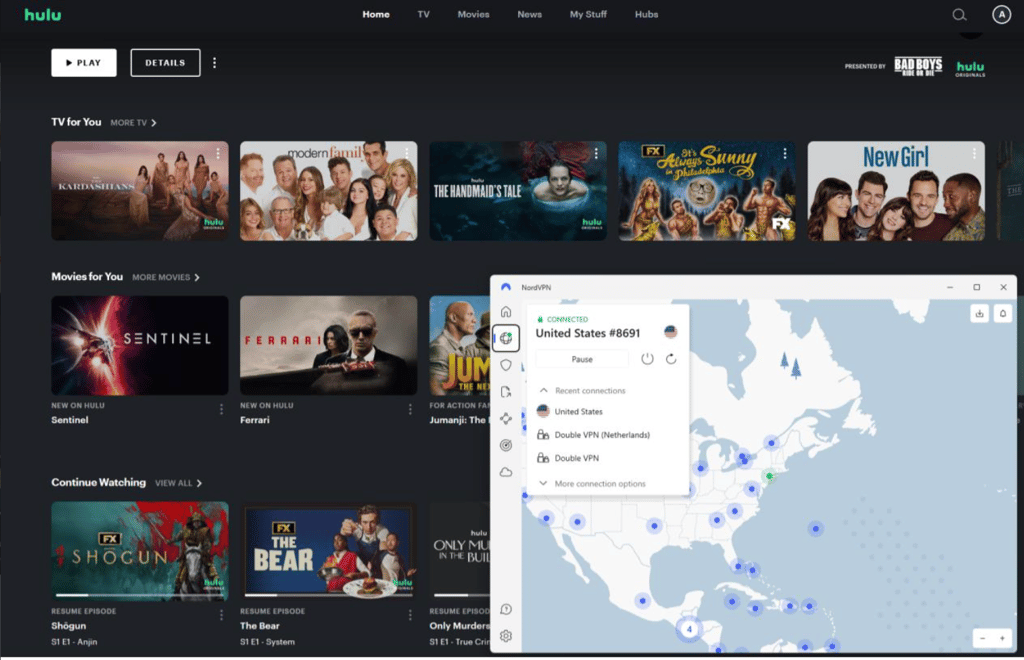
I used NordVPN to access Hulu outside the US and it unblocked the platform on the first try, making it the best VPN for Hulu I’ve tested. All I had to do was connect to a server based in the US.
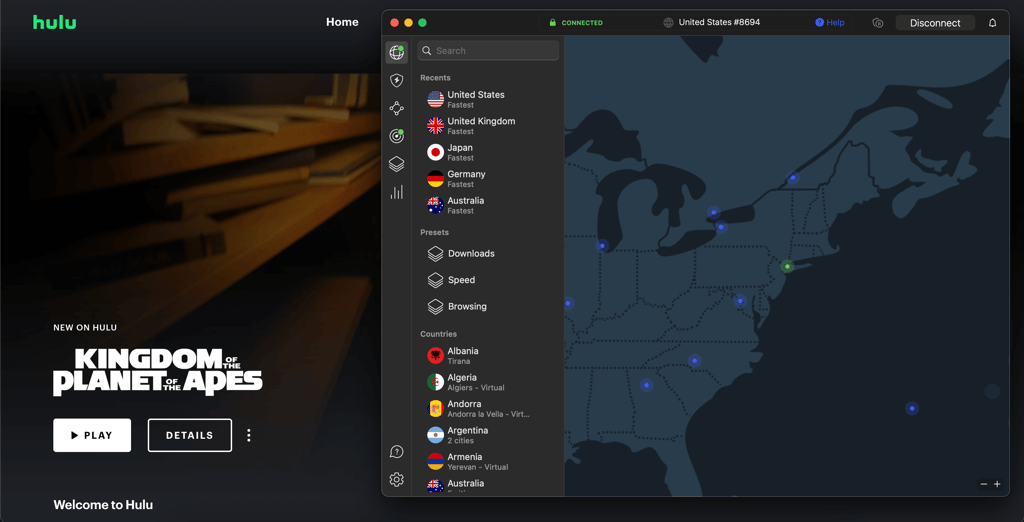
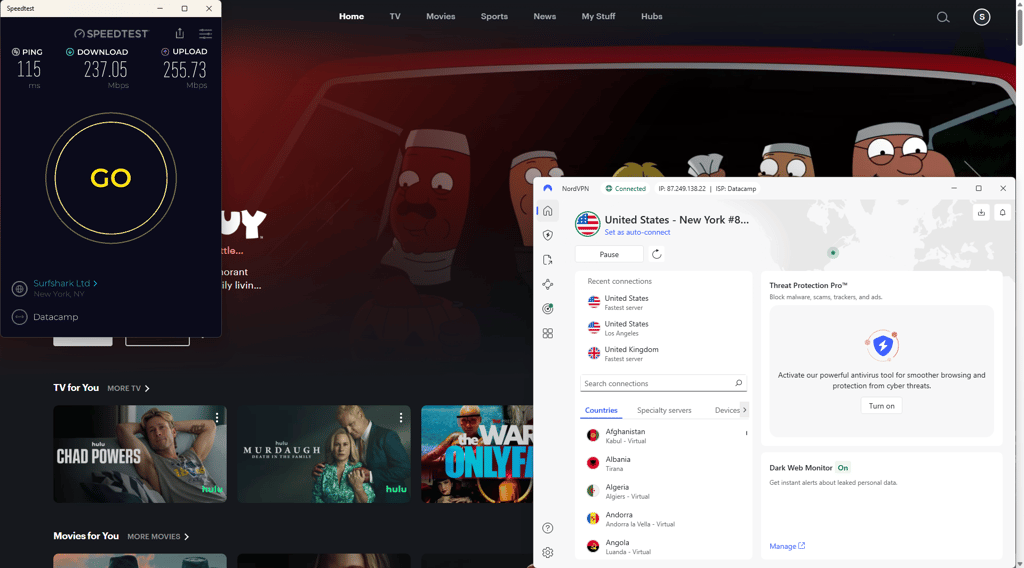
Without a VPN, my baseline connection speed was 261Mbps and 3ms ping. Once I connected to servers in the US, the ping grew to 115ms, the download speed retention rate was 91% (237Mbps), and the upload retention was 89% (256Mbps). These results are more than enough for lag-free streaming on Hulu, even at the highest video quality (UHD or 4K). More so, the download speed didn’t drop much during peak times, which provided me with an excellent streaming experience at any time of the day.
NordVPN has an impressive server network of 8,000+ servers across 149 countries, with over 3390 servers spread across 20 locations in the US. During my testing, NordVPN unblocked Hulu on the first try on every attempt. It connected to a server in just a few seconds and maintained excellent speeds during my entire streaming session. However, if I wasn’t able to unblock it on the first try, I could quickly switch between servers to find one that works or turn on obfuscation. It could be that NordVPN’s SmartPlay played a significant role in this, although I can’t say for sure since it works automatically with all NordVPN apps.
NordVPN works with all of the popular desktop and mobile operating systems, letting you connect up to 10 devices at the same time. You can also install it on common streaming devices like Apple TV, Android TV, and Amazon Fire TV. Otherwise, there’s Smart DNS for unblocking Hulu on devices that don’t support NordVPN apps. Read more about our experience with this VPN in our NordVPN review.
While it’s not the cheapest, NordVPN is at a good middle ground when it comes to pricing. NordVPN starts at $3.49/month for the most basic 2-year plan or $14.99/month without a commitment. If you choose a subscription with more features it will cost slightly more. Fortunately, the most affordable plan has all you need for streaming. You can test out NordVPN with a 3-day free trial and a 30-day money-back guarantee. If you’re unsatisfied, just request a refund within 30 days.
2. Surfshark VPN – premium Hulu VPN for a budget-friendly price

| Unblocks Hulu: | ✅ Yes |
| Based in: | Netherlands |
| Servers in the US: | 600+ |
| Current deal: | Now up to 85% OFF Surfshark + 3 months FREE |
Surfshark is another one of my favorites and was able to unblock Hulu in a few tries. It has a smaller server network, but plenty of servers in the US, so I only had to switch a few times before I gained access to Hulu. While it doesn’t have streaming-optimized servers, there’s Camouflage mode and MultiHop in case it’s particularly difficult to bypass geo-restrictions.
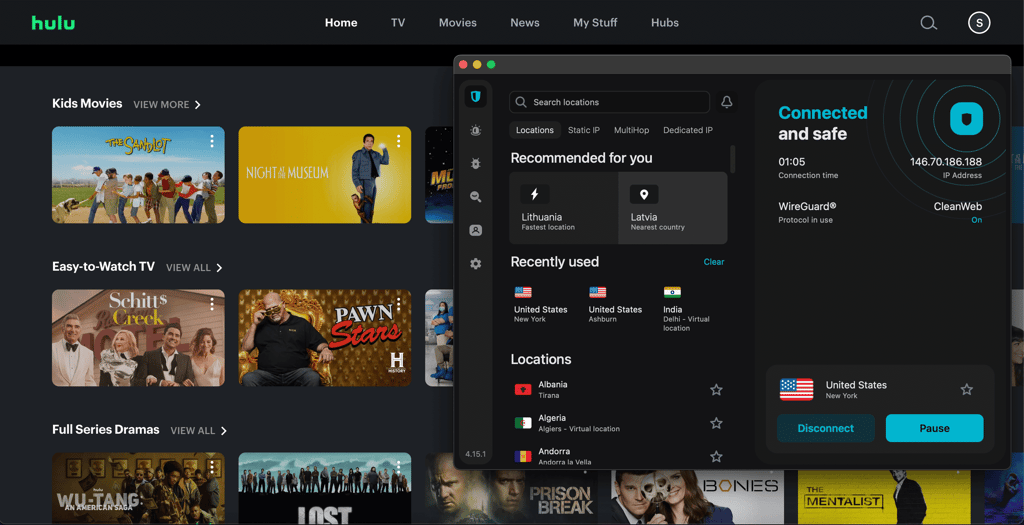
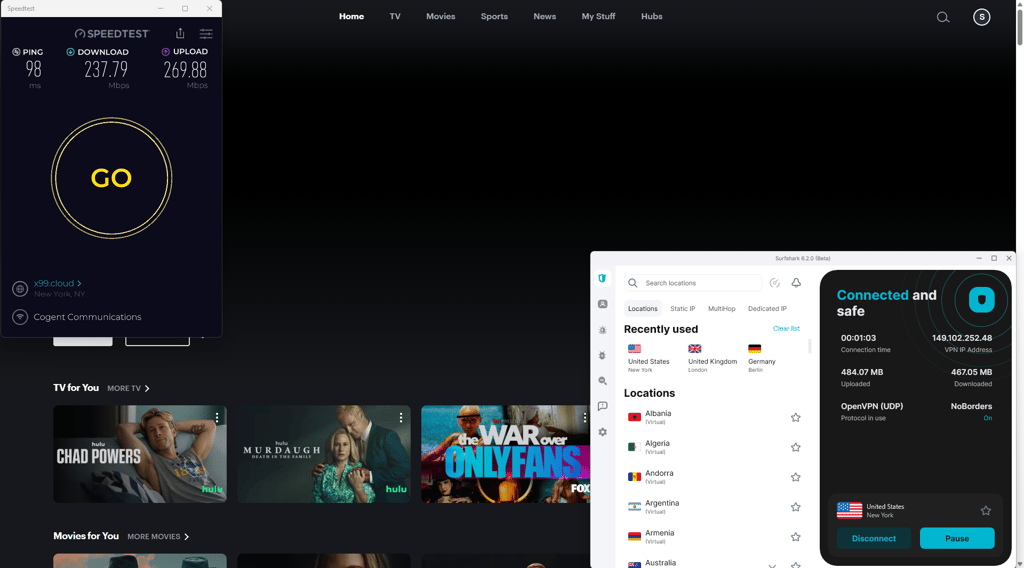
Surfshark’s speed retention results were very similar to NordVPN’s. My baseline connection speed was 262Mbps without the VPN. Once connected to a recommended US server, the download speed retention dropped to 91% (237Mbps), while upload speeds were at 89% (265Mbps) retention. Ping was a solid 98ms, although that’s not very relevant when streaming. Also, I was pleasantly surprised that the speeds stayed about the same, even during peak times, allowing me to stream Hulu with little to no buffering. Learn more about our testing results in our detailed Surfshark review.
Surfshark offers 4,500+ servers across 100 countries. Around 600 of those servers are in 24 US cities. The numbers aren’t particularly impressive when compared to NordVPN and Proton VPN, but at least the provider discloses the exact server count (unlike ExpressVPN and CyberGhost). As expected, the smaller server network meant that sometimes it took a few extra server switches to find one that worked with Hulu. However, switching between servers took just one click, and connecting took less than a few seconds, so it’s no big deal. What’s more, Surfshark had no problems maintaining long, stable streaming sessions, and I didn’t have to re-login a single time.
One of Surfshark’s greatest perks over NordVPN and other VPNs is its support of unlimited device connections. That makes Surfshark one of the best options for users with larger households. Like NordVPN, Surfshark works with practically all desktop, mobile, and streaming devices, such as Apple TV and Fire TV Stick. If your TV doesn’t support VPNs, you can use Surfshark’s Smart DNS feature.
Surfshark’s prices start at $2.49/month with a 2-year plan or $16.45/month without a commitment, making it one of the cheapest VPNs for Hulu. Like NordVPN, Surfshark offers multiple subscription options with extra features, although the cheapest plan is more than enough if your only priority is unblocking Hulu. You can use the Surfshark promo code: OFFCN for even bigger savings. If you’re not yet ready to commit, you can test the service with its 7-day free trial and 30-day money-back guarantee.
3. Proton VPN – Hulu VPN with the most expansive server network

| Unblocks Hulu: | ✅ Yes |
| Based in: | Switzerland |
| Servers in the US: | 5950+ |
| Current deal: | Get up to 70% OFF Proton VPN |
I like Proton VPN because it comes with streaming-optimized servers, which make unblocking Hulu easy and quick. Stealth servers are great for those who are having trouble bypassing geo-restrictions, as they hide the fact that you’re using a VPN – useful in cases outside of streaming as well.
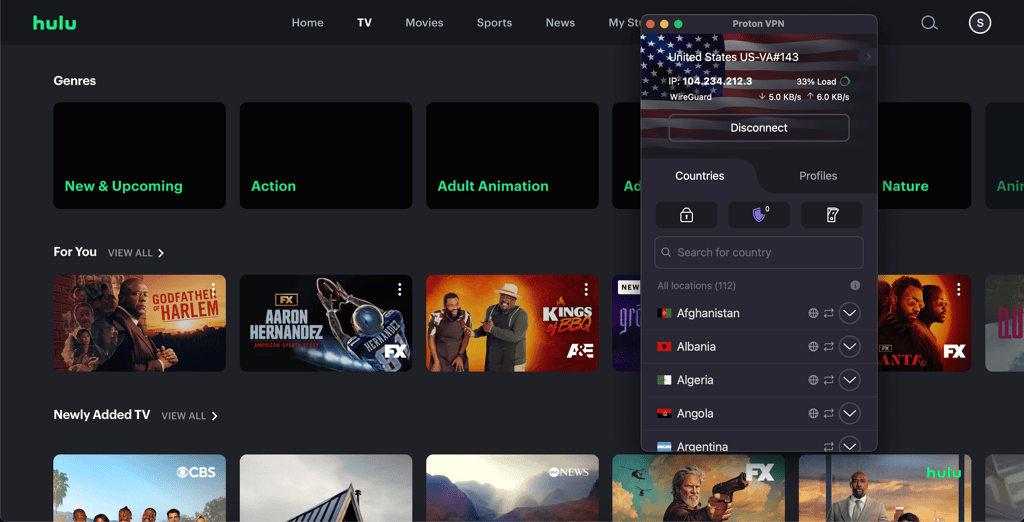
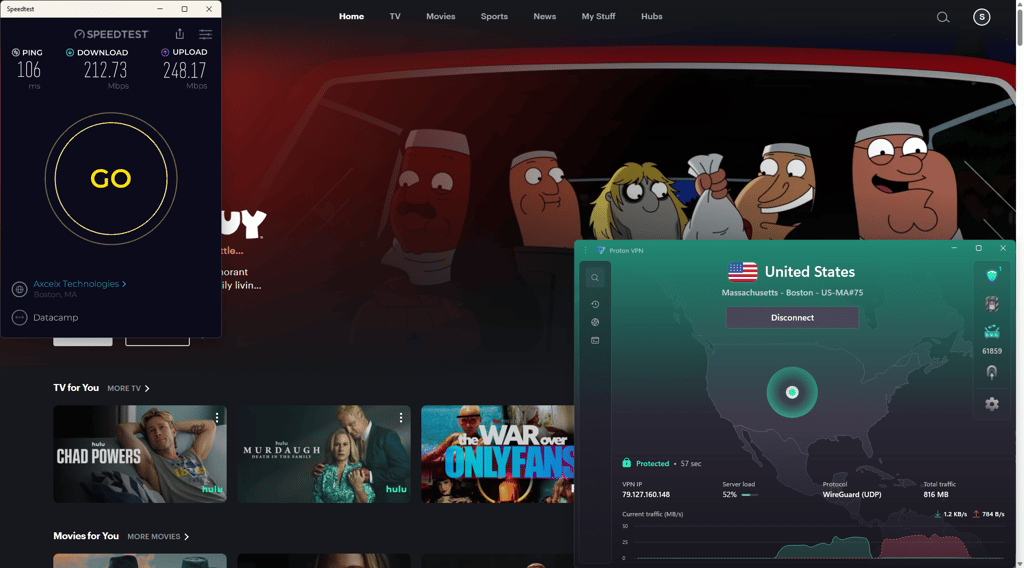
Proton VPN performed just as well as NordVPN and Surfshark during testing. My baseline speed without the VPN was 262Mbps and 3ms ping. When connected to the US, the ping elevated to 106ms, download speed retention was at 81% (213Mbps), and upload retention was 87% (248Mbps). The fast connection let me stream Hulu without any buffering, and even during peak hours, speeds remained stable and consistent. This is likely thanks to its large US server fleet, which ensures that the servers aren’t overcrowded.
Proton VPN stands out with over 20,700 servers across 149 countries, which is probably the most impressive server network I’ve ever seen. It has around 5950 servers in 22 major US cities, the highest number of US servers on this list. During my tests, it usually unblocked Hulu on the first attempt. In cases that it didn’t, I switched between servers in less than a second and was able to find one that worked quickly and without much hassle. If you’re having trouble bypassing geo-restrictions, Proton VPN also has obfuscation mode, but no rotating IPs or streaming specific-features.
Like NordVPN, Proton VPN supports 10 simultaneous connections. It’s a decent number, but it might feel limiting for users who own more devices or have larger households. Besides that, Proton VPN offers apps for all major operating systems on desktop, mobile, and streaming devices. Unfortunately, Proton VPN doesn’t have Smart DNS for unblocking Hulu on devices without VPN app support. So, if you have an older TV, you can only use it by installing Proton VPN on your router.
Proton VPN is one of the more expensive Hulu VPNs on this list, starting at $2.99/month with a 2-year plan or $9.99/month with no commitment. Like NordVPN and Surfshark, Proton VPN offers multiple subscription options with more features, but the cheapest plan is all you need for streaming. Additionally, Proton VPN is the only VPN that has an unlimited free plan, while others only offer free trials. There’s also a 30-day money-back guarantee that lets you test the service and see if it unblocks Hulu for you. Check out our Proton VPN review for more information.
4. ExpressVPN – fast and stable connection to unblock Hulu

| Unblocks Hulu: | ✅ Yes |
| Servers in the US: | Undisclosed |
| Based in: | British Virgin Islands |
| Coupons: | Now up to 80% OFF ExpressVPN + 4 months FREE |
ExpressVPN is a solid VPN with strong security and was pretty decent at bypassing geo-restrictions. It was able to consistently unblock Hulu, especially when connected to the streaming-optimized servers, but there were some issues with speed, and I had to wait for the video to buffer multiple times.
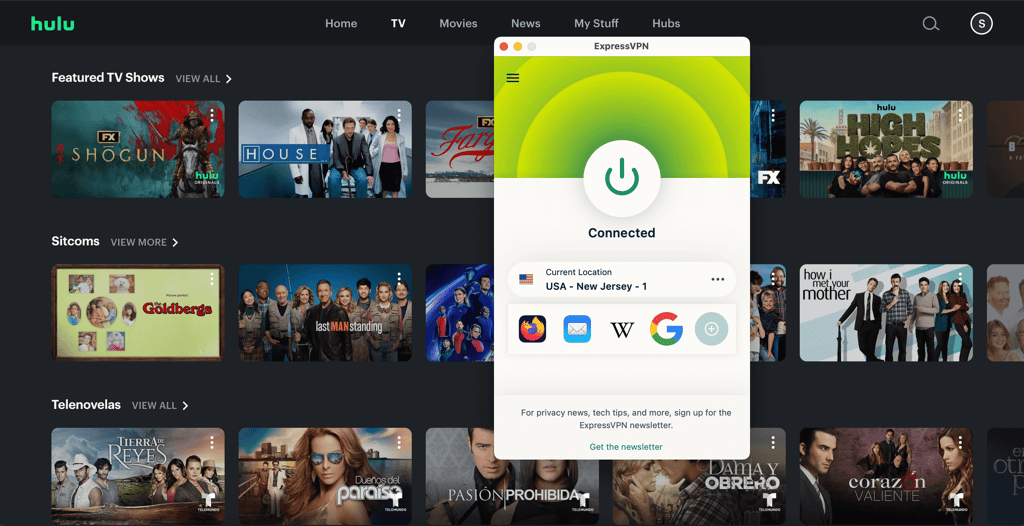
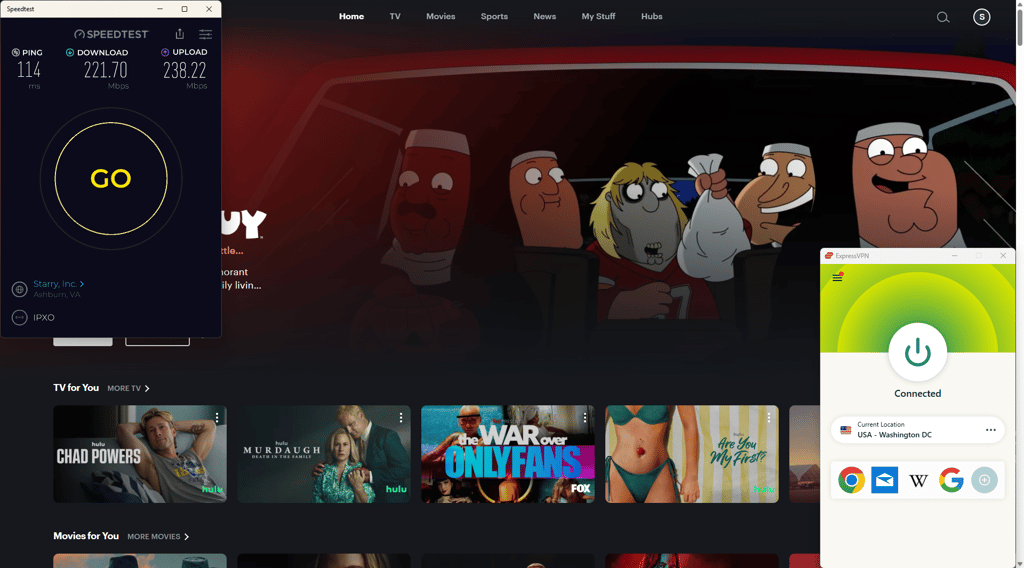
Similar to NordVPN, ExpressVPN defaults to a proprietary tunneling protocol as its fastest option. However, Lightway isn’t based on WireGuard and instead is built from scratch. During my testing, this protocol was much slower than WireGuard or NordLynx. It maintained 85% of the download speed (222Mbps) and 83% of the upload speed (238Mbps).
ExpressVPN has servers in all 50 US states, which sounds impressive, but the VPN doesn’t disclose the exact number of servers it has, making it hard to know what exactly you’re getting. In any case, the VPN was effective at unblocking Hulu during my ExpressVPN tests, which is all that matters. Switching between servers also took just one click, but connecting sometimes took a bit longer than NordVPN, Surfshark, or Proton VPN. Overall, there was some buffering, especially during peak hours, but I didn’t have to restart my session once.
ExpressVPN supports up to 14 simultaneous connections, depending on the plan, which is a decent number. However, I feel that at this price point, users should get unlimited access. Nonetheless, I was able to stream Hulu on different devices at the same time, which is a plus. Furthermore, ExpressVPN works with all of the most popular operating systems and streaming devices. It also includes MediaStreamer, which is basically Smart DNS. You can also set it up on your router. Read more about its features in our ExpressVPN review.
ExpressVPN starts at $2.99/month with a 2-year commitment or $14.99/month without any commitments, making it the one of the more expensive Hulu VPN on this list. All plans come with a 30-day money-back guarantee, so you can test if it unblocks Hulu for you before committing long-term.
5. CyberGhost – reliable Hulu VPN with optimized servers

| Unblocks Hulu: | ✅ Yes |
| Servers in the US: | 1550+ |
| Based in: | Romania |
| Coupons: | Watch Live Sports Securely, now with 83% OFF CyberGhost + 2 months FREE |
CyberGhost is my last recommendation, but it’s still a solid VPN, and unblocked Hulu on my first attempt. The best part is that it’s budget-friendly and has streaming servers.
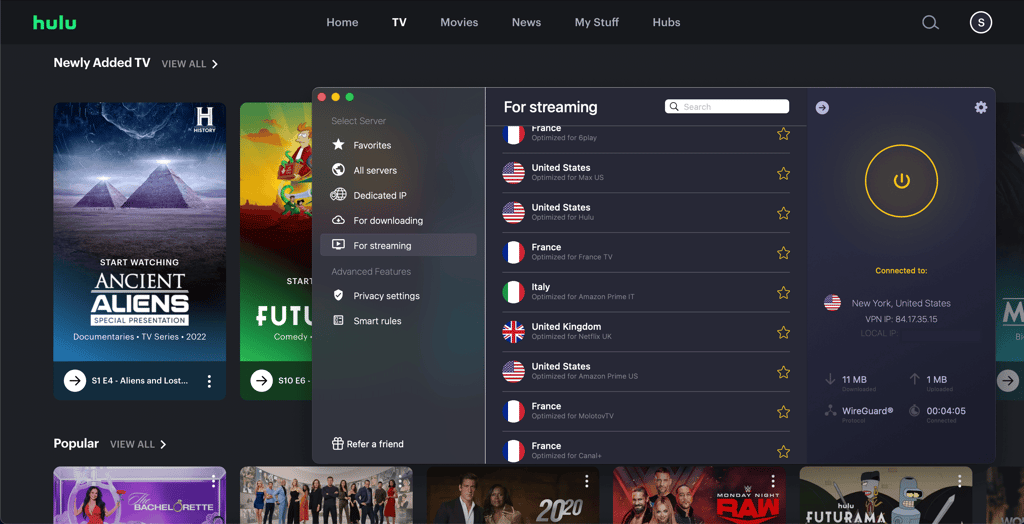
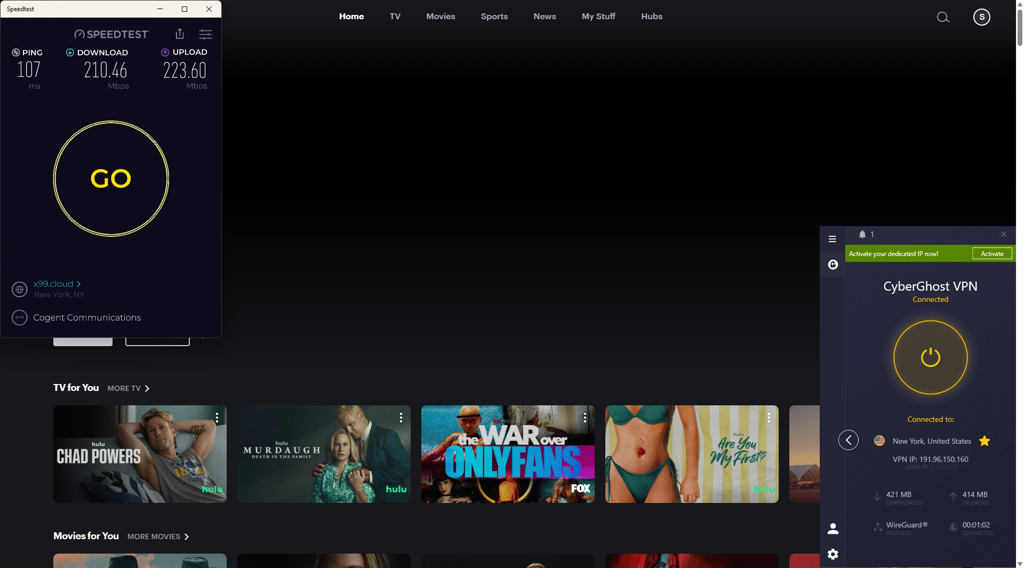
CyberGhost VPN utilizes the open-source WireGuard protocol, similar to Surfshark and Proton VPN, but it didn’t help much with the speeds. It retained 87% of the download speed (210Mbps) and 78% of the upload speed (224Mbps) – the lowest in our tests. During peak hours, speeds dropped further, which caused some buffering while streaming on Hulu.
Like ExpressVPN, CyberGhost doesn’t state the total number of servers. It covers 100 countries, which is on par with its budget-oriented rival Surfshark. There are only 11 US-based locations with more than 1550 servers you can choose from, such as Atlanta, Chicago, and Miami. However, CyberGhost regains the edge by including streaming-optimized servers for various streaming platforms, including Hulu. They provided a stable connection during CyberGhost testing and simplified the process since I didn’t have to think about which server in the US to choose. However, sometimes it struggled to bypass geo-restrictions – connecting to a double VPN helped, although it made videos buffer for longer. Lastly, there are no obfuscated servers to help bypass VPN detectors that are often used by streaming platforms like Hulu.
CyberGhost lets you connect to only 7 devices at the same time, which is the lowest number on this list. This is pretty disappointing since Surfshark, which is priced lower, enables unlimited connections. Either way, CyberGhost has apps for the most popular desktop, mobile, and home entertainment systems. There’s even Smart DNS to allows Hulu unblocking on devices that don’t support VPNs.
CyberGhost is pretty affordable, starting at $2.19/month with a 2-year plan or $12.99/month, making it a great budget-friendly VPN for streaming. CyberGhost only has one subscription tier, meaning you won’t have to choose between multiple options. However, you can add a few optional extra features, such as a security suite for Windows or a dedicated IP. Additionally, CyberGhost offers the longest 45-day money-back guarantee for testing the service without worry.
Learn more about Cyberghost in our detailed Cyberghost review.
How we selected and tested these Hulu VPNs
I evaluated 41 VPNs with the Cybernews team to identify the best ones for unblocking Hulu. Over several weeks, I tested the VPN's features, such as streaming optimization, compatibility, speed retention, and overall performance across multiple devices and operating systems.
Unblocking Hulu was the primary focus. I connected to servers in the US using optimized settings and modern protocols to ensure smooth 4K streaming without buffering. Devices used for testing included Windows, macOS, Android, and iOS. I also checked the ease of setting up VPNs on routers and tested Smart DNS features on smart TVs and gaming consoles.
Key criteria included device compatibility, security features like a kill switch and leak protection, global server count, privacy measures, simultaneous connections, speed retention, ease of setup, Smart DNS capabilities, and value for money. Money-back guarantees and free trials were also considered essential.
Through this comprehensive testing, I identified the top VPNs for unblocking Hulu, ensuring high security and excellent streaming capabilities.
How to watch Hulu outside the US
Follow these simple instructions to access Hulu even when you're outside the US:
- First, you'll need to subscribe to a VPN service that works well with Hulu. I recommend NordVPN as an excellent choice for streaming due to its solid speeds and ability to bypass Hulu's geo-restrictions.
- Once subscribed, download the VPN app on your preferred device. You can get it from your VPN provider’s website or app store.
-
Open the VPN app, and choose a server located in the US. This will give you a US-based IP address, making Hulu think you're accessing the service from the country.
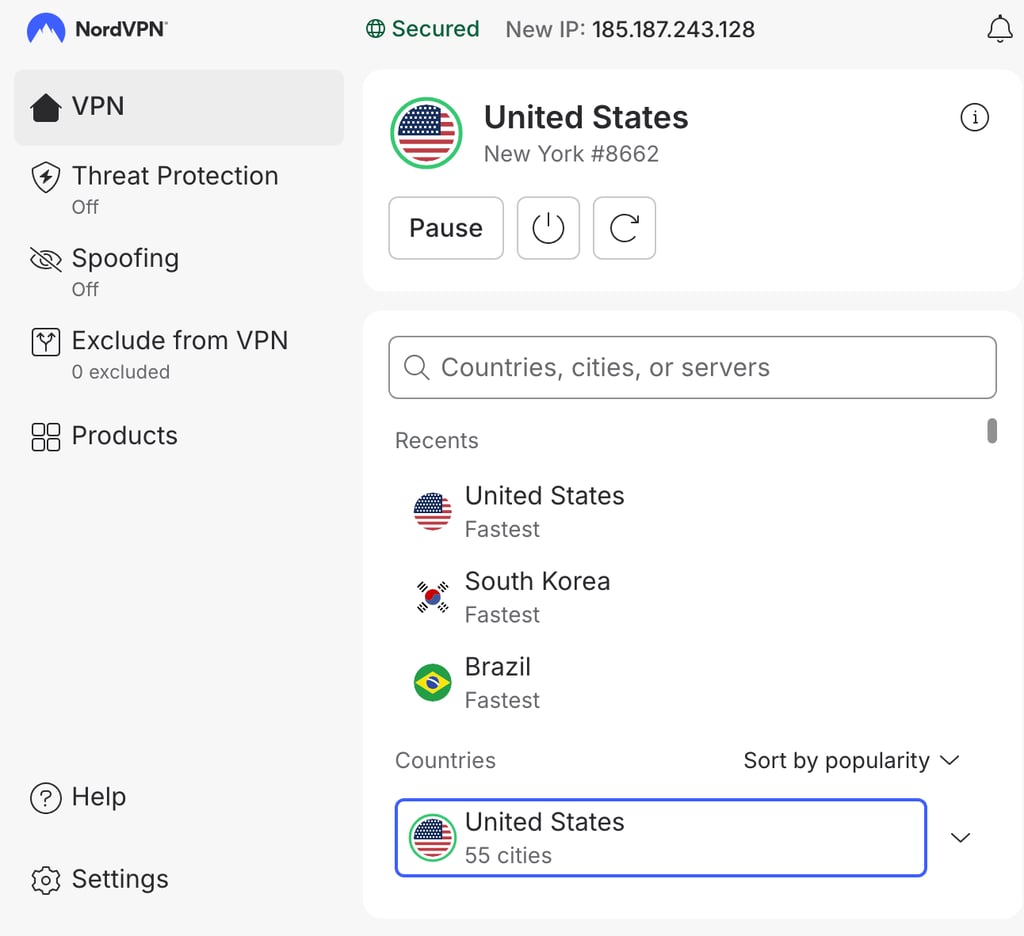
- With your VPN connection active, visit Hulu.com or open the Hulu app on your device.
-
Create or log in to your Hulu account, and you’ll now be able to stream all of Hulu’s content as if you were in the US.
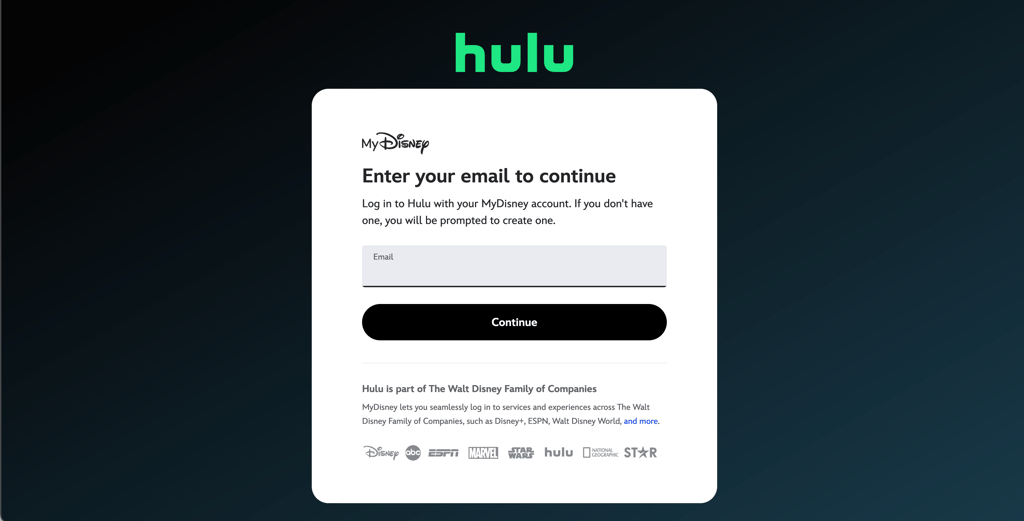
Optional step: subscribe to Hulu without a US credit card
If you don’t have a US-issued credit card but want to subscribe to Hulu, you can use a Hulu gift card to bypass the payment restriction. Here’s how you can do it:
- Purchase a Hulu gift card. You can buy a Hulu gift card from websites like MyGiftCardSupply or Amazon.
- Go to the gift card redemption page. Visit Hulu's gift card redemption page (you need to be connected to a US VPN server).
-
Enter your gift card code. On this page, input the gift card code you received upon purchase.
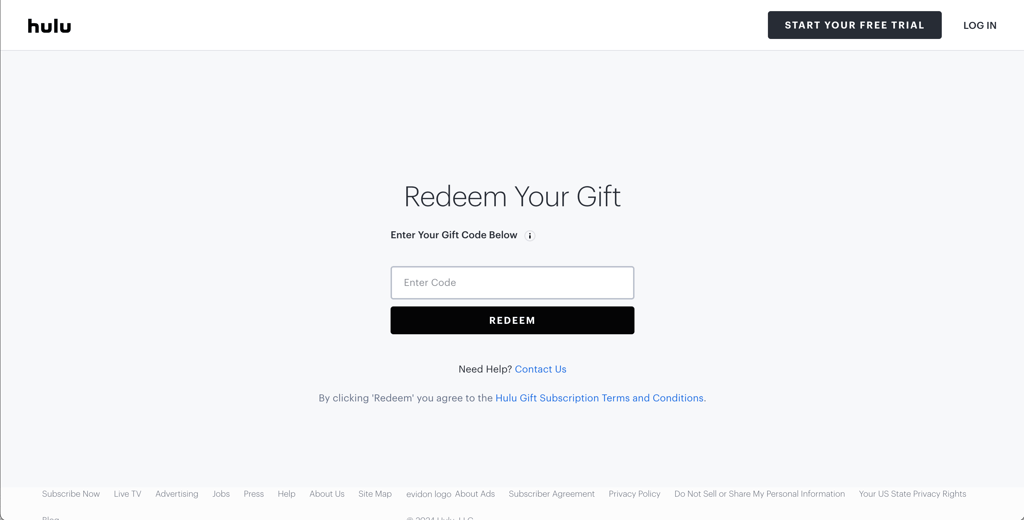
Hulu redeem gift card - Create a Hulu account. After redeeming the card, you'll be prompted to create a new Hulu account. This method bypasses the US credit card requirement.
- Log in to your Hulu account. If you already have an account, log in to Hulu while connected to your VPN.
- Go to account settings. Navigate to your Account Settings.
-
Redeem gift card. There will be an option to redeem a gift card in the Payment Information section.
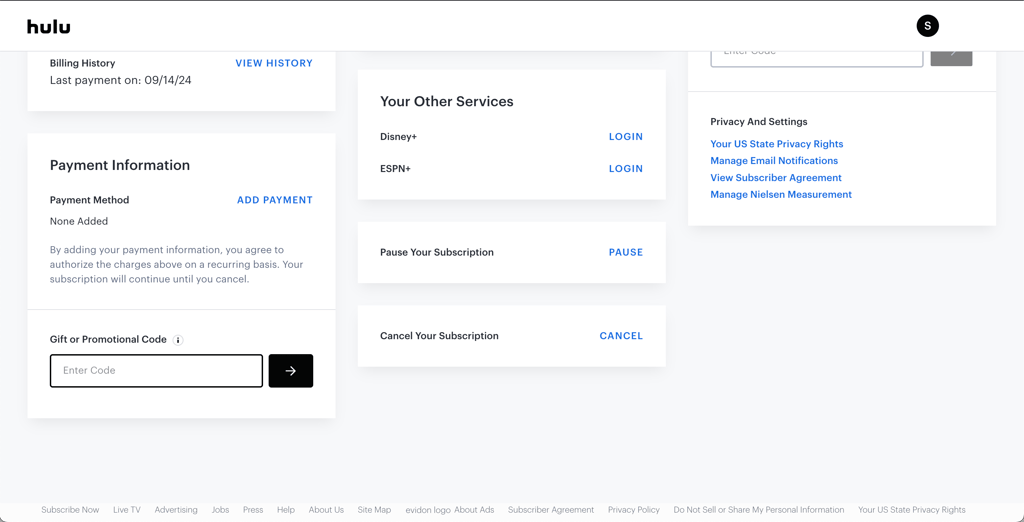
- Enter your gift card code. Apply the gift card to extend your subscription or add funds to your account.
Following this method, you can easily subscribe to Hulu without needing a US credit card and start watching your favorite shows from anywhere.
Are there any free VPNs that work with Hulu?
While free VPNs are available, they often come with limitations. For better performance and privacy, consider freemium VPN options like Proton VPN, which offers a strong free version. Additionally, services like NordVPN and Surfshark provide free trials and money-back guarantees. They allow you to test features without immediate commitment, ensuring they meet your needs for unblocking content and maintaining privacy.
Does Hulu have NFL games?
Yes, you can watch NFL games if you subscribe to the Hulu + Live TV plan. This plan grants access to Hulu, Disney+, and ESPN Select content for $89.99/month with ads. You also get unlimited DVR and access to 100+ live TV channels. You can use a 3-day free trial on Android to test the service risk-free.
Hulu + Live TV offers access to such sports channels as ESPN, ESPN2, ESPNU, FS1, FS2, MLB Network, and NFL Network. This allows you to watch various NFL events, including regional games, Sunday Night Football, and Monday Night Football. You can also watch NFL RedZone with the Hulu Sports Add-on for $9.99/month. Note that this add-on is available to Hulu + Live TV subscribers.
To sum up, if you don’t mind paying the relatively steep monthly price, Hulu + Live TV is definitely an option worth considering for watching NFL games.
Hulu not working with a VPN? Try these fixes
- Switch to another VPN server. Hulu may block the IP address you’re currently using, so connecting to a different US server can give you a fresh IP that works.
- Clear your browser cookies and cache. Stored location data can reveal your real region and prevent Hulu from loading content.
- Update your VPN app. Older VPN versions may have compatibility issues that affect your ability to bypass Hulu restrictions.
- Enable kill switch and DNS leak protection. These features prevent your real IP address or location from being exposed to Hulu.
- Restart your device. A simple restart can fix temporary VPN, network, or streaming app issues.
- Change your VPN protocol. Some protocols work better than others for bypassing Hulu’s VPN detection systems.
- Check your internet connection. Slow or unstable connections can interfere with VPN performance and streaming access.
- Check antivirus and firewall settings. Security software may block your VPN connection and stop Hulu from working.
- Flush your DNS cache. Clearing stored DNS information can remove location data that may reveal your actual region.
- Contact your VPN provider. Support teams can recommend working servers or settings for Hulu access.
- Use a better VPN. Free or unreliable VPNs often have blocked IPs and weaker unblocking capabilities.
Final thoughts
Hulu offers a solid mix of movies, TV shows, and live sports, but it is limited to the US due to licensing restrictions. If you are outside the country, you will not be able to access it unless you use a VPN. By connecting to a US server, you can get around these limits and stream Hulu from anywhere.
A good VPN for Hulu should have plenty of US servers so you can get a working IP address without hassle. It also adds a layer of privacy while you browse and stream. On top of that, it can help you get around sports blackouts or region-based content restrictions.
After testing multiple providers, NordVPN stood out as the most reliable option for Hulu. It was consistent, fast, and worked without much effort. That said, all of the VPNs on this list can get the job done and give you access to Hulu content.
FAQ
Is Hulu available outside the US?
Yes, Hulu is also available in Japan. If you travel outside the US and Japan or live abroad, you can still stream movies and other content using a trusted Hulu VPN. Your top-choice VPN should have plenty of US servers, obfuscated servers, and features that ensure safe and unrestricted streaming.
Can I use my Hulu account while traveling?
Yes, you can use your Hulu account while traveling. However, Hulu is only available in the US and Japan. To access Hulu abroad, use a VPN to change your IP address location. NordVPN is highly recommended for this due to its obfuscated servers, which help avoid detection by Hulu.
Can I change the Hulu location with a VPN?
Yes, you can change your Hulu location with a VPN. By connecting to different servers, a VPN can make it appear like you are accessing Hulu from another region. NordVPN is recommended for this due to its obfuscated servers, which help bypass Hulu's VPN detection and ensure smooth streaming.
Can I sign up for Hulu without a US credit card?
Yes, you can sign up for Hulu without a US credit card, even though it’s a bit complicated. If you don’t have a US credit card, your other option is to use a Hulu gift card. You need to visit a legitimate website that sells Hulu gift cards and choose the one dedicated to purchasing Hulu. You can then redeem your card when registering for a new Hulu account, or via account settings for existing users.
Why does Hulu think I'm using a VPN?
The IP address of the VPN server you’re connected to might have been blocked, or your real IP address might be leaking, and Hulu detected your real location. Try connecting to a different server, and see if the issue persists. Note that not all VPNs can unblock Hulu. Check out the list of recommended Hulu VPNs for the best results.
Can I watch the NFL through Hulu?
Yes, you can watch NFL games, including Sunday Night Football and Monday Night Football, with the Hulu + Live TV subscription (from $89.99/month with ads). The plan offers access to 100+ live channels that broadcast various NFL games. You can also purchase a Sports Add-on for $9.99/month to access NFL RedZone.