I tested GoDaddy vs Bluehost vs Namecheap and found the best in 2026
Our in-house experts conduct internal independent, hands-on testing and transparent reviews of web hosting providers by using custom-built tools or utilizing industry-recognized tools and methods to ensure impartial and evidence-based assessments.
Using the same criteria for all services, we share our detailed methodologies and practices to help customers make informed hosting decisions.
Learn more

All hosting providers look the same – they sell online space, a few AI tools, and business mailboxes. Since they’ve made the choice so tough, I decided to dig deeper than a few common features and test how they perform under real-world load.
In this article, I compared GoDaddy vs Bluehost vs Namecheap to check which of these best hosting providers offers the best value for a regular user. Below, you’ll find the exact winners for pricing, performance, ease of use, security, and customer support.
GoDaddy vs Bluehost vs Namecheap 2026: the verdict
Bluehost is my top choice because it was the easiest to set up with its automated WordPress tools, offers free lifetime SSL, and performs reliably under high traffic. GoDaddy’s websites were the fastest in my tests, but it’s more expensive than other providers and pushes you to buy an extra security package for what is included for free in other providers' plans. Finally, Namecheap, while the cheapest during the initial period, requires more manual setup and delivers the slowest website performance.
| Bluehost | GoDaddy hosting | Namecheap | |
| ⭐ Rating: | |||
| 💵 Price: | From $1.99/month | From $4.99/month | From $1.81/month |
| 📑 Uptime guarantee: | 99.9% | 99.9% | 100% |
| 🔥 Coupons: | Bluehost coupon 78% OFF | GoDaddy coupon 66% OFF | Namecheap coupon 71% OFF |
| Storage space (from): | 10GB SSD | 25GB SSD | 20 GB SSD |
| ✂️ Free domain (first year): | Yes | Yes | Yes |
| 💾 Automated backups: | Free automatic weekly backups | Yes (daily) | 2 times/week (without auto backups) |
| 💰 Money-back guarantee: | 30-day | 30-day | 30-day |

Pricing comparison
I compared the cheapest web hosting plans from each provider and analyzed their long-term value. Here’s a quick overview:
Not only is GoDaddy's main subscription the most expensive, but its SSL ($9.99/year) and domain renewals ($22.99/year) also cost the most after the first year.
Bluehost, on the other hand, includes a free SSL certificate for all your websites, while domain renewal starts at $15.00/year. Considering that it also has free weekly backups and an AI website builder, it offers the best long-term value among the three providers.
Namecheap offers the lowest introductory and long-term prices. However, be ready to pay separately for a domain name (from $5.98/year), an SSL certificate (from $5.99/year), and business email after the first free month ($41.88/year).
Performance testing
Since every website is built for real user interaction, it’s better to be fast and responsive. So, I checked how the website will work when it goes live, handling real traffic. In each provider, I tested:
- Largest contentful paint (LCP), or how fast the largest image or text block fully loads
- Time to first byte (TTFB), or how fast the server responds and starts sending the webpage to a user
- Speed index (SI), or how fast the website starts getting visible to a user
For this, I bought Basic Managed Hosting for WordPress at GoDaddy, WordPress Choice Plus Hosting at Bluehost, and Stellar at Namecheap. I tested the same WordPress Twenty Twenty Four theme-based website across all hosting providers. Here are the test results I registered:
GoDaddy showed the strongest performance across all three metrics, meaning that the website is very responsive and loads quickly. Bluehost performed well but was slower than GoDaddy.
Namecheap turned out to be the weakest in this test, showing the slowest results across every metric. Its high SI (1.837s) means that users have to wait almost 2s for a response from the website, which may easily lead to abandonment.
Then I ran a stress test to see how the websites handle high traffic. The pattern was quite similar: GoDaddy performed best overall in the stress test, followed by Bluehost and Namecheap.

Ease of use: setup, migration, and more
For this test, I migrated a website, installed WordPress, set up the domain and email – all while assessing the dashboards’ user-friendliness. Here’s my overview:
Below you will also find my detailed review:
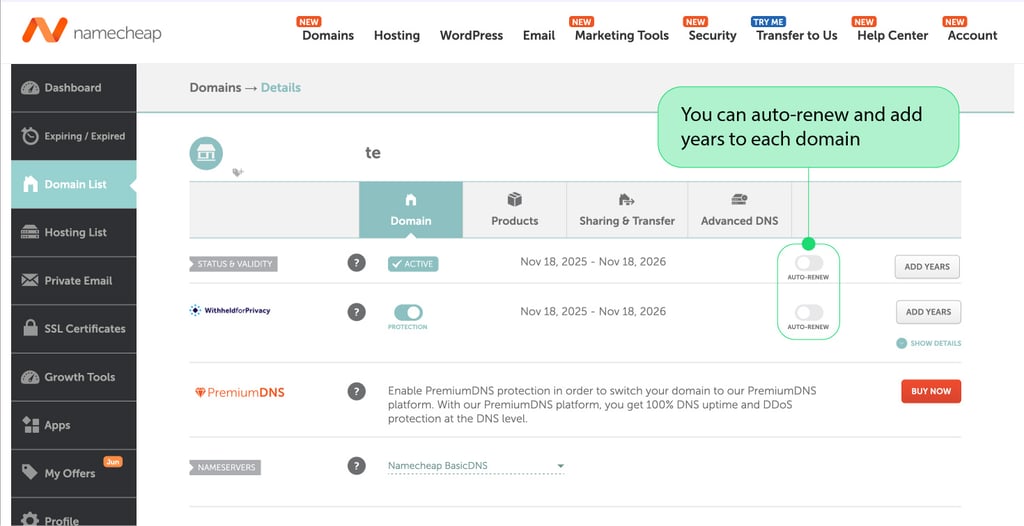
What I noticed first is GoDaddy’s modern but a bit cluttered dashboard. The navigation wasn’t smooth – it was hard for me to understand where to go, and some dashboard elements were simply upselling products I was supposed to purchase.
I liked that my plan included WordPress preinstalled, so I could set up the website right away. Then the Airo AI builder helped me quickly generate the first template from a prompt. The domain connection process was also simple: I navigated to the dashboard, purchased the domain name, and clicked Save & Publish.
Email configuration could be done either via GoDaddy Professional Email or Microsoft 365. In both cases, I had to go to Email & Office on the dashboard and click the self-explanatory setup buttons.
Finally, migration can be completed in several ways, including managed migration services, automatic WordPress migration, cPanel migration tools, or manual migration. I chose GoDaddy’s Website Migration service and contacted a GoDaddy Guide, who helped me move the website content, perform quality checks, review security and SSL setup, and help set the new website live.
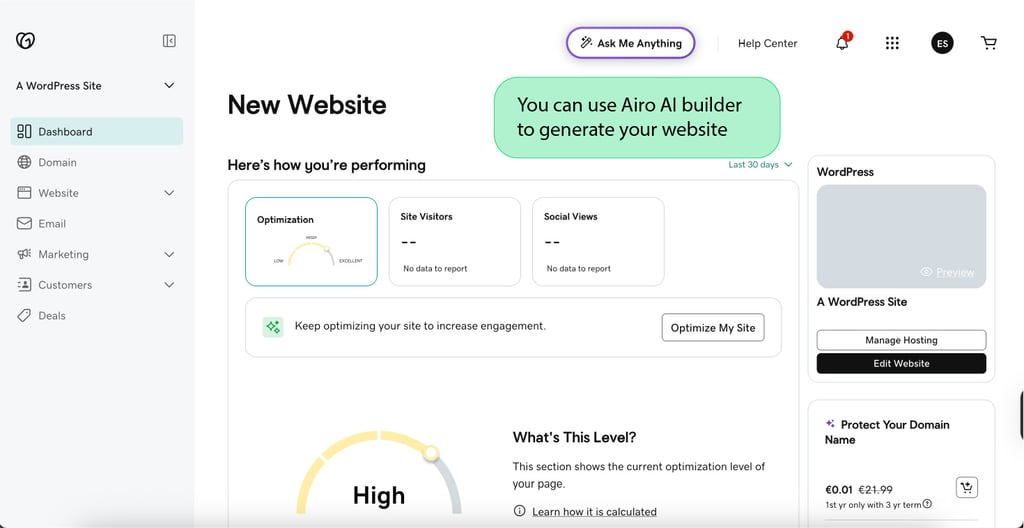
I had the easiest experience with Bluehost, compared to GoDaddy and Namecheap. First, the dashboard is very modern with all the important configurations in front of me, e.g., SSL and SSH management tools and cache control.
To install WordPress, I only had to log in to the Bluehost account, open the Websites section, add a new website, and choose WordPress. Then I simply named the website and connected it to the right domain.
For the email setup, Bluehost offers several options, including Professional Email, Google Workspace, and email hosted directly on the user’s web hosting server. After selecting Google Workspace, I could create and manage email accounts directly through the Bluehost Portal and connect them to Outlook and Apple Mail.
Website migration here is especially simple and can be done either via a paid migration service or a free manual migration tool. The free tool worked great for me and provided simple step-by-step migration guidance that even a beginner could handle.
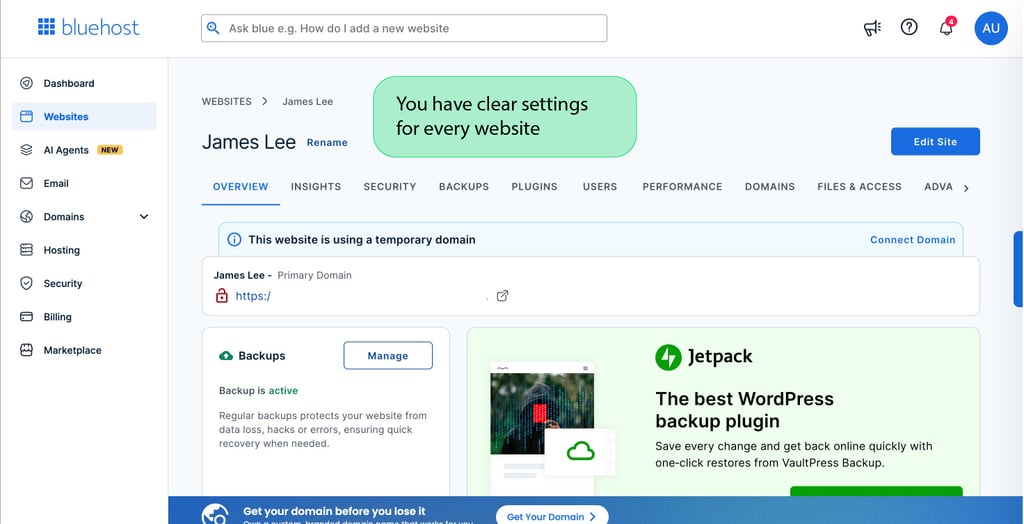
Namecheap's account management dashboard felt more outdated and less functional than those of other providers. Even though there’s a cPanel for advanced server management, it felt buggy at times, and I had to reconnect multiple times because it kept logging me out.
WordPress can be quickly installed through cPanel using the Softaculous Apps Installer. The process isn’t difficult, and I could preinstall premium plugins for free, e.g., Cookie Consent Banner and Extendify AI web builder.
As for the domain connection, it was complicated and less automated than GoDaddy and Bluehost. Here, it can be done either by pointing the domain to the hosting provider’s nameservers or by updating individual DNS records.
Email setup was simpler – I just clicked Private Email, and the next steps were clear. The migration process is handled fully by the Namecheap team. I only had to contact the team by email so that they could check compatibility, generate backups, upload the data to Namecheap servers, and restore it on the new hosting account.
Security
I analyzed each provider's documentation to assess their security levels across the cheapest and most expensive plans. Below is the breakdown of their features.
GoDaddy provides a free SSL for a year and daily backups in its cheapest plan. All the following security tools are to be purchased separately with the Web Security package:
- AutoSSL renewal for cPanel sites
- Web application firewall
- Malware scanning and removal
- Automatic WordPress software updates
- DDoS protection
- Patchstack vulnerability mitigation
Some more expensive plans also include a free trial for Norton Small Business Cybersecurity.
I like that Bluehost offers free, lifetime SSL and weekly backups. Also, all the following features are included in the cheapest Bluehost plan:
- Malware scanning
- DDoS protection
- Automatic updates for WordPress core, themes, and plugins
Web application firewall and domain privacy protection (free for the first year) are included in more expensive plans.
While Namecheap offers paid SSL and bi-weekly backups, all the following security features are included in its cheapest Stellar plan:
- Supersonic CDN with DDoS protection and web application firewall
- Imunify360 security protects websites from malware, bots, and zero-day threats
- Two-factor authentication for cPanel
- Automated patch management
- Domain privacy protection (free for lifetime)

Customer support
From my experience, customer support is important not only for beginners but also for all active users. For this final test, I not only interacted with the hosting providers via chats and calls but also researched the quality of their documentation and FAQs. Here’s an overview of each provider:
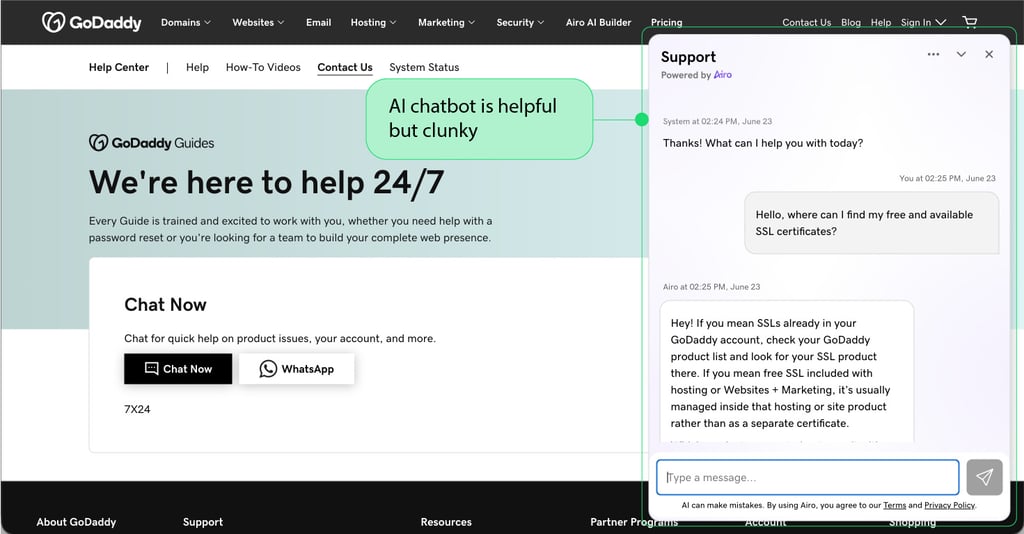
The first point of support in GoDaddy is Airo. From what I tried, the AI answers questions quickly and accurately, but it was difficult to reach a human agent, either in chat or by phone. Even though GoDaddy is infamous for slow human support, I think that in most cases, GoDaddy's knowledge base and conversations with Airo are enough to resolve any problem quickly.
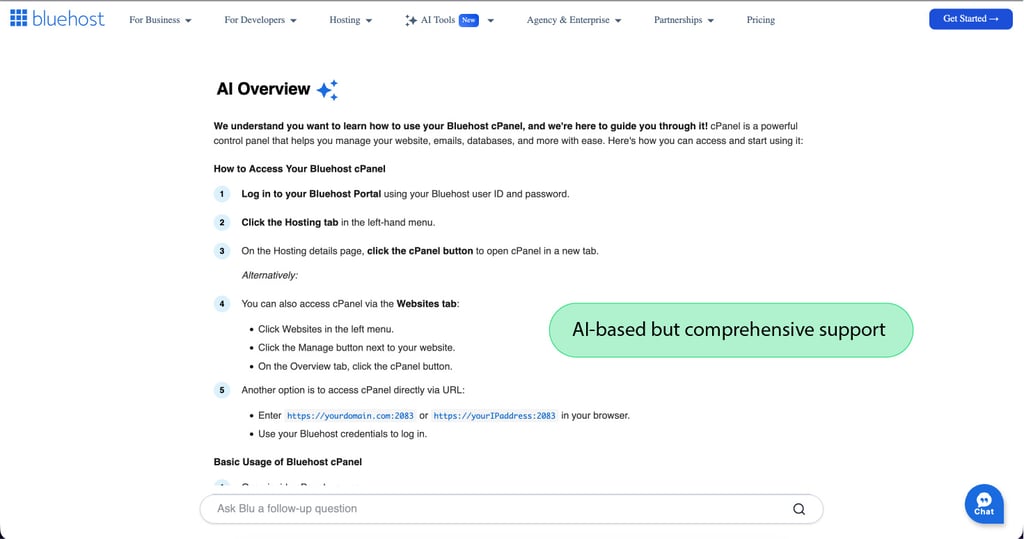
In Bluehost, you immediately get an answer from an AI chatbot and then get connected with a real human agent, if needed. AI answered my questions about cPanel comprehensively, even though it didn’t allow me to ask two questions in a row – I first had to confirm the previous answer was correct. The human agent was less frustrating; they were polite and helpful, explaining the difference between the dashboard and cPanel to me, but the answers themselves, understandably, took some time.
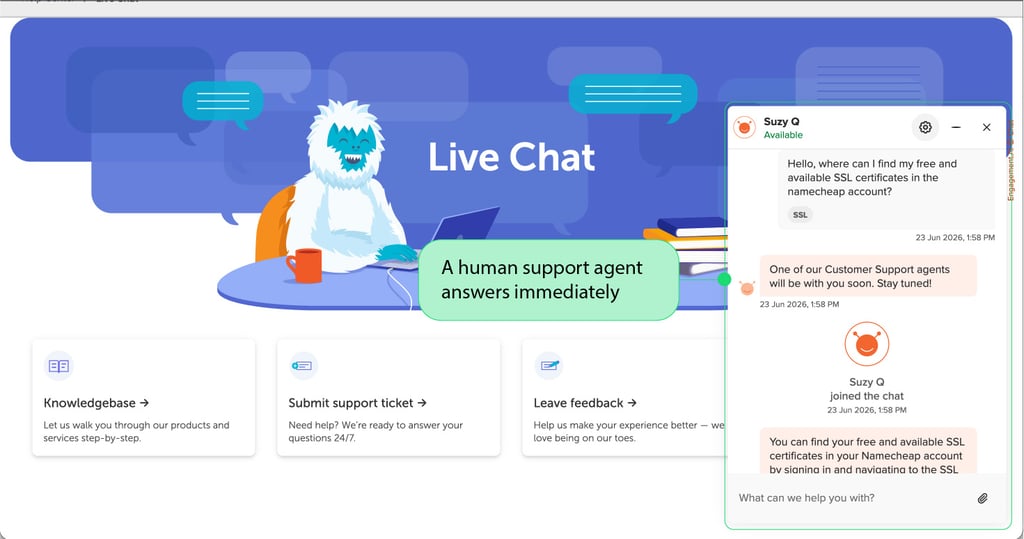
Namecheap is the only provider without phone support, but only real human agents on live chat. I got my answers quickly with literally no wait time. However, after a few questions about SSL and WordPress installation, it seemed the agent mostly used scripted texts. It may feel a bit annoying, especially if you have a very specific issue.
Namecheap’s documentation covers many use cases. Yet it was difficult to figure out my next steps when I tried to resolve a DNS record issue while setting up my own SSL certificate.
Final thoughts
Based on my tests, I believe that all three providers are well-suited for different types of users. So, here are my final recommendations for each host:
- Choose Bluehost if you host standard WordPress websites with regular traffic, and a modern dashboard and ease of use are important to you.
- Choose GoDaddy if you’re ready to pay more to host top-performing, high-traffic websites with a lot of interactive elements.
- Choose Namecheap if you have low-traffic websites and don't mind manual setup or slightly slower server speeds.