Fake account verification scams: how to avoid

It’s a calm day, and suddenly you get an email. It’s from your bank, and it says that you have to quickly verify your account to avoid your savings being frozen. You panic, and you click the link. After logging in, you breathe a sigh of relief.
But the truth is, you’ve just exposed your account to a cybercriminal using the fake account verification scam. These scams are more common today than ever, but luckily, there are ways to recognize and avoid them. Even if you've already fallen victim to one, it's still possible to remove threats after your PC or data have been hijacked. Read on to find out how.

What is an account verification alert email scam?
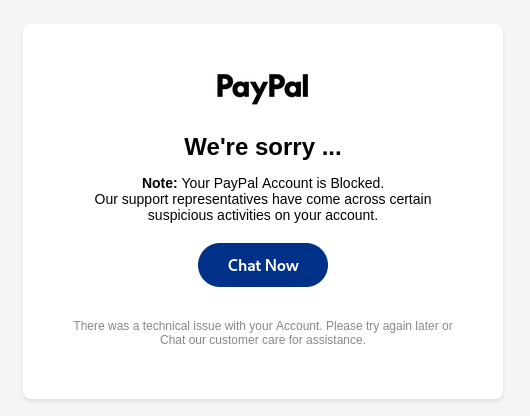
An account verification alert scam is a phishing scam that uses urgent messages to trick a user into clicking links or giving up their login information. Threat actors spoof messages from trusted services like PayPal, Facebook, and Microsoft or institutions like banks to get you to click on a link.
Once you do, several things can happen. You may be asked to provide your name and password or to download a file, or your browser may be hijacked, giving the cybercriminal access to your accounts. Whatever the case, going through with the instructions means you fell victim to a phishing attack.
To help you further understand the scam, here’s a simple breakdown of what it entails:
| Name | Fake account verification scam |
| Type | Scam, phishing, smishing |
| Device | Windows, macOS, Android, iOS, Linux |
| Symptoms | Suspicious URLs, websites imitating legitimate service providers, SMS messages from suspicious numbers |
| Damage | Stolen accounts, 2FA codes, personal, and financial information |
How fake account verification scams work
Fake account verification scams use clever social engineering to make you essentially give up your own accounts to cybercriminals. Cybercriminals impersonate legitimate services like PayPal, Microsoft, Spotify, or Facebook to get you to perform a certain action. This is usually clicking a link. Once you click the link, you may be asked to log in to your account or download a file, or the link itself may hijack your browser’s information, giving threat actors access to your accounts.
These scams can happen to anyone, from non-tech-savvy internet users to experienced tech geeks. All it takes is one tiny lapse in awareness, and your information is headed to a cybercriminal’s hard drive. You may think you know better, but a well-engineered scam may get the best of us, so it’s always worth it to approach this particular method with a lot of humility.
How did I encounter a fake account verification scam?
Fake account verification scams can be encountered in a number of ways. The most popular delivery method is your email or SMS inbox. Cybercriminals send you a message, and you click it.
Some fake verification scams are more robust. These include setting up a false advertisement on a search engine like Google to get you to create an account or log in on a spoofed website. Sometimes, cybercriminals will also “typosquat”, meaning they buy domains similar to a popular service to try and catch people who make a miniscule typo when using the address bar. This may be moving the letters around (like paypla.com for PayPal) or squatting a popular key misclick (like wbay.com for eBay).
Some rarer methods also include fake software prompts or browser redirects. Overall, a fake account verification scam can catch you out anywhere on the internet, which is why it’s so important to stay vigilant.
Avoiding fake account verification scams
Avoiding fake account verification scams may seem quite simple, but it requires near-constant vigilance. Here are a few things you should always have in mind when using the internet:
-
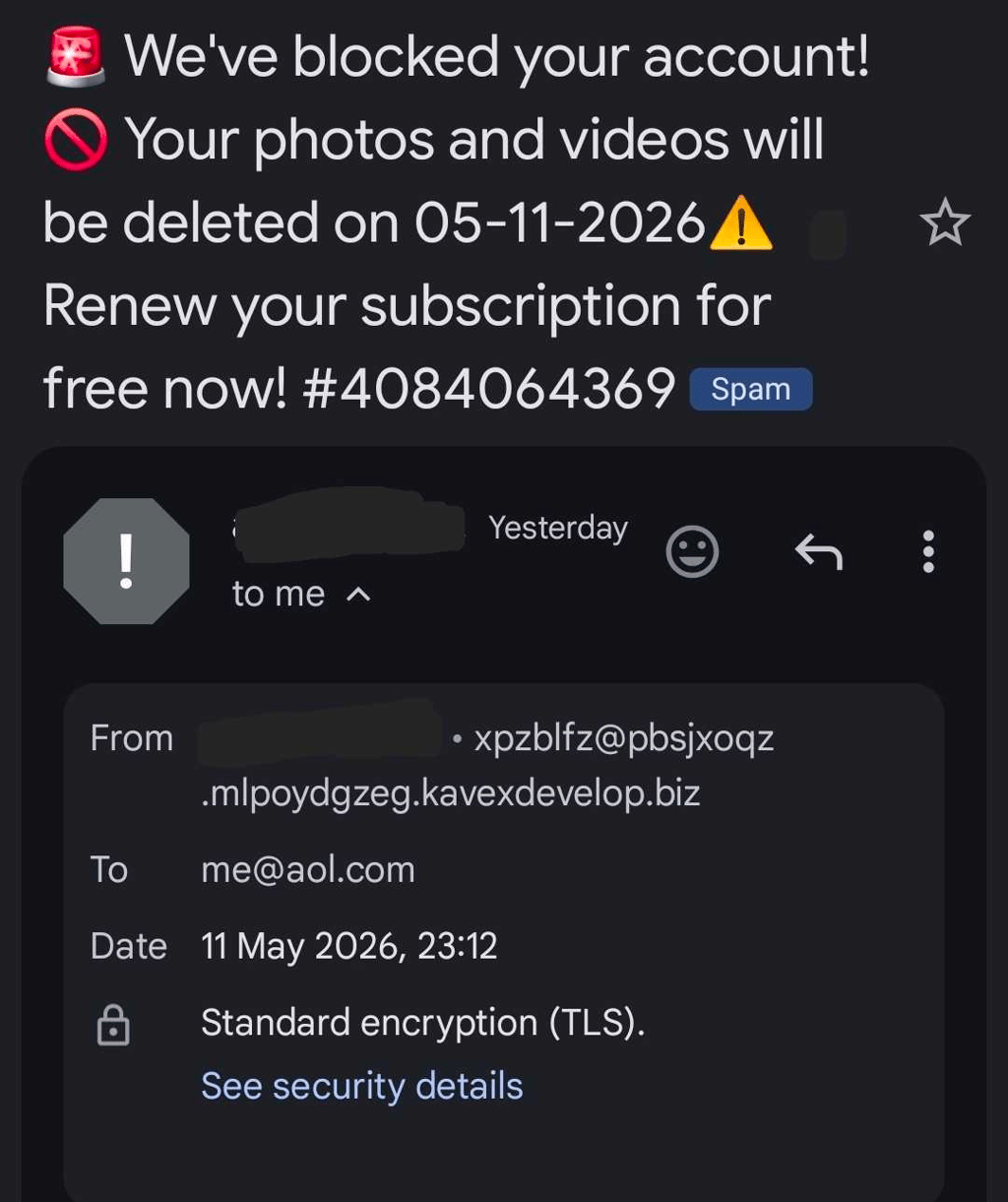
Always verify the email sender’s address. Fake email verification scams will often come from email addresses that are not in a given company’s domain (e.g., PayPal won’t send you emails from domains different than @paypal.com). The sender’s data can be viewed in your email interface. They may also use your name as the sender’s name to further make it harder to detect. Finally, the “to” address may also not be your address and can be marked as e.g., “[email protected]” instead.
-
Type in website URLs directly into the address bar. Don’t search through Google or a different search engine, as sometimes, the top result will be a scammer’s malvertising. For example, here are the search results from a search for the popular Counter-Strike marketplace Buff with the three top results being scam websites.
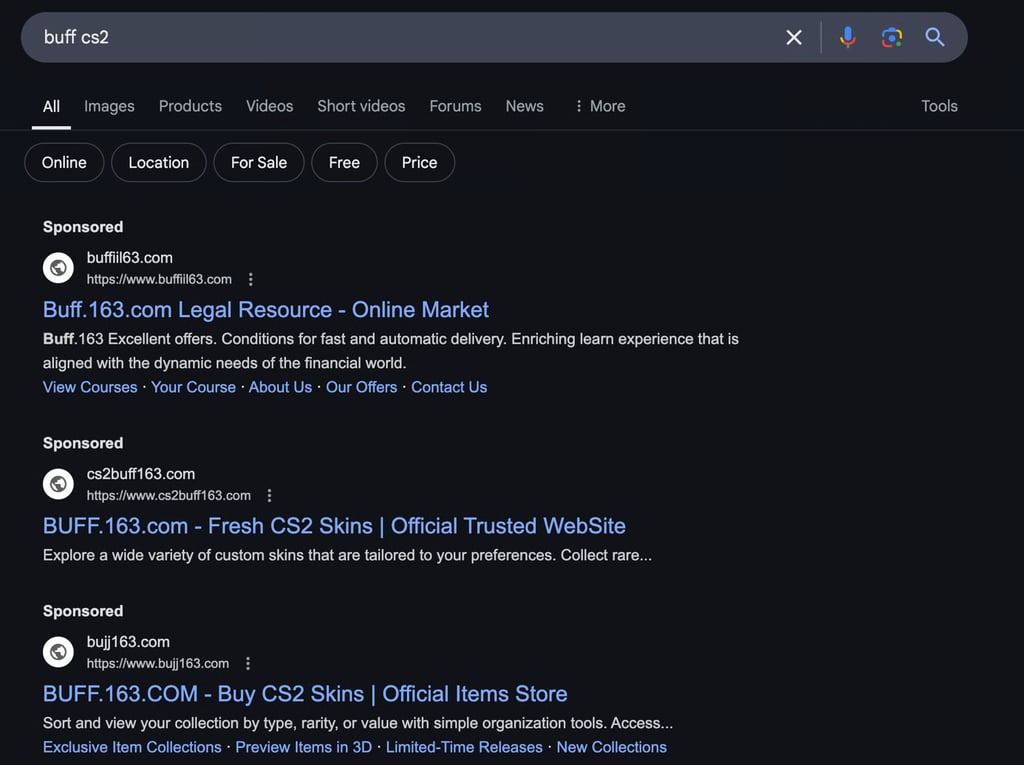
- Do not give your login credentials without ensuring that you’re on the correct website. Double-check the address bar, and do not use pop-ups to log in, as the address bar in them can be potentially faked.
- Perform an antivirus scan. Since some verification scams can start with a fake software pop-up, an antivirus scan will ensure that you won’t have to worry about the links originating from your computer. An antivirus suite like Norton will also use AI to monitor your computer and detect any potential scams.
- Use a password manager. A password manager’s autofill will not work on a scam website, giving you an additional flag.
How to remove threats from fake verification scams
Fake verification scams bring about many threats, and after falling victim to one, you should perform three key maintenance activities, namely changing your affected passwords, clearing your browser cache and cookies, and performing an antivirus scan.
Step 1. Change your affected passwords
If you fall victim to an account verification scam, you should immediately change all the passwords that may have been affected. If you use the same password for multiple accounts, you should change it on every account you’ve used the password for.
Should your email account be compromised, you should quickly change all your passwords, especially for key services, as the threat actor can reset virtually any of your accounts.
To help you manage your passwords in the future, you should use a reliable password manager, like the one included in Norton 360.
Step 2. Clear your browser data
Since a visit to the wrong website may have left some unwanted cookies in your browser, it’s best to do a complete wipe of your browser data. To do so in Chrome, head to Settings, then go to Privacy and security, and then click Delete browsing data. Just in case, click All time and then Delete data.
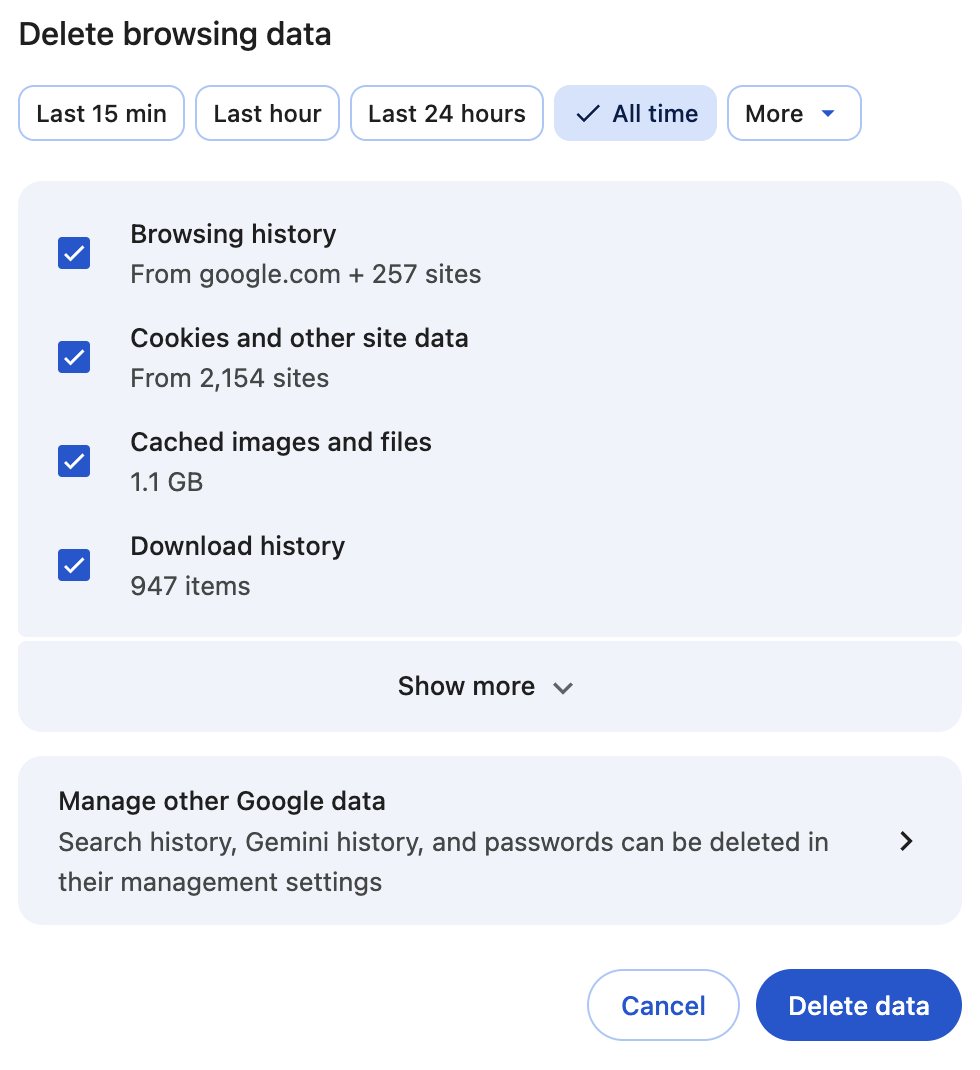
Step 3. Perform an antivirus scan
Just in case the scam resulted in files being downloaded to your computer, you should perform an antivirus scan. I recommend using Norton Antivirus to do so. Simply launch a scan and wait for the results to come. Once scanned, delete the file according to Norton’s suggestion.
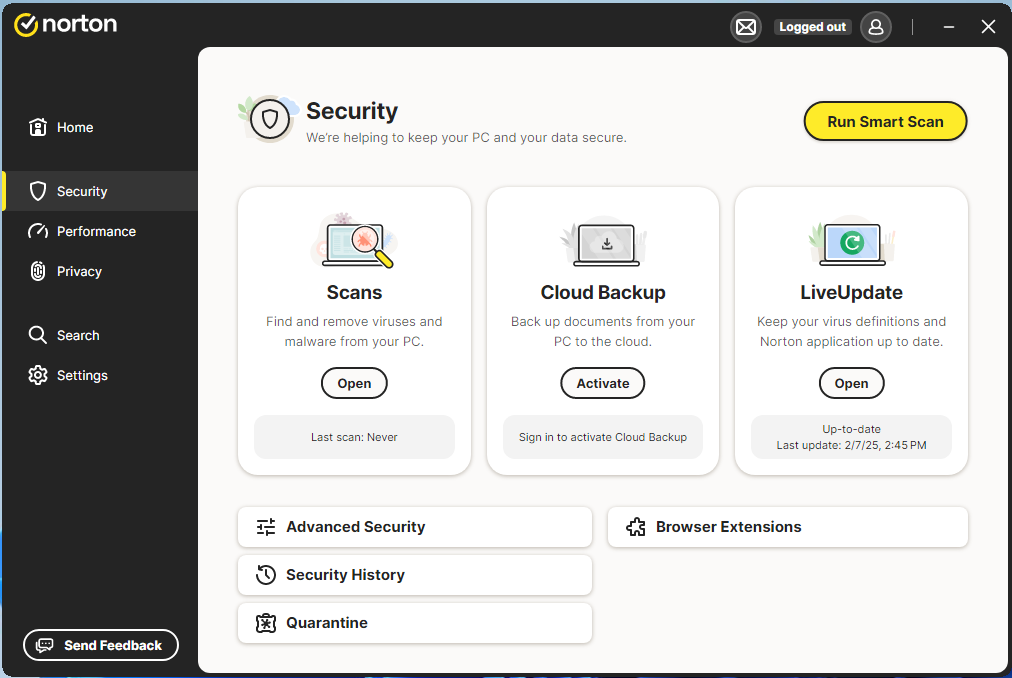
How to protect your device in the future
In order to protect yourself from scams in the future, you should take the following steps to protect your device and accounts:
- Download a reliable antivirus with anti-phishing features. A reliable antivirus like Norton 360 will help you protect your account not just by deleting malware but also by scanning your device and messages, flagging possible phishing messages.
- Use a password manager. A password manager helps you avoid phishing links, as it won’t autofill on a spoofed website. The Norton 360 standard plan includes a password manager that will help protect your device.
- Be vigilant. Don’t click on emails from unknown sources, always check the sender, and don’t click ads on search engines. Always double-check the address bar, and if you’re unsure about an email’s source, simply don’t click the link.
- Use different passwords on different websites. Since many phishing scams are designed to steal your passwords, using different passwords will reduce the damage should one of them get stolen.
Conclusion
The fake verification mail scam is one that can affect virtually everyone. It requires constant vigilance, and its effects can range from a minor nuisance to serious financial trouble. By following the guides in this article, you’ll be able to lower the risk of getting scammed.
If you want to add some security to your devices and improve your anti-scam protection, you can use Norton 360 to get AI anti-phishing features and a password manager. This combination should help you avoid most scans – as long as you remain careful.
FAQ
Why am I getting verification codes I didn't request?
You probably received a verification code without requesting it because it’s a fake message designed to get your login information.
Is there a fake Apple email going around?
Yes, cybercriminals use fake Apple emails to try and steal login information from you.