NordLayer Browser vs Island: 2026 comparison
Being behind major reports like The Mother of All Breaches and RockYou2024, our in-house cybersecurity experts and journalists provide unbiased, real-world testing and in-depth analysis.
We maintain complete transparency by openly sharing our testing methodologies with our audience.
Learn more
No matter the size of your business, using an enterprise browser can bring several benefits. It can help prevent sensitive data leaks, enforce security policies, and give IT teams better visibility and control over employees' browsing activity. And with more work happening online, from using cloud-based tools to relying on AI agents, the need to secure business browsing is greater than ever.
If you're looking for a business browser, NordLayer Browser and Island are two options to consider. Both are designed to give organizations more control over how employees browse the web, but they differ in the features they offer, their approach to security, and how easy they are to manage.
This is why, in this NordLayer Browser vs Island comparison, I tested and compared the two across key areas: pricing, ease of use, administration, security, and customer support. Keep reading to see how they compare, which one wins, and why.



The Cybernews team consists of professional and highly skilled writers and an in-house research team. They’re the core of all our reviews, bringing the performance of each tool closer to you. Additionally, we stick to a transparent testing process, which includes investigating various services, their features, and disclosing our testing methodology with everyone. Discover more about our testing process.
NordLayer Browser vs Island: quick overview
Before diving into the details, here's a quick overview of how NordLayer Browser vs Island compare in terms of pricing, compatibility, security, and other key features.
| NordLayer Browser | Island | |
| Pricing | Starts at $4.00/user/month; custom pricing for large organizations | Custom pricing |
| Platform support | Windows, macOS | Windows, macOS, Linux, ChromeOS, iOS, Android, browser extension |
| Data loss prevention | Clipboard, file upload/download, camera, and microphone controls | Clipboard, downloads, uploads, printing, screenshots, and application-level controls |
| Security | Web threat protection, DNS filtering, secure tunneling, web app control, IP anonymization, and access controls | Advanced threat protection, zero-trust access, and granular security policies |
| Support | 24/7 live chat, email, knowledge base | Knowledge base and support contacts for administrators |
| Best suited for | Businesses looking for centralized browser management, secure access to company resources, and simplified employee onboarding | Enterprises requiring cross-platform browser security, extensive DLP controls, and additional endpoint protection capabilities. |

About NordLayer Browser
NordLayer Browser is a business browser designed to help organizations secure and manage work-related browsing. Developed by Nord Security, a well-known cybersecurity company behind products like NordVPN and Saily, it brings centralized browser management and security controls into one place.
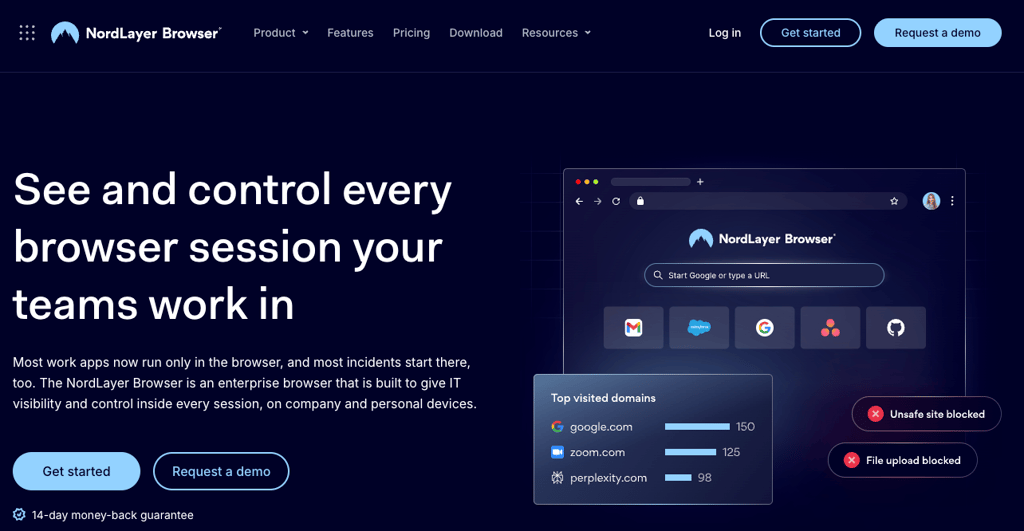
As a centrally managed browser, NordLayer Browser gives administrators control over how employees browse, which websites and applications they can access, and what actions they can perform, such as copying, downloading, or sharing data. It also provides visibility into browser activity, including the websites, SaaS applications, and extensions employees use. This helps businesses protect sensitive information, enforce security policies, and reduce the risk of data leaks.
NordLayer Browser also applies Zero Trust security principles by verifying browser sessions and enforcing access policies based on user permissions. This helps ensure employees can only access the company resources they are authorized to use.
About Island
Island is an enterprise browser designed to help businesses secure work-related browsing while giving IT teams greater control over employee activity. Built on Chromium, it offers a familiar browsing experience with security, data protection, and productivity features integrated directly into the browser.
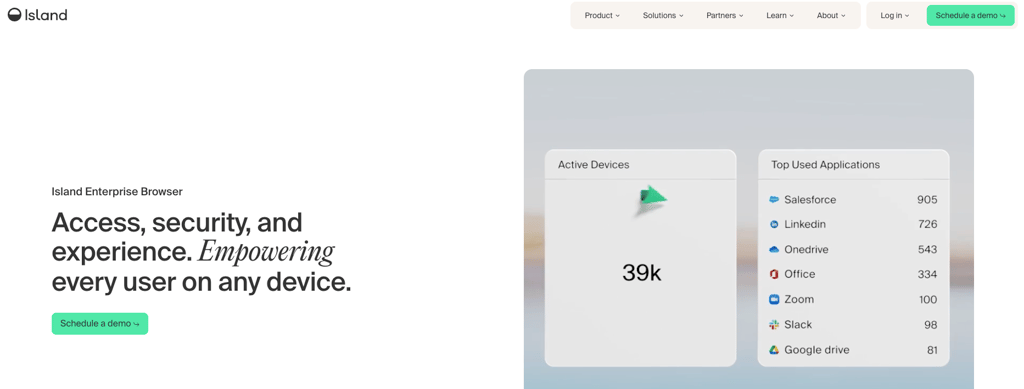
Island allows administrators to manage access to company applications, enforce browsing policies, and control how employees interact with sensitive data. For example, they can restrict copying, downloading, printing, or taking screenshots to prevent data leaks. The browser also includes built-in protection against web threats like malware, phishing, and session hijacking.
Island follows a Zero Trust security approach, continuously evaluating user identity, device health, network, and other contextual factors before granting access to company resources. It also separates work and personal browsing to help maintain employee privacy.
NordLayer Browser vs Island: pricing comparison
NordLayer Browser wins in the pricing category. Its plans start at just $4.00/month/user, while Island Browser uses custom pricing that is reportedly many times higher.
NordLayer Browser keeps its pricing simple. Teams with 5 or more users pay $4.00/month/user for the Premium plan, while large enterprises with specific needs can contact the sales team for a custom quote. That said, you also need a dedicated IP to use the browser, which costs $40.00/month.
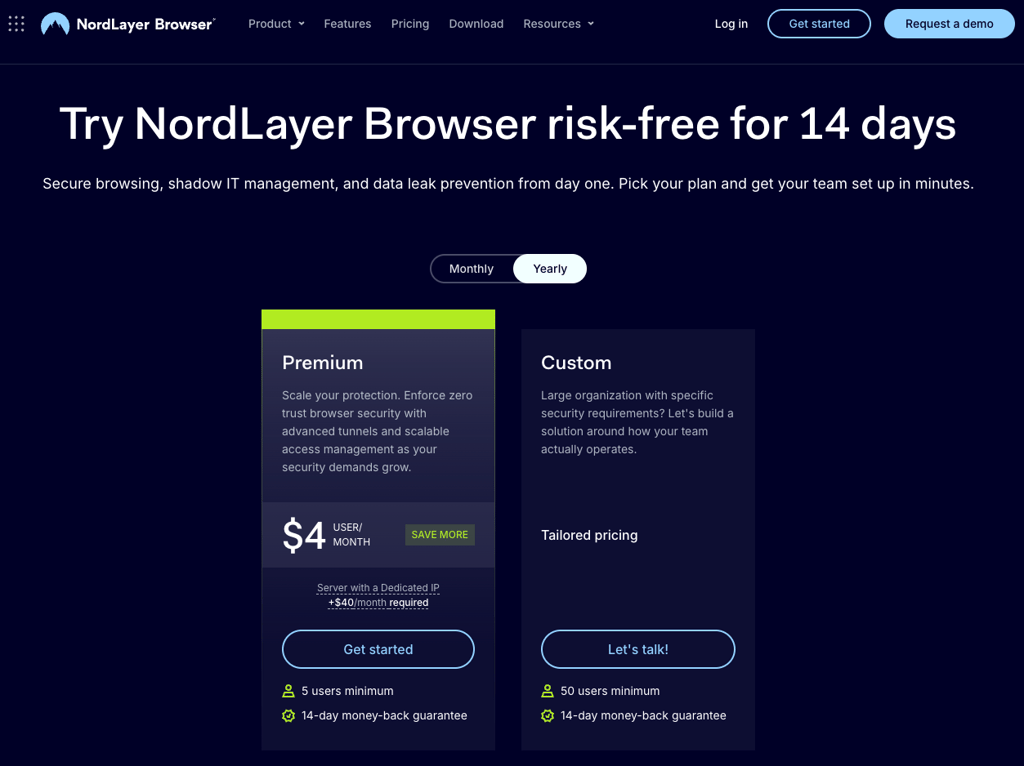
All plans come with a 14-day money-back guarantee, so you can try the service without much risk. You can also request a demo to see if it meets your needs.
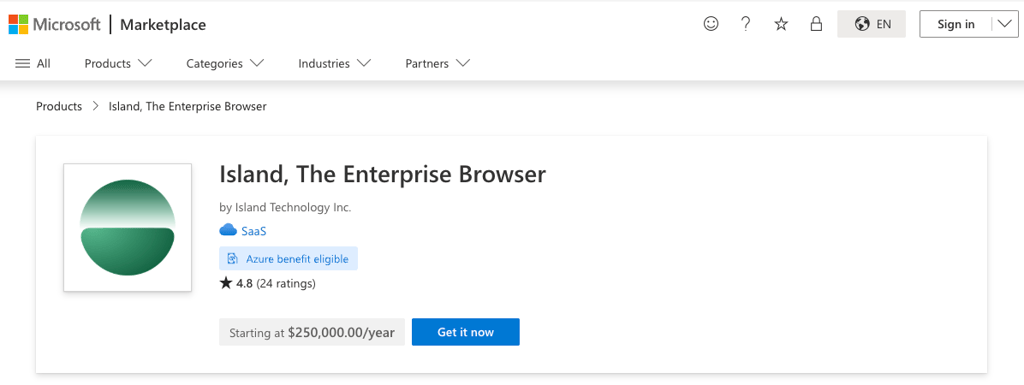
Island Browser, on the other hand, uses custom pricing. According to its Microsoft Marketplace listing, prices start at $250,000/year, making it considerably more expensive than NordLayer Browser.
Like NordLayer Browser, Island also lets prospective customers schedule a demo to explore the platform before committing.
Island vs NordLayer Browser: ease of use and compatibility
NordLayer Browser wins in ease of use thanks to its quick setup and ease of adoption. Once the administrator enables the browser and configures the necessary policies, employees can get started in about 10 minutes by installing it, entering their organization ID, and signing in. They can also import existing bookmarks and passwords, making the switch from their current browser virtually seamless.
Island Browser also tries to make the switch as smooth as possible. It's built on Chromium (the underlying code for Google Chrome, Microsoft Edge, Opera), so employees can continue using their usual web applications without learning an entirely new interface. It also supports older web applications designed for Internet Explorer, which can be useful for businesses that rely on legacy tools.
When it comes to compatibility, Island Browser supports Windows, macOS, Linux, iOS, and Android devices and also works as an extension for Chrome, Edge, Safari, and Firefox. NordLayer Browser's dedicated app is only available for Windows and macOS. This gives Island users a little more flexibility, but if your employees use company-managed computers, you won’t feel any difference using NordLayer Browser.
NordLayer Browser vs Island: SaaS and internal application access
NordLayer Browser wins in application access simplicity, particularly for businesses that need to give employees secure access to internal web apps. Its Private Gateways and Instant Web Access feature let administrators configure connections in advance, so employees don't have to manually connect to a VPN or change network settings to reach company resources.
SaaS application access
Both browsers help businesses control access to SaaS applications, but they work slightly differently.
NordLayer Browser lets administrators assign SaaS access permissions to specific teams and configure how their traffic is routed. For example, a company could allow its finance team to access accounting software through a dedicated IP address while restricting access for other employees. This is particularly useful for SaaS platforms that rely on IP allowlisting to restrict access to approved networks.
Island also offers conditional access controls for business applications. Administrators can create policies based on employee identity, device health, network, and location. This gives businesses more flexibility when deciding who can access specific applications and under what conditions.
Internal web application access
NordLayer Browser offers a particularly convenient way to access internal company resources. Its Instant Web Access feature lets administrators preconfigure connections through Private Gateways. Once configured, employees can open internal websites and applications directly in the browser without manually connecting to a gateway.
For example, a remote employee could open an internal HR portal or company dashboard without first connecting to a corporate VPN. Administrators can also configure team-specific gateway routing and access policies, ensuring employees can only access authorized company resources.
Island also supports secure access to private applications through Zero Trust Network Access (ZTNA). It allows businesses to enforce access policies directly in the browser, without relying on traditional VPN connections. Access is controlled through policies that consider user identity, device posture, and other contextual factors.
However, NordLayer's automatic gateway routing makes accessing preconfigured internal resources particularly straightforward for employees.
NordLayer Browser vs Island: administration
Island wins in administration because it gives IT teams more control over the entire work environment, not just browser settings.
Both solutions offer centralized management, user policies, and activity monitoring. However, they differ in the extent to which administrators can control employee access and monitor security. NordLayer provides visibility into visited domains, browser-extension and web application usage, failed login attempts, downloads, and blocked activity. Island advertises broader, high-fidelity work-activity monitoring and analytics.
NordLayer Browser allows administrators to configure 23 Chromium-based policies and more than 500 configuration options via the Control Panel. These include settings for cookies, passwords, extensions, and printing. They can also create different policies for individual teams and manage access to internal company resources. For example, an administrator can prevent employees from installing unauthorized browser extensions or printing sensitive documents.
Island offers similar browser management features but adds more context-based access controls. Administrators can create rules based on employee identity, device health, network, and location. For example, they can prevent employees from accessing sensitive company applications if they're using an unmanaged device or an unsecured network, preventing potentially risky activity. Island also provides broader monitoring capabilities, including application usage, device health, and employee activity insights.

Island vs NordLayer Browser: security
Island wins in the security category thanks to its broader threat protection and more advanced data loss prevention (DLP) capabilities. NordLayer Browser still offers solid security, particularly for protecting network connections and blocking common online threats, but Island covers more browser-specific risks.
Both browsers offer solid protection against phishing, malware, and malicious websites. However, Island goes a bit further by protecting against threats such as session hijacking, man-in-the-browser attacks, and browser exploits. These attacks can compromise browsing sessions or steal sensitive information even when users visit otherwise legitimate websites.
NordLayer Browser offers broader enterprise browser security capabilities. In addition to secure tunneling through private gateways and DNS filtering, it provides browser-level protection through Web Threat Protection, Browser Firewall, extension security policies, and data loss prevention (DLP) controls. For example, Web Threat Protection can block access to malicious websites before they load, helping protect employees from phishing attempts and malware.
When it comes to data protection, both browsers offer DLP features that help prevent sensitive information from leaving the company. They can restrict file uploads, downloads, and clipboard actions. NordLayer Browser also lets businesses control which websites can access employees' cameras and microphones and apply printing restrictions through browser policies. Island, however, offers more ways to stop data leaks. It can block screenshots even outside the browser, making it harder for employees to copy or share sensitive company information.
Both products also have established security and compliance credentials, including ISO 27001 and SOC 2. Neither has a clear advantage in this area.
NordLayer Browser vs Island: customer support
NordLayer Browser wins in customer support thanks to its 24/7 support. You can reach support at any time of the day or week via live chat, but for less urgent issues, there’s email available too. Importantly, support isn't limited to administrators, so individual users or even non-customers can also get help when they run into problems.
NordLayer also has an extensive knowledge base with guides, tutorials, and troubleshooting instructions. Its documentation makes it easy to find answers independently, whether you're setting up the browser, managing company resources, or resolving a technical issue.
Island provides a knowledge base and dedicated support contacts for administrators, giving IT teams resources to manage and troubleshoot the browser. However, its support offering is less transparent when it comes to availability. Island doesn't advertise 24/7 support or clearly outline whether regular employees can contact its support team directly.
Final verdict: which one wins?
NordLayer Browser and Island are both good products. They're designed to help businesses secure and manage employees' browsing activity, protect sensitive data, and make browser management easier.
That said, after comparing them side by side in terms of pricing, ease of use, administration, security, and customer support, NordLayer Browser came out as the winner. It's more affordable, easier to use, and provides reliable 24/7 support.
Island Browser is still a solid option for businesses that prioritize advanced administration and security features. However, NordLayer Browser makes it easier for employees to securely access business applications, particularly when working remotely, using personal devices, or accessing internal company resources.
FAQ
Which is better for business, NordLayer Browser or Island?
NordLayer Browser is the better choice for businesses looking for a straightforward, secure browser with easy deployment and centralized management. While Island offers more advanced security and data loss prevention features, NordLayer Browser provides a strong balance of security, usability, and administration.
Is NordLayer Browser the same as NordVPN?
No, NordLayer Browser is not the same as NordVPN. However, both products are owned by Nord Security, the cybersecurity company behind several well-known security brands. NordVPN is a consumer VPN service, while NordLayer Browser is designed to secure and manage business browsing.
Which is easier to set up, NordLayer Browser or Island?
NordLayer Browser is easier to set up thanks to its straightforward installation and onboarding process. Employees can install the browser, enter their organization ID, and sign in in about 10 minutes. Island also offers centralized administration, but its setup process is more complex.
Can I use NordLayer Browser or Island for free?
No, neither NordLayer Browser nor Island offers a free plan. However, you can request a demo from either provider to explore their features before committing. NordLayer Browser also offers a 14-day money-back guarantee, giving businesses an opportunity to try the product.
How much does NordLayer Browser cost per month?
NordLayer Browser starts at $4.00/user/month, but you also require a dedicated IP, which costs $40.00/month. Businesses with larger teams or specific needs can also contact NordLayer to request custom pricing.
What is NordLayer Browser?
NordLayer Browser is a secure, centrally managed browser designed for businesses. Developed by Nord Security, it helps organizations protect company data, manage employee browsing activity, and enforce security policies. IT administrators can manage browser settings and access controls from a centralized dashboard.