Best virtual phone service in October 2026
Being behind major reports like The Mother of All Breaches and RockYou2024, our in-house cybersecurity experts and journalists provide unbiased, real-world testing and in-depth analysis.
We maintain complete transparency by openly sharing our testing methodologies with our audience.
Learn more
In the business world, something as simple as a phone call can make all the difference between closing a deal and ending up with a bust. Those who’ve been on both ends of the spectrum know how important it is to eliminate any possibility of bad lines and poor connections. Luckily, there’s a quick solution for that in 2026, called a virtual phone system.
Unlike traditional phone lines, virtual phone services operate via the internet through service providers’ servers. They can be used on all types of connections, including LTE and 5G, as well as through on-premise or cloud-based servers. Curious to discover their true value, I dug deep into their benefits and capabilities.
In today’s guide, I’ll share my findings to help you pick the best virtual phone service, combining detailed overviews of my top picks. As I wanted to help you pick various needs, I carefully evaluated each solution based on features, pricing, user-friendliness, and customer support.
Our top picks for virtual phone service in 2026
- Surfshark’s Alternative Number – best virtual phone service for 2026
- Quo – best cheap virtual phone service
- KrispCall – best AI-powered virtual phone service with local and global phone numbers
- Dialpad – best VoIP service for unlimited domestic calling in the US and Canada
- GoTo Connect – best cloud-based phone service for virtual office communication
- Zoho Voice – best free virtual phone service
- Aircall – best virtual phone service for call recording and software compatibility
- 8x8 – best virtual phone service for small businesses
- RingCentral – best AI-powered virtual phone service



The Cybernews team consists of professional and highly skilled writers and an in-house research team. They’re the core of all our reviews, bringing the performance of each tool closer to you. Additionally, we stick to a transparent testing process, which includes investigating various services, their features, and disclosing our testing methodology with everyone. Discover more about our testing process.
Comparison of the best virtual phone services
To help you find the best virtual phone service for your business, I compared my top picks based on their features, pricing, and call/text functionalities:
| Provider | Best for | Price | Platforms | Customer support | Software phone | SMS messaging | Voicemail transcription | Call monitoring | Automatic call-back | Video conferencing |
| Surfshark’s Alternative Number | Incognito calls, keeping your contact information safe, avoiding spam | From $17.99/month (more affordable plans available with annual subscription) to $21.99/month | Android, iOS, Windows, Linux, macOS | Available (chat support, FAQs) | Android, IOS | Available | Not available | Call logs available | Not available | Not available |
| Quo | Dedicated channels for sales, clients, and in-house messages, lead status setups | From $19/user/month to $47/user/month (enterprise plans available on request) | Windows, Android, iOS | Available (live chat, email support) | Android, IOS | Available (SMS and MMS) | Available (business voicemail greeting) | Available | Available | Not available |
| KrispCall | SMBs, freelancers, startups, calling centers | From $15/user/month to $40/user/month (enterprise plan also available on request) | Android, iOS, Windows, macOS | Available (live chat, email support) | Android, iOS | Available (SMS and MMS) | Available | Available | Available | Available |
| Dialpad | AI-powered collaboration lines, Google and Microsoft 365 integrations | From $27/user/month ($15/user/month if billed annually) to $35/user/month (enterprise plans available on request) | Windows, Android, iOS, macOS, Google ChromeOS | Available (chatbot support) | Android, IOS | Available (external SMS and MMS, internal chat messages) | Available | Available | Available (in-queue call-back) | Available (dedicated HD conferencing platform) |
| GoTo Connect | AI-powered cloud communications tool, shared inbox with WhatsApp, Facebook, and Instagram integration | Pricing available on request | Windows, Android, iOS | Available (live chat support) | Android, IOS | Available (SMS messaging) | Available | Available | Available (in-queue call-back) | Available (webinars and conferences) |
| Zoho Voice | Automatic call logging, integration with CRM apps | From $100/month to $1000/month (free plan available) | Windows, Android, iOS | Available (live chat support) | Android, IOS | Available (SMS messaging) | Available | Available | Available (in-queue call-back) | Available |
| Aircall | Over 100 integrations with API access, unlimited simultaneous calls | From $40/month to $70/month (custom plan available on request) | Windows, macOS, iOS, Android | Available | Android, IOS | Available (business SMS and MMS texts) | Available | Available (call coaching system) | Available | Available (video calls and webinars on request) |
| 8x8 | Multiple device connectivity, call performance metrics | Plans available on request | Windows, Android, iOS | Available | Android, IOS | Available (text messaging) | Available | Available | Available (queued call-back) | Available (integrated video conferencing solution) |
| RingCentral | AI-powered call assistant for transcriptions and video meetings’ summaries | From $30/month to $45/month | Windows, Android, iOS | Available (chat and call support) | Android, IOS | Available (text messaging, group chats) | Available | Available (live calls monitoring via the app) | Available (queued call-back) | Available (integrated conferencing software) |
The best virtual phone service – detailed reviews
To make the most of my all-around comparison table, you’ll need to have a bit of background on each of these options. So, I’ve included detailed overviews of each.
1. Surfshark’s Alternative Number – best virtual phone service overall

| Best for: | Incognito calls, keeping your contact information safe, and avoiding spam |
| Platforms: | Android, iOS, Windows, Linux, macOS |
| Price: | From $17.99/month to $21.99/month |
| Customer support: | Available (chat support, FAQs) |
Why I picked it
Surfshark launched the Alternative Number solution, which I immediately knew I had to list. If you’re looking for an affordable solution with significant discounts of up to 81%, then this one is right for you.
Standout feature
What I really liked is that you can use the Surfshark Alternative Number for making anonymous calls. Its most unique feature is the Alternative ID function, which you can bundle with your private phone number or a secure email. Thus, you’ll be able to completely obfuscate your details on the internet. While it’s a great way of avoiding identity theft, smishing, and other safety risks, it’s not the best business solution due to the lack of office-specific features.
User experience
According to users on Reddit who have tried Surfshark’s Alternative Number, getting the number up and running is simple and doesn’t require technical skills. Just open the app and follow the prompts to start receiving calls and texts on your new virtual line.
Many people appreciate that the virtual number lets them mask their real phone number when signing up for less-trusted sites or services, helping reduce unwanted exposure. However, some note limitations. It currently only offers US-based numbers and doesn’t reliably support SMS one-time passwords or two-factor authentication, which means you may still need your primary number for certain accounts.
Overall, the setup and daily use are reported as user-friendly, and the feature builds on the usability and privacy ecosystem Surfshark offers.
2. Quo – best multichannel internet phone service for calls and texts
| Best for: | Dedicated channels for sales, clients, and in-house messages, lead status setups |
| Platforms: | Windows, Android, iOS |
| Price: | From $19/user/month to $47/user/month |
| Customer support: | Available (live chat, email support) |
Why I picked it
Quo (formerly known as OpenPhone) stands out due to its affordability and intuitive interface. Plus, you can use it as one of the best virtual phone services for multi-channel and in-house communication, as well as adding a second phone number.
Standout feature
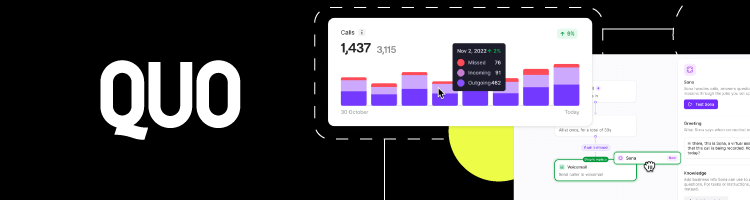
One of Quo’s biggest strengths is its combination of shared virtual numbers with team-based, multi-channel communication. Teams can use a single virtual number for safe calling and messaging, while still collaborating internally without exposing personal phone numbers.
The Your Team section acts as a basic team workspace inside the app. From there, you can add teammates, assign them to shared numbers, and organize conversations into custom groups by department or workflows. This setup makes it easier to manage incoming messages collectively and ensures nothing gets lost when multiple people handle the same contacts.
User experience
Quo focuses on structured communication rather than just basic calling. Instead of dialing numbers blindly, you create entries for companies, clients, or partners inside the app, similar to a lightweight CRM. Each entry stores conversation history, contact details, and message threads in one place, so team members always know who they’re talking to and why.
Users have noted that you can also assign roles (such as customer support or sales) to control who can access specific conversations, update lead status, or respond on behalf of the team. Reddit users considering Quo often highlight this organized, business-first layout as a key difference compared to simpler virtual phone apps, especially for teams that need shared visibility rather than individual inboxes.
3. KrispCall – best AI-powered virtual phone services for call centers
| Best for: | SMBs, freelancers, startups, calling centers |
| Platforms: | Windows, Android, macOS, iOS |
| Price: | From $15/user/month to $40/user/month |
| Customer support: | Available (live chat, email support) |
Why I picked it
There are many things that make KrispCall worthy. However, what really got my attention was the rich suite of features and availability of both local and global phone numbers. Plus, you can use it on various devices without any issues.
Standout feature
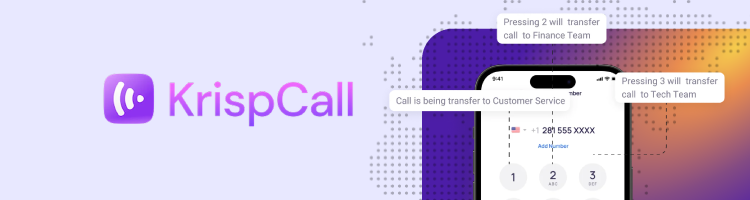
The one feature that sets KrispCall apart is its Unified Callbox, which centralizes all your calls, SMS, MMS, and voicemails into one intuitive dashboard, so you never have to switch apps or tabs to keep track of conversations. The Unified Callbox also includes call notes, tagging, smart search, voicemail transcriptions, and advanced filters. This makes it easier for teams to track history and prioritize interactions without having to dig through separate tools or spreadsheets.
Beyond that, KrispCall supports CRM integrations with platforms like Vtiger, Odoo, SuperOffice, and BoldDesk, allowing calls and messages to sync directly with your existing workflows. This means your communication data automatically flows into your sales or support tools
User experience
Reddit users note that KrispCall’s bulk SMS feature and customer support stand out, with several commenters finding the built-in bulk SMS reliable and support responsive.
Users also praise KrispCall’s seamless syncing with various CRMs so that calls, texts, and notes auto-log without manual work. This effectively reduces administrative overhead and keeps your team focused on actual conversations.
Overall, users claim the combination of simple setup, centralized call management, and real-world integration support makes KrispCall feel less like a collection of features and more like a cohesive business communication platform.
4. Dialpad – great option for unlimited calls in the US and Canada

| Best for: | AI-powered collaboration lines, Google and Microsoft 365 integrations |
| Platforms: | Windows, Android, iOS, macOS, Google ChromeOS |
| Price: | From $27/user/month to $35/user/month |
| Customer support: | Available (chatbot support) |
Why I picked it
Unlike Surfshark’s Alternative Number, Dialpad has a lot of business-related features. But I mainly picked it because of its AI-powered assistant that takes call logs and notes for you during communication.
Standout feature
Dialpad stands out due to its AI-powered automation of playbooks and simplification of onboarding and other processes. On top of this, it has in-call coaching and stands as one of the best cloud-based solutions with secure storage and plenty of other communication-based and business-oriented integrations. Overall, you can use it for conference calls, employee training, and multi-channel text messaging.
User experience
Most users report that you can complete the initial setup, including adding team members and configuring call routing, in minutes without technical support. On Reddit, several users highlight that Dialpad’s AI-powered call summaries and voicemail transcriptions save them time on follow-ups, since they can review key points without listening to full recordings.
Many also like the unified inbox for calls, messages, and voicemails, which lets them see all communications in one place without switching tabs. Some users also mention Dialpad’s real-time AI assistance during calls (such as live transcription and optional coaching prompts) as a standout feature that helps reduce manual note-taking and improve meeting efficiency.
5. GoTo Connect – top cloud-based virtual office phone servic

| Best for: | AI-powered cloud communications tool, shared inbox with WhatsApp, Facebook, and Instagram integration |
| Platforms: | Windows, Android, iOS |
| Price: | Pricing plans available on request |
| Customer support: | Available (live chat) |
Why I picked it
I chose GoTo Connect because it delivers a full cloud-based business phone system with advanced call management, team messaging, and built-in video conferencing from a centralized platform. It includes AI-assisted setup tools like GoPilot and real-time network health dashboards, which help non-technical users onboard quickly.
Standout feature
As I mentioned, you can supervise and have a clear overview of all employees, clients, and pending tasks due to the Agent Dashboard feature. You can even create custom tickets, which let you design sales/marketing reports for easier project tracking. Additionally, you can use its unique features, like routing and smart integrations. The AI integration allows you to choose the right functions for your company’s needs. With all of this in mind, I found GoTo Connect the perfect option for combining text messaging, social media, calls, and webinars.
User experience
GoTo Connect generally earns praise for its accessibility, even for beginners. In practice, some teams note that the centralized dashboard for voice, voicemail, messaging, and meetings keeps workflows simple and reduces time switching between tools.
That said, user discussions reveal a mixed range of experiences. Several organisations report that GoTo’s auto attendants, call routing, and integration with physical phones can work very reliably for office environments, while others have encountered mobile app audio glitches or slower customer support response times.
Overall, if ease of use, broad feature coverage (including SMS, voicemail transcription, and video calls), and a unified platform are priorities for your team, GoTo Connect’s setup and daily workflow generally hold up well, though some larger operations may need to test account support responsiveness in advance.
6. Zoho Voice – best app integration phone service compatible with CRM systems

| Best for: | Automatic call logging, integration with CRM apps |
| Platforms: | Windows, Android, iOS |
| Price: | From $100/month to $1000/month (free plan available) |
| Customer support: | Available (live chat) |
Why I picked it
Zoho Voice is a perfect option for those who want an affordable blend of a CRM tool and a virtual office phone service. It can be used as a standalone app or as an addition to Zoho CRM if you need customer interactions software.
Standout feature
Zoho Voice has an incredibly wide coverage across 14 countries with unlimited business calling. You can even take advantage of the integrated two-way SMS messaging feature. This lets you get your clients on board and ensure a safe messaging environment. Another unique feature is the supported number porting, allowing you to add your phone number and benefit from call queues, transfers, and monitoring, unlike with regular calls. Based on all of this, I can indeed say that Zoho Voice is suitable for e-commerce, marketing, and sales-oriented businesses.
User experience
Many reviewers note that once the initial setup is complete, navigating between call logs, live calls, settings, and statistics becomes smooth and familiar. On Reddit, users who have tested Zoho Voice often highlight specific positives, such as call quality comparisons. One user found that Zoho Voice produced better sound quality than several competitors in real phone tests.
However, some feedback also points out real-world issues. A few users mention occasional call drops or connection issues, especially on mobile, and note that customer support can sometimes be slow or unresponsive when problems arise.
Overall, for teams already using the broader Zoho ecosystem, many find Zoho Voice’s user experience intuitive and effective for everyday calling tasks, but it’s worth factoring in that call reliability and support responsiveness vary by use case.
7. Aircall – best option for phone recording and integrations

| Best for: | Over 100 integrations with API access, unlimited simultaneous calls |
| Platforms: | Windows, macOS, iOS, Android |
| Price: | From $40/month to $70/month |
| Customer support: | Available |
Why I picked it
Aircall is not just a safe option for making calls. In fact, I picked it because of the AI-powered call insights and recording features, which are perfect for all kinds of businesses.
Standout feature
Thanks to the incredible AI model, you can use Aircall’s call logs for enhancing your relationships with clients. What’s even better, the calendar integration lets you keep track of important dates for closing deals and other business needs. Plus, I really liked that you can get stats about answered and unanswered calls. All of this makes Aircall a great pick for more advanced virtual phone services.
User experience
On Reddit, some teams report that while the UI is friendly at startup, deeper integration work (for example, syncing contacts or CRM data) didn’t always perform live as expected, forcing manual imports or extra steps. Other users report occasional call quality issues, such as static, choppy audio, or dropped calls, even with a strong internet connection.
Customer support and post‑sale experience also vary. Some users praise responsive onboarding help, but others report slow or frustrating support when billing or technical problems arise, including difficulty removing paid seats or canceling before renewal.
Most teams find Aircall initially user‑friendly and suitable for basic calling needs, but the day‑to‑day experience can depend heavily on your integration needs, call volume, and how support handles issues once your subscription is active.
8. 8x8 – top virtual phone system for small business

| Best for: | Multiple device connectivity, call performance metrics |
| Platforms: | Windows, Android, iOS |
| Price: | Plans available on request |
| Customer support: | Available |
Why I picked it
8x8 is one of the best options in terms of virtual phones for small businesses, with detailed AI-powered insights that could help you close deals with new clients. You can even use its built-in call center, as well as numerous third-party integrations.
Standout feature
What got my attention right in the beginning is that 8x8 is the only virtual phone service that has a post-call survey, giving you detailed insights regarding the call, transcriptions, and overall quality. As the cherry on top, 8x8 provides customizable shortcuts for triggering calls, as well as extensive video conferencing options. A single stream can fit up to 500 people, making it an excellent choice for larger companies.
User experience
Users on Reddit highlight that 8x8’s call quality tends to remain reliable once properly configured, even under moderate call loads, and that features like call recording and analytics dashboards are accessible without navigating complex menus. Some mentioned that internal teams could start using the system quickly for help desk calls and customer outreach without dedicated IT support.
A few users have noted that advanced features (like detailed IVR setup or custom routing logic) can take extra time to configure and may require support guidance. However, for everyday calling, conferencing, and unified messaging needs, many teams find it satisfactory.
9. RingCentral – affordable international plans with AI assistant integration

| Best for: | AI-powered call assistant for transcriptions and video meetings’ summaries |
| Platforms: | Windows, Android, iOS |
| Price: | From $30/month to $40/month |
| Customer support: | Available (chat and call support) |
Why I picked it
Last but not least, RingCentral is my recommendation if you’re after a service with unlimited international calls and plans that bring great value for their price.
Standout feature
RingCentral offers 400+ integrations with major business tools like Google Workspace and Microsoft 365, and practical built‑in capabilities that deliver real value for money. For example, the platform includes AI‑powered call summaries and analytics, multi‑layered auto attendants, team messaging, video meetings, and advanced call routing rules, all available across most tiered plans without expensive add‑ons.
You can even build custom integrations using RingCentral’s open APIs, tailoring workflows to your exact business needs and connecting to internal systems or specialized apps.
Another feature that caught my attention is AI Assist, which provides real‑time call guidance, transcription, and searchable conversation histories to boost productivity for support and sales teams. By bringing these tools together into a single platform, RingCentral reduces the need for separate subscriptions to conferencing, CRM, and messaging systems.
User experience
RingCentral generally earns praise for its user‑friendly interface and straightforward setup. Many users like the centralized admin portal, which makes it easy to assign numbers, manage extensions, and configure call flows without deep telecom knowledge.
However, some businesses report that expert users enjoy the depth of customization and automation, while others find that certain advanced features take time to master and that customer support response times vary.
Several users praise RingCentral for its call quality and reliability in everyday use, though there are occasional complaints about its pricing and billing. Overall, while user experience isn’t universally perfect, many businesses find that RingCentral’s blend of features and ease of use justifies its place as a good communications platform.
How I ranked these virtual phone services
To create a shortlist of the best virtual phone service providers for small businesses and major enterprises, I used a particular set of criteria you can see below:
- Communication features (30%). One of the most importantthings I’ve to explored is the list of features included in each tool. I was curious about options that provide virtual business phone numbers and enable text messages, customizable channels, voicemail setups, and in-call coaching and recording.
- User reviews (20%). I’ve also considered user feedback from other companies and individuals who tested the listed tools. I wanted to hear unbiased customer opinions. Trustpilot, for instance, gave me a realistic overview of tools like Quo, with a decent rating of 4.2 out of 5.0.
- Integrations (20%). I included solutions with a solid range of integrations. While not all of them are a match for RingCentral with its jaw-dropping choice of over 400 integrations, I made sure to bring you options that are compatible with Slack, Google, and Microsoft tools.
- Pricing plans (15%)., I also checked the pricing of each option. My goal was to find both the best virtual phone service for small business execs, as well as enterprise-level solutions like Zoho Voice, which could set you back up to $1000/month.
- User-friendliness (15%). A powerful platform is great, but it shouldn’t take a tech degree to use it. That’s why I tested how intuitive the dashboard is, how smooth the setup process feels, and whether non-tech-savvy users can get things done without digging through manuals. Tools that offer clean interfaces, helpful guides, and minimal onboarding friction got extra credit here.
What is a virtual phone service and how does it work?
A virtual phone service is a cloud‑based communication system that lets you make and receive voice calls, texts, and other messages over the internet rather than through traditional phone lines. Unlike legacy landlines tied to specific devices or physical locations, virtual phone systems use Voice over Internet Protocol (VoIP) technology to route calls.
You can use them on smartphones, laptops, VoIP desk phones, or desktop apps. Virtual phone services often include built‑in business features such as call routing, auto‑attendants, voicemail to email, analytics dashboards, and multi‑device support, so teams can manage communications more efficiently from anywhere.
At the core of every virtual phone service is VoIP technology. Instead of sending your voice over physical telephone wires, VoIP converts your voice into digital data packets and transmits them across the internet to the person you’re calling. Once these packets reach their destination, they’re reassembled into sound so the recipient hears your voice clearly.
Benefits of using a virtual phone service
Virtual phone services offer multiple advantages over traditional phone lines. Here are some of them.
- Affordability. Virtual phone services let you make local and international calls at a fraction of the cost of traditional phone lines. Most providers offer unlimited calling to over a dozen countries to reduce long-distance fees and simplify monthly billing.
- Flexibility. These services let you create a fully virtual office by customizing voicemail, routing calls, and integrating with messaging tools like Slack, Microsoft Teams, and CRM platforms. You can manage calls from multiple devices, including smartphones, laptops, and VoIP desk phones.
- Scalability. Virtual phone systems grow with your business. You can easily add users, numbers, or extensions, and integrate with other tools as your needs expand. This makes it easy to scale without overhauling your communication system.
- Security. Calls and data are encrypted to protect sensitive business information. Advanced security features, including secure SIP, role-based access controls, and end-to-end encryption, ensure client data and internal communications remain safe from cyber threats.
- Compliance. Many virtual phone services adhere to industry regulations such as HIPAA, GDPR, and local telecommunication requirements. This makes them suitable for industries that handle confidential client information, such as healthcare, finance, and legal services.
- Reliability and uptime. Virtual phone systems often include redundancy and cloud-based infrastructure, ensuring high uptime and uninterrupted service. This helps businesses maintain continuous operations and professional communication even during internet disruptions or office changes.
- Global reach. With virtual numbers available in multiple countries, businesses can establish a local presence anywhere, improving customer trust and simplifying international communications.
- Enhanced productivity. Features like call forwarding, voicemail-to-email, auto-attendants, and unified messaging help teams stay organized and reduce time wasted switching between tools or devices.
Virtual phone service must-have features
Before choosing the best virtual phone service for your needs, certain features are essential to ensure your business communication is efficient, scalable, and professional. Here are the must-have features to look for.
- Voicemail-to-email. This feature converts your voicemail messages into audio files and sends them directly to your email inbox. It ensures you never miss important messages, even when you’re away from your desk or on the go, and allows you to respond quickly without logging into the phone system.
- Call routing. Advanced call routing lets you direct incoming calls to the right person or department based on predefined rules, business hours, or caller input. This ensures calls reach the most appropriate team member and reduces wait times.
- Auto-attendant/virtual receptionist. An auto-attendant automatically greets callers and guides them through a menu of options. This streamlines call management for small teams and large enterprises alike, providing a professional experience while saving staff time.
- SMS and MMS support. Providers that enable business texting (SMS) and multimedia messaging (MMS) let your team send quick updates, confirmations, or marketing messages from the same virtual number used for calls.
- Call monitoring and analytics. Call monitoring tools, such as live listening, whisper coaching, and call recording, help managers oversee team performance, train staff, and maintain quality assurance. Analytics dashboards provide insights into call volume, response times, and other key metrics for better decision-making.
- Ease of use. A user-friendly interface is important. Systems like Dialpad are intuitive even for beginners, while others with complex dashboards may require a learning curve. Look for platforms with clear setup guides, mobile apps, and accessible dashboards for easy navigation.
- Scalability and customization. Your virtual phone system should grow with your business. Providers like RingCentral let you add users, extensions, and numbers as needed and integrate with other tools, such as CRM software, helping your system adapt to changing business requirements.
- Integrations. Multi-channel integrations are essential for a connected workflow. Ensure your provider can sync with CRM platforms, helpdesk software, email marketing tools, and collaboration apps to centralize communications across your team.
- Customer support. 24/7 support is crucial, especially for small businesses or remote teams. Providers offering live chat, email, ticketing systems, and knowledge bases, along with knowledgeable support agents, help you resolve issues quickly and keep operations running smoothly.
- Value for money. Assess whether the provider offers the right combination of features, flexibility, and support at a reasonable cost. The goal isn’t to pick the most expensive system, but one that provides all the features you need without unnecessary add-ons.
Advanced virtual phone service features that help businesses
Here are some advanced virtual phone service features that help businesses streamline operations and deliver a better customer experience.
- AI‑powered call transcription and summaries. Some virtual phone systems now include AI that automatically transcribes calls and generates summaries. This saves teams time on manual note-taking, improves record-keeping accuracy, and makes important details easier to search for later.
- Real‑time call coaching and monitoring. Advanced systems allow supervisors to listen in on live calls, whisper coaching prompts to agents, or step in when necessary. These capabilities help improve agent performance, enhance training, and ensure quality control for customer interactions.
- Advanced IVR (interactive voice response). Beyond basic auto‑attendants, advanced IVR systems let callers navigate detailed menus via voice or keypad responses. It can route calls to departments, provide self‑service options, or gather key information before routing without human intervention. This streamlines the caller’s experience and reduces the workload for support teams.
- Omnichannel messaging. Modern business communications extend beyond voice. Advanced platforms unify voice calls with channels like SMS, MMS, WhatsApp, and other social messaging in a single inbox. This lets teams manage all customer interactions from a single interface.
- Workforce management tools. Some providers offer features such as call queuing, shift scheduling, performance reports, and response-time analytics to help businesses forecast staffing needs, reduce wait times, and identify areas for improvement at scale.
- Custom API and automation workflows. For companies with unique processes, APIs let developers build custom integrations or automation workflows. This means calls, SMS, and contact data can automatically trigger actions in your CRM, ticketing system, or sales pipeline, saving time and reducing manual work.
- Advanced security and compliance. Business‑grade phone systems often include enhanced security features like encryption, secure SIP, role‑based access controls, and compliance with standards like HIPAA or GDPR. These protections are critical for industries handling sensitive customer information.
- Multi‑site and global number support. For businesses operating across locations or countries, advanced virtual phone services offer support for multiple offices, global DID numbers, and international routing to help teams stay connected with local presences worldwide.
Best virtual phone service use cases and scenarios
The best virtual phone service should be versatile enough to operate seamlessly in many industries and business models. Here are the most common use cases and how they can be helpful.
Real estate agents
Real estate professionals often work on the go and need to stay connected with clients at all times. A virtual phone service allows them to use a single business number across multiple devices, manage multiple lines, and route calls to assistants or team members.
Features like voicemail-to-email, call recording, and auto-attendants help agents maintain professionalism and track client interactions. Providers like RingCentral or Dialpad are excellent choices thanks to their mobile apps and call management features.
Freelancers and consultants
Independent professionals need to separate personal and business communications while maintaining a professional image. Virtual phone numbers let them handle calls, texts, and voicemails from a single dedicated line, even when working from home or co-working spaces.
Zoho Voice and 8x8 are good options for freelancers because they are easy to set up, affordable, and can help them manage client communications efficiently.
Remote customer support
Companies with remote support teams require centralized, cloud-based communication to manage high volumes of customer interactions. Virtual phone services offer features such as call routing, auto-attendants, live call monitoring, and unified messaging, ensuring customers reach the right agent quickly.
Platforms like Aircall and GoTo Connect excel here, as they integrate with CRM systems and provide dashboards to monitor agent performance and boost service quality and responsiveness.
E-commerce businesses
Online retailers handle calls, texts, and inquiries from multiple regions. Virtual phone services allow them to offer local numbers in different countries, manage high call volumes, and integrate with helpdesk and CRM systems.
Features such as SMS support, call tracking, and automated call routing streamline customer interactions, improve response times, and enhance overall customer satisfaction. 8x8 and RingCentral are excellent choices for e-commerce businesses because they combine global reach, omnichannel support, and automation tools.
How to choose the best virtual phone service for your needs
Choosing the best virtual phone service depends on your business size, communication needs, and long-term goals. To make the right decision, here are some key features to focus on.
- Call quality and reliability. The primary purpose of any phone system is clear, uninterrupted communication. Check whether the provider offers high-quality VoIP calls with minimal latency, dropped calls, or static.
- Pricing transparency and hidden fees. Many providers advertise low starting prices but add extra costs for features like international calls, call recording, or additional users. Look for services with transparent pricing and clear information on all fees. For example, Surfshark’s alternative number is affordable for personal or light business use.
- Mobile app experience. A robust mobile app is essential if your team works remotely or travels frequently. Ensure the provider offers an app with call, SMS, and voicemail capabilities that mirror the desktop experience.
- Team features vs solo use. Consider whether your business is a solo operation or a team environment. Team features like call routing, auto-attendants, shared voicemail, and internal messaging are critical for collaborative workflows.
- CRM and tool integrations. A phone system that integrates with your existing tools, such as CRM software, helpdesk platforms, or project management apps, saves time and keeps communications centralized.
- International calling and number availability. If your business serves global clients, check whether the provider offers international numbers and affordable calling rates. Some services offer virtual numbers in dozens of countries to help businesses establish a local presence without opening offices abroad.
- Security and compliance. Protecting sensitive client data is essential, especially in industries like healthcare, finance, and law. Look for providers with end-to-end encryption, secure SIP connections, role-based access controls, and compliance with HIPAA, GDPR, or other regulations.
Conclusion
Virtual phone services offer businesses and freelancers flexible, secure, and scalable communication solutions. They provide advanced features such as call routing, voicemail-to-email, SMS support, and CRM integrations, making it easier to manage communications efficiently and maintain professionalism across locations.
After extensive research, I can confidently recommend Surfshark’s Alternative Number as the best virtual phone service in 2026. It offers you a reliable virtual line, easy setup across devices, and privacy-focused features like virtual ID.
For businesses that need team collaboration, CRM integrations, or advanced call analytics, options like RingCentral, Aircall, and GoTo Connect offer more robust tools. To choose a solution that supports both current operations and future growth, the hack is to match the provider to your specific workflow, scale, and communication needs.
FAQ
What is the best virtual phone number provider?
The best virtual phone number provider is Surfshark, which offers a virtual number generator. It allows you to create an alternative number that can be used directly from the app and enjoy secure calls with zero chance of information theft or breaches.
What is VoIP compared to a virtual phone?
VoIP is a system that strictly relies on an internet connection for calls. Virtual phone numbers also operate via the internet, but they are usually more affordable and feature multi-device compatibility.
How do I get a personal virtual phone number?
To get a virtual phone number, you just need to explore virtual telephone services and pick a provider. After that, you should be able to set it up by generating a random number that you will use for secure online calls.
What is the cheapest way to get a VoIP phone number?
The cheapest way to get a VoIP phone number is by using a provider like Zoho with a free plan. However, it only offers limited features, so you’ll need to pay for affordable Surfshark or Dialpad plans to exploit the full functionality.
Are virtual phone numbers safe?
Overall, the safety of virtual phone number depends on the solution you select. However, thanks to their security features, they’re a secure way to manage your calls.
Can I port my number to a virtual phone service?
Yes, you can port your number to a virtual phone service. This then lets you transfer your current number to a new provider that offers VoIP services.
What’s the best free virtual phone service?
While entirely free virtual phone services are rare, I recommend you look for a provider with free trial. However, Zoho Voice stands out as the best free virtual phone service, as it has a free plan, allowing you to later upgrade to a premium version with more features.
Do virtual numbers support SMS?
Yes. Most virtual phone services support SMS and, in many cases, MMS, allowing you to send and receive text messages from your business number. This helps centralize communication and lets you manage calls and messages from the same platform.
Can they replace business landlines?
Yes. Virtual numbers can fully replace traditional landlines for most businesses. They offer the same calling capabilities, plus added flexibility, mobile access, call routing, voicemail-to-email, and integration with other business tools without the cost and hardware requirements of a traditional phone line.