How to opt out of MyLife and protect your privacy
Being behind major reports like The Mother of All Breaches and RockYou2024, our in-house cybersecurity experts and journalists provide unbiased, real-world testing and in-depth analysis.
We maintain complete transparency by openly sharing our testing methodologies with our audience.
Learn more

Data broker websites are multiplying fast, making online privacy a growing concern for anyone who uses the internet. One well known example is MyLife.com, a platform that creates “reputation profiles” using public records and makes them easily accessible to strangers online.
Together with the Cybernews research team, I looked into how you can stop MyLife from sharing your personal information. We examined the opt out process, tested removal requests, and compared manual removal methods with automated privacy tools to see what actually works.
In this guide, I explain how to remove your information from MyLife step by step, along with practical tips to help you protect your personal data and maintain your privacy over time.
How to opt out of MyLife – quick guide

- Sign up for Incogni
- Provide authorization to send removal request
- Monitor the opting out progress on your dashboard
- Keep your subscription active for long-lasting protection
What is MyLife?
MyLife.com is a data broker and people-search website that gathers personal information and makes so-called “reputation profiles.” At first glance, MyLife might look like a tool for reconnecting with your old friends or checking up on acquaintances. But in reality, it collects vast amounts of public and semi-public information, from court records and property filings to social media accounts, and makes it accessible to anyone with a few clicks.
Once your data appears on MyLife, you receive a “reputation score,” which can unfairly impact how others perceive you. Also, much of the information MyLife publishes can be outdated, misleading, or flat-out incorrect. But the real danger lies in exposure: your address, phone number, or even financial details may be visible to strangers, which increases your risks for identity theft, targeted scams, harassment, and reputational damage.
How to opt out of MyLife
There are two main ways to remove your information from MyLife.com: automatically with the help of a data removal service, or manually by contacting the site yourself. Both methods work, but they differ in effort, reliability, and long-term effectiveness.
Automatically
The simplest and most effective way to get your data removed from MyLife and many other data brokers is by using a trusted data-removal service like Incogni. I strongly recommend this option for anyone who values time and wants lasting online privacy.
Here’s why: opting out manually only handles one site at a time. MyLife is just one of hundreds of data brokers that could be exposing your personal details. Incogni automates the process, sending removal requests to dozens of brokers (including MyLife, Veripages, and many others) and keeping tabs on whether your data reappears.
Using Incogni saves significant time, eliminates the need to repeat the process for each broker, and provides ongoing monitoring to ensure your details stay suppressed. The only downsides are that it comes with a subscription fee and you hand over some control of the process. Still, for most people, the convenience and coverage make it the best choice.
Here’s how it works step by step:
-
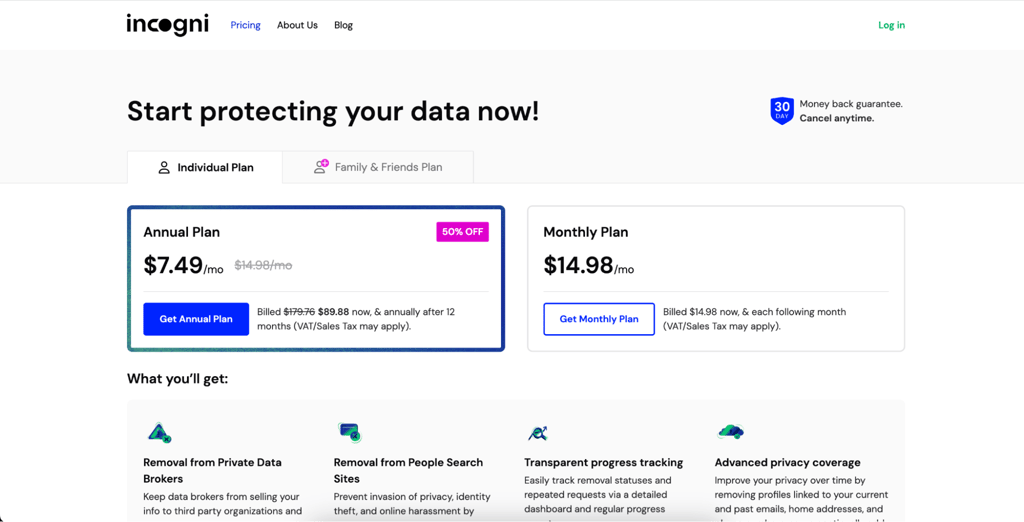
Sign up on the Incogni website
-
Provide authorization so Incogni can act on your behalf under data protection laws

- Incogni contacts data brokers like MyLife, submitting official opt-out requests
-
Monitor the progress through your dashboard as confirmations come in
- Keep your subscription active to ensure ongoing removals of newly added data
Manually
You can also opt out of MyLife manually by contacting them directly. While this option is free, it can be time-consuming, and you may need to follow up multiple times to make sure your data is actually removed. I noticed that MyLife sometimes tries to complicate this process, so be prepared for back-and-forth emails or repeated requests.
The biggest drawback of manual removal is that new profiles can reappear when MyLife refreshes its database and you’ll need to repeat the process periodically. It’s also worth remembering that dozens of other brokers may still be sharing your data at the same time. That said, if you’re patient and persistent, manual opt-out does work — and it won’t cost you anything except your time.
Here’s how it works step by step:
- Go to the MyLife website and search for your profile
- Copy the URL of your listing
- Open the opt-out form or email MyLife’s support team
- Paste your profile URL and fill in your details
- Verify your request by responding to the confirmation email
- Provide ID verification if MyLife asks but share only the minimum required details
- Check back after 1-2 weeks to confirm your profile has been removed
Why should you opt out of MyLife?
When brokers like MyLife collect and publish your personal data, they create a ready-made resource for scammers, spammers, and even stalkers. Oversharing your details doesn’t just hurt your privacy, it can also harm your security and reputation. Opting out of MyLife is a simple way to take back control of your digital identity. By opting out, you:
- Protect your personal privacy and limit who can access your sensitive details
- Reduce spam and scam attempts and receive fewer unwanted calls, emails, and phishing messages
- Lower the risk of identity theft and prevent criminals from misusing your data
- Minimize exposure to fraud or stalking and keep your addresses, phone numbers, and other private info out of strangers’ hands
- Avoid reputational damage. Outdated or false details, plus MyLife’s “reputation scores,” can unfairly influence how others see you
Extra tips to secure your personal data online
To truly safeguard your identity, it’s worth layering several tools and habits that keep your data from falling into the wrong hands. Here are some expert-backed tips to strengthen your online security:
- Use identity theft protection services. The best identity theft protection services like Aura or Coveron monitor your personal data and alert you in case of any suspicious activity.
- Enable two-factor authentication (2FA). Add an extra login step, such as a code sent to your phone, and make it much harder for attackers to hijack your accounts.
- Rely on a password manager. Strong, unique passwords are essential, and password managers help you generate and store your passwords securely without having to memorize dozens of logins.
- Be cautious on social media. The less you share publicly about your life, location, or family, the fewer breadcrumbs data brokers and scammers have to exploit.
Alternative ways to opt out of MyLife
If you don’t want to use a paid data removal service, there are other do-it-yourself options for requesting your information be taken down from MyLife and similar brokers. These methods can work, but they typically require more time and persistence. Some alternatives include:
- Filing CCPA/GPDR data deletion requests. If you live in California or the EU, you can directly invoke your legal right to data removal by contacting MyLife or other brokers under these laws.
- Using consumer privacy portals. Some brokers host their own online opt-out forms or support removal requests via email and phone.
- DIY privacy management tools. Spreadsheets or reminder systems help you track which brokers you’ve contacted and when you need to follow up.
- Free browser extensions and platforms. Some open-source tools help identify which sites hold your data, but they still require manual requests afterward.
While these alternative approaches can work, they all only cover one site at a time. That’s why I strongly recommend Incogni as the most effective solution. It automatically handles removals from MyLife, Veripages, and hundreds of other brokers in one go, saving you both time and frustration.
Conclusion
Opting out of MyLife is an important step you can take to regain control of your personal information. By leaving your profile online, you expose yourself to unnecessary risks — from identity theft and targeted scams to reputational damage caused by outdated or misleading details.
There are two ways how to opt out of MyLife and to remove your data. The manual route is free, but it’s time-consuming, requires persistence, and only covers MyLife. The automatic route, through reliable data-removal services like Incogni, not only takes care of MyLife but also handles hundreds of other data brokers at once, giving you lasting protection with far less effort.
Whichever option you choose, the key is to act. Your privacy is too valuable to leave in the hands of data brokers. Start the opt-out process today and take back control of your online identity.
Other guides from Cybernews:
How to protect yourself from spam and scams: safety tips & expert advice
How to stop spam texts on iPhone: comprehensive guide
How to delete your Instagram account: step-by-step guide
How to delete your Facebook account: detailed process
FAQ
How long does it take for MyLife to remove my information?
MyLife should process removal requests within 7-15 business days. In our experiences, some profiles disappeared within 24-48 hours, but others took longer. It’s a good idea to check back after two weeks to confirm your listing is fully removed.
Can MyLife re-add my profile after I opt out?
Yes, even after a successful removal, MyLife may republish your information when they refresh their database. That’s why many users redo the opt out process periodically or rely on automated services like Incogni, which continue to monitor and resubmit requests whenever the data reappears.
Does Incogni cover MyLife and other major data brokers?
Yes, Incogni targets hundreds of data brokers, including MyLife, Veripages, Spokeo, and BeenVerified. Once you authorize the service, it sends removal requests on your behalf, tracks progress, and follows up when necessary.
Is manual removal from MyLife free?
Yes, the manual opt out process is completely free. You can submit an opt-out request via MyLife’s website or by contacting the customer support directly. However, it does require your time and persistence, and you may need to follow up multiple times to ensure your profile is actually deleted.