LOOFII digital calendar review: features, pricing, and top alternatives

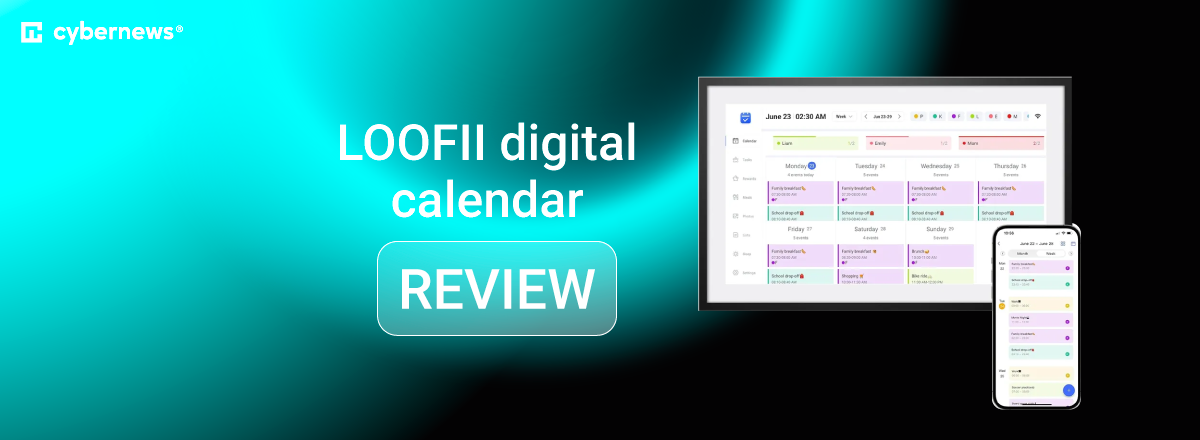
The LOOFII digital calendar is one of the more affordable wall-mounted family organizers, doubling as a smart calendar, chore board, meal planner, and digital photo frame. It’s marketed toward busy families, seniors, roommates, and anyone who wants a shared home hub without paying premium prices.
However, the core questions remain – does it live up to the hype, and is it actually capable of helping a family organize their lives? That’s why I, together with the Cybernews research team, reviewed publicly available specs, official product materials, and aggregated user feedback to see whether LOOFII is actually practical, reliable, and worth the cost.
In this review, I break down its features, display options, usability, pricing, and the most common user sentiments – plus a quick look at better alternatives if you want more polish or long-term stability.
Quick overview of LOOFII digital calendar
Before jumping deeper into the review, here’s a quick snapshot of the 21.5″ LOOFII model, which is the flagship version with the most complete feature set.
| Model | 21.5″ LOOFII Smart Digital Calendar |
| Display | 21.5″ Full HD 1920×1080 touchscreen |
| Product dimensions | 23.12 × 16.5 × 3 inches (package) |
| Weight | 10.28 lbs |
| Connectivity | Wi-Fi, syncs Google, iCloud, Outlook via eCalendar app |
| Storage | 16GB for C-2 model; storage for 21.5″ version not specified |
| Key features | Chore charts with rewards, meal planner, digital photo frame, auto-brightness, G-sensor rotation, weather updates, multi-user profiles, OTA updates |
| Subscription | Not required for core features |
| Ideal for | Families wanting a large shared screen without subscription fees |
Our methodology
To evaluate the LOOFII digital calendar fairly, I worked with the Cybernews research team to analyze manufacturer documentation, retailer listings, app store reviews, user discussions on forums, and independent third-party evaluations.
Since this is a research-based review rather than hands-on testing, our goal was to compare claims with real-world user sentiment and long-term reliability patterns.
We used a weighted scoring framework to keep the assessment structured and consistent across all categories.
- Core features and functionality (30%). We looked at how well LOOFII handles real family tasks: calendar syncing, chore charts, meal planning, reminders, and multi-user support. Systems that reduced manual effort and offered dependable daily structure scored highest.
- Ease of setup and everyday usability (20%). This covered first-time setup, Wi-Fi connection, clarity of menus, and how intuitive the interface feels for kids, adults, and seniors.
- Display quality and hardware basics (15%). We evaluated screen readability, brightness, responsiveness, build quality, and how suitable the hardware is for wall-mounted daily use.
- App experience and integrations (15%). Reliable syncing with Google, iCloud, and Outlook, plus smooth mobile app performance, heavily influenced this score.
- Price and long-term value (10%). We compared upfront cost, subscription expectations, and durability trade-offs.
- User reviews and brand reputation (10%). Recurring praise, frequent complaints, and overall trust in the brand shaped the final weighting.
What is LOOFII digital calendar?
The LOOFII digital calendar is a wall-mounted, touchscreen display designed to bring a family’s schedules, reminders, meals, and chores into one shared, always-visible hub. Instead of relying on scattered apps or paper calendars, LOOFII centralizes everything on a single screen so everyone in the household stays on the same page.
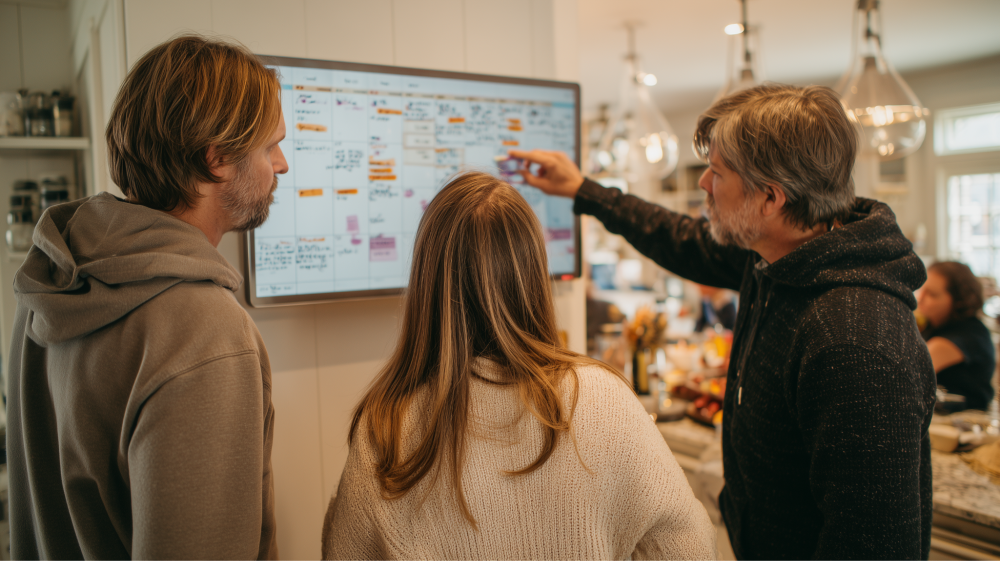
It works through a combination of the device itself and the companion eCalendar app. Family members add events, tasks, and photos through their phones, and the device automatically updates via cloud syncing. It supports popular calendars like Google, iCloud, and Outlook – so, you don’t need to change your existing planning habits.
LOOFII is typically used in kitchens, hallways, living rooms, and shared care environments where visibility matters. In other words, anywhere a central “family command center” helps reduce confusion. It’s also popular in households with kids, seniors, or busy routines that benefit from a clear, always-on digital display.
Core LOOFII digital calendar features
LOOFII aims to combine several household tools into one always-visible screen, which is why it often appears alongside the best digital calendars for families. Its feature set focuses on simplicity, shared visibility, and reducing day-to-day coordination friction.
Here are the core features and what they actually do:
- Shared calendars and color coding. LOOFII pulls in events from Google, iCloud, and Outlook, displaying them in a clean, color-coded layout so each family member has a distinct visual identity. This makes busy weeks much easier to decipher at a glance.
- Reminders and alerts. The device supports pop-ups and scheduled reminders for appointments, chores, and recurring tasks. Users report that the visual cues on the large display help reduce missed events.
- Photo display and slideshow mode. When not showing calendars, LOOFII doubles as a digital photo frame. Families often use this to keep the device visually engaging instead of just a static planning board.
- Remote management via mobile app. All updates – events, chores, meals – can be added or edited through the eCalendar mobile app. Changes sync instantly to the wall display.
- Multiple user support. Each family member can have their own profile, color, and permissions, making the calendar functional for households of all sizes.
What are the different options of LOOFII digital calendar?
|
Winner
|
|
|
|
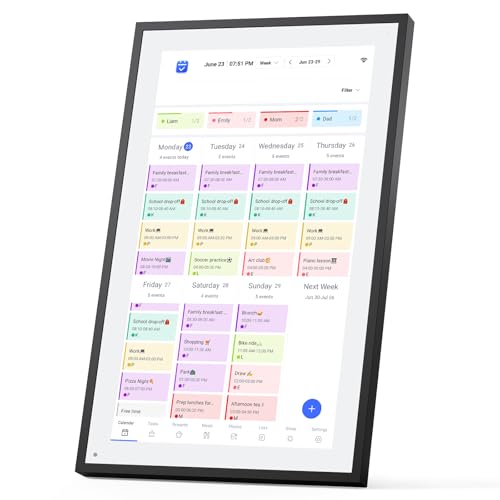
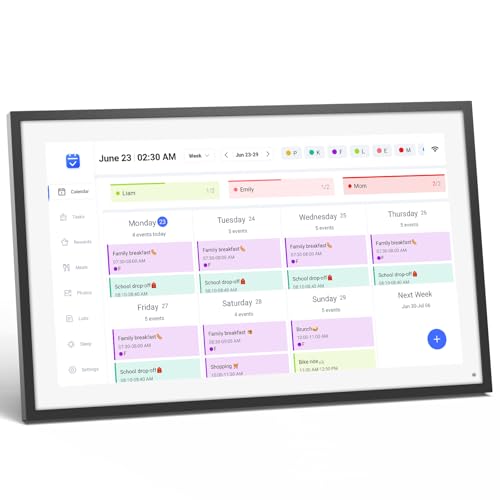
| Title | LOOFII 21.5" Smart Digital Calendar | LOOFII Smart Digital Calendar | LOOFII |
| Price | $249.99 | $149.99 | |
| Connectivity | Wi-Fi, syncs Google, iCloud, Outlook via eCalendar app | Wi-Fi; Google/iCloud/Outlook via eCalendar | Wi-Fi; Google/iCloud/Outlook via eCalendar |
| Best for | Large families, high-traffic walls | Medium kitchens or living rooms | Small spaces, desks, seniors |
| More info | Buy on Amazon Details | Buy on Amazon Details | Buy on Amazon Details |
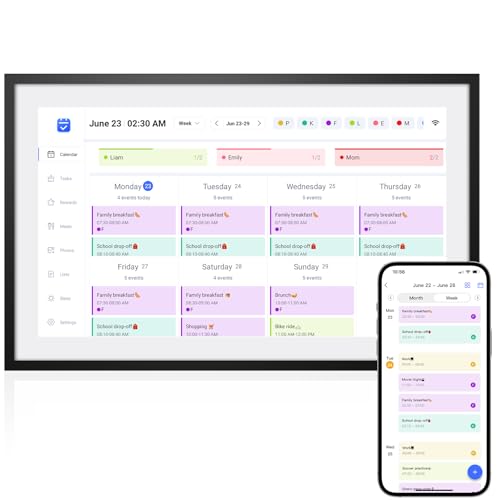
As you can see from the table provided, all 3 LOOFII models run the same software and offer identical features: shared calendars, chores, meal planning, photo display, sleep mode, and multi-user support.
The real differences come down to size, visibility, and placement. The 10.1″ C-2 is compact and best for tight spaces or individual users. The 15.6″ is a balanced middle option for everyday family areas. Meanwhile, the 21.5″ is the most practical for busy households needing a large, easy-to-read family hub.
Who should buy LOOFII digital calendar?
LOOFII works best for households that want a simple, affordable entry point into the world of best digital calendars without paying premium prices. It’s not as polished or feature-rich as Skylight, but for many families, its core tools are enough to streamline daily routines.
Here’s who gets the most value out of LOOFII:
- Busy families coordinating schedules. Families who need a shared wall display to keep track of events, chores, and meals will find LOOFII’s color-coded layout and touch controls easy to use across different ages.
- Seniors needing clear visual reminders. The 15.6″ and 21.5″ displays work well for aging adults who benefit from large text, simple navigation, and always-visible reminders without relying on smartphones.
- Caregivers managing shared routines. Whether coordinating medication reminders, visits, or meal plans, caregivers can update events remotely through the app, making it easier to support someone who isn’t tech-savvy.
LOOFII digital calendar price and availability
LOOFII’s pricing varies by screen size, generally ranging from the lower mid-tier to budget-friendly levels. The 10.1″ C-2 model sits at the most affordable end, while the 21.5″ display is the highest-priced option in the lineup. LOOFII is typically sold through the official LOOFII website, Amazon, and a handful of specialty retailers depending on the region.
There’s no required subscription for core features, which helps keep long-term costs predictable. That said, occasional app updates or optional features may shift depending on LOOFII’s development roadmap.
Buyers should always check current promotions, warranty terms, and the retailer’s return policy – especially since software-reliability feedback varies across models. And for families comparing overall reliability and polish, looking at a detailed Skylight review can help set expectations before choosing a more budget-friendly alternative like LOOFII.
LOOFII’s privacy and data sharing
Like any connected digital calendar, LOOFII processes personal data such as family schedules, names, events, and photos. While it doesn’t require deep technical setup, privacy-conscious households should take a closer look at what information is stored in the cloud and how the mobile app handles permissions.
Here’s what to review:
- Account requirements. LOOFII requires an account for syncing events, sharing access, and updating content. This means personal data will pass through LOOFII’s servers and app ecosystem.
- Cloud storage practices. Events, photos, and shared tasks sync through the cloud. Check whether LOOFII specifies encryption standards or retention policies, as some budget brands aren’t fully transparent.
- App permissions. The companion app may request calendar access, contacts, photo storage, and notification control. Reviewing these permissions helps you avoid oversharing data unnecessarily.
User praises and complaints
Aggregated user feedback paints a consistent picture across the lineup. Many families praise the 21.5″ model for its large, easy-to-read display that works well in kitchens and living rooms. Others appreciate the value-for-money aspect, noting that LOOFII provides shared scheduling, photo display, and chore tools without a subscription.
On the downside, complaints frequently mention inconsistent app syncing, especially with Google Calendar, and occasional software glitches on the smaller models like the C-2. Some users highlight setup friction, reporting that initial pairing or Wi-Fi setup requires multiple attempts.
Feedback across Amazon, Reddit, and app store reviews shows a split sentiment: users who want simplicity tend to love it, while those expecting premium Skylight-level polish sometimes feel underwhelmed – though it still appears frequently in discussions about the best Skylight alternatives for budget-minded families.
LOOFII digital calendar alternatives
If LOOFII feels too limited, too basic, or not polished enough, several strong alternatives offer more refined ecosystems, stronger syncing, or deeper customization.
|
|
|
|
|
|
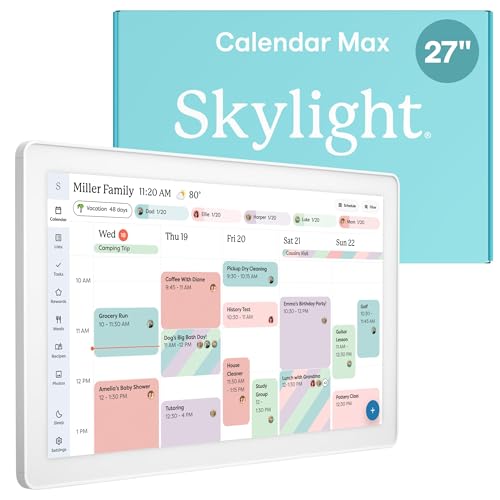
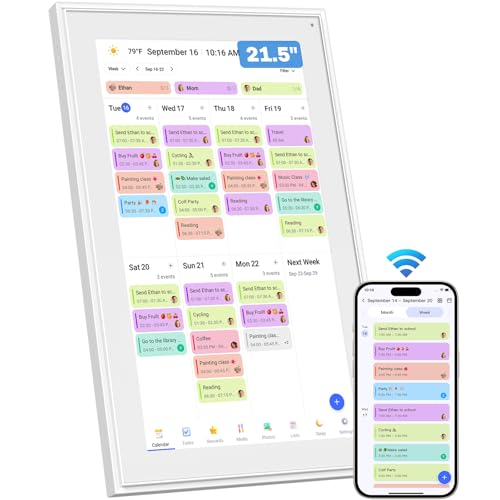
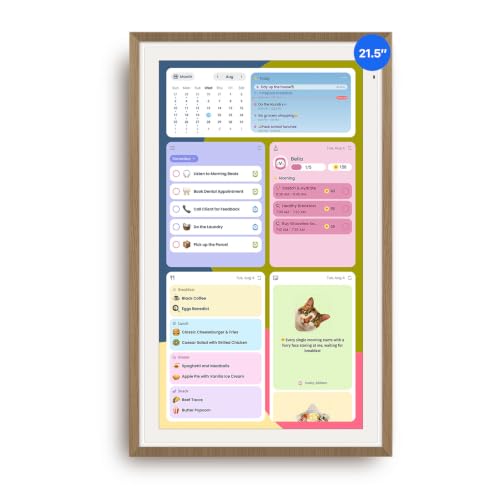
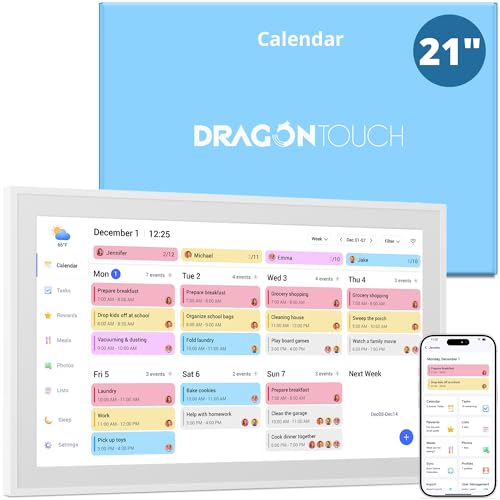
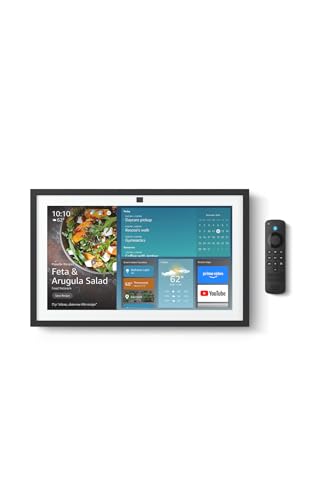
| Title | Skylight Calendar Max | Canupdog | ApoloSign Digital Calendar | Dragon Touch 21.5″ Digital Calendar | Amazon Echo Show |
| Price | $599.99 | $359.99 $418.99 -14% | $269.99 | $349.99 | |
| Best for | Large families, high-traffic walls | Families focused on chores and rewards | Simple shared calendars on a budget | Tech-light households wanting a feature-rich but plug-and-play family planner | Families already using Alexa |
| Key difference | Polished UI, strongest syncing, subscription features | Strong task/reward system, no required subscription | Basic tools, straightforward display | Large FHD touchscreen, strong chore + meal tools, easy setup | Voice-controlled reminders, smart home integration |
| More info | Buy on Amazon Details | Buy on Amazon Details | Buy on Amazon Details | Buy on Amazon Details | Buy on Amazon Details |
As you can see, LOOFII is one of the most budget-friendly dedicated wall calendars, but it cannot match the refined experience of premium brands. These alternatives help clarify whether LOOFII gives you enough functionality – or if your household would benefit more from a premium, long-term solution.
Final verdict: is LOOFII digital calendar worth it?
LOOFII can be a solid fit if you want an affordable digital family calendar that covers the essentials – shared schedules, chores, meal planning, and a bright wall display – without locking you into ongoing subscription fees.
Its biggest strengths are the large touchscreen, simple setup, and versatility for families, seniors, or shared households. The trade-offs come down to software polish and occasional syncing hiccups, which may matter to users expecting a Skylight-level ecosystem.
Overall, LOOFII makes the most sense for budget-minded households who want structure and visibility, but don’t need premium integrations or advanced automation.
FAQ
Does LOOFII digital calendar require a subscription?
No, LOOFII digital calendar does not require a subscription. Core features work without ongoing fees, and this makes LOOFII more budget-friendly compared to some competitors. Optional app features may evolve over time, but there’s no mandatory subscription to use the main calendar, chores, or meal-planning tools.
Can multiple family members manage the calendar remotely?
Yes, multiple family members can manage the calendar remotely. LOOFII supports shared access through its companion app, allowing users to add events, chores, or photos from their phones. As long as everyone has access to the connected account, updates sync to the main display.
Does LOOFII work without Wi-Fi?
No, LOOFII does not work properly without Wi-Fi. It relies on cloud syncing for calendars, profiles, and remote updates, so losing Wi-Fi means losing real-time changes. Basic on-device viewing may still work, but full functionality requires a stable connection.
How does LOOFII compare to using a tablet as a shared calendar?
LOOFII offers a more structured, family-focused interface compared to using a tablet as a shared calendar. Tablets rely on apps and manual setups, while LOOFII provides built-in layouts for chores, meals, and weekly planning. However, a tablet is more flexible overall, especially for app usage.
Is LOOFII digital calendar suitable for seniors or caregivers?
Yes, LOOFII digital calendar is suitable for seniors or caregivers. Its large touchscreen, clear layouts, and always-visible reminders make daily routines easier to manage. For caregiving scenarios, remote updates through the app help families coordinate tasks without requiring technical skills from the senior user.