How to watch Norwegian TV abroad
Our in-house cybersecurity experts and journalists, renowned for major reports like The Mother of All Breaches, conduct transparent, unbiased VPN testing and in-depth analysis.
With 750+ articles crafted based on real-world research, we empower readers to make informed purchasing decisions through first-hand expertise.
Learn more
If you’re traveling abroad, you may notice that Norwegian TV channels are blocked outside the country. Public broadcasters like NRK and NRK2 are only available in Norway, while commercial channels such as TV 2 Direkte, TVNorge, and TV3 also restrict access to viewers within the country.
Fortunately, there’s an easy workaround. By using a VPN, you can change your virtual location, get a Norwegian IP address, and stream Norwegian TV from anywhere in the world. This is especially useful this year, as the FIFA World Cup 2026 will be broadcast on TV 2 and NRK.
In this article, I’ll show you how to get a Norwegian IP address and how to stream Norwegian TV outside Norway. I’ll also cover the best VPNs for Norwegian TV, so keep reading to learn everything you need to know.
How to watch Norwegian TV abroad with a VPN
If you want to watch channels like NRK, NRK2, TV 2 Direkte, or TVNorge while traveling abroad, you can do it easily with a VPN. Just follow these steps:
- Choose a reliable VPN for Norwegian TV. I recommend NordVPN, currently 75% OFF
- Download and install the VPN app on your device
- Connect to a server located in Norway
- Open your preferred broadcaster’s website or app
- Start streaming Norwegian TV without restrictions
Why do you need a VPN to watch Norwegian TV abroad?
Norwegian TV channels and streaming platforms use geo-blocking to restrict access outside the country. Broadcasters like NRK, TV 2 Direkte, and TVNorge only have the rights to stream certain shows, movies, and live sports within Norway. When you travel abroad, these platforms detect your location based on your IP address and block access to their content.
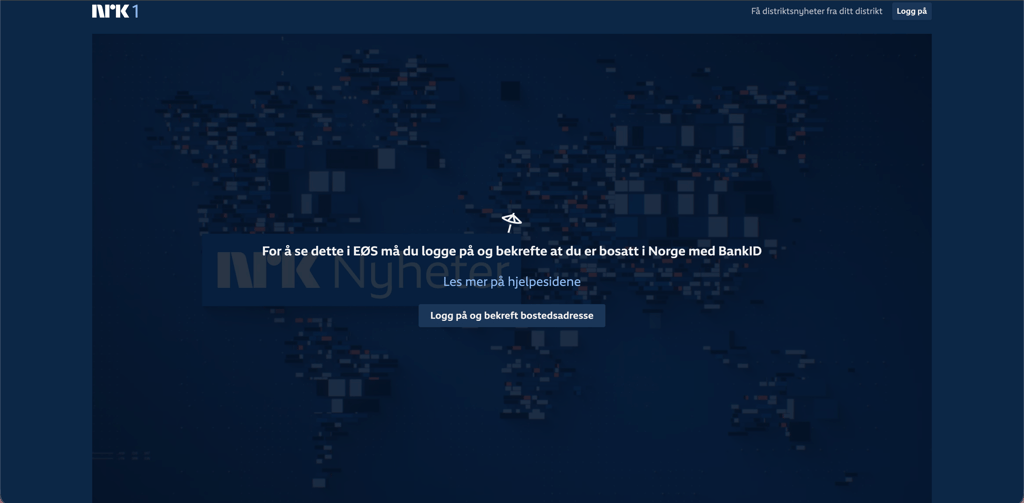
A streaming VPN solves this by routing your internet connection through a server in Norway. Once connected, you receive a Norwegian IP address, making it appear as if you’re browsing from inside the country. This allows you to access Norwegian TV platforms from anywhere and continue watching your favorite programs, news, and live events while abroad. It’s one of the easiest and most reliable ways to stream Norwegian TV outside Norway.
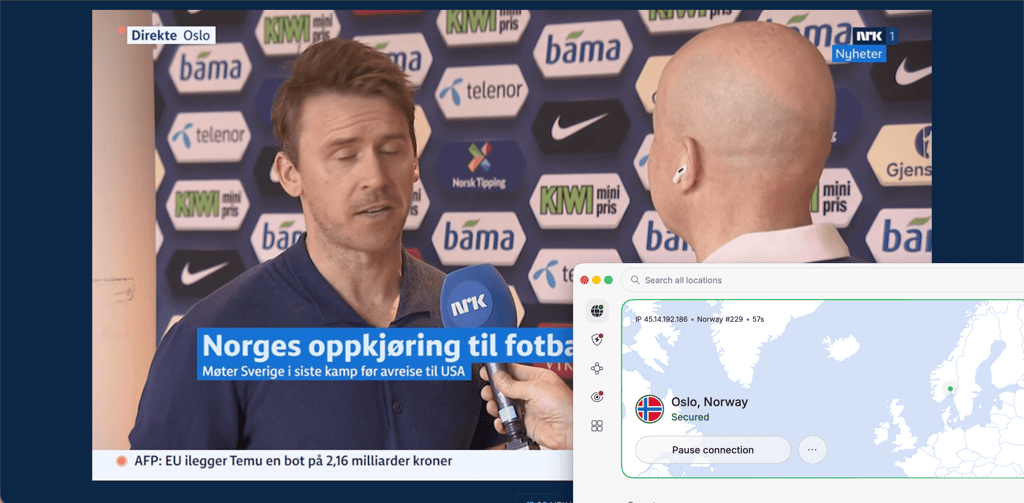
Best VPNs to watch Norwegian TV abroad
To find the best VPNs for watching Norwegian TV abroad, I teamed up with the Cybernews research team to test multiple Norwegian VPNs. I focused on finding services that combine reliable unblocking, fast speeds, and strong security. Below, I share the 3 best VPNs we discovered, along with my experience using each one.
1. NordVPN – best VPN to watch Norwegian TV overseas

| Rating: | |
| Pricing: | From $3.49/month |
| Servers in Norway: | ✅ Yes (Oslo) |
| Current deal: | Get 75% OFF NordVPN + 3 months free |
NordVPN is my top pick for streaming Norwegian TV abroad because it consistently delivered fast speeds, reliable connections, and smooth streaming during my tests. I had no trouble accessing NRK, TV 2 Play, TVNorge, and Viaplay from outside Norway, even while traveling. Streams loaded quickly in HD without buffering, which made watching live sports and local shows feel seamless. It’s also a great option for watching the FIFA World Cup 2026, since matches in Norway will be broadcast on both TV 2 and NRK.
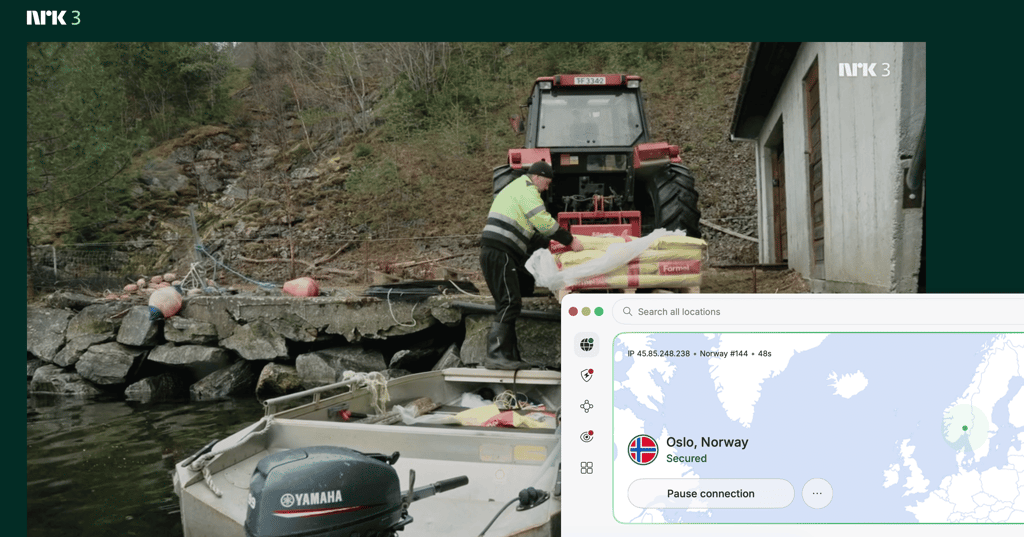
Beyond streaming, I liked NordVPN’s strong security features. It includes AES-256 encryption, a kill switch, leak protection, and Threat Protection for safer browsing. Our NordVPN review found that the apps are beginner-friendly and work on all major devices, including smart TVs.
Pricing is reasonable considering the performance, starting at $3.49/month. There’s also a 3-day free trial on Android and a 30-day money-back guarantee, so you can test it risk-free.
2. Surfshark – affordable VPN for watching Norwegian TV

| Rating: | |
| Pricing: | From $2.49/month |
| Servers in Norway: | ✅ Yes (Oslo) |
| Current deal: | Now up to 88% OFF Surfshark + 3 months FREE |
Surfshark stands out as the best affordable VPN for watching Norwegian TV in the USA because it combines low pricing with surprisingly strong performance. When I tested it, I could easily watch NRK1, TV 2 Direkte, TVNorge, and Viaplay from abroad without running into frustrating geo-blocks. The connection stayed stable during my Surfshark tests, and videos loaded quickly in HD on both my laptop and phone.
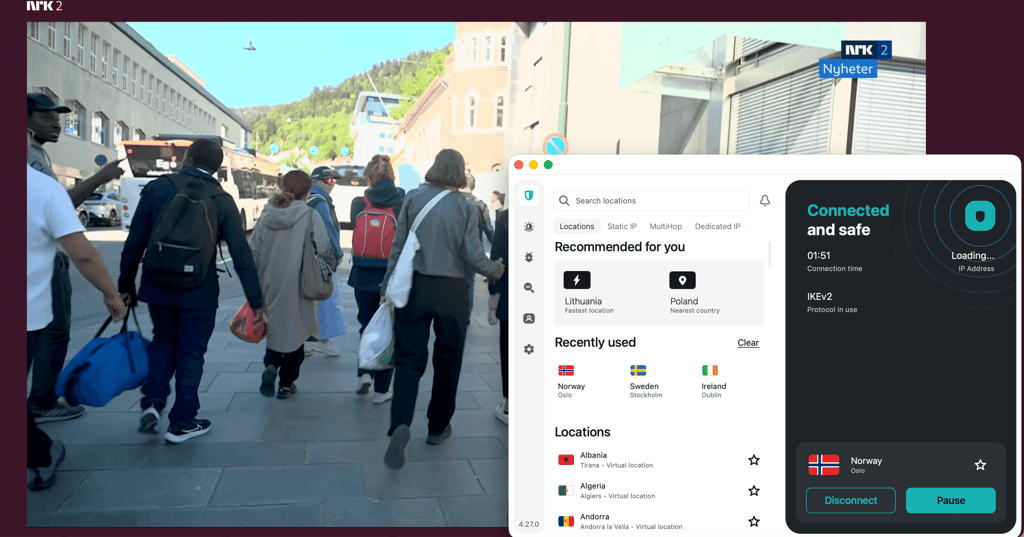
One thing I really liked is that Surfshark allows unlimited simultaneous connections, so I could use it across all my devices at once. On the security side, it includes AES-256 encryption, a kill switch, CleanWeb ad blocking, and MultiHop servers for extra privacy.
Surfshark is one of the cheapest premium VPNs, starting at $2.49/month. It also offers a 7-day free trial on mobile devices and a 30-day money-back guarantee.
3. Proton VPN – privacy-focused Norwegian TV VPN with a free version

| Rating: | |
| Pricing: | From $2.99/month |
| Servers in Norway: | ✅ Yes (Oslo) |
| Current deal: | Get up to 70% OFF Proton VPN |
Proton VPN is a great choice for streaming Norwegian TV abroad if privacy is your main priority. During testing, the paid version worked well with Norwegian platforms like NRK2, TV3, and TVNorge, giving me stable streams and good video quality while abroad.
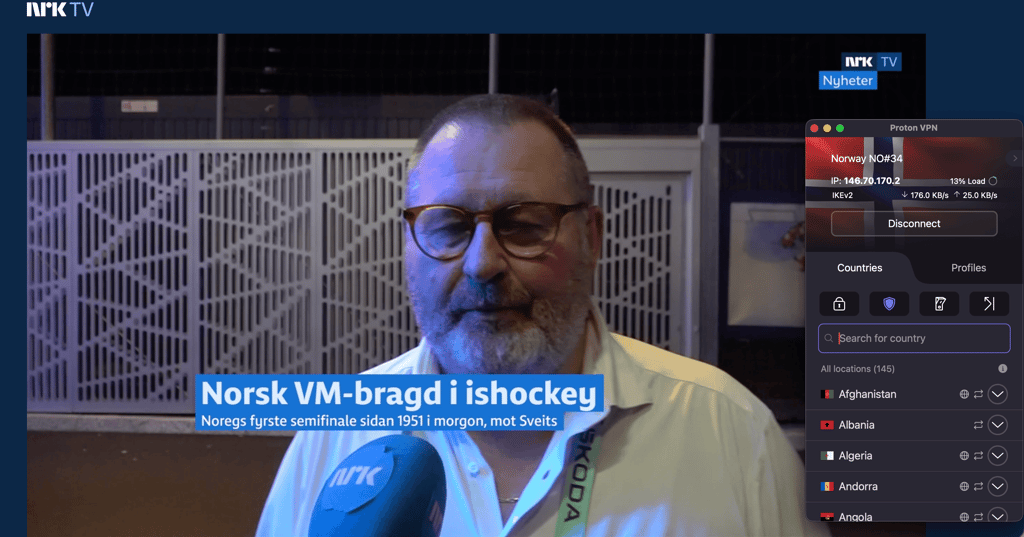
Our Proton VPN review highlighted the provider’s focus on privacy-first features. It uses strong encryption, a strict no-logs policy, Secure Core servers, and open-source apps that have been independently audited. I also appreciated that the company is based in privacy-friendly Switzerland.
Another big advantage is the free plan. While the free version doesn’t support streaming servers, it’s one of the few trustworthy free VPNs available. Paid plans start at $2.99/month and come with a 30-day money-back guarantee for risk-free testing.
How to watch Norwegian TV live abroad – detailed guide
If you’re traveling or living outside Norway, you may notice that channels like NRK1, TV 2 Direkte, and TVNorge suddenly stop working. This happens because Norwegian streaming services use geo-blocking to restrict access outside the country.
Fortunately, you can still watch Norwegian TV live abroad with a VPN. A VPN changes your virtual location by routing your internet traffic through a Norwegian server, allowing you to watch Norwegian TV in the USA, UK, or wherever you are. Below is a detailed step-by-step guide on how to watch Norwegian TV from abroad.
Step 1. Choose a VPN
To watch Norwegian abroad, you’ll need a VPN with servers in Norway. A VPN changes your virtual location, making streaming services think you’re browsing from inside Norway. My top recommendation is NordVPN, which worked reliably in my tests.
Not all VPNs work with streaming platforms consistently. If a VPN has slow speeds or weak unblocking capabilities, you may experience buffering or geo-block errors.
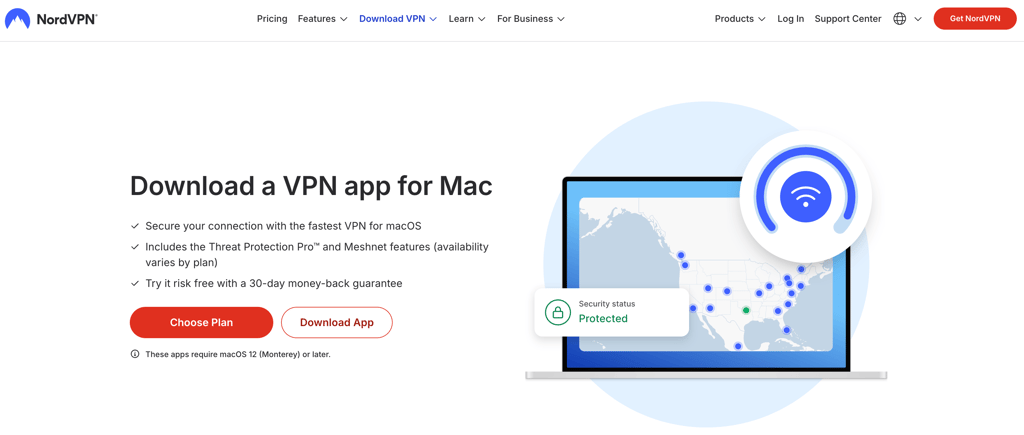
Step 2. Download and install the VPN app
Go to your VPN's website, create an account, and download the app for your device. Most VPNs support Windows, macOS, Android, iPhone, smart TVs, and streaming devices like Fire TV Stick. Once installed, open the app and sign in.
Step 3. Connect to a Norwegian server
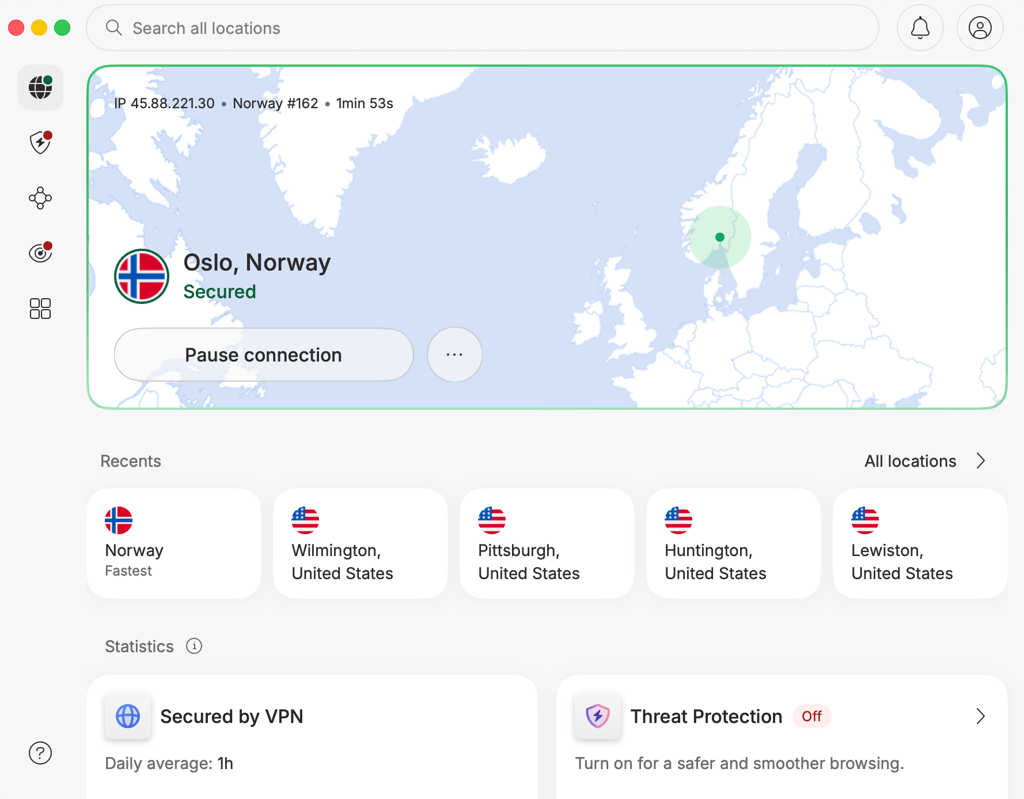
Inside the VPN app, search for Norway and connect to a Norwegian server. This gives you a Norwegian IP address, which is required to access Norwegian TV abroad.
After connecting, your traffic will appear as if it’s coming from Norway.
If you notice channels load slowly or detect the VPN, switch to another Norwegian server. Less crowded servers usually provide better streaming quality.
Step 4. Open the Norwegian TV website
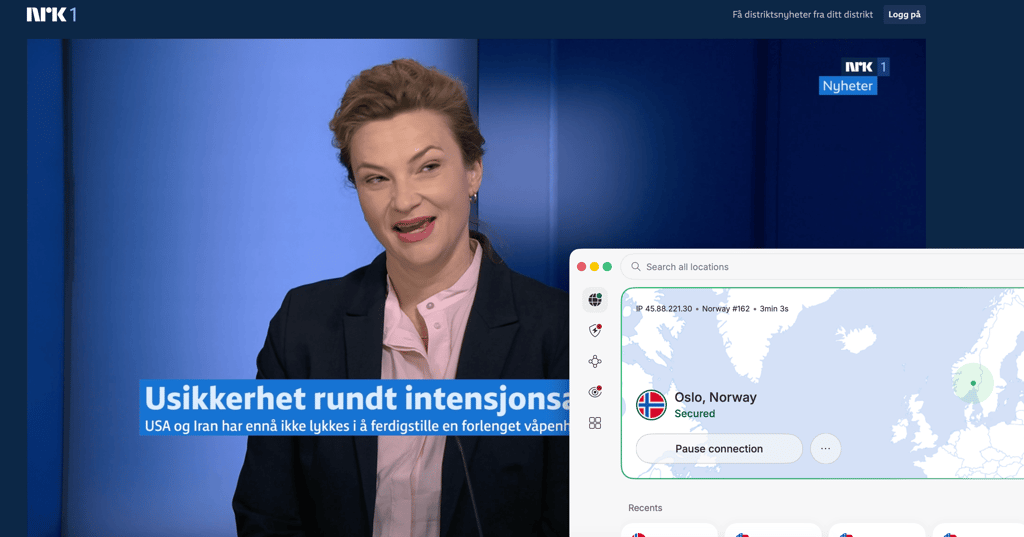
Visit the channel's website or open the official app while connected to the VPN. You should now be able to access Norwegian TV live streams and other content from abroad.
If the site still shows a geo-restriction error, refresh the page or clear your browser cookies.
Step 5. Start streaming Norwegian TV live
Once everything works, you can stream NRK1 or any other Norwegian TV channel live just like you would in Norway. This includes live news, sports, entertainment shows, and Norwegian series.
For smoother HD streaming, use a stable internet connection and keep the VPN connected while watching.
NordVPN’s NordLynx protocol usually delivers the best speeds for streaming. Faster protocols help reduce buffering during live broadcasts.
What Norwegian TV channels can you watch abroad?
With a Norwegian IP address, you can access free public broadcasters, premium sports streaming services, live TV apps, and global platforms with Norwegian content libraries. To help you understand what’s available, I created a table with the most popular Norwegian TV and streaming services you can access with a VPN.
| Streaming service | Free or paid | What you can watch | Notable sports/events | Account requirements |
| NRK TV | Free | Live TV channels, Norwegian news, documentaries, dramas, kids’ content, reality shows, and on-demand programs | FIFA World Cup 2026 (shared with TV 2), Winter Sports, Olympics-related coverage, Norwegian national team matches, biathlon, athletics | Free account optional |
| TV 2 Play | Paid (some free content) | Live TV, Norwegian entertainment, reality TV, local dramas, movies, news, and sports | UEFA Champions League, Eliteserien, FIFA World Cup 2026 (shared with NRK), domestic football | Subscription required |
| Viaplay | Paid | Movies, Nordic dramas, international series, live TV, and premium sports | Premier League, Formula 1, NHL, winter sports, handball, MotoGP | Subscription required |
| Netflix | Paid | International movies, Norwegian-language content, TV series, documentaries, and kids’ content | Sports documentaries and sports-related originals | Subscription required |
| Disney+ | Paid | Disney, Marvel, Star Wars, Pixar, National Geographic, family content | Sports documentaries through ESPN partnerships in some regions | Subscription required |
| Amazon Prime Video | Paid | International movies, TV shows, Amazon Originals, documentaries | Some UEFA matches in select markets, sports documentaries | Amazon account + subscription |
| Apple TV | Paid | Apple Originals, dramas, sci-fi, documentaries, movies | MLS Season Pass, sports documentaries | Apple account + subscription |
| Paramount+ | Paid | Hollywood movies, Showtime series, CBS content, reality TV | UEFA competitions in some regions, combat sports content | Subscription required |
| DAZN | Paid | Dedicated sports streaming platform with live and on-demand events | Boxing, MMA, football, combat sports | Subscription required |
| Strim | Paid | Bundled Norwegian TV channels, TV 2 Play, Viaplay, HBO Max, live TV, movies, and series | Depends on package, including football and winter sports | Subscription required |
| Allente | Paid | Norwegian TV channels, live TV bundles, streaming packages, movies, entertainment | Champions League, Premier League, Formula 1, winter sports | TV provider subscription |
| Altibox | Paid | TV-provider streaming with Norwegian channels, replay TV, and on-demand content | Sports through TV 2 and Viaplay integrations | TV provider login |
| Telia Play | Paid | Live Norwegian TV, movies, kids’ content, replay TV, streaming bundles | Football, hockey, winter sports via partner apps | TV provider login |
| Discovery+ | Paid | Reality shows, documentaries, true crime, lifestyle, live channels | Cycling, tennis, Olympic-related content in previous rights cycles | Subscription required |
| VGTV | Freemium | News clips, live broadcasts, documentaries, interviews, entertainment | Selected combat sports, football highlights, live news coverage | Free account optional |
What devices can you use to watch Norwegian TV abroad?
You can watch Norwegian TV abroad on almost any modern device, as long as it supports VPN apps or smart DNS. Most major VPNs work on Windows and Mac computers, Android and iPhone devices, Smart TVs, Amazon Fire TV Stick, Apple TV, Android TV, and streaming devices like Chromecast. This makes it easy to stream channels like NRK, TV 2 Direkte, and TVNorge from virtually anywhere.
Some devices, such as certain Smart TVs or gaming consoles, don’t support VPN apps directly. In these cases, you can install the VPN on your router to protect every device connected to your home network. Another workaround is using smart DNS, which changes your virtual location without encrypting traffic. It’s usually easier to set up on TVs and consoles, although it may offer fewer privacy benefits than a full VPN.
What to do if Norwegian TV does not work with a VPN
If Norwegian TV isn’t working while your VPN is on, it usually means the service has detected your connection, or there’s a technical mismatch. Try these quick fixes:
- Switch to another Norwegian server. Since streaming platforms often block specific IP addresses, so a different server can solve the issue instantly.
- Clear cookies and browser cache to remove stored location data that may reveal you’re outside Norway.
- Use incognito or private mode so the browser starts fresh without old tracking data.
- Disable GPS and location permissions on mobile, since apps can use device location instead of your IP.
- Try the browser instead of the app, as apps are often stricter with VPN detection.
- Update your VPN app and switch the VPN protocol in settings for better stability.
- Contact your VPN support and ask which server currently works with the specific platform.
- Check if the platform requires a Norwegian account or a local payment method.
Conclusion
Watching Norwegian TV abroad can be frustrating due to geo-blocking, which restricts access to channels like NRK and TV 2 Direkte outside Norway. This happens because streaming platforms must comply with licensing agreements that limit content to specific regions.
The good news is that a reliable VPN makes it easy to bypass these restrictions by giving you a Norwegian IP address. Among the available options, NordVPN is the best VPN for Norwegian TV thanks to its fast speeds, strong unblocking ability, and stable Norwegian servers. With the right setup, you can stream your favorite Norwegian shows, news, and sports from anywhere in the world.
FAQ
Is the 2026 World Cup free to watch in Norway?
Yes, you can watch the FIFA World Cup 2026 for free in Norway. NRK will broadcast many matches for free, including key games, while TV 2 also holds rights but may require a paid subscription for full access.
Who has the World Cup 2026 rights in Norway?
NRK and TV 2 share the broadcasting rights to the 2026 World Cup in Norway. NRK handles free-to-air coverage, while TV 2 provides additional matches through its TV channels and TV 2 Play streaming service.
Can I watch Norwegian TV abroad?
Yes, you can watch Norwegian TV abroad with a VPN like NordVPN. A VPN lets you get a Norwegian IP address and access TV channels without restrictions.
Can I watch Norwegian TV with a VPN?
Yes, a VPN allows you to watch Norwegian TV abroad. A reliable VPN like NordVPN unblocks Norwegian TV channels, giving you smooth, unrestricted access to the content no matter where you are.
Which VPN is best for watching Norwegian TV abroad?
NordVPN is best for watching Norwegian TV abroad. It has strong unblocking ability, fast speeds, and stable access to streaming platforms like NRK TV and TV 2 Play compared to most competitors.