New Apple Wallet feature turns physical cards into digital passes. How useful is it, really?
“Cool feature, but unfortunately not useful for certain places.”
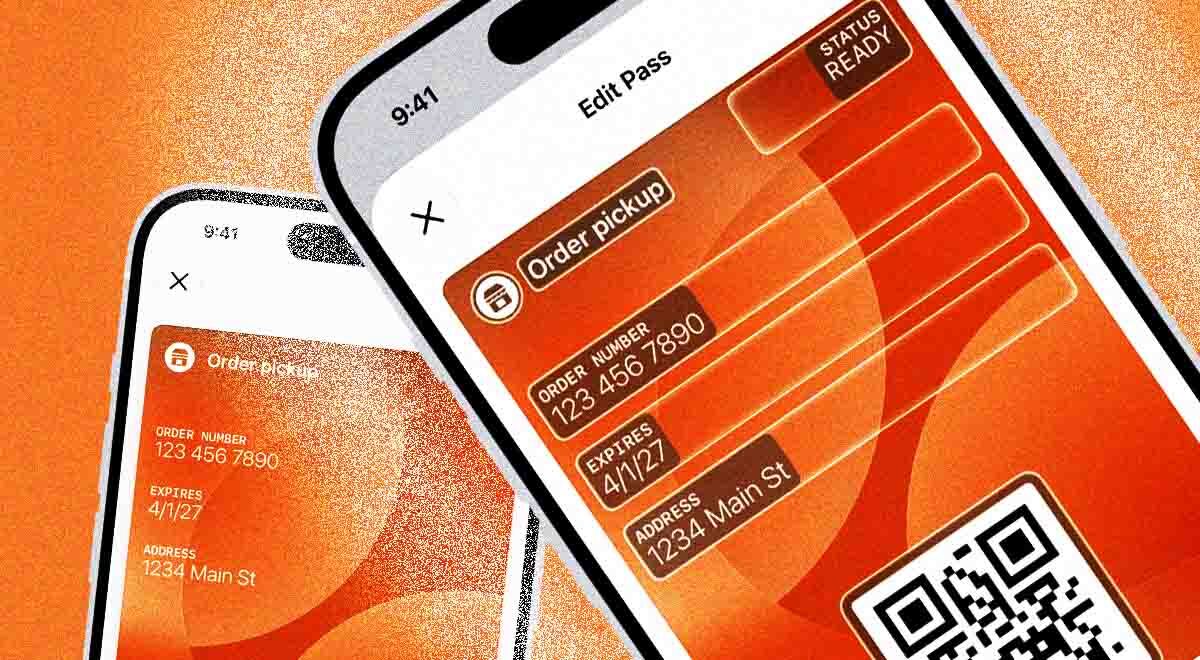
Image by Cybernews | Source: Apple

 Follow us
- Apple’s iOS 27 adds Create a Pass, which turns physical cards and tickets into Wallet passes.
- User-made passes may not work where staff require the original card or an official app.
- Dynamic QR codes, loyalty points, and balances do not update automatically in these static passes.
- Some users found the feature useful for library cards and insurance cards with simple barcodes.
Key Takeaways by nexos.ai, reviewed by Cybernews staff.
A long-awaited Apple Wallet feature that allows users to turn their physical cards into digital passes is finally here. However, some users say it’s not as useful as it sounds.
Apple introduced the new feature, called “Create a Pass,” with the release of iOS 27. It allows iPhone users to turn their physical loyalty cards, membership passes, event tickets, and coupons into custom digital passes.
Despite recent bugs related to the release of iOS 27, some users had already had the chance to try out the feature and decide whether it’s worth keeping.
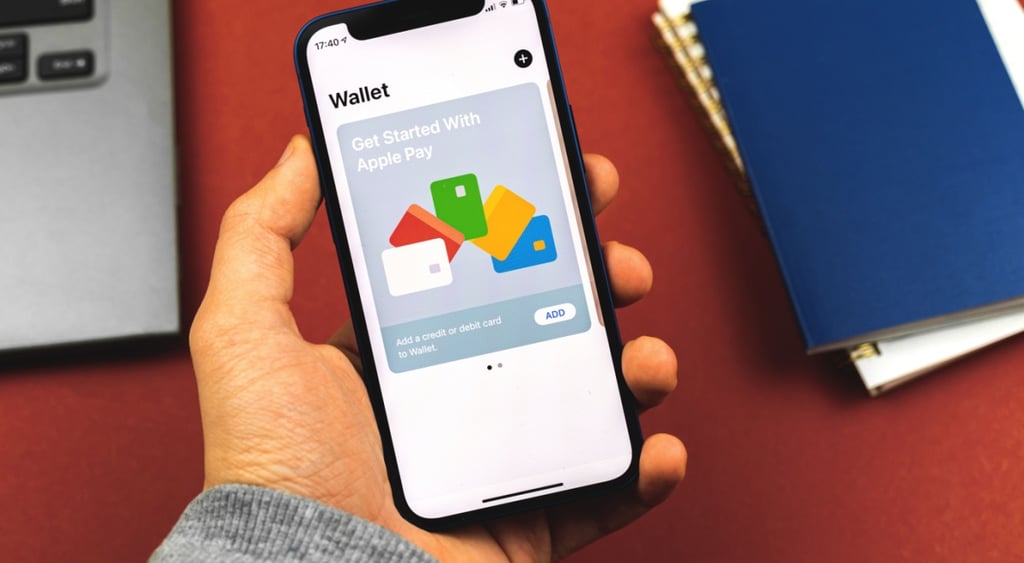




How to create a pass on Apple Wallet?
The pass works for active gym or library memberships or loyalty cards that have a barcode or QR code, but no digital pass can be created using a physical card, photo, or screenshot.
Users can ask AI to help create it, or create it manually.
The company noted that the AI method is only valid for iPhone 15 Pro or newer smartphones that are powered by Apple Intelligence.
In this case, users can take a photo or screenshot of the pass’s barcode or QR code, tap “Add to Wallet,” and follow the remaining instructions.
Users who want to add it manually should go to Apple Wallet, tap the plus sign, and select “create a pass.”
After selecting “Tap Create Pass Manually,” users must choose a template and edit any necessary details, such as contact information, coupon codes, dates, insurance details, and other required information.
Usage limitations
What iPhone owners should bear in mind is that these passes are user-generated and not created and issued by the organization the user received their pass or card from.
Because of this, users should be aware that when entering their gym, library, or store, staff may still ask them to present their valid pass or card, according to Yahoo Tech.
The feature may also raise issues with passes that come with QR codes or barcodes that are changing or time-sensitive.
When it comes to loyalty points, access permissions, or account balances, these don’t automatically appear in user-generated passes because what is generated is a fixed snapshot, or a static copy of the original card or pass.



Stay updated with our latest stories and follow us on social media
Be the first to discover new stories, ideas, and updates from our team.
Users question how useful the feature actually is
Some users have already tried the new iOS 27 feature.
“I tried that with the Costco membership. They almost called a supervisor on me before I pulled out the actual membership card,” revealed one netizen.
“I used it for LA Fitness. After I scanned, the person looked at their computer and asked ‘Was that from the LA Fitness app?’” shared another Redditor, adding, “I said no, and she had me scan again from the app. Cool feature, but unfortunately not useful for certain places.”
Several other Reddit users reported that the feature didn’t work with their gym memberships, perhaps because these places generate unique QR codes each time.
While some users found the feature limiting, others found it useful in places like libraries or when dealing with insurance providers.
“Did this for my library card. Works great at the self checkout,” said one Redditor.
“This is a welcome feature. My insurance provider doesn't even have a card feature inside their ‘app.’ You have to download a PDF on a website that's not made for mobile,” added another user.