How can you protect your grandma from Nigerian Prince messages?
With more elaborate scams circulating, how can older people avoid becoming victims?
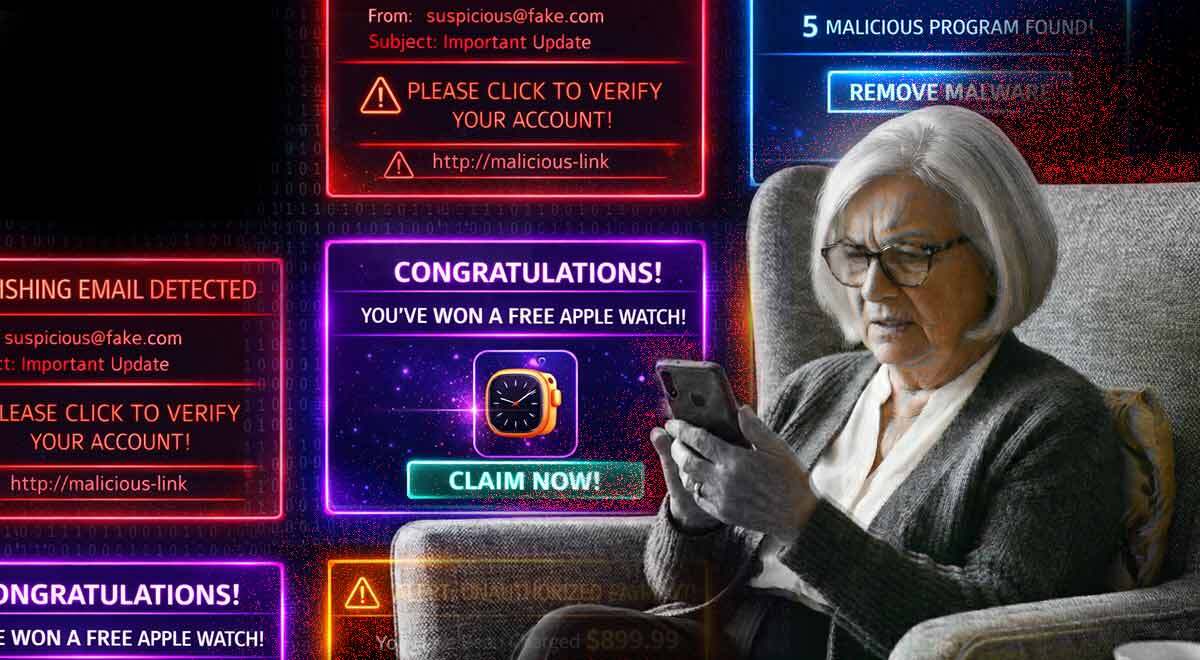
Image by Cybernews

 Follow us
With more elaborate scams circulating, how can older people avoid becoming victims?
We live in a world where keeping up with technology may pose different challenges to people of different ages.
While it might feel like Gen Z and Gen Alpha were born with a smartphone in hand, older users may have had to put more effort into learning the ever-changing intricacies of technology.
I guess a lot of us are tech connoisseurs in our grandparents' eyes, who often have a question or two about how to manage their smartphones.
However, this trend might be changing, as I recently came across an article by a Lithuanian national broadcaster in which someone shared how they found out that their grandmother had been texting with multiple people who pretended to be famous to lure gift cards from her.




Scams more plausible than reality?
While I wasn’t surprised by these scams, as I had already heard many stories about how Nigerian princes, Tinder swindlers, and other characters of a similar nature work, what surprised me was the grandmother’s reaction after her grandson warned her about these people and the lengths they go to to deceive people out of their money.
The woman didn’t believe her relative, even getting mad at him for questioning her popularity.
This got me thinking about how the situation has changed since a few years back, when people were more cautious about using smartphones, sometimes even refraining from having social media accounts or keeping their banking accounts on the phone to avoid their data being leaked.
Now, with the rise of AI, it has become even harder to distinguish between reality and deceit.
iOS vs Android: which is better for elderly users?
As some question what the best course of action is when introducing smartphones to children, others are looking into what could be the safest option for their older relatives.
One Reddit user started a discussion after writing, “Do not get your grandparents Androids,” suggesting that software could be affecting their safe use of mobile phones.
The author of the post shared that elderly users tend to click on intrusive ads, and removing them can sometimes be too complicated for them.
They also implied that, for this reason, it’s better to introduce them to an iPhone from the start, as switching from Android to Apple would only make them more confused.






Can mobile software have an impact on user experience?
The Reddit post made me wonder whether the software is really that important for the device to be comfortable to use.
Both iOS and Android software have their advantages and disadvantages in terms of interface, features, and capabilities.
Yun Gu, a software development engineer at Amazon Web Services, notes that the initial difference between the two software isn’t related to the interface but to security.
He notes that iOS includes a “walled garden approach,” with apps having to go through “App Store review, reducing malware risk,” providing users with automatic security updates that can’t be ignored, as well as having a “Family Sharing” feature that lets users manage devices remotely.
The expert notes that while Android is “more flexible,” this flexibility creates more risks.
“Users can inadvertently enable ‘install from unknown sources,’ opening the door to malicious APKs. Security updates depend on device manufacturer, creating fragmentation – some older devices stop receiving patches entirely,” says the expert.
Gu concludes that while iOS might be safer due to its restrictive defaults, Android “can be equally safe if a family member configures it properly.”
David Lee, managing director at Functional Skills, notes that elderly users “do not choose between operating systems. They are dealing with a cognitive load of trying to understand new interfaces. How consistently an interface works and how often it changes are far more important than the operating system itself.”
How to protect your elderly family members from getting scammed?
The story about the grandmother who was so immersed in the online world that she didn’t even believe her own relative, who explained the threats there, supports Lee’s view that “scammers successfully take advantage of trust, not technological ability.”
The expert advises older users to “limit the number of applications they allow on their phones, and disable ‘unknown’ applications from being downloaded,“ essentially making them “boring.”
But what else could be done in this situation? Is deleting apps with ads enough?
As a software development engineer, Gu shared a list of safeguards that he himself implements for his parents:
- Enable two-factor authentication on important accounts, such as Gmail and bank accounts.
- Use app-based authentication, such as Google Authenticator, rather than SMS to avoid SIM swapping.
- Set up “family access” to see what apps your parents or grandparents install and help them remotely, if needed.
- Whitelist contacts for financial apps. Some banks now let you have a “trusted phone number that you can call to verify suspicious transactions.”
- From time to time, perform “security audits” to check the apps they installed or their browsing history to see if they’ve installed anything malicious.
Some people, especially those who’ve had to keep an eye on their relatives' smartphone use, might feel that educating them on the matter is essentially useless. However, it’s worth at least trying to explain the current “trends” to them, this way keeping their trust while helping them better understand the changes in tech and the scams that come with it.
Unlock more exclusive Cybernews content on YouTube.