Best free VPNs for Firestick in 2026
Our in-house cybersecurity experts and journalists, renowned for major reports like The Mother of All Breaches, conduct transparent, unbiased VPN testing and in-depth analysis.
With 750+ articles crafted based on real-world research, we empower readers to make informed purchasing decisions through first-hand expertise.
Learn more
Amazon Firestick makes it easy to stream movies and TV shows, and using a VPN can unlock even more content from around the world. Many users search for the best free VPNs for Firestick to access global libraries without paying for a subscription.
However, not every free VPN works well on Firestick. Some come with strict data limits, slow speeds, weak encryption, or difficulty bypassing streaming geo-blocks. Because of this, premium providers such as NordVPN usually deliver a better overall experience with faster servers, stronger privacy protections, and more reliable streaming access.
Still, if you specifically want a free VPN for Firestick, there are a few options that perform reasonably well. I tested multiple providers and selected the ones that offer decent streaming speeds and basic privacy protection.
Overall Best VPNs for Firestick in 2026


A VPN serves three main purposes: it can unblock geo-restricted streaming content, protect your identity online, and keep your internet use more private. Of course, not everyone has the budget to pay for a VPN subscription.
That is why, with the help of our research team, I tested and assembled the most reliable free VPNs for streaming on Firestick and Fire TV. The options presented in this article should help you have an uninterrupted, private, and secure streaming experience.
Do I really need a VPN for my Firestick?
If you want to access a wide variety of content, you really need a virtual private network (VPN) for your Amazon Firestick.
Most streaming services have region-locked libraries, meaning you might miss out on shows and movies that are only available in certain countries. A VPN helps you bypass these restrictions by masking your location and allowing you to stream content from anywhere. Additionally, it protects your online activities from being monitored by your ISP or other third parties.
Should I use a free VPN for Firestick?
Using a free VPN for Firestick may work for basic needs, but it often falls short for regular streaming. Many free VPNs limit server selection, have slower speeds, and enforce monthly data caps, which can disrupt your experience.
For a smoother and more reliable streaming performance, free-trial VPNs like NordVPN and Surfshark are a better option, offering faster speeds, more servers, and unrestricted streaming capabilities.




We spare no effort to test the products & their features. All information is gathered by our in-house research team & fact-checked by our team of experts. Discover the ins and outs of our testing procedures.
Best free VPNs for Firestick – detailed list
Finding the right free VPN for Firestick or Fire TV can feel daunting, especially with so many options that fail to deliver on performance, speed, or security. With the help of the Cybernews research team, I tested 41 free VPNs to identify those that work seamlessly with Firestick, ensuring smooth streaming and reliable access to geo-restricted content.
NordVPN and Surfshark aren’t on the list below because they don’t offer completely free versions. However, they're still the best VPNs for Firestick due to fast speeds, powerful unblocking capabilities, and native Firestick apps. NordVPN and Surfshark also offer a free trial and a 30-day money-back guarantee, so you can try them risk-free.
If you're specifically looking for completely free VPNs, I’ve selected options that balance decent performance and ease of use. However, they may have limits, like data caps or fewer servers.
1. Proton VPN – the best free VPN for Amazon Firestick

-
VPN app for Firestick
-
Speed and performance
-
Data caps and limitations
-
Access to geo-restricted content
Proton VPN is the best free VPN for Firestick and Fire TV in 2026, offering unlimited data on its free plan – a rarity in the world of free VPNs. While it doesn’t include as many servers or features as paid options, it provides strong privacy and reliable connections for light streaming and browsing.
Who should use this VPN?
Proton VPN is right for privacy-conscious users who want a trustworthy free VPN with no data caps. Its free plan is great for casual streaming and securing online activities. However, users seeking advanced streaming capabilities or extensive server networks may find it limited.
Firestick VPN app
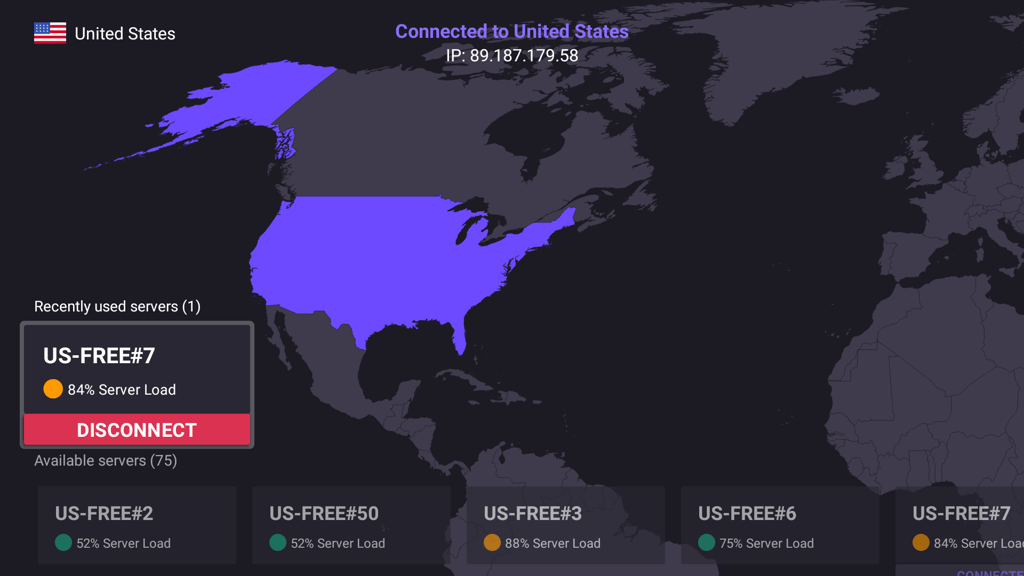
Proton VPN’s app is compatible with Firestick and can be downloaded directly from the Amazon App Store. Its interface is intuitive, and connecting to servers is straightforward. While free users are limited to 5 server locations, the app still works well for basic streaming needs.
Speed and performance
Proton VPN’s free servers showed moderate speeds during testing. SD streaming was smooth, but HD playback occasionally suffered from buffering. For more consistent high-speed performance, especially during heavy usage, upgrading to the paid plan may be worth considering.
Data caps and limitations
Proton VPN’s free plan offers unlimited data, making it a standout option for users who dislike restrictive caps. However, free users are limited to servers in the US, the Netherlands, Japan, Romania, and Poland, which could restrict content availability.
Access to geo-restricted content
While Proton VPN is excellent for privacy, its free plan struggled to unblock major streaming platforms like Netflix and Hulu consistently. It performed better for accessing region-locked YouTube content but fell short for premium streaming services.
Security and privacy features
Proton VPN uses AES-256 encryption and follows a strict no-logs policy, backed by Swiss privacy laws. It includes essential features like DNS leak protection and a kill switch, ensuring your data remains private even on the free plan.
Personal experience
Proton VPN’s free plan worked well for casual use on Firestick. Streaming local content and browsing were smooth, and its privacy features offered peace of mind. However, the server limitations were noticeable when I attempted to access a broader range of content. For a free VPN, though, it’s one of the most dependable options available.
2. Hide.me VPN – privacy-oriented free Fire TV VPN

-
VPN app for Firestick
-
Speed and performance
-
Data caps and limitations
-
Access to geo-restricted content
Hide.me is a standout choice for privacy-conscious users, offering a free VPN with strong security and no registration requirement. This makes it an appealing option for those who prioritize anonymity while streaming on Firestick or Fire TV. Despite its free plan limitations, Hide.me provides a reliable and secure experience for light use.
Who should use this VPN?
Hide.me is perfect for users who value anonymity and data security. Its no-registration policy ensures privacy right from the start. However, with limited data caps and server options, it’s better suited for casual streaming and basic browsing rather than heavy use or HD streaming.
Firestick VPN app
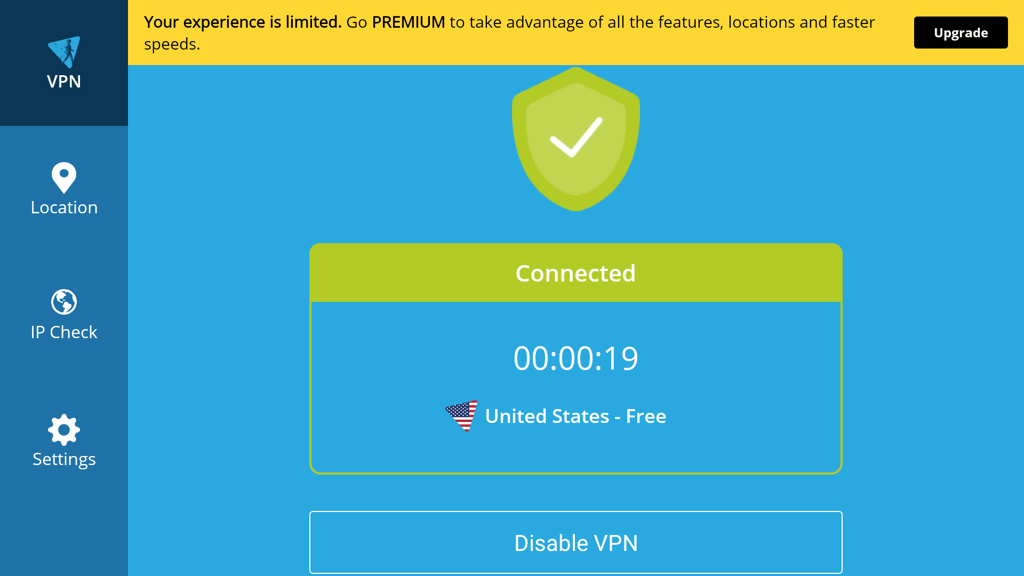
Hide.me offers a user-friendly app that integrates seamlessly with Firestick. You can download it directly from the Amazon Appstore. The app runs smoothly and is easy to navigate, and its interface makes server selection straightforward. However, free users only have access to 5 server locations.
Speed and performance
Speeds were decent for a free VPN, allowing for uninterrupted SD streaming and light browsing. HD streaming struggled during peak hours, but switching servers sometimes improved performance. Paid plans unlock faster speeds and a broader server network.
Data caps and limitations
The free plan provides only 10GB of monthly data, which is sufficient for occasional streaming but not ideal for regular use. Once you hit the cap, streaming and browsing stop unless you upgrade to a paid plan.
Access to geo-restricted content
While Hide.me performed well with unblocking YouTube and some smaller streaming platforms, it struggled with major services like Netflix and Amazon Prime Video. Therefore, it’s better to access basic content than bypass strict geo-restrictions.
Security and privacy features
Hide.me excels in privacy, offering AES-256 encryption, a strict no-logs policy, and a reliable kill switch. Its no-registration requirement ensures that no personal data is stored, providing users an additional layer of anonymity.
Personal experience
The app’s interface made it easy to switch servers, and its privacy features provided peace of mind. However, the 10GB data cap became limiting after a few streaming sessions, and the inability to unblock larger streaming platforms was noticeable. Hide.me remains a solid free option for anonymous, light streaming.
3. Hotspot Shield – versatile free VPN for Firestick

-
VPN app for Firestick
-
Speed and performance
-
Data caps and limitations
-
Access to geo-restricted content
Hotspot Shield offers a trusted, free VPN for Firestick users. It stands out with its generous server network and easy-to-use app. While its free plan has limitations, Hotspot Shield's strong connection speeds and global server presence make it a viable choice for light streaming and browsing.
Who should use this VPN?
Hotspot Shield is ideal for casual streamers and those who want a free VPN with excellent global coverage. It’s a good option for accessing regionally restricted content on less demanding platforms. However, its daily data cap of 500MB may not suit users looking for extended or HD streaming sessions.
Firestick VPN app
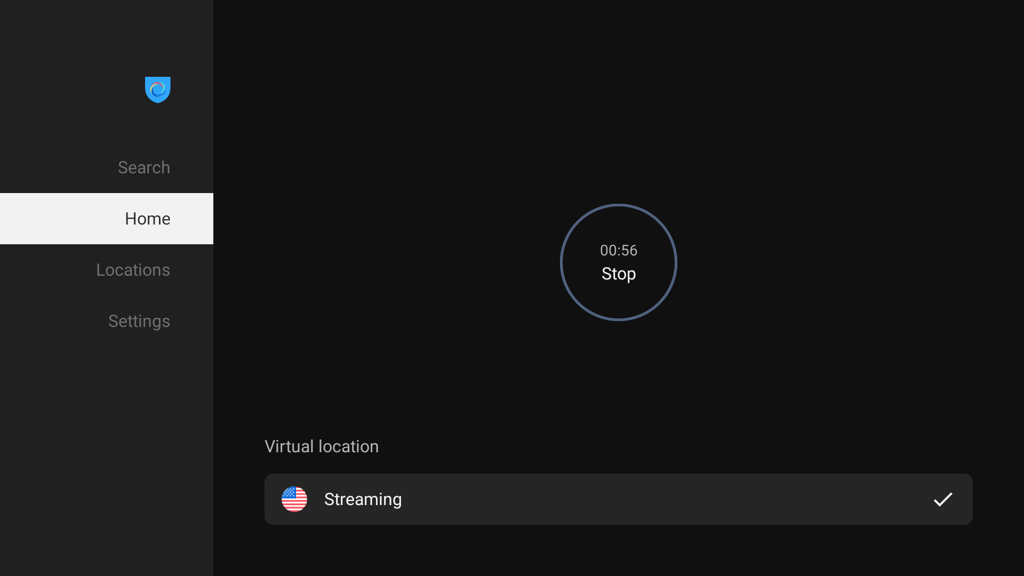
The Hotspot Shield app is straightforward to set up on Firestick, and its clean interface simplifies connecting to servers. The free plan provides access to 1 server location, but the app runs smoothly and ensures consistent performance.
Speed and performance
Speeds were sufficient for SD streaming and general browsing, though HD streaming often led to buffering. The Catapult Hydra protocol, exclusive to Hotspot Shield, enhances connection speeds, but the free plan’s single server location can lead to congestion during peak hours.
Data caps and limitations
Hotspot Shield’s free plan includes a 500MB daily data allowance. While this resets every 24 hours, it’s not enough for more than light streaming or occasional browsing. Upgrading to the paid plan removes data restrictions entirely.
Access to geo-restricted content
Hotspot Shield successfully bypassed geo-restrictions for YouTube and a few smaller platforms, but it struggled with popular streaming services like Netflix and Hulu. It’s more suited for accessing less demanding region-blocked content.
Security and privacy features
The free version offers strong AES-256 encryption, DNS leak protection, and a kill switch for secure browsing. However, the free plan logs minimal session data for performance optimization, which might concern privacy-focused users.
Personal experience
I spent some time using Hotspot Shield on my Firestick, and I have to say, it’s straightforward to get started. It worked well for light streaming and browsing, but the daily data cap kicked in faster than I’d like. The app itself is smooth and easy to navigate, which I appreciated. However, only having access to 1 server location felt pretty restrictive, especially compared to other options. That said, Hotspot Shield is a decent free VPN for quick and casual use that gets the basics right.
How I tested free Firestick VPNs
To evaluate the best free VPNs for Firestick, I joined a team of experts to conduct testing on a Fire TV Stick 4K device. Each VPN was rigorously tested across multiple weighted factors to ensure it meets the needs of Firestick users. Here’s the full breakdown of my VPN testing process:
- VPN app for Firestick (30%). I verified that each VPN app was compatible with the Amazon Fire TV Stick and could be easily installed from the Amazon App Store. After installation, I evaluated the app's user interface for simplicity, ensuring that even beginners could navigate and configure the VPN without issues. Additionally, I tested support for multiple devices to see if the VPN allowed seamless switching between Firestick and other devices, which is crucial for multitasking users.
- Speed and performance (25%). Using the Fire TV Stick 4K, I measured how the VPN impacted streaming speeds and overall performance. Tests were conducted during peak and off-peak hours to ensure consistent results. I assessed buffer times while streaming HD content on platforms like Netflix and Amazon Prime Video to ensure a smooth viewing experience with minimal interruptions.
- Data caps and limitations (15%). I carefully checked for data caps and usage limitations imposed by free VPNs. Each VPN was tested with standard streaming activities to determine how quickly the limits were reached. I also looked into whether these caps were reasonable for basic streaming needs or if premium upgrades were necessary for uninterrupted usage.
- Access to geo-restricted content (15%). I tested each VPN’s ability to bypass geo-restrictions on streaming platforms like Netflix, Hulu, and Disney+. I connected to servers in different countries to verify whether the VPN reliably unblocked region-locked content. I also evaluated consistency in maintaining access over time
- Security and privacy features (10%). Security was tested by examining the level of encryption and protocols used by the VPN, such as AES-256 encryption. Additional features like kill switches and DNS leak protection were tested for functionality and reliability. I ran IP and DNS leak tests to ensure no data leaks occurred during use, which is essential for maintaining privacy.
- Personal experience (5%). I assessed my overall satisfaction while using the VPNs, focusing on how intuitive the apps were and whether they offered a positive user experience. Customer support was also tested to gauge responsiveness and effectiveness, especially in troubleshooting installation or connectivity issues on the Firestick.
Also, I closely reviewed their refund policies for free-trial VPNs to confirm a problem-free experience. Each provider’s money-back guarantee was tested by subscribing, using the VPN for a trial period, and requesting a refund within the stipulated time frame. I ensured the refund process was straightforward and the providers honored their guarantees without delays or unnecessary complications.
This structured testing ensures that the VPNs recommended for Firestick are reliable, secure, and capable of providing an optimal streaming experience.
Other notable free VPNs for Firestick
Aside from the top picks, a few other free VPNs can work with Firestick, but they didn’t make the main list due to limitations like low data caps or missing Firestick app support.
Windscribe. Windscribe’s free plan includes 10GB of data per month (if you confirm your email) and access to servers in 10+ countries. It’s available on the Amazon Appstore, which makes it easy to install on Firestick.
Windscribe can unblock some streaming platforms like Netflix, though results vary depending on the server. While it offers decent speeds and a simple interface, streaming consistency isn’t always reliable, and server options are limited compared to the paid version.
TunnelBear. TunnelBear’s free plan gives you 500MB of monthly data, with occasional bonus data through social media promos. It’s beginner-friendly and works on Firestick with a bit of setup.
Thanks to its strong encryption and clean design, TunnelBear is a good fit for privacy-conscious users who just need a VPN for light use. However, the small data allowance makes it unsuitable for frequent or long streaming sessions.
Best free Firestick VPNs compared
Here's a comparison of the top free VPNs, highlighting their key features. The table below shows the benefits and differences of each service to help you choose the best one for you.
| Brand | Free/free trial | Rating | VPN app available on Firestick? | Streaming services | Simultaneous connections | Starting price for premium plans |
|---|---|---|---|---|---|---|
| Proton VPN | Free version | ✅ Yes | Netflix, BBC iPlayer, YouTube, HBO Max, Disney+ | 1 (free) or 10 (premium) | From $2.99/month | |
| Hide.me VPN | Free version | ✅ Yes | Netflix, BBC iPlayer, Youtube, and more | 1 | From $2.69/month | |
| Hotspot Shield | Free version | ✅ Yes | Netflix, BBC iPlayer, YouTube, Amazon, Hulu, and more | 1 | From $2.99/month |
How to install a free VPN on Amazon Firestick
Installing a free VPN on your Firestick is essential for accessing region-locked content and keeping your streaming private and secure. Here, I'll guide you step-by-step through setting up one of the best VPNs for Firestick – NordVPN. Note that the guide is the same for all other recommended providers.
-
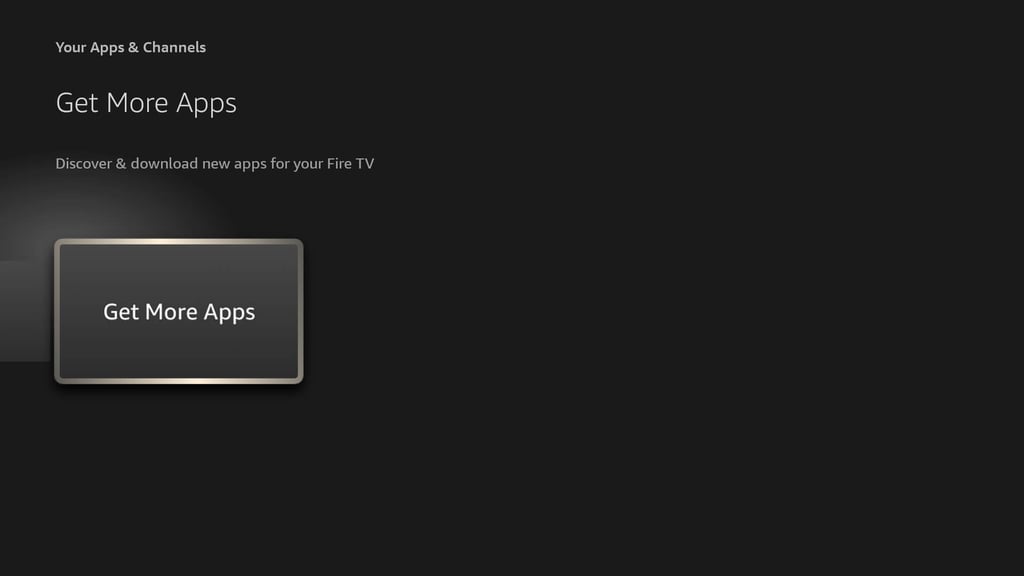
Move to the right on your Amazon Fire TV Stick's main screen until you see an icon with three squares and a plus sign. Click on it and select Get More Apps.
-
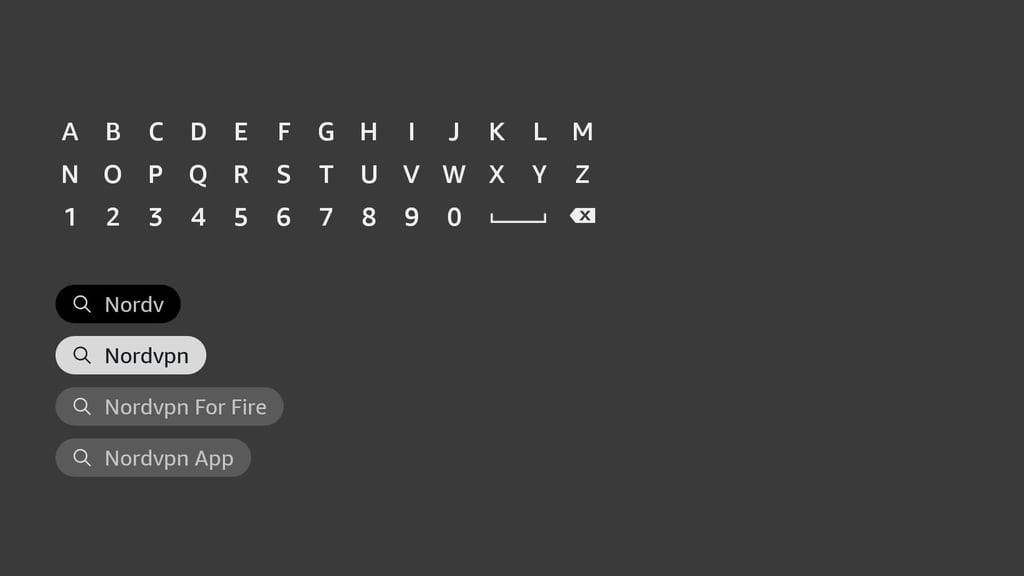
In the new window, enter NordVPN or another selected provider name in the search bar.
-
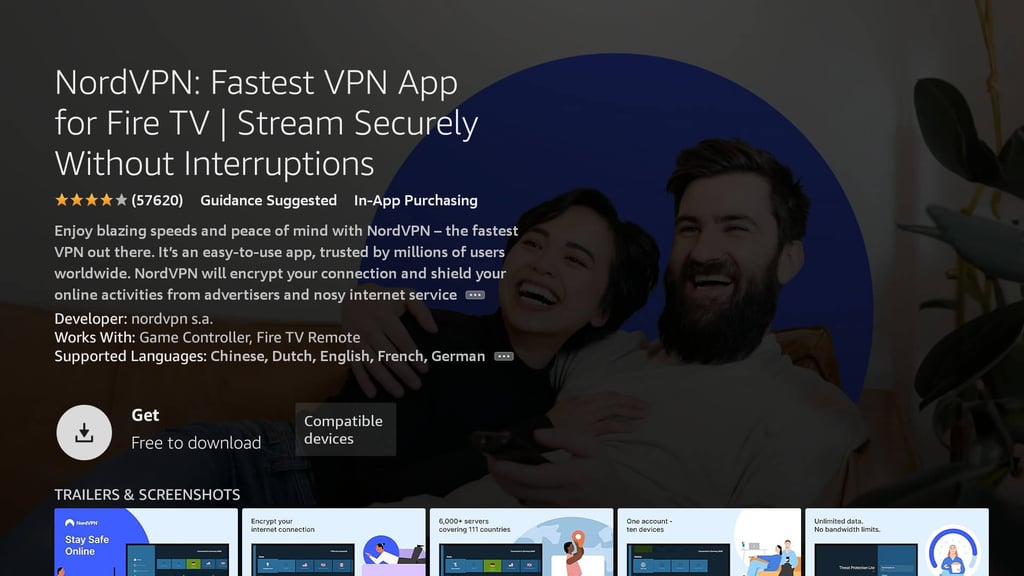
Find the NordVPN or another preferred provider app in the search results, click on it, and install it.
-
After installing, open the app and log in. You’ll need a computer or phone that's already connected to NordVPN to do this.
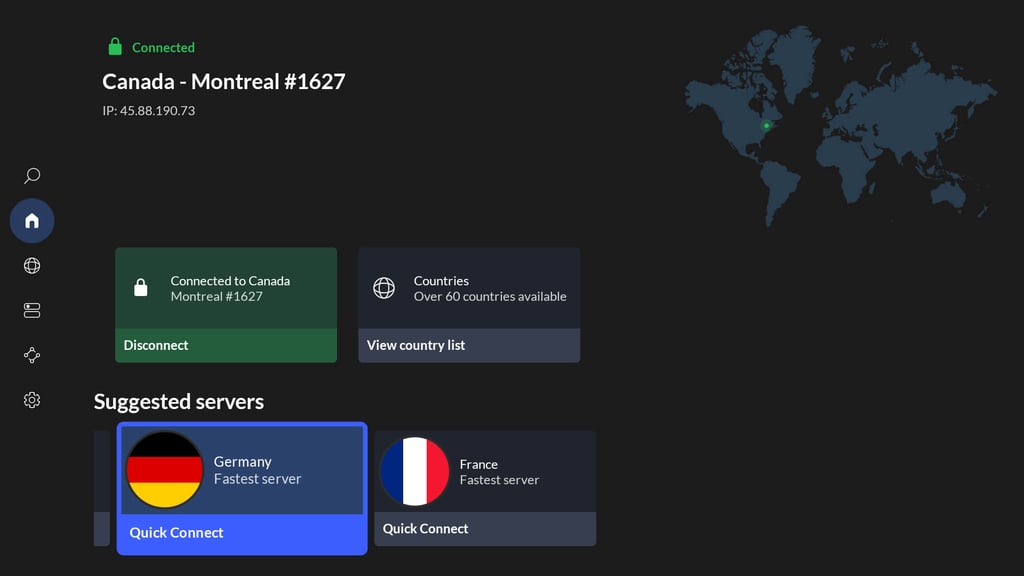
- Connect to any server and start streaming safely.
Conclusion
Having a free Firestick VPN is worth it. A free VPN can ensure essential online protection and privacy, or even help access Netflix. After all, entrusting a trustworthy free-of-cost VPN is much better than staying without VPN protection.
My favorite free VPN for Amazon Firestick in 2026, Proton VPN, offers a reliable service. With its free version, you can get unlimited data and unrestricted speeds, and use several of its features to improve your online experience.
However, overall, I recommend choosing a free-trial VPN, like NordVPN, that offers next-generation security, fast connection speeds, and excellent geo-restricted content unblocking capabilities.
FAQ
Which free VPN offers the fastest speed for streaming on Fire TV?
Proton VPN is the best free VPN for streaming on Fire TV with fast speeds. Its free plan uses servers optimized for performance, ensuring smooth streaming without data caps, although it has limited server locations. Consider a premium option like NordVPN with its free trial and money-back guarantee for unrestricted access and even faster speeds.
Can a free VPN bypass Netflix's geo-blocks on Firestick?
Yes, some free VPNs can bypass Netflix's geo-blocks on Firestick, but their success is limited. Proton VPN and Hide.me are among the few that may work for this purpose. However, free plans often have restrictions like limited server options and slower speeds, which can affect your streaming experience. A free-trial VPN like NordVPN is a better choice for consistent and reliable access to Netflix libraries.
Are there any completely free VPNs that don’t log data for Fire TV users?
Yes, Proton VPN and Hide.me are completely free VPNs that don’t log user data, making them suitable for Fire TV users concerned about privacy. Both providers offer strict no-logs policies, ensuring your activity isn’t tracked or stored. However, free plans typically have limitations, such as fewer servers or slower speeds, which may impact performance. A free-trial VPN like NordVPN is worth considering for more features and better streaming capabilities.
Can I use a free VPN to unblock sports streaming services on Firestick?
Yes, you can use a free VPN to unblock sports streaming services on Firestick, but with limitations. Free VPNs like Proton VPN or Hide.me might work for unblocking some platforms, but they often have restrictions like fewer servers, slower speeds, and data caps that can affect streaming quality.
Do free VPNs on Firestick work with Amazon Prime Video?
Yes, some free VPNs work with Amazon Prime, like Proton VPN or Hide.me, but they often have limited servers and slower speeds, causing buffering. For reliable access, free-trial VPNs like NordVPN or Surfshark are better, consistently unblocking content with smoother streaming.