The best VPNs for streaming in 2026
Our in-house cybersecurity experts and journalists, renowned for major reports like The Mother of All Breaches, conduct transparent, unbiased VPN testing and in-depth analysis.
With 750+ articles crafted based on real-world research, we empower readers to make informed purchasing decisions through first-hand expertise.
Learn more

Streaming services offer a treasure trove of great movies and TV shows. But you might be missing some of them, as they’re not available in your region due to geo-restrictions. This can be frustrating if you’re traveling or simply want to access a different regional catalog on platforms like Netflix, Disney+, or YouTube TV.
The best VPNs for streaming can help in this situation. A VPN can change your IP address and make your connection appear to come from a different location, which might help you access geo-restricted content. It also encrypts your internet traffic, adding a layer of privacy while you stream. However, keep in mind that streaming platforms can detect and block VPN connections, so access isn’t guaranteed.
To find the most reliable options, our research team and I tested 15 VPN providers in real-world streaming scenarios, evaluating their ability to access popular platforms, connection speeds, security, and overall streaming performance. Based on these results, we selected the best VPNs for streaming.
My recommended VPNs for streaming – shortlist
- NordVPN – best VPN for streaming overall
- Proton VPN – free VPN with reliable streaming performance
- Surfshark – affordable VPN with fast streaming on unlimited devices
- Bitdefender VPN – VPN balanced for safety and streaming
- ExpressVPN – premium VPN for effortless geo-unblocking




We spare no effort to test the products & their features. All information is gathered by our in-house research team & fact-checked by our team of experts. Discover the ins and outs of our testing procedures.
Why do we recommend streaming with a VPN?
A VPN can unlock new streaming content from outside your region, give you more privacy, and avoid ISP-enforced restrictions. It changes your virtual location, allowing you to access content that might otherwise be inaccessible. By hiding your IP address and encrypting your data, it also maintains your privacy and anonymity.
A VPN also shields your connection by acting as a buffer between your ISP and the content you view online. If you’re streaming a lot, your ISP might start throttling your connection, but a VPN masks your connection, so the ISP won’t be able to track you.
Comparing VPNs for streaming
Our research team and I tested 15 VPNs, focusing on speed retention and which streaming platforms we could access with the VPN. NordVPN leads the group with the strongest overall performance, offering full access to major streaming platforms and the highest average speed retention at 84%. Proton VPN, Surfshark, and Bitdefender VPN also offer consistent access across most services, all maintaining strong speed performance above ~79%. You can find the full breakdown of streaming access and speed performance for each VPN in our report:
Best VPNs for streaming in 2026
Our research team and I tested 15 VPNs to find the best VPN for streaming in 2026. We focused on download speed, server availability, connection reliability, and whether we could access platforms like Netflix, Hulu, or Disney+. Based on our tests and experience, we can recommend NordVPN for its overall performance, with Surfshark coming in a close second because it lets you reliably stream on an unlimited number of devices.
1. NordVPN – best VPN for streaming in 2026

| Rating: | |
| Price: | $3.49/month |
| Streaming services: | Netflix, ESPN, Disney+, BBC iPlayer, Hulu, HBO Max |
| Current deal: | Black Friday offer 78% OFF NordVPN + 3 months free |
NordVPN ranks as our top choice for streaming, combining fast speeds with reliable access to the most popular streaming platforms. During testing, it achieved an average speed retention of 84%, placing it among the best-performing VPNs.
While reviewing NordVPN, it accessed major streaming platforms, such as Netflix, Disney+, BBC iPlayer, and HBO Max. The streaming was seamless thanks to NordVPN’s NordLynx protocol, which is recommended for speed-dependent online activities. The app can access all the main platforms with default settings, making it easy to use.
The streaming quality remained high regardless of whether I watched Netflix on US servers or BBC on the UK ones. NordVPN has a SmartPlay feature built into the app, which helps access geo-restricted content. With this feature, NordVPN stands out from other VPNs, such as Surfshark, which requires users to switch servers manually, if their access to a platform is blocked. The app also has a kill switch that will block internet access if the connection to the VPN drops, so you’re kept safe at a moment’s notice.
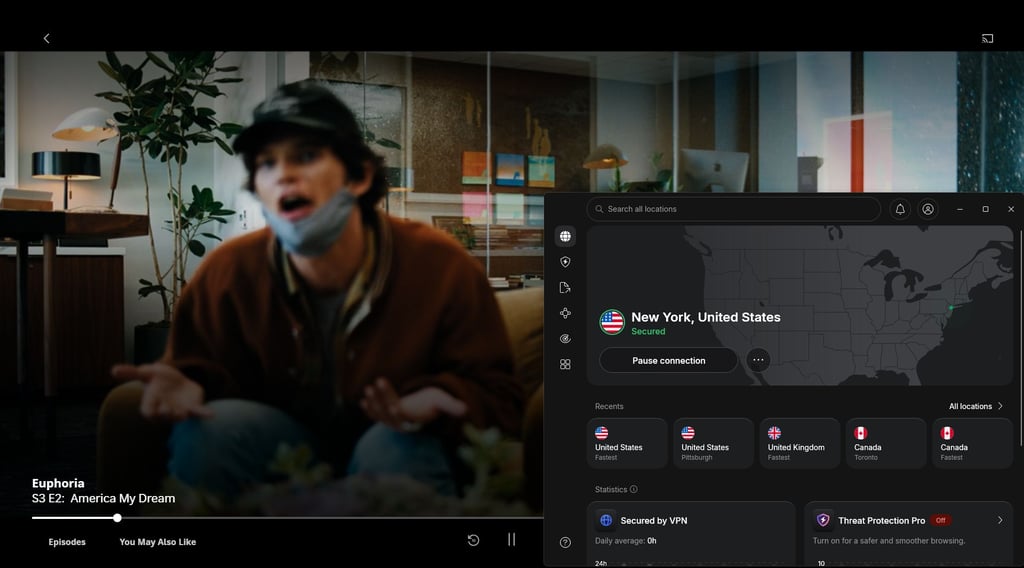
One limitation is the lack of a free version; however, if you download the app specifically from the Google Play Store, you’ll get a 3-day free trial. And while internet speed retention is good, the VPN will still work slower than your regular ISP’s connection – but this occurs with all VPNs.
NordVPN is a reliable choice for streaming, balancing speed and security. Its plans start at $3.49/month on a 2-year deal or $14.99/month on a monthly subscription, with the higher-tier Complete plan available from $3.99/month (2-year) or $19.99/month if paid monthly.
2. Proton VPN – best free VPN for streaming

| Rating: | |
| Price: | $2.99/month |
| Streaming services: | Netflix, ESPN, Disney+, BBC iPlayer, Hulu, HBO Max |
| Current deal: | Get up to 70% OFF Proton VPN |
Proton VPN claims the second spot on this list because it’s a free alternative to NordVPN. This open-source app can reliably support your online streaming with solid speeds and a built-in ad blocker.
During Proton VPN's testing, its speed retention held at 81%, which is lower than NordVPN's but still provides a stable connection. Proton VPN uses WireGuard, a protocol built to be faster than the traditional OpenVPN. I was able to access some of the most popular streaming platforms, like Netflix and Disney+ for the US or BBC iPlayer for the UK.
Proton VPN uses a kill switch and DNS leak protection to safeguard your connection, and I could access the streaming platforms with the app’s default settings. The streaming quality remained solid even when switching servers.
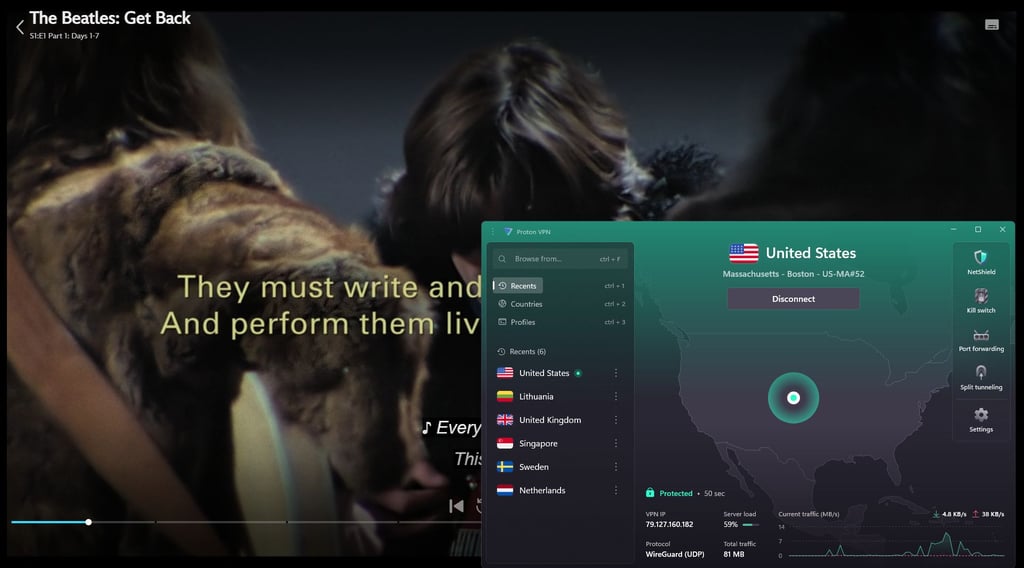
Proton VPN has free and paid versions, and both support streaming, but with a few key differences. The free version is very limited in its server selection. You’ll be able to connect to a few select countries, but if you jump between servers too quickly, a timer kicks in that prevents you from switching. So if you want a full streaming experience, the paid plan is a better option because it doesn’t impose such limits.
Overall, Proton VPN is a good pick for those who want a free VPN, but it comes with quite strict limitations. A paid version is a more reliable solution, and the plans start at $2.99/month/month.
3. Surfshark – VPN for watching movies on as many devices as you want

| Rating: | |
| Price: | $2.49/month |
| Streaming services: | Netflix, ESPN, Disney+, BBC iPlayer, Hulu, HBO Max |
| Current deal: | Now up to 88% OFF Surfshark + 3 months FREE |
The third on the list is Surfshark, offering access to the most popular streaming services with minimal buffering. The app protects users from ISP throttling while maintaining a high speed retention of 83%.
With Surfshark, I was able to unlock US-only content from Netflix, ESPN, Disney+, and Hulu, as well as the UK’s BBC iPlayer. The app worked with the default settings, so I didn’t have to tinker with them. Despite being slightly slower than NordVPN, Surfshark's review revealed it still holds up as a solid streaming VPN. To ensure fast streaming speeds, Surfshark uses WireGuard protocol (or Dausos protocol if you’re a macOS user).
The app’s streaming works with minimal delay and doesn’t enforce data caps. Also, you can stream on an unlimited number of devices. Surfshark has a built-in ad blocker, so you can safely stream online on any platform. The VPN has a kill switch and offers split-tunneling, so you can stream using the VPN while keeping other activities on your regular connection.
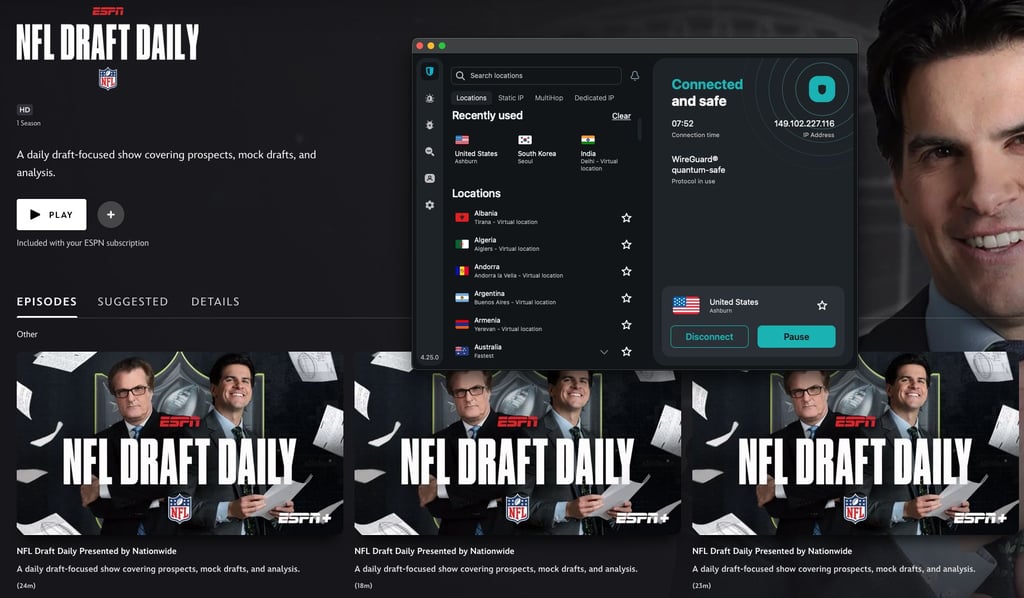
Surfshark used to have a Smart DNS feature, but it was discontinued, so if a particular server is under heavy load and works slow, you will have to switch servers manually. And while the app supports an unlimited number of devices, connecting too many at once will naturally affect streaming speeds.
This VPN is best suited to those who want fast streaming on all their devices. Surfshark plans start at $2.49/month/month if you sign up for a 2-year plan, or $15.45/month on a monthly plan.
4. Bitdefender Premium VPN – balance between streaming and strong encryption

| Rating: | |
| Price: | $2.50/month |
| Streaming services: | Netflix, ESPN, Disney+, BBC iPlayer, Hulu, HBO Max |
| Current deal: | Get up to 57% OFF Bitdefender VPN |
Next on the list is Bitdefender Premium VPN, offering streaming with strong encryption. I was able to safely access popular streaming platforms while maintaining a steady connection speed.
In my tests, I used Bitdefender Premium VPN to access BBC iPlayer, Disney+, Netflix, Hulu, and ESPN. The speed retention remained at 75%, which offers a solid streaming experience. In addition to secure and anonymous streaming, the VPN has a 7-day free trial so you can see firsthand whether Bitdefender Premium VPN meets your needs.
The app uses the WireGuard protocol, which allows faster streaming. The VPN also has global servers, ensuring broader access to streaming services. Users can also take advantage of a kill switch, split-tunneling, and unlimited traffic encryption. With Bitdefender Premium VPN, you can connect up to 10 devices simultaneously, and while it’s a good number, it’s still less than what Surfshark offers.
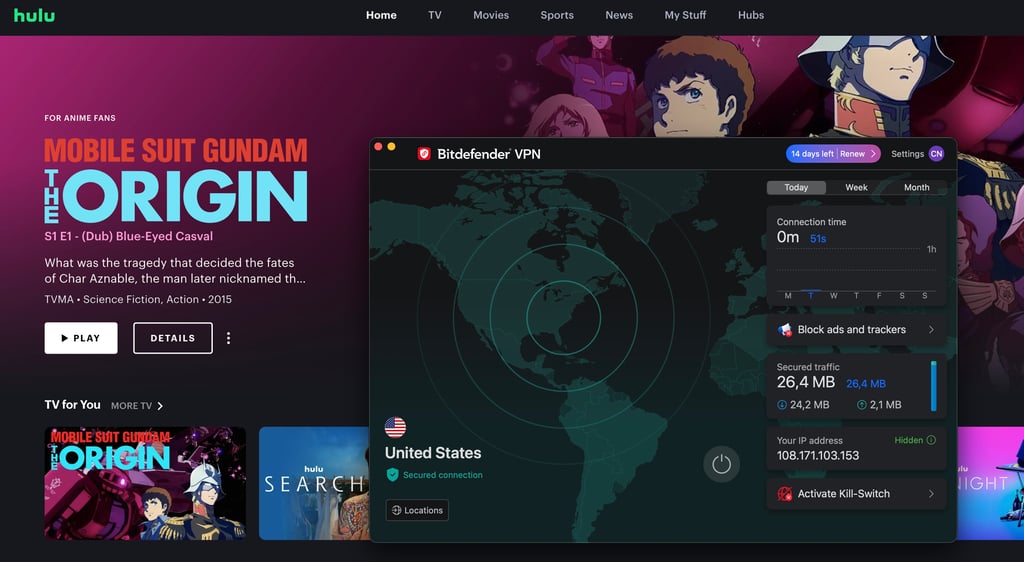
It’s worth noting that while Bitdefender Premium VPN offers good connection speeds, it’s primarily designed for online safety rather than streaming. Additionally, the app doesn’t work on Linux.
I’d recommend Bitdefender Premium VPN to those who’d like a balance between streaming performance and online safety. The VPN also comes with an affordable price of $6.99/month/month on a monthly plan or $2.50/month/month with a 2-year subscription.
5. ExpressVPN – fast streaming VPN for geo-restricted content

| Rating: | |
| Price: | $2.99/month |
| Streaming services: | Netflix, ESPN, Disney+, BBC iPlayer, Hulu, HBO Max |
| Current deal: | Now up to 80% OFF ExpressVPN + 4 months FREE |
ExpressVPN provides buffer-free streaming while consistently accessing some of the most popular streaming platforms.
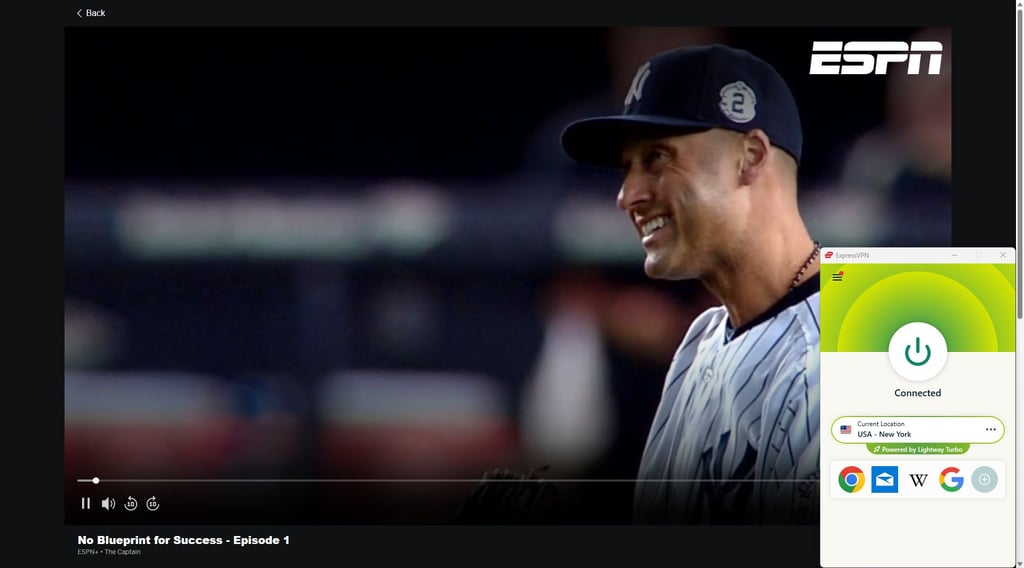
According to my tests, ExpressVPN's average retention rate is 81%, which is good but below top providers NordVPN and Surfshark. I was able to access popular streaming services like Netflix, Disney+, ESPN, and BBC. Depending on the plan, ExpressVPN can support up to 14 devices, but if your chosen device doesn’t support VPN apps, you can use the provider’s MediaStreamer to use ExpressVPN on devices like gaming consoles.
The VPN also uses the Lightway protocol, which improves streaming speed and performance. The streaming quality doesn’t drop even during peak hours. And if the app’s connection shuts off for any reason, a kill switch kicks in to keep your online activity private. The app also offers split tunneling, allowing you to multitask across your devices. The provider also offers an ad blocker to help keep your streaming more secure.
However, while the VPN has a stable connection, it doesn’t disclose the exact number of servers it deploys. A server counts helps to determine the connection speed for the country you’re connecting to, as well as server availability and how quickly certain servers might become overcrowded, e.g., if a VPN has 4 servers available for the US, they can be quickly overwhelmed and, in turn, affect your streaming.
ExpressVPN's performance revealed it's best suited for those who want fast streaming without compromising security. The VPN’s plans start at $2.99/month/month (2-year plan) or $12.99/month (monthly plan).
6. PureVPN – VPN with reliable streaming capabilities

| Rating: | |
| Price: | $1.99/month |
| Streaming services: | Netflix, ESPN, Disney+, BBC iPlayer, Hulu, HBO Max |
| Current deal: | Now $1.99/month with 87% OFF |
When it comes to streaming, PureVPN is another good choice. It works well with some of the most popular streaming services while maintaining 79% of the connection speed.
With PureVPN, I was able to access movie streaming services, like Netflix or Disney+, as well as sports platforms like ESPN. The videos loaded quickly, and the streaming quality stayed consistent. But, comparatively, NordVPN or Surfshark offers a better streaming experience in terms of connection speed.
PureVPN's tests showed it has most of the features I’d expect from a streaming-oriented VPN. It uses WireGuard to ensure high streaming speeds and split tunneling for greater convenience. The app also has a kill switch that blocks the internet connection until the VPN reconnects. Additionally, PureVPN can be used on up to 10 devices.
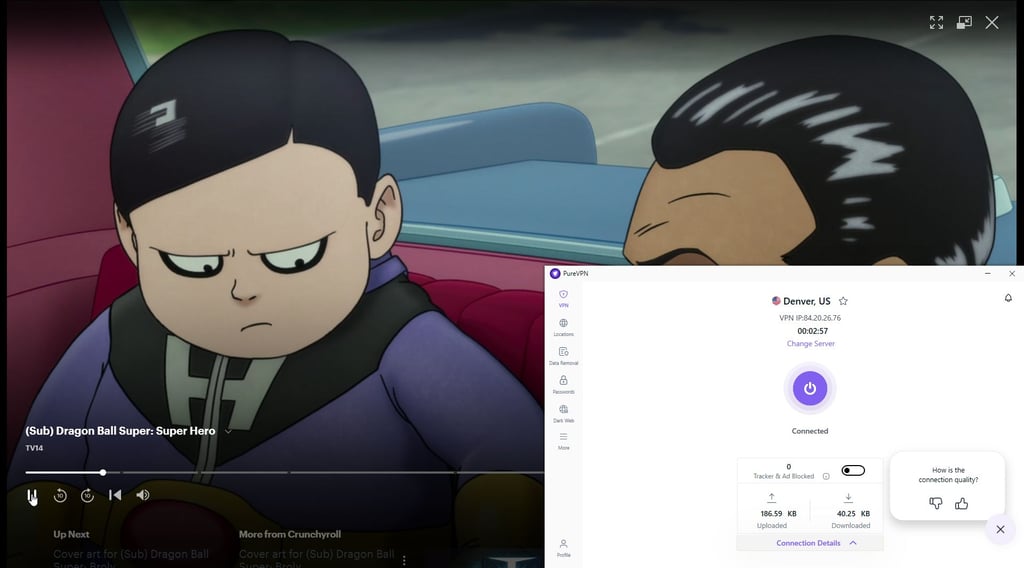
The app provides a good streaming experience thanks to its 6,000 servers. PureVPN can connect you to 65+ countries, which is a bit of a downgrade from NordVPN’s 225 locations.
PureVPN is a good option for those who want to stream while staying on a budget. Its plans start at 1.99/month if you buy a 2-year plan, or $12.95/month on a monthly plan.
7. VyprVPN – premium streaming without a premium price

| Rating: | |
| Price: | $3.00/month |
| Streaming services: | Netflix, ESPN, Disney+, BBC iPlayer, Hulu, HBO Max |
| Current deal: | Now 50% OFF the 1-year plan! |
VyprVPN delivers a stable streaming experience across popular platforms without breaking the bank.
I could access Netflix, HBO Max, and even ESPN. The app uses WireGuard to enhance streaming speeds while providing a solid connection. However, the app’s speed retention drops to 62%, compared to 84% from NordVPN. While it’s not bad, this dip could affect the streaming quality, especially at peak times.
According to VyprVPN review, supports up to 10 devices and offers split tunneling and DNS leak protection. You can also turn on a kill switch that blocks internet traffic if the VPN disconnects. The VPN also has the VyprDNS feature that’s exclusive to the app and is used automatically.
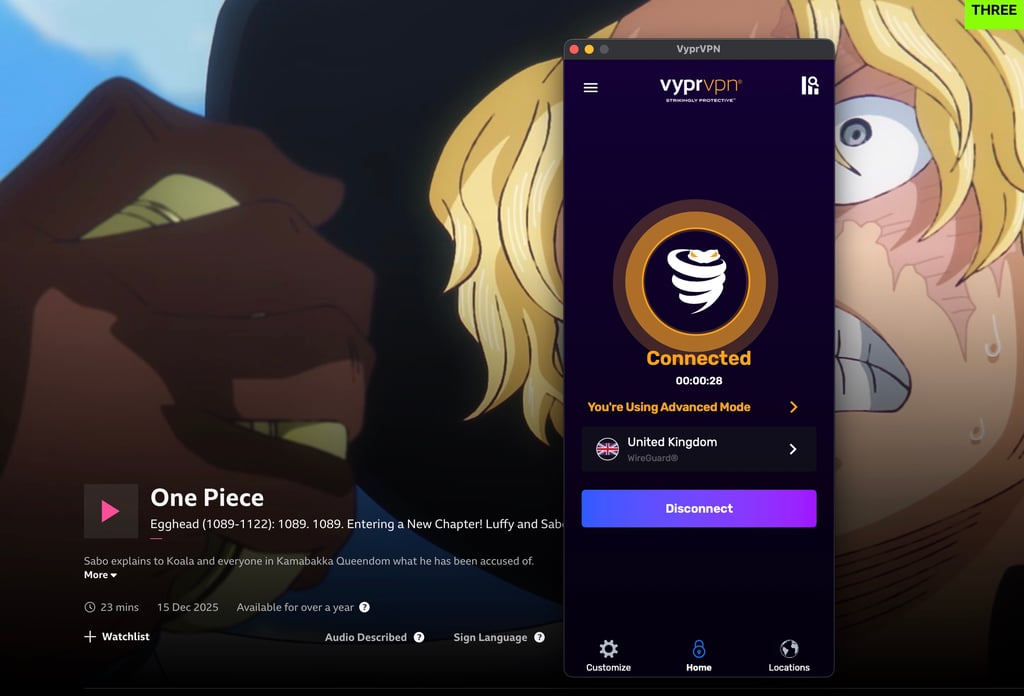
While it is a reliable streaming VPN, VyprVPN has a significant drop in speed retention when compared to others on this list. This can be significant if your regular ISP connection is average. The app also doesn’t support Linux.
VyprVPN works best for people who want to enjoy streaming but don’t prioritize it when choosing a VPN. You can pick from 3 plans, with the cheapest starting from $3.00/month/month if you sign up for 2 years, or $10.00/month/month on a monthly plan.
Should you use a free VPN for streaming?
I'll be completely honest, streaming with a free VPN is not recommended. Most of them have frustrating limits like slow speeds, data caps, and just a handful of servers to choose from. On top of that, they often don’t work with popular streaming platforms like Netflix or Disney+. Some even raise privacy concerns, track your activity, or show you annoying ads.
If you’re after a smooth streaming experience, the smarter move is to try a premium VPN with a free trial or a money-back guarantee. You’ll get full access to fast servers, better reliability with streaming services, and top-notch privacy features. And if it’s not a good fit, you can always cancel without losing a cent. I would highly suggest you check out our guide on how to claim the NordVPN free trial and utilize it for streaming.
If you're still adamant on using a free VPN, the only provider I'd recommend in that case is Proton VPN. Its free version doesn’t have data limits, offers decent speeds, and comes from a company known for its commitment to privacy. As mentioned above, the biggest inconvenience is that you cannot choose the server manually, and therefore, it might not unlock every streaming site out there, but it’s your best bet if you're sticking with a free option.
How we selected and tested streaming VPNs
To find the best VPNs for streaming, we tested streaming content with various VPNs enabled across different platforms – Netflix, ESPN, Disney+, BBC iPlayer, Hulu, HBO Max, and Amazon Prime Video – and regions. We measured key metrics like speed, latency, and streaming access to evaluate each VPN's impact on the streaming experience objectively. We also paid close attention to factors like buffering, quality drops, and any connectivity issues that are harder to quantify. Additionally, we tested the advertised features of each VPN to see if they catered to the needs of streamers.
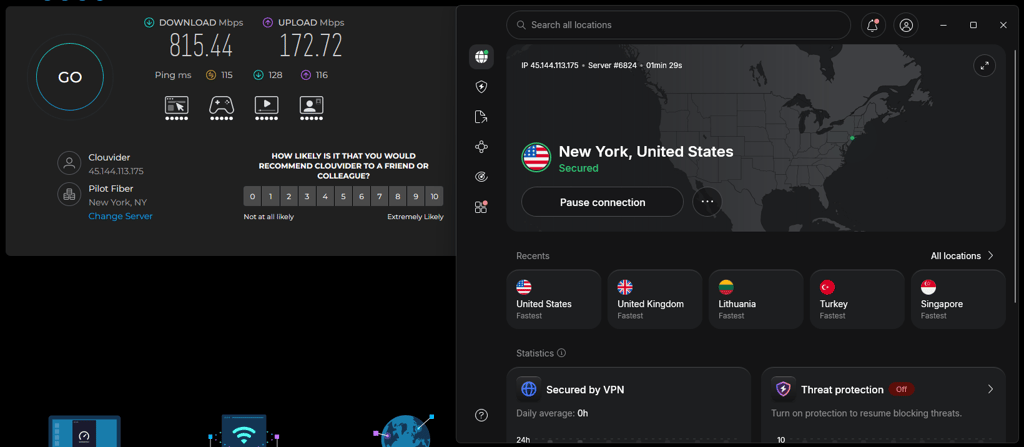
Here’s a breakdown of the key metrics we considered when ranking the best VPNs for streaming, along with the weighted percentages that influenced our overall ranking:
- Speed and latency (35%).
- Streaming access (25%).
- Server locations and network size (15%).
- Compatibility with streaming devices (15%).
- Security and privacy features (5%).
- Ease of use and pricing (5%).
For the VPN testing process, the team used a Lenovo ThinkPad T14s Gen2 with Windows 11 Pro for streaming. I also used my smart TV, console, and personal laptop for further testing across different devices to ensure we captured the full scope of streaming performance.
Do VPNs really work for streaming?
Yes, but not always reliably. Whether a VPN can successfully unlock geo-blocked content depends on the number of servers, the countries available, and speed retention. Essentially, a VPN should provide reliable coverage and a sustained connection.
A good VPN allows users to choose from several countries and servers within each. This ensures you can access streaming libraries that would otherwise be available in other regions. And the server count helps balance connection strain; for example, if a VPN only has a single server in the UK, all users connecting to that country will share that server. Having selection options will help with streaming quality.
Additionally, a VPN should not only establish a connection to the server but also maintain a suitable speed retention. This ensures you will not have to wait for the content to buffer and load, which can ruin the streaming experience.
On the other hand, not all VPNs can access all streaming platforms. Some apps might not be able to connect to certain regions or countries, so their content libraries are limited. And sometimes the connection might be established, but it’s not fast enough to stream anything.
VPNs like NordVPN, Proton VPN, and Surfshark might help you access streaming platforms without sacrificing speed. VPN users can stream content from outside their region, and many reliable VPNs also have safeguards that protect users’ privacy.
Which VPN is best for live streaming?
NordVPN stands out as the best overall choice for its speed, stability, and security. According to my tests, the app maintained a fast and uninterrupted internet connection during intensive streaming, such as live concerts or Twitch gaming sessions.
Streaming quality heavily relies on speed, and NordVPN’s NordLynx protocol delivers a fast connection with minimal buffering, even when streaming a live football match in 4K on Hulu Live. I also had no trouble switching between the US and UK servers and didn’t experience any lag, unlike with other VPNs.
I could stream on devices that would otherwise not support a VPN, such as a smart TV, using NordVPN’s SmartPlay. And if I wanted to separate my VPN traffic from my regular internet connection, I could use split tunneling. For example, I would route my streaming traffic through a VPN if I wanted to watch Hulu on my TV, and I could browse the web using my regular connection without it affecting streaming quality. You can also set up the VPN to auto-connect when you launch a streaming app, which is very convenient if you use the same streaming platform consistently.
Overall, NordVPN ensures a smooth streaming experience whether you’re catching the latest game, streaming on Twitch, or following live events.
Is it legal to use a VPN app for streaming?
Yes, it’s legal to use a VPN for streaming in most countries, including the US, the UK, Canada, and most of Europe. VPNs are mostly used for privacy, data security, and access to global content.
However, streaming platforms sometimes purchase the rights to show the content in certain regions only. Using a VPN to bypass these geo-blocks might go against the terms of service for the platform itself.
Services like Netflix or Disney+ may have rules against using a VPN to access content outside of your region. So, while using VPNs for streaming is not illegal, the streaming provider might block your VPN connection or limit the content you can access. Netflix, for example, frequently updates its systems to detect and block VPN usage.
It’s also important to note that in certain countries with stricter internet censorship laws, like China or Iran, using a VPN – even for streaming – can be more tightly regulated or outright illegal. Always understand local laws regarding VPN usage before accessing restricted content.
Conclusion
Nowadays, VPNs are an important part of streaming. It can help you unlock geo-restricted content while maintaining privacy and security. Among the 15 providers tested, most were able to access some of the most popular streaming platforms, but the speed retention percentage varied widely.
NordVPN stands out for its speed and streaming quality, as I was able to stream content from different regions with speeds consistently above 84%. Proton VPN comes in second for its free version, though it has its limitations. Surfshark also comes close, with unlimited simultaneous devices and 83% speed retention.
But while a VPN can help you stream, not all VPNs can access every streaming platform, and even then, download speeds can drop to 70% with some providers. Streaming platforms may also have rules against VPNs and may take action against accounts that use them.
When choosing a VPN that's right for you, consider whether you want to prioritize speed or a mix of safety and security. You should determine your streaming preferences and choose a VPN that delivers the best results for your needs.
FAQ
Do streaming services detect VPN?
Yes, some streaming sites like Netflix, Hulu, and Disney+ can detect and block VPNs. They use advanced detection systems to identify VPN traffic, but a premium VPN like NordVPN often stays ahead by regularly updating its servers. If one server is blocked, switching to another usually solves the issue.
Is there a free VPN for streaming?
While there are free VPNs, they are not ideal for streaming. Free VPNs often have slower speeds and data limits and are less reliable at bypassing geo-restrictions on platforms like Netflix. If you’re serious about streaming, a paid VPN like NordVPN is better for uninterrupted, high-quality streams.
Can I stream Netflix with a VPN?
Yes, a VPN can help you access Netflix and other streaming platforms. It’s best to choose a VPN like NordVPN, which is fast and stable, so you don’t get disconnected, and your video doesn’t buffer.