Wix vs Webflow: complete comparison (2026)


You no longer need to have deep coding knowledge to build a website; all you need is an AI-powered online website builder. There are quite a few web builders available. But Wix and Webflow are two well-known names in the industry that can help you bring your vision to life.
While these two serve a similar purpose–helping you build sites without coding–they are quite distinct and are best for different people.
To better understand Wix and Webflow and learn which is better for whom, our research team and I spent numerous days testing both tools. To find out more about these providers’ templates, features, and AI integrations, read my detailed Wix vs Webflow comparison.
Quick overview of Wix vs Webflow
| Wix | Webflow | |
| ⭐ Rating: | ||
| 🥇 Overall rank: | #5 out of 46 | #26 out of 46 |
| 💵 Price: | From $11.75/month (at a discount) | From $14.00/month |
| 🪄 Ease of use: | Powerful interface, pretty easy to use | Steep learning curve made very easy |
| 🎨 Templates: | 2,000 | 7400 |
| 🏢 Business features: | Massive array of various business features | Good in-house eCommerce |
| 👨💻 24/7 live support: | Yes | Yes |
| ✂️ Free domain: | Yes | Yes |
| 🔒 Free SSL certificate: | Yes | Yes |
| 🔥 Coupons: | Wix coupon 50% OFF | Webflow AI coupon for 22% OFF |

Key differences between Wix and Webflow
Wix and Webflow are two of the best web builders. You can create sites without any coding, but they definitely have different approaches.
Wix has a drag-and-drop editor, allowing you to easily customize your site without any technical skills. Webflow comes with a more HTML-like interface, which means that it mirrors actual web code, so it might not be the easiest solution for beginners.
We also believe that Wix offers a broader dashboard that includes a built-in CRM, native email marketing, and other business tools. Webflow acts more like a CMS (content management system) and relies on third-party integrations for broader business operations.
While both offer free plans, those interested in more advanced features need to consider the paid plans. After testing them, I found that Wix offers bundle plans that you should choose based on the features, storage space, and site collaborators. While Webflow offers various plans with different features, it also offers add-ons that can lead to a much higher price tag.
| Choose Wix if: | Choose Webflow if: |
| You have never used a web builder before, and prioritize simplicity | You understand basic web design logic (HTML, CSS, Flexbox) |
| You want access to free templates | You are willing to pay for modern, more premium templates |
| You’re looking for quick, drag-and-drop solutions | You want to integrate third-party tools for business management |
| Wix offer: Black Friday! Get Wix with 50% OFF | Webflow offer: Black Friday! Get Webflow AI tools now 22% cheaper |




Our in-house research team and expert writers work hand in hand to regularly test website builders and provide accurate and fact-checked information. Discover the ins and outs of how we test and evaluate website builders.
Wix vs Webflow: pricing
If you’re wondering which one is the better choice for you, there’s no need to overthink it. Both Wix and Webflow offer free plans that you can use. Browse their features and check overall usability before you make the final decision. However, if you want more features to manage your business, you will need a paid plan.
Apart from the free version, Wix offers four paid plans. Light provides the essentials like a free domain and 2GB storage for only $17.00/month, while Core adds basic scheduling and eCommerce for $11.75/month (discounted). For anyone looking to truly grow their business, I recommend the Business plan ($19.50/month when discounted) to unlock more advanced eCommerce or the Business Elite one ($79.00/month when discounted) for unlimited storage and 100 site collaborators. Just note that these are the prices available during the sale, where Wix offers 50% off. If you decide to get Wix after the sale ends, you should expect different pricing.
On the other hand, Webflow has three paid plans. The Basic plan costs $15.00/month, which includes a custom domain, up to 300 static pages, 10GB bandwidth, and some basic features, such as Webflow AI and Cloud app hosting. The Premium plan ($25.00/month) adds features like code components, site search, and upgrades bandwidth to 50GB. Lastly, the Team plan costs $2,500.00/month and requires an annual contract, so it’s primarily meant for organizations that are already developed. It also offers multiple features for an extra price varying between $9.00/month and $299.00/month, depending on the add-on (Optimize, Analyze, Localize Essential, and Localize Advanced).
| Wix | Webflow | |
| Free plan | ✅ Yes | ✅ Yes |
| Cheapest plan | Core ($11.75/month at a discount) | Basic ($25.00/month) |
| Most expensive plan | Business Elite ($79.00/month at a discount) | Team ($2,500.00/month) |
Which is easier to use: Wix or Webflow?
Overall, Wix is easier to use than Webflow. Wix has a beginner-friendly interface, which allows users to reposition elements with a simple drag-and-drop functionality. Webflow, on the other hand, gives you more control, but also makes the learning curve steeper.
How to use Wix
To start your journey with Wix, you will first need to create a free account using your email. During the signup process, you’ll go through an onboarding process that will help the site better understand your goals. Once you have an account, you’re ready to dive into Wix’s benefits.
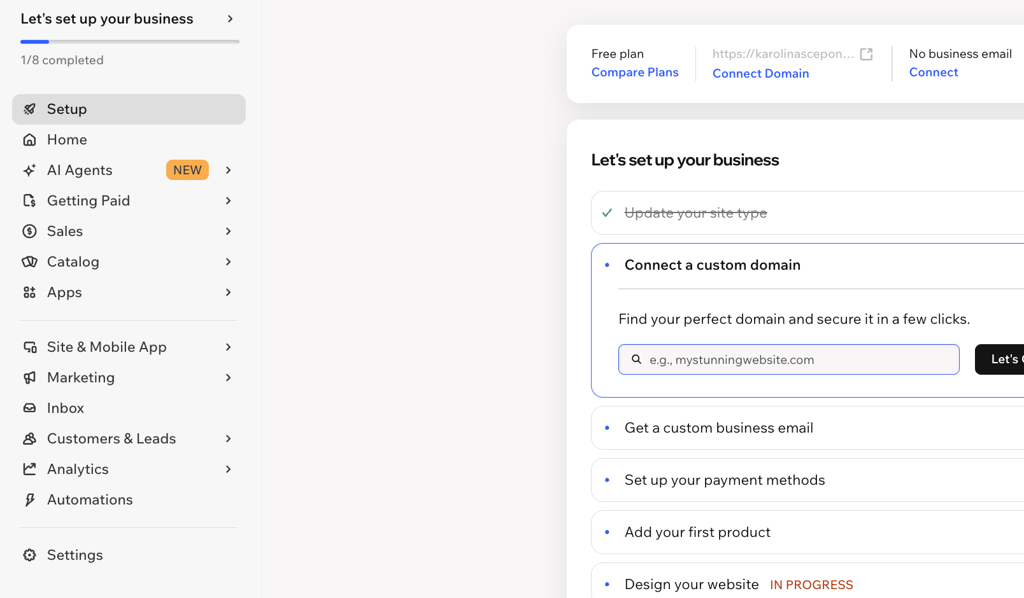
When you first open your dashboard, you’ll see all key information about your website and various features, including payments, marketing, and customers and leads. To edit your website, click the Design Site button on the same page.
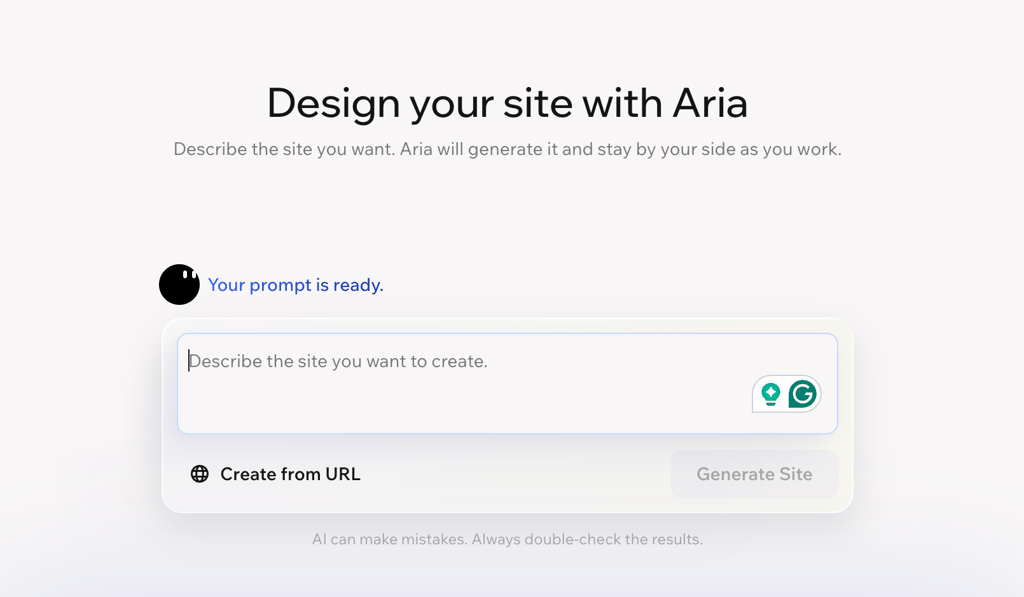
Wix also has an AI website builder and an AI agent called Aria. Simply describe your business, style, and goals, and Aria will design a website for you. After that, you can then customize the design and content to match your brand.
If you don’t want to use the AI website builder, there are over 2,000 templates available for you to choose from. They can be a great base for your website, and you can customize them to fit your needs specifically.
Once you start editing your website, you shouldn’t encounter many navigation issues. You can replace text, move around images and elements, and change color patterns using the toolbar at the top of the page. Wix also offers a wide selection of images and videos, or you can upload your own material.

How to use Webflow
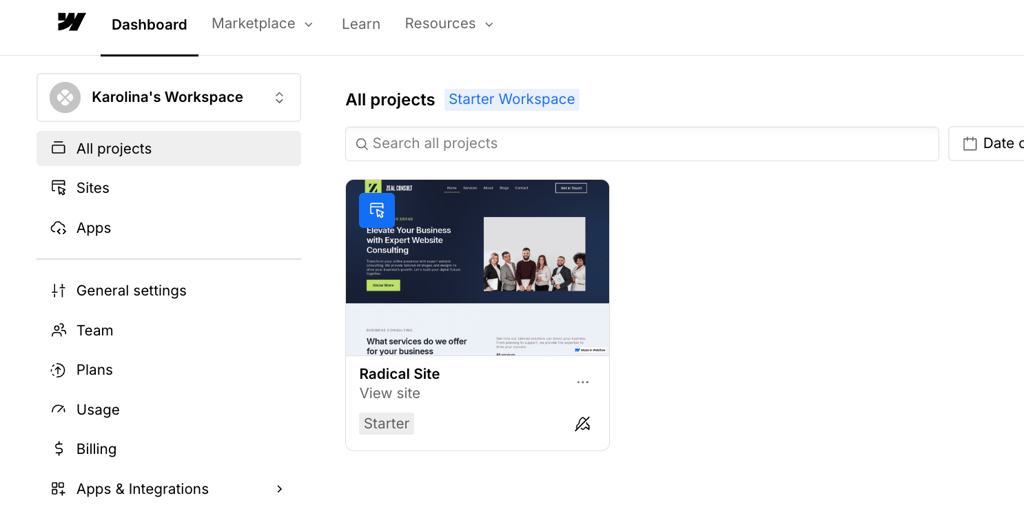
I found Webflow to be a tool meant for already experienced users. When you first open it, you see your dashboard, which clearly presents your projects and settings, such as billing and app integration. To create your website, you should simply press the New Project button.
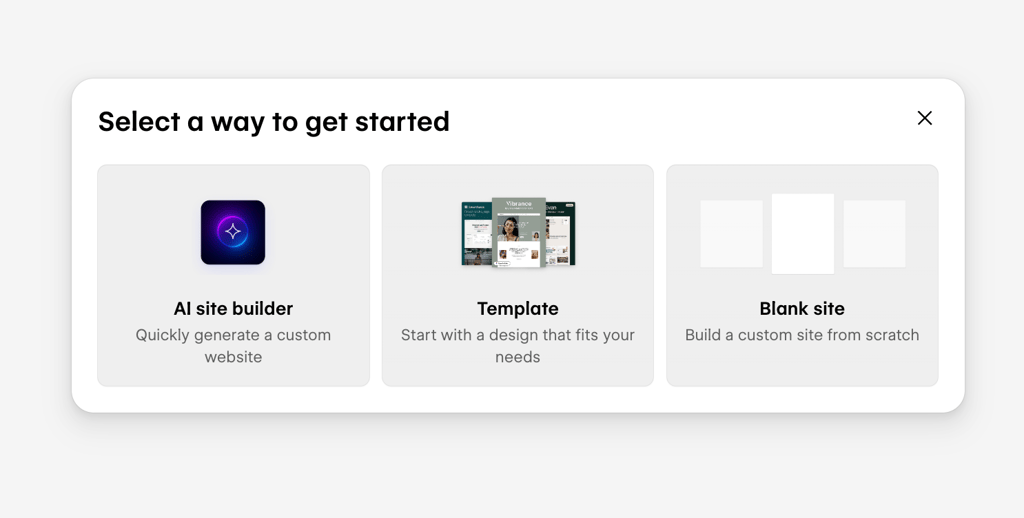
There are several ways you can create a website with Webflow: use its AI website builder, which will create a site based on answers about your needs, audience, and goals; use a clean canvas and build everything manually from scratch; or choose one of the 7400 + available templates.
The first impression of Webflow is that it actually reflects an HTML and CSS interface. To edit the site, you must use box models, CSS grids, and Flexbox layout rules. So, while changing text is easy with Webflow, it’s not that intuitive when it comes to making changes to the layout and other elements.
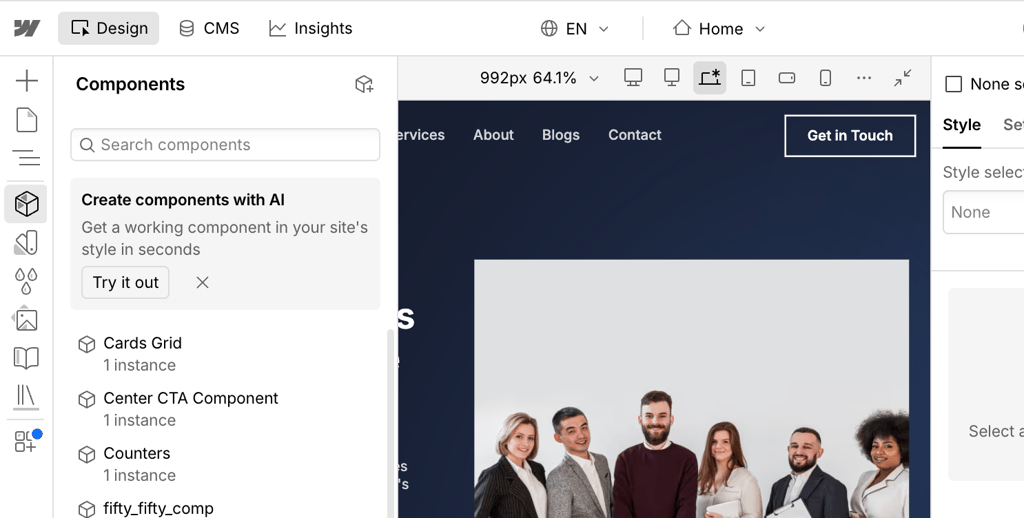
Wix vs Webflow: templates and design
If you prefer having a pre-made layout that you could customize according to your needs, both Wix and Webflow offer many templates to choose from. However, the overall flexibility, customization, and pricing of these templates differ quite a bit.
Wix templates
Wix offers around 2,000 + templates, so you will probably find one that suits you best. No matter which template you choose for your website, all of them are completely free and fully customizable.
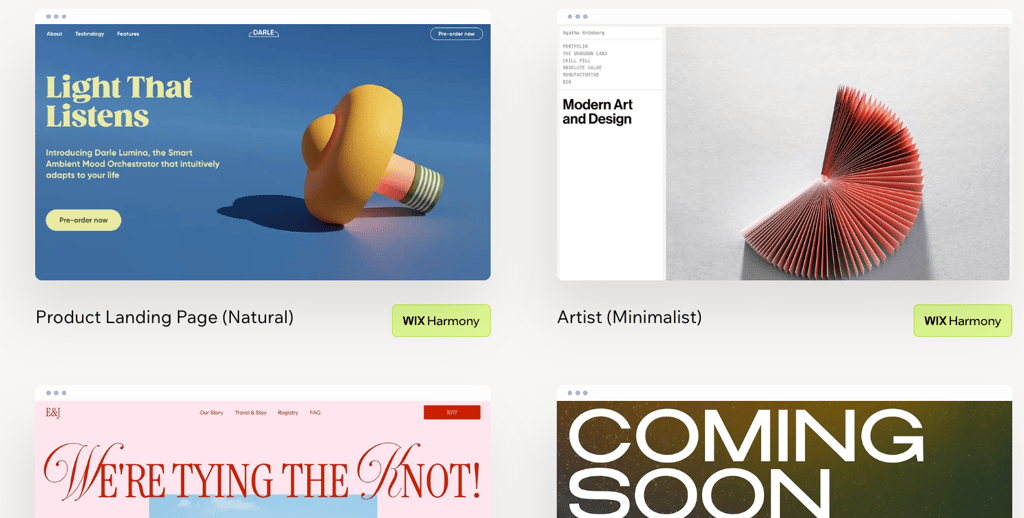
Since it would be difficult to browse through all templates, you can pick a topic that fits your website best (One page, eCommerce, Portfolio & CV, and Blog). You can also choose a specific industry that resonates best with your business, such as Education, Restaurants & Food, Fashion & Style, or Music. Once you select the industry, you can further narrow it down. For example, if you choose the Restaurant & Food website templates, you can then view templates more suitable for Cafe & Bakery, Catering & Chef, or Bar & Club.
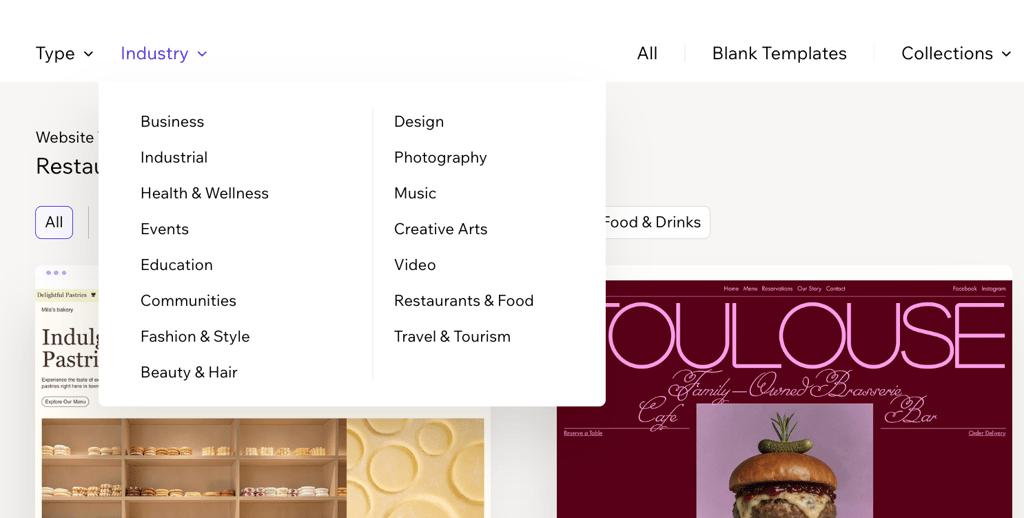
I also liked that you can view the template and how it will look before editing it, which will make it easier to visualize whether it’s suitable for your specific website.
Thanks to the drag-and-drop editor, you can tweak any element on the page effortlessly. Just keep in mind that if you decide to use a different template in the middle of your work, you’ll need to start over.
Webflow templates
I found that Webflow offers around 7400 templates, which is way more than Wix has, but not all of them are free.
To make things easier, you can find different categories of templates, which will narrow down your search a bit. You can choose between categories such as Portfolio & Agency, HR & Hiring, Medical, Technology, and more.
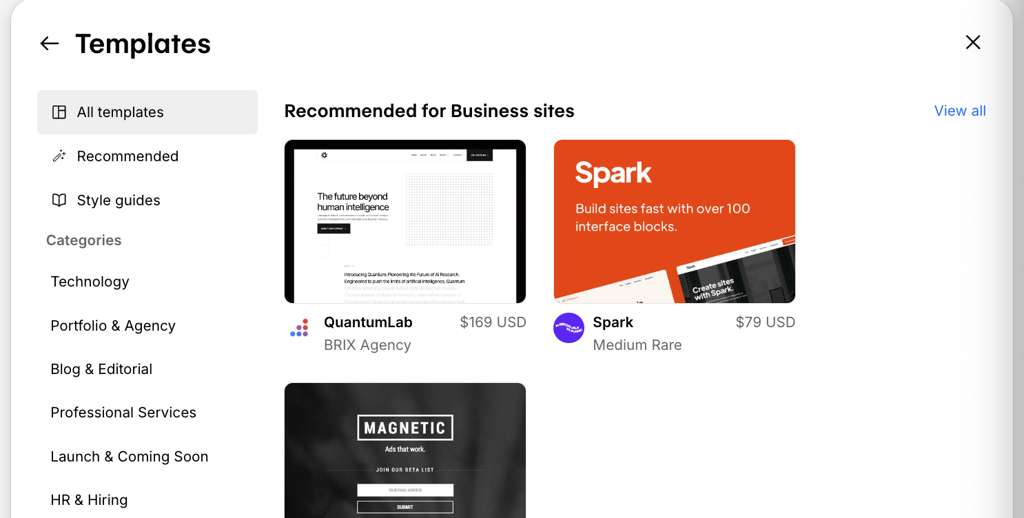
After you choose your desired category, you can then browse all its templates or narrow the search even further by selecting a subcategory. For example, if you choose the Hair & Beauty category, you can then specify whether it’s for a salon, makeup, or tattoo services.

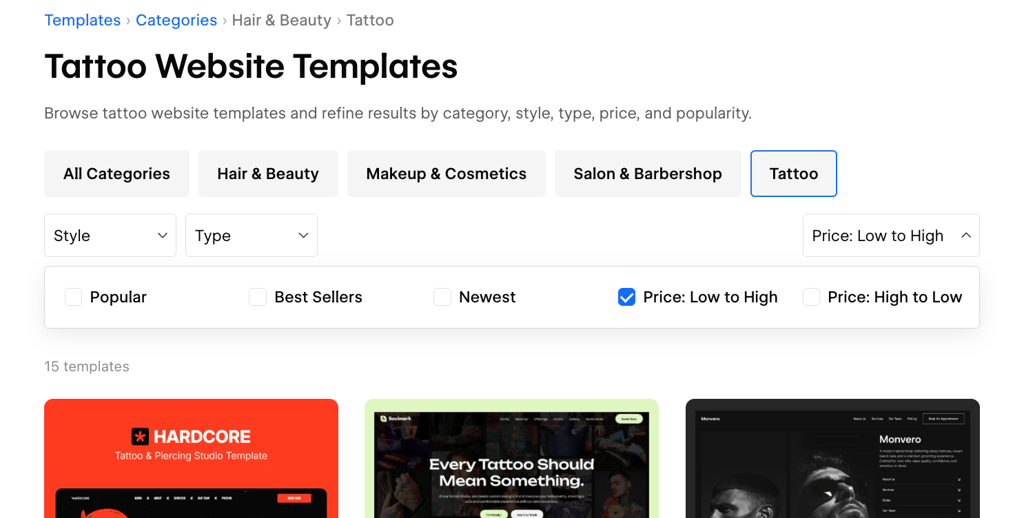
While the selection is definitely impressive, you should remember that most of these templates are paid. When I chose free HTML website templates and selected the same Hair & Beauty category, only one template was available for free.
Comparing Wix vs Webflow toolkits for business
Designing a website is only the first step. To actually run it, you’ll also need the right management and marketing tools to help you grow.
Both Wix and Webflow offer eCommerce, analytics, and AI features to improve your experience and help you manage your operations. However, the functionality under those feature sets is quite different.
Wix offers quite a few native business solutions that you can see on your dashboard. There’s a built-in CRM for lead tracking, an invoice generator, traffic analytics, email marketing for newsletters, and inventory tracking.
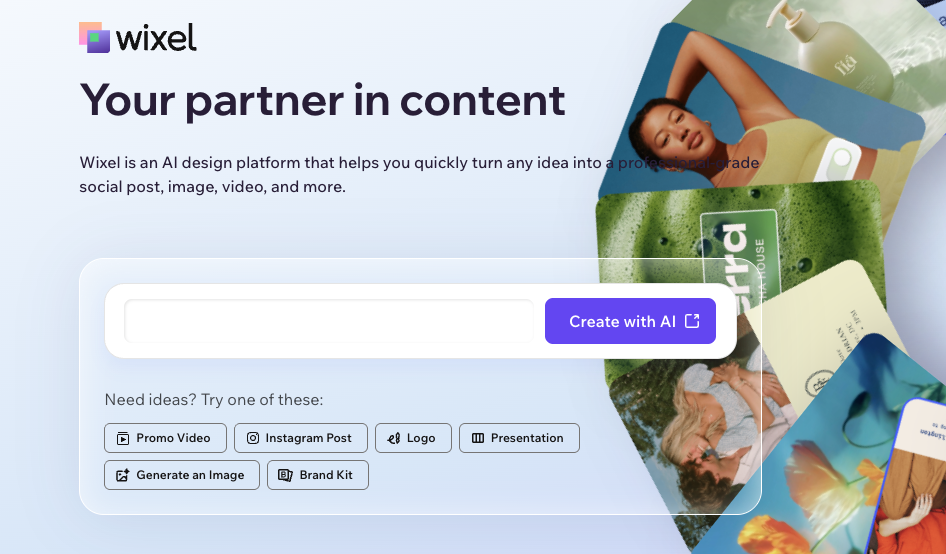
What I liked the most about Wix’s solutions is the AI integration throughout these features. There are multiple AI agents, like Kleo (marketing AI), Symphony, and Wixel, to help you grow your business, create social media posts, or generate images and videos.
Webflow focuses more on website performance and technical scaling. However, it’s not really a business management suite. For email marketing or booking systems, you’ll need to use third-party integrations.
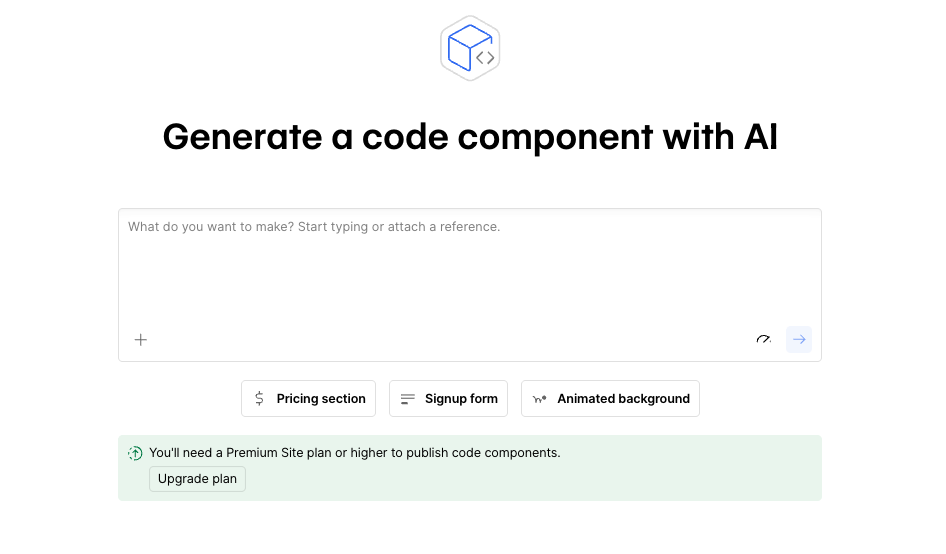
Just like other web builders, it relies on AI quite a bit. You can generate design systems from prompts, automate multi-language site localizations, and generate components for your site.
Here’s a quick overview of Wix vs Webflow business features:
| Wix | Webflow | |
| eCommerce | Built-in store, cart, and checkout, digital/physical goods, inventory management, automated tax, and recurring subscriptions. | Customizable checkout, physical/digital goods, and custom product fields |
| Social media | Built-in social media graphics creator, integration with Instagram, Facebook, TikTok, and YouTube | Open Graph and SEO social share settings |
| Email marketing | Design newsletters, manage subscribers, run campaigns | Only via third-party integrations |
| Analytics | Highlights, real-time analytics, tracking site traffic, marketing overview, insights, and benchmarks | A native analytics suite offering visual clickmaps, visitor behavior tracking, and insights into AI bot traffic |
| AI | AI website builder, team of AI agents to grow business, AI marketing agent, AI design platform | AI website builder, AI assistant for content and localization |
| Customers | CRM with lead capture forms, meetings, pipeline task management, community, loyalty program, and business email | Native form submissions, memberships |
Wix vs Webflow customer support
In case you encounter any issues or questions, having customer support is essential. Both Wix and Webflow have customer support available, but I was interested in seeing how it differs.
| Wix | Webflow | |
| 24/7 live chat | ✅ Yes | ❌ No |
| Email support | ✅ Yes | ✅ Yes |
| Phone support | ✅ Yes | ❌ No |
| Help center and tutorials | ✅ Yes | ✅ Yes |
Wix offers a 24/7 live chat where you can get answers and information from real experts. Of course, you first get connected to an AI chatbot, but it quickly transfers you to a real person once the issue or inquiry is clear. You can also ask the expert to contact you further via chat, email, or phone. However, make sure to check Wix’s callback hours, which vary by region. We also liked that the Help Center has answers to the main questions, which usually helps solve issues and saves you time.
Webflow mostly provides customer service via its Support Portal. Once they receive your inquiry, they will most likely respond via email, but we have found it can take up to 2 business days. There are also many resources to help you find the answers and solutions yourself. Webflow has a Help Center, Webflow University that has tutorials and courses, and a Webflow Community where users can share tips. However, more tailored support, like phone and live chat, is only available for Enterprise customers.
Final verdict
After trying both web builders, I believe that Wix is the overall winner for most people. It’s a modern tool with a simple drag-and-drop editor, a wide selection of free templates, and quite a few business features. It will not only allow you to design a site, but also help it grow with features such as email marketing, real-time analytics, and social media graphics creation.
While we found Wix to be the ultimate winner, it doesn’t mean that Webflow is any less good. It’s definitely a strong alternative, but it’s designed for more experienced users who want more control over layout and design.
Other WIX comparisons:
FAQ
What website builder is best for beginners?
Wix is best for beginners as it’s an AI-powered no-code website builder. With Wix, you can create websites using templates and a simple drag-and-drop functionality, so it doesn’t really require any technical skills.
How much does Wix cost per month?
The starting price for Wix is $11.75/month, but it depends on the plan that you choose. If you want more features, more storage, and site collaborators, the price can increase to up to $79.00/month. However, if you’re just starting with website builders, Wix also offers a completely free plan.
Is Webflow harder than Wix?
Yes, Webflow is harder to use than Wix. Webflow’s interface reflects more of an HTML and CSS structure, which means it requires some understanding of layout. Webflow is best for professional designers who want more control over code and layout, while Wix is most suited for anyone looking for quick, modern, and easy-to-navigate solutions.