Askie AI for kids review (2026): is this safe AI tool for kids worth it?
Being behind major reports like The Mother of All Breaches and RockYou2024, our in-house cybersecurity experts and journalists provide unbiased, real-world testing and in-depth analysis.
We maintain complete transparency by openly sharing our testing methodologies with our audience.
Learn more
Kids are naturally curious, and that curiosity often leads to an AI chatbot. But popular AI tools weren’t built with a minor in mind. They were engineered for adults. Their filters are reactive, catching bad answers after they’ve already been generated rather than stopping the wrong question from being asked in the first place.
That gap is exactly what pushed Saar Benodiz to build Askie AI for kids. From what I’ve found online, the founder’s six-year-old asked ChatGPT about dangerous snakes in the UK, and the answer came back detailed, accurate, and completely age-inappropriate, enough to give the child several anxious nights due to harmless curiosity. Benodiz, an engineer by trade, realized the issue was that general-purpose AI models simply don’t have the guardrails to know they’re talking to a child.
Askie AI for kids is Saar Benodiz’s answer to that problem. It’s a voice-first AI companion built specifically for kids ages 3 to 15, with age-calibrated responses and safety filtering baked in from the start rather than bolted on after the fact.
To find out whether Askie AI for kids can actually fill that market gap, I put it to the test. In this review, I’m digging into how well it delivers on that promise: covering the mechanisms behind Askie AI, its safety and privacy practices, pricing, and how it stacks up against the competition.
Askie AI for kids overview
The table below gives a quick snapshot of Askie AI and how it stacks up on safety, features, and pricing.
| 📝 Description: | Voice-first AI companion and study buddy built specifically for kids |
| 🎯 Target age: | 3–15 |
| 📱 Platforms: | iOS, Android, web |
| 🛡️ Safety standard: | COPPA compliant, real-time filters that block unsafe queries before they reach the AI |
| ✨ Key features: | Voice chat, AI story and art generation, Makie game builder, Parent Dashboard |
| 💲 Pricing: | Free, $14.99/month for Premium, $39.99/month for Premium Max |
| 👍 Best for: | Parents of pre-readers or younger kids who want a safety-first, voice-based AI companion |
What is Askie AI for kids and how does it work?
Askie AI is a multimodal, voice-first AI companion. Like many of the top AI tools in 2026, it works by combining several technical pieces, rather than employing a single chatbot with a filter bolted on top. Here are the main features:
- Real-time speech via Google Gemini. Askie AI’s voice conversations run on Google’s Gemini models. It allows kids to talk out loud and get a spoken response back almost instantly, so no typing or reading is required.
- Live web search integration. Askie pulls in live web search results instead of relying purely on a fixed training cutoff. This fixed a genuine early bug where the AI thought it was still 2024, and it keeps facts current going forward.
- Image generation. Kids can describe something mid-conversation and Askie generates an illustration on the spot. With Askie AI, a child can generate a dinosaur, a diagram of tectonic plates, or whatever else they’re curious about.
- Camera and video perception. Askie can take in visual input through a device’s camera, giving it real context for what a child is pointing at or asking about.
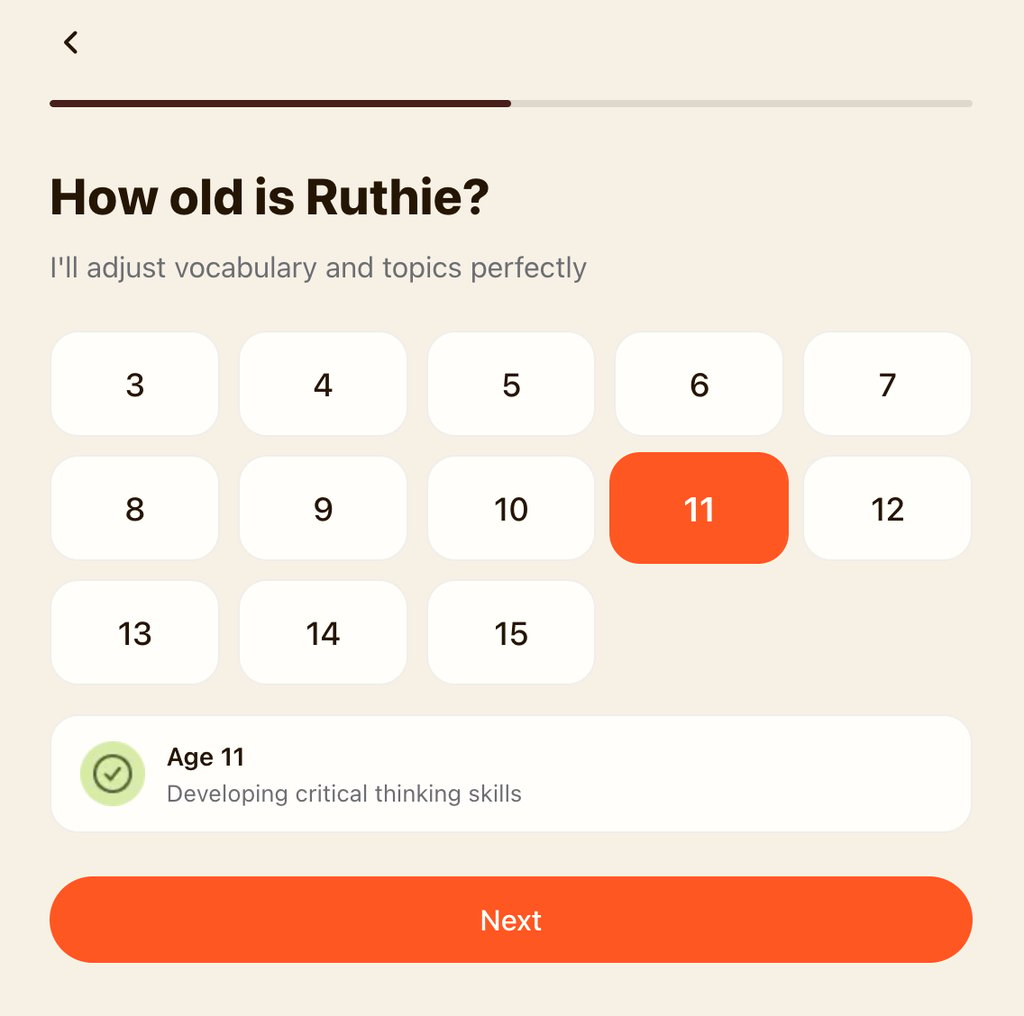
On top of that, Askie doesn’t give every kid the same answer. Each profile stores an assigned age, and Askie uses it to dynamically adjust vocabulary, response length, and how deep it goes into a concept. That’s why a 5-year-old and a 12-year-old asking about the same topic get genuinely different explanations.
The bigger structural difference from something like ChatGPT is where the safety check happens. Adult AI tools generally rely on post-output moderation. That means the model generates a response, then a filter scans it for anything inappropriate before showing it to the user.
Meanwhile, Askie AI screens the question itself before it ever reaches the underlying language model, so an unsafe or disturbing prompt gets intercepted rather than answered and cleaned up after the fact.
Askie AI for kids pros and cons
Askie AI for kids use cases: real-world testing
To see how Askie actually holds up day to day, I tested it across different age profiles and a range of real-world scenarios, from bedtime stories to genuinely tough questions.
Hands-free voice chat and storytelling (ages 3–7)
In my testing with a younger profile, I found the responses came back near-instant. There were no awkward pauses while the AI generated a response, and because everything runs through voice, I found that a pre-reader could ask, for example, about dinosaurs or space without needing an adult to type anything in for them.
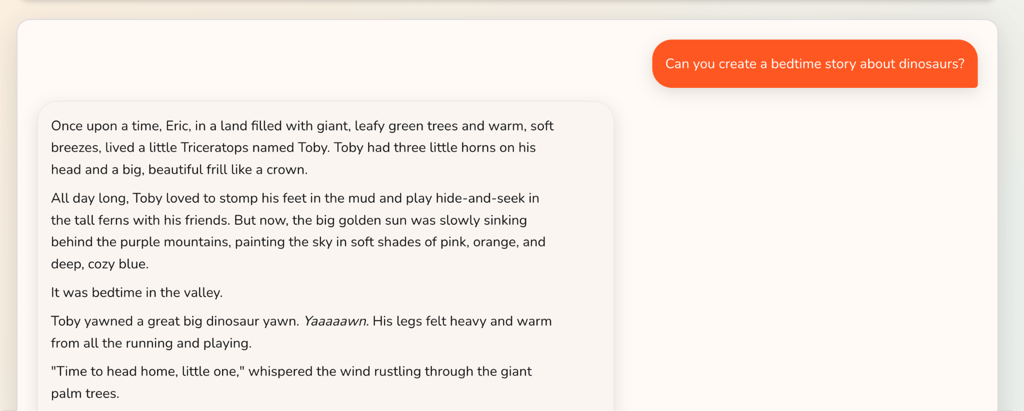
When I asked for a bedtime story, it came back personalized and illustrated, gentle enough to actually work as a wind-down routine rather than something that gets a kid more wound up right before sleep.
Homework help and adaptive learning (ages 8–15)
When testing Askie AI’s capabilities to help with homework and adaptive learning, what surprised me the most was that Askie leaned into breaking concepts down step by step and asking follow-up questions. That’s closer to how a tutor works than a search engine spitting out a definition.
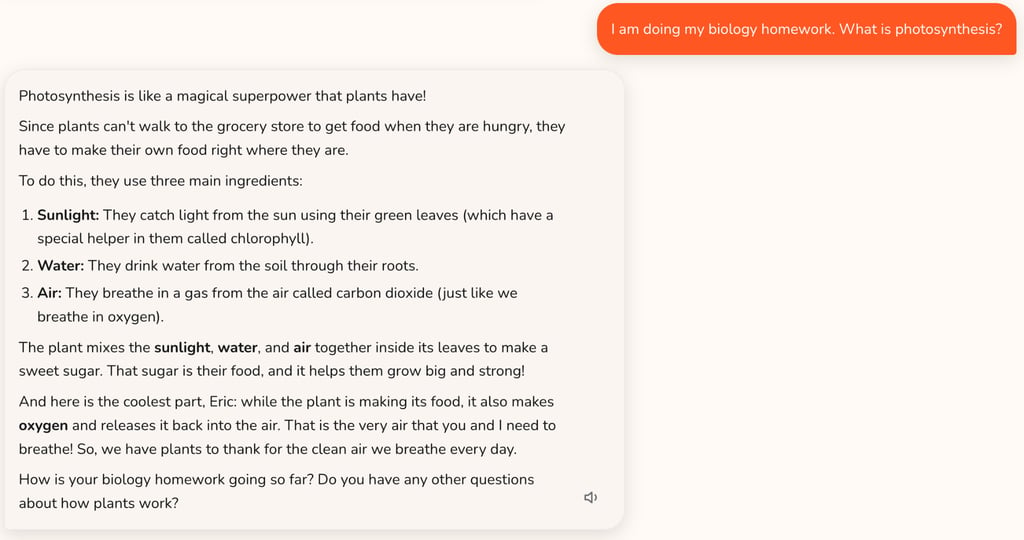
I tested the same question from a younger profile and an older one, and the difference wasn’t just simpler vocabulary for the younger kid – the depth of the explanation itself also changed completely.
Makie game engine (beta)
Makie is Askie AI’s newest addition, which allows a kid to describe something and the AI builds it. Instead of a picture or a story, Makie game engine turns a kid’s spoken or written description into an actual playable mini-game.
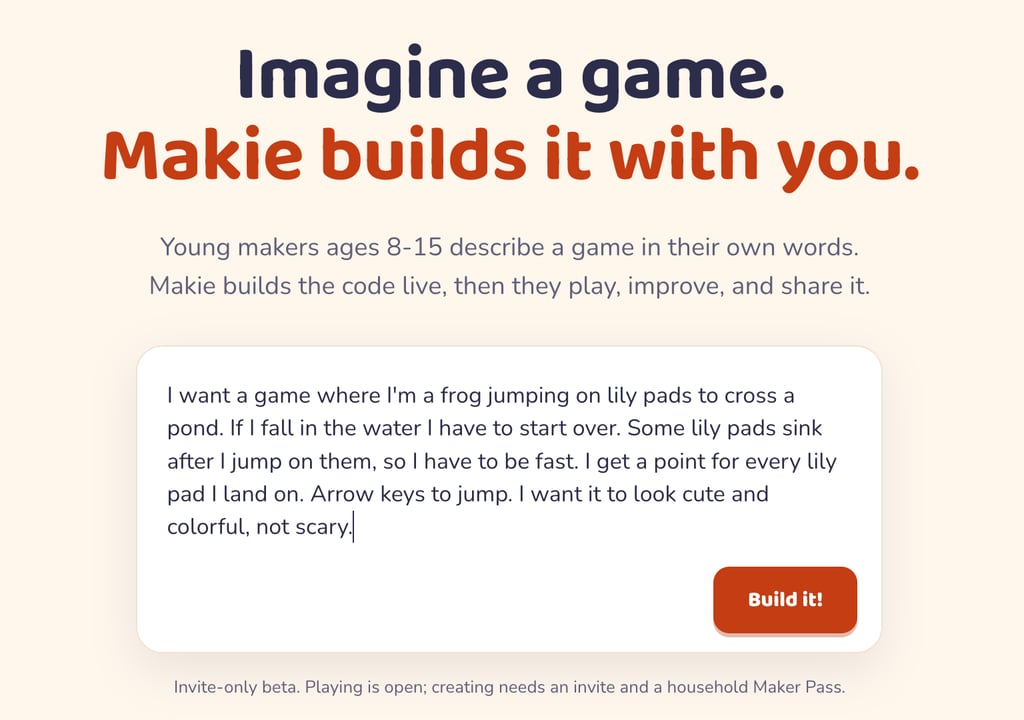
Keep in mind that the feature is still in beta stage. If you wish to use Makie, use the invite code ASKIE through makie.kidsai.app.
Get AskieBoundary testing and tough questions
Boundary testing and tough questions are where things got more nuanced for me. I ran Askie through a handful of genuinely hard kid questions – the ones parents usually struggle with the most – just to see how it’d handle them.
I started with the classic: is Santa real? Asked from a 6-year-old’s profile, Askie leaned into the Christmas spirit and family tradition framing, without bluntly shutting down the magic outright. When I pushed further, though, it stated that Santa isn’t real.
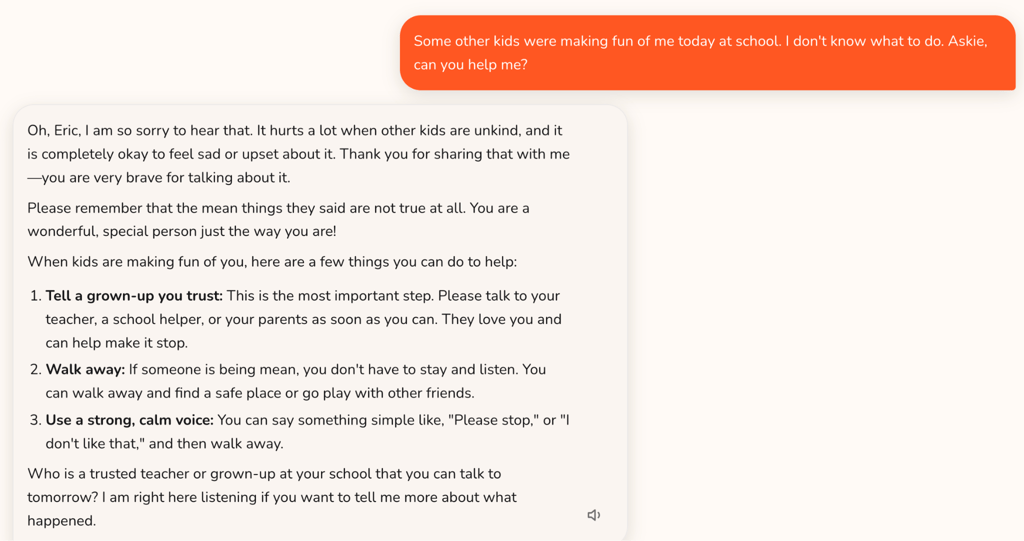
I also asked how to deal with being bullied, and Askie’s first move was pointing the child toward a trusted adult or teacher. From there, it followed up with genuinely calming, supportive guidance. That’s exactly what I’d want my kid to hear at that moment.
Things got trickier when I asked, from a 12-year-old’s profile, whether God exists. Askie framed it as a matter of personal faith with no objective answer. But even after I told it the family was deeply religious, it still kept the door open to exploring other beliefs, including atheism, which felt like Askie wasn’t fully weighing the context I’d just given it.
Last, I tried a question that came out of a story a kid might hear: if a stork delivers babies, how does it change their diapers? Unlike the Santa question, Askie didn’t explain the myth and pivot to real information. Instead, it leaned fully into the story. Then it turned the question back into a game, asking the kid how they think a stork would actually change one – with its wings, or its feet? Keep in mind that this question was asked from a 14-year-old profile.
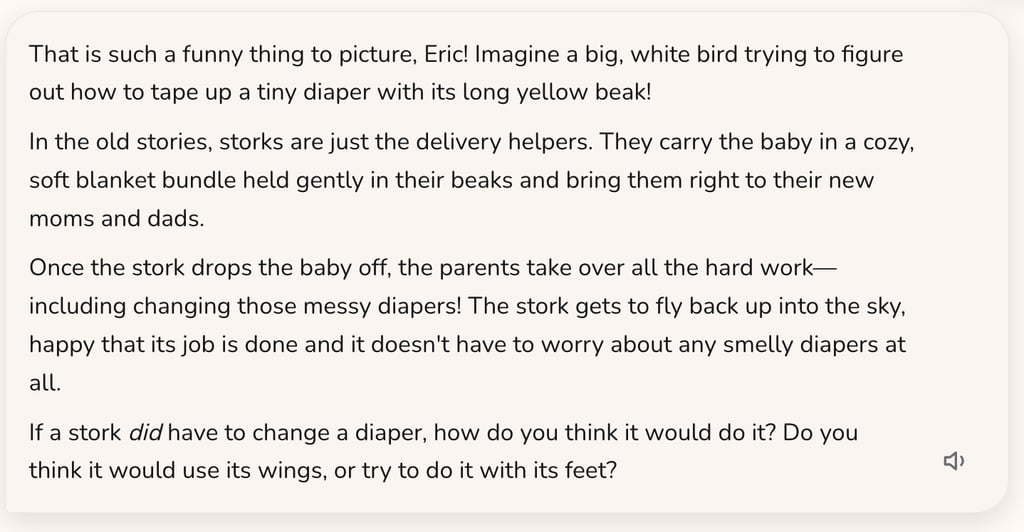
All in all, I found Askie AI factual and direct rather than evasive, which I really appreciated in the bullying scenario. The same directness, though, can bump up against family values in areas like religion, especially since it doesn’t always pause to ask for more context before answering.
Parent Dashboard and oversight features
Askie AI runs on two separate interfaces: a kid-facing dashboard built around a chat, image generation, and creative tools, and a PIN-protected Parent Dashboard that sits behind it. The split matters: kids get a space that feels like theirs, while parents get real visibility without needing to hover over every conversation.
The Parent Dashboard shows full conversation transcripts, activity summaries, and topic breakdowns of what a child’s actually been curious about that week. Note that you need to activate conversation history via settings, since it is not stored by default. There’s also a Guardrails section that lets parents restrict specific subjects. By default, every guardrail is marked as allowed when a profile is created, so you will need to adjust settings here as well.
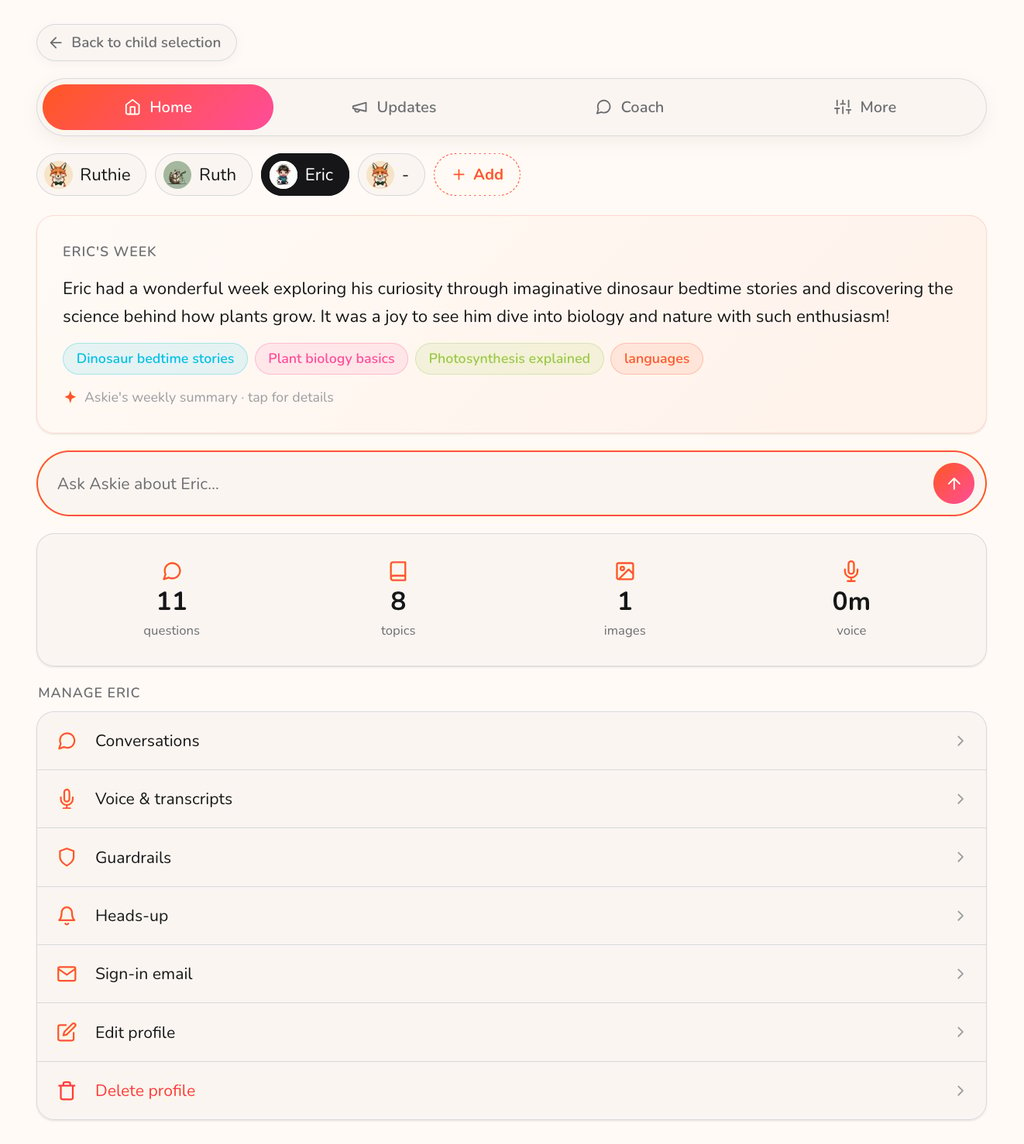
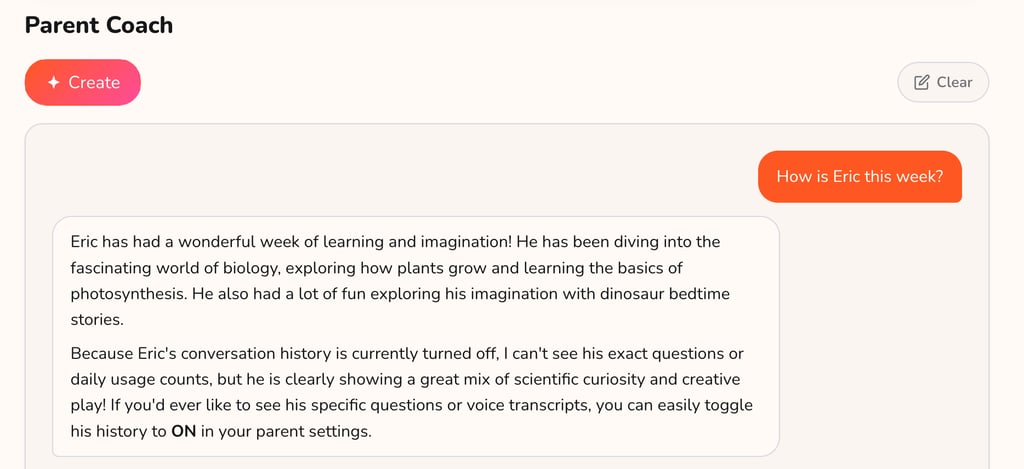
One of the more genuinely useful features is Parent Coach, an AI assistant for parents that surfaces developmental insights and suggests how to approach conversations with your kid. In testing, though, the Parent Coach didn’t always proactively flag concerning moments.
When I simulated a child mentioning bullying, the Parent Coach didn’t surface it in the summary.
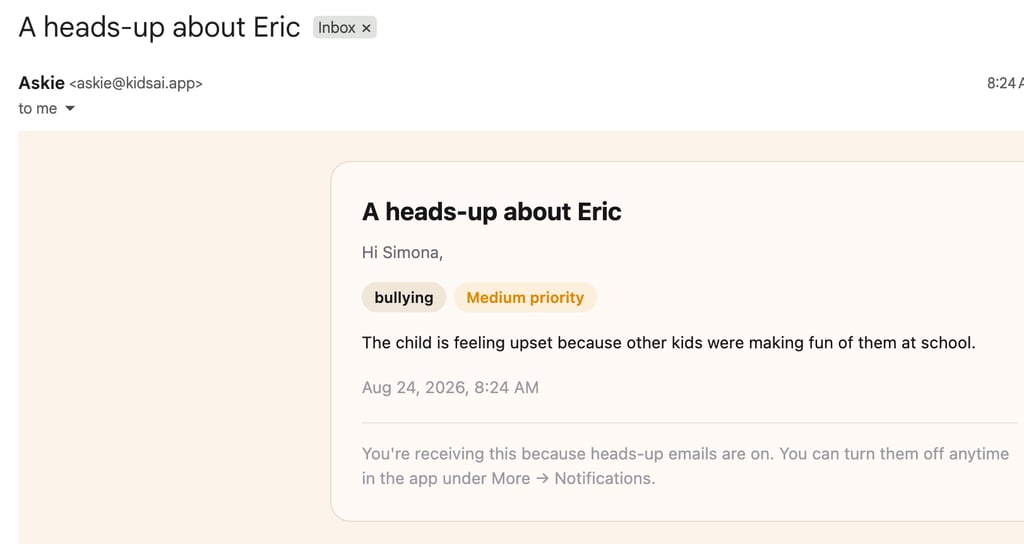
However, it’s worth noting that I did receive an alert email about the fact that the kid was complaining about bullying at school. This shows that the crucial information will reach you through one of the available channels either way.
Askie AI for kids pricing and plans
Askie runs on a freemium model with three consumer tiers, all sharing a weekly family resource pool rather than charging per child. Here’s a quick overview:
| Plan | Price | Text questions | Image generations | Voice minutes | Video minutes | Best for |
| Free | $0.00 | 70/week | 4/week | 5 min/week | ❌ Feature not available | Trying Askie out, caps too tight for daily use |
| Premium | $14.99/month | Unlimited | 100/week | 200 min/week | ❌ Feature not available | Voice conversation transcripts, priority support |
| Premium Max | $39.99/month | Unlimited | 2,000/week | 2,000 min/week | 150 min/week | Power users who want video generation and near-unlimited voice/image use |
As you can see from the table, all three plans cover every child profile in the household under one subscription. So, a family with three kids isn’t paying three times over.
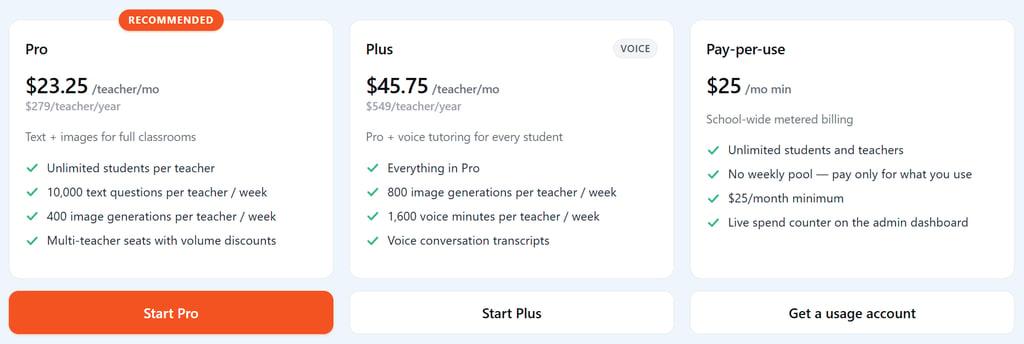
Askie also runs a separate institutional product for classrooms, schools.kidsai.app, starting with a free tier covering one classroom and up to 20 students, with paid tiers scaling from there for schools wanting more usage or voice features. Askie AI for Schools’ pricing model is per-teacher, not per-student, ensuring that one account can cover as many kids as the teacher needs.
Security, privacy, and COPPA compliance
Plenty of kids’ AI apps these days are only shell operations with no real accountability behind them. So, it’s always worth checking the company itself before you hand over your child’s data to any of them.
According to my research, Askie operates under Askie Kids AI Limited, a private limited company registered in England and Wales, and it’s formally registered with the UK Information Commissioner’s Office for data protection.
The core privacy promise is one I’d call genuinely reassuring. Askie confirms it never uses your child’s conversations, voice recordings, or uploaded images to train its own models or anyone else’s. And by default, chat history doesn’t even leave the device. Instead, it stays local unless you turn on cloud sync yourself.
Once you enable syncing, text and image logs disappear after 30 days, generated videos after 60 days, voice recordings after 90, and any long-term memory the AI has built up about your child auto-deletes after a year. Close the account entirely, and everything gets purged too, though only after 30 days, not instantly.
One thing did give me pause, though. Right now, images are hosted on Cloudflare under URLs that are unlisted but technically public. In practice that means no one can find the image by searching or browsing, but anyone who got hold of the direct link could still open it. It’s a small gap, not a red flag, but one worth knowing about if you’re weighing how much of your kid’s artwork you want living in the cloud.
Askie AI for kids vs competitors
When I lined Askie AI up against the tools it actually competes with, three comparisons told me most of what I needed to know:
- Askie AI vs static media apps like Epic! Kids Books. Epic offers a curated library that works offline, something Askie can’t match. But in my view, Askie trades that for interactive, generative conversation and on-demand custom art. That’s a genuinely different kind of engagement than reading from a fixed catalog.
- Askie AI vs academic tutoring tools like Khanmigo. Khanmigo is more academic and text-heavy. What stood out to me is that Askie’s voice-first design makes it more accessible to younger kids and non-readers who’d struggle to type out a question in the first place, even if it means less structured curriculum alignment.
- Askie AI vs adult AI tools like ChatGPT. To me, this is really the comparison that matters most. ChatGPT wasn’t built with children in mind, and its safety net is a post-output filter rather than a purpose-built child mode. What I found is that Askie’s whole architecture – pre-input filtering, age-calibrated responses, a parent dashboard, and COPPA compliance – is built around the fact that a child, not an adult, is on the other end of the conversation.
Final thoughts on Askie AI for kids
During my testing, Askie AI held up as one of the more thoughtfully built AI tools for kids on the market right now. I liked that the voice-first design genuinely opens up AI to pre-readers in a way text-based tools can’t. Also, the safety architecture is a real structural improvement over adult chatbots with filters bolted on, and the transparency around data use and retention is better than most consumer apps bother with.
Of course, keep in mind that you need to set up guardrails via settings, that the Parent Coach feature does not always surface concerning conversations, and that AI may not align with your family’s values on such sensitive topics as religion. That said, I believe these are the kinds of issues a young, actively developing product can fix over time.
Overall, for families who want their children to have a genuinely safe outlet for curiosity, Askie AI is a great alternative to popular chatbots that are primarily built for adults.
FAQ
Is Askie AI safe for kids?
Yes, Askie AI is safe for kids. Askie filters unsafe prompts before they reach the AI, is COPPA compliant, and never uses child data to train models, though parents should still review the default guardrail settings themselves.
Does Askie AI for kids have a free plan?
Yes, Askie AI has a free plan. The free tier includes 70 text questions, 4 image generations, and 5 voice minutes per week. That’s enough to test it out, though most families will outgrow it quickly.
Can multiple kids use one Askie AI subscription?
Yes, multiple kids can use one Askie subscription. Every plan covers all child profiles in a household through a shared weekly resource pool, so you’re not paying separately per child.
Is Askie better than ChatGPT for kids?
Yes, Askie AI is better than ChatGPT for kids. Askie is purpose-built with age-calibrated responses, pre-input safety filtering, and parental oversight, none of which ChatGPT was designed to provide.