Best AI tools for photo editing: tested in 2026
Being behind major reports like The Mother of All Breaches and RockYou2024, our in-house cybersecurity experts and journalists provide unbiased, real-world testing and in-depth analysis.
We maintain complete transparency by openly sharing our testing methodologies with our audience.
Learn more

Photo editing is a complex of activities that can be tedious: color correction, light adjustment, retouching, and resizing. AI has simplified this routine – a single click can do most of the job, leaving you only a few final touches.
I used to think that all AI tools for photo editing work similarly, but once I ended up doing all the work myself after an hour of attempting to make the tool work. That’s why I’ve decided to test how well the AI features of the most popular photo editors work and if they can actually make editing faster.
I tested a bunch of tools with the help of a research team to find the best AI editing tools – the fastest and most reliable options for everyday creators, marketers, and photographers. Along with the test results, below you’ll find prices and shortcomings of each tool so that you can decide which one matches your needs.
Top 7 best AI photo editors
- Luminar Neo – realistic AI editing with a big creative suite
- PicWish – best affordable AI photo editor for fast enhancements
- Canva – marketing and business-focused editing with AI
- Pixlr – cost-efficient editing for quick changes
- Picsart– robust mobile editing features
- Fotor – great for experimenting with generative AI
- Adobe Photoshop – advanced tools for professional photographers
What are AI photo editors?
AI photo editors simplify and automate photo editing tasks with machine learning (ML), a subset of artificial intelligence (AI). In essence, these tools are fed with a large amount of photos and learn to identify various objects, lighting, textures, and composition patterns. Based on this knowledge, they automatically perform tasks such as cleanup, enhancement, object removal/substitution, noise reduction, and even image generation.
The larger the datasets the tools learn from, the more accurate their outputs become, and the less manual work you have to do. That’s why most AI photo editors collect user data – to further enrich their knowledge base.
There are five main types of AI photo editors:
1. Full editors are all-in-one tools that do a bit of everything. Examples include Canva and Photoshop.
2. Enhancers/upscalers upgrade clarity and resolution. Examples include Topaz Photo AI and Remini.
3. Background/object tools remove background and objects from photos to isolate products or people. Examples include PhotoRoom and Remove.bg.
4. Product/photo suites generate and enhance market-ready photos for eCommerce shots and mockups. Examples include Claid.AI and AdCreative.AI.
5. Face/headshot tools edit and generate portraits. Examples include Fotor and Remini.
Key features to look for in photo editors
The only way to choose the right combination of features is to ask yourself what you need this tool for. Make a list of all the tasks that you usually do in the photo editor, and try to stick with them.
I used to fall for the most complex (and heavily promoted) tools, only to end up using a few basic features out of a hundred while paying for all of them. Here are the AI features that I use on a regular basis today:
- One-click enhance
- Background removal/replacement
- Object erase and generative fill
- Color grading/filters
- Style transfer
If you’re like me and edit photos for your own blog, this list is just enough to cover your needs. If you’re a marketer, you should also look for batch editing features and templates for social media. It all depends on a specific use case, so make sure to analyze your photo editing routine first.
Best AI photo editors in 2026 – real-life test results
Whether you’re a marketer, content creator, or professional photographer, here is a detailed overview of the best AI tools for photo editing. In each tool’s description, you’ll find three images showing the results after applying its quality enhancement, object removal, and sky substitution features. You can see the original image in the How we tested section.
1. Luminar Neo – best image editing tool for casual content creators
| Starting price: | $99.00/lifetime license |
| Free version: | Yes |
| Top features: | AI-powered enhancer and eraser, SkySwap for replacing skies, and advanced portrait editing tools |
Luminar Neo is an AI-powered photo editor with a highly intuitive interface. Along with a set of essential editing tools, it has a wide range of advanced AI features that you can use via both click-based and textual inputs, also known as generative AI.
What opened up my creativity are the features that allow you to replace any image element with its realistic version you envision. For example, you can make the sky more cloudy, twilight more intense, the abdomen less pronounced, or the skin on a portrait less shiny.
In my test, all the AI generations took less than 30 seconds, which is fast for good-quality results. I set denoising and sharpening to maximum, which instantly increased the dynamic range (contrast between shadows and highlights), made the colors pop out more, and didn’t introduce any artifacts. However, when I tried to remove the astronaut, the GenErase feature replaced them with a cloud that didn’t fit the context. So, this functionality will require a little more manual effort.
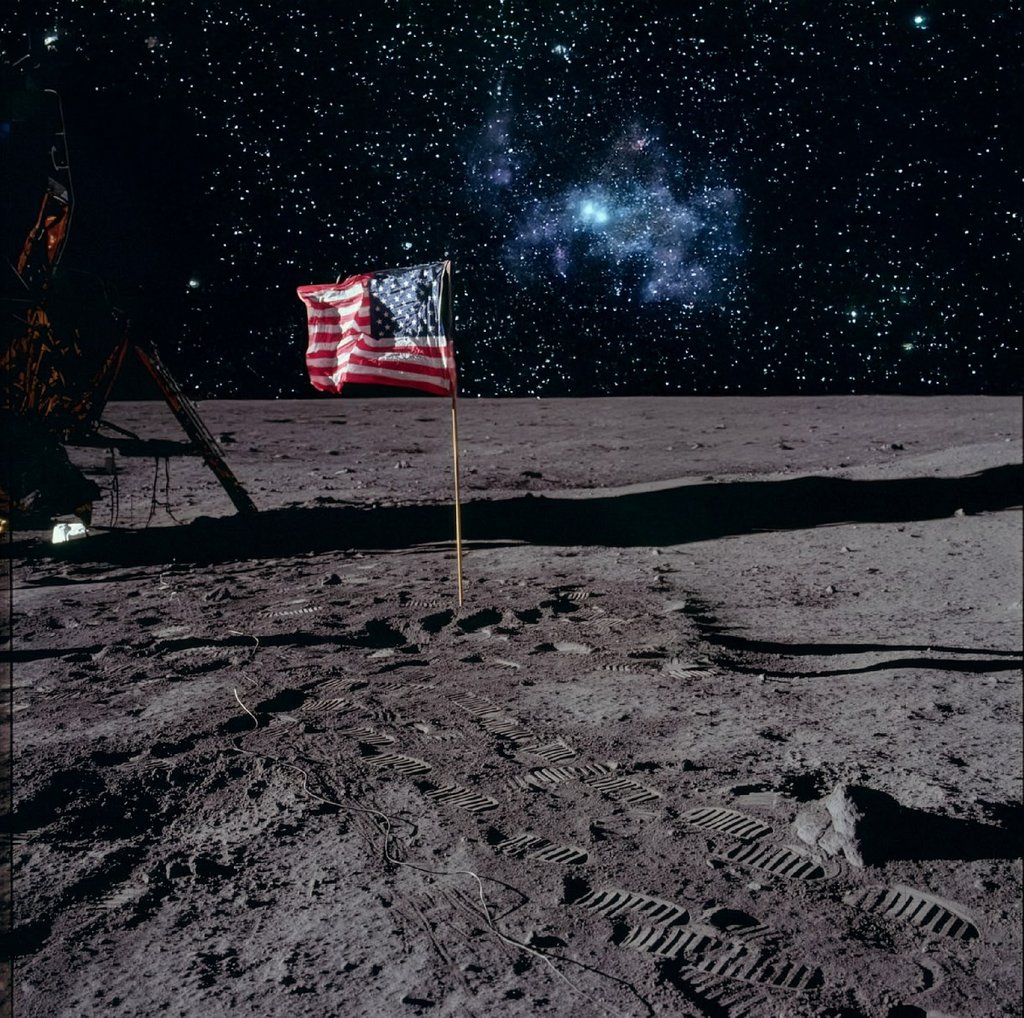
The SkySwap feature worked great, accurately recognizing the horizon and even adjusting the lighting of the entire image to fit the new sky. This substitution was the most realistic among the tested photo editors.
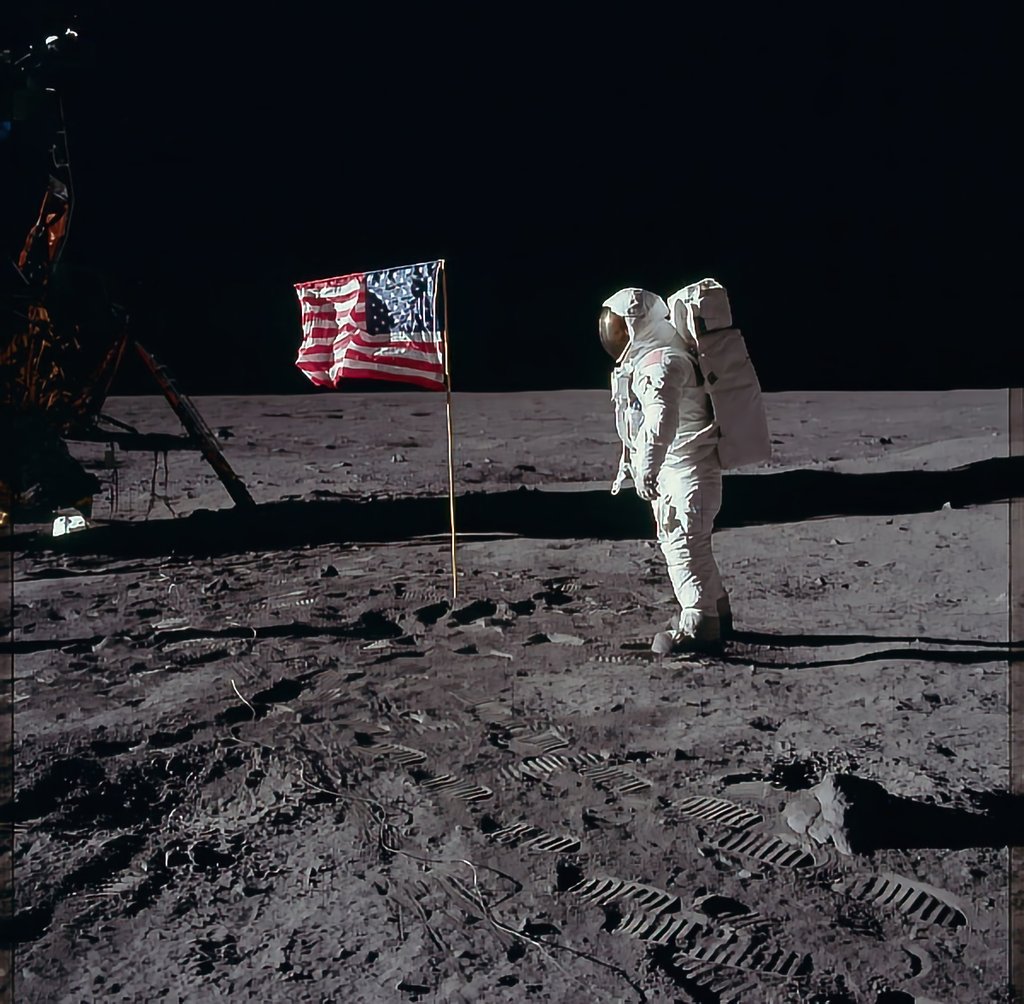
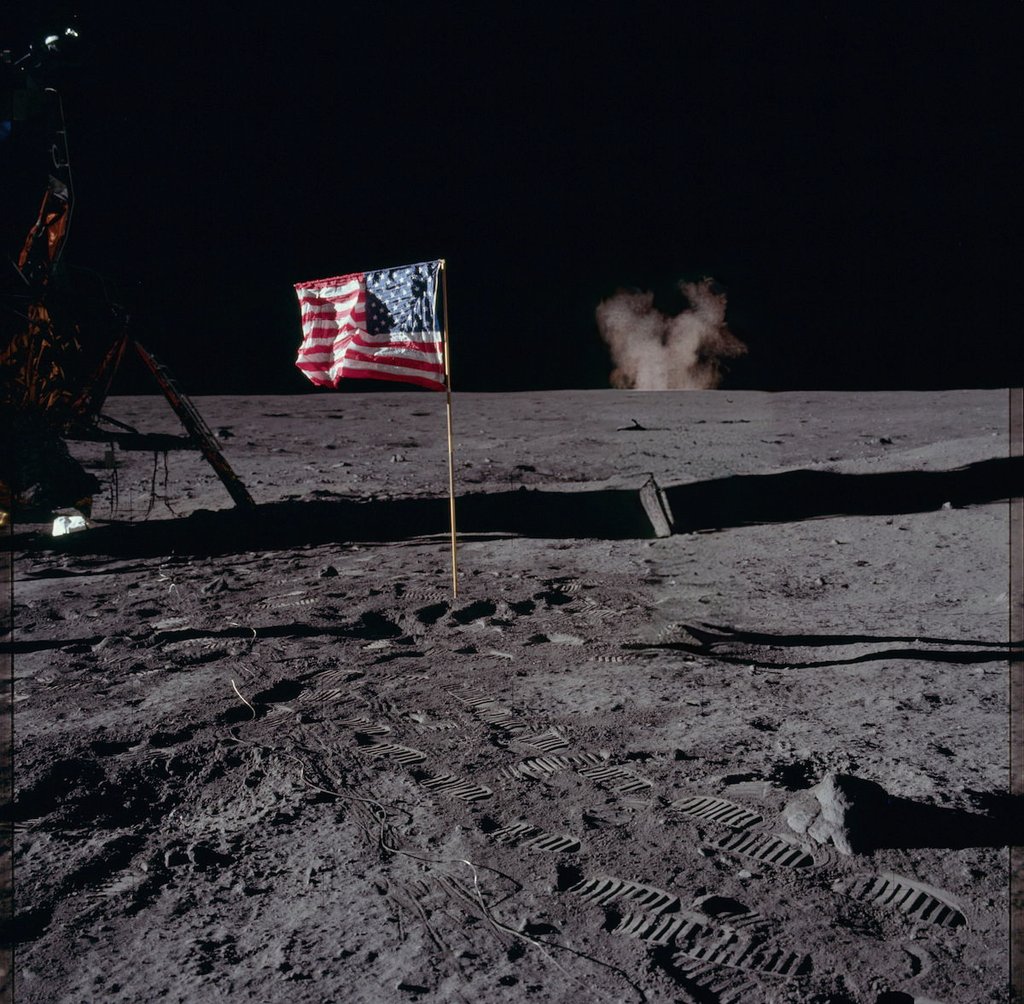
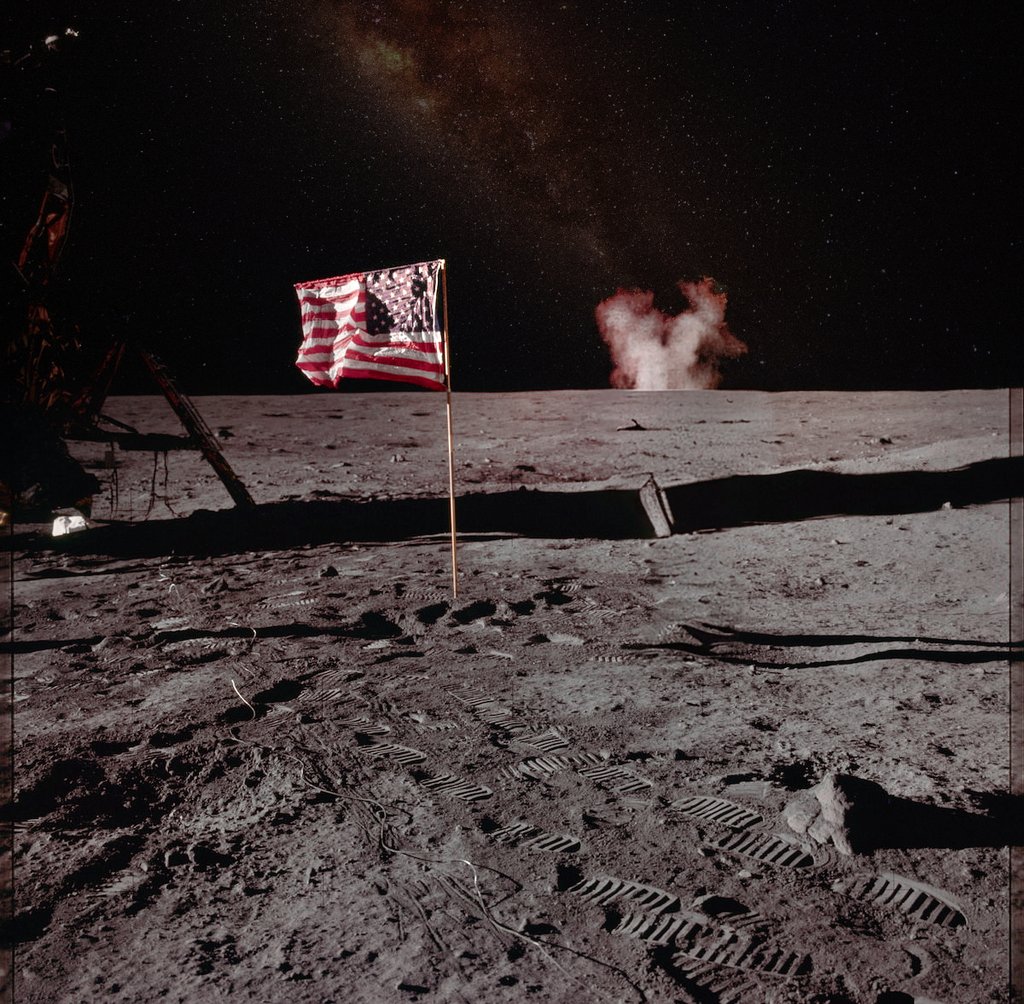
Luminar Neo is best for quick AI editing for casual content creators. It’ll also work great for people who want to prepare for more advanced photo editing. The tool offers a 7-day free trial with unlimited AI generations, while the cost of its lifetime license starts at $99.00.
2. PicWish – best budget AI photo editor for automated edits
| Starting price: | Free (limited usage) |
| Free version: | Yes |
| Top features: | Ultra HD photo enhancer, one-click object remover, AI background replacement, AI chatbot for guided editing |
PicWish is an AI photo editor designed for quick improvements and easy use. The dashboard features simple one-click tools such as Enhance Photo, Remove Background, and Restore Old Photos. There’s also an AI chatbot where you can describe more detailed edits if you want more control.
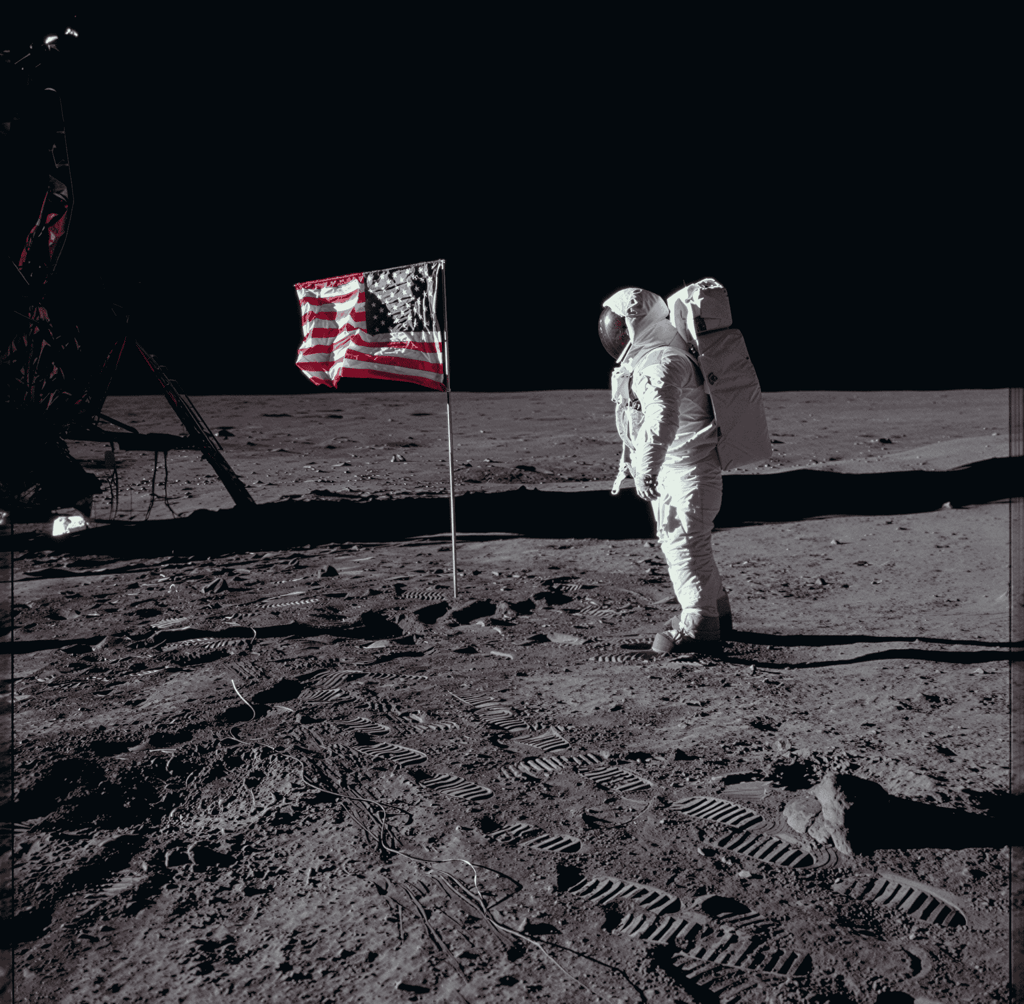
When I tested the famous moon landing photo, I used the Ultra HD photo enhancer first. After editing, the image looked much sharper, with more visible details and fine lines, but the original colors stayed the same. This is great if you want clearer photos without changing the colors or saturation.
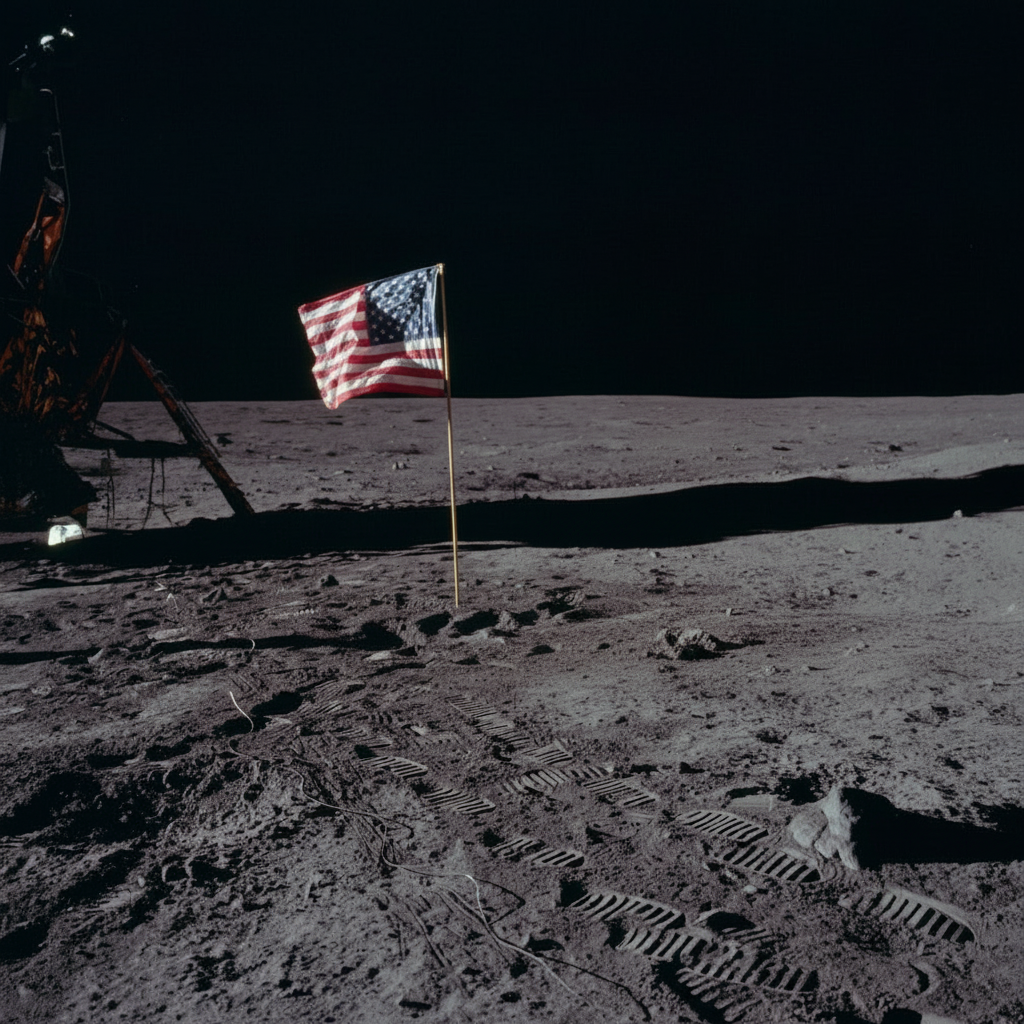
Next, I asked the tool to remove the astronaut – PicWish didn’t disappoint, and gave a clean result with no weird blurring or visible marks. Looking with the naked eye, it was hard to tell if anything had been removed.
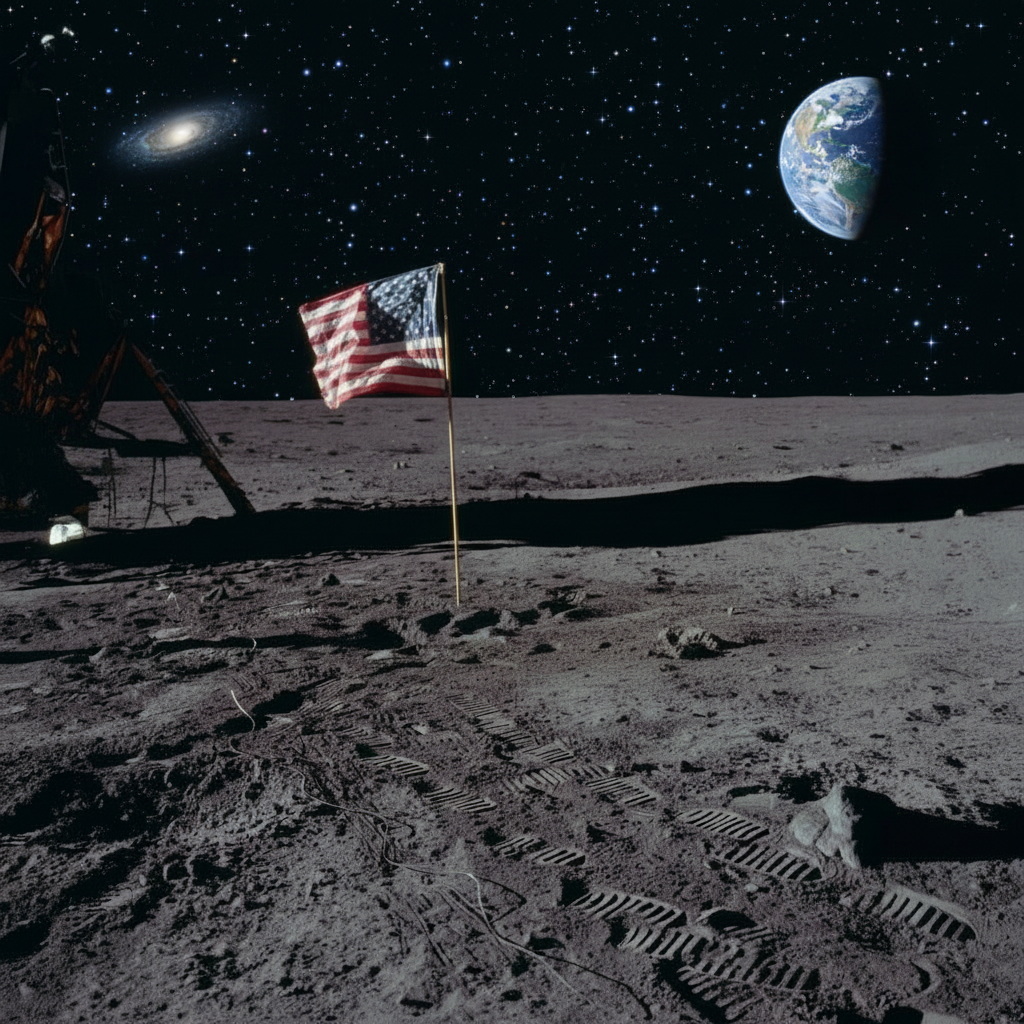
Finally, I tried the AI background substitution, and out of all the tools I tested, PicWish made some of the most detailed changes. Instead of a plain sky or a random galaxy, it added a realistic view of planet Earth in the background. I’m not sure how accurate it is from the scientific point of view, but it looked quite real and made the photo much more dramatic.
PicWish is a great choice if you want an affordable AI editor for fast, noticeable improvements and easy object removal. You can also fine-tune your edits with the AI chatbot. There’s a free plan with limited use, a pay-as-you-go option, and a yearly plan for $59.99 that comes with a 3-day free trial and a 7-day money-back guarantee. Also, with the N6LZLH coupon code, you can get a 10% discount.
3. Canva – best for marketers and businesses
| Starting price: | $14.99/month |
| Free version: | Yes |
| Top features: | Magic Edit for quick AI fixes, in-image translator for 100 languages, and product mockups with automatic detection of optimal settings |
Canva is the most popular photo editor by revenue in the US in 2024, and not without reason. Here, you can find ready-made templates to insert your photos, product mockups that automatically detect the perfect settings for your product, and an in-image translator for over 100 languages.
In my test, I applied the Upscale feature, which greatly enhanced sharpness but made the colors look colder. The Magic Eraser removed the astronaut from the photo without replacing it with anything else, but left the area a bit blurred. Then, using generative AI, I replaced the sky too – the output came quickly and looked natural.
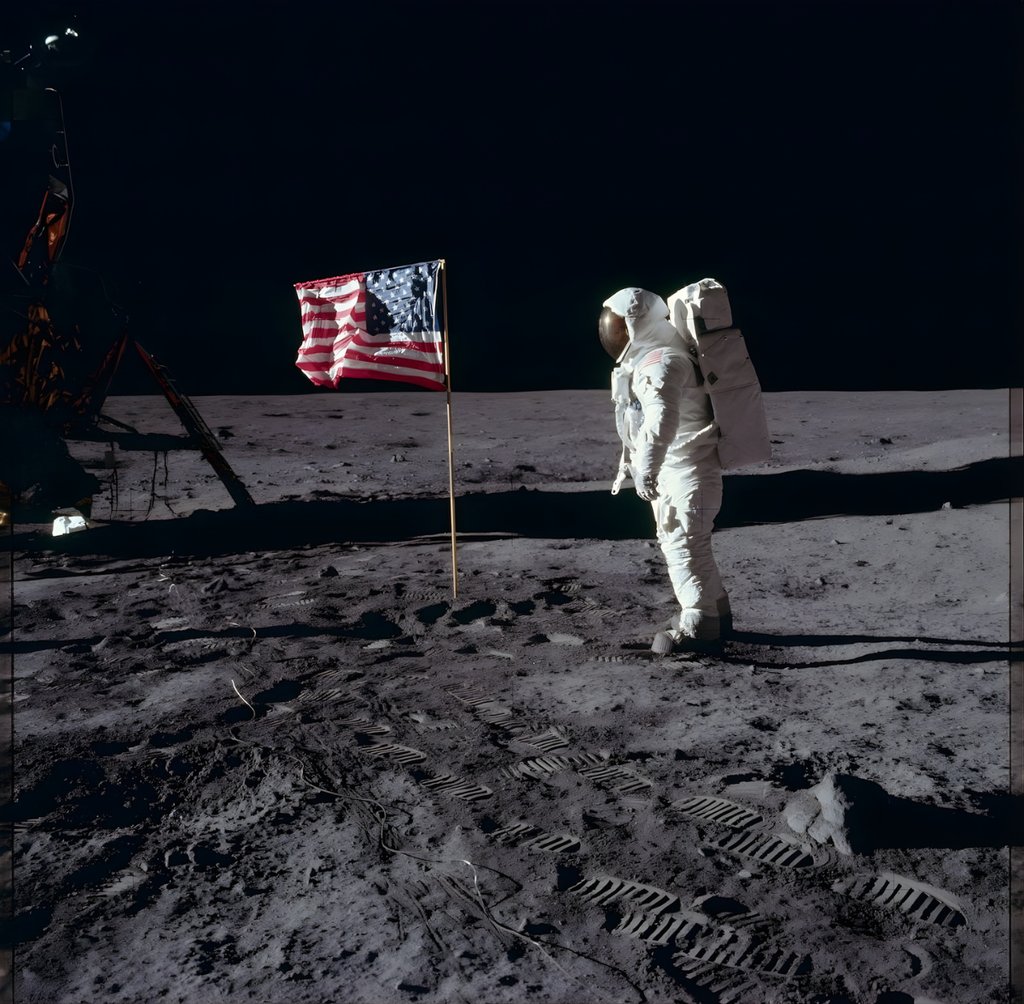
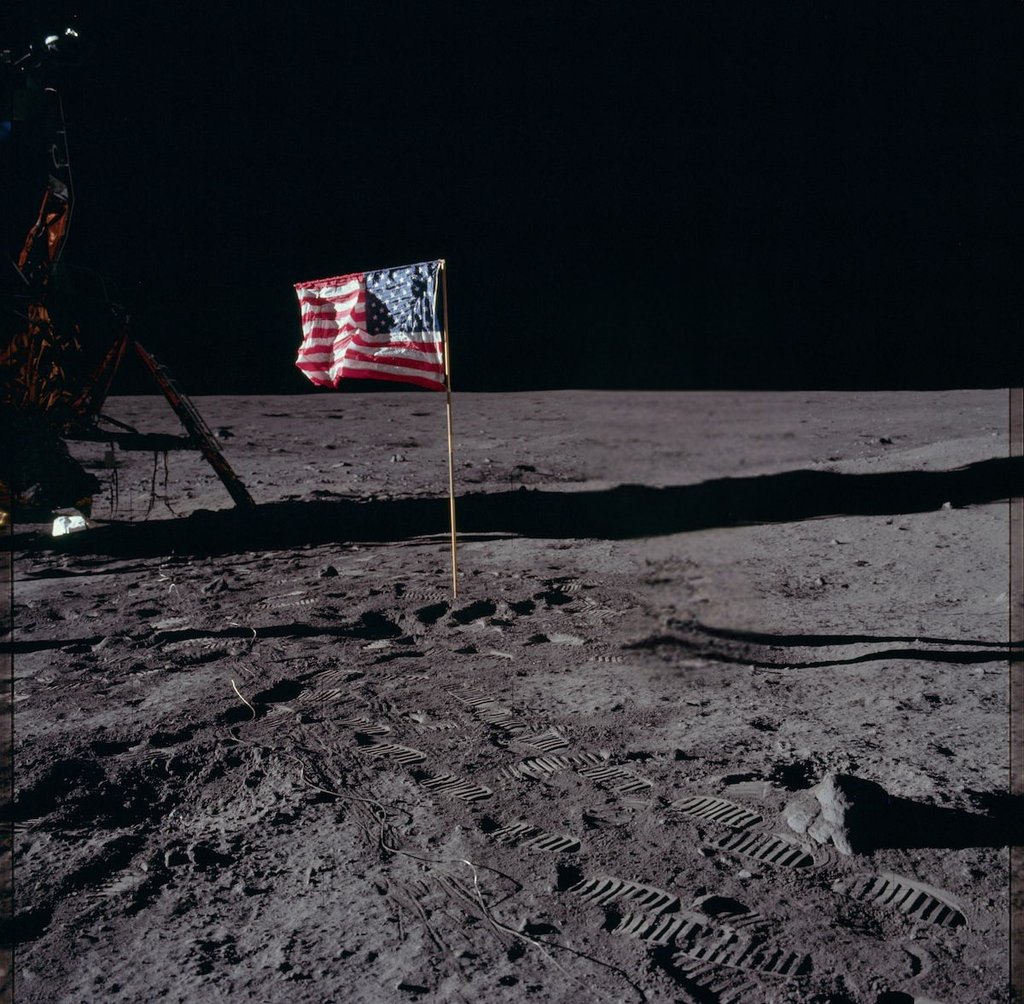
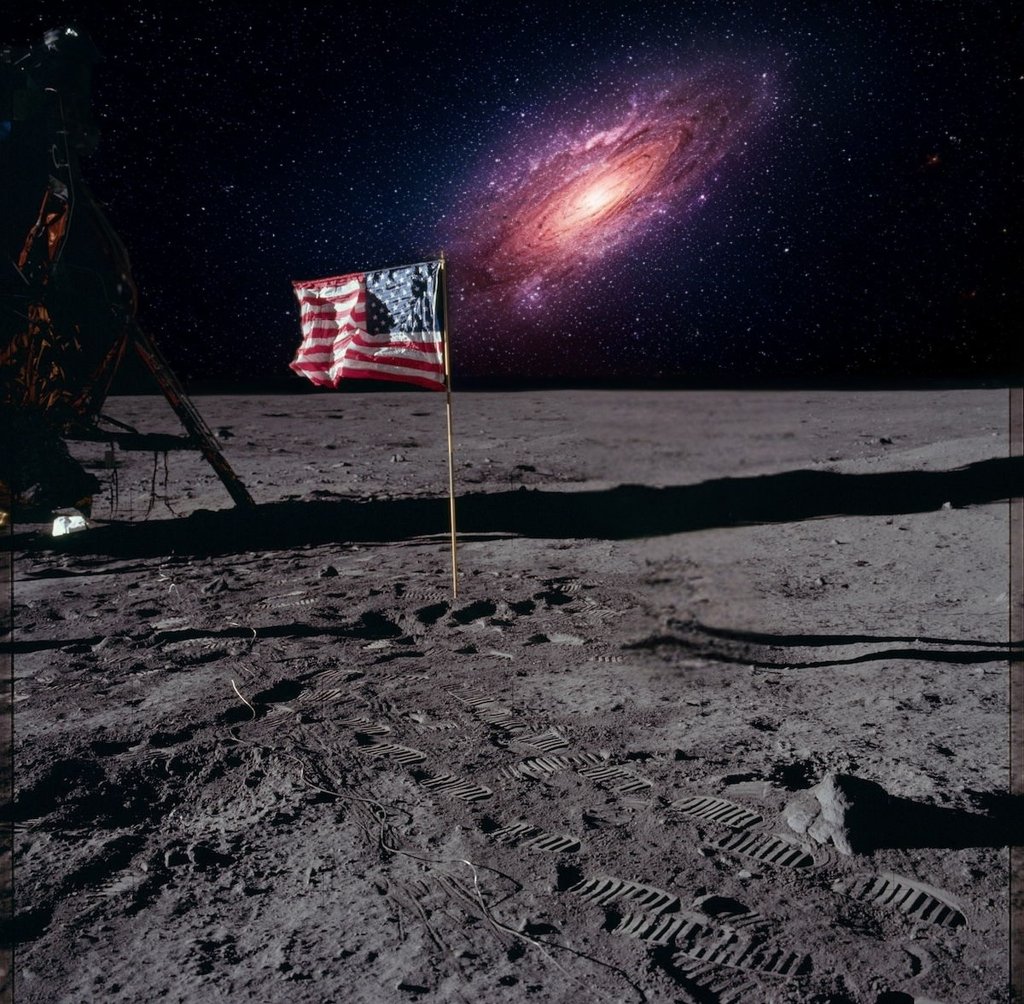
Canva is an excellent choice for product photo editing for marketers and businesses. It offers a 30-day free trial, and the premium plan with advanced AI features starts at $14.99/month.
4. Pixlr – best for beginners on a budget
| Starting price: | $2.49/month |
| Free version: | Yes |
| Top features: | Batch processing to edit a few photos at once, AI generative fill to add and replace objects, and a simple interface |
Pixlr is a user-friendly tool that aims to make AI image editing accessible to everyone. It started in 2008 as a web-based photo editor and expanded to include iOS and Android apps. While its primary features seem to cater to casual content creators who need a straightforward flow, it also has batch editing and a product photo generator suitable for businesses.
After applying its AI upscaling, sharpener, and noise reduction features, I noticed only minimal changes in quality. The good thing is that it didn’t produce any artifacts. The AI object removal performed quite poorly: it didn’t reconstruct the background correctly and left the area blurred. When I asked the tool to replace the sky, the AI did a crude job, changing the unmarked parts of the image and distorting it with an unfitting substitution.
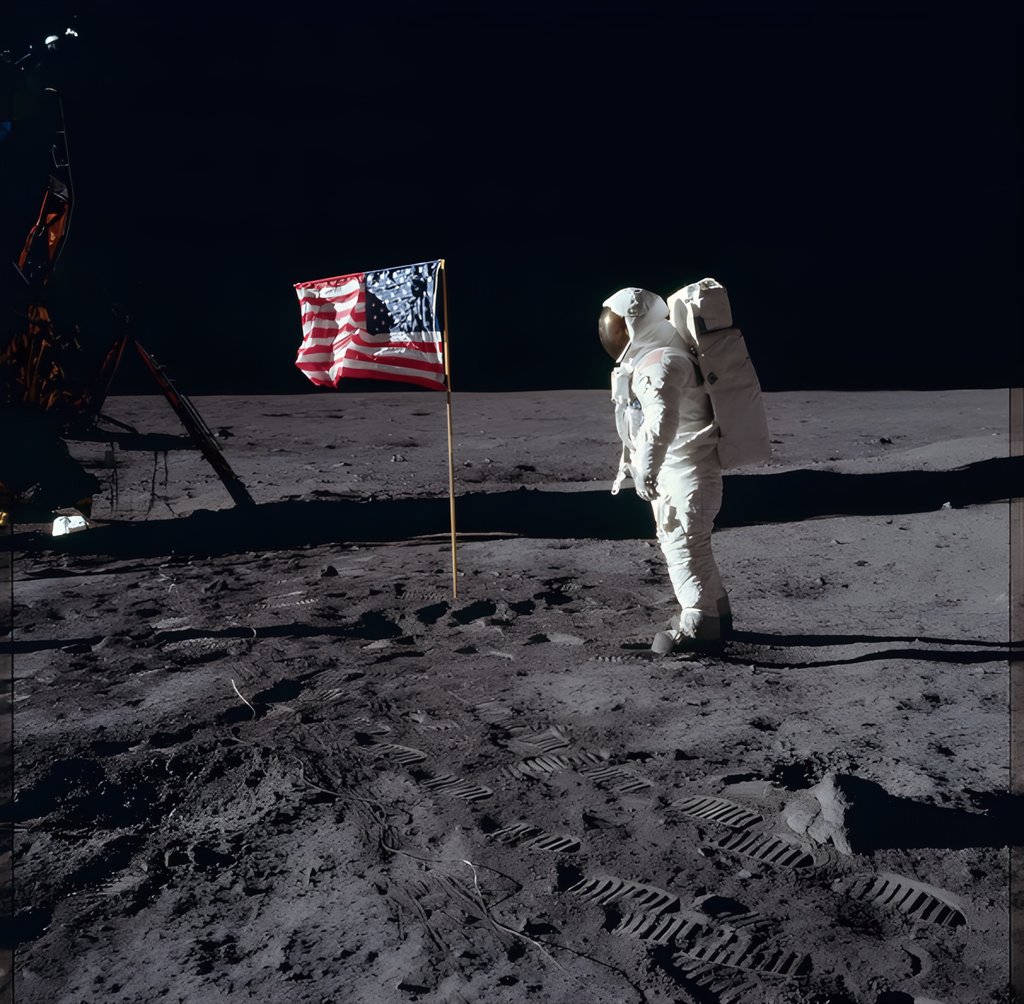
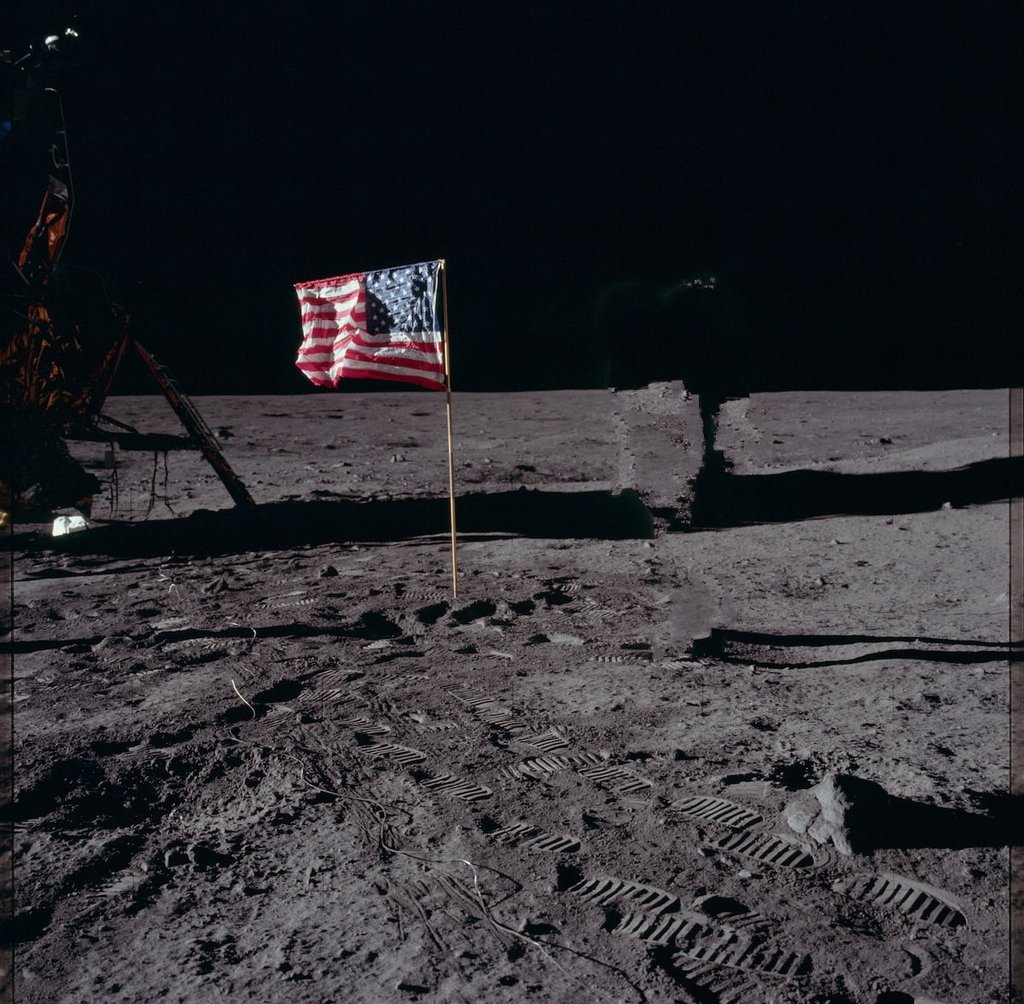
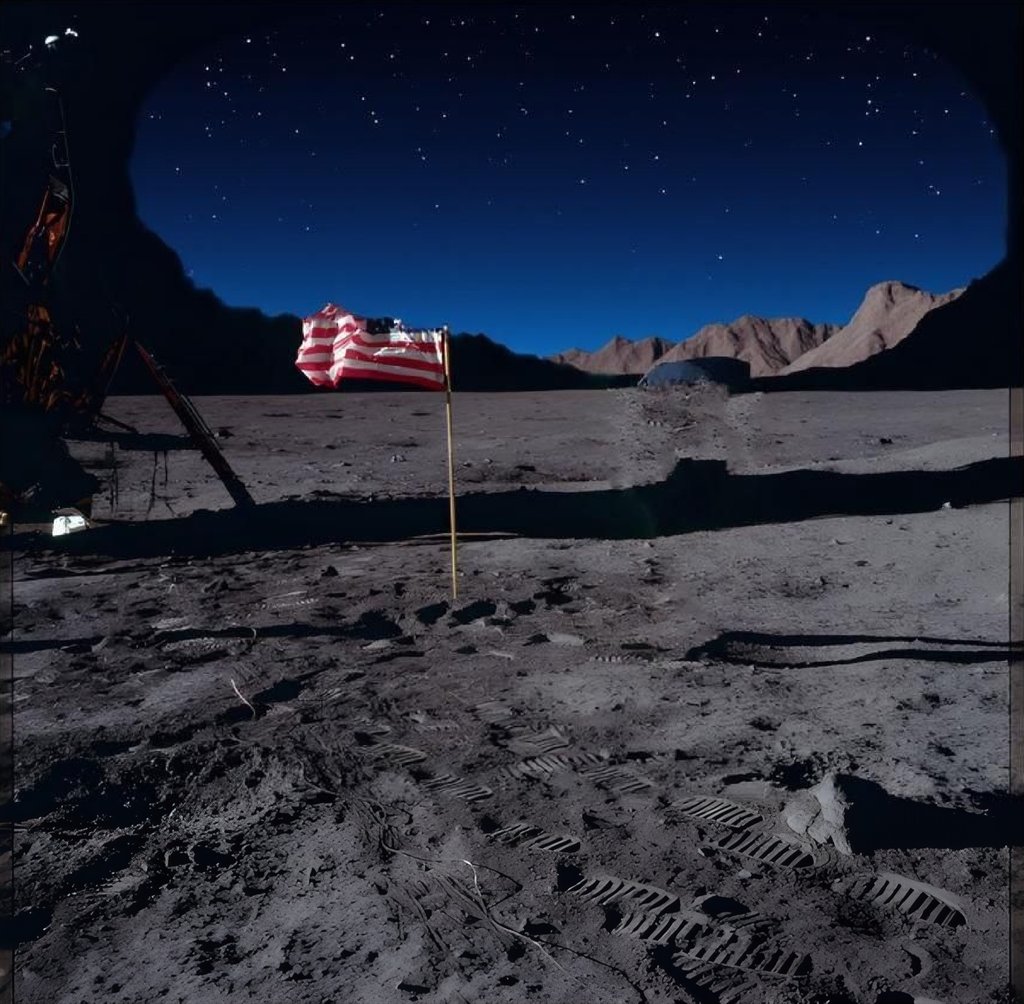
Pixlr is great for casual and quick image editing. The subscription is affordable, allowing you to learn and experiment with AI features before committing to something more advanced. Pricing starts at $2.49/month for a plan with 80 AI credits, following a 7-day free trial with 10 AI credits.
5. Picsart – best for mobile photo editing
| Starting price: | $5.00/month |
| Free version: | Yes |
| Top features: | Robust mobile editing tools, customizable design templates, and the Spaces feature to connect with other content creators |
Picsart is a creative all-in-one image editing platform for personal and professional use. Founded in 2011 as a mobile photo editor, Picsart now offers three versions: mobile apps for iOS and Android and a website. It has many customizable design templates for various fields, including entertainment, real estate, and wellness. Also, it features a batch editor that allows you to apply the same settings to 50 images at once.
I used the Picsart AI Enhance tool that automatically improved picture resolution, reduced blur, and added pixels. However, the overall color palette got subdued. Then, I changed the background with a simple textual prompt – the substitution was of average quality.
What’s great is that the AI Remove feature didn’t replace the astronaut with some weird object but instead erased them. It left a barely noticeable shadow, though, which will require additional manual involvement.
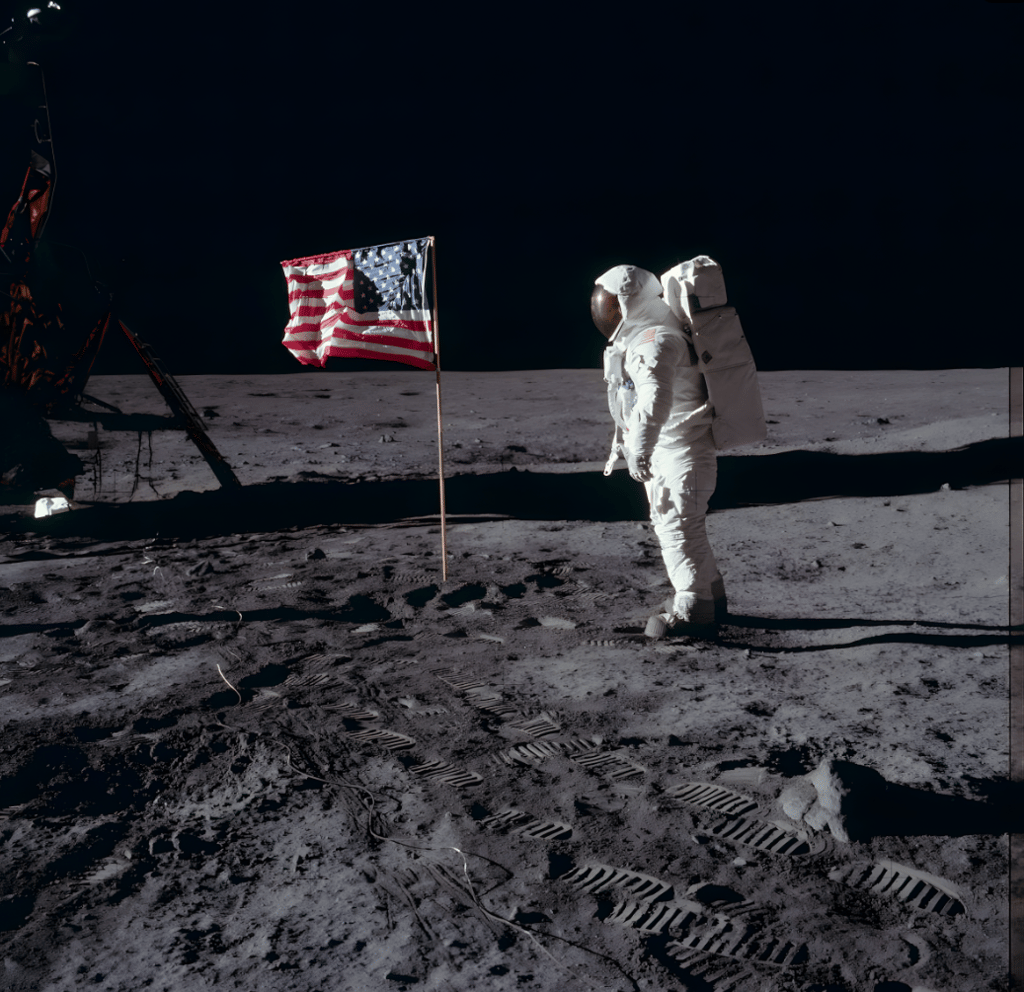
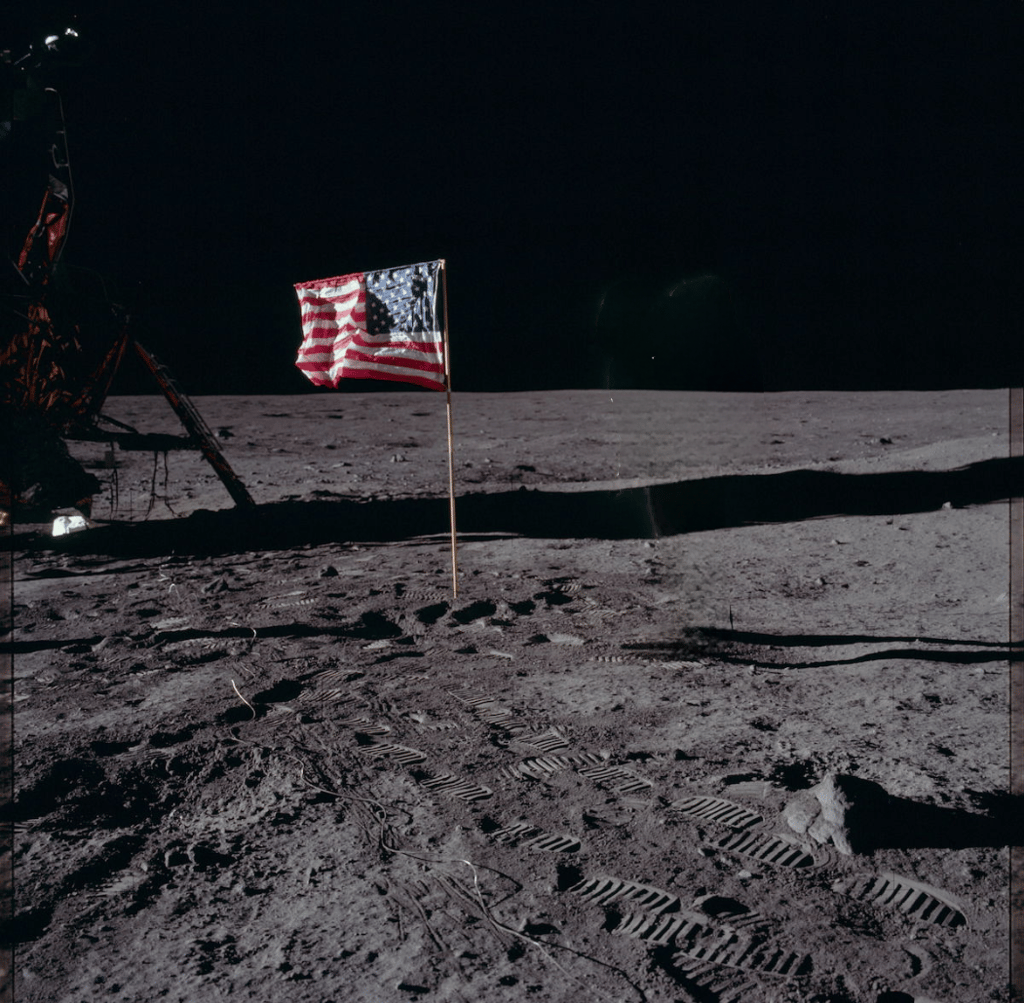

Picsart works best for basic photo editing on a mobile phone. It has a free plan with five weekly AI generations and watermarks, while the subscription with 200 AI credits starts at $4.00/month.
6. Fotor – best for experimenting with generative AI

| Starting price: | $3.99/month |
| Free version: | Yes |
| Top features: | Easy-to-use generative AI and customizable graphic design templates for business and social media |
Fotor aims to simplify and automate complex editing tasks. It was established in 2012, offering a web version, desktop apps for Windows and macOS, as well as mobile apps for iOS and Android. Most of its features are AI-based, including all types of enhancers, removers, and replacers.
Fotor’s AI upscale feature worked well, automatically increasing sharpness, denoising, and upscaling the image. Similar to the tools above, it made the image look colder. The Magic Eraser tool removed the person but left a ghost-like figure in its place. Another tool, AI Replacer, changed the sky, but with a low-quality image, which blended into other objects in some areas.
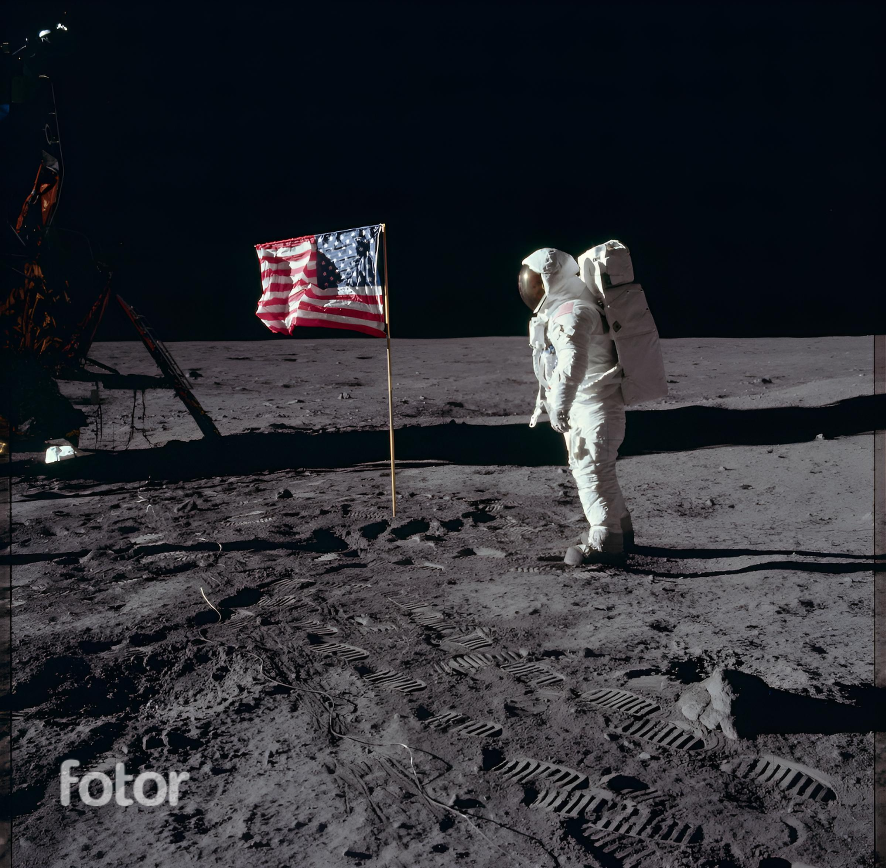
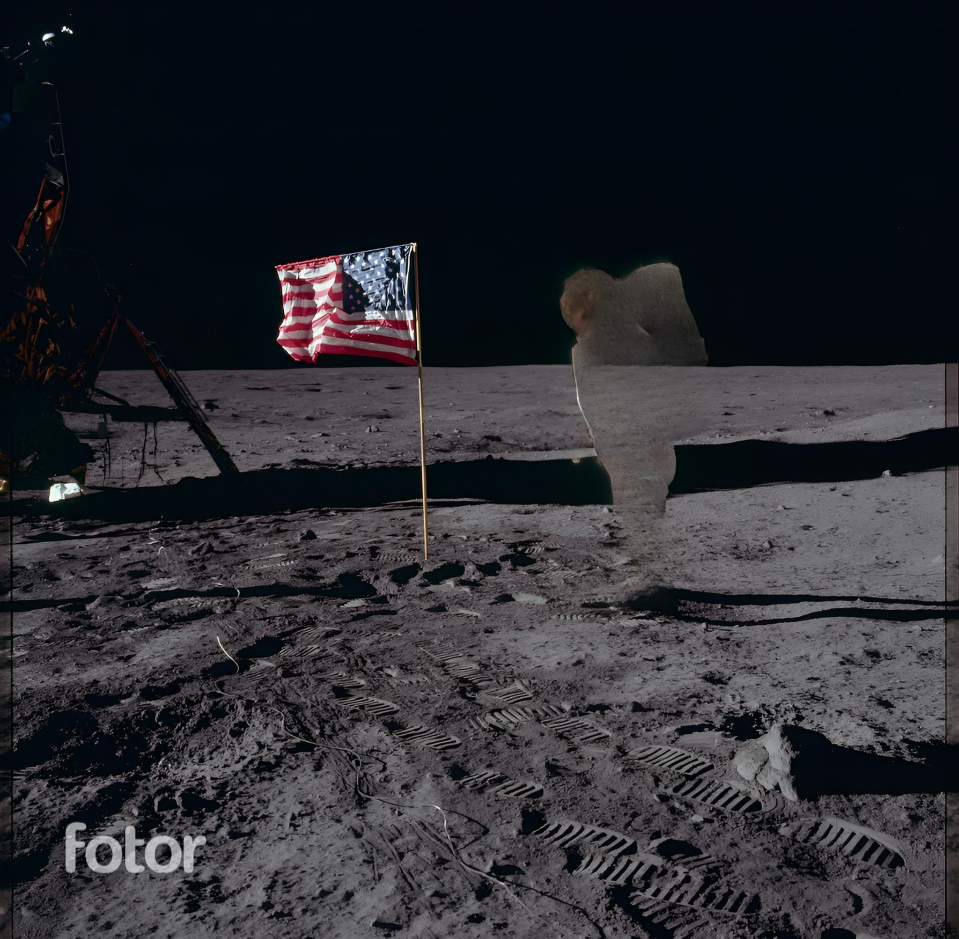

Fotor is a good option for beginners who want to edit photos with text prompts. It’s an affordable way to start exploring how generative AI works, with pricing plans starting at $3.99/month for 100 AI credits. Fotor’s free version offers limited AI features and adds watermarks to photos.
7. Adobe Photoshop – best for professional photographers
| Starting price: | $19.99/month |
| Free version: | Yes |
| Top features: | Generative Upscale for quick quality enhancement, Harmonize for blending objects into an image, and Generative Fill for adding realistic objects |
Adobe Photoshop is an industry-standard suite that has powerful generative AI features, together with all the advanced non-AI photo editing tools. Here, you can select an area in a photo and describe what you’d like to replace or fill it with, and AI will come up with a solution. Recently, it has released the Harmonize feature, which lets you naturally blend an object into an image as the AI adjusts the colors, background, and shadows itself.
Photoshop’s AI features work incredibly fast and quite accurately. When I used the Generative Upscale feature, the tool enhanced the dynamic range of the image and sharpened some blurry details, so manual involvement wasn’t needed at all.
The generative AI also naturally changed the sky, but instead of removing the person from the image, it replaced it with a sort of cloud. So, AI object removal will probably require more manual work in Photoshop.
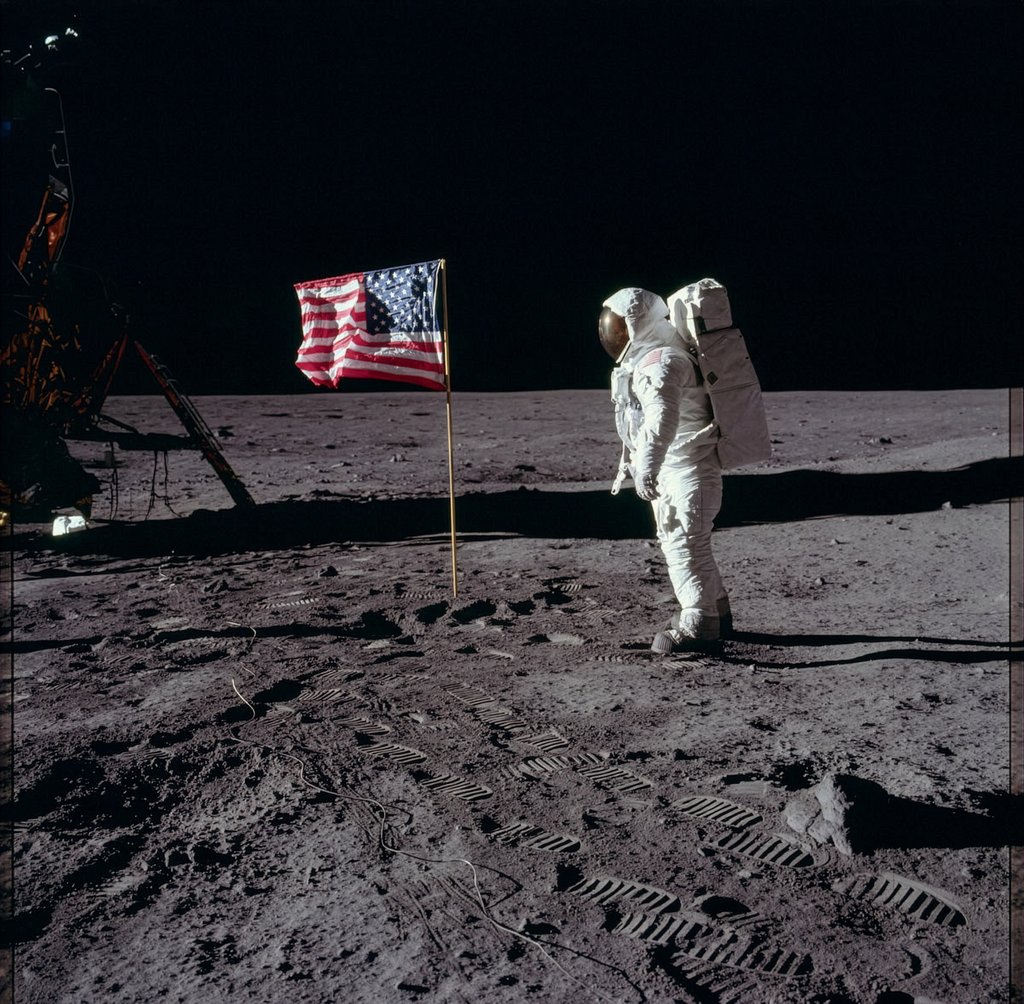
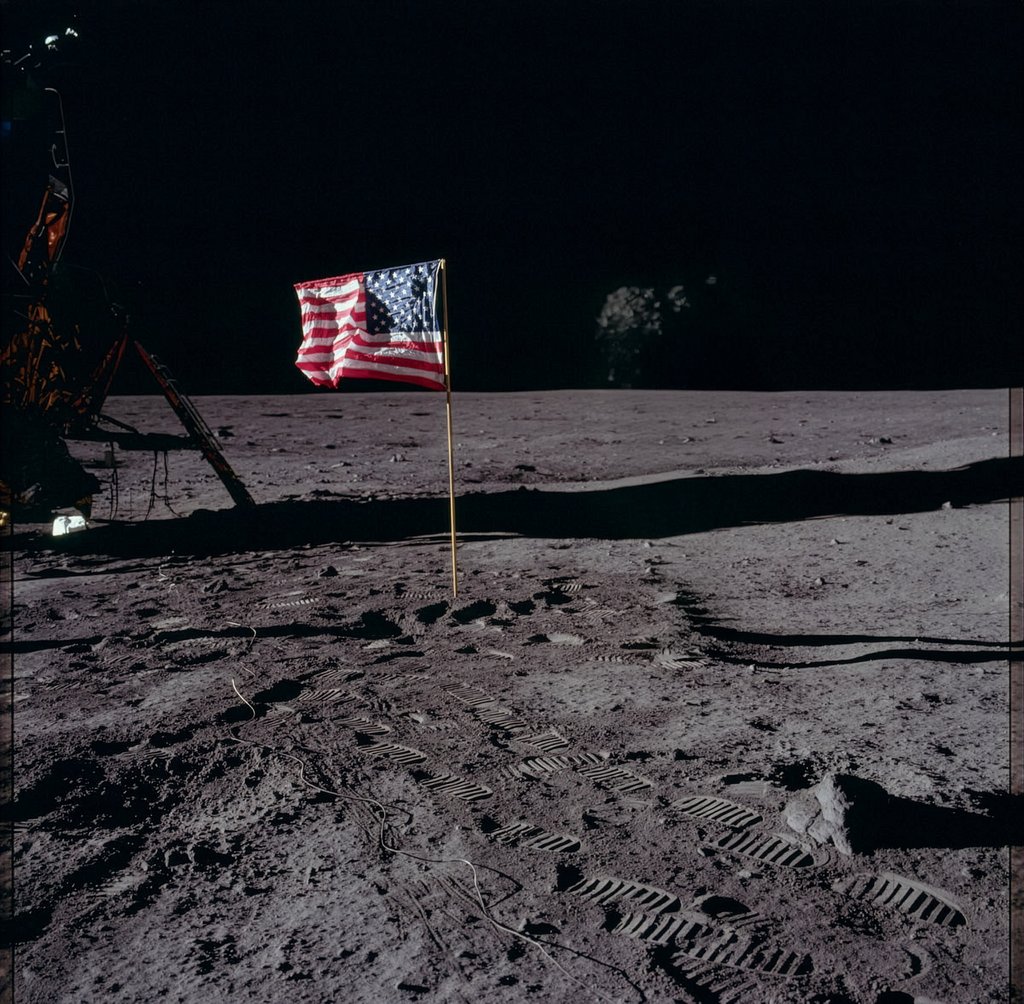
Photoshop is perfect for advanced photo editing for photographers, designers, and digital artists. After the 7-day free trial, you can buy a subscription that has 4000 AI credits and starts at $19.99/month.
How we tested the best AI tools for photo editing
Whether you’re a marketer, content creator, or professional photographer, here is a detailed overview of the best AI tools for photo editing. In each tool’s description, you’ll find three images showing the results after applying its quality enhancement, object removal, and sky substitution features. You can see the original image in the How we tested section.
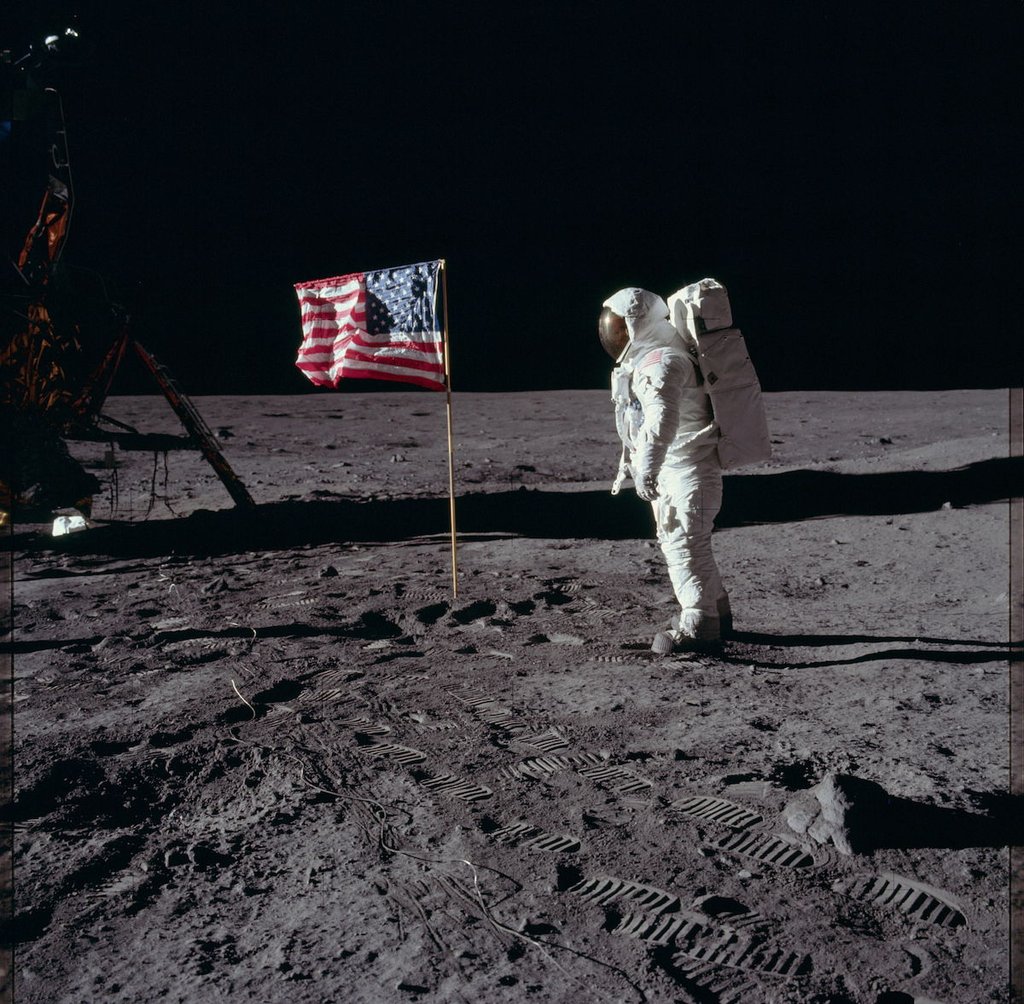
The Cybernews research team and I applied rigorous AI testing methodology to evaluate the performance of each AI photo editor. We performed the same three tasks on the same image with each photo editor’s AI. First, we enhanced the overall quality of the image. Then, we removed a person from the photo and changed the sky.
We did each task only once to assess if it could automate the editing routine in one go, with minimal manual involvement. Here is how we ranked the best photo editor:
- Output quality (25%). We checked if sharpness, dynamic range, and colors were enhanced.
- Accuracy (20%). We evaluated how strictly tools adhered to the prompts and how realistic the AI substitutions and enhancements were.
- Privacy (20%). We researched how data is collected and if a user can opt out of it.
- Cost and value (20%). We selected the tools whose cost matches the functionality offered. Also, we considered free trials, the price for AI credits, and the range of pricing plans.
- Speed (15%). Another important thing was how fast the tools performed tasks. It helped us select the most efficient ones.
Market trends for AI photo editors
It may feel like AI has just appeared in the field, but it’s already holding a firm grip on photo editing. The use of AI has evolved much further than automated red-eye removal and now spans various editing tasks. However, this can sometimes raise ethical concerns.
Generative fill becomes standard
This trend is about giving an AI editor a textual prompt like “Remove the person in the background and replace the blue vase with three red books.” After a few seconds, the tool is supposed to fulfill the command without any manual involvement.
Product photography automation
AI brings greater consistency and standardization to product photography. So, instead of organizing a photoshoot and editing photos manually, AI-powered tools can isolate a product from any photo, put it in the right background, and apply professional shadows, reflections, and lighting. Thanks to ML, such tools know how studio-quality images of different categories must look to be appealing.
What’s more, some editors offer to use hyperrealistic human models generated by AI. They can wear your clothes, pose with your product, be placed in any background, and even be animated in a video.
Mobile-first editing with on-device AI
The ranks of social media creators grow, and the market responds to it. Now, many AI photo editors are built for mobile use first, so you don’t need to change devices to edit photos. Creators can simply open a mobile app with AI capabilities to remove the background, get rid of visual clutter, and make the colors pop with one tap.
Credit-based pricing and watermark rules
Fixed-price subscriptions of photo editing tools aren’t going away, but you’ll have to pay extra to use AI features. Here’s an example: you pay your monthly $20.00 subscription, which includes 100 AI credits. Every time you use an AI feature, such as smoothing skin, perspective correction, or HDR merge, you’ll be charged one credit. Once you run out of credits, you need to buy more – convenient for personal use but pricey for large-scale projects.
Sometimes, AI photo editors also have a limited number of photos that can be downloaded without a watermark. And yes, you’ll have to pay more if you want to increase the number.
Batch processing
This trend is about AI processing hundreds of photos at once. Set the needed configurations, and AI will apply all changes consistently across all images. It’s especially convenient for sellers and agencies that have predefined requirements for all the photos.
Usage rights and disclosure
There’s a global trend of disclosing images that were created or altered by AI. The goal is to increase transparency and protect users from falsified data.
For example, the EU AI Act obliges AI system providers to label AI-generated and significantly manipulated content that appears authentic or resembles real people, objects, or places. However, according to the same act, if AI was used as an assistant for minor editing, the disclosure can be placed in such a way as not to hamper the enjoyment of the work.
The US AI Labeling Act is somewhat similar to the one above: it obliges companies to clearly disclose AI-generated content, but it doesn’t address minor edits.
The lack of unified global policies also causes different approaches to usage rights. So, before applying AI-generated or edited images, make sure that the tool grants you the commercial usage rights.
Also, read the data policies beforehand – some AI editors train their AI models by collecting your data. Usually, you can opt out of data retention to protect your privacy.
Conclusion
None of the AI features in the photo editors I’ve tested performed flawlessly in all three tasks. It means that AI is still not smart enough to eliminate manual involvement completely, but it can automate a big part of the photo editing routine.
After testing, I can say that PicWish is the best for beginners and casual content creators with its user-friendly interface, creative AI suite, and high-precision AI. It’s perfect if you need to make a few quick photo edits with AI or prepare to use more advanced tools.
Adobe Photoshop is the best photo editor for photographers who aren’t afraid to dive deep into the technicalities of the process. Canva is great for marketers and those who do photo editing for business, as it offers a lot of templates and ML knowledge on product images.
While AI in photo editors works well, it does so to a certain extent – at least for now. So, be ready to generate prompts precisely and do your final human tweaks for maximum precision.
FAQ
What’s the best AI photo editing tool overall?
The best AI photo editor depends on your needs. Adobe Photoshop will be your best choice if you’re a professional photographer who isn’t afraid of the technical interface and knows every image configuration and how to tweak it. If you’re editing photos casually, your best option may be PicWish – it’s easy to use, while its AI features are versatile and perform well. Finally, if you’re editing photos for marketing, Canva will work for you with its variety of marketing and social media templates and robust AI features.
Is there a free AI photo editor without watermarks?
There is no completely free AI photo editor that’s watermark-free. However, Luminar Neo, Canva, Photoshop, and Pixlr allow you to download a limited number of photos without a watermark during the free trial period.
Can AI photo editors replace Photoshop?
Yes, AI photo editors can replace Photoshop for those who require a simple photo editing workflow and don’t want to buy complex software. For example, tools like Luminar Neo and Picsart are simpler and have essential AI functionalities with rather high prompt adherence.