Requesty alternatives: 8 options for LLM routing in 2026
Being behind major reports like The Mother of All Breaches and RockYou2024, our in-house cybersecurity experts and journalists provide unbiased, real-world testing and in-depth analysis.
We maintain complete transparency by openly sharing our testing methodologies with our audience.
Learn more
If you're looking for a Requesty alternative, you probably want more control over how your application handles AI requests. Requesty makes it easier to work with multiple LLM providers through one API, with built-in routing, fallbacks, and cost tracking. However, as your AI usage grows, you might need self-hosting, more advanced governance, or a platform that supports both developers and business teams.
In this guide, I compare 8 Requesty alternatives in 2026, covering their features, pricing, deployment options, and key differences to help you decide which one fits your needs.
What is Requesty?
Requesty is a managed LLM router that lets developers access hundreds of AI models through a single API. It makes it easier to build applications that use models from OpenAI, Anthropic, Google, and other providers while managing requests and costs in one place.
Its main features include:
- One API for multiple models. Connect to hundreds of models through one OpenAI-compatible API.
- Automatic fallbacks and load balancing: If one AI provider goes down, Requesty can reroute your request to another. It can also split requests between providers to help manage heavy traffic.
- Caching and cost tracking. Reuses unchanged parts of prompts, such as repeated instructions, to reduce processing costs. You can also track spending, API usage, response times, and errors through a dashboard.
- Security and access controls. Bring your own API keys (BYOK), manage which AI models your team can access, set spending limits, and set up guardrails to block requests that don't meet your security rules.
For developers working with multiple LLMs, Requesty reduces the number of integrations they need to maintain and brings routing, monitoring, and access controls together without requiring them to manage their own gateway infrastructure.
Why teams look for Requesty alternatives
There are several reasons to explore Requesty alternatives, even if you're happy with its routing, cost tracking, and security features. Your choice may come down to how you want to host your AI gateway, what pricing model works for your team, or which tools you already use.
Here are the main reasons to consider Requesty alternatives:
- More control over hosting. Requesty is a managed service, meaning you can't host it on your own infrastructure. Some teams prefer a self-hosted gateway to manage their own infrastructure or meet data residency requirements, such as keeping AI processing within the EU.
- Different pricing options. Requesty offers usage-based pricing and support for your own API keys. Depending on your request volume, a platform with lower fees, a fixed subscription, or a self-hosted solution could reduce your overall costs. Just don’t forget to account for model usage, caching, and infrastructure expenses.
- Enterprise security and management. Requesty already offers enterprise controls, including single sign-on (SSO), team permissions, and spending limits. However, larger organizations may have additional requirements for data handling, audit logs, or integration with their existing security systems.
- Integration with existing infrastructure. If your applications already run on Cloudflare, Vercel, or Kong, using their AI gateway tools could make it easier to manage AI traffic alongside your other services.
- AI access for the whole company. Requesty is primarily built for developers working with APIs. Some alternatives also provide chat interfaces and AI agents that employees can use without writing code.
Before switching, identify what you want to improve in your current setup. Comparing alternatives based on your actual requirements will help you avoid unnecessary migration work.
How to choose a Requesty alternative
The right Requesty alternative depends on what you're building and how you plan to use AI models. Beyond comparing features, consider how reliably each platform handles requests, what you'll actually pay, and whether it fits your existing setup. These are the main factors to look at before choosing:
- Routing and reliability. Make sure the platform supports the AI models you use and regularly adds new ones. Check whether it can automatically switch to another provider if one stops working or gets too busy and whether you can choose to prioritize lower costs or faster responses.
- Total cost. Compare model pricing, platform fees, and potential savings from caching. Don't overlook charges for repeated requests or the time and infrastructure needed to maintain a self-hosted gateway.
- Deployment options. Decide whether you want a fully managed service, a self-hosted gateway, or a hybrid setup.
- Security and access controls. Check for SSO, role-based access control (RBAC), team spending limits, and guardrails for AI requests. If you handle sensitive data, also review audit logs and where your requests are processed.
- Monitoring and analytics. Pick a provider with a decent dashboard that lets you track AI usage, spending, response times, and failed requests.
- Ease of use and integrations. Consider who will use the platform. Developers may only need API access, while other teams could benefit from a chat interface or ready-to-use AI tools. Also, check how easily the platform connects with the software your company already uses.
For this guide, I selected the 8 best Requesty alternatives that provide access to multiple AI models through a single API. I compared their features, pricing, and deployment options to cover a wide range of uses depending on your needs. The list isn't ranked, since the right choice depends on how you plan to use it.
8 Requesty alternatives to consider in 2026
Some of the following 8 Requesty alternatives prioritize easy access to AI models, while others offer more control over hosting or monitoring. Below, I look at what each platform offers, where it stands out, and what to consider before choosing it.
1. nexos

What it is: nexos.ai is an all-in-one AI platform designed for both developers and business teams. Developers can connect their applications to multiple AI models through a single API, while employees can use a shared AI workspace to chat with different models, build AI agents, and automate tasks without coding.
Key features:
- Smart AI routing and caching. Access models from OpenAI, Anthropic, Google, and other providers through one API. nexos.ai can send simpler tasks to cheaper models and more demanding ones to more capable models. It can also reuse previous responses or repeated prompt content to save time and reduce costs.
- Monitoring and security controls. Track AI usage, spending, response times, and errors from a single dashboard. Administrators can set team budgets, control who can access different models, and create rules for how AI can be used.
- AI workspace and agents. Employees can use different AI models through a chat interface and create AI agents without coding. These agents can connect to tools like Slack, Google Workspace, and SharePoint to help automate everyday tasks.
- EU gateway. nexos.ai offers the option to send requests through European servers and select AI models hosted in the EU, helping companies meet requirements to keep data within Europe.
For organizations reviewing security requirements, nexos.ai has also announced SOC 2 attestation.
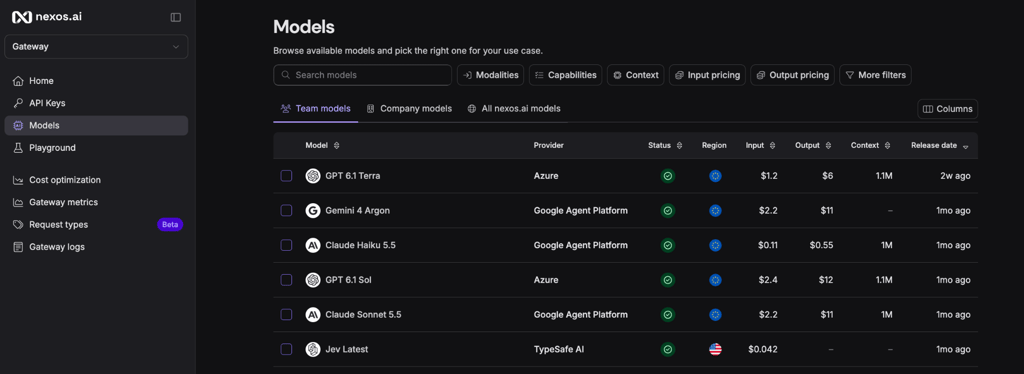
Pricing: As of November 2026, nexos.ai offers custom Enterprise pricing based on your company's AI usage and requirements. Plans include access to major AI models, smart routing, caching, cost controls, and enterprise security features. There's no free trial or publicly listed starting price, so you'll need to contact the sales team through the nexos.ai pricing page for a quote.
Best for: Companies that want developers to access multiple AI models through one API while giving employees a secure, easy-to-use AI workspace.
Fit considerations: nexos.ai manages the gateway infrastructure for you, including maintenance and updates. If you prefer to host the gateway on your own servers or customize its source code, an open-source option may be a better fit.
2. OpenRouter
What it is: OpenRouter is a managed AI gateway with a large, publicly accessible catalog of AI models. Developers can browse hundreds of models, compare their pricing and capabilities, and examine them before integrating them into an application. OpenRouter also handles provider selection and automatic fallbacks, so you can test different models and manage their usage through one API.
Key features:
- Wide model selection. Access hundreds of AI models through one API, including models for generating text, images, audio, and other content.
- Flexible routing. Choose which provider handles your requests based on pricing or response speed. If that provider becomes unavailable, OpenRouter can automatically switch to another offering the same model.
- Usage and cost tracking. See how much you're spending on each model, how many tokens your applications use, and how quickly requests are processed through one dashboard.
- API key management. Connect your own AI provider keys using BYOK, create separate keys for different applications or projects, and set spending limits to keep costs under control.
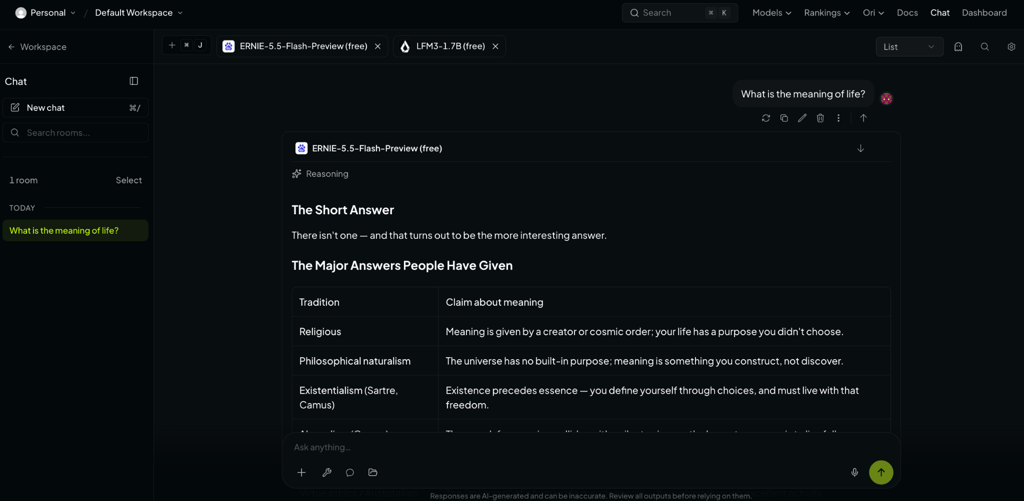
Pricing: OpenRouter offers free access to selected AI models, while paid models are charged based on usage. There are no monthly subscription fees, but OpenRouter charges 5.5% when you buy credits on Standard. Business charges 8%, while Enterprise pricing is custom. These rates apply as of November 2026.
Best for: Developers who want to explore, compare, and test different AI models through one API, with OpenRouter handling the gateway infrastructure.
Fit considerations: OpenRouter takes care of hosting and maintaining the gateway. However, features like SSO and guaranteed service commitments are reserved for Enterprise customers. If you want to host the gateway yourself or change how its software works, LiteLLM may be a better option.
3. LiteLLM
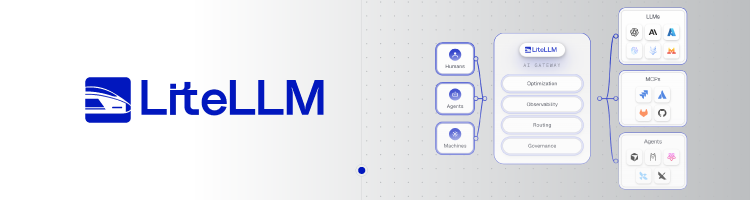
What it is: LiteLLM is an open-source, self-managed AI gateway and Python SDK that connects developers to over 100 AI providers via a single API. You can host it on your own servers, control how requests are routed between models, and manage AI usage directly through your own infrastructure.
Key features:
- Open-source and self-managed. Install LiteLLM on your own servers or cloud infrastructure and control its configuration, updates, and how AI requests are handled.
- Custom routing. Choose which models handle requests, configure automatic retries, and set backup models to use when your preferred option is unavailable.
- Access to multiple AI models. Connect to models from OpenAI, Anthropic, Google, and over 100 other AI providers through a single OpenAI-compatible API.
- Monitoring and cost controls. Track AI usage, spending, and failed requests; set budgets for different teams; and integrate monitoring tools such as Prometheus, Datadog, and Langfuse.
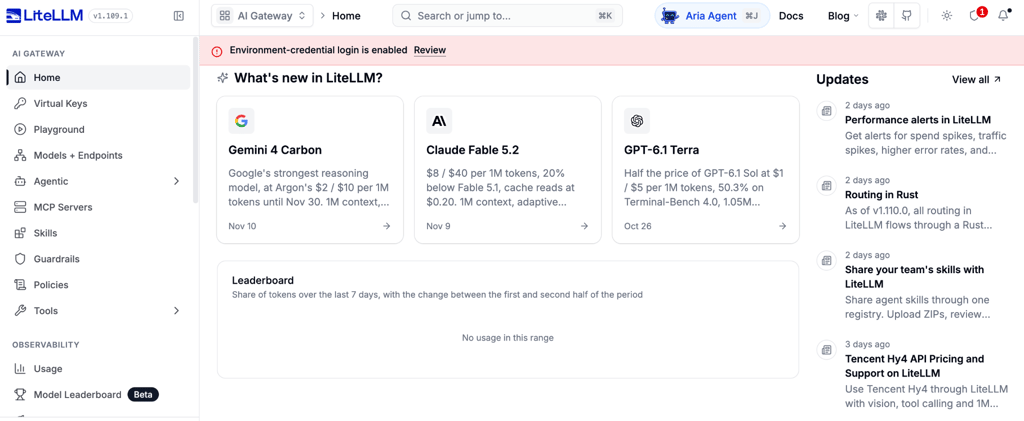
Pricing: LiteLLM's open-source gateway is free to download and self-host, although you'll still pay for server infrastructure and AI model usage. Enterprise plans include additional security controls, SSO, audit logs, and dedicated support, with custom annual pricing based on your gateway requirements as of November 2026.
Best for: Developers and engineering teams that prefer a self-hosted AI gateway with full control over its setup, routing, and configuration.
Fit considerations: LiteLLM gives you control over hosting and configuration, but your team is responsible for maintaining and securing the gateway. The platform suffered supply-chain attacks in March and October 2026, when malicious releases put users' credentials at risk. The affected versions have since been removed, but teams should review security advisories and carefully verify updates before deployment.
4. Portkey

What it is: Portkey is an LLM management platform for developers who want more insight into how their AI applications perform. Its main strengths are detailed request tracking and prompt management, so you can see why a request failed, identify slow or expensive models, and test changes to your prompts.
Key features:
- Detailed monitoring. See exactly how your AI application handles each request, including which model was used, how long it took, and what it cost.
- Prompt management. Keep your AI prompts organized in one place, test different versions, and track how changes affect the results. You can also restore previous versions when needed.
- Flexible routing. Set rules for which AI providers handle requests, distribute traffic between them, and configure backup options to keep applications running when a provider fails.
- Guardrails and caching. Set rules to check requests and responses for sensitive or unwanted content. Caching can also save previous responses so repeated requests don't always need another model call.
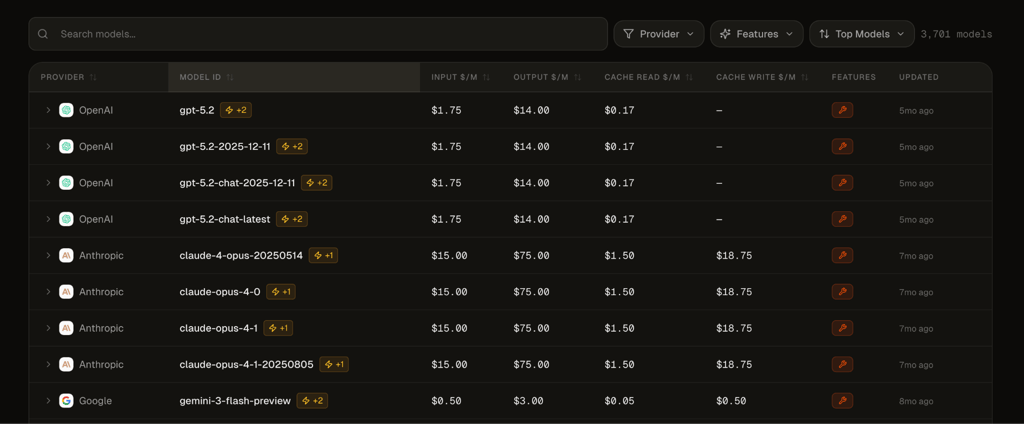
Pricing: As of November 2026, Portkey's pricing page lists a free plan that lets you record up to 10,000 AI request logs per month. The Production plan starts at $49.00/month and includes 100,000 logs, with extra charges if you exceed that limit, while Enterprise pricing is custom.
Best for: Development teams that want detailed monitoring, prompt management, and routing controls on a single platform.
Fit considerations: Portkey's pricing depends in part on how many AI requests you record, so costs may increase as your application grows. The Production plan also keeps request logs for only 30 days. If you need longer records for auditing or stricter data residency controls, you'll need to consider the custom option.
5. Kong AI Gateway
What it is: Kong AI Gateway brings AI traffic management into Kong's broader API management platform. If your company already uses Kong, you can manage AI model access, security rules, and request monitoring through familiar tools. You also have the option to run the gateway on your own infrastructure.
Key features:
- Centralized monitoring. Monitor AI requests, errors, and performance alongside your existing APIs. Kong also supports MCP, so you can manage how AI agents connect to external tools and services.
- Security and access controls. Control which applications and users can access AI models, limit requests, and set rules to protect sensitive information.
- AI model routing. Choose which models handle requests, spread traffic across providers, and set up automatic switching if a provider becomes unavailable.
- Cost management. Track AI spending and token usage across applications, with options to set usage limits and manage budgets.
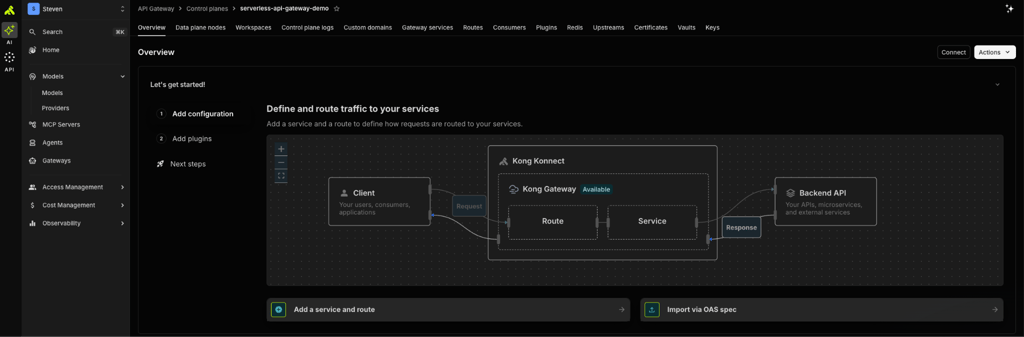
Pricing: Kong AI Management Plus starts at $25.00/month plus usage, with additional costs depending on your gateway setup and request volume. There's no permanent free plan, but a 30-day free trial is available without a credit card. Enterprise pricing is custom. These rates apply as of November 2026.
Best for: Companies already using Kong that want to manage AI traffic, security, and monitoring through their existing API management platform.
Fit considerations: Kong is particularly useful for companies already using its API management tools. If you only need to connect an application to a few AI models, configuring Kong's gateway and security policies may involve more work than using a managed LLM router. Costs can also increase depending on your deployment, request volume, and the number of models you connect.
6. Cloudflare AI Gateway
What it is: Cloudflare AI Gateway lets developers route AI requests through Cloudflare's global network. If your application already runs on Cloudflare, you can track AI usage, manage costs, and cache responses through the same platform. You can also use it with applications hosted elsewhere.
Key features:
- Flexible AI routing. Set rules for which models handle different requests, choose models based on cost or task complexity, and switch providers when one fails. You can also update routing rules from the dashboard without changing your application's code.
- Caching through Cloudflare's network. Cloudflare can save AI responses and return them when identical requests come in again. This is useful for applications with repeated questions, as it can speed up responses and reduce model usage costs.
- Analytics and request logs. See which models your application uses, how much you're spending, and how often requests fail. You can also track cached responses and inspect individual requests to identify problems.
- Spending and traffic limits. Set budgets for models, applications, or teams, and limit how many requests they can send. Cloudflare also lets you securely store your existing provider API keys through BYOK.
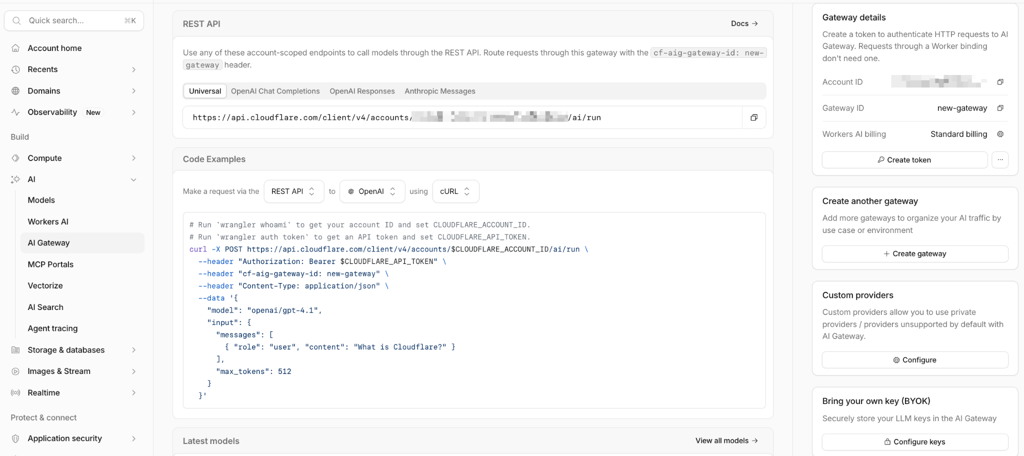
Pricing: As of November 2026, Cloudflare AI Gateway's core features are free. You still pay for AI model usage, and storing request logs may incur additional costs. If you buy AI credits through Cloudflare, there's a 5% fee on credit purchases.
Best for: Developers already using Cloudflare who want AI routing, caching, and monitoring within their existing infrastructure.
Fit considerations: Cloudflare manages the gateway infrastructure, so self-hosting isn't an option. Its caching works best for applications that receive identical requests, while advanced routing requires the OpenAI chat completions format. Applications using other API formats may need additional configuration.
7. Vercel AI Gateway
What it is: Vercel AI Gateway is part of Vercel's wider platform for building and hosting applications. Its main appeal is how closely it integrates with Vercel's AI SDK, allowing developers to add AI features, switch models, and monitor usage with familiar tools. The gateway also supports applications hosted elsewhere, so you don't have to move your existing infrastructure to Vercel.
Key features:
- AI SDK integration. Add features such as AI chat, streaming responses, and AI agents to your applications using Vercel's AI SDK. You can also switch between supported models with minimal changes to your code.
- Model routing and fallbacks. Access models for text, images, audio, and video through one API. Choose your preferred providers and set backup models to handle requests when the main option fails.
- Built-in monitoring. Track token usage, response times, and individual requests through Vercel's dashboard. You can also see how different models perform across your projects.
- Unified billing and BYOK. Pay for models from different providers using Vercel credits or connect your existing provider API keys. Vercel charges provider list prices without an additional gateway markup.
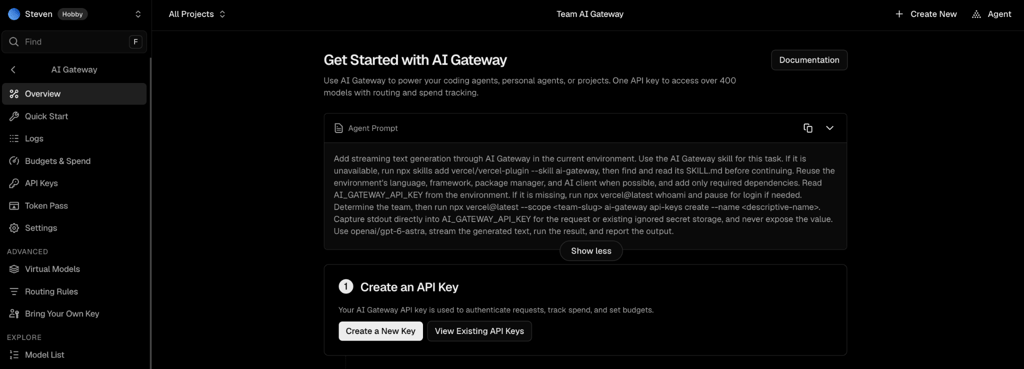
Pricing. As of November 2026 Vercel AI Gateway pricing gives you $5.00 in free AI credits every month to try different models. Once you buy additional credits, you switch to pay-as-you-go billing and no longer receive the monthly free allowance. You pay the AI providers' listed rates, with no extra gateway fees.
Best for: Developers who want to add AI features to their applications, especially those already using Vercel's hosting and AI SDK.
Fit considerations: Vercel requires purchased AI Gateway credits even when you use your own provider API keys. Any AI usage billed directly by those providers also falls outside Vercel's gateway spending limits, so you'll need to manage those costs separately.
8. TrueFoundry
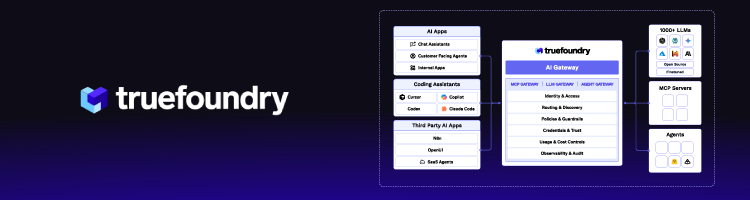
What it is: TrueFoundry is an AI platform for developers who want more control over where and how their AI models run. It lets you deploy open-source models like Llama on your own cloud servers, manage the computing resources they use, and connect them to applications alongside models from OpenAI and Anthropic. You can also run TrueFoundry's AI gateway within your own cloud infrastructure.
Key features:
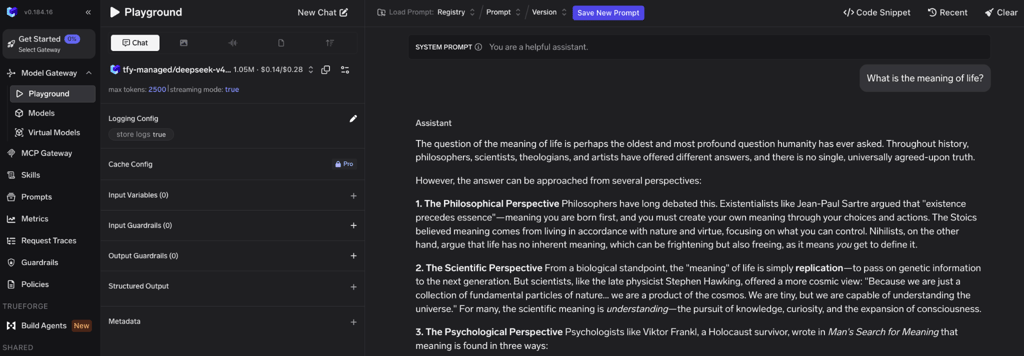
- AI model deployment. Run open-source models like Llama and Mistral on your own cloud servers. TrueFoundry also helps manage the computing resources needed to keep those models running.
- Private hosting. Run the AI gateway within your company's own cloud or on-premises infrastructure.
- Model routing. Access models from providers like OpenAI and Anthropic alongside your self-hosted models through one API. You can set routing rules, distribute requests, and configure automatic fallbacks.
- Monitoring and security controls. Track model spending, response times, and failed requests. You can also set team budgets, manage access permissions, and apply security rules to AI requests.
Pricing: TrueFoundry offers a free Developer plan for up to three users, each with 10,000 requests per month. The Pro plan costs $25.00/user/month and increases the limit to 20,000 requests per user. Additional requests cost $20.00 per 100,000, while AI model usage is billed separately. Enterprise pricing is custom and includes private deployment options. These rates apply as of November 2026.
Best for: Engineering teams that want to run their own AI models and manage requests to multiple providers, with more control over hosting and infrastructure.
Fit considerations: TrueFoundry charges per user, with additional fees for requests that exceed your plan's limits, including MCP tool calls. Using an AI model incurs extra costs, while private hosting requires an Enterprise plan.
Requesty alternatives compared at a glance
The table below compares Requesty alternatives by their deployment options, main users, and what each platform is designed to handle. I've included Requesty as a reference so you can see how the alternatives differ from your current setup:
| Tool | Type | Deployment | Open source | Best for |
| Requesty | Managed AI gateway and LLM router | Managed SaaS | ❌No | Managed multi-model routing |
| nexos.ai | AI gateway and company-wide AI platform | Managed SaaS | ❌No | Governed, organization-wide AI access |
| OpenRouter | AI model marketplace and gateway | Managed SaaS | ❌No | Broad model catalog |
| LiteLLM | AI gateway proxy and Python SDK | Self-hosted | ✅ Yes | Self-hosting and code control |
| Portkey | AI gateway and LLMOps platform | Managed or self-hosted gateway | Gateway is open source | Observability and prompt management |
| Kong AI Gateway | AI traffic management platform | Self-managed or Konnect | Kong Gateway core is open source | Existing Kong users |
| Cloudflare AI Gateway | Edge AI gateway | Managed (Cloudflare) | ❌No | Teams on Cloudflare |
| Vercel AI Gateway | Managed AI gateway | Managed (Vercel) | ❌No | Teams on Vercel |
| TrueFoundry | AI gateway and model deployment platform | Cloud or own infrastructure | ❌No | Deployment in own cloud |
Note: Table is based on public documentation as of November 2026. Features and pricing change often.
How to migrate from Requesty
Migrating from Requesty to another AI gateway is easier when both platforms support an OpenAI-compatible API. However, you'll still need to check that your existing models, routing rules, and security settings work correctly.
Here's how to make the switch:
- Review your setup. List the models, API keys, fallback rules, caching settings, and spending limits you currently use.
- Connect the new gateway. Update your API endpoint and key, then recreate any routing rules or settings that don't transfer automatically.
- Test your application. Check response quality, speed, errors, and features such as streaming or tool calling. Make sure fallbacks work when a provider becomes unavailable.
- Check costs and security. Compare model pricing, usage reports, access permissions, and data handling settings.
- Migrate gradually. Start with 5–10% of production traffic, monitor performance and costs, and increase traffic once everything works correctly.
Avoid moving all production traffic at once. Even gateways using the same API format can handle routing, caching, and errors differently.
Which Requesty alternative fits your team?
The right Requesty alternative depends on how you use AI, your existing infrastructure, and how much control you need. Here's a quick guide to choosing a platform based on your priorities:
| If you need... | Consider |
| Developer routing and company-wide AI access | nexos.ai |
| A wide selection of AI models to explore and test | OpenRouter |
| Self-hosting and full control over gateway code | LiteLLM |
| Detailed monitoring and prompt management | Portkey |
| AI traffic management within your existing API platform | Kong AI Gateway |
| AI routing and caching through Cloudflare | Cloudflare AI Gateway |
| Integration with Vercel's AI SDK and developer tools | Vercel AI Gateway |
| AI model deployment within your own cloud | TrueFoundry |
At the end of the day, your existing tools and how your team uses AI should guide the decision. For example, nexos.ai covers both developer routing and employee AI access, though evaluating it requires contacting sales since there's no free trial.
FAQ
What is the difference between an LLM router and an AI gateway?
An LLM router chooses which AI model or provider handles a request, based on factors like cost, speed, or availability. An AI gateway manages how applications connect to those models and adds features such as security controls, usage tracking, and spending limits. Many platforms offer both.
Can you use more than one LLM gateway at the same time?
Yes, you can use multiple LLM gateways together. For example, one can handle security and access controls, while another manages which AI models receive requests. However, you'll need to coordinate their settings to avoid repeated requests, unnecessary costs, or conflicting routing rules.
Does an AI gateway add latency to requests?
Yes, an AI gateway can add a small delay, but it's usually negligible compared to the time an AI model takes to generate a response. The impact depends on the gateway's location, infrastructure, and routing setup. Features like caching can even make repeated requests faster.
What does BYOK mean in an LLM gateway?
BYOK stands for Bring Your Own Key. It lets you connect your existing API keys from providers like OpenAI or Anthropic to an LLM gateway. You can continue using your provider accounts and billing arrangements while managing requests through the gateway, although additional gateway fees may apply.