Guardio AV review 2026
Backed by leading cybersecurity experts and investigative journalists, we deliver independent, real-world antivirus testing and analysis, guaranteeing objective evaluations without undue influence or bias from outside parties.
Our transparent and consistent methodologies ensure objective, up-to-date reviews, empowering readers to make well-informed decisions.
Learn more

Over 90% of cyberattacks begin with phishing, fake websites, and malicious links. Instead of waiting for malware to land on your device, Guardio aims to actively block viruses, ransomware, phishing attacks, and other malware before they ever reach your device.
Guardio claims to block all types of malicious URLs, offer identity monitoring, and even provide email and SMS scam filtering for mobile devices. To test these claims, together with the Cybernews research team, we put it through a series of real-world use cases to evaluate its performance in practice.
I tested Guardio’s protection features, pricing, mobile apps, browser extension, ease of use, customer support, and overall performance to see how well it stands up against modern online threats. Spoiler alert: it did well, so keep on reading my Guardio 2026 review to see if it’s a good fit for you.




Our team of researchers thoroughly tests antivirus software following a well-established testing process. In unison, our experts combine in-house and independent testing lab findings with first-hand experience to help you make informed decisions about each product. Learn how we test antivirus software.
Guardio pros and cons
What Guardio does and does not protect
What Guardio does and does not do is often misunderstood. Guardio is primarily a browser-based security antivirus tool that focuses on stopping threats before they enter your system while you’re actively online.
Guardio blocks viruses, malicious websites and files, phishing pages, and ransomware, and it can also detect suspicious browser extensions or hijacking attempts that try to change your search settings or inject unwanted behavior. On mobile, it extends to email and SMS scanning, flagging scam links and known phishing patterns in messages.
It is not a system-wide antivirus software or an ad blocker, so it won’t scan your entire device for already dormant threats or block ads. However, it blocks viruses before they enter your device, preventing them from infecting your device in the first place.
Getting started with Guardio: plans and pricing
Guardio offers a free plan and three paid tiers. Here is how the plans compare:
| Plan | Monthly billing | Yearly billing | What it includes |
| Free | $0 | $0 | Basic browser protection, manual security scan |
| Individual | $11.99/month | $143/year | Full device coverage, scam and phishing protection, data leak alerts, account security insights, 24/7 support |
| Duo | $17.99/month | $227.88/year | Same paid features for 2 members |
| Family | $23.99/month | $303.90/year | Same paid features for 5 members |
Guardio paid plans start at $11.99/month for 1 user, with Duo and Family plans lowering the cost as more members are added. It also offers a VIP plan with priority support, a dedicated security expert, and Premium protection for up to four additional family members. VIP pricing is not publicly listed on Guardio’s main pricing page, so you’ll need to contact Guardio support directly.
One thing worth noting is that Guardio states that subscriptions are generally non-refundable after payment, although users can contact support within 3 days of a charge for billing reviews, accidental upgrades, or subscription issues.
Guardio accepts PayPal and most major credit and debit cards, including Visa, Mastercard, American Express, Discover, Diners Club, and JCB.
Guardio’s free version includes basic browser protection, such as fake website alerts and manual scans for malicious extensions, browser hijackers, harmful eCommerce pages, and exposed data breaches. The free plan only identifies potential threats, though, so you’ll need a paid subscription to remove risks and unlock the full security suite.
Guardio security features
Guardio combines antivirus protection, phishing detection, identity monitoring, and scam filtering into a single security suite for everyday online threats. Below are the main features through which Guardio provides protection:
- Real-time browsing protection. Guardio antivirus mobile app and desktop extension scans websites, scripts, and phishing infrastructure before pages fully load. It blocks fake login pages, scam stores, malicious ads, browser pop-ups, and unsafe download attempts that may contain viruses or various other types of malware, helping stop threats before you even interact with them.
- Browser hijacker and malicious extension protection. Guardio detects suspicious browser extensions that hijack search engines, inject malicious sponsored results, force redirects, or manipulate browser settings in any other way without consent. It also flags fake notification prompts and browser hijacking behavior tied to scam sites and bundled software.
- Data breach and identity monitoring. Guardio monitors email addresses and phone numbers for leaked credentials and known data breaches. If exposed information appears online, Guardio alerts the user, identifies the affected service, and recommends steps to quickly secure the account.
- Email and SMS scam filtering. Guardio extends its protection even into Gmail and mobile messaging. It helps detect suspicious links, impersonation attempts, fake invoices, banking scams, delivery scams, and other phishing messages that bypass traditional spam filters.
- Activity alerts and security recommendations. Instead of overwhelming users with technical logs, Guardio turns security events into readable and actually understandable action prompts. The dashboard points out any risky extensions, weak passwords, suspicious notifications, and exposed accounts and gives recommendations on how to fix them all in a beginner-friendly way.
- Cross-device protection. Guardio works across desktop browsers and mobile devices through a single account. The browser extension focuses on Chrome and Edge protection, while the mobile apps add SMS filtering, mobile phishing protection, identity alerts, and account monitoring across Android and iOS.
How good is Guardio’s protection in our tests?
The following results do not include independent antivirus lab scores, since Guardio is not evaluated in traditional AV-TEST, AV-Comparatives, or SE Labs testing frameworks due to its focus on browser-based protection rather than full system malware detection.
With that said, we took it into our own hands to thoroughly test Guardio out. Below are the main results.
Malware and real-time protection results
In testing, together with the research team, we exposed Guardio to a batch of downloads infected with viruses, trojans, and other types of malware. As soon as we tried to load or interact with something dangerous, it did a real-time check and then either blocked it outright or warned us before continuing.
In total, Guardio caught 131 out of 150 simulated viruses and other threats, which is a very solid detection rate for browser-based malware and real-time attacks.

Most of the misses came from more subtle threats that didn’t immediately match known patterns. In practical terms, it means Guardio is strong at stopping known and commonly circulating browser threats, but not perfect at stopping more niche ones. That isn’t uncommon, since even the best antivirus software providers, when we test them out, usually struggle with more discreet malicious files.
Malicious URL blocking results
We then extended testing to malicious URLs in the same controlled Windows 11 Oracle VirtualBox environment. To test it out, we gathered 10 malicious pages to evaluate how Guardio antivirus protection performs in real-time browsing conditions.
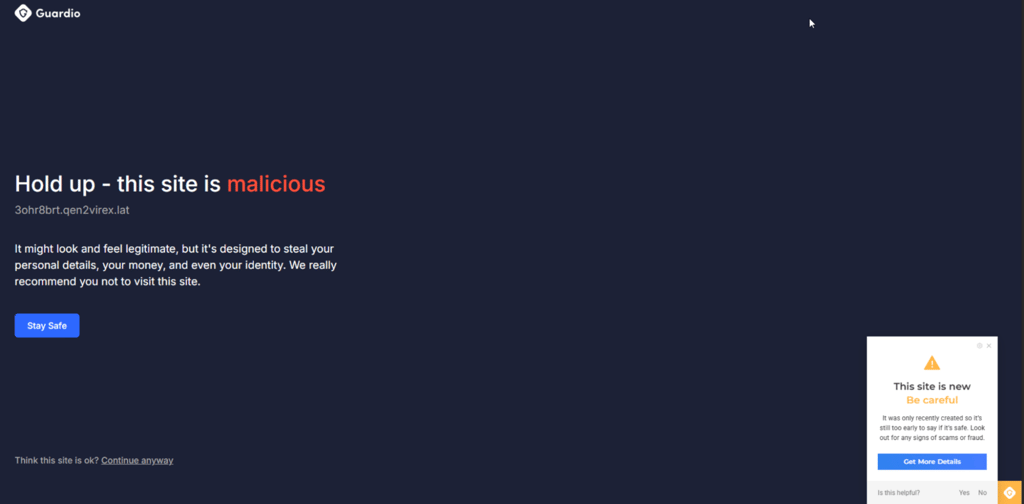
Guardio blocked all malicious URLs before the pages fully loaded, stopping access at the browser level instead of reacting after interaction. The connection was cut right away, which prevents pages and scam sites from ever rendering.
The single missed URL used a delayed redirect that only triggered the malicious page after the initial load. At first, the page looked safe enough to pass the first check, but Guardio still caught it before any interaction with the final harmful destination.
Phishing protection results
In our phishing testing of Guardio, we evaluated how it handles malicious URLs, scam pages, and unsafe redirects. The goal was to test out real-time threats that you would typically encounter via email and SMS rather than downloaded files.
During testing, we spoofed common phishing-style Gmail messages such as fake account security alerts, unusual sign-in activity, and payment verification emails that prompt users to enter their credentials. From there, attackers typically replicate a familiar login interface to trick users into entering their real credentials, which are then captured and misused.
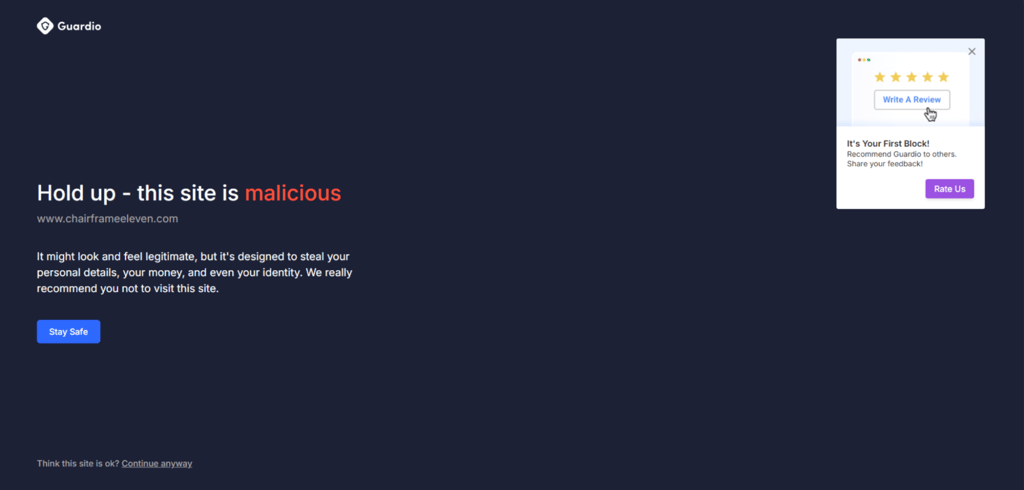
Thankfully, Guardio blocked the malicious redirects before the final page even loaded. The protection triggered during the click from Gmail into the external site, cutting off the redirect chain early and preventing any credential fields or scam pages from rendering in the browser.
Guardio setup, interface, and ease of use
Guardio is quick to install on desktop, iOS, and Android devices, with protection starting immediately after login and minimal setup required. The interface is intuitive and easy to navigate, with key features grouped into clear sections for everyday use. Below are the main features and details on my app experience.
Desktop extension setup and dashboard
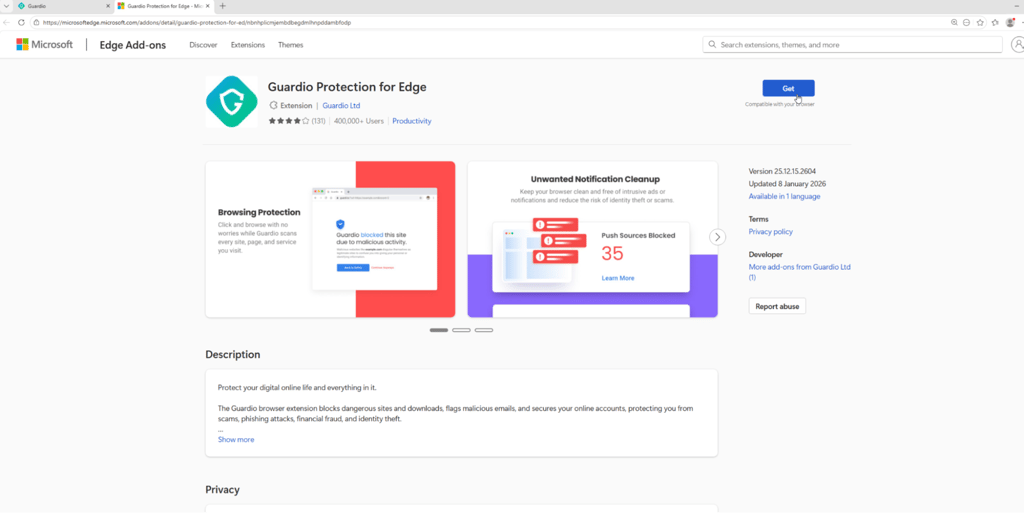
I found installing Guardio on a desktop very simple: you add the extension from the Chrome or Edge store, approve permissions, and sign in. The whole setup takes a minute, with no real configuration beyond setting up the extension and creating an account for the initial login.
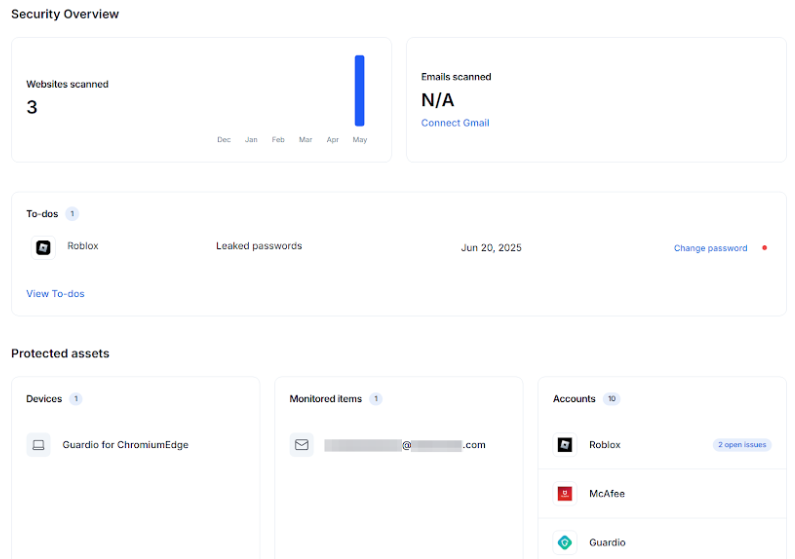
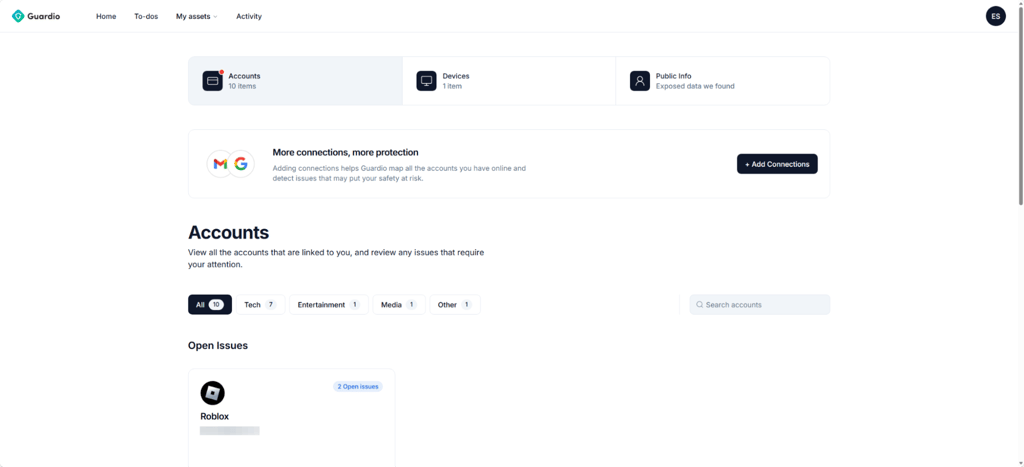
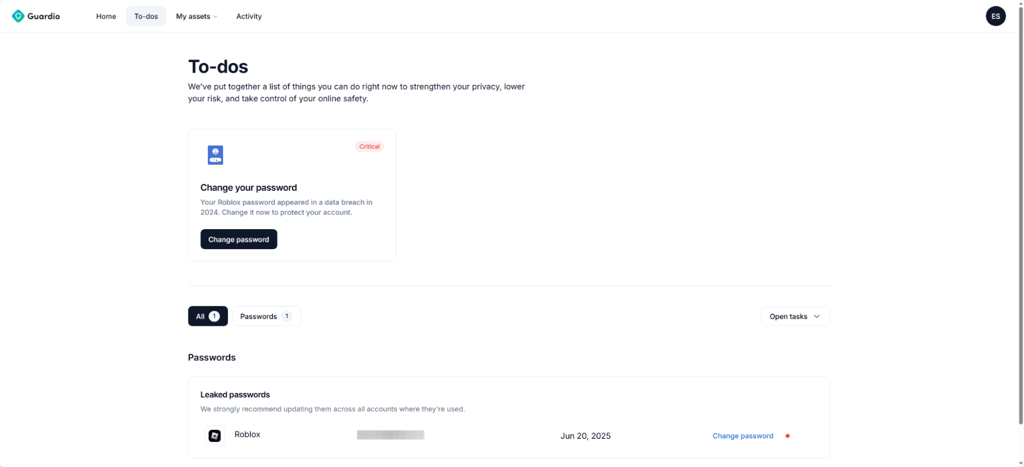
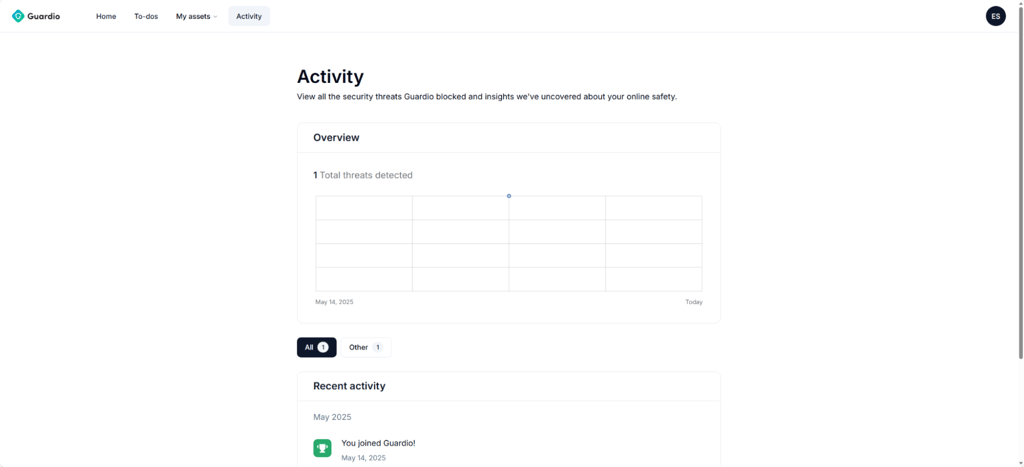
Once installed, Guardio opens into a dashboard that is also pretty intuitive, but a little cluttered at first with all the suggestions and typical tips to improve security, such as securing my Gmail and installing the mobile app. Besides that, everything is neatly organized into 4 main sections: Home, To-dos, My assets, and Activity.
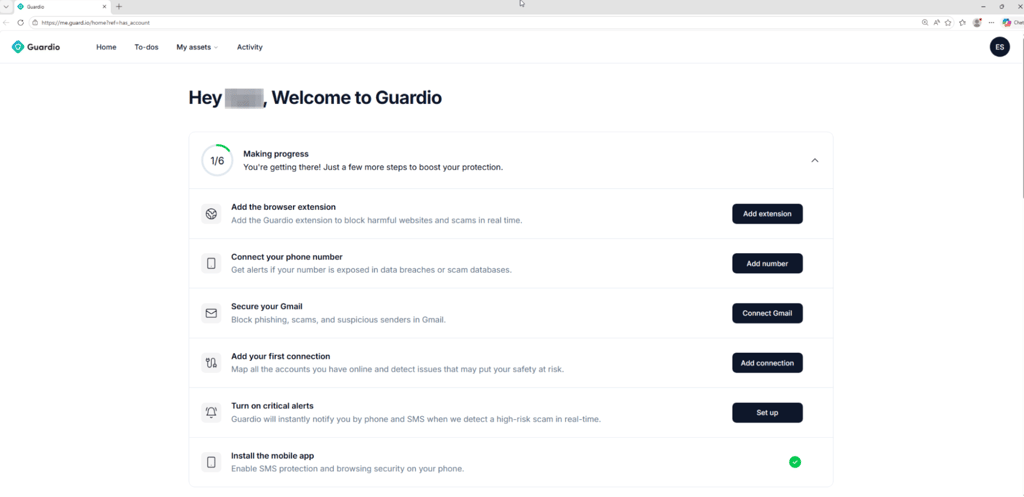
Home is basically the central overview page for everything in Guardio. It pulls together your overall security status, current to-dos, protected assets, connected people or accounts, and alerts all into one dashboard so you can quickly see what’s going on without jumping between sections.
My Assets is where all the stuff Guardio protects lives, such as emails, devices, browser extensions, and connected accounts. Activity is the running history log, showing blocked sites, scam attempts, alerts, and other security events Guardio handled in the background.
To manage your subscription and profile details or add family members, you have to click on the profile icon in the top-right corner of the screen.
One thing to note is that, oddly enough, the actual protection settings are located inside the same profile icon, where it’s labeled Protection Settings. There, you can manage what type of sites to block and which alerts to receive.
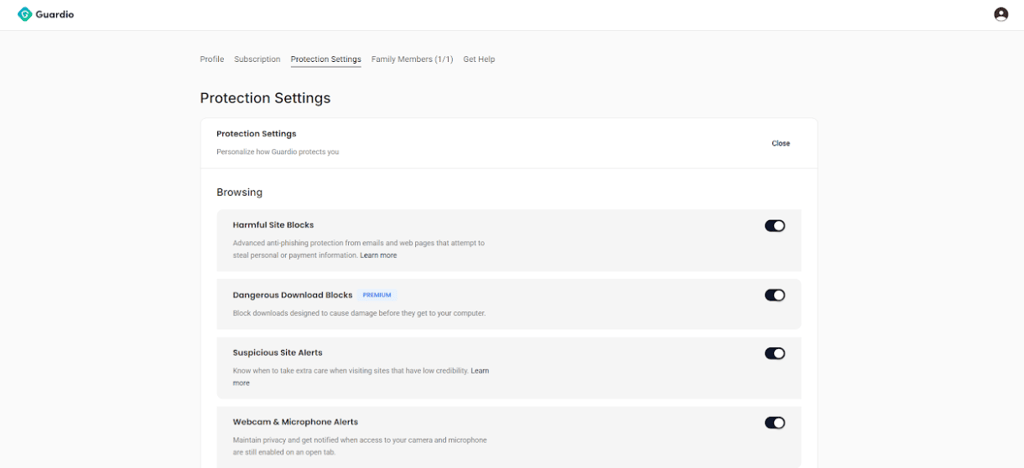
Granted, many providers do this, but a dedicated settings icon would be appreciated, by me at least.
Android app
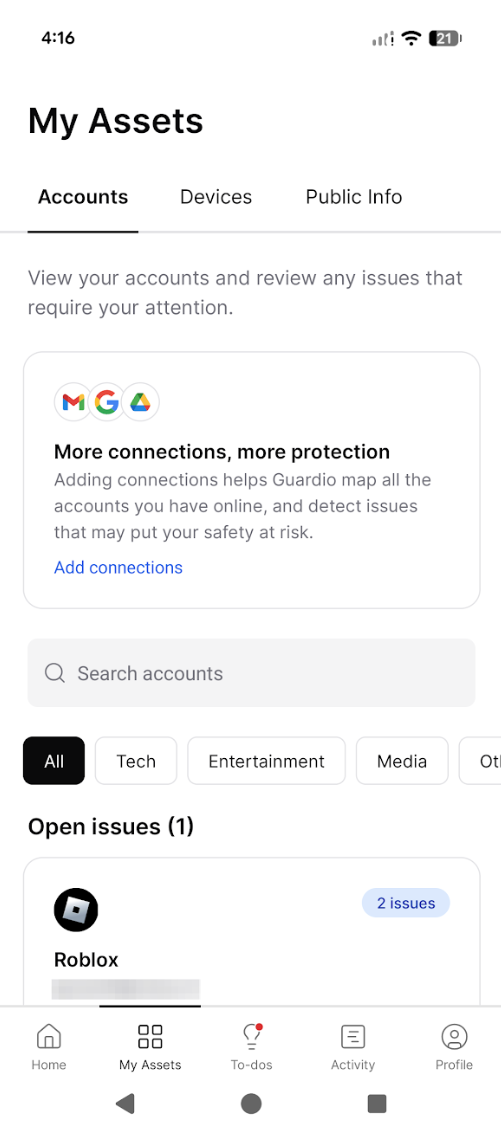
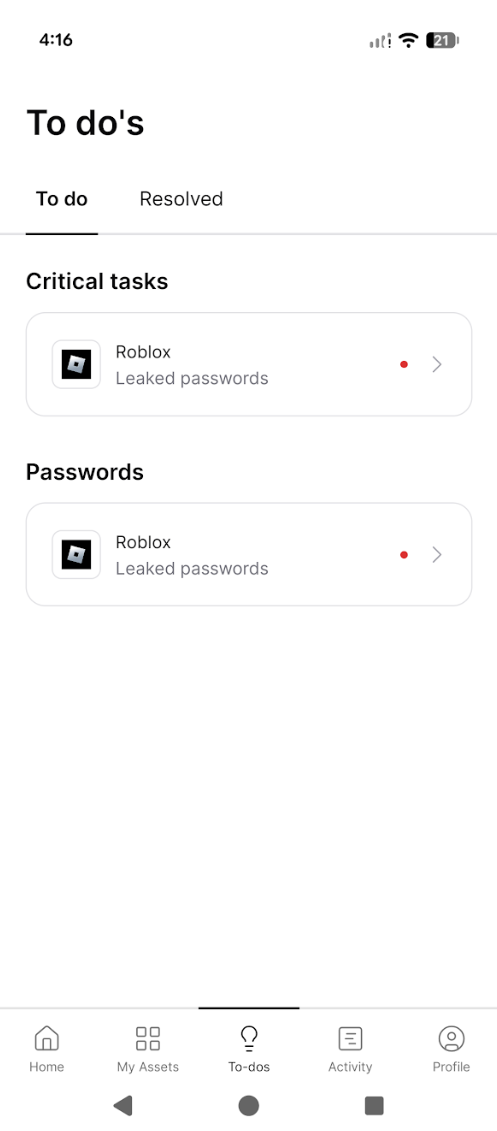
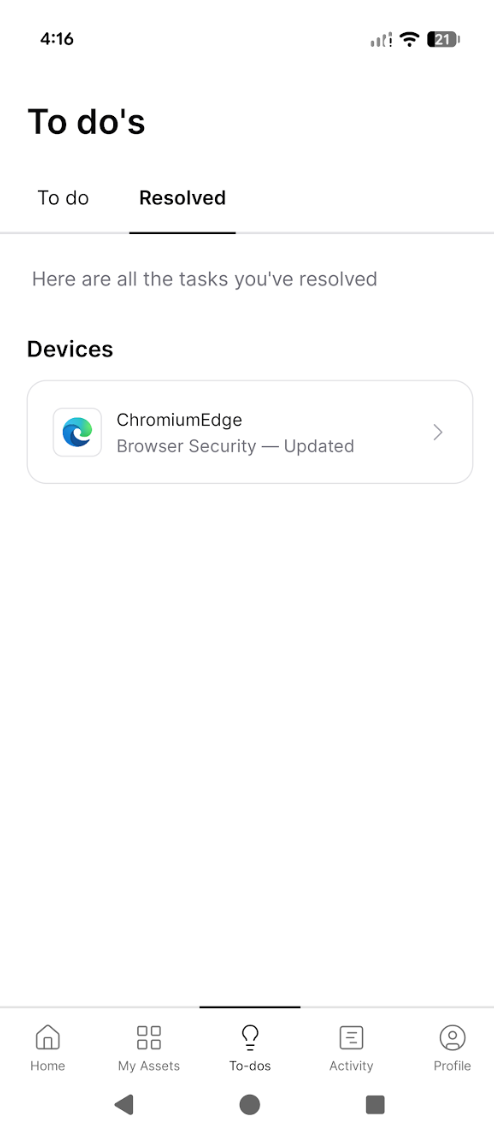
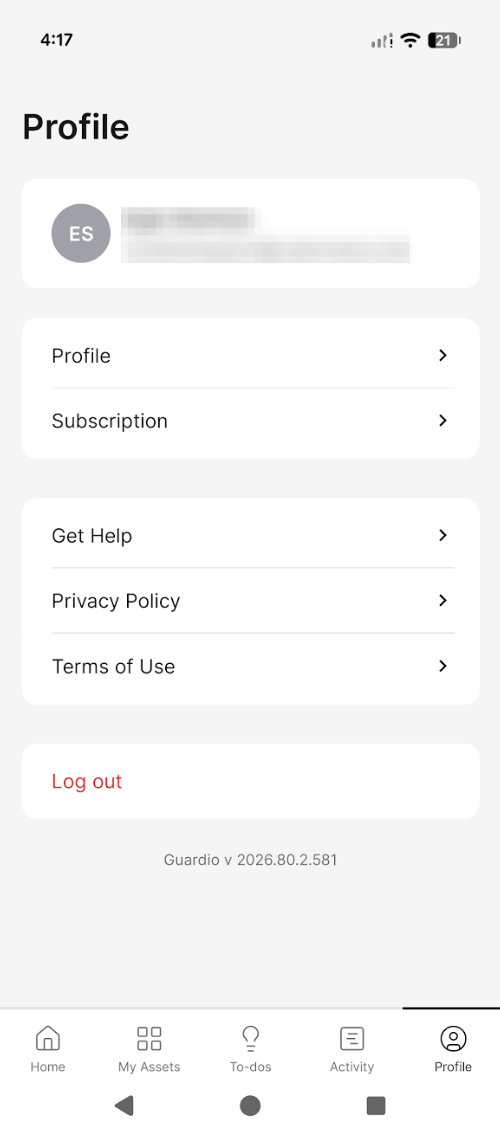
Guardio setup on an Android is quick via the Play Store, and the app starts working immediately after login. Similar to the desktop version, I was greeted with a range of security suggestions right away.
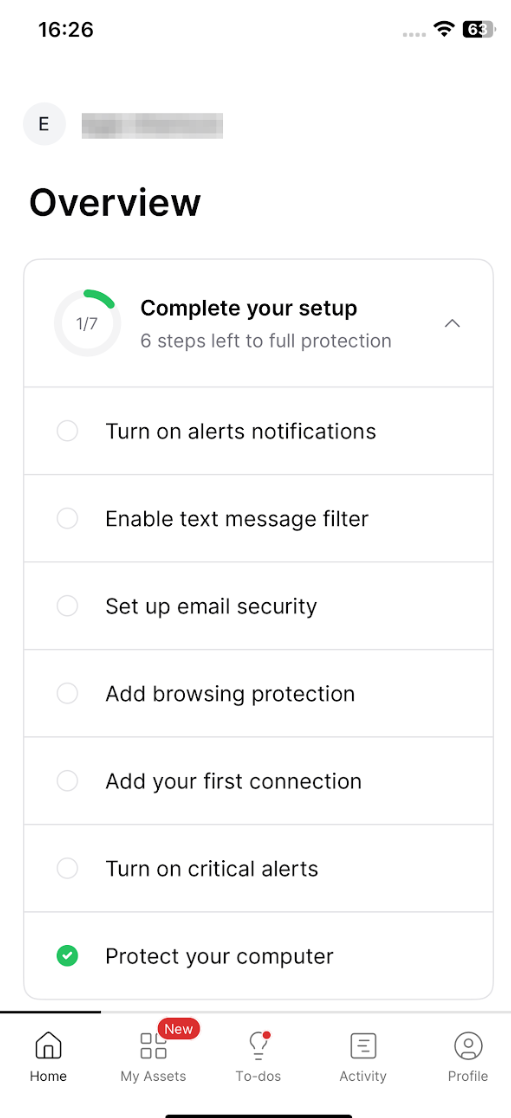
The main difference between the Android app and the desktop version is that the Android app protects the entire phone, not just the browser. One of the most useful features I found is the text message filtering, where Guardio automatically detects suspicious or malicious SMS messages, helping reduce common phishing scams.
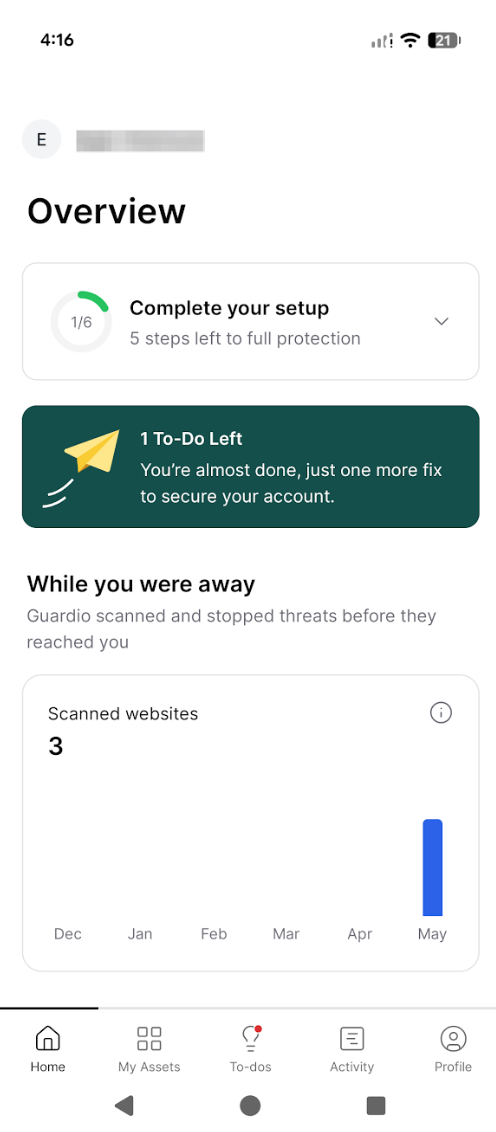
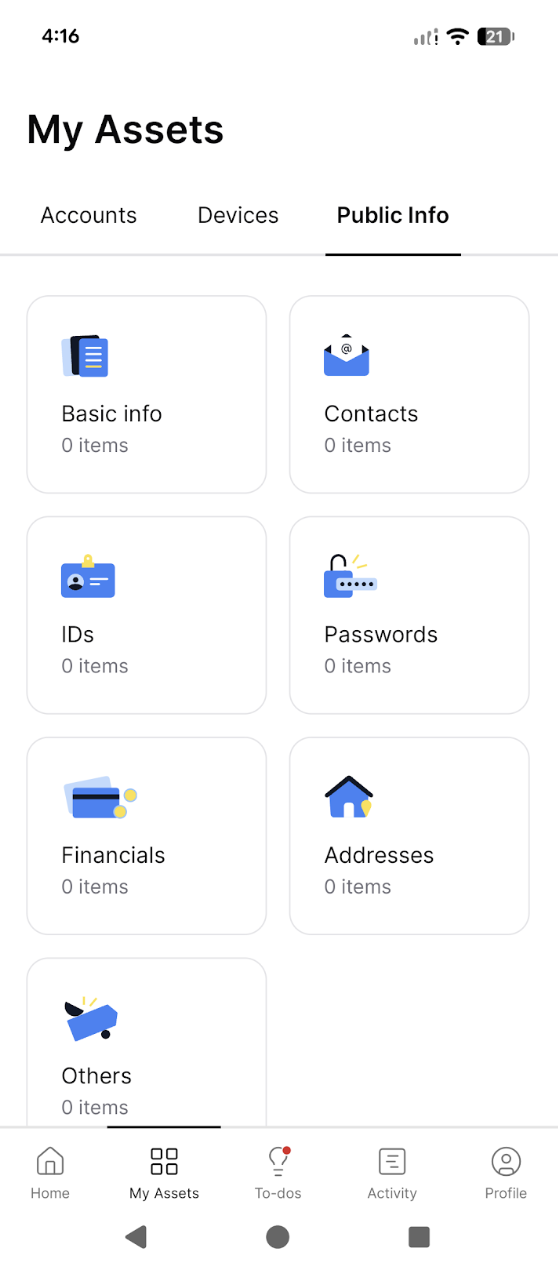
The overall layout is minimal, with the same tabs as the desktop version: Home, My assets, To-dos, Activity, and Profile.
iPhone app
iOS Guardio app installation is also quick and done through the App Store, followed by a short login and permission setup. After logging in, I was dropped into a visually identical user interface to Android, with the same widgets and toolbar.
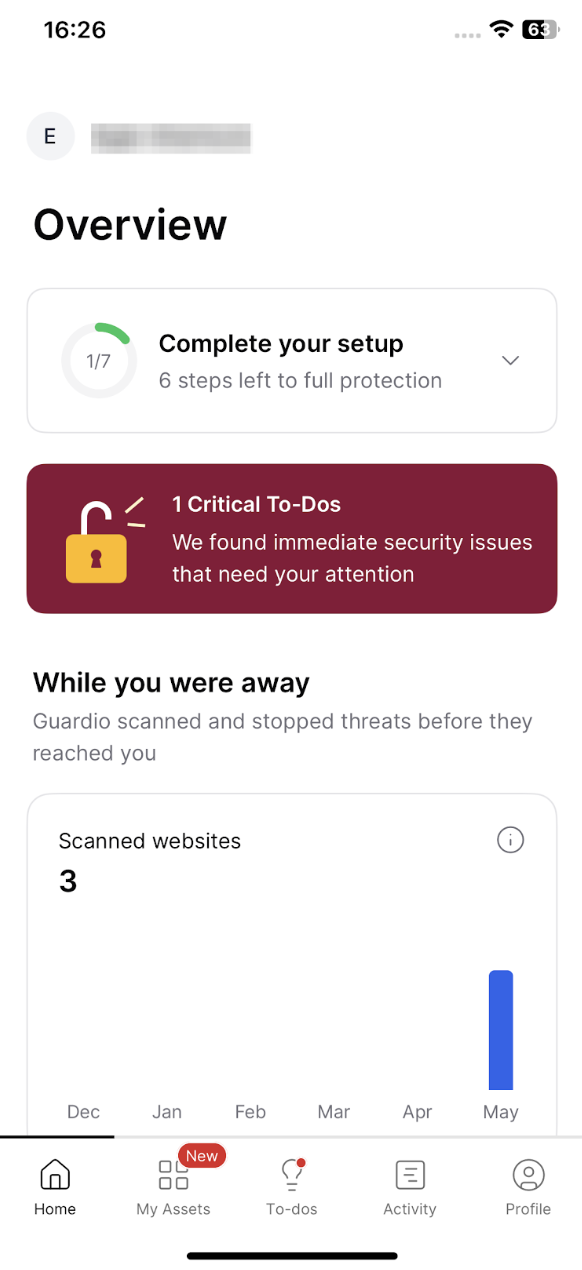
The core protection is also almost identical to the Android version, but not 100% the same in feature functionality due to iOS system restrictions that limit certain actions, such as relying on Apple-approved system controls like Safari-based filtering and limited background scanning.
Does Guardio affect system performance?
On a desktop, Guardio has a minimal impact on system performance because it primarily runs as a browser extension. It only works in Chromium-based or Edge browsers, so it uses minimal resources and does not noticeably affect the device during browsing. Most of the processing happens during page loading, which keeps the background system load very low.
On mobile, the Guardio app runs quietly in the background with lightweight monitoring for links, messages, and security alerts. During my personal use, browsing speed and app performance remained completely unaffected.
Guardio’s customer support
Here are the main Guardio customer support options and what each one includes:
| 24/7 email support | ✅ Yes |
| 24-hour phone support | ✅ Yes, phone access is reserved for VIP users |
| Knowledge database | ✅ Yes |
| Live chat support | ❌ No |
Guardio’s customer support is available through several channels, with its primary option being 24/7 email support at [email protected]. Human support responses typically arrive in under an hour, and users can also reach out through the website contact form for added convenience. A noteworthy bonus is that email support is even available to free users.
Besides that, Guardio’s Help Center also gives a very detailed knowledge base where you can use the self-service route for common issues, which can save time before you wait for a reply. For users who want direct human help over the phone, there’s phone support for VIP users.
Is Guardio worth it?
Guardio is worth it if you want an active filter that stops threats before they even have a chance to infect your PC. Unlike traditional antivirus suites like Norton 360 or Bitdefender that focus on system-wide scanning and cleanup, Guardio works at the browser level, blocking viruses, malware downloads, and phishing sites in real time as you click links or load pages.
What I find most valuable personally is how Guardio extends protection to everyday communication channels like Gmail and SMS. Especially today, when scams look like fake deliveries, bank alerts, or account warnings, it helps by dead-stopping them before I even reach the scam page. That kind of early blocking is what makes it useful in daily use, on par with traditional antivirus software in terms of value.
FAQ
Is Guardio a real antivirus?
Guardio is a browser-based antivirus-style tool rather than a full system antivirus. It blocks viruses, malware, and phishing links in real time inside the browser and through Gmail and SMS, but it does not scan or clean your entire device as Norton or Bitdefender does.
Does Guardio work on Chrome and Safari?
Guardio works on Chrome and other Chromium-based browsers like Edge and Opera, but it does not support Safari on desktop. However, on mobile, it can still provide protection through its app, regardless of the browser you use.
Can Guardio stop phishing attacks?
Yes, Guardio can stop phishing attacks in real time. It blocks malicious links and fake login pages before they fully load, especially those coming from Gmail, SMS, or redirects. It cuts off access during the click itself, preventing users from reaching credential-stealing pages or entering any data.
Does Guardio protect against malware?
Guardio can help prevent malware by blocking malicious websites, unsafe downloads, and phishing attempts before they reach your device. However, it doesn’t remove existing malware or scan your system like traditional antivirus software, so its protection is mainly preventive and browser-based.
Is Guardio worth paying for?
Guardio can be worth it if you mainly want browser-level protection against phishing and scam sites with minimal setup. But for the price, value feels limited since it doesn’t replace antivirus software or offer full device security.