NordLayer vs Twingate comparison
Our in-house cybersecurity experts and journalists, renowned for major reports like The Mother of All Breaches, conduct transparent, unbiased VPN testing and in-depth analysis.
With 750+ articles crafted based on real-world research, we empower readers to make informed purchasing decisions through first-hand expertise.
Learn more
NordLayer and Twingate both sit in the zero trust access category for mid-market businesses, but they were built to solve different problems. NordLayer comes from the renowned Nord Security team and has grown from your standard business VPN into a full network security platform with segmentation, cloud firewall, and device posture controls.
Twingate is focused on ZTNA (zero trust network access) and deals almost exclusively with internal infrastructure security rather than being a broader security platform.
I reviewed both with the Cybernews research team across security, features, pricing, and ease of use. NordLayer is my overall winner for those who can’t handle the suspense, but you should absolutely read on to see where each one actually performs better and how they can help your organization’s specific security needs.




We spare no effort to test the products & their features. All information is gathered by our in-house research team & fact-checked by our team of experts. Discover the ins and outs of our testing procedures.
NordLayer vs Twingate at a glance
Both NordLayer and Twingate deliver identity-based access, and both are solid choices, but they win on different criteria. The table below gives a quick comparison across the categories that matter most when evaluating zero trust vendors.
| Category | NordLayer | Twingate |
| Core security | Secure Web Gateway (SWG) with built-in DNS/content filtering and malware blocking for the open internet, MFA, jailbroken device detection | Software-Defined Perimeter (SDP), native MFA, device posture checks |
| Zero trust and remote access | ZTNA with identity and device posture checks, IP allowlisting, MFA, SSO, SCIM provisioning | Application-level access with per-resource policies, re-authentication frequency, geoblocking, direct-to-resource connections |
| SaaS security | Full SWG, deep application blocking, content/DNS filtering, customer DNS, and browser extensions for SaaS access | Native DNS-over-HTTPS content filtering to block unauthorized SaaS/Shadow IT |
| Network connectivity and performance | NordLynx protocol, 40+ countries, site-to-site VPN, Cloud LAN, private gateways, split tunneling | Direct connections to avoid gateway issues, personal traffic unaffected, but no traditional server network |
| Deployment and ease of use | Live in as little as 10 minutes, intuitive dashboard, apps for all major OS | Setup in 15 minutes, runs in the background |
| Pricing | NordLayer Lite plan costs $8.00/month/user/ and covers up to 6 devices per user | Twingate Teams plan costs $5.00/month/user and covers up to 5 devices per user |
| Best fit | Mid-market teams wanting access control plus segmentation and firewall enforcement in one platform | Small teams replacing VPN who want the fastest rollout and lowest entry cost |

Key differences between NordLayer and Twingate
NordLayer and Twingate both deliver zero trust access, but they pull in different directions once you get past the basics.
Choose NordLayer if:
- You want one platform covering identity access, segmentation, threat protection, and firewall policy rather than stitching multiple different tools together. NordLayer’s Cloud Firewall, department-level network segmentation, and IP allowlisting all sit in the same dashboard as its ZTNA controls, so that’s fewer logins for your security team.
- You need a built-in Secure Web Gateway to actively block malicious websites, track user web requests, or enforce corporate content filters
- You need IP allowlisting or private gateways with fixed IPs. NordLayer’s Dedicated Private Servers and private gateways give you static addresses you can allowlist in third-party systems.
- You want business VPN capacity alongside ZTNA. NordLayer still functions as a business VPN with NordLynx, OpenVPN, and a kill switch.
Choose Twingate if:
- You want a dedicated zero trust architecture. With Twingate, private servers, databases, and environments are hidden from the internet and entirely invisible to unauthenticated users.
- You want an API-first, DevOps-friendly solution. This allows engineering teams to deploy, manage, and configure network infrastructure using code.
- You want a free tier that actually works. Twingate’s Starter plan covers five users and 10 remote networks at no cost, which is enough to try things out with a very small team.
- You want the fastest possible deployment. End users install the app in two to three minutes and log in with company credentials, and it runs in the background with no manual connect or disconnect.

NordLayer vs Twingate: pricing comparison
NordLayer requires a 5-seat minimum on every paid plan and offers no free option, while Twingate has a free tier for small teams and scales its paid tiers by user count. Both offer a two-week grace period: NordLayer supports a 14-day money-back guarantee and Twingate offers a 14-day free trial.
| Plan | NordLayer | Twingate |
| Free | ❌ Not available | ✅Starter plan |
| Entry | $8.00/month/user (Lite) | $5.00/month/user (Teams) |
| Mid | $11.00/month/user (Core) | $10.00/month/user (Business) |
| Premium | $14.00/month/user | – |
| Enterprise | $6.00/month/user | Custom |
NordLayer’s Lite plan starts at $8.00/month/user with a 5-person minimum, so you’re really starting out with $40.00/month, even if it’s just a team of two or three. With Core at $11.00/month/user, you get Cloud Firewall and more granular segmentation, while Premium adds site-to-site VPN, browser extensions, and URL-based split for $14.00/month/user.
Twingate’s Starter plan is free for up to 5 users with basic ZTNA, split tunneling, and MFA. Teams at $5.00/month/user covers up to 100 people, and Business at $10.00/month/user adds advanced SSO, third-party device posture integrations, user provisioning, and DNS filtering as an add-on.
NordLayer vs Twingate: security and core features
| Capability | NordLayer | Twingate |
| Encryption | AES-256 and ChaCha20 in transit, depending on protocol | Mutual TLS in transit, AES-256 at rest via Google Cloud |
| MFA | Integrated MFA, biometric login, hardware security keys | Native MFA, works even if your IdP doesn't support it |
| Identity and SSO | Okta, Entra ID, Google Workspace, OneLogin, JumpCloud, plus SCIM provisioning | Google Workspace, Okta, Entra ID, JumpCloud |
| Device posture | Non-compliant device blocking, jailbroken device detection, OS version | Native posture checks, disk encryption, EDR/MDM sync |
| Network controls | Cloud Firewall, department-level segmentation, IP allowlisting, private gateways, site-to-site VPN | Resource-level policies, geoblocking, re-authentication frequency, no network-level controls |
| Traffic handling | Gateway-centric or split tunneling (IP & URL) | Peer-to-peer split tunneling |
| Audits and certifications | SOC 2 Type 2, ISO 27001, HIPAA | SOC 2, HIPAA support |
| AI security | Real-time monitoring and remote blocking of sensitive data upload | Network AI tracking only |
Identity, MFA, and SSO integration
Both platforms treat identity as the standard for access, which is pretty normal in the zero-trust vendor world, but they cover different ground. As detailed in our full NordLayer review, it integrates with Okta, Entra ID, Google Workspace, OneLogin, and JumpCloud, and supports SCIM provisioning so accounts sync automatically when roles change.
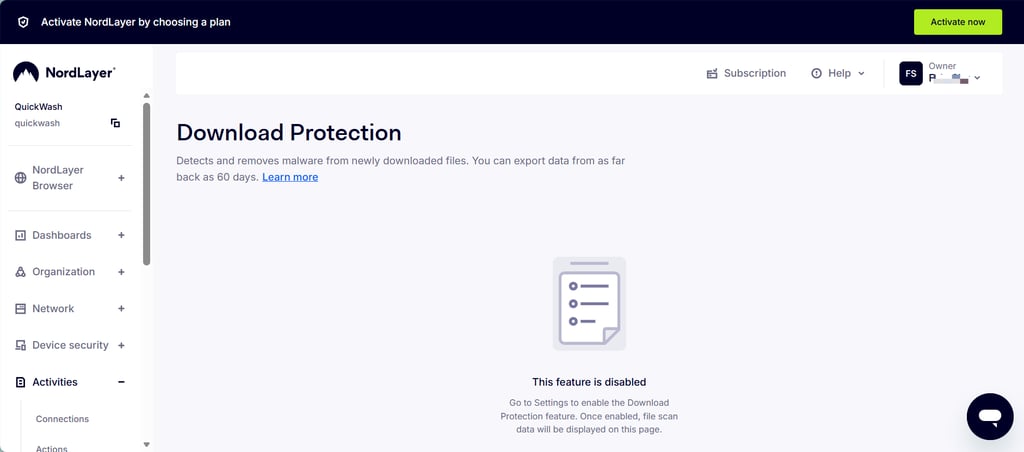
It also puts biometric login (Touch ID, Face ID, Windows Hello) and hardware security keys at the front, so the experience is generally consistent regardless of the device you’re signing in from. NordLayer also scans and removes malware from downloaded files.
As for Twingate, it covers the four identity providers that most teams actually run and adds native MFA that works even when the provider doesn’t offer it natively. That can be a real game changer for smaller teams on a basic IdP. However, what Twingate doesn’t offer is SCIM provisioning below the Business tier, so smaller teams are stuck managing users by hand.
Like NordLayer, Twingate also supports WebAuthn biometrics at the resource level, but the experience is spread across individual resource policies rather than being one general sign-in flow, as is the case with NordLayer.
Network controls and resource isolation
NordLayer assumes that authenticating a user is only half the job. So even once someone is in the network, you still get control over what happens next. Its Cloud Firewall filters inbound and outbound traffic across every endpoint with no on-premises hardware.
There’s also Network Segmentation that splits users by department, so Engineering and Sales each see only their own resources, for instance. With this, if an account is compromised, the problem stays contained.
Twingate, on the other hand, goes about things differently because it believes that if a user can’t reach the network in the first place, there’s nothing to segment or firewall. Users get access per resource rather than per network, so a compromised account only has access to what it was specifically authorized for.
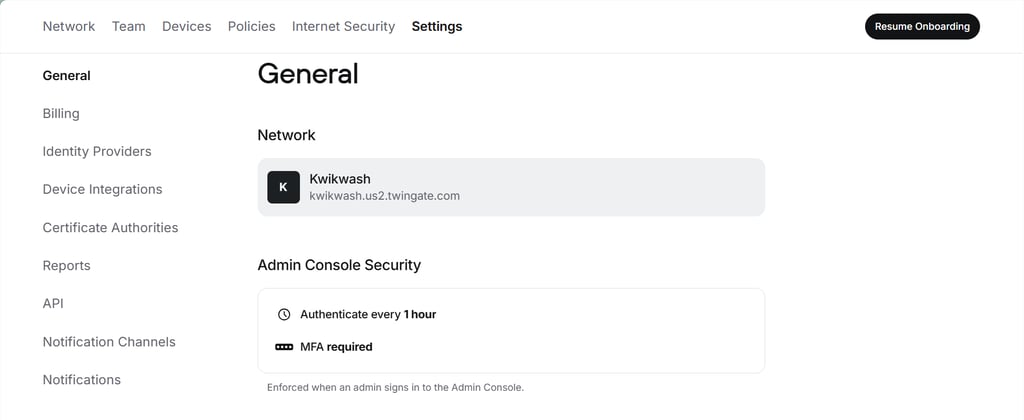
I do like that the Resource Policies layer on controls like re-authentication frequency (you can set it to once every hour), geoblocking, device requirements, and two-factor enforcement per resource. You don’t need to worry about gateway issues when identities and control are separated.
Endpoint defense and compliance
NordLayer’s Device Posture Profiles let admins define rules for OS version, antivirus status, firewall status, and encryption, then automatically block non-compliant devices rather than just flagging them. I’m also a big fan of its jailbreak detection and its ability to alert admins immediately.
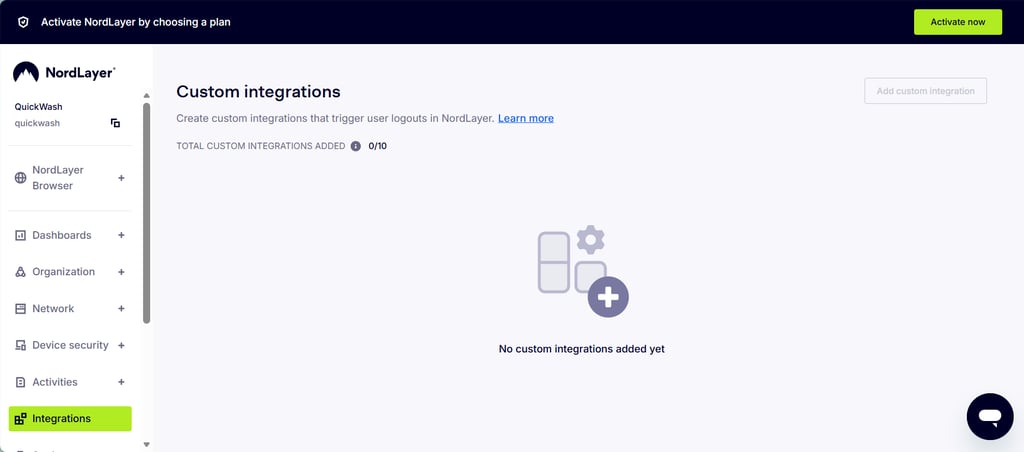
On the integration side, NordLayer connects natively to CrowdStrike Falcon Next-Gen SIEM for real-time log and user monitoring, SentinelOne for disconnecting flagged devices, and Jamf Cloud for macOS deployment. You can also add your custom integration, with up to 10 allowed.
Twingate also offers native device posture checks covering OS version, antivirus, and firewall status, but leans on third-party MDM and EDR integrations like CrowdStrike, SentinelOne, and Intune in its higher tiers.
For web apps, its Browser Security extension lets Enterprise admins block copy, paste, print, upload, and download on sensitive resources, but it’s restricted to Chromium-based browsers like Chrome, Edge, and Arc. Also, it will take some real upfront configuration to map the entire thing out.
AI security and governance
You can’t talk about cybersecurity in 2026 without talking about AI, not because it’s trendy, but because your employees are already using it. In fact, a recent study found that almost 60% of workers rely on AI tools regularly for their jobs.
So now you have an employee who logs in safely, passes every check, and then pastes a customer list into an AI bot to save 10 minutes. The access was legit, and what you actually need is a zero-trust vendor with solid AI security.
NordLayer goes after what people type. Its AI Scout tool runs through the browser extension and desktop sensor, watching both web tools like ChatGPT and Gemini and local environments like Cursor and Claude Code. In addition to logging activity, it also scans prompts in real time and can warn, redact, or even block anything containing customer data, API keys, or source code before it reaches the model.
Twingate comes at it from the network side with an AI Usage Overview that tracks which AI services your devices are reaching using DNS data. It’s also strong at locking down private AI infrastructure like internal LLM hosts with identity-aware access.
Platforms, interface, and ease of use
I’ve tested security tools that looked great on paper and then fell apart the moment real people had to use them. A platform that disconnects mid-session or buries basic settings behind three menus doesn’t just annoy employees; it quietly slows adoption until IT no longer wants to use it.
So beyond the feature lists, we looked at what daily use of NordLayer and Twingate actually feels like for admins and end users.
Here’s how the two compare.
| Criterion | NordLayer | Twingate |
| Supported OS | Windows, macOS, Linux, iOS, Android | Windows, macOS, Linux, iOS, Android |
| Browser extensions | Chrome, Edge, Firefox, Brave | Chrome, Edge, Arc (Chromium-based only) |
| Deployment mechanism | Single-click installer, MSI/MDM, shared or dedicated cloud infrastructure, 10-minute deployment | Single-click installer, silent MSI/PKG via MDM |
| Admin controls | Fully cloud-hosted, Central Control Panel | Web-based Admin Console plus native API, Terraform, and Pulumi |
| User intervention | Requires user connection toggle, manual gateway choice, or Auto-connect rule | Silent background operation, automatically splits traffic and connects dynamically |
Admin console and deployment experience
NordLayer is designed for admins who want to click and not worry about code. A mid-market IT department can create a fully operational secure network in as little as 10 minutes. Everything lives in one cloud control panel and can be toggled on or off. You don’t even need to have prior infrastructure experience to get going.
But with Twingate, you don’t configure gateways in a UI. Instead, you spin up lightweight Connectors inside your private networks via Docker, Helm charts, or cloud marketplaces. Yes, I like that there’s a sleek dashboard for basic access control, but if you want to do anything real, the Infrastructure-as-Code integration is necessary.
Your engineering team can automate network configuration, access rules, and resource additions directly inside their CI/CD pipelines using official Terraform or Pulumi providers. The base deployment can be complete in under 15 minutes, too.
Desktop and mobile apps
To the average user, NordLayer looks and acts like a traditional VPN. It sits in the taskbar as a lightweight app where users connect manually to company gateways or regional exit nodes. If you want less friction, Auto-Connect is available and flips the app on the second someone joins the public Wi-Fi.
The NordLayer mobile apps are also built with battery optimization and can even handle switching between cellular and home Wi-Fi smoothly without dropping the connection.
Twingate tries to disappear, though not entirely, from the first second. Employees still need to start a session and pass their identity provider check. Once that’s done, the platform goes quiet, and there are no server toggles or even gateway dropdowns to manage.
Browser extensions
NordLayer’s extensions are available across Chrome, Edge, Firefox, and Brave, and they work like a localized Secure Web Gateway. Web-based SaaS traffic gets routed through the extension, so admins can enforce content blocking and URL filtering without proxying the entire machine’s traffic. It’s a decent middle ground because you get web protection during browser sessions and don’t have to worry about the cost of tunneling everything.
As for Twingate, it uses its extension for narrow, targeted data protection instead. It’s also only available for Enterprise users and blocks certain actions like copy, paste, print, upload, and download. This is great because it saves your business from someone moving sensitive data out of your platform. However, it’s only available on Chromium-based browsers like Chrome, Arc, and Edge.
NordLayer vs Twingate: final verdict
NordLayer wins this comparison because it covers more of what an organization actually needs in one place. Everything from identity controls to network segmentation, private gateways, and site-to-site connectivity is under one admin console. You get all these features without the advanced complexity you see in other zero trust vendors.
Twingate remains a solid platform and is actually very good for really small teams. With its free tier, fast deployment, and resource-isolation model, there’s just enough to retire the traditional VPN in your organization.
FAQ
Which is better, NordLayer or Twingate?
NordLayer is the better overall pick for most teams because it bundles identity, network segmentation, Cloud Firewall, IP allowlisting, and site-to-site connectivity in one platform with 24/7 support. Twingate is only better if your priority is a smooth end-user experience and you want a free tier to start with.
Does Twingate work for a company with no dedicated IT staff?
Not comfortably. While end users have a simple experience, admin setup requires command-line work to deploy Connectors via Docker, Helm, or cloud marketplaces. Twingate’s base deployment takes 15 minutes or less, but it needs to be done by someone who’s comfortable with infrastructure.
Is NordLayer or Twingate cheaper for 50 users?
Twingate is cheaper. Twingate’s Teams plan costs $5.00/month/user, or $250/month for 50 users. NordLayer’s Lite costs $8.00/month/user or $400. However, NordLayer’s Lite offers 40+ gateway locations, session duration controls, and more advanced internet security access. Plus, it covers up to 6 devices per user, compared to Twingate’s 5.
Can I migrate from Twingate to NordLayer?
Yes, but note that there’s no automated migration. You have to manually sign up for NordLayer and create its own resource definitions, access policies, and user groups via its console. You’ll then have to roll out the client and remove Twingate Connectors.
Can I use NordLayer and Twingate together?
Yes, you can, but it’s generally not worth it. Both offer the same zero trust solution with features like identity verification and giving access to internal resources. If you run them together, you’re only duplicating policy logic and managing two sets of connectors for no real reason.