Best WordPress hosting in Los Angeles, CA 2026
Our in-house experts conduct internal independent, hands-on testing and transparent reviews of web hosting providers by using custom-built tools or utilizing industry-recognized tools and methods to ensure impartial and evidence-based assessments.
Using the same criteria for all services, we share our detailed methodologies and practices to help customers make informed hosting decisions.
Learn more

You know the feeling very well yourself – when a website takes forever to load, your patience runs out fast. And of course, you don’t want your visitors to feel the same way about your site.
To find the best web hosting in Los Angeles that delivers real WordPress reliability, together with the Cybernews research team, I reviewed 64 providers. Using GTmetrix for global load times, Pingdom for uptime tracking, and Cybernews’ internal monitoring tools for latency checks, we collected reliable, comparable data.
Based on this in-depth testing, I’ve handpicked the 6 fastest and most reliable WordPress hosting services for Los Angeles-based businesses in 2026.
6 best WordPress hosts in Los Angeles 2026
Here’s a quick overview of the best WordPress hosting providers in Los Angeles, CA.
- InMotion Hosting – best WordPress hosting in Los Angeles
- Liquid Web – best for performance-first projects in California
- Kinsta – best hosting for speed and scalability
- SiteGround – best LA hosting for automated management
- Hosting.com – responsive West Coast-based hosting
- Ultahost – hosting specializing in virtual dedicated servers





Our in-house research team and expert writers work hand in hand to regularly test hosting services and provide accurate and fact-checked information. Discover the ins and outs of how we test and evaluate website hosting providers.
Why does location matter for Los Angeles businesses?
Choosing a hosting provider with servers close to your audience matters more than you might think. For Los Angeles businesses, server location directly affects performance and customer experience.
- Faster load times. Nearby servers reduce latency, helping webpages load more quickly for West Coast visitors.
- Better SEO. Search engines reward faster websites with higher rankings.
- Improved reliability. Regional servers reduce the risk of slowdowns due to long data routes.
- Regulatory and data control. Staying within US borders simplifies compliance and security efforts.
Local hosting keeps your site responsive, competitive, and trustworthy.
Best WordPress hosting in Los Angeles, CA in 2026 – detailed reviews
1. InMotion Hosting – best overall WordPress hosting in LA

| Rating: | |
| Starting price: | $3.29/month |
| Money-back guarantee: | ✅ Yes, 90 days |
| Storage: | From 100GB NVMe |
| Servers in Los Angeles: | ✅ Yes |
| Special deal: | Get InMotion Hosting, now 71% OFF |
InMotion Hosting is my top choice for LA WordPress hosting, as it’s a long‑established US provider known for its strong West Coast physical infrastructure and reliable WordPress performance. It’s especially suited for Los Angeles‑based businesses that value locally hosted data and hands‑on technical support.
Here’s why InMotion Hosting is great for WordPress in Los Angeles, CA:
- Local servers. Hosting directly in Los Angeles reduces latency and ensures faster delivery for visitors across Southern California.
- Excellent uptime. Our in-house InMotion testing showed 100% uptime, minimizing the risk of interruptions for local customers.
- Measured performance. The average loading time of 1.620s makes it one of the more reliable locally hosted options for LA audiences.
- Generous 90‑day money‑back guarantee. One of InMotion’s unique selling points which gives users plenty of time to test service performance before full commitment.
- NVMe SSD and LiteSpeed caching. These technologies boost database speed and improve user experience during high‑traffic periods.
- US‑based support. Around‑the‑clock technical help from staff familiar with West Coast infrastructure challenges.
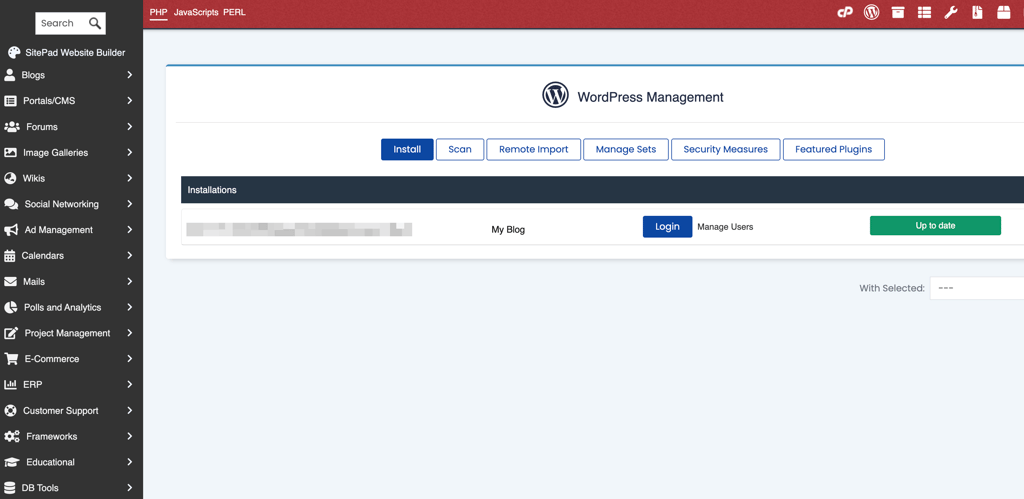
InMotion Hosting is perfect for local LA businesses seeking physical, nearby hosting. Not ideal for international projects with global traffic needs.
2. Liquid Web – best for large and demanding websites in California

| Rating: | |
| Starting price: | $4.00/month |
| Money-back guarantee: | ✅ Yes, 30 days |
| Storage: | From 15GB storage |
| Servers in Los Angeles: | ❌ No, nearest in San Jose, CA |
| Special deal: | Get Liquid Web, now 52% OFF |
Liquid Web stood out to me as a premium hosting provider built for performance‑driven WordPress projects. With enterprise‑level hardware and advanced management tools, it caters to businesses that rely on high uptime and top‑tier security. Its West Coast data center in San Jose, California, delivers strong performance and low latency for Los Angeles‑based audiences.
These are factors that make Liquid Web worth considering for WordPress in LA:
- West Coast data center proximity. Servers in San Jose ensure reliable connectivity and fast site delivery for Southern California users.
- Outstanding uptime. Our ongoing monitoring of Liquid Web’s performance recorded a consistent 100% uptime, meaning your WordPress site stays available without disruptions.
- Enterprise‑grade hardware. Dedicated resources and high‑performance infrastructure handle demanding websites and large eCommerce stores effortlessly.
- Plugin Performance Monitor. Liquid Web’s unique tool automatically scans for slow plugins daily, helping you maintain top site speeds without manual guesswork.
- Managed WordPress platform. Automatic updates, backups, and staging environments save time and reduce management hassle.
- Expert support. Known for quick response times, Liquid Web’s Most Helpful Humans in Hosting® initiative offers specialized WordPress assistance 24/7.
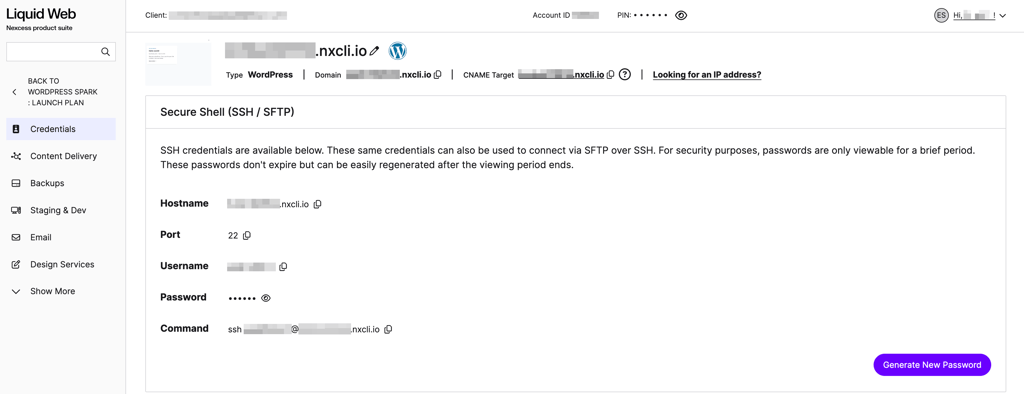
Liquid Web is perfect for growing and enterprise websites needing dedicated performance. Not ideal for budget‑focused users or newcomers.
3. Kinsta – best for high-performance WordPress sites in LA
| Rating: | |
| Starting price: | Free for the first month, then $35.00/month |
| Money-back guarantee: | ✅ Yes, 30 days |
| Storage: | From 10GB |
| Servers in Los Angeles: | ✅ Yes |
| Special deal: | Get Kinsta, now up to 17% OFF! |
Kinsta is a premium managed WordPress host powered by Google Cloud Platform, known for its speed, scalability, and developer‑friendly environment. Headquartered in West Hollywood, California, Kinsta provides a local connection for West Coast users and leverages Google Cloud’s Los Angeles (us‑west2) data region for minimal latency.
Key features that make Kinsta an excellent choice for WordPress hosting in Los Angeles, CA:
- Local edge servers. Hosting through Google Cloud’s Los Angeles region reduces latency and keeps pages fast for visitors across Southern California.
- Edge caching technology. Kinsta’s proprietary Edge Caching cuts down server requests and improves loading speed for all types of WordPress sites.
- Auto‑scaling and containerized setup. The platform automatically adjusts resources when traffic spikes, which is useful for marketing campaigns, events, or sudden growth.
- Excellent uptime. Our Kinsta testing showed consistent 100% uptime, meaning your site stays online with minimal interruptions.
- Developer‑friendly tools. Built‑in staging, SSH access, and site cloning make it easy to manage and test changes without breaking the live site.
- Local roots. Being based in West Hollywood helps Kinsta understand regional business needs and infrastructure patterns on the West Coast.
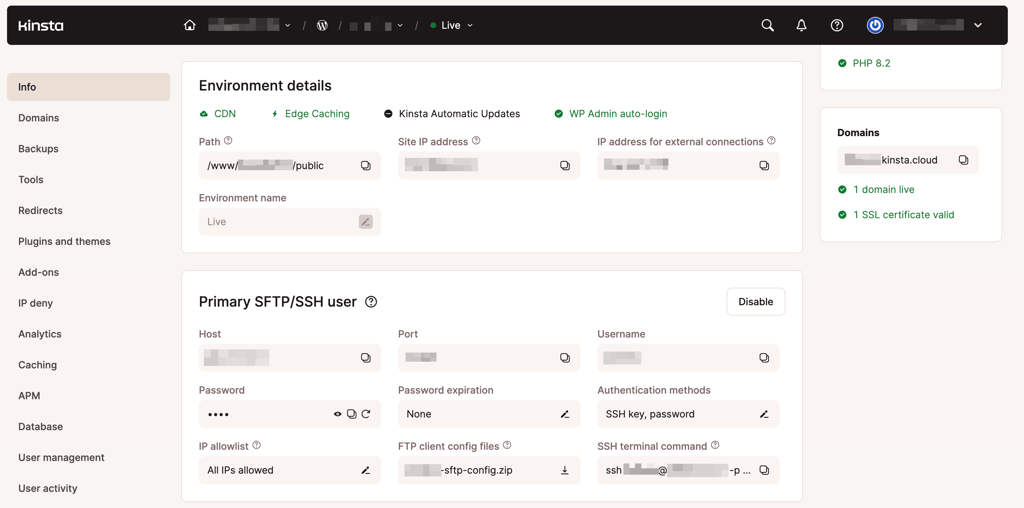
Kinsta is perfect for fast‑growing eCommerce and high‑traffic WordPress sites. Not ideal for small sites with basic hosting needs.
4. SiteGround – best LA host for automated WordPress management

| Rating: | |
| Starting price: | $2.99/month |
| Money-back guarantee: | ✅ Yes, 30 days |
| Storage: | From 10GB |
| Servers in Los Angeles: | ✅ Yes |
| Special deal: | Get up to 83% OFF SiteGround + FREE TRANSFER |
SiteGround is a popular managed WordPress host that focuses on automation and smart tooling, making it a strong fit for busy Los Angeles site owners who want to spend less time on routine maintenance. With data centers and CDN presence in Los Angeles, it can serve local traffic quickly and reliably, making it one of the best web hosting options for local performance and ease of use.
These factors ensured SiteGround made it to my list of the best WordPress hosts in LA:
- Local servers and CDN. Having infrastructure in Los Angeles helps pages load faster for visitors across Southern California, improving user experience and engagement.
- AI Agent for WordPress. SiteGround’s built‑in AI assistant can generate images, refresh content, manage plugins, and handle bulk tasks via chat‑style prompts, saving hours of manual WordPress work.
- AI anti‑bot system. As explained in our SiteGround review, the provider’s AI anti-bot protection helps keep your WordPress site safe from spam, brute‑force attacks, and fake traffic, reducing security headaches.
- Centralized AI workspace. The AI Studio interface lets you manage multiple WordPress sites, content, and WooCommerce operations from one place, which is especially useful for agencies or multi‑location businesses in the LA area.
- Performance and security help. The AI agent can spot caching issues, plugin conflicts, and basic vulnerabilities, helping keep local business sites fast and secure without deep technical expertise.
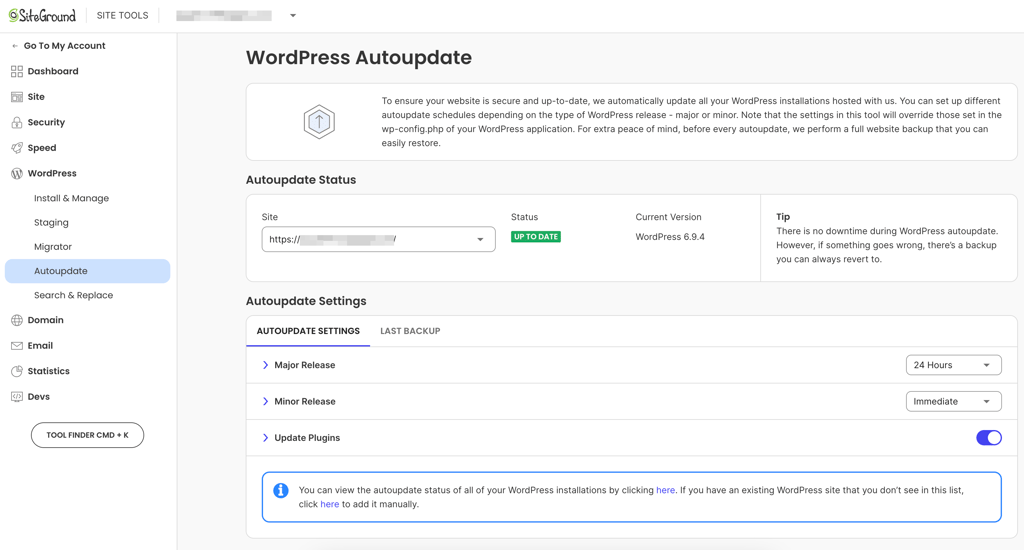
SiteGround is perfect for busy LA owners wanting automated WordPress upkeep. Not ideal for users who prefer fully manual, hands‑on site management.
5. Hosting.com – responsive West Coast-based host for WordPress

| Rating: | |
| Starting price: | $1.00 for the first month, then $14.99/month |
| Money-back guarantee: | ✅ Yes, 30 days |
| Storage: | From 5GB NVMe |
| Servers in Los Angeles: | ❌ No, nearest in Irvine, CA |
| Special deal: | Get hosting.com, now up to 86% OFF |
Hosting.com is a straightforward, speed‑oriented provider that focuses on making managing WordPress hosting feel quick and easy. It’s a good fit for Los Angeles businesses that want responsive sites without switching to expensive VPS or dedicated servers.
Here’s why I would recommend hosting.com for WordPress in Los Angeles:
- Near-LA data center. Hosting in Irvine, California, gives lower latency for visitors across Southern California while still keeping the wider West Coast reachable.
- LiteSpeed‑optimized WordPress plans. All shared and WordPress hosting packages are tuned for LiteSpeed, which helps pages load faster by reducing server processing time and handling more visitors efficiently.
- Built‑in LiteSpeed Cache support. The platform is ready to work with LiteSpeed caching tools, meaning WordPress sites can benefit from advanced page, image, and file optimization with minimal setup.
- Suitable for growing small sites. Hosting.com’s shared resources are enough for blogs, business pages, and smaller eCommerce projects that want snappy performance on a budget.
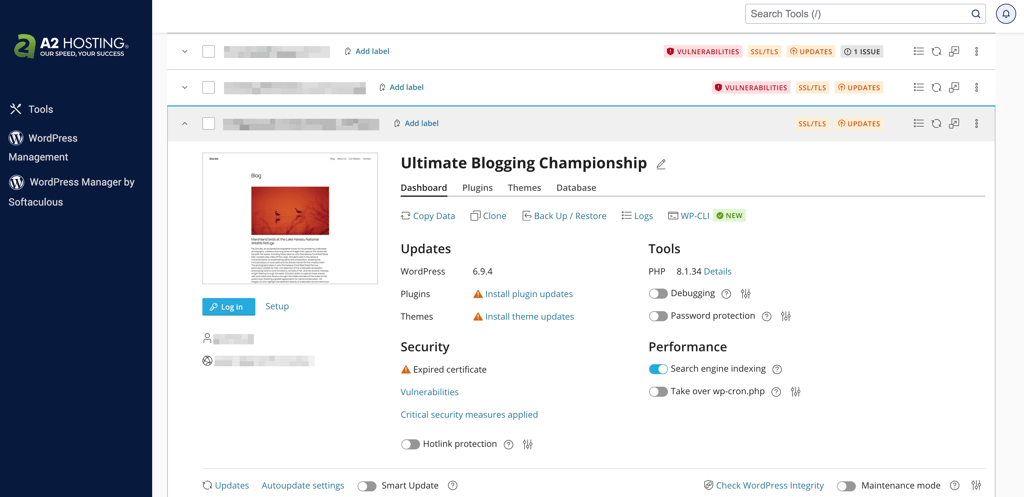
Hosting.com is perfect for small LA sites wanting affordable yet speedy hosting. Not ideal for a very large or mission‑critical enterprise projects.
6. Ultahost – best for high‑performance VDS setups in LA

| Rating: | |
| Starting price: | $2.50/month |
| Money-back guarantee: | ✅ Yes, 30 days |
| Storage: | From 30GB NVMe |
| Servers in Los Angeles: | ✅ Yes |
| Special deal: | Get Ultahost, save up to 50% |
Ultahost is a performance‑focused provider that specializes in virtual dedicated servers (VDS), giving users near‑dedicated server power at a VPS‑like price. With high‑grade data centers in Los Angeles, it’s well-suited for LA‑based businesses that run demanding WordPress sites, apps, or high‑traffic projects that need isolated resources and won’t put up with slowdowns.
Here’s why Ultahost is worth considering for WordPress hosting in LA:
- Los Angeles data center. Hosting your site in a local LA data center means lower latency and faster response times for visitors across Southern California.
- Virtual Dedicated Server model. Each Ultahost’s VDS gives you isolated, guaranteed resources, so your WordPress site isn’t slowed down by other users on the same physical server.
- Dedicated‑style performance. You get the stability and predictability of a dedicated server – including NVMe storage and generous bandwidth – without the full bare‑metal cost.
- Managing high‑traffic loads. This setup is ideal for busy WordPress sites that experience traffic spikes from marketing campaigns, events, or seasonal demand.
- Root‑level control and scalability. Developers and power users can customize their stack, install custom caching layers, and scale CPU, RAM, or storage as their LA‑based business grows.
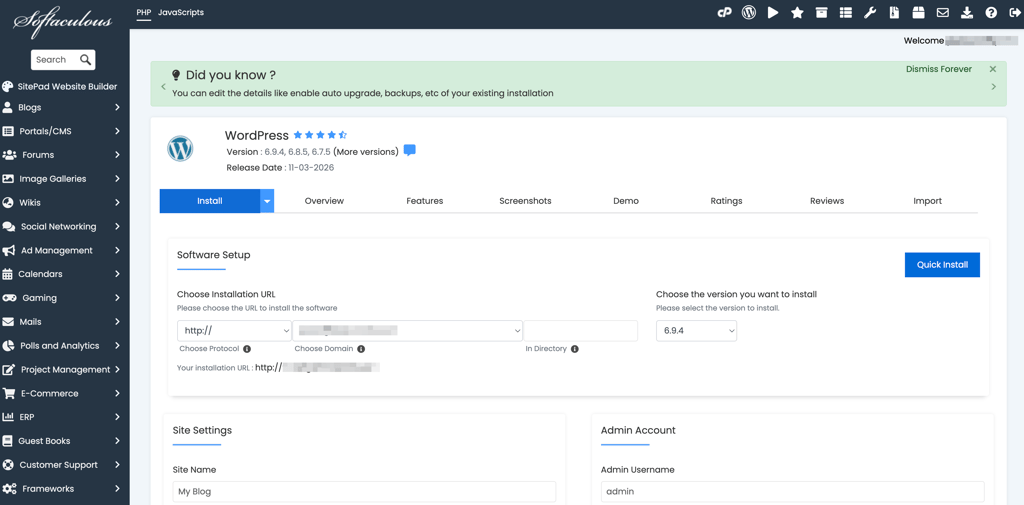
Ultahost is perfect for performance‑driven sites and agencies needing VDS‑level isolation. Not ideal for absolute beginners who want a click‑and‑forget hosting solution.
Best WordPress hosting in Los Angeles comparison
| Provider | Rating | Best for | Servers in Los Angeles | LA loading time | Uptime |
| InMotion Hosting | West Coast-based physical infrastructure | ✅ Yes | 1.006s | 100% | |
| Liquid Web | Enterprise-grade hardware | ❌ No, but the nearest data center is in San Jose, CA | 0.755s | 100% | |
| Kinsta | Scaling businesses and WooCommerce stores | ✅ Yes | 0.421s | 100% | |
| SiteGround | Automated WordPress management | ✅ Yes | 0.5s | 100% | |
| Hosting.com | Fast shared-hosting solutions | ❌ No, but the nearest data center is in Irvine, CA | 0.868s | 100% | |
| Ultahost | High-performance VDS setups | ✅ Yes | 1.154s | 99.40% |
How to choose WordPress hosting in Los Angeles, CA
Even though performance can’t be truly tested until your site is running live, there are a few more features and service conditions that can be verified upfront. Here’s what you should consider before investing in WordPress hosting:
- Server locations. Hosts with servers in or near Los Angeles offer faster connections and lower latency for regional visitors.
- Resource limits. Look into storage, bandwidth, and CPU allocations to ensure your plan can handle your site’s traffic or eCommerce load.
- Generous money‑back guarantee. For example, a 30-to-90-day window gives you plenty of time to evaluate uptime, support quality, and ease of use without commitment.
- Essentials for keeping data safe. Look for automatic daily backups, SSL certificates, and security monitoring.
- Customer support. 24/7 availability and accessible communication channels make a big difference when something goes wrong.
- Scalability options. Confirm that the host supports these by offering an easy plan upgrades or cloud integration, so your site can grow alongside your business.
Choosing the right WordPress host in Los Angeles means balancing reliability, transparency, and value, not just speed tests or marketing promises.
Final thoughts
Choosing the best WordPress hosting in Los Angeles comes down to matching your site’s needs with the right infrastructure and support. If you care about local speed, uptime, and ease of management, the right host can make a big difference for your visitors and conversions.
Here’s my top picks by use case:
- Local servers and strong uptime – InMotion Hosting
- High‑performance managed WordPress – Kinsta
- Automated WordPress management with AI tools – SiteGround
- Enterprise‑grade hardware for heavy‑traffic sites – Liquid Web
- Fast, budget‑friendly shared hosting near LA – hosting.com
- High‑performance VDS‑style isolation – Ultahost
Best WordPress hosting by location
- Fastest WordPress hosting in Canada 2026
- Fastest WordPress hosting in Europe 2026
- Fastest WordPress hosting in UK 2026
- Fastest WordPress hosting in Singapore 2026
- Fastest WordPress hosting in France 2026