DJI Osmo Pocket 3 review: small camera, serious creator tool

With modern smartphones doing it all – from taking excellent quality photos to shooting impressive videos and editing them in the same place – there aren’t that many gadgets that can convince me to carry yet another device. So, I approached the DJI Osmo Pocket 3 with a bit of skepticism and loads of curiosity. I simply wasn't too convinced that a dedicated pocket camera could offer much that my phone couldn't.
However, it didn’t take long for me to see why the Osmo Pocket 3 has become a strong pick among content creators. Instead of trying to do it all, the camera focuses on doing one thing exceptionally well – making it feel close to effortless to film smooth, high-quality videos. Its three-axis mechanical gimbal, compact design, and intelligent tracking features work together to create footage that's difficult to match with a smartphone alone.
That said, the Osmo Pocket 3 isn't free of compromises. There's a slight learning curve, a dependency on the DJI Mimo app, and you'll need your own microSD card. Even so, I found those shortcomings relatively minor compared to the overall experience.
After testing it indoors, outdoors, and while walking, I saw why the camera is a top pick among content creators. It's one of the easiest dedicated cameras I've tried so far, and I wouldn’t hesitate to recommend it to both beginner and experienced content creators.
DJI Osmo Pocket 3 specifications
DJI at a glance
Even though you might not have owned one of its products before, there’s a good chance you’ve heard the name DJI before. The company was founded in Shenzhen in 2006 by Frank Wang. And, before becoming the world’s dominant consumer drone manufacturer, DJI focused on developing flight controllers and stabilization technologies. While consumer drones are still DJI’s main product line, the roster now includes handheld gimbals, action cameras, wireless microphones, and the Osmo Pocket series.
Like any global company, DJI has not gone without its share of controversy. In recent years, the company has undergone scrutiny in the US over national security concerns regarding some of its products. And although much of that scrutiny focused on the company’s drone systems rather than its handheld cameras, it has nevertheless affected public opinion of the brand.
That said, since privacy and data use are rightfully important to many users, I’ll look into those aspects of the Osmo Pocket 3 later in this review.
Price and configurations
The Osmo Pocket 3 is currently priced at around $499, and its Creator Combo is somewhere at $629. That said, actual prices may be higher or lower depending on the retailer, and I often saw the camera discounted at shops such as Best Buy, B&H Photo, Adorama, and Amazon. Additionally, I've seen the Creator Combo drop well below its original launch price during such promotions. In my opinion, it’s much more cost-effective and worthwhile to buy the Creator Combo at a discount than to purchase the accessories separately.
For this review, I tested the Creator Combo because it offers the complete Pocket 3 experience and includes accessories that many creators will likely want anyway.
What's in the box?
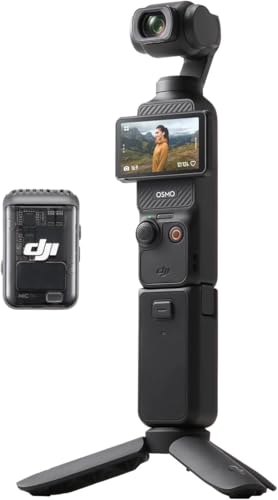
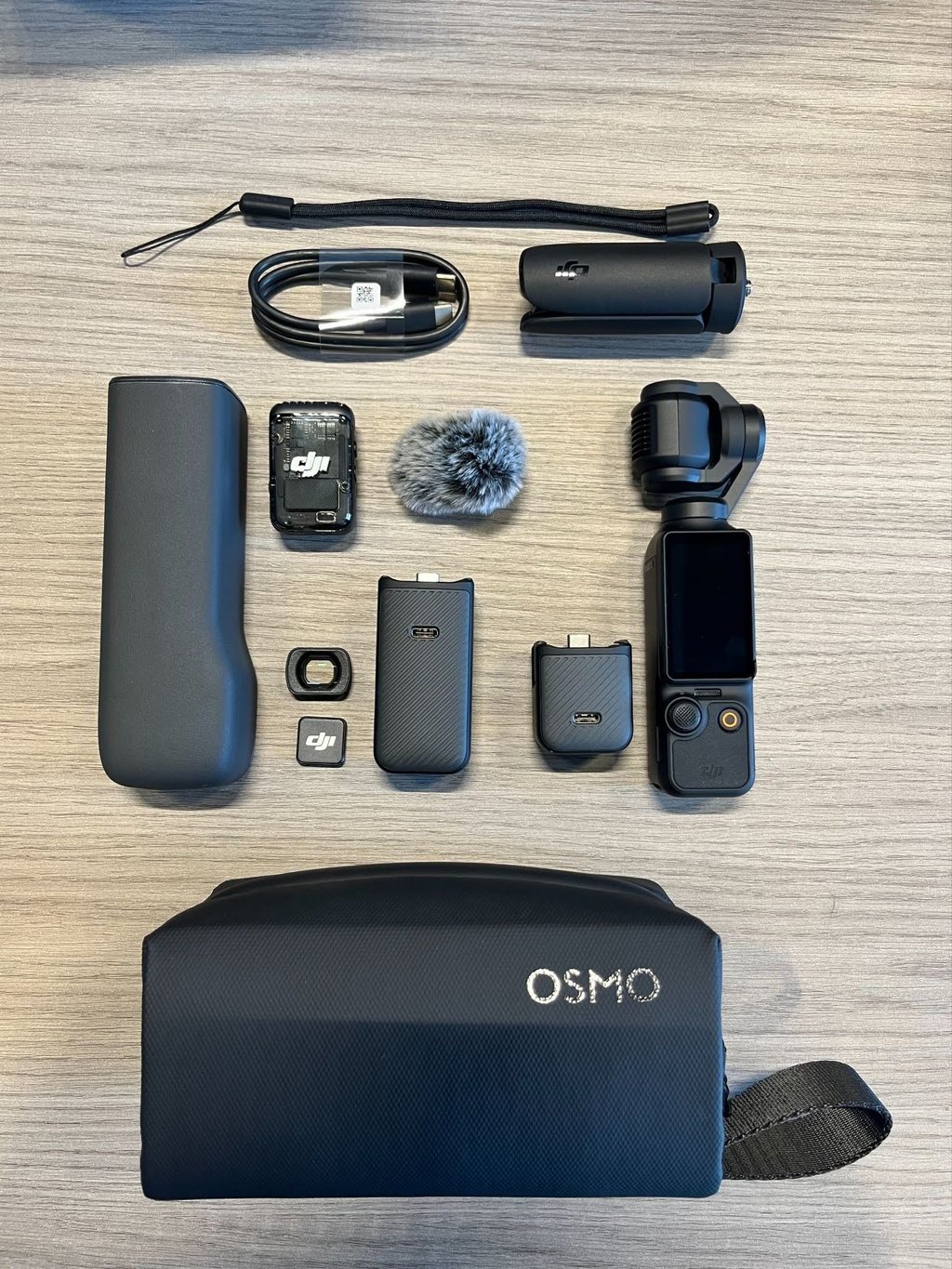
The Osmo Pocket 3 Creator Combo includes several useful accessories. Inside the box you'll find:
- DJI Osmo Pocket 3
- USB-C charging cable
- Protective cover
- Wrist strap
- Threaded handle
- Battery handle
- Wide-angle lens
- DJI Mic 2 transmitter
- Microphone windscreen
- Magnetic clip
- Mini Tripod
- Carrying bag
The Creator Combo bundle is designed to cover all situations straight out of the box. With it, you could easily film while traveling, record talking-head videos, or capture beautiful landscape shots with the magnetic wide-angle lens.
One accessory I found particularly useful was the battery handle. Besides giving me a slightly larger and more comfortable grip, it also extends the camera's battery life. It adds a standard 1/4-inch mounting thread for attaching the Pocket 3 to a tripod or other accessories. It may not be the flashiest extra in the box, but it's one of the accessories I ended up using most often.
If the Creator Combo is within your budget, I recommend getting it straight away instead of buying the accessories one by one, as they are very useful and would cost more if bought separately.
Design and first impressions
The first thing I wasn’t expecting when picking up the Pocket 3 was how compact it was. It’s much smaller than an action or compact mirrorless camera, and I thought it looked and felt more like a TV remote than traditional camera equipment.
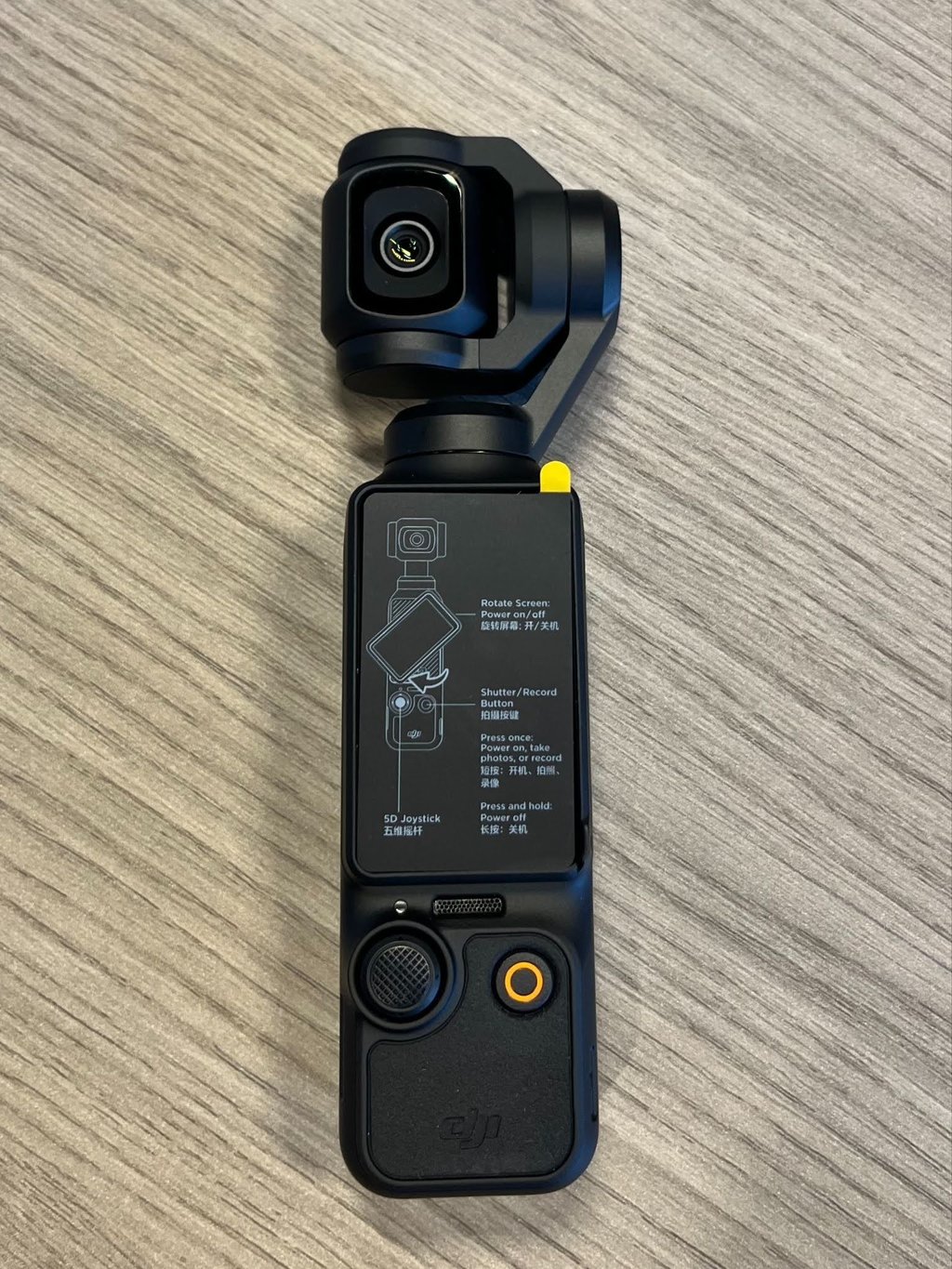
I could easily fit the device into a jacket or even a larger jeans pocket without creating too much of a bulge. I also liked that, despite housing a fully mechanical three-axis gimbal, the camera was still very lightweight. The Osmo Pocket 3 is the exact right size and weight to carry around all day without much thought.
Easy to learn, but not instantly intuitive
The compact design, however, did come with a small adjustment period for me. I’m used to pointing the entire camera where I want to film, whereas with Pocket 3, I was supposed to control the gimbal instead. At first, I found myself moving the device body while the camera head tried to compensate. This resulted in farming that wasn’t quite what I expected. That said, although I caught the hang of it, it did take me a minute to understand how the gimbal behaves and how to get the framing I wanted.
Luckily for me, DJI has foreseen the possible learning curve and designed an onboarding process. The camera walked me through most of its core features during the initial setup, and the DJI Mimo app had additional guidance, tutorials, and further setup instructions. After spending a little time investigating and experimenting with the menus and controls, I understood that using the camera wasn’t really rocket science.
Touchscreen and controls
The rotating 2-inch touchscreen was one of my favorite design touches on the Osmo Pocket 3. While the screen may seem like a small detail at first, the way it works actually made using the camera much smoother and quicker.
Rotating the display horizontally powers the camera on, while rotating it back to vertical switches it off. This is quite a standard practice for many similar devices, but I nonetheless liked that the Pocket 3 included it.
Then, there are the gesture-based touchscreen controls. A quick swipe let me change recording resolution, frame rate, exposure, or camera settings, while the joystick shortcuts saved even more time. Double-pressing the joystick instantly re-centers the camera, triple-pressing flips it around for selfie recording, and a triple tap on the touchscreen enables ActiveTrack.
Once I became familiar with these Pocket 3 control shortcuts, I rarely had to use the menus to find what I needed.
Video quality and everyday performance
What quickly convinced me that the Pocket 3 wasn’t just another device competing with my smartphone was its stabilization. Although plenty of smartphones do a good job of smoothing out wobbly footage, they still depend on a combination of optical and electronic stabilization. That can only compensate for so much movement before the footage starts looking artificially smoothed or slightly jittery.
The Pocket 3 takes a completely different approach to stabilization by using a built-in three-axis mechanical gimbal that physically compensates for movement as you walk. And for me, it was very easy to notice the difference in practice.
During my outdoor walking test, the footage I got looked much smoother than what I would normally expect from my phone. I didn’t really pay much attention to keeping the camera very steady. Yet the movement in the video felt more natural, without the distracting bouncing effect I often see in handheld smartphone videos. That’s because, instead of trying to crop and stabilize the image digitally, Pocket 3 lets the gimbal do the work, resulting in polished footage straight out of the camera.
As for the specs, the camera records up to 4K at 60 fps in standard shooting modes, while slow-motion footage can reach 4K at 120 fps or Full HD at 240 fps. Combined with the mechanical stabilization, it gives most creators enough flexibility without requiring much editing afterward.
Expectation exceeding low-light performance
From my experience, many compact cameras struggle when the lights go down, so I wanted to see how the Osmo Pocket 3 would cope indoors.
To test its capabilities, I first recorded a video in a dimly lit room and then moved to a brighter, well-lit environment. I liked the quick exposure adaptation to changing lighting and thought the autofocus did a good job throughout the tests without constantly hunting for focus. There wasn’t a single instance when I had to stop recording or manually change settings to keep the footage usable. And that, in my opinion, is exactly what I would want from a camera designed for spontaneous shooting.
The Pocket 3's 1-inch CMOS (Complementary Metal-Oxide-Semiconductor) sensor certainly helps here. It's considerably larger than the sensors found in most action cameras and on par with many premium compact cameras. The sheer size of it allows it to gather more light, which, in turn, preserves much clearer details in darker environments. While it still won’t replace a mirrorless camera for serious night shooting, I was still pleasantly surprised by how well it handled indoor environments.
Built for filming yourself
The more I used the Osmo Pocket 3, the more obvious it became that DJI designed this camera with solo creators in mind. And that’s a good thing, because, ultimately, you do want to have the opportunity to create content without needing assistance every step of the way.
For example, the rotating touchscreen makes it easy to switch between horizontal and vertical recording. At the same time, the display lets you see yourself, eliminating guesswork about whether you are actually in the frame.
Although that was already a good starting point, I was further impressed by face tracking. I set the camera down, enabled tracking, and moved around the room to see how well it could keep up. For normal movement, it worked extremely well, keeping me centered in the frame without any input from me. Only when I moved unusually quickly did it take a brief moment to catch up again. That said, for talking-head videos, tutorials, or casual vlogging, that's a compromise I can easily live with.
Another accessory I used way more than I thought I would was the wide-angle lens. Instead of enabling a digital mode, I snapped the lens onto the front of the camera whenever I thought it would benefit the video. The snap-on optical lens physically widens the camera's field of view while using the same camera lens and sensor. The result felt more natural to me than simply stretching or cropping the image. Overall, I thought it was a great option not only for landscapes but also for group shots and handheld vlogging when you want to fit more of what’s happening into the frame.
Smart features that actually feel useful
Plenty of cameras now offer AI-powered modes to make filming easier. At the same time, most of these AI implementations sound impressive but rarely make their way into regular workflows.
Given this backstory, I didn’t expect much from the Osmo Pocket 3 AI-powered shooting modes, but changed my mind pretty swiftly. To begin with, the Face Auto-Detect feature easily locked in on me during testing, which I thought made solo filming pretty much effortless. Dynamic Framing was another feature that proved to be very useful. It allowed me to keep a chosen subject in the same part of the frame while moving the camera around. Because of this, I could easily see this becoming a go-to feature for product demonstrations or B-roll, where consistent framing can make the footage much more professional.
I found the SpinShot probably the most fun feature to work with. Using the joystick, the camera performs smooth 90- or 180-degree rolls that would be quite difficult to recreate by hand. Although I could see it as more of a creative tool than an everyday necessity, I still thoroughly enjoyed playing with it and found it useful for making footage more dynamic.
Lastly, I tested the ActiveTrack feature. With the setting on, the camera kept subjects centered while tracking their movement, which allowed me to focus more on what I wanted to capture rather than constantly thinking about composition. After all, DJI has had years to improve its tracking technology, and I could definitely see that with the ActiveTrack.
Audio performance
For casual recordings, the Osmo Pocket 3’s built-in three-microphone array works perfectly fine. In my test shots, the speech sounded clear, and I thought it was good enough for quick vlogs or everyday clips in which the camera is typically placed near you.
If you need a better sound option, though, you can use the DJI Mic 2 transmitter. I got it with my Creator Combo pack, but you can also buy it separately. Pairing the microphone in the camera settings takes only a minute, and once it's connected, audio is much clearer even when moving around or farther away. I found the added microphone most useful when filming outdoors, as it handled windy conditions much better than the integrated mic.
Overall, if you plan to record yourself speaking regularly, the DJI Mic 2 transmitter is a considerable perk. This alone made me think that purchasing the more expensive Creator Combo is worth the money.
Battery life and storage
One thing that slightly irritated me was that Pocket 3 has no internal storage, and I needed to get my own microSD card before I could start recording. DJI recommends using high-speed UHS-I U3 or V30 cards with capacities of up to 1TB. Keep in mind that, depending on the capacity and brand you choose, you can spend anywhere from around $30 for a 128GB microSD card to well over $100 for larger capacities to start using the camera. Another thing to note is that using a slower or incompatible card can cause filming errors, and I encountered one myself before switching to a compatible card.
As for battery life, I couldn’t fault it in any reasonable way. DJI claims up to 166 minutes under ideal conditions, but my own testing obviously wasn't performed under laboratory settings. To gauge battery endurance, I recorded a continuous 4K video for 20 minutes. By the end of the test, the battery had dropped from 100% to 84%, which I considered a solid result for a camera this small. Your own experience may vary, though, depending on the recording mode, brightness, and wireless features you use. That said, I never felt anxious about the battery running out during normal shooting sessions.
Once the battery does run out, getting back to filming doesn't take long. DJI claims the Pocket 3 reaches 80% charge in around 16 minutes and fully charges in about 32 minutes using a compatible 65W USB-C charger. In my testing, it reached 80% in about 18 minutes and took roughly 36 minutes to charge fully. That's close enough to DJI's official figures that I'd consider the company's battery claims realistic rather than overly optimistic.
DJI Mimo app: More useful than I expected
Like many modern smart devices, the Pocket 3 relies on a companion app for some of its core functionality. In this case, that's DJI Mimo, which you'll need to install to activate the camera, update its firmware, and unlock all of its features. While mandatory app activation won't be everyone's favorite requirement – and it wasn’t mine, either – I actually found the app surprisingly useful once I got past the initial setup.
After downloading the app, I first had to sign in and then pair the camera over Wi-Fi. Then, the app walked me through its main features before dropping me into a clean, easy-to-navigate interface.
One of the things I really liked about the app was the live camera preview, which helped me see exactly what the Pocket 3 saw directly on my phone. The app also gave me remote access to settings like ISO, shutter speed, and recording modes. This, I thought, made it much easier to position the camera in places where reaching the touchscreen wouldn’t otherwise be optimal.
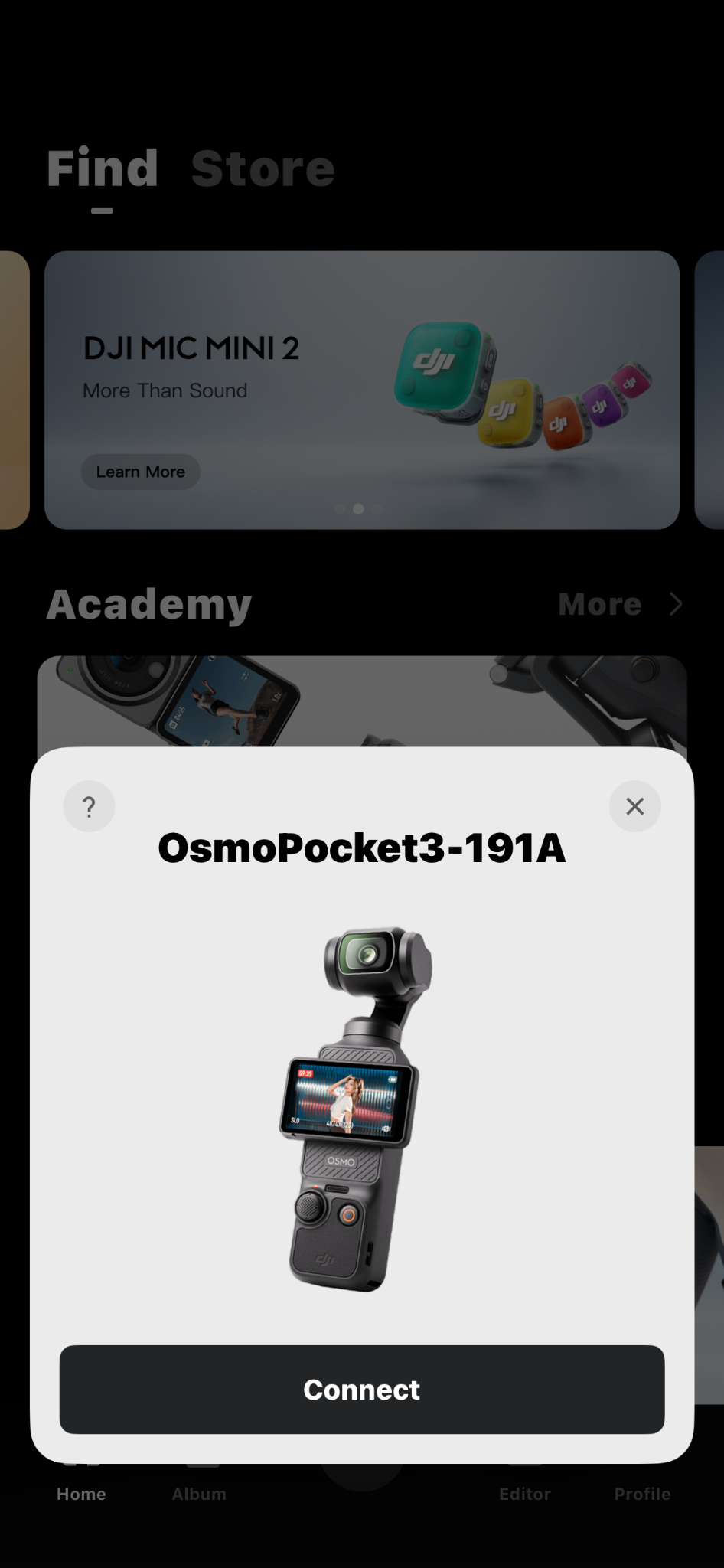
Transferring photos and videos from the camera to my phone was no issue, either. I could browse the media stored on the microSD card while connected to the camera. Then, I simply selected the clips I wanted, chose an export quality, and sent everything directly to my phone’s gallery. Plus, I didn’t have to remove the memory card every time I wanted to transfer files, which I found very convenient.
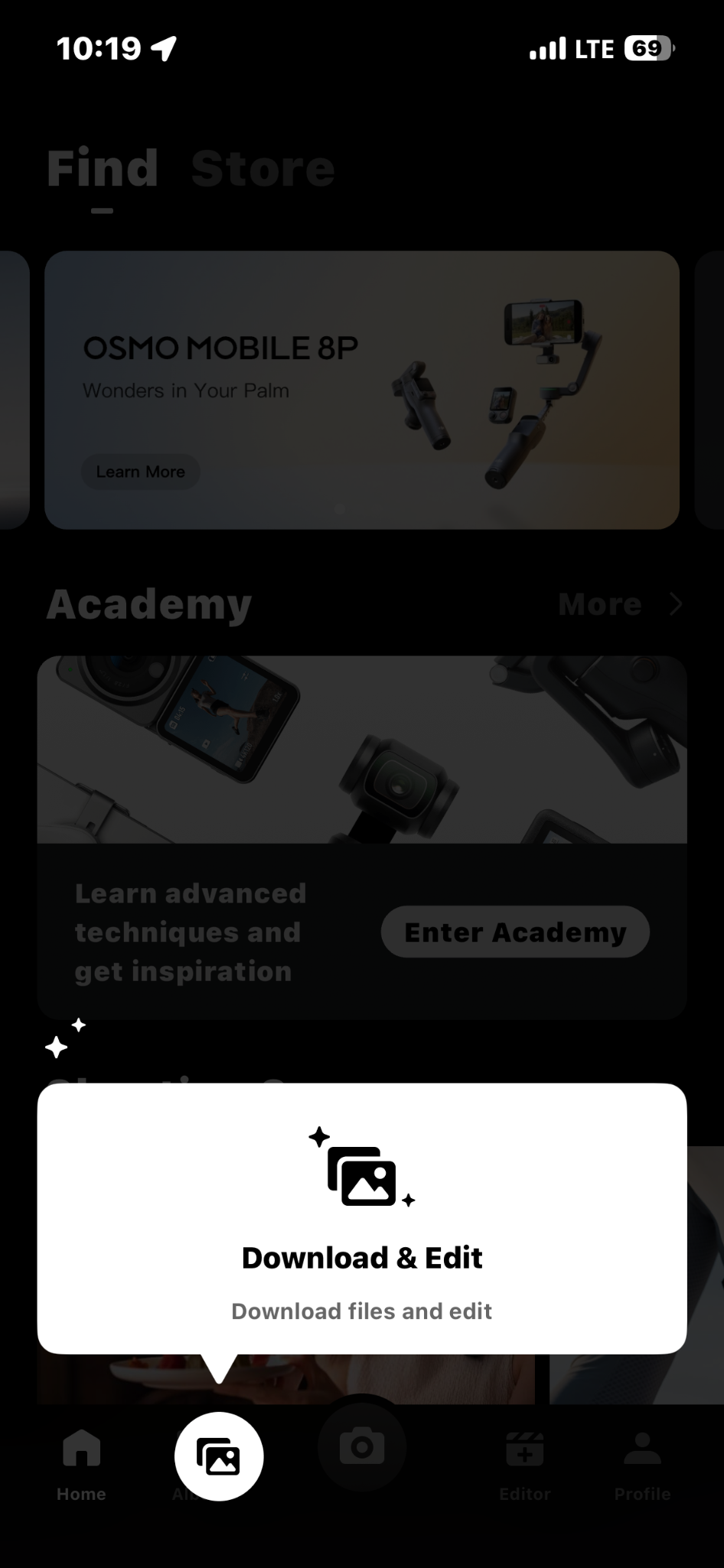
In addition to settings, the DJI Mimo app also includes a nice set of basic editing tools. I could trim and rotate the clips, adjust audio, and do simple edits without needing an additional application.
If you want more automated editing, DJI has a companion app called LightCut, which can analyze your footage and suggest editing templates. One particularly clever feature is that LightCut can preview footage directly from the camera without first downloading large video files to your phone. If you decide to edit a clip, you can import only the footage you need, rather than filling up your phone's storage. The app also has a One-Tap Edit option that can create short videos on its own.
Privacy and security
Over the past years, DJI has faced harsh regulatory scrutiny in the US. It was grounded in national security concerns, primarily related to the company’s drone business. Although these discussions still somewhat rightly shape people’s opinions of DJI as a whole, I think it’s worth separating the company from the device.
As I found out, the Pocket 3, unlike DJI’s drones, is a completely standalone handheld camera. Because it records photos and videos directly to a microSD card, which the user has to buy separately, there’s no automatic upload of the footage to any sort of cloud servers. So, if you simply use the camera, transfer your footage, and edit it yourself, it can function as a normal recording device.
However, I should also mention the DJI Mimo app separately. In a 2020 analysis, security researchers at River Loop Security found that the app requested broad device permissions and incorporated third-party SDKs, including MobTech's ShareSDK, causing uncertainty about how much user data could actually be accessed. DJI has disputed broader claims about its mobile software and has since made changes to some of its apps, but privacy-minded users may still want to review the permissions they grant during setup.
Personally, I’m inclined to think that Pocket 3 does not raise any unusual privacy concerns beyond what you’d expect from a modern connected camera. Still, if privacy is your primary concern, I’d take a couple of minutes to read through DJI’s data policy and, especially, its app permissions before getting started.
Common complaints
Once I was done with my own testing, I spent some time reviewing user forums and professional reviews. My goal was to see whether my experience matched what others reported and to identify the most common complaints among real-life users.
From what I found, the most common complaint by far involves freezing during startup, SD card recognition issues, and, much less commonly, gimbal errors. Interestingly, I only encountered one of these errors myself when I initially inserted an incompatible SD card. However, after replacing it with a compatible one, the problem disappeared and never returned.
Another issue that I occasionally saw mentioned online is overheating throughout extended recording sessions. My testing was not challenging enough to reproduce this behavior. And, aside from some warming up during longer recordings and while charging, the camera never got warm enough to affect performance or interrupt filming.
Finally, like me, some users dislike the mandatory activation process through DJI Mimo. I understand the criticism; however, since the setup only takes a few minutes and the app proved quite useful afterward, it wasn't something I found particularly irritating in day-to-day use.
Pros and cons
Final verdict
After spending about a week with the DJI Osmo Pocket 3, I see why it's become such a well-liked option among content creators. Rather than trying to replace a smartphone, DJI has focused on solving some of the biggest frustrations that come with filming on one. The combination of a three-axis mechanical gimbal, a large 1-inch CMOS sensor, reliable subject tracking, and well-designed software produces videos that look noticeably smoother and better polished with very little effort.
That said, the Osmo Pocket 3 isn't perfect. Mandatory app activation won't appeal to everyone, there's no built-in storage, and it takes a little time to get used to the way the gimbal moves. Still, none of those drawbacks were significant enough to detract from the entire experience.
If you're looking for a compact camera that can produce polished videos without the size and complexity of a mirrorless setup, the DJI Osmo Pocket 3 is an easy recommendation. Across every shooting scenario I tested – from indoor clips to outdoor walks – it consistently delivered stabilization and ease of use that are still difficult for a smartphone to match.