The one flaw that kept this digital calendar in the box (In the end, it didn’t disappoint)
I've finally tried a digital calendar to better manage my time and tasks. If not for one rather big “flaw,” I would have been using it for months already.

Dragon Touch Digital Calendar

 Follow us
I've finally tried a digital calendar to better manage my time and tasks. If not for one rather big “flaw,” I would have been using it for months already.
I've been using a shared calendar ever since my daughter came into this world. Basically, our family planner up until now has been a big A4-format paper calendar hung just under the clock.
With the three of us being busy bees – with work events, football practices, running races, all the daycare events and children's birthday parties – it's impossible not to overschedule yourself.
However, paper has some limits. For me to learn my partner's plans, I have to ask him or check the calendar once I get home. And so, a digital calendar where we could share instant updates has always seemed tempting to me.
I've heard my friends using Google Calendar for this, but I don't really want to let Google know about all my plans (as if it doesn't know already). Plus, I still enjoy staring at our calendar on the wall, just pondering the endeavors and intensity of the upcoming week.






I've decided to try a digital calendar by Dragon Touch, a 15.6-inch planner that costs around $120 at the time of writing.
Disclaimer: The calendar for testing was provided by Dragon Touch free of charge, but the company had no impact on the content of this review.
It's been a while since the digital calendar arrived on my doorstep. I even prepared a spot for it to be hung on the wall, hammered a nail in and everything. However, upon unboxing the device, I understood that it needs to be plugged in at all times. And so, without a socket near its hanging spot, I put the calendar back into the box and haven't touched it for a few months.
This, actually, seems to be the problem with quite a few such devices, including digital frames. Our world is wired. Quite literally.
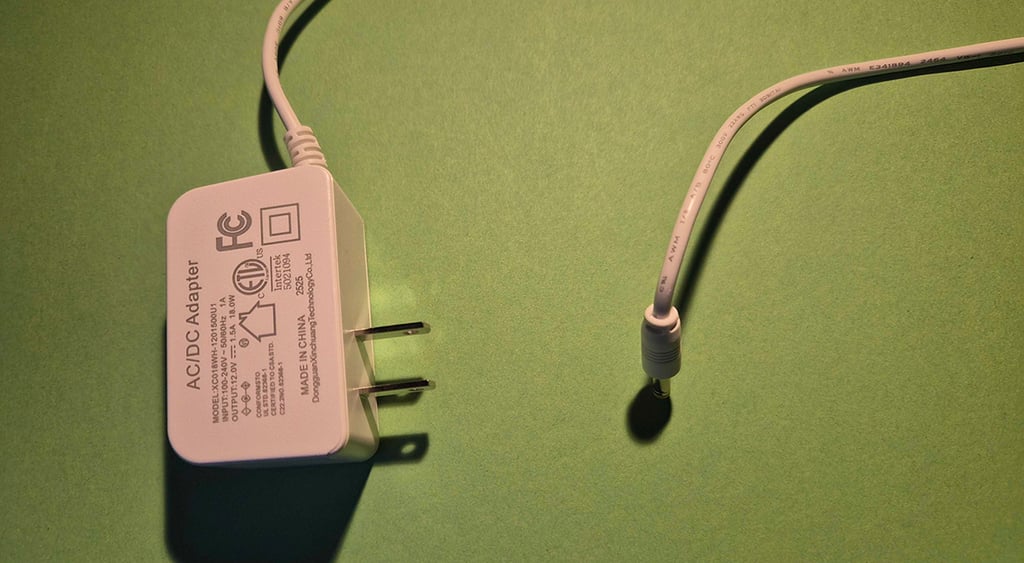
How to charge the Dragon Touch digital calendar?
Well, you can't. It doesn't have a rechargeable battery and has to be plugged in at all times. You can still unplug it in cases where you need the socket for something else or want to move it. Once you plug it back in, it will automatically turn on and display the same homescreen it did before shutting down.
However, the fact that it isn't wireless narrows the device's use cases, to say nothing of the poor aesthetic of yet another wire around the house. It's a shame, really, as I would like it to be portable around the house to discuss family plans and chores, and even to screen some funny videos, as it offers that option (it does have built-in sound, which I was pleasantly surprised by!).
The calendar also comes with an original charger, and there's basically no other way to plug it in than using the original cord in a socket. Depending on where in the world you are, you will likely need an adapter for your socket. (That's another reason why I couldn't even test the calendar for quite some time – I needed to find an adapter.)
Dragon Touch digital calendar control app
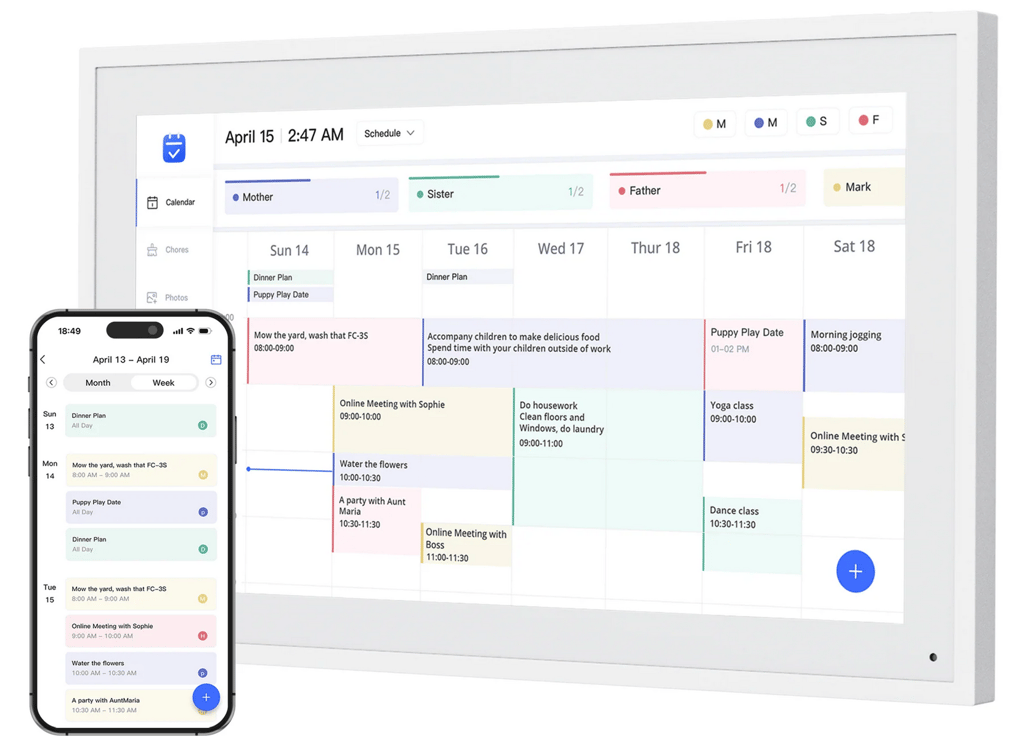
The calendar can be synced with a dedicated app, eCalendar. Notably, it can also be used without it, simply updating the calendar on the device itself. However, without an app, the device wouldn’t really be much better than a paper calendar.
The app can be installed and synced with the device by all family members. Updates you make on your app, for example, adding another task or event, are synced with the device immediately, letting others know your plans as soon as you put them down on the app.
It is also essential if you want to use your calendar as a digital photo frame. Choose the pictures you want to rotate on your screen, and upload them to the app. They will instantly appear on the device, and you can turn on a photo slideshow mode when you aren’t actively using the calendar.
The app’s developers, Shenzhen Fujia Technology, say it doesn’t collect and doesn’t share data with third parties.
I was pleased to learn that I didn’t need to connect it to my Gmail or other accounts. Instead, I could create a new account for this specific application, reducing the risks of signing in with a Google or Facebook account on yet another device.
If you need a socket for something else, you can easily unplug your calendar. Once you plug it in, it will turn back on automatically.
Dragon Touch eCalendar main functions
The interface looks similar to basically any other generic calendar. You can choose which time period you want to see on your screen and add as many family members as you want to see what everybody's up to.
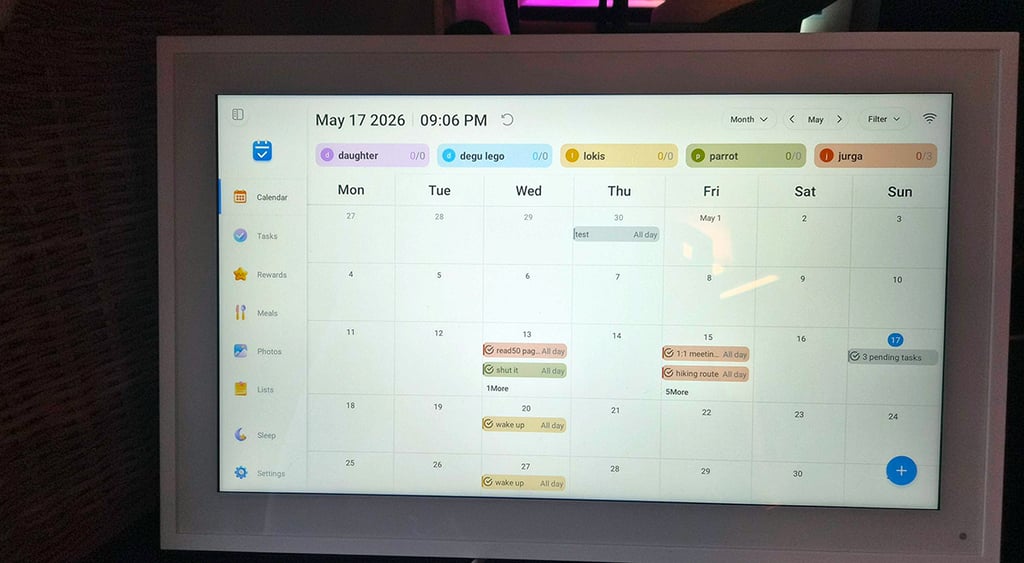
But that's not all. You also have your typical lists and tasks functions, and you can replace your cute sticky notes on the fridge with a digital shopping list. You can simultaneously create multiple lists of stuff you need to do before a holiday, things you need to pack for your weekend hike, items you want to buy at IKEA, and maybe even list shops that sell a specific thing you like.
This proved to be a simple, useful cheat sheet for me. As sewing is my hobby, I now always hunt for various items across dozens of shops because, unfortunately, no single fabric shop can sell me everything I need for my projects, so I end up making notes on random receipts of what I can buy where.
But for our family, the most fun function of the device proved to be the rewards tab. As I'm now trying to teach my daughter the value of money, she has a longish list of tasks that would earn her something she really wants. Right now, she is saving $30 for some mystery toy (I'm against mystery buying myself, but if she wants to buy it with the money she earns herself, so be it). So we've built a list of things that seemed fair to both of us, and upon completing which, she would be able to buy the toy.
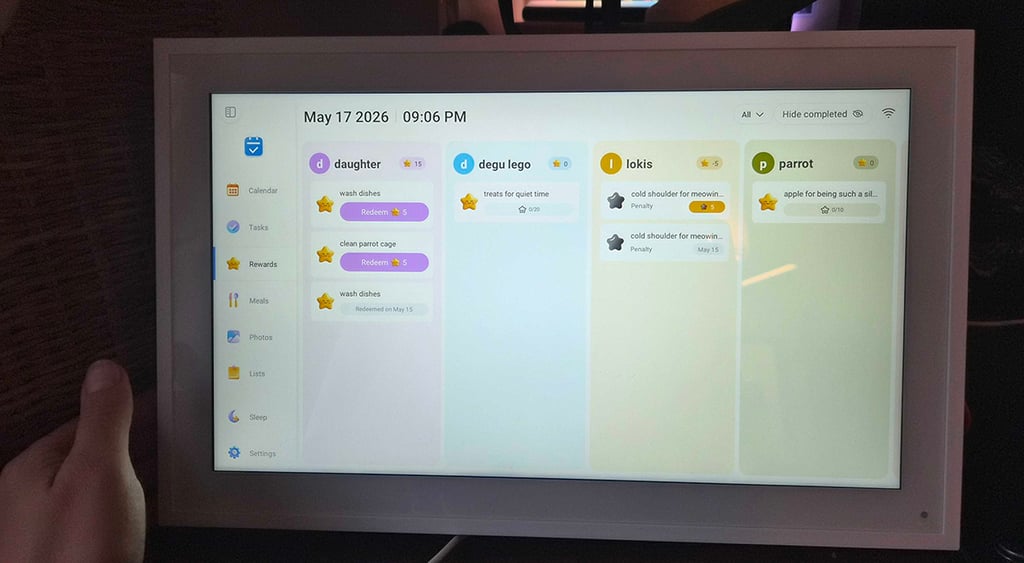
You can assign a certain number of stars to each achievement. You can also assign a penalty. So, for example, feeding our parrot earns her 5 stars (out of the 50 she needs to get for the toy). But picking up a smartphone without permission and watching YouTube or TikTok costs 5 stars (a penalty).
You can only add stars via the app, not the calendar, making cheating harder. You then see the total number of stars a person has and can choose to redeem them under your agreed-upon conditions. I wouldn't toy with such a feature myself. However, it seems to be working for my kid, so hurray!
The device also functions as a digital frame, so you can rotate through a selection of pictures and liven up your interior. It also allows videos (though the upload process takes longer, and some videos for me uploaded only after multiple tries), so screening a homemade movie from a recent trip was well received by the family.
Since it has built-in speakers, I would love it to have some sort of music player, too, to allow uploading and playing records. Also, since it's connected to the internet anyway, Spotify or a similar option would be very much welcomed.
Final takeaways
- Intuitive control
- Instantaneous synchronisation
- Built-in speakers for videos
- Funky extra functions like Rewards and Meals tabs
- Lack of view customization
- Has to be plugged in at all times
- Non-flexible frame stand
The calendar has an analog feel to it, despite being interactive and synced with the phone. Why? I think it's because there are no personalization options here, and it doesn't shove any ads down your throat, even though, at least in theory, it could. It feels like a Kindle compared to a book – it has some added value but isn't too distracting.
It also doesn't come with a subscription, which is an increasingly hidden trap by manufacturers.
You simply own the device you bought. If you’re concerned about app security, you also don't have to use it – the calendar works without the app, and the exposure of your data is somewhat limited.
I think I'd only insist on fixing one thing – adding a rechargeable battery for the reasons I mentioned above.
Overall, I still believe that a paper calendar hanging on the wall is a sufficient family time organizer for me. Having an extra frame with a cord hanging from it just to align our plans seems a bit excessive. But that's personal preference, and some might definitely find a digital calendar a far more convenient way to organize their time.